On-Device AI vs Cloud AI: Benefits, Costs and Differences

Comparing on-device AI and cloud AI architectures for modern mobile applications and business software.
Artificial intelligence is becoming an important part of modern mobile applications, business platforms, and digital services. From intelligent customer support and automated document processing to predictive analytics and personalized recommendations, businesses are increasingly integrating AI capabilities into their software products.
However, implementing artificial intelligence involves an important architectural decision: should AI processing happen directly on a user's device, or should the application communicate with cloud-based AI infrastructure?
Both approaches offer different advantages. On-device AI processes information locally using the hardware and software capabilities of smartphones, tablets, or computers. Cloud AI relies on remote servers to perform computationally intensive operations and return results to the application.
The difference affects more than processing speed. It also influences development costs, infrastructure requirements, data privacy, application scalability, device compatibility, and long-term maintenance.
For businesses planning mobile application development, understanding these differences can help prevent unnecessary infrastructure expenses and improve the overall user experience.
This guide examines on-device AI vs cloud AI from a practical business and software development perspective. It explores how both approaches work, their benefits and limitations, implementation costs, hybrid architecture, and considerations for businesses in Qatar.
What Is On-Device AI?
On-device AI refers to artificial intelligence processing that takes place directly on a user's device rather than sending every request to an external server.
A mobile application can use locally available machine learning models to recognize images, process text, analyze audio, generate selected responses, or perform other intelligent operations.
The device uses its available processing resources, including the CPU, GPU, and dedicated AI hardware where supported.
For example, a document scanning application may use an on-device machine learning model to recognize printed text from a photograph. The application can perform this operation without uploading the entire image to a remote AI service.
Apple's Core ML technology provides tools for integrating machine learning models into applications and running predictions directly on supported Apple devices.
Similarly, Android developers can explore Google's on-device AI development tools, including ML Kit and other supported machine learning solutions.
How On-Device AI Works
The process generally involves several stages:
A user provides information through the application, such as text, an image, or an audio recording.
The application prepares the input for the selected machine learning model.
The model processes the information using the device's available hardware.
The model generates a prediction, classification, or supported response.
The application displays the result to the user.
Because processing happens locally, the application may not need to transmit the original input to an external AI service.
However, developers must still consider whether other application functions transmit data to backend servers, analytics platforms, or third-party services.
Key Benefits of On-Device AI
1. Reduced Dependence on Internet Connectivity
One important advantage of on-device AI is that compatible models can operate without continuous internet connectivity.
This can be useful when users experience weak connectivity or temporarily lose access to a network.
For example, an inventory application could use a locally available image recognition model to identify selected products during warehouse inspections.
The application can store results locally and synchronize approved information with its backend when connectivity becomes available.
2. Faster Responses for Supported Tasks
On-device processing eliminates the need to send every request to a remote server and wait for a response.
This can reduce network-related delays, particularly for lightweight tasks such as image classification, text recognition, and selected speech-processing operations.
Actual performance depends on the model, device hardware, memory availability, and implementation quality.
3. Greater Control Over Sensitive Information
Processing information locally can reduce the amount of personal data transmitted to external AI services.
This can be valuable for applications that handle sensitive documents, private user information, or business records.
However, local processing does not automatically make an application secure. Developers must also protect local storage, application permissions, authentication, and information exchanged with other systems.
4. Reduced Recurring Cloud Inference Charges
On-device AI does not normally generate the same per-request cloud inference charges associated with hosted AI models.
Once the model has been developed, optimized, and deployed, compatible devices can perform supported operations using their own hardware.
This may make local inference attractive for applications with frequent, relatively simple AI tasks.
Nevertheless, businesses still need to consider development, model optimization, testing, distribution, and device compatibility costs.
5. Better Offline User Experiences
Applications can continue offering selected AI features when a user is temporarily disconnected.
This can improve usability in environments where uninterrupted connectivity cannot be guaranteed.
Limitations of On-Device AI
Despite its advantages, on-device AI is not suitable for every application.
Hardware limitations: Mobile devices have different processing capabilities, memory capacities, and battery resources. A model that performs efficiently on a recent smartphone may not work reliably on an older device.
Model size: Larger models require more storage and memory. Developers may need to compress or optimize models before deployment.
Battery consumption: Continuous AI processing can increase energy consumption, particularly when applications perform demanding operations.
Device compatibility: Different operating systems, device manufacturers, and hardware configurations can create additional testing requirements.
Model updates: Distributing updated models to users requires a reliable deployment and version-management strategy.
Limited processing capabilities: Smaller on-device models may not provide the same reasoning capabilities or output quality as more powerful cloud-hosted models.
For these reasons, businesses should evaluate the actual requirements of an AI feature before choosing local processing.
What Is Cloud AI?
Cloud AI refers to artificial intelligence services that process information using remote computing infrastructure.
Instead of performing every operation directly on a smartphone, the application sends an approved request to a cloud-based service or an organization's own backend.
The remote infrastructure processes the request and returns the result to the application.
Cloud AI can support advanced language models, complex image processing, large-scale analytics, conversational systems, and other computationally demanding operations.
For example, an e-commerce application may send a customer's product-related question to a cloud-hosted AI assistant. The backend can retrieve relevant product information, process the request, and return a suitable response.
Businesses can integrate these capabilities through managed AI services, application programming interfaces (APIs), or custom cloud infrastructure.
How Cloud AI Works
A typical cloud AI workflow involves the following stages:
A user submits a request through a mobile or web application.
The application sends the approved information through a secure API connection.
A backend service authenticates the request and applies relevant access controls.
The cloud AI model processes the information.
The service returns the generated response or prediction.
The application displays the result to the user.
Depending on the architecture, the backend may also retrieve information from business databases, customer management platforms, or other integrated systems.
A well-designed backend is important because applications should not expose private API credentials or unrestricted access to sensitive business systems.
Key Benefits of Cloud AI
1. Access to More Powerful AI Models
Cloud infrastructure can support models that require significantly more computing resources than typical smartphones can provide.
This makes cloud AI suitable for complex language understanding, advanced reasoning, large document analysis, and other demanding operations.
2. Centralized Model Management
Businesses can manage model configurations, updates, and deployment through centralized infrastructure.
Instead of distributing every model update directly to individual devices, developers can maintain supported cloud models through their backend environment.
3. Better Support for Complex AI Workflows
Cloud AI can integrate with databases, external APIs, enterprise applications, and multiple processing services.
For example, an intelligent business assistant may need to retrieve customer records, summarize previous interactions, check inventory, and prepare a response.
Such workflows often require more than a single lightweight model running locally.
4. Easier Scalability Across Different Devices
Cloud-based AI can provide similar model functionality to users with different smartphone specifications.
The application does not need every device to support the same advanced local model.
However, cloud infrastructure must still be configured to handle increasing traffic, processing requirements, and service availability.
5. Flexible Business Integrations
Cloud AI can connect with existing enterprise systems and backend applications.
Businesses may integrate AI capabilities with:
Customer relationship management systems.
Enterprise resource planning platforms.
Inventory management software.
E-commerce databases.
Customer support platforms.
Reporting and analytics tools.
Business automation workflows.
Organizations developing custom software solutions can use these integrations to connect AI capabilities with their existing business processes.
Limitations of Cloud AI
Cloud AI also introduces several considerations.
Internet dependency: Most cloud AI features require an active network connection. If connectivity is interrupted, the application may not be able to complete its AI request.
Network latency: Requests must travel between the user's device and remote infrastructure. Response times depend on network conditions, server location, model processing, and service availability.
Recurring operational costs: Cloud AI services may charge according to tokens, requests, processing time, storage, or infrastructure consumption.
Data protection responsibilities: Information sent to external services must be handled according to applicable privacy requirements and the organization's security policies.
Service dependency: Applications may depend on third-party providers, API availability, pricing changes, and service limitations.
Infrastructure management: Custom cloud environments require monitoring, access management, backups, security controls, and ongoing maintenance.
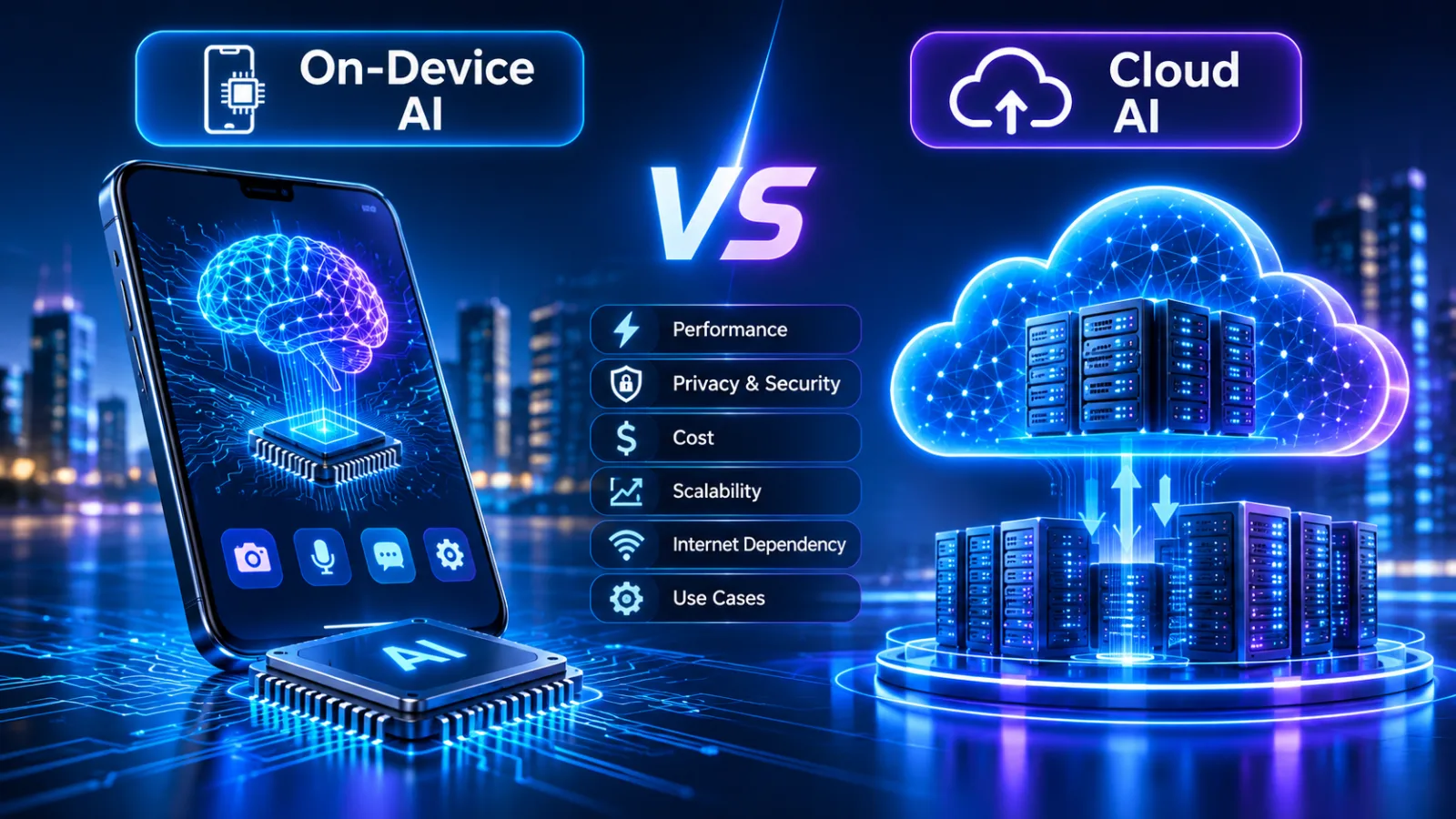
On-Device AI vs Cloud AI: Key Differences
The main difference between on-device AI and cloud AI is where the actual model processing takes place.
On-device AI uses local hardware, while cloud AI relies on remote infrastructure.
However, businesses should compare both approaches across several technical and operational factors.
1. Processing Speed and Latency
On-device AI can provide responsive results because requests do not need to travel to remote servers.
This can be beneficial for features involving repeated local operations, such as camera-based recognition or real-time interaction.
Cloud AI introduces network communication time in addition to model processing time.
However, a powerful cloud model may complete a complex operation faster than a smaller model running on a less capable device.
Therefore, the fastest approach depends on the specific workload rather than the architecture alone.
2. Data Privacy and Security
On-device AI can reduce the need to transfer sensitive information to external services.
For example, a document recognition application may process a photograph locally without uploading the original image.
Cloud AI requires businesses to consider what information is transmitted, where it is processed, how long it is retained, and which providers can access it.
Both architectures require appropriate security controls.
Important considerations include:
Data encryption.
Secure authentication.
Access permissions.
Data retention policies.
Secure API communication.
Application-level privacy controls.
Monitoring and incident response.
3. Development and Operational Costs
The cost structure differs significantly between the two approaches.
On-device AI may require greater investment in model optimization, device compatibility testing, and application development.
Cloud AI may reduce certain local implementation requirements but introduce recurring service and infrastructure expenses.
The most suitable option depends on usage frequency, model complexity, user numbers, and maintenance requirements.
4. Scalability and Performance
Cloud AI can scale through additional computing resources, managed services, and infrastructure adjustments.
On-device AI distributes processing across users' devices.
This can reduce centralized inference demand, but businesses must account for the wide range of device specifications and supported hardware.
5. Internet Connectivity
On-device AI can operate offline when the selected model and application functionality support local execution.
Cloud AI generally requires network access to communicate with remote infrastructure.
Hybrid architecture can provide selected offline functionality while maintaining access to advanced cloud services when connectivity is available.
6. Model Capabilities
On-device models are generally optimized for specific tasks and available hardware resources.
Cloud models can support more demanding workloads, larger inputs, and advanced processing.
The distinction is not absolute because local model capabilities continue to evolve. Businesses should evaluate actual model performance against their application requirements.
Complete Comparison Table
Comparison Factor | On-Device AI | Cloud AI |
|---|---|---|
Processing location | User's device | Remote servers |
Internet requirement | Not always required | Usually required |
Response time | No network round trip | Includes network latency |
Model capabilities | Constrained by device resources | Can support larger models |
Data handling | Can remain local | Data may be transmitted |
Infrastructure | Device hardware | Cloud infrastructure |
Per-request AI charges | Generally absent for local inference | May apply |
Battery usage | Uses device resources | Less local AI processing |
Device compatibility | Hardware-dependent | Broader device support |
Model updates | Device distribution or supported updates | Centralized deployment |
Offline functionality | Possible | Limited without connectivity |
Best suited for | Lightweight local operations | Complex AI workloads |
The comparison shows that neither approach is universally better. The right choice depends on the type of AI functionality, available resources, privacy requirements, and expected usage.
On-Device AI vs Cloud AI: Understanding the Cost Differences
Cost is one of the most important considerations when planning AI-powered mobile applications.
Businesses sometimes assume that on-device AI is always cheaper because it does not require cloud inference charges. Others assume cloud AI is more affordable because they do not need to optimize models for individual devices.
Both assumptions can be misleading.
A more useful approach is to evaluate the total cost of ownership (TCO) over the application's expected operating period.
1. Initial Development Costs
On-device AI may require:
Model selection and optimization.
Device-specific performance testing.
Application integration.
Memory and battery optimization.
Model distribution mechanisms.
Compatibility testing across operating systems.
Cloud AI may require:
Backend development.
AI API integration.
Authentication and access management.
Secure data transmission.
Cloud infrastructure configuration.
API monitoring and error handling.
The initial investment depends on the complexity of the application and the selected technology.
2. Recurring Operational Costs
Cloud AI services may charge for:
Input and output tokens.
API requests.
Model processing.
Server resources.
Storage and data transfer.
Monitoring and supporting infrastructure.
On-device AI generally avoids direct per-inference cloud charges, but businesses still incur costs related to maintenance, testing, model updates, and customer support.
3. Device and Hardware Considerations
On-device AI uses resources available on users' devices.
If an application requires powerful hardware, businesses may need to consider whether their target audience has compatible smartphones.
An application that works efficiently only on selected premium devices may exclude users with older or lower-specification hardware.
Cloud AI reduces this dependency because most intensive processing happens remotely.
4. Maintenance and Updates
Both architectures require ongoing maintenance.
On-device solutions need compatible model releases, application updates, performance monitoring, and testing across supported devices.
Cloud solutions require infrastructure maintenance, API updates, security monitoring, service optimization, and provider management.
The maintenance strategy should be included in the original project budget rather than treated as an unexpected future expense.
5. Total Cost of Ownership
A practical comparison should include the following:
Cost Component | On-Device AI | Cloud AI |
|---|---|---|
Initial integration | Model optimization and app integration | Backend and API integration |
Model execution | Device resources | Cloud inference |
Infrastructure | Lower centralized AI demand | Ongoing cloud resources |
Compatibility testing | Often more extensive | Generally less hardware-dependent |
Updates | App and model distribution | Centralized model management |
Maintenance | Device and model support | Cloud and API maintenance |
Network usage | Lower for local inference | Depends on request volume |
Scaling expenses | More processing distributed to devices | May increase with usage |
Example: Comparing Two Mobile AI Architectures
Consider a Qatar-based retail company planning a mobile application with an intelligent product recognition feature.
The application allows customers to photograph products and identify matching items in the company's catalog.
The business evaluates two implementation options.
Option A: On-device AI
The application uses a locally installed image recognition model to identify selected product characteristics.
Potential expenses include:
Model integration and optimization.
Device compatibility testing.
Application maintenance.
Model updates.
The company may avoid sending every photograph to a cloud AI service.
However, local model performance must be tested across the smartphones used by customers.
Option B: Cloud AI
The application sends approved image information to a cloud-based recognition service.
Potential expenses include:
AI API usage.
Backend infrastructure.
Data transfer.
Cloud monitoring.
Security and maintenance.
This approach can provide access to more advanced recognition capabilities and centralized model updates.
However, operating expenses may increase as the number of image-processing requests grows.
Business decision: If the recognition task can be handled accurately by a lightweight model, on-device processing may be worth evaluating. If the application requires complex visual analysis across a large catalog, cloud processing may be more appropriate.
A hybrid solution may also provide a useful balance.
This example is illustrative. Actual development and operational costs depend on the selected model, technology stack, usage patterns, infrastructure, and implementation requirements.
When Should Businesses Choose On-Device AI?
On-device AI is particularly useful when applications require fast local processing, selected offline functionality, or reduced transmission of sensitive information.
1. Document Scanning Applications
Applications that recognize text from receipts, forms, identification documents, or invoices may benefit from local OCR processing.
The device can extract supported text without automatically transmitting the original document to an external AI service.
This can be useful for applications involving private business documents.
2. Inventory and Product Recognition
Retail and warehouse applications can use local computer vision models to identify products, recognize labels, or classify selected objects.
This can help users complete repetitive tasks more efficiently.
3. Offline Productivity Applications
Applications offering local text summarization, smart suggestions, or selected classification features may continue operating without a network connection.
The available functionality depends on the model and supported device hardware.
4. Privacy-Sensitive Features
Applications that handle personal notes, selected document information, or private user content may benefit from local processing.
Businesses should still implement appropriate storage protection, permissions, and privacy controls.
5. Real-Time Camera Features
Camera applications and visual tools may use local machine learning models for supported image recognition and visual processing tasks.
This can reduce dependence on continuous server communication.

When Is Cloud AI the Better Choice?
Cloud AI is more suitable when an application requires advanced model capabilities, centralized processing, or integration with multiple business systems.
1. Intelligent Customer Support Systems
Businesses can use cloud AI to power assistants that understand customer questions, retrieve relevant information, and generate responses.
For example, an online service platform may connect an AI assistant with its knowledge base, customer support database, and service management system.
2. Advanced Document Analysis
Applications that process large documents, multiple files, or complex information may require cloud infrastructure.
A cloud-based system can connect language models with document storage, search services, and business databases.
3. Enterprise Data Analysis
Organizations often need to analyze information from multiple systems.
Cloud AI can support processing workflows involving sales records, inventory data, customer interactions, and operational reports.
4. Complex Conversational Applications
Advanced AI assistants may require larger language models, conversation history, external tools, and multiple processing steps.
Cloud infrastructure provides greater flexibility for these requirements.
5. Multi-System Business Automation
Businesses using CRM, ERP, accounting, and inventory platforms may benefit from cloud-based AI integrations.
The application can connect different systems through secure APIs and coordinate approved workflows.
Hybrid AI Architecture: Combining On-Device and Cloud AI
Businesses do not always need to choose between completely local and completely cloud-based AI.
Hybrid AI architecture combines both approaches within the same application.
The device performs selected operations locally, while cloud infrastructure handles tasks that require more advanced processing.
For example, a mobile application may use an on-device model to recognize text from an image and then send only the approved extracted information to a cloud service for additional analysis.
This approach can balance local responsiveness with access to advanced AI capabilities.
Google's official hybrid inference documentation explains how applications can distribute AI workloads between device and cloud infrastructure.
How Hybrid AI Architecture Works
A hybrid application generally follows this process:
The user submits information through the application.
The application checks whether the requested operation can be completed locally.
A supported lightweight model processes suitable requests on the device.
More complex requests are routed to an approved cloud service.
The backend processes the request and returns the result.
The application displays the response and manages relevant local or remote data.
Developers should define clear routing rules so that sensitive information is not transmitted unnecessarily.
Benefits of Hybrid AI
Improved flexibility: Applications can select the most suitable processing location for different operations.
Reduced cloud usage: Routine tasks can run locally, potentially reducing recurring inference charges.
Better offline support: Selected features can remain available when connectivity is unavailable.
Access to advanced models: Complex tasks can use cloud-based models when required.
Broader device support: Applications can provide cloud fallbacks for devices that do not support a particular local model.
Practical Example: A Smart Business Assistant
Consider a business application used by employees to manage documents, customer requests, and internal information.
A hybrid architecture could operate as follows:
On-device AI recognizes text from a photographed document.
The application extracts relevant fields locally.
The user reviews and approves the extracted information.
A secure backend sends approved information to an enterprise AI service.
Cloud AI summarizes the information or connects it with relevant business records.
The final result is displayed in the application.
This design can reduce unnecessary data transfers while retaining access to more advanced processing.
On-Device AI vs Cloud AI for Businesses in Qatar
Businesses in Qatar operate across sectors such as healthcare, financial services, retail, education, logistics, and professional services.
Each sector has different application requirements, data-handling responsibilities, and operational priorities.
Choosing the right AI architecture should therefore involve more than comparing model performance.
1. Healthcare and Patient Management Applications
Healthcare applications may process appointment information, patient records, medical documents, and other sensitive information.
On-device AI can support selected local operations, such as document recognition or basic information processing.
Cloud AI may support more advanced administrative workflows, document analysis, and integration with healthcare management systems.
However, organizations must carefully evaluate data protection, access controls, security arrangements, and applicable healthcare requirements before processing patient information.
2. Retail and E-Commerce Applications
Retail businesses may use AI for product discovery, personalized recommendations, image recognition, and customer assistance.
On-device AI can support selected camera-based features and local recommendations.
Cloud AI can provide advanced product search, conversational assistance, and analysis across large product catalogs.
A hybrid architecture may be useful when applications need responsive local features alongside centralized product intelligence.
3. Banking and FinTech Applications
Financial applications require strong security, authentication, and transaction monitoring.
On-device AI may support selected fraud indicators or local user assistance.
Cloud AI can analyze broader transaction patterns and integrate with centralized financial systems.
However, AI should not independently replace established transaction security, verification, and risk-management controls.
Financial businesses must evaluate the applicable regulatory and security requirements before selecting an architecture.
4. Logistics and Transportation Applications
Logistics applications may use AI to analyze delivery information, identify products, support route planning, and process operational requests.
On-device AI can help field workers perform selected tasks when network access is limited.
Cloud AI can analyze larger datasets, coordinate operations, and connect information across different systems.
A hybrid design can support both mobile workers and centralized business management.
5. Education and E-Learning Applications
Educational applications may include text assistance, learning recommendations, speech recognition, and personalized exercises.
On-device AI can support selected offline learning activities and local text processing.
Cloud AI can provide more advanced tutoring assistants, content analysis, and centralized learning analytics.
Businesses should also consider age-appropriate privacy protections and responsible handling of student information.
Data Privacy and AI Compliance Considerations in Qatar
Data protection should be considered during the architecture planning stage rather than after an application has been developed.
Qatar's Personal Data Privacy Protection Law, Law No. 13 of 2016, establishes requirements concerning the processing and protection of personal data.
The National Cyber Security Agency's personal data privacy guidance provides information about the law and the responsibilities associated with personal data processing.
Businesses should evaluate:
What personal information the application collects.
Whether AI processing is necessary for the intended function.
Which information is processed locally.
Which information is transmitted to external services.
How data is stored, protected, and retained.
Whether third-party providers receive personal information.
What permissions and consent arrangements apply.
How users can exercise relevant privacy rights.
On-device AI may reduce certain data transfers, but it does not automatically guarantee compliance.
Cloud AI may also be used within an appropriate privacy and security framework, provided the business evaluates the relevant processing arrangements and applicable obligations.
Organizations should obtain appropriate legal and security advice when designing systems that process sensitive personal information.
How to Choose the Right AI Architecture for Your Mobile Application
Selecting an AI architecture requires a clear understanding of what the application needs to accomplish.
Businesses should evaluate the following factors before making a decision.
Step 1: Identify the Main AI Functionality
Start by defining the exact task the AI feature needs to perform.
Examples include:
Image recognition.
Text extraction.
Voice processing.
Product recommendations.
Conversational assistance.
Document summarization.
Predictive analytics.
Simple classification tasks may be suitable for local processing, while complex reasoning and multi-system workflows may require cloud infrastructure.
Step 2: Evaluate Processing Requirements
Determine the expected model size, input complexity, response quality, and processing frequency.
A lightweight image classification model has different requirements from a conversational assistant that analyzes long documents.
Test the selected model against realistic application data before finalizing the architecture.
Step 3: Assess Data Privacy Requirements
Identify whether the application handles personal, financial, healthcare, or confidential business information.
Determine which information must remain local and which data can be securely transmitted for additional processing.
Step 4: Estimate Total Operating Costs
Compare more than the initial development budget.
Consider:
Model integration.
API usage.
Cloud infrastructure.
Data transfer.
Device compatibility.
Maintenance.
Security monitoring.
Model updates.
Estimate costs using realistic usage assumptions rather than relying on a single development quotation.
Step 5: Consider Your Target Devices
Review the smartphones, operating systems, and hardware capabilities used by the intended audience.
If the application depends on on-device AI, test it across different device categories.
Cloud AI may provide broader compatibility when advanced local processing is not available.
Step 6: Plan for Scalability
Consider how the application will perform as its user base grows.
On-device AI can distribute supported processing across individual devices.
Cloud AI requires infrastructure planning, capacity management, and cost monitoring.
Hybrid architecture may help distribute workloads according to operational requirements.
Step 7: Test Before Full Implementation
Build a prototype and evaluate:
Response time.
Model accuracy.
Battery consumption.
Memory usage.
Network requirements.
Cloud operating expenses.
Device compatibility.
Data protection controls.
The results should guide the final architecture decision.
Common Mistakes Businesses Should Avoid
Choosing an AI architecture without evaluating the complete application can create unnecessary expenses and technical problems.
Some common mistakes include:
Selecting Cloud AI for Every Operation
Not every AI task requires a large cloud model.
Lightweight tasks may be handled locally, reducing unnecessary network communication and potentially lowering cloud usage.
Assuming On-Device AI Is Always Cheaper
Local processing can introduce development, optimization, distribution, and compatibility expenses.
Businesses should compare total operating costs rather than only looking at API charges.
Ignoring Device Compatibility
A locally deployed model may not work efficiently across all smartphones.
Testing should include different hardware specifications and supported operating systems.
Sending Sensitive Information Without Reviewing Data Handling
Applications should not automatically transmit private documents or personal information to external AI services.
Businesses need appropriate permissions, secure transmission, access controls, and data-handling policies.
Ignoring Future Maintenance
AI models and application requirements change over time.
A suitable maintenance strategy should cover performance monitoring, model updates, security improvements, and compatibility testing.
Future of On-Device AI and Cloud AI
The development of more efficient models, improved mobile processors, and advanced cloud infrastructure continues to expand the possibilities for AI-powered applications.
On-device AI is becoming increasingly relevant for applications that need local processing, selected offline functionality, and responsive user experiences.
Cloud AI continues to provide access to powerful models and centralized processing capabilities for complex business operations.
Hybrid AI architecture is also becoming an important design option because it allows developers to distribute tasks according to their technical requirements.
For businesses, the most useful development is not necessarily choosing the newest AI technology. It is selecting an architecture that provides reliable functionality, manageable operating costs, appropriate data protection, and long-term flexibility.
Companies planning future digital products can explore Galaxium Coding's mobile application development solutions to understand how mobile applications can be designed around specific business requirements.
Why Architecture Planning Matters for AI-Powered Applications
An AI feature may appear simple from the user's perspective, but its underlying architecture can involve several components.
A complete solution may require:
Mobile application interfaces.
Machine learning models.
Backend services.
Secure APIs.
Databases.
Cloud infrastructure.
Authentication systems.
Monitoring and analytics.
Third-party integrations.
These components need to work together reliably.
For example, an application that combines on-device document recognition with cloud-based business analysis needs a clear process for extracting, reviewing, transmitting, and storing information.
Poor architecture planning can result in unnecessary infrastructure expenses, unreliable responses, security weaknesses, and difficult maintenance.
Businesses should therefore evaluate the complete application rather than selecting an AI model in isolation.
Companies exploring broader digital solutions can also review Galaxium Coding's software development services and cloud and DevOps capabilities.
Conclusion
On-device AI and cloud AI offer different advantages for modern mobile applications.
On-device AI is useful for supported local operations, reduced network dependency, selected offline functionality, and limiting unnecessary data transfers.
Cloud AI is more suitable for demanding processing tasks, advanced model capabilities, centralized management, and integrations with business systems.
The right choice depends on application complexity, hardware compatibility, privacy requirements, expected usage, and long-term operating costs.
For many businesses, hybrid AI architecture provides an effective way to combine the strengths of both approaches.
Rather than choosing a technology simply because it is popular, organizations should evaluate their actual requirements and test the available options before making a long-term investment.
Businesses in Qatar planning AI-powered mobile applications or custom digital platforms can explore Galaxium Coding's projects and portfolio to learn more about its software development capabilities.
To discuss an application idea or explore a suitable development approach, contact Galaxium Coding.
Frequently Asked Questions (FAQs)
1. What is the main difference between on-device AI and cloud AI?
The main difference is where artificial intelligence processing takes place. On-device AI processes information directly on a user's device, while cloud AI uses remote servers to perform computations and return results to the application.
2. Is on-device AI cheaper than cloud AI?
On-device AI can reduce recurring cloud inference charges because processing uses the device's hardware. However, businesses still need to pay for development, optimization, testing, maintenance, and model distribution. Cloud AI may introduce ongoing API and infrastructure expenses. The more affordable option depends on the application's requirements and usage.
3. Is cloud AI more powerful than on-device AI?
Cloud AI can generally support larger models and more demanding processing because remote infrastructure provides greater computing resources. On-device AI is usually optimized for specific tasks and available device hardware. However, the best option depends on the selected model and workload.
4. Can AI work without an internet connection?
Yes. Compatible on-device AI models can process supported tasks without an internet connection. However, cloud-based AI features generally require connectivity. Hybrid applications can provide selected offline functionality and use cloud services when a connection becomes available.
5. Is on-device AI more secure than cloud AI?
On-device AI can reduce the amount of information transmitted to external services, which may provide privacy advantages. However, local applications still require secure storage, permissions, authentication, and appropriate protection. Cloud AI can also be implemented securely with suitable encryption, access controls, and data protection practices.
6. What is hybrid AI architecture?
Hybrid AI architecture combines on-device and cloud processing in the same application. Lightweight operations can run locally, while more complex requests are handled by cloud-based models. This can balance responsiveness, processing capabilities, availability, and operating costs.
7. Which AI architecture is best for mobile applications?
There is no single architecture that works best for every application. On-device AI is suitable for lightweight local tasks and selected offline features. Cloud AI is useful for advanced processing and complex integrations. Hybrid AI can be appropriate when an application requires both capabilities.
8. Can businesses in Qatar use cloud AI for customer applications?
Yes. Businesses can integrate cloud AI into customer-facing applications, provided they evaluate security, data processing, privacy responsibilities, and applicable legal requirements. The architecture should reflect the sensitivity of the information and the intended application functionality.
9. What factors affect the cost of implementing AI in a mobile application?
Important factors include model complexity, development requirements, API usage, cloud infrastructure, device compatibility, data storage, integrations, testing, security, and ongoing maintenance. The total cost depends on the selected architecture and expected application usage.
10. Should a business choose on-device AI or cloud AI for its first AI-powered application?
A business should begin by identifying the main AI functionality, target users, data requirements, and expected operating costs. A prototype can then be tested using local, cloud, or hybrid processing. This helps determine which architecture provides the most practical balance for the application.