Intelligent Workflow Automation: How Businesses in Qatar Can Work Smarter

Intelligent workflow automation connects business applications, tasks and approvals to create more coordinated business operations.
Intelligent Workflow Automation: How Businesses in Qatar Can Work Smarter
Businesses rarely struggle because they have no software. In many cases, the real problem is that their software systems, departments and employees do not work together efficiently.
A customer submits an enquiry through a website, but an employee must manually enter the details into a CRM. A manager receives an approval request by email, while the finance department waits for a separate notification. An invoice is processed in one system, but the accounting records are updated somewhere else.
These disconnected activities create delays, repeated data entry and unnecessary administrative work.
Intelligent workflow automation helps businesses coordinate these activities through connected systems, predefined business rules, AI-assisted decisions and automated task execution. Instead of automating isolated actions, it connects the steps involved in completing an entire business process.
For companies in Qatar, this approach can be useful across sales, finance, HR, customer service, healthcare administration, retail, logistics and other operational environments. Qatar's Ministry of Communications and Information Technology (MCIT) supports SME digital adoption through initiatives such as the SMEs Go Digital programme, which encourages businesses to explore digital solutions and improve their operations.
Businesses considering a more connected technology environment can explore custom software development services to build applications and integrations around their operational requirements.
This guide explains what intelligent workflow automation means, how it works, where it creates value, how businesses can implement it and what organizations in Qatar should consider before adopting it.
What Is Intelligent Workflow Automation?
Intelligent workflow automation is the use of software, connected applications, business rules, data processing and artificial intelligence to coordinate business activities with less manual intervention.
A workflow is a sequence of tasks that moves information or work from one stage to another. It may involve employees, customers, managers, software applications and external services.
Traditional workflows often depend on people manually transferring information, sending reminders, requesting approvals and updating records.
Intelligent workflow automation coordinates these steps through a defined digital process. It can also use AI to interpret information, classify requests, extract details from documents or recommend the next action.
For example, consider a company receiving a service enquiry through its website.
A connected workflow could:
Capture the customer's information.
Create a lead record in the CRM.
Identify the requested service.
Assign the enquiry to the appropriate team.
Notify the responsible employee.
Schedule a follow-up.
Update the lead status.
Record the activity for management reporting.
The system coordinates the process instead of requiring an employee to perform every administrative step separately.
Intelligent automation is more than task automation
Automating one task is useful, but coordinating a complete process can create greater operational value.
For example:
Task automation: Automatically sends an email when a form is submitted.
Workflow automation: Sends the email, creates a CRM record, assigns a responsible employee and schedules a follow-up.
Intelligent workflow automation: Also interprets the submitted information, identifies the request category, applies business rules and routes unusual cases for human review.
The difference is the level of coordination and the system's ability to work with information that may not always follow a predictable format.
How Does Intelligent Workflow Automation Work?
An intelligent workflow normally combines several components. Each component performs a particular role in moving information through the business process.
1. Data collection and workflow triggers
Every workflow begins with an event or request.
Possible triggers include:
A customer submitting a website form.
An employee requesting leave.
A customer placing an online order.
A supplier submitting an invoice.
A payment being received.
A support ticket being created.
A manager approving a quotation.
The system detects the event and starts the relevant workflow.
2. Information processing
The system collects the information required to complete the next step.
This may involve retrieving customer details from a CRM, checking inventory records, reading an invoice or retrieving information from an internal database.
AI-powered document processing can also help extract information from documents, although extracted information should be validated when accuracy is important.
3. Business rules and decision-making
Business rules determine what should happen next.
For example:
If an expense is below a defined approval threshold, send it to the department manager.
If an expense exceeds that threshold, request additional approval.
If a customer enquiry concerns technical support, route it to the support team.
If required information is missing, request clarification.
These rules make the workflow consistent and easier to manage.
AI may help interpret ambiguous information, but important business decisions should remain governed by clearly defined permissions and approval requirements.
4. Task assignment and notifications
After the system determines the next step, it assigns the task to the appropriate person, department or application.
Employees may receive notifications through an internal dashboard, email or an approved communication channel.
The workflow should also record who is responsible for the task and whether it has been completed.
5. Application integration
A workflow often needs information from more than one application.
For example, an order-processing workflow may connect:
An e-commerce website.
Customer management software.
Inventory management.
Payment services.
Accounting software.
Delivery management.
APIs and other supported integration methods allow these systems to exchange information.
Businesses that need connected digital interfaces can explore web application development for solutions designed around their operational requirements.
6. Monitoring and reporting
The final component is monitoring.
Managers need to know whether workflows are progressing, which tasks are delayed and where exceptions occur.
A workflow dashboard may display:
Pending approvals.
Completed tasks.
Overdue requests.
Failed integrations.
Average completion time.
Requests waiting for employees.
Workflow error notifications.
This makes the process easier to monitor and improve.
Intelligent Workflow Automation vs Traditional Workflow Automation
Both approaches can reduce repetitive work, but they differ in how they handle information and decisions.
Comparison area | Traditional workflow automation | Intelligent workflow automation |
|---|---|---|
Main approach | Follows predefined rules | Combines rules with intelligent information processing |
Input | Usually structured information | Can process structured and some unstructured information |
Decisions | Rule-based conditions | Rules with AI-assisted interpretation where appropriate |
Document handling | Often requires predefined formats | May use AI to extract and classify information |
Adaptability | Changes require workflow or rule updates | Can support more flexible interpretation within defined limits |
Human involvement | Used for assigned tasks and exceptions | Can be included in review, approval and exception handling |
Example | Send a reminder when an invoice is overdue | Extract invoice details, validate information and route it for approval |
Intelligent automation does not mean every workflow needs AI. A straightforward approval process may work better with simple rules. AI becomes useful when the workflow must interpret language, documents or less predictable information.
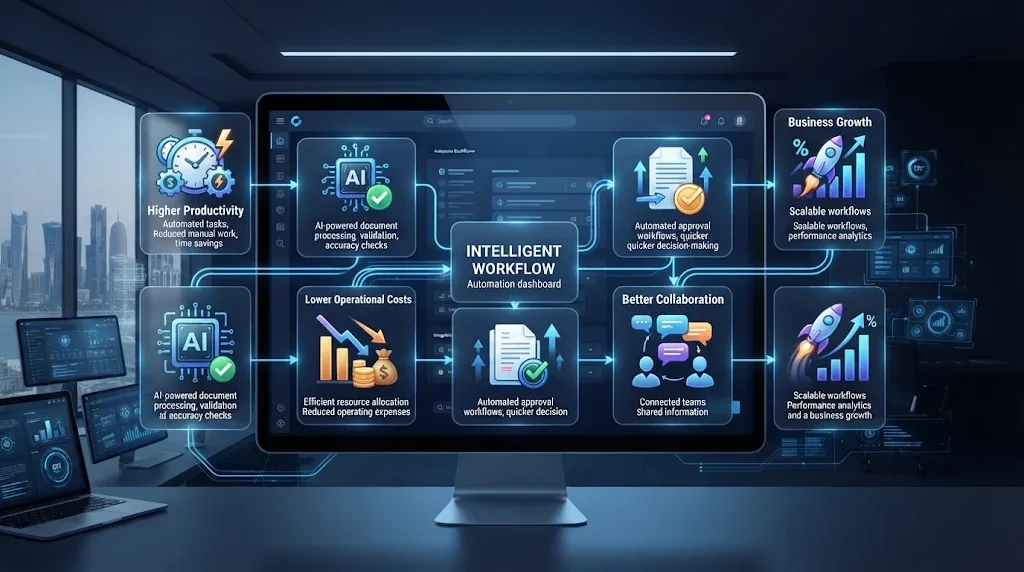
Key Benefits of Intelligent Workflow Automation
The value of workflow automation depends on the process being improved. A well-designed system can make daily operations more organized, visible and consistent.
Reduced repetitive administrative work
Employees often spend time copying information, sending reminders, updating records and checking whether tasks have been completed.
Automation can coordinate these activities and reduce the number of manual steps.
For example, when a customer submits a quotation request, the system could create a CRM record, notify the sales team and schedule a follow-up automatically.
Employees can then focus on understanding customer requirements and preparing the quotation.
Faster task coordination
A process can become delayed when employees do not know who should handle the next step.
Automated task assignment makes responsibilities clearer.
For example, a purchase request can be routed to the relevant department manager, followed by finance approval when required.
The system can notify the next responsible person once the previous step is completed.
More consistent business processes
When employees follow different procedures, the same type of request may be handled differently.
A workflow establishes a consistent sequence of tasks, rules and approvals.
This is particularly useful for organizations with multiple departments, branches or service locations.
Better visibility into operations
Without centralized monitoring, managers may need to contact employees to understand the status of individual tasks.
A workflow dashboard can provide a shared view of pending requests, completed activities and delayed approvals.
This helps management identify operational bottlenecks.
Improved information accuracy
Repeatedly entering the same information into multiple systems creates opportunities for mistakes.
Integrations can reduce unnecessary re-entry by transferring information between connected applications.
However, automation does not automatically guarantee accurate data. Validation rules, duplicate checks and appropriate error handling remain important.
Better customer communication
Customers may become frustrated when they do not receive updates about enquiries, orders or service requests.
Automated notifications can provide confirmations, status updates and reminders at relevant stages.
For example, a service company can notify a customer when a technician is assigned and when the service request is completed.
Easier business growth
As a company grows, the number of enquiries, orders, approvals and internal requests may increase.
A properly designed workflow can handle additional activity without requiring every administrative step to be performed manually.
The system must still be designed, tested and scaled according to the organization's actual workload.
Business Processes That Can Benefit from Intelligent Workflow Automation
Workflow automation is useful when a process involves repeated steps, information transfers, approvals or coordination between people and systems.
The following departments offer practical opportunities.
Sales and lead management
Sales teams often receive enquiries from websites, social media, email, telephone calls and other communication channels.
Without a coordinated process, employees may need to manually record leads, assign representatives and schedule follow-ups.
An intelligent sales workflow can:
Capture enquiries from connected channels.
Create or update customer records.
Classify enquiries by service or requirement.
Assign leads to the appropriate representative.
Schedule follow-up activities.
Notify managers about overdue leads.
Update the sales pipeline.
AI may assist with interpreting customer messages, but lead assignment and qualification rules should be reviewed to ensure they reflect the company's actual sales process.
Human resources and employee management
HR departments coordinate employee information, requests, approvals and onboarding activities.
An automated HR workflow can support:
Employee onboarding checklists.
Leave requests.
Attendance-related requests.
Document collection.
Internal approvals.
Training assignments.
Employee notifications.
For example, when HR creates a new employee profile, the system could generate a document checklist, notify the IT department and assign onboarding tasks to the responsible manager.
Sensitive employee information should only be accessible to authorized users.
Finance and accounting
Finance processes often involve multiple approval stages and supporting documents.
Intelligent workflow automation can help coordinate:
Invoice submission.
Invoice data extraction.
Expense claims.
Purchase approvals.
Payment reminders.
Document verification.
Accounting record updates.
Consider a supplier invoice.
The system receives the document, extracts relevant details, checks required fields and routes the invoice to the appropriate reviewer.
If the information is incomplete or does not match the expected records, the workflow can flag the issue instead of automatically approving the invoice.
Customer support and service requests
Customer support teams handle requests that may require different departments or levels of expertise.
A workflow can classify incoming requests, create support tickets, assign responsible employees and track resolution.
For example:
Customer submits a support request → System identifies the issue category → Ticket is created → Appropriate team is assigned → Customer receives confirmation → Employee resolves the issue → Ticket is closed.
AI can assist with understanding customer messages, while complex complaints and sensitive cases should be escalated to an employee.
Inventory and procurement
Inventory processes depend on accurate information about products, stock levels, suppliers and purchase orders.
Workflow automation can coordinate:
Stock-level alerts.
Purchase requests.
Supplier notifications.
Purchase approvals.
Goods-received records.
Inventory updates.
Reorder reporting.
For example, when stock reaches a configured reorder level, the system can create a purchase request and send it to the authorized manager.
The request should not automatically become a purchase order unless the organization has explicitly approved that process.
Project and task management
Project teams coordinate deadlines, responsibilities, approvals and progress updates.
An automated workflow can:
Create tasks when a project is approved.
Assign responsibilities.
Notify employees about upcoming deadlines.
Escalate overdue tasks.
Request milestone approvals.
Update project dashboards.
Maintain activity records.
This can help managers understand where work is progressing and where intervention may be needed.
Intelligent Workflow Automation Use Cases in Qatar
Qatar has a growing digital business environment, and organizations across different sectors can benefit from better coordination between applications and departments.
MCIT's SMEs Go Digital programme supports digital adoption among SMEs in sectors including retail and wholesale, transportation and logistics, tourism, education and healthcare. The programme also focuses on helping businesses identify digital needs and adopt relevant solutions. See the official MCIT programme update.
The following examples illustrate how intelligent workflows could support businesses in these sectors. They are illustrative scenarios, not claims about specific company implementations.
Healthcare administration
Healthcare organizations may coordinate appointment requests, administrative documents, patient enquiries and internal approvals.
A workflow could:
Receive an appointment request.
Capture the required information.
Check the relevant scheduling system.
Route the request to the appropriate administrative team.
Send a confirmation after the appointment is approved.
Update the relevant records.
Patient information requires careful access control and privacy safeguards. Clinical decisions should not be automated without appropriate professional oversight and validation.
Retail and e-commerce
Retail businesses often coordinate orders, stock, payments, delivery and customer communication.
A connected workflow could begin when a customer places an order.
The system may:
Create an order record.
Check inventory availability.
Confirm payment status through the relevant integration.
Notify the fulfilment team.
Update order progress.
Send customer notifications.
Record the transaction for reporting.
If a payment fails or an item is unavailable, the workflow should route the issue for appropriate action rather than treating the order as completed.
Real estate
Real estate businesses manage property enquiries, agent assignments, viewing appointments and customer follow-ups.
A workflow could capture a website enquiry, identify the property of interest, create a CRM record and assign the lead to an agent.
Once a viewing is arranged, the system can send reminders and update the sales pipeline.
This can help teams coordinate customer interactions without manually transferring information between separate tools.
Construction and project operations
Construction companies may coordinate procurement, project documentation, site requests and approval processes.
For example, a purchase request from a project team could be routed to a project manager, then to procurement and finance according to the company's approval structure.
The workflow can record decisions, maintain supporting documents and notify the relevant employees.
Logistics and transportation
Logistics businesses coordinate orders, dispatch, delivery status and customer communication.
A workflow may receive a delivery request, create a dispatch task, assign it to an appropriate team and update the delivery status as information becomes available.
Exceptions such as missing delivery details, delayed shipments or failed handovers should be flagged for employee attention.
The Role of AI in Intelligent Workflow Automation
AI can make workflows more capable when information is difficult to process using fixed rules alone.
However, AI and automation perform different functions.
Automation coordinates actions. AI helps interpret information or generate recommendations that may be used within a workflow.
Natural language processing
Natural language processing allows systems to interpret written language.
For example, a customer might submit:
"I need help arranging maintenance for our office air-conditioning system next week."
An AI-assisted workflow could identify the request as a maintenance enquiry, extract the preferred timeframe and route it to the appropriate service team.
The system should ask for missing information instead of assuming details that the customer has not provided.
Intelligent document processing
Businesses receive invoices, application forms, contracts and other documents.
AI-powered document processing can help identify document types and extract relevant information.
A workflow can then validate required fields and send the document to the correct department.
Human review remains important when documents are unclear, incomplete or involve significant financial or legal consequences.
AI-assisted classification
Incoming requests may need to be classified before they can be assigned.
AI can help identify categories such as:
Sales enquiry.
Technical support.
Billing question.
Appointment request.
Complaint.
Supplier communication.
The workflow can use the classification to suggest a destination or route the request under approved rules.
Predictive insights
Historical workflow information may help identify patterns such as recurring delays, high-volume periods or frequently returned requests.
These insights can help managers decide where a process needs improvement.
Predictions should be treated as decision-support information rather than guaranteed outcomes.
AI agents and workflow execution
AI agents can interact with connected tools to perform tasks within defined permissions.
For example, an agent may retrieve permitted customer information, prepare a support summary or create a draft task.
However, access to business systems should be restricted. Actions such as issuing refunds, changing financial records or approving contracts may require explicit human authorization.
The key is to give AI a clearly defined role within a controlled workflow rather than unrestricted access to business operations.
Technologies Used in Intelligent Workflow Automation
A reliable workflow solution is usually made up of several technologies working together.
Technology | Role in the workflow |
|---|---|
Workflow engine | Coordinates tasks, conditions and process stages |
APIs | Allow connected applications to exchange information |
Artificial intelligence | Interprets language, documents and other information |
Databases | Store business records and workflow information |
CRM software | Manages customer and sales information |
ERP systems | Connect operational and business-management processes |
Cloud infrastructure | Supports hosting, storage and system availability |
Web applications | Provide interfaces for employees and managers |
Mobile applications | Allow authorized users to access workflows while away from their desks |
Analytics dashboards | Help monitor workflow performance |
The appropriate technology depends on the business process, existing software, data requirements and expected workload.
Companies that need employees to access tasks and approvals through mobile devices may also consider mobile application development as part of a wider workflow solution.
How to Implement Intelligent Workflow Automation in Your Business
Successful automation begins with understanding the business process, not selecting an AI tool.
A structured implementation approach helps organizations avoid automating inefficient procedures or introducing unnecessary complexity.
Step 1: Identify a process that needs improvement
Start with a process that is repeated frequently and involves several manual steps.
Examples include:
Lead assignment.
Invoice approval.
Employee onboarding.
Customer support routing.
Purchase requests.
Appointment coordination.
Do not begin by trying to automate every department.
Step 2: Map the current workflow
Document what happens from the beginning to the end of the process.
For example:
Customer submits request → Employee reviews details → Manager approves → Finance updates records → Customer receives confirmation.
Identify who performs each step, which applications are involved and where information is transferred.
Step 3: Identify bottlenecks and exceptions
A process may appear straightforward until something unusual happens.
Ask:
What happens when information is missing?
What happens when a manager is unavailable?
What happens when an approval is rejected?
What happens when an integration fails?
Who handles urgent requests?
Which steps require professional judgment?
These questions help reveal the situations that a workflow must handle.
Step 4: Decide what should be automated
Not every activity needs AI or full automation.
A useful approach is to divide tasks into three groups:
Rule-based tasks: Repetitive actions with clear conditions, such as sending reminders or assigning requests.
AI-assisted tasks: Activities involving language, document interpretation or classification.
Human-led tasks: Decisions that require professional judgment, authorization, negotiation or accountability.
This distinction helps keep the solution practical.
Step 5: Choose the right software architecture
The solution may use existing workflow platforms, custom software or a combination of both.
Consider:
Existing CRM and ERP systems.
API availability.
Number of users.
Data sensitivity.
Workflow complexity.
Reporting requirements.
Mobile access.
Future expansion.
Businesses with specialized requirements may benefit from custom software development when ready-made tools cannot support the required process.
Step 6: Integrate the required applications
The workflow may need to exchange information with websites, CRM systems, accounting software, inventory platforms or other applications.
Integration should include clear rules for data validation, duplicate handling and failed requests.
For example, if a CRM update fails, the workflow should record the error and provide a way to retry or assign the issue for review.
Step 7: Define permissions and approval rules
Determine which users and systems can:
View customer records.
Edit business information.
Approve expenses.
Change order status.
Access documents.
Trigger financial actions.
Modify workflow settings.
Sensitive actions should have appropriate authorization and an audit trail.
Step 8: Test normal and unusual situations
Testing should include more than the ideal workflow.
Test:
Missing information.
Duplicate submissions.
Incorrect document details.
Rejected approvals.
Unavailable applications.
Failed API requests.
Unauthorized access attempts.
Unexpected AI responses.
The system should have a safe and understandable response when it cannot complete a task.
Step 9: Train employees and launch gradually
Employees need to understand how tasks are assigned, how approvals work and how to report problems.
A pilot with one department or workflow can reveal issues before the solution is expanded.
Step 10: Monitor and improve
After launch, review workflow performance regularly.
Identify delays, repeated errors, unnecessary approval stages and tasks that still require excessive manual effort.
Automation should be maintained as business processes and software systems change.
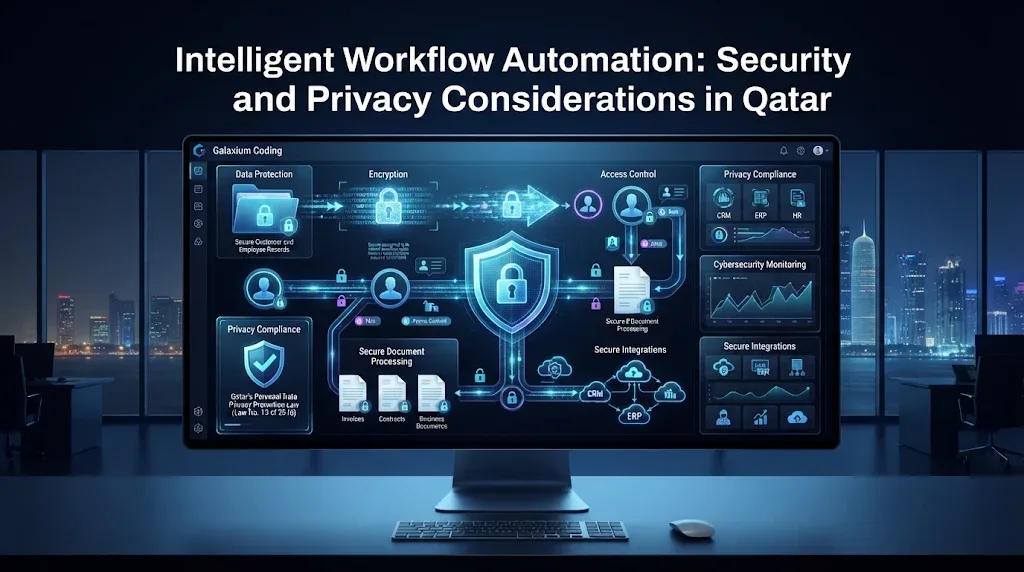
Intelligent Workflow Automation Security and Privacy Considerations in Qatar
Workflow automation often involves customer information, employee records, invoices, contracts and other business data.
Security and privacy therefore need to be considered during system design, not added only after deployment.
Qatar's Personal Data Privacy Protection Law, Law No. 13 of 2016, establishes requirements concerning the processing and protection of personal data. The National Cyber Security Agency (NCSA) provides information and guidance for organizations on the law and related privacy practices.
Businesses can consult the NCSA Personal Data Privacy Protection Law information and its guidance hub for regulated entities.
Important considerations include:
Access control
Employees should only access information required for their responsibilities.
A finance employee, HR manager and customer support representative may need different levels of access.
Secure data handling
Business information should be protected during storage and transfer through appropriate technical and organizational safeguards.
Audit trails
The system should record important workflow activities, including approvals, changes, failed actions and user activity where appropriate.
Data minimization
Collect and process only the information needed for the relevant business purpose.
Human oversight
Sensitive or high-impact decisions should have suitable review and approval arrangements.
Third-party integrations
When external platforms or service providers process personal information, businesses should understand the data flows, responsibilities, access arrangements and applicable contractual requirements.
Privacy requirements depend on the actual processing activities and organizational circumstances. Businesses should assess their obligations rather than assuming that using an automated system automatically makes a process compliant.
Common Intelligent Workflow Automation Challenges
Automation projects can encounter technical and operational problems if the workflow is not properly designed.
Automating an inefficient process
Automating unnecessary steps can make an inefficient process faster without making it better.
Better approach: Review the existing process first. Remove unnecessary approvals and clarify responsibilities before building the automated version.
Disconnected software systems
A workflow may depend on applications that cannot exchange information reliably.
Better approach: Check API availability, integration limits and data formats before selecting the architecture.
Poor data quality
Incorrect customer records, duplicate entries and incomplete documents can lead to incorrect workflow actions.
Better approach: Introduce validation, duplicate detection and exception handling.
Too much dependence on AI
AI may misinterpret a request or extract incorrect information.
Better approach: Use AI within defined boundaries, validate important outputs and require human review for sensitive decisions.
Unclear employee responsibilities
Automation can create confusion when employees do not know who handles exceptions or approvals.
Better approach: Define process ownership, escalation routes and responsibility for each stage.
Lack of monitoring
A workflow may fail silently if no one monitors errors or incomplete tasks.
Better approach: Create operational dashboards, alerts and regular review procedures.
Ready-Made Workflow Software vs Custom Workflow Automation
Businesses can choose ready-made platforms, custom-developed systems or a combination of both.
The right option depends on how closely the workflow must match existing operations.
Factor | Ready-made workflow platform | Custom workflow solution |
|---|---|---|
Initial setup | Often faster for standard processes | Requires requirements analysis and development |
Configuration | Limited to platform features | Can be designed around specific processes |
Integration | Depends on supported connectors and APIs | Can be developed for required systems where integration is technically possible |
User experience | Uses the platform's interface | Can provide a business-specific interface |
Maintenance | Often includes platform updates | Requires an agreed maintenance approach |
Flexibility | Depends on platform capabilities | Greater control over workflow logic and functionality |
Cost structure | May involve subscription and usage fees | May involve development, hosting and maintenance costs |
A ready-made platform may be suitable when a business has standard approval or notification requirements.
Custom development may be more appropriate when workflows involve specialized business rules, multiple internal systems or a user experience that existing platforms cannot provide.
Businesses evaluating these options can review Galaxium Coding's projects and portfolio to understand its technology work and solution areas.
How to Measure the Success of Intelligent Workflow Automation
A workflow should be evaluated using measurable operational indicators.
The right metrics depend on the process being automated.
KPI | What it measures |
|---|---|
Average completion time | Time required to complete a workflow |
Approval turnaround time | Time taken for approval decisions |
Manual intervention rate | How often employees must step in |
Workflow error rate | Frequency of failed or incorrect process steps |
Pending task volume | Number of tasks waiting for action |
Exception rate | Frequency of requests that cannot follow the standard process |
Customer response time | Time taken to respond to customer requests |
Cost per completed process | Operational cost associated with completing a workflow |
For example, a company automating invoice approvals could compare the average approval time before and after implementation.
It could also monitor how many invoices require manual correction and how frequently approvals become overdue.
The objective is to understand whether the new workflow improves the process, not simply whether more tasks are being automated.
The Future of Intelligent Workflow Automation
Intelligent workflow automation is evolving as AI, cloud infrastructure, APIs and business applications become more connected.
Several developments are likely to influence how organizations design their workflows.
More capable AI-assisted processes
AI systems can increasingly support tasks involving language, document understanding and information classification.
This may allow workflows to handle more varied requests while keeping important decisions under defined business controls.
Connected business applications
Organizations may continue moving away from isolated software systems toward connected environments involving CRM, ERP, accounting, inventory and customer applications.
The quality of integration will remain important.
AI agents within controlled workflows
AI agents may help retrieve information, prepare summaries, create tasks and perform permitted actions.
However, businesses will need clear boundaries, permissions, monitoring and human approval for consequential activities.
Greater focus on workflow analytics
More detailed reporting can help organizations identify recurring delays, process bottlenecks and operational patterns.
Managers can use this information to redesign workflows rather than simply adding more automation.
Human-supervised automation
Automation is most useful when routine tasks are handled consistently while people remain involved where judgment, accountability and customer understanding matter.
The future is not necessarily about removing people from every process. It is about giving employees better tools to manage work.
How Galaxium Coding Can Help Businesses Build Connected Workflows
Intelligent workflow automation requires more than connecting a few applications. It involves understanding business processes, designing system architecture, integrating software and creating interfaces that employees can use effectively.
Galaxium Coding is a Qatar-based technology and software development company. Its service areas include software development, web applications, mobile applications and cloud-related solutions.
Depending on the requirements of a project, a workflow solution may involve:
Custom business applications.
CRM and ERP integrations.
Automated approval systems.
Customer and employee portals.
API-based application connectivity.
AI-assisted document and request processing.
Operational dashboards.
Cloud infrastructure and deployment.
For example, a service company may need a system that connects its website enquiry form, customer records, technician assignment process, appointment scheduling and management dashboard.
A properly planned solution can coordinate these activities through a single workflow while allowing employees to review exceptions and manage important decisions.
Businesses that need infrastructure and deployment support can also explore cloud and DevOps solutions.
The right starting point is to identify the process that creates the most operational difficulty and determine how software can improve it.
Conclusion
Intelligent workflow automation helps businesses coordinate tasks, approvals, information and software systems through connected digital processes.
It can support sales, HR, finance, customer service, procurement, inventory and project management by reducing unnecessary manual coordination and making operational activities easier to monitor.
For businesses in Qatar, the most effective approach is to start with a clearly defined process, understand its requirements, connect the necessary applications and introduce AI only where it provides practical value.
Successful automation also requires secure data handling, appropriate permissions, human oversight, employee training and continuous monitoring.
The goal is not to automate every task. It is to create workflows that help people and technology work together more effectively.
If your organization is exploring connected business applications, custom software or intelligent workflow solutions, contact Galaxium Coding to discuss your requirements.
Frequently Asked Questions
1. What is intelligent workflow automation?
Intelligent workflow automation uses software, business rules, integrations and AI-assisted information processing to coordinate business tasks and processes with less manual intervention.
2. How is intelligent workflow automation different from traditional automation?
Traditional automation generally follows predefined rules to perform repetitive actions. Intelligent workflow automation can combine those rules with AI-assisted interpretation, document processing and more flexible task routing.
3. Does intelligent workflow automation always require artificial intelligence?
No. Many workflows can be automated using predefined rules and integrations. AI is useful when a process needs to interpret language, classify documents or work with less-structured information.
4. Which business processes can be automated?
Common examples include sales lead management, employee onboarding, leave requests, invoice approvals, customer support, inventory updates, procurement and project task coordination.
5. Is intelligent workflow automation suitable for small businesses in Qatar?
Yes. Small businesses can begin with a focused process such as lead assignment, appointment coordination, invoice reminders or customer request routing. The solution should match the organization's size, budget and operational needs.
6. Can workflow automation connect existing CRM and ERP systems?
It may be possible through APIs, supported connectors or other integration methods. The available options depend on the existing applications, their technical capabilities and the required data exchange.
7. What is the role of AI in workflow automation?
AI can help interpret customer messages, classify requests, extract information from documents, summarize records and support decisions. Business rules and permissions should determine which actions the workflow is allowed to perform.
8. How much does intelligent workflow automation cost in Qatar?
There is no single fixed price. Costs depend on workflow complexity, the number of users, required integrations, AI functionality, software development, hosting, security and ongoing maintenance. A clear requirements assessment is needed before estimating a project.
9. Is workflow automation secure?
It can be designed with appropriate security controls, including access permissions, authentication, encryption, audit trails and data-handling procedures. Security depends on the implementation, the connected systems and how the organization manages its information.
10. Does workflow automation replace employees?
Workflow automation can reduce repetitive administrative tasks, but employees remain important for judgment, customer relationships, exception handling, approvals and accountability.
11. How long does it take to implement workflow automation?
The timeline depends on the number of workflows, system integrations, business requirements, testing and deployment needs. A focused workflow may be simpler to implement than a system connecting several departments and applications.
12. How should a business start an automation project?
Start by selecting one repetitive process, documenting its current steps, identifying delays and errors, and deciding which tasks should be automated. Then assess the required integrations, security controls and human approval points before implementation.