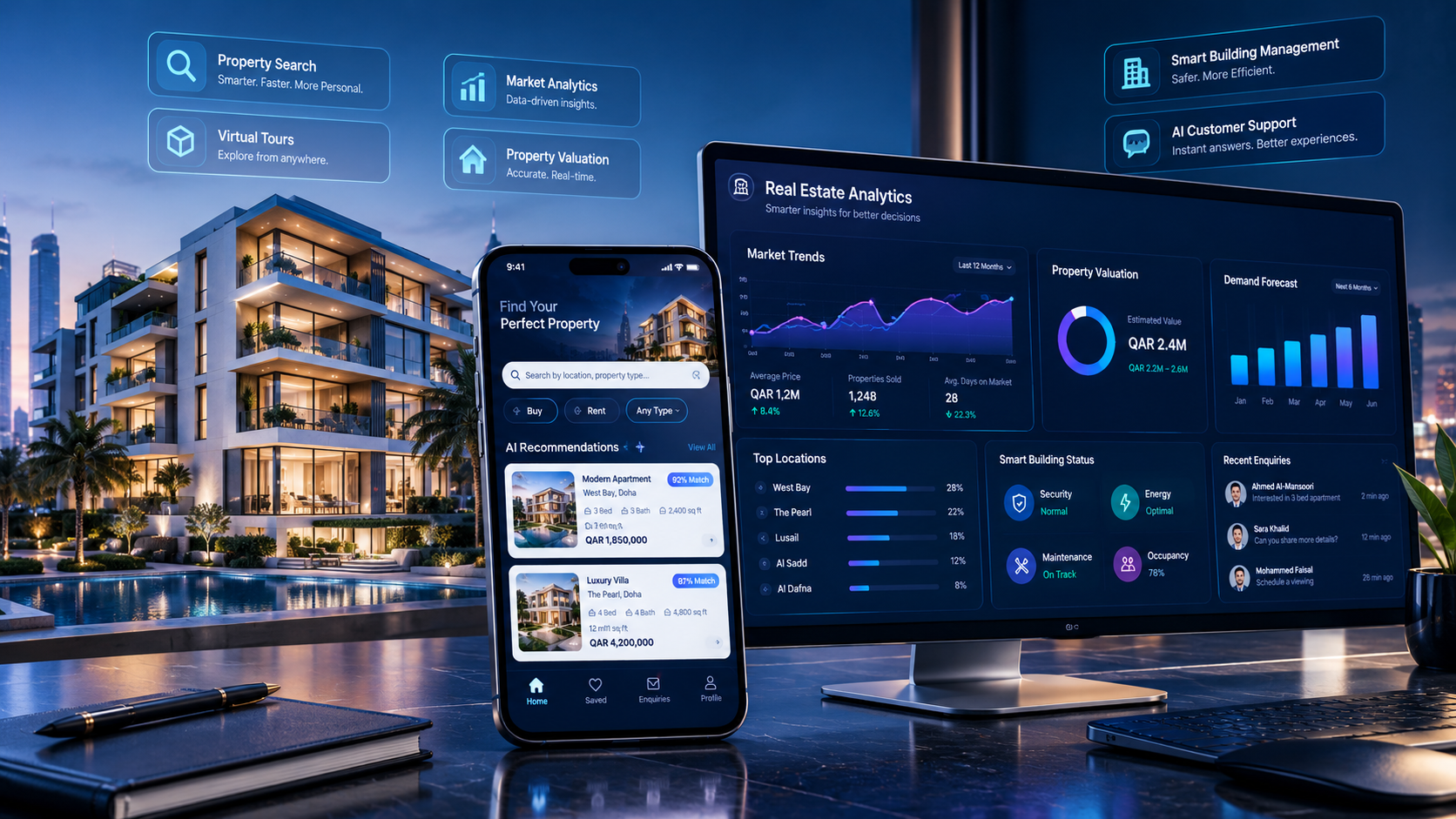
Property Management Software in Qatar: Features & Costs
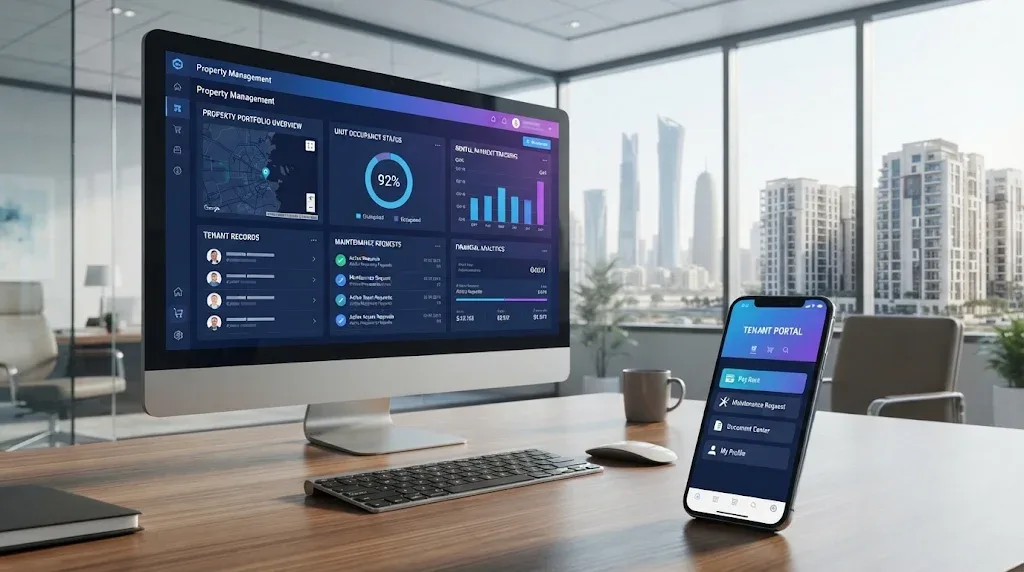
Manage properties, tenants, rental payments, and maintenance through a centralized property management platform.
Property Management Software in Qatar: Features & Costs
Managing properties involves much more than collecting rent and maintaining buildings. Property owners, real estate agencies, landlords, and property management companies must coordinate tenants, rental agreements, payment records, maintenance requests, property inspections, documents, and daily operations.
When these activities are handled through separate spreadsheets, paper records, emails, and messaging applications, important information can become difficult to track. A missed renewal reminder, delayed maintenance request, or incorrect payment record can create unnecessary operational problems.
Property management software in Qatar helps businesses organize these activities through a centralized digital platform. Depending on its features, the system can manage property portfolios, buildings, units, tenants, owners, contracts, rent payments, maintenance, documents, and business reports.
For businesses planning a digital transformation, custom software development services can provide a way to build a platform around specific property management workflows.
This guide explains what property management software does, which features matter, how much development may cost, and what Qatar businesses should consider before selecting a solution.
What Is Property Management Software?
Property management software is a digital system designed to help property owners and management companies organize their property-related operations.
It provides a central place to store information, manage recurring activities, monitor financial records, and coordinate communication between property managers, owners, tenants, and maintenance teams.
Depending on the business model, a property management platform may support:
Property and building records
Unit availability and occupancy
Property owner information
Tenant profiles
Rental agreements and renewal dates
Rent collection and payment tracking
Security deposit records
Maintenance requests
Property inspections
Document storage
Expense and income reporting
Notifications and reminders
Owner and tenant portals
For example, a company managing residential apartments in Doha may use one system to monitor available units, tenant details, rental contracts, upcoming payments, and maintenance activities.
Instead of searching through multiple files, authorized employees can access the information they need from one platform.
Why Do Businesses in Qatar Need Property Management Software?
Qatar's real estate sector includes residential apartments, villas, commercial buildings, office spaces, retail units, and property investment portfolios. Managing these different property types requires organized information and reliable operational processes.
As a property portfolio grows, manual administration can become increasingly difficult.
1. Centralized Property Information
A property manager may handle several buildings, each containing multiple units. Every unit can have different owners, tenants, rental values, contract dates, and maintenance records.
A centralized platform keeps these records organized.
2. Better Tenant Management
Tenant information, contact details, rental history, agreements, and communication records can be maintained in one place.
This helps property managers respond to tenant enquiries and review relevant information without searching through separate files.
3. Organized Rental and Payment Records
A property management system can track expected rental payments, received amounts, outstanding balances, deposits, and payment dates.
It can also generate reminders for upcoming payments, depending on the configured workflow.
4. Faster Maintenance Coordination
Tenants can submit maintenance requests, while property managers assign tasks to technicians or service providers.
The system can track each request from submission to completion.
5. More Informed Business Decisions
Management dashboards can summarize occupancy, rental income, outstanding payments, maintenance expenses, and property performance.
These reports help decision-makers identify operational issues and plan improvements.
Essential Features of Property Management Software
The right features depend on the number of properties, business model, portfolio complexity, and operational requirements. However, the following modules are important for many property management businesses.
1. Property and Unit Management
Property management starts with an accurate property database.
The software should allow employees to create and update records for:
Property name and ID
Property type
Building information
Location and address
Unit numbers
Floor and area details
Bedrooms and bathrooms
Facilities and amenities
Ownership information
Rental value
Availability status
Property photographs
Supporting documents
A building manager could open a property record and view all associated units, their occupancy status, rental details, and maintenance history.
2. Tenant Management
Tenant management helps businesses maintain organized records for current and previous tenants.
Useful capabilities include:
Tenant profiles
Contact information
Lease details
Move-in and move-out dates
Rental history
Deposit records
Document attachments
Communication history
Outstanding payment information
Access to tenant information should be restricted according to employee responsibilities.
3. Owner Management
Property management companies often work with multiple property owners.
An owner management module can maintain:
Owner profiles
Contact details
Associated properties
Ownership documents
Rental income records
Property expenses
Maintenance updates
Statements and reports
An owner portal can also allow property owners to review information related to their own properties without accessing unrelated business records.
4. Rental Contract Management
Rental agreements contain important dates, financial details, responsibilities, and supporting documents.
A contract management module can store:
Tenant and owner information
Property and unit details
Contract start and end dates
Rental amount
Payment schedule
Deposit information
Renewal status
Contract documents
Important notices
Automated reminders can notify authorized employees about approaching expiry dates and pending renewals.
The software should support document storage and tracking, but it should not be treated as a substitute for legal review or official contract registration.
5. Rent Collection and Payment Tracking
Rental payment management is one of the most useful parts of a property management system.
Depending on the business requirements, it can include:
Monthly rent schedules
Payment due dates
Received payments
Outstanding balances
Partial payments
Security deposits
Late-payment records
Receipts
Payment history
Financial summaries
For example, a property manager can review which tenants have paid for the current month and which accounts require follow-up.
If online payment functionality is required, the system can be integrated with a compatible payment provider after reviewing its availability, fees, and technical requirements.
6. Maintenance Request Management
Maintenance issues can affect tenant satisfaction and property operations.
A maintenance module helps businesses receive, assign, and monitor service requests.
Important features include:
Tenant maintenance submissions
Issue descriptions
Image attachments
Priority levels
Assigned technicians
Work status
Estimated expenses
Completion records
Maintenance history
Notifications
A typical workflow may look like:
Request Submitted → Reviewed → Assigned → In Progress → Completed
For example, a tenant reports an air-conditioning issue. The property manager assigns the request to a technician, monitors progress, and records the completion details.
7. Property Inspection Management
Regular inspections help property managers document property conditions and identify maintenance requirements.
The system can support:
Inspection schedules
Inspection checklists
Property condition reports
Photographs
Damage records
Follow-up tasks
Inspection history
A mobile-friendly interface can help inspection staff enter information while visiting a property.
8. Document Management
Property businesses handle many documents, including rental agreements, ownership records, inspection reports, invoices, and maintenance documents.
A document management module can organize files by:
Property
Building
Unit
Owner
Tenant
Contract
Document category
Expiry date
The system should include appropriate access permissions, secure storage, backup procedures, and document version controls where required.
9. Reporting and Analytics
Management reports provide a clearer picture of property operations.
Useful reports may include:
Report | What it helps monitor |
|---|---|
Occupancy report | Occupied and vacant units |
Rental income report | Expected and received rental income |
Outstanding payment report | Unpaid balances |
Contract expiry report | Agreements approaching expiry |
Maintenance report | Open and completed requests |
Expense report | Property-related operating expenses |
Property performance report | Income and activity by property |
A dashboard can display key indicators so managers can identify issues without manually reviewing every property record.
10. Notifications and Automated Reminders
Automation can reduce repetitive administrative work.
A property management system may send notifications for:
Upcoming rent payments
Overdue payments
Contract expiry dates
Renewal reminders
Maintenance updates
Inspection schedules
Document expiry dates
Assigned tasks
Notifications can be delivered through supported email, SMS, mobile push, or other integrations, depending on the system
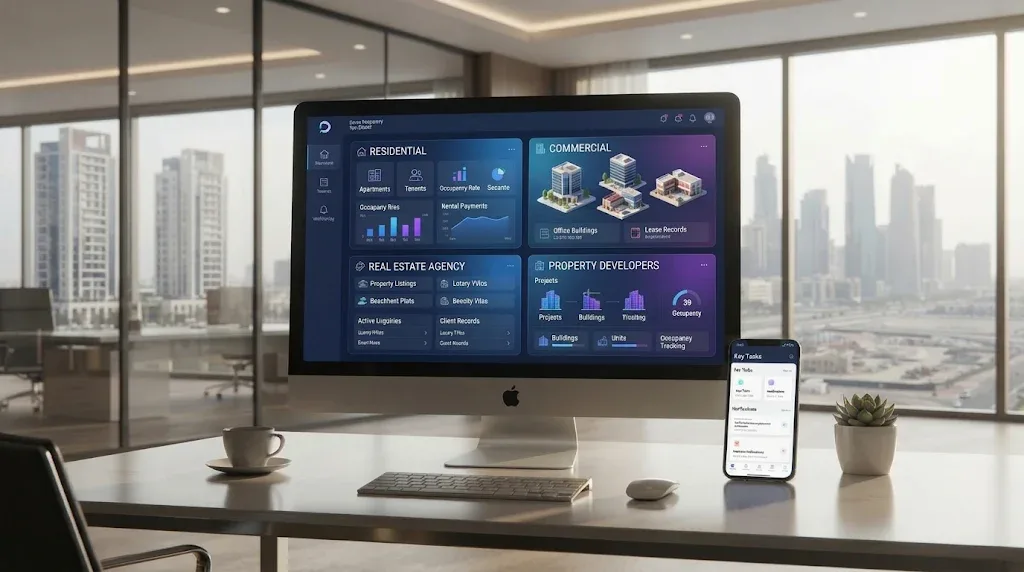
Property Management Software for Different Business Types
Not every property business needs the same software configuration.
Residential Property Management
Residential property managers may need tenant profiles, apartment records, rental agreements, payment schedules, maintenance requests, and occupancy reports.
Commercial Property Management
Commercial property managers may require additional capabilities for offices, retail spaces, warehouses, and business premises.
Useful modules can include:
Commercial tenant records
Unit and space management
Lease administration
Service charge tracking
Maintenance scheduling
Expense allocation
Contract documentation
Real Estate Agencies
Agencies that manage rental properties may need property management features connected with customer relationship management (CRM).
This can connect property records with leads, enquiries, viewings, agents, and rental transactions.
Property Developers
Developers may need a system for managing buildings, project units, availability, handovers, customer records, and post-handover maintenance.
Their requirements can extend beyond traditional rental management.
Qatar-Specific Considerations When Choosing Property Management Software
A property management platform intended for Qatar should reflect local business requirements rather than simply adapting a generic interface.
1. Arabic and English Language Support
Businesses may work with Arabic-speaking and English-speaking owners, tenants, employees, and service providers.
A bilingual interface can make the platform easier to use. Arabic support should include proper right-to-left layout, not just translated labels.
2. Qatari Riyal (QAR) Support
Financial records should support QAR as the business's relevant currency.
The system should clearly display rental amounts, deposits, expenses, receipts, and financial reports.
If a company manages properties in more than one country, multi-currency functionality may also be required.
3. Lease Documentation and Registration Workflows
Businesses should consider how their software supports lease documentation, renewal tracking, and records required for official processes.
Qatar's Ministry of Justice provides real estate registration services through its Real Estate Registration Department and the electronic Sak portal. A private property management platform should not be confused with this official registration service.
The Ministry of Municipality also provides lease-related services. Before configuring a system's legal workflows, businesses should verify current requirements with the relevant authority.
In August 2026, Qatar News Agency reported amendments to the lease law, including a fixed QAR 250 lease registration fee, with the amendments taking effect on 3 September 2026. Businesses should verify the applicable rules and fees before relying on older procedures or software configurations.
4. Data Privacy and Security
Property management systems may store tenant contact details, identification documents, contracts, payment records, and other sensitive information.
Businesses should consider Qatar's Personal Data Privacy Protection Law No. 13 of 2016 when designing data collection, access, storage, and processing workflows.
Useful security controls include:
Role-based access permissions
Secure login and authentication
Data encryption
Access logs
Regular backups
Secure document storage
Controlled data exports
Account activity monitoring
The system should collect and expose only the information required for legitimate business operations.
5. Local Support and Integration Requirements
Businesses should evaluate whether their provider can support their required integrations, language needs, training, maintenance, and future updates.
For additional context on broader real estate digital systems, read Real Estate Technology Solutions in Qatar.
How Much Does Property Management Software Cost in Qatar?
There is no single price for property management software in Qatar. The total cost depends on whether a business selects ready-made software, subscribes to a cloud platform, or commissions a custom system.
A basic rental tracking application and a complete enterprise property management platform have very different development requirements.
Main Factors That Affect Software Cost
1. Number of Properties and Units
A system managing a small number of apartments may require fewer workflows and reporting features than a platform supporting multiple buildings and thousands of units.
2. Required Modules
The project cost depends on which modules are included.
For example:
Property and unit management
Tenant and owner management
Contract management
Rent and payment tracking
Maintenance management
Inspection management
Document management
Reporting and analytics
More complex modules generally require additional design, development, and testing.
3. Custom Design and Business Workflows
A business with unique approval processes, rental models, or owner reporting requirements may need a more customized platform.
Custom workflows require additional analysis and implementation.
4. Third-Party Integrations
Integrations with payment providers, accounting software, email, SMS, WhatsApp Business services, or external platforms can affect the total budget.
The cost depends on API availability, integration complexity, provider fees, and ongoing maintenance.
5. Web and Mobile Applications
A web-based administration system may be sufficient for some businesses.
Others may also need separate mobile experiences for tenants, owners, property managers, or maintenance teams.
Additional mobile applications increase the scope of design, development, testing, and support.
6. Security and Infrastructure
Hosting, database design, backup arrangements, security controls, monitoring, and access management should be considered during budgeting.
The required infrastructure depends on the scale and sensitivity of the system.
Property Management Software Pricing Models
Pricing model | How it works | Suitable for |
|---|---|---|
Monthly subscription | Pay a recurring fee to use a platform | Small and growing businesses |
Annual subscription | Pay for access over a year | Businesses preferring annual billing |
Per-unit pricing | Cost changes with the number of managed units | Property portfolios of varying sizes |
Custom development | Build a system around specific requirements | Businesses with specialized workflows |
Enterprise licensing | Contract-based pricing for larger deployments | Large property management organizations |
What Should a Software Development Quotation Include?
Before approving a project, request a quotation that clearly explains:
Included modules and features
Number of user roles
Web and mobile application scope
Third-party integrations
UI/UX design requirements
Hosting and infrastructure costs
Data migration requirements
Security and backup arrangements
Testing and deployment
Training and documentation
Maintenance and support
Future enhancement costs
A clear scope helps businesses compare quotations more accurately and reduces the risk of unexpected expenses.
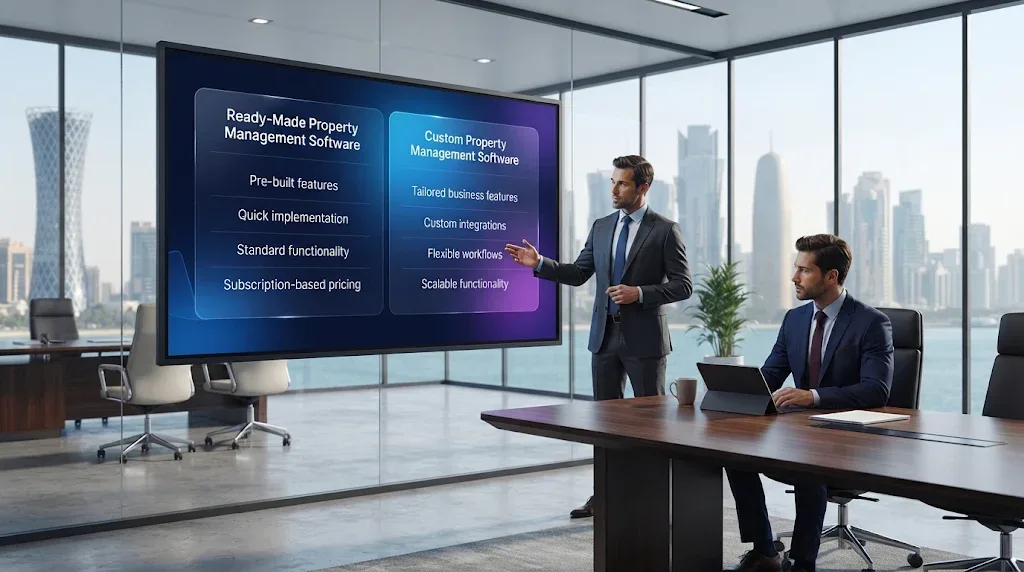
Ready-Made vs Custom Property Management Software
Both approaches can be suitable, depending on the business's needs.
Comparison | Ready-made software | Custom software |
|---|---|---|
Setup | Usually faster | Requires planning and development |
Features | Based on available modules | Designed around business requirements |
Customization | Limited by the platform | Greater flexibility |
Integrations | Depends on provider support | Can be planned around required systems |
Pricing | Often subscription-based | Project-based plus ongoing costs |
Ownership | Governed by vendor terms | Depends on the development agreement |
Scalability | Depends on product limits | Can be designed for future expansion |
When Is Ready-Made Software Suitable?
Ready-made software may be suitable when a business has standard property management requirements and can operate comfortably within an existing product's features.
It can reduce the need to develop a system from the beginning.
When Is Custom Software a Better Option?
Custom development may be worth considering when a business needs:
Specialized rental or approval workflows
Multiple business branches
Custom owner and tenant portals
Integration with existing business systems
Specific reporting requirements
Arabic and English interfaces
A platform designed around its own operational model
Businesses can explore web application development services when considering a centralized property management platform.
How to Choose the Right Property Management Software in Qatar
Selecting software should begin with business requirements, not a long list of advertised features.
Use the following steps to evaluate potential solutions.
Step 1: Identify Your Business Model
Determine whether the system is for residential rentals, commercial properties, real estate agencies, property developers, or a mixed portfolio.
Step 2: Map Your Existing Workflows
Document how your business currently handles:
Property registration
Tenant onboarding
Contract preparation
Rental payments
Maintenance requests
Property inspections
Owner communication
Financial reporting
This helps identify which activities should be improved or automated.
Step 3: Prioritize Essential Features
Separate must-have features from optional improvements.
For example, a small rental management company may prioritize tenant records, contracts, payment tracking, and maintenance before investing in advanced analytics.
Step 4: Check Language and Local Requirements
Confirm that the software can support the required language, currency, documentation, and business processes.
Step 5: Review Security and Permissions
Ask how the platform protects tenant information, restricts employee access, records activity, and backs up business data.
Step 6: Evaluate Integrations
Check whether the system can connect with the accounting, payment, communication, or other platforms already used by the business.
Step 7: Compare Total Cost of Ownership
Do not compare only the initial purchase or development price.
Consider subscriptions, hosting, integrations, training, support, maintenance, and future upgrades.
Step 8: Request a Practical Demonstration
Ask the provider to demonstrate realistic workflows, such as registering a property, adding a tenant, creating a rental record, receiving a maintenance request, and generating a report.
Common Mistakes to Avoid
Businesses can face unnecessary costs and operational difficulties when software is selected without proper planning.
Avoid these common mistakes:
Choosing software without documenting business requirements
Paying for features that employees will not use
Ignoring tenant and owner access requirements
Overlooking Arabic language and right-to-left support
Using weak access controls for sensitive documents
Failing to plan data migration
Ignoring payment and accounting integration requirements
Not testing the system with actual business workflows
Overlooking maintenance and support costs
Selecting a platform that cannot support future growth
A successful implementation should make daily work easier rather than introduce unnecessary complexity.
Future Trends in Property Management Software
Property management systems are evolving beyond basic record keeping. Several technologies may help businesses improve operational visibility and service delivery.
AI-Assisted Tenant Support
AI-powered assistants may help answer routine questions, guide tenants through service requests, and direct enquiries to the appropriate department.
Sensitive decisions and unusual requests should still have appropriate human review.
Predictive Maintenance
With sufficient historical maintenance data and suitable integrations, analytical systems may help identify recurring problems and highlight equipment that requires attention.
Mobile Property Management
Mobile applications can allow property managers, owners, tenants, and technicians to access relevant information while away from the office.
Automated Reporting
Automated dashboards can summarize rental income, occupancy, payment status, maintenance activity, and operational performance.
Connected Business Systems
Property management software may connect with CRM, accounting, document management, and other business applications to reduce duplicate data entry.
The most useful technology is the technology that solves a real operational problem and fits the business's existing processes.
How Galaxium Coding Can Help with Property Management Software
Every property business has different operational requirements. A landlord managing a small portfolio may need a straightforward rental tracking platform, while a property management company may require a larger system with tenant portals, owner dashboards, payment records, maintenance workflows, and detailed reporting.
Galaxium Coding is a Qatar-based technology company providing software and digital development services.
A property management platform can be planned around the modules a business actually needs, including:
Property and unit management
Tenant and owner records
Rental contract tracking
Payment and expense records
Maintenance request workflows
Document management
Reporting dashboards
Web-based administration
Mobile application functionality
Third-party integrations
Businesses considering a tailored platform can explore Galaxium Coding's software development services and review its projects and portfolio.
To discuss a property management software requirement, contact Galaxium Coding with details about your property portfolio, required features, integrations, and expected implementation scope.
Final Thoughts
Property management software can help businesses in Qatar organize property records, tenant information, rental agreements, payments, maintenance activities, and reporting through one connected system.
The right solution depends on the size of the property portfolio, the complexity of daily operations, the required integrations, and the available budget.
Before selecting a platform, define your workflows, prioritize essential features, review security requirements, and compare the total cost of ownership.
For businesses with specialized operational needs, custom software may provide the flexibility to build a system around their own property management processes.
Frequently Asked Questions (FAQs)
1. What is property management software?
Property management software is a digital platform used to manage properties, tenants, owners, rental agreements, payments, maintenance requests, documents, and reports.
2. How much does property management software cost in Qatar?
The cost depends on the number of properties, required modules, customization, integrations, mobile applications, hosting, and maintenance. Subscription-based products and custom-built systems have different pricing structures, so businesses should request quotations based on their actual requirements.
3. What are the most important features of property management software?
Important features include property and unit management, tenant records, owner management, contract tracking, payment monitoring, maintenance requests, document management, notifications, and reporting.
4. Can property management software manage rental payments?
Yes. A system can record expected rent, payment dates, received amounts, outstanding balances, deposits, and payment history. Online payment collection depends on the availability and integration of a compatible payment provider.
5. Can tenants submit maintenance requests online?
Yes. A tenant portal or mobile application can allow tenants to submit maintenance requests, attach photographs, and track request progress.
6. Can property owners access their own reports?
Yes. An owner portal can provide authorized access to property details, rental records, expenses, maintenance updates, and relevant reports.
7. Is Arabic language support important for property management software in Qatar?
Arabic support can be valuable for businesses serving Arabic-speaking users. A suitable bilingual platform should also support right-to-left layouts and appropriate Arabic document workflows.
8. Is custom property management software better than ready-made software?
Not always. Ready-made software can suit businesses with standard requirements, while custom software may be more appropriate when specialized workflows, integrations, reporting, or user portals are needed.
9. Can property management software integrate with accounting systems?
Yes, depending on the accounting platform and available APIs or integration methods. Integration can help connect rental records, expenses, invoices, and financial reporting.
10. Is property management software suitable for small landlords?
Yes. Small landlords can use simpler systems to organize property details, tenant information, rental agreements, payment schedules, and maintenance records. The selected solution should match the size and complexity of the portfolio.
11. Can property management software support multiple buildings?
Yes. Many platforms can be configured to manage multiple properties, buildings, and units through a centralized database. The available capacity depends on the software architecture and licensing or hosting limits.
12. How long does it take to develop custom property management software?
The timeline depends on the number of modules, user roles, integrations, mobile requirements, design complexity, and testing scope. A smaller system generally requires less work than a complete enterprise platform. A realistic timeline should be provided after requirements analysis.
13. Is property management software the same as real estate CRM?
No. Real estate CRM primarily manages leads, customers, agents, enquiries, and sales or rental opportunities. Property management software focuses on operational activities such as units, tenants, contracts, payments, maintenance, and inspections. The two systems can be integrated.
14. What should businesses check before buying property management software?
Businesses should review features, ease of use, language support, security, data access, integrations, scalability, customer support, pricing, and the provider's terms. A practical demonstration using real business workflows is also recommended.