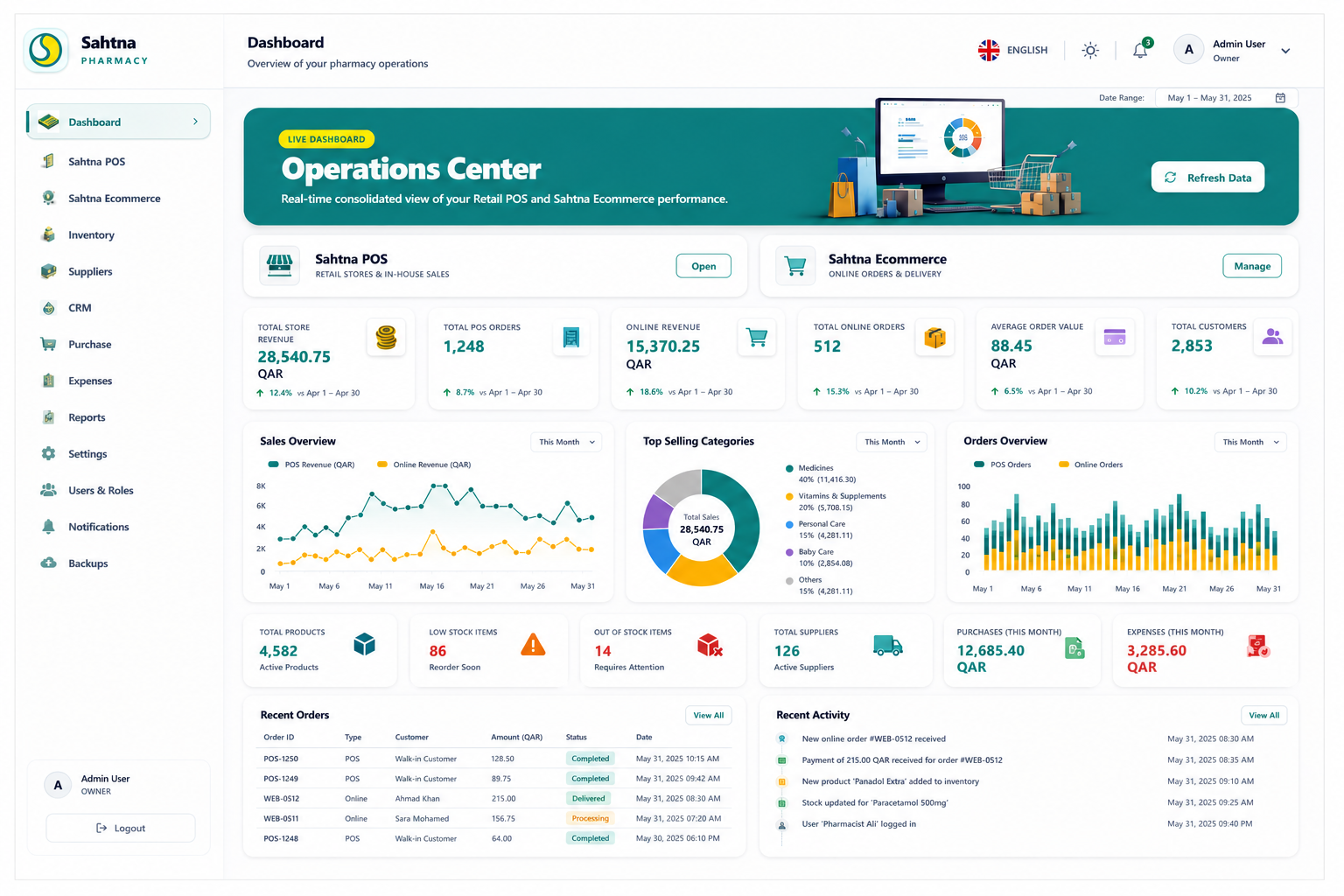
POS Software in Qatar: Features, Costs & Benefits
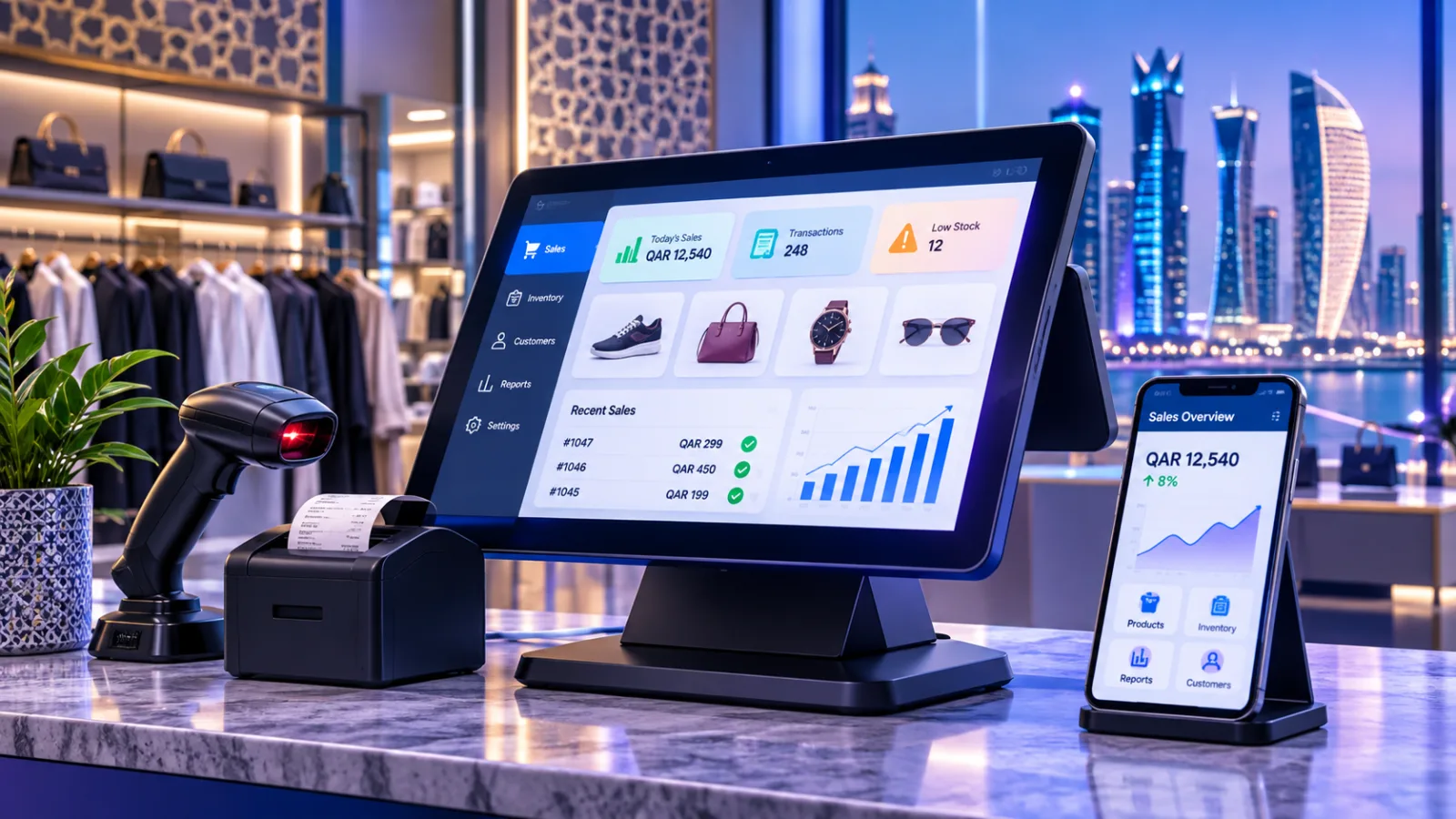
Modern POS software helps Qatar businesses manage sales, billing, inventory, and daily operations through an integrated digital platform.
POS Software in Qatar: Features, Costs & Benefits
Businesses in Qatar are increasingly adopting digital solutions to manage sales, customer transactions, inventory, and everyday operations. Whether it is a retail shop in Doha, a busy restaurant, a supermarket, or a growing café, managing transactions manually can create delays, increase errors, and make business reporting difficult.
This is where POS software in Qatar becomes valuable.
A Point of Sale (POS) system helps businesses process customer purchases, generate receipts, track inventory, manage employees, and monitor sales performance through a centralized digital platform. Modern POS solutions can also integrate with accounting software, payment terminals, customer relationship management (CRM) systems, and inventory management platforms.
For businesses planning to improve operational efficiency, selecting the right POS system is an important step towards digital transformation.
In this guide, we explore POS software features, types, benefits, costs, integrations, security considerations, and how businesses in Qatar can choose the right solution.
What Is POS Software?
POS software, or Point of Sale software, is a digital system that allows businesses to process customer transactions and manage sales activities.
It connects the sales counter with essential business operations, including inventory, payments, customer records, employee activities, and reporting.
For example, when a customer purchases a product from a retail store, the POS system records the transaction, calculates the total amount, updates inventory quantities, and generates a receipt.
Depending on the system, the same transaction may also update accounting records and customer purchase history.
A modern POS solution can include:
Sales and billing management
Product and inventory tracking
Barcode scanning
Receipt generation
Payment processing integration
Customer management
Employee access controls
Sales analytics and reporting
Multi-branch management
Accounting integrations
Businesses can use standalone POS applications or integrate POS functionality into larger business management platforms.
Why Do Businesses in Qatar Need POS Software?
Businesses in Qatar operate across different industries, including retail, hospitality, food services, supermarkets, pharmacies, and e-commerce.
Each industry has different transaction requirements, but most businesses need accurate billing, reliable payment processing, and better visibility into daily sales.
Traditional billing methods can become difficult to manage as transaction volumes increase.
POS software helps address these challenges by connecting sales activities with business information.
1. Faster Customer Transactions
A digital POS system allows employees to scan products, select services, calculate totals, and generate receipts quickly.
This reduces manual calculations and helps businesses serve customers more efficiently.
For restaurants and cafés, POS software can also simplify order entry and communication between front-of-house employees and kitchen staff.
2. Better Inventory Management
Inventory management is one of the most important functions of retail POS software.
When a product is sold, the system can automatically update the available stock quantity.
Business owners can monitor:
Available inventory
Low-stock products
Fast-moving items
Slow-moving products
Stock transfers
Purchase records
Product returns
This helps businesses maintain better stock control and reduce the risk of selling unavailable products.
3. Improved Sales Visibility
POS reporting gives business owners access to important information about daily transactions and revenue.
Instead of calculating sales manually, managers can review reports through a dashboard.
They can identify popular products, compare sales periods, monitor employee performance, and evaluate business performance.
4. Reduced Billing Errors
Manual billing can lead to incorrect prices, calculation mistakes, and incomplete transaction records.
POS software automates calculations and applies configured product prices, discounts, and promotions.
This creates more consistent billing processes.
5. Better Customer Experience
A smooth checkout process helps customers complete purchases without unnecessary delays.
Businesses can also use customer profiles, loyalty programs, purchase histories, and promotional offers to improve customer engagement.
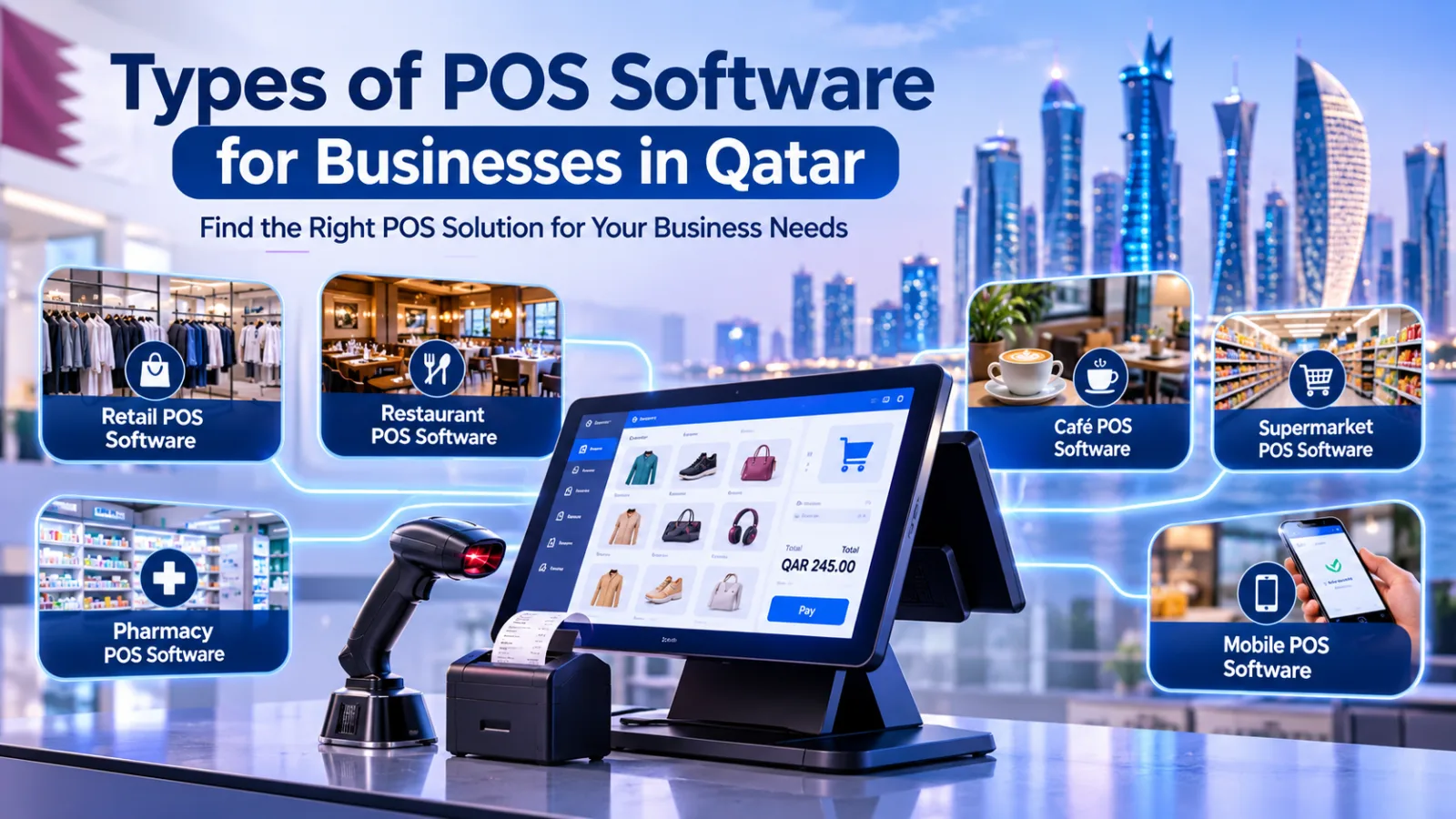
Types of POS Software for Businesses in Qatar
Different businesses require different POS capabilities. Before choosing a solution, it is important to understand the available types.
1. Retail POS Software
Retail POS software is designed for shops that sell physical products.
It supports product catalogs, barcode scanning, stock management, sales transactions, and customer records.
Common applications include:
Clothing and fashion stores
Electronics shops
Supermarkets
Grocery stores
Furniture retailers
Beauty and cosmetics stores
Retail businesses can use POS software to monitor product availability, track sales trends, and manage multiple product categories.
2. Restaurant POS Software
Restaurant POS software helps manage food orders, table reservations, billing, and kitchen operations.
Its features may include:
Digital menu management
Table management
Dine-in and takeaway orders
Kitchen Display System (KDS)
Order modifications
Delivery order management
Split billing
Restaurant sales reports
For example, a restaurant in Doha can receive an order through the cashier, send it to the kitchen display, and generate the final bill without manually transferring information between departments.
3. Café POS Software
Café POS systems are designed for businesses that handle frequent, smaller transactions.
They may include:
Quick order processing
Menu customization
Product variations and sizes
Loyalty points
Customer discounts
Daily sales reports
Ingredient and stock tracking
These features help cafés manage busy periods and maintain accurate sales records.
4. Supermarket POS Software
Supermarkets often manage thousands of products, multiple checkout counters, and frequent inventory movements.
Their POS requirements may include:
Barcode scanning
Product categorization
Bulk product imports
Price management
Multiple cashier accounts
Stock transfers
Supplier management
Purchase orders
Multiple checkout counters
A centralized system allows management to monitor sales and inventory across different supermarket locations.
5. Pharmacy POS Software
Pharmacies require specialized POS functionality because product management and inventory tracking can involve additional operational requirements.
A pharmacy POS solution may support:
Medicine product catalogs
Batch and expiry tracking
Barcode scanning
Inventory management
Purchase and supplier records
Sales history
Prescription-related workflows where applicable
Integration with pharmacy management software
A pharmacy may also benefit from connecting POS functionality with accounting, purchasing, CRM, and broader business management operations.
For example, Galaxium Coding's Pharmacy Integrated Management System demonstrates an integrated solution connecting POS, inventory, accounting, HR, CRM, purchasing, sales, and reporting.
6. Mobile POS Software
Mobile POS software allows employees to process transactions through compatible smartphones, tablets, or portable POS devices.
It can be useful for:
Restaurants with table-side ordering
Retail businesses with mobile checkout
Temporary retail locations
Delivery operations
Businesses attending exhibitions and events
Some mobile POS solutions also support contactless payment acceptance through compatible devices and payment providers.
Essential Features of POS Software in Qatar
When comparing POS software in Qatar, businesses should evaluate features according to their operational needs.
The following capabilities are particularly important for modern point-of-sale systems.
1. Sales and Billing Management
Sales management is the primary function of POS software.
The system should allow employees to:
Create new sales transactions
Add products and services
Calculate totals automatically
Apply discounts
Generate invoices and receipts
Process refunds and returns
Review transaction histories
A clear billing interface can make daily operations easier for cashiers and business managers.
2. Inventory and Stock Management
Inventory management connects sales activities with product availability.
Important functions include:
Real-time or synchronized stock updates
Low-stock notifications
Product variants
Barcode management
Stock adjustments
Supplier records
Purchase orders
Inventory valuation reports
For businesses with several branches, centralized inventory management can provide better visibility into stock distribution.
3. Payment Integration
A modern POS system should support integration with suitable payment providers and terminals.
Depending on the payment provider and hardware, businesses may accept:
Debit cards
Credit cards
Contactless payments
Supported digital wallets
Cash payments
Businesses in Qatar can explore merchant payment solutions offered by providers such as Commercial Bank of Qatar.
The POS application and payment terminal should communicate reliably, and businesses should confirm supported payment methods with their acquiring bank or payment service provider.
4. Multi-Branch Management
Companies operating multiple stores need centralized control over their sales and inventory.
A multi-branch POS system can provide:
Branch-specific sales reports
Centralized product management
Stock transfers
Employee permissions
Branch comparisons
Consolidated business reporting
This feature is particularly useful for retail chains, restaurant groups, and businesses planning expansion.
5. Customer Relationship Management
CRM functionality helps businesses maintain customer information and understand purchasing behaviour.
Useful features include:
Customer profiles
Purchase history
Contact information
Loyalty points
Customer segmentation
Promotional campaigns
Customer feedback records
By connecting POS and CRM, businesses can create more relevant customer engagement strategies.
6. Employee and Cashier Management
A POS platform should provide appropriate access controls for different employees.
Common functions include:
Individual cashier accounts
Role-based permissions
Employee sales records
Shift management
Cash register opening and closing
Discount approval permissions
Transaction audit logs
These controls help managers monitor activities and maintain accountability.
7. Sales Analytics and Reporting
Reporting helps business owners understand how their operations are performing.
Useful reports include:
Report | Business Purpose |
|---|---|
Daily sales report | Monitor daily revenue |
Product performance report | Identify popular products |
Inventory report | Review available stock |
Cashier report | Monitor employee transactions |
Payment report | Compare payment methods |
Profitability report | Evaluate margins using configured cost data |
Branch report | Compare location performance |
A dashboard that presents important information clearly can support faster business decisions.
8. Offline Functionality
Internet connectivity is important for cloud-based POS applications, but businesses should also consider what happens when the connection becomes unavailable.
Depending on the architecture, offline POS functionality may allow employees to continue recording certain sales transactions.
The system should synchronize pending transactions when connectivity returns.
Businesses must verify which features remain available offline, particularly payment processing, inventory updates, and refunds.
9. Arabic and English Language Support
For businesses serving customers and employees with different language preferences, bilingual interfaces can improve usability.
A POS solution may support:
Arabic and English product names
Bilingual receipts
Language selection
Arabic-compatible layouts
Local currency configuration
Businesses should test Arabic text rendering on receipts, product labels, and reports before implementation.
10. Customization and Integrations
Every business has different operational requirements.
A flexible POS platform should support relevant integrations with:
Accounting software
ERP systems
CRM platforms
E-commerce websites
Mobile applications
Payment gateways
Inventory systems
Delivery platforms
Businesses with specialized workflows may benefit from custom software development to connect POS functionality with their existing business systems.
Benefits of POS Software for Businesses
Implementing POS software can improve several areas of business operations.
1. Increased Operational Efficiency
Automation reduces repetitive manual tasks such as calculating bills, updating stock records, and preparing sales summaries.
Employees can spend more time serving customers and managing important operational activities.
2. Improved Inventory Accuracy
Automatic inventory updates help businesses maintain more accurate stock records.
Managers can identify products that need replenishment and investigate unexpected stock differences.
3. Better Financial Visibility
POS reports provide useful information about sales, payment methods, refunds, and transaction activity.
When integrated with accounting software, the system can help reduce duplicate data entry and simplify financial reconciliation.
4. Improved Employee Productivity
An easy-to-use POS interface can help employees complete transactions more quickly.
Individual accounts and permissions also make it easier to monitor cashier activities.
5. Better Customer Retention
Customer purchase histories and loyalty features can help businesses understand customer preferences.
Retailers and restaurants can use this information to create targeted promotions and improve repeat purchases.
6. Easier Business Expansion
A scalable POS system can support additional checkout counters, users, products, and branches.
Businesses can expand their operations without rebuilding their entire sales management process.
7. More Informed Business Decisions
Sales analytics help managers identify patterns and make decisions based on recorded transaction data.
For example, a retailer can compare weekly product sales to understand which items require more stock.
POS Software Cost in Qatar: How Much Does It Cost in 2026?
The cost of POS software in Qatar depends on the type of business, number of branches, required features, hardware, integrations, and implementation complexity.
There is no single price that applies to every business.
A small shop with one checkout counter may need a relatively simple POS application, while a supermarket or restaurant chain may require a more advanced platform with centralized inventory, multiple terminals, employee permissions, and customized reporting.
Factors That Affect POS Software Costs
Cost Factor | Description |
|---|---|
Software subscription | Monthly or annual software charges |
Hardware | POS terminals, tablets, printers, and barcode scanners |
Number of branches | Additional locations may increase licensing or subscription costs |
Number of users | Some providers charge according to user accounts |
Custom features | Specialized workflows and additional modules |
Integrations | Payment, accounting, ERP, CRM, and e-commerce connections |
Data migration | Transferring existing product and customer records |
Implementation | Installation, configuration, and deployment |
Maintenance | Technical support, updates, and ongoing improvements |
Common POS Pricing Models
1. Monthly Subscription
Businesses pay a recurring fee to access POS software.
This model may include software updates, hosting, and selected support services.
It is often suitable for small and medium-sized businesses that prefer predictable monthly expenses.
2. Annual Subscription
Some providers offer annual payment plans.
Businesses should compare the annual discount with the contract duration, renewal conditions, and cancellation policy.
3. One-Time Software Development Cost
Custom POS software may require an initial development investment.
The total depends on system complexity, user requirements, integrations, hardware compatibility, and the number of business locations.
This model can be appropriate when existing solutions do not support important business workflows.
4. Transaction-Based Fees
Some payment providers charge transaction processing fees based on the payment method and merchant agreement.
These charges are separate from the POS software subscription in many arrangements.
Businesses should request a complete breakdown of processing rates, settlement conditions, terminal charges, and any additional service fees.
How to Calculate the Total Cost of a POS System
Before choosing a provider, calculate the total cost of ownership rather than comparing only monthly subscriptions.
A practical calculation is:
Total POS Cost = Software + Hardware + Setup + Integrations + Payment Fees + Maintenance
For example, a restaurant may need:
POS software subscription
One or more cashier terminals
Receipt printers
Kitchen display screens
Payment terminal integration
Menu configuration
Employee training
Ongoing technical support
Request a written quotation that separates one-time expenses from recurring charges.
Published provider prices are useful for initial comparisons, but they should not be treated as universal market rates. Hardware, transaction fees, and optional modules can significantly change the final amount.
Cloud-Based POS vs On-Premise POS Software
Businesses should also consider where their POS application and data will be hosted.
Both cloud-based and on-premise systems have advantages.
Comparison | Cloud-Based POS | On-Premise POS |
|---|---|---|
Hosting | Cloud infrastructure | Local servers |
Accessibility | Remote access through supported devices | Usually local network access, unless configured otherwise |
Updates | Often centrally managed | Managed by the business or provider |
Initial infrastructure | Usually lower | May require server investment |
Internet dependency | Depends on offline capabilities | Can operate locally, depending on design |
Maintenance | Often provider-managed | More internal or contracted responsibility |
Scalability | Can support easier expansion | May require additional infrastructure |
Which POS Model Should Businesses Choose?
Cloud-based POS software may suit businesses that need remote reporting, centralized management, and easier access across branches.
On-premise solutions may suit organizations that require greater control over local infrastructure or have specific connectivity and operational requirements.
The right choice depends on security, budget, connectivity, maintenance resources, and business continuity requirements.
How POS Software Integrates with Other Business Systems
A POS system becomes more useful when it shares accurate information with other business applications.
Instead of managing separate records, businesses can connect sales activities with wider operational workflows.
1. POS and Accounting Integration
When POS transactions connect with accounting software, businesses can reduce duplicate data entry.
Depending on the integration, sales totals, payment records, refunds, and settlement information can be transferred into financial records.
2. POS and ERP Integration
ERP integration connects sales with broader business operations.
For example, a retail business can connect POS with:
Inventory
Purchasing
Accounting
Supplier management
Customer records
Financial reporting
Businesses interested in connecting several departments can explore custom business software development.
3. POS and E-Commerce Integration
Businesses selling through both physical stores and online platforms can connect their sales channels.
This can help synchronize:
Product catalogs
Inventory quantities
Customer information
Orders
Pricing
Sales records
A connected system can reduce inconsistencies between online and offline stock records.
4. POS and CRM Integration
CRM integration helps businesses connect customer purchases with customer profiles.
This can support loyalty programs, purchase-history analysis, customer segmentation, and promotional campaigns.
5. POS and Mobile Application Integration
A mobile application can extend POS-related functionality beyond the checkout counter.
Depending on the business model, mobile features may include order tracking, stock monitoring, manager approvals, customer loyalty, and sales dashboards.
Businesses can explore mobile application development services when they need a connected mobile experience.
Security Requirements for POS Software
POS systems process sensitive business and payment-related information. Security should therefore be considered during software selection and implementation.
Important security measures include:
1. Role-Based Access Control
Employees should only access the functions required for their responsibilities.
For example, a cashier may process sales but should not have unrestricted access to financial configuration or employee administration.
2. Secure Authentication
Use strong authentication, secure passwords, and multi-factor authentication where supported.
3. Data Encryption
Sensitive information should be protected during transmission and storage using appropriate encryption methods.
4. Transaction Monitoring
Businesses should maintain transaction records and audit logs to investigate suspicious activities, unauthorized discounts, and unusual refunds.
5. Regular Software Updates
POS applications, operating systems, and connected devices should receive security updates.
6. Payment Card Security
Businesses should understand their responsibilities under applicable payment security requirements.
The PCI Security Standards Council's PCI DSS documentation provides the baseline security requirements for entities that store, process, or transmit payment card account data.
A POS provider and payment processor should clearly explain which parts of the payment environment they manage and which responsibilities remain with the merchant.
Qatar-Specific Considerations When Choosing POS Software
Businesses operating in Qatar should evaluate more than basic billing functionality.
The solution should support local payment arrangements, business operations, and customer expectations.
1. Payment Provider Compatibility
Check whether the POS solution supports the payment terminals and merchant services available through your chosen bank or payment service provider.
The Qatar Central Bank's retail payment systems information describes the country's retail payment infrastructure, including POS and e-commerce transaction services.
Do not assume that every POS application supports every bank, card network, or digital wallet.
Confirm compatibility before purchasing hardware.
2. Qatari Riyal Support
The software should support Qatari Riyal (QAR) for product prices, sales reports, receipts, and financial records.
3. Arabic and English Requirements
Businesses should check whether the system supports Arabic and English in the interface, product catalogs, and printed receipts.
4. Local Technical Support
Reliable support is important when POS systems are used for daily transactions.
Ask providers about:
Support availability
Response times
Remote troubleshooting
On-site assistance
Software updates
Hardware replacement arrangements
5. Industry-Specific Requirements
A restaurant, pharmacy, supermarket, and clothing store do not have identical operational requirements.
Choose software that matches the actual workflows of your industry.
6. Payment and Regulatory Responsibilities
Businesses should use appropriately authorized payment providers and confirm applicable merchant onboarding, contractual, and security requirements.
The Qatar Central Bank's Payment Services Regulation provides a regulatory framework for payment service providers. Businesses developing payment-related services should obtain appropriate guidance rather than assuming that ordinary POS software development automatically authorizes payment processing.
How to Choose the Right POS Software in Qatar
Selecting POS software requires evaluating both current business needs and future expansion plans.
Follow these steps before making a decision.
Step 1: Identify Your Business Requirements
List the main operations that the system must support.
Consider:
Number of branches
Number of checkout counters
Daily transaction volume
Product categories
Inventory complexity
Payment methods
Employee accounts
Reporting requirements
Step 2: Select Industry-Specific Features
Choose features that match your business model.
For example, restaurants may prioritize table management and kitchen displays, while supermarkets may require barcode scanning and advanced inventory controls.
Step 3: Evaluate Integration Capabilities
Check whether the software can connect with your existing accounting, ERP, CRM, e-commerce, and payment systems.
Request a demonstration of important integrations rather than relying only on marketing claims.
Step 4: Compare Total Costs
Review software subscriptions, hardware, setup, transaction charges, support, and maintenance.
Ask for a complete written quotation.
Step 5: Test Ease of Use
Cashiers and managers should be able to understand the interface without complicated training.
Test common activities such as:
Processing a sale
Applying a discount
Issuing a refund
Searching for products
Closing a cashier shift
Reviewing daily sales
Step 6: Review Security and Backup
Ask about authentication, permissions, encryption, backups, recovery procedures, and software updates.
Step 7: Check Scalability and Support
Make sure the system can accommodate additional branches, users, and products.
Confirm what support is included after implementation.
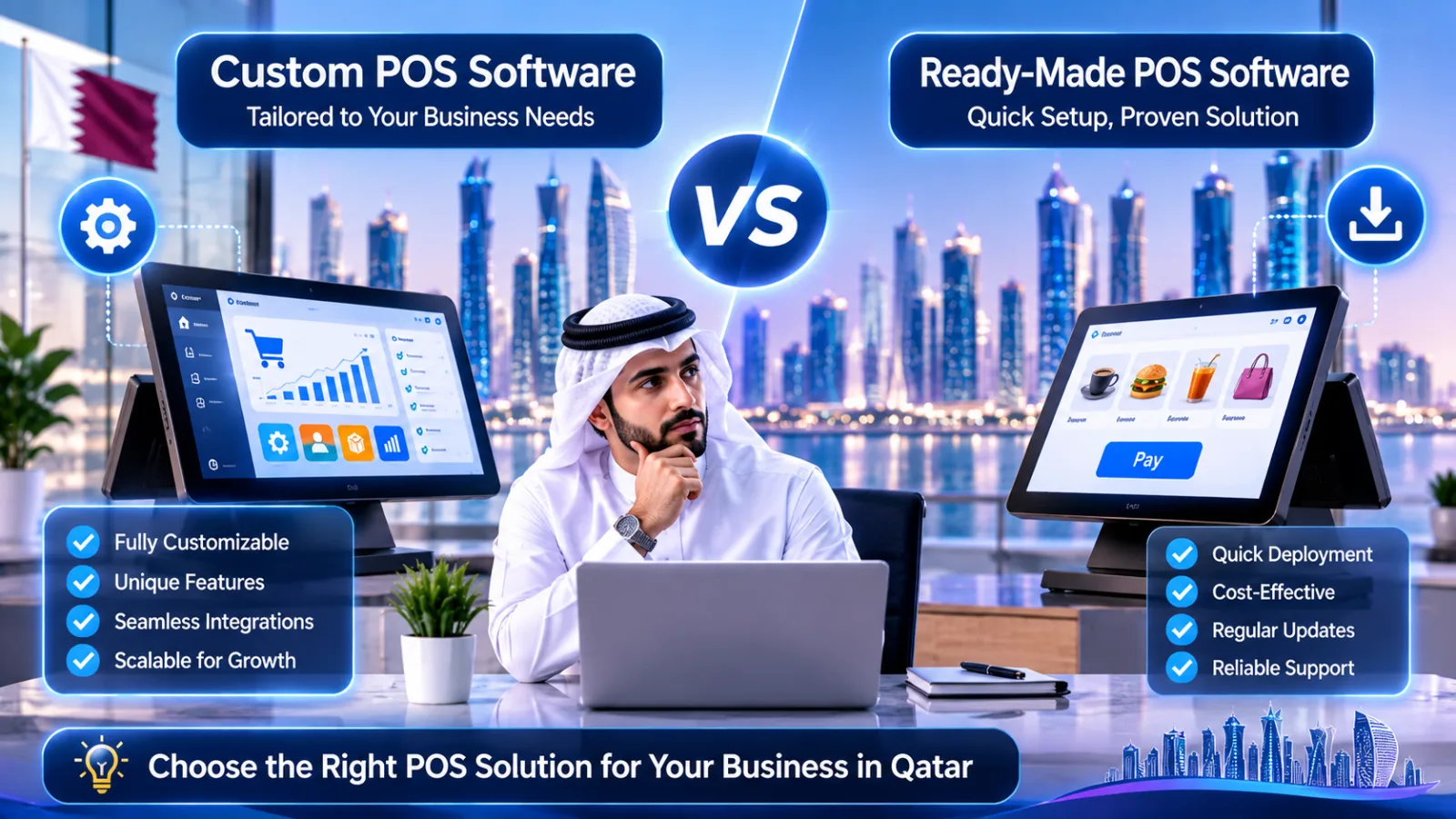
Custom POS Software vs Ready-Made POS Software
Businesses can choose between purchasing an existing POS platform and developing a customized solution.
Both options can be appropriate depending on the requirements.
Factor | Ready-Made POS | Custom POS |
|---|---|---|
Deployment | Often faster | Requires development and testing |
Initial investment | Often lower | Usually higher |
Features | Based on provider plans | Designed around requirements |
Custom workflows | Limited by platform | Greater flexibility |
Integrations | Depends on available connectors | Can be developed for specific systems |
Maintenance | Often provider-managed | Requires an agreed support arrangement |
Scalability | Depends on provider architecture and plans | Can be planned around business growth |
When Should a Business Choose Ready-Made POS?
Ready-made software can be suitable when:
Standard billing features are sufficient.
Inventory requirements are straightforward.
The business needs a quick deployment.
Available integrations meet operational requirements.
The subscription model fits the budget.
When Is Custom POS Development a Better Option?
Custom POS development may be worth considering when:
Existing systems do not support specific workflows.
Several business applications need to communicate.
Multiple branches require specialized controls.
Industry-specific reporting is essential.
The business needs ownership of a tailored application.
Future functionality must be planned around a wider software ecosystem.
A detailed requirements assessment can help determine whether customization is necessary or whether an existing product is sufficient.
Common Mistakes to Avoid When Buying POS Software
Choosing a POS system based only on price can create problems later.
Avoid these common mistakes:
Ignoring total ownership costs: Check hardware, subscriptions, payment fees, setup, and maintenance.
Choosing unnecessary features: Pay for functionality that supports real business needs.
Ignoring integration requirements: Disconnected applications can create duplicate records and manual work.
Overlooking offline operations: Understand what happens when internet connectivity is interrupted.
Neglecting employee training: Provide practical training before full deployment.
Ignoring security: Review access permissions, backups, encryption, and payment security.
Failing to test hardware: Confirm compatibility with printers, scanners, terminals, and cash drawers.
Not checking support terms: Understand response times, maintenance coverage, and service agreements.
Future Trends in POS Software
POS systems are evolving beyond traditional billing applications.
Businesses are increasingly interested in connected platforms that combine sales, inventory, customer information, analytics, and automation.
1. AI-Powered Sales Analytics
AI-enabled analytics may help businesses identify sales patterns, forecast product demand, and understand customer purchasing behaviour.
The usefulness of these features depends on the quality and quantity of available business data.
2. Cloud-Based Business Management
Cloud technology makes it possible to access business information across supported devices and locations.
This can help managers monitor sales and inventory without being physically present at every branch.
3. Contactless Payment Experiences
Contactless payment methods and compatible digital wallets are becoming important parts of modern checkout experiences.
Businesses should confirm support through their selected payment providers.
4. Omnichannel Retail Management
Businesses increasingly need to coordinate physical stores, e-commerce websites, and mobile applications.
Connected POS platforms can help maintain consistent product and inventory information across channels.
5. Automated Inventory Forecasting
Advanced systems may use historical sales and inventory data to identify replenishment requirements and potential stock shortages.
These capabilities can support better purchasing decisions when properly configured.
How Galaxium Coding Can Help Businesses Develop Custom POS Solutions
Businesses looking for flexible technology solutions may require more than a standard checkout application.
They may need POS functionality connected with inventory, accounting, customer management, mobile applications, or wider enterprise software.
Galaxium Coding provides software development and digital solutions for businesses in Qatar.
Depending on project requirements, a custom POS platform can be planned around:
Sales and billing management
Product and inventory control
Multi-branch operations
Employee and cashier permissions
Reporting dashboards
Accounting integrations
CRM connectivity
E-commerce synchronization
Mobile application integration
Business automation
The development process should begin with understanding the business workflow, identifying integration requirements, preparing the system architecture, and defining the essential features.
Businesses can explore Galaxium Coding's software development services to discuss a solution aligned with their operational requirements.
You can also review Galaxium Coding's projects to explore examples of business software solutions.
For organizations planning a connected digital ecosystem, the right approach is to build a solution that supports current operations while allowing room for future improvements.
Final Thoughts
POS software has become an important tool for businesses that want to manage sales, inventory, payments, and customer transactions more efficiently.
For companies in Qatar, the right POS solution should support local payment arrangements, QAR pricing, relevant language requirements, reliable reporting, and the operational needs of the industry.
Before choosing a platform, compare its features, integration capabilities, security, support, scalability, and total cost of ownership.
A ready-made POS system may be sufficient for businesses with standard requirements, while custom POS development can provide additional flexibility for organizations with specialized workflows.
If your business needs a POS solution connected with inventory, CRM, accounting, or other business applications, contact Galaxium Coding to discuss your software requirements.
Frequently Asked Questions (FAQs)
1. What is POS software used for?
POS software is used to process customer transactions, generate receipts, manage sales, track inventory, and monitor business performance. Modern systems can also integrate with accounting, CRM, ERP, and payment platforms.
2. How much does POS software cost in Qatar?
POS software costs in Qatar depend on subscription plans, hardware, number of users, branches, integrations, and customization requirements. Businesses should compare the total cost of ownership rather than looking only at monthly subscription prices.
3. Which POS software is best for small businesses in Qatar?
The best POS software for a small business depends on its industry and requirements. A small retailer may need billing, barcode scanning, and inventory management, while a café may require menu management, table orders, and kitchen integration.
4. Can POS software work without an internet connection?
Some POS systems support offline transaction recording. However, available functions vary. Businesses should confirm whether billing, stock updates, refunds, and payment processing remain available during internet interruptions.
5. Does POS software support Qatari Riyal?
Many POS solutions support Qatari Riyal (QAR). Businesses should confirm currency configuration for product pricing, receipts, reports, and payment reconciliation before implementation.
6. Can POS software integrate with accounting systems?
Yes. Depending on the available integration, POS software can transfer sales summaries, payment records, refunds, and other transaction information to accounting applications.
7. Is custom POS software better than ready-made POS software?
Not always. Ready-made systems are often suitable for standard business operations, while custom POS software may be better when a company needs specialized workflows, integrations, or industry-specific functionality.
8. Can POS software manage multiple branches?
Yes. Multi-branch POS systems can centralize product management, inventory, sales reporting, and employee permissions across multiple business locations.
9. Is POS software secure?
POS software can include role-based permissions, secure authentication, encryption, transaction monitoring, and backup functionality. Businesses should also review payment security responsibilities and relevant PCI DSS requirements.
10. Can POS software integrate with mobile applications?
Yes. POS platforms can connect with mobile applications through APIs or other supported integration methods. This can enable features such as sales monitoring, customer loyalty, order tracking, and inventory visibility.
11. What hardware is required for a POS system?
Common POS hardware includes a computer or tablet, receipt printer, barcode scanner, cash drawer, and compatible payment terminal. Restaurants may also require kitchen display screens and order printers.
12. How long does it take to develop custom POS software?
Development time depends on the system's complexity, features, integrations, hardware requirements, and testing scope. A basic solution may take less time than a multi-branch enterprise platform. A realistic timeline should be established after reviewing the requirements.
13. Can POS software help improve inventory management?
Yes. POS systems can update stock records when sales are completed, monitor low-stock items, track product movement, and generate inventory reports. Advanced systems may also support purchase orders and stock transfers.
14. Why should Qatar businesses choose a locally relevant POS solution?
A locally relevant solution can better address QAR currency settings, supported payment providers, Arabic and English requirements, local technical support, and industry-specific operational needs. Businesses should verify each capability before choosing a provider.