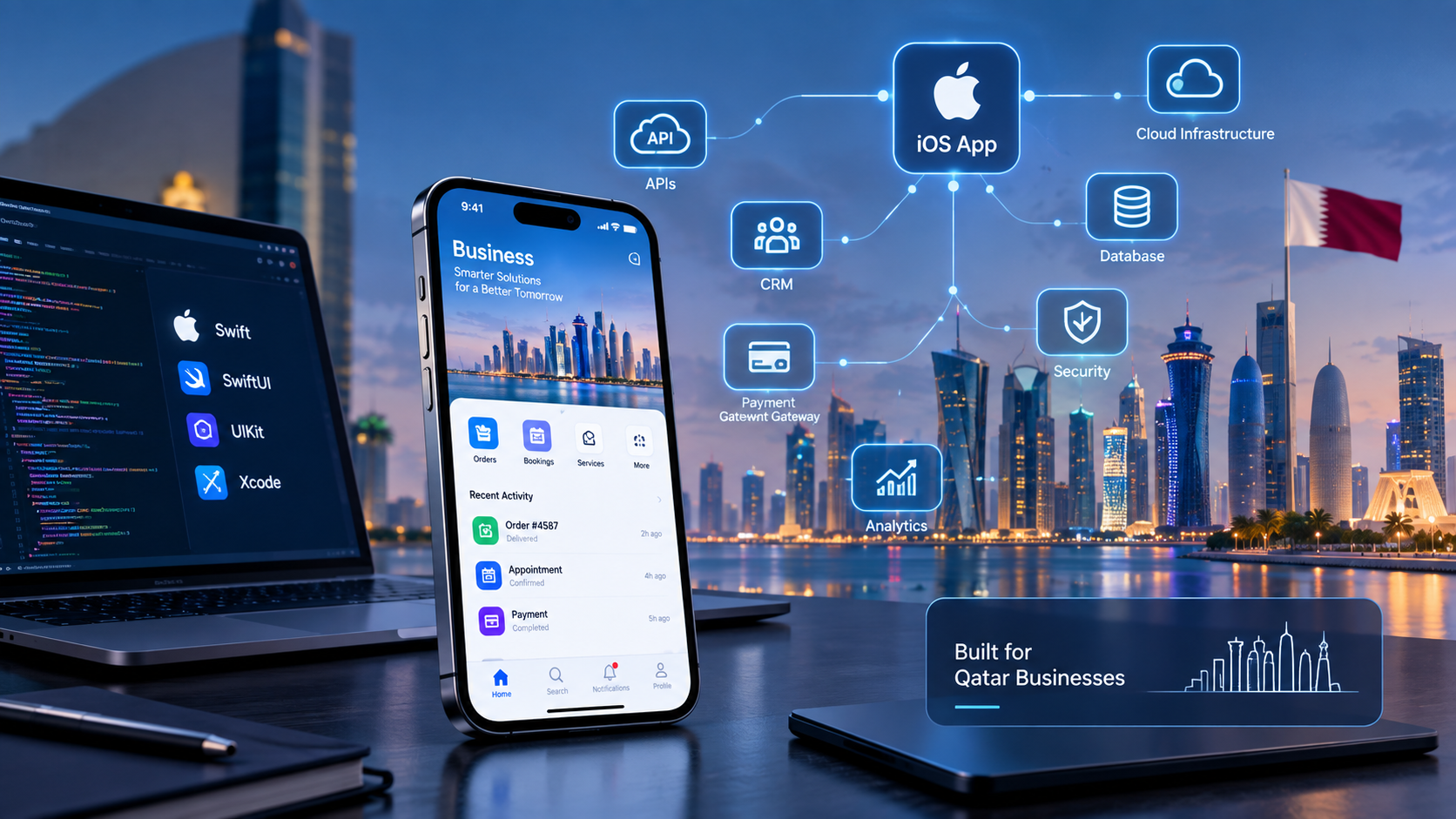
iOS App Developers in Qatar: Skills, Swift Technologies & Development Expertise

Modern iOS app development combines Swift technologies, intuitive mobile interfaces, secure integrations, and scalable business application architecture.
iOS App Developers in Qatar: Skills, Swift Technologies & Development Expertise in 2026
Businesses are increasingly using mobile applications to improve customer experiences, simplify operations, and deliver digital services. For companies targeting customers who use iPhones and other Apple devices, choosing experienced iOS app developers in Qatar can be an important step toward building a reliable mobile product.
However, successful iOS development requires more than writing code. A professional development team needs expertise in Apple's development ecosystem, application architecture, user interface design, backend integration, security, testing, and App Store distribution.
For example, an e-commerce business may need an iOS application connected to product inventory, payment services, customer accounts, and delivery tracking. A healthcare provider may require appointment booking, secure patient communication, and role-based access.
The development team must understand both the technical requirements and the business objectives behind the application.
This guide explains the essential skills, technologies, development practices, and evaluation criteria businesses should understand before working with an iOS app development team in Qatar.
What Do iOS App Developers Do?
iOS app developers design, build, test, and maintain applications for Apple's mobile ecosystem, primarily iPhone and iPad.
Their responsibilities can include:
Understanding business requirements and user needs.
Designing application architecture.
Developing interfaces and application functionality.
Connecting applications with APIs and backend systems.
Implementing authentication and security controls.
Testing performance and compatibility.
Preparing applications for App Store submission.
Maintaining applications after launch.
An iOS development project often involves collaboration between several specialists, including UI/UX designers, Swift developers, backend engineers, quality assurance testers, and project managers.
For businesses planning a custom solution, mobile application development services can help turn business requirements into a structured development project.
Essential Skills Every iOS Development Team Should Have
Not every developer has the same technical experience. Businesses should evaluate whether a development team has the skills required for their particular application.
1. Swift Programming
Swift is Apple's modern programming language for building applications across its platforms.
Professional iOS developers should understand:
Swift syntax and programming fundamentals.
Object-oriented and protocol-oriented programming.
Optionals and error handling.
Asynchronous programming.
Data structures and collections.
Memory management.
Reusable code and modular architecture.
Strong Swift knowledge helps developers build applications that are easier to maintain, test, and expand.
2. SwiftUI Development
SwiftUI is Apple's declarative framework for creating application interfaces.
It allows developers to build user interfaces using reusable views and structured layouts.
A development team should understand how to use SwiftUI for:
Responsive application screens.
Navigation and user interaction.
Reusable interface components.
Forms and data presentation.
Animations and transitions.
State management.
Accessibility.
SwiftUI can be especially useful for modern applications that require consistent interfaces across supported Apple platforms.
Apple's official SwiftUI documentation provides technical guidance for building these interfaces.
3. UIKit Knowledge
Although SwiftUI is widely used in modern iOS projects, UIKit remains important.
UIKit provides tools for managing application interfaces, interactions, navigation, and other platform functionality.
Experienced developers should understand when UIKit is appropriate and how it can work alongside SwiftUI.
For example, an existing application may contain UIKit components that need to be maintained while new screens are developed using SwiftUI.
A team familiar with both frameworks can make more informed technical decisions.
4. Xcode and Apple Development Tools
Xcode is Apple's integrated development environment for creating, testing, and distributing applications.
Developers use it for:
Writing and managing source code.
Building application projects.
Running applications in simulators.
Debugging errors.
Profiling performance.
Managing development resources.
Preparing application builds.
A professional iOS team should be comfortable using Xcode and understanding the wider Apple development workflow.
Learn more through Apple's official Xcode and development tools documentation.
Important Technologies Used in iOS App Development
The technology stack depends on application complexity, business requirements, and integration needs.
Technology | Main Purpose |
|---|---|
Swift | Core application programming |
SwiftUI | Modern user interface development |
UIKit | Interface and system interaction |
Xcode | Development and debugging |
Core Data | Local data persistence |
URLSession | Network communication |
Cloud services | Backend infrastructure |
REST APIs | Communication with external systems |
TestFlight | Beta application testing |
Backend and API Integration
Many business applications need to exchange information with external systems.
For example, an iOS shopping application may connect to:
Product databases.
Customer management systems.
Inventory software.
Payment gateways.
Order management platforms.
Delivery tracking services.
Developers must understand how to connect these services through secure APIs.
The backend should also manage authentication, business rules, data validation, and permissions.
For more complex business requirements, custom software development can support the wider systems connected to a mobile application.
Cloud Infrastructure
Cloud services can support application data storage, backend processing, file management, notifications, and application scalability.
A well-planned cloud architecture should consider:
Data availability.
Backup and recovery.
Access permissions.
Performance.
Scalability.
Monitoring.
Infrastructure security.
The right architecture depends on the application's expected users, data requirements, and operational needs.
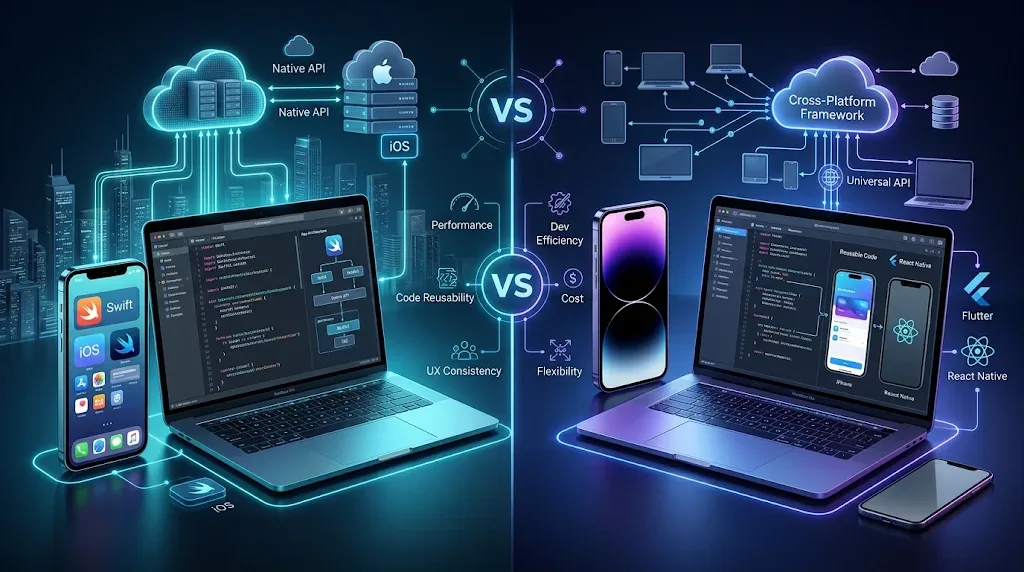
Native iOS Development vs Cross-Platform Development
One important decision is whether to build an application specifically for Apple's platforms or use a cross-platform framework.
Area | Native iOS | Cross-Platform |
|---|---|---|
Development | Apple-specific technologies | Shared development framework |
Main technologies | Swift, SwiftUI, UIKit | Flutter, React Native |
Platform integration | Direct access to Apple frameworks | Depends on framework and native integrations |
Code sharing | Usually limited between platforms | Greater code reuse |
Customization | Strong platform-specific control | Depends on framework capabilities |
Suitable for | iOS-focused or Apple-specific products | Products targeting iOS and Android |
Native development may be suitable when an application needs deep Apple platform integration, highly customized iOS behavior, or specialized device capabilities.
Cross-platform development may be appropriate when a business needs both Android and iOS applications and wants to share a significant portion of the codebase.
There is no universal solution. The decision should be based on the product's features, budget, technical requirements, and long-term maintenance plans.
Important Features iOS Developers Should Be Able to Build
A development team should have experience implementing features that support the application's actual business purpose.
User Registration and Authentication
Applications may require:
Email and password authentication.
Phone number verification.
Secure session management.
Multi-factor authentication.
Sign in with Apple, where appropriate.
Account recovery and deletion.
Authentication should be designed around the application's user roles and security requirements.
Push Notifications
Push notifications can help businesses communicate important information.
Examples include:
Order confirmations.
Appointment reminders.
Delivery updates.
Customer support messages.
Account notifications.
Important service announcements.
Developers should ensure notifications are relevant, permission-based, and properly connected to backend events.
Payment Integration
E-commerce, booking, and service applications may require payment functionality.
Depending on the business model, an application may support:
Payment gateway integration.
Transaction confirmation.
Refund workflows.
Payment history.
Secure payment status updates.
Payment architecture should be planned carefully, including the applicable platform rules and local business requirements.
Location and Maps
Location-based functionality can support:
Delivery applications.
Taxi and transportation services.
Store locators.
Real estate platforms.
Field service management.
Appointment scheduling.
Developers should request location permissions only when necessary and clearly explain how location data is used.
Analytics and Reporting
Analytics can help businesses understand how customers interact with an application.
Useful measurements may include:
User registrations.
Active users.
Feature engagement.
Conversion events.
Retention.
Application crashes.
Purchase activity.
Analytics should provide useful business insights without collecting unnecessary personal information.
Security and Privacy Skills for iOS Developers
Security should be part of the application architecture from the beginning.
An iOS application may handle customer information, account credentials, payments, business records, and other confidential data.
Professional developers should understand:
Data Encryption
Sensitive information should be protected during transmission and, where appropriate, when stored.
Secure Authentication
Authentication systems should protect accounts through secure credential handling, session controls, and appropriate verification methods.
Keychain and Secure Storage
Apple's Keychain services can help developers store sensitive information such as credentials and cryptographic keys securely.
API Security
Applications communicating with backend services should use secure communication, server-side validation, appropriate authorization, and carefully managed API access.
Privacy Permissions
Developers should request access to device features such as camera, microphone, contacts, and location only when required.
They should also explain the purpose of data collection clearly.
Apple's App Review Guidelines include requirements related to privacy, data collection, user consent, and application functionality.
Designing iOS Applications for Qatar Businesses
A development team working with Qatar-based businesses should understand local customer expectations and operational requirements.
Arabic and English Localization
Some businesses need applications that support both Arabic and English.
Developers should plan for:
Right-to-left layouts.
Arabic typography.
Language switching.
Localized navigation.
Date and number formatting.
Mixed-language content.
Consistent layouts across supported devices.
Localization should be considered during the design and architecture stages rather than treated as a last-minute addition.
Industry-Specific Applications
Different industries require different application capabilities.
Industry | Possible iOS App Features |
|---|---|
Retail and e-commerce | Product catalogues, orders, payments |
Restaurants | Digital menus, reservations, delivery |
Healthcare | Appointment booking, patient communication |
Education | Learning materials, student portals |
Real estate | Property listings, search, enquiries |
Logistics | GPS tracking, delivery management |
Hospitality | Reservations, guest services |
The application should reflect actual business workflows instead of relying on generic features that may not solve the company's problems.
How to Evaluate iOS App Developers in Qatar
Choosing a development team requires more than comparing quotations.
Businesses should evaluate technical expertise, communication, project planning, and long-term support.
Review Technical Experience
Ask the team about its experience with:
Swift and SwiftUI.
UIKit.
Xcode.
Backend and API integrations.
Application security.
Testing and debugging.
App Store distribution.
The team should be able to explain why it recommends a particular technology for the proposed application.
Examine Previous Work
Review relevant projects, application interfaces, and technical capabilities.
A useful evaluation should consider:
Interface quality.
Application performance.
Feature complexity.
User experience.
Integration requirements.
Compatibility.
Maintainability.
You can also explore Galaxium Coding's projects and portfolio to understand its wider software development work.
Understand the Development Process
A professional development team should explain how it manages each stage.
A typical project process includes:
Requirement analysis.
Technical planning.
UI/UX design.
Application development.
Backend integration.
Testing and quality assurance.
Beta testing.
App Store submission.
Maintenance and updates.
Businesses should also understand how progress, revisions, approvals, and project changes will be managed.
Discuss Maintenance and Support
An application needs ongoing attention after launch.
Support may include:
Bug fixes.
Security updates.
Performance improvements.
Compatibility updates.
New features.
Backend maintenance.
User feedback analysis.
Before signing an agreement, clarify what is included in post-launch support and what may require additional costs.
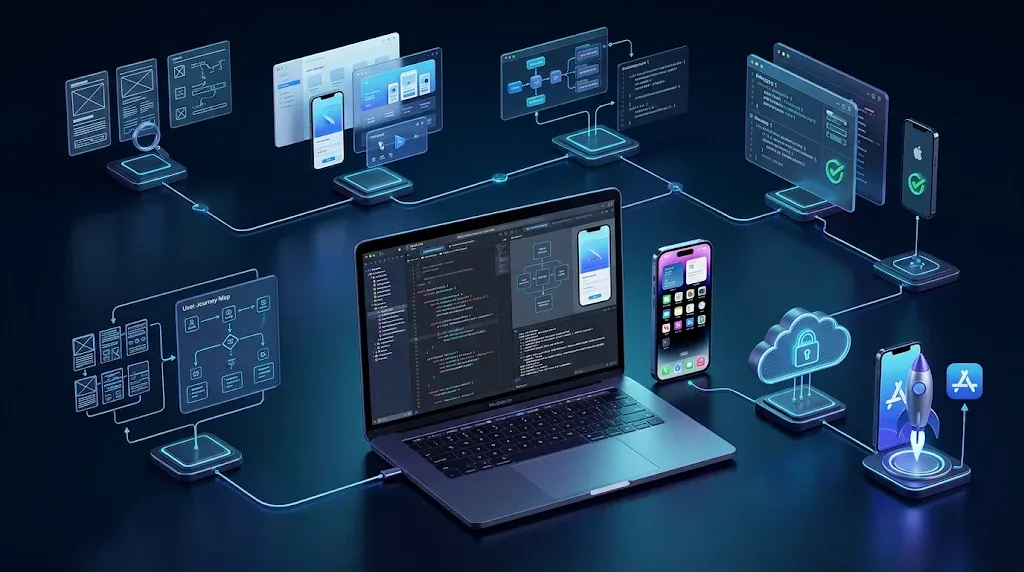
The iOS App Development Process
Understanding the development lifecycle helps businesses plan realistic projects.
Step 1: Requirement Analysis
The team identifies the application's purpose, target audience, core features, user roles, and integration requirements.
A clear requirements document helps reduce misunderstandings during development.
Step 2: UI/UX Design
Designers prepare wireframes, screen layouts, navigation flows, and interactive prototypes.
The interface should follow Apple's Human Interface Guidelines where relevant, while reflecting the business's identity and user needs.
Step 3: Technical Architecture
Developers plan the application structure, backend services, APIs, databases, authentication, and third-party integrations.
This stage helps establish a foundation for security and future scalability.
Step 4: Application Development
The development team builds the interface and core functionality using the selected technologies.
Code reviews and regular testing help identify issues before they become more difficult to resolve.
Step 5: Testing and Quality Assurance
Testing should cover:
Core functionality.
User interface behavior.
API communication.
Authentication.
Performance.
Security.
Different supported devices.
Error handling.
Network conditions.
Apple's Xcode testing documentation explains the available approaches to testing application logic, interfaces, and performance.
Step 6: Beta Testing
Before public release, businesses can share test builds with selected users through TestFlight.
This helps identify usability problems and technical issues in real-world usage.
Step 7: App Store Submission
The team prepares application information, screenshots, privacy details, and the final build for submission.
Apple reviews submitted applications against its current App Review Guidelines. Approval cannot be guaranteed, so teams should plan for possible feedback and revisions.
Step 8: Launch and Continuous Improvement
After launch, developers monitor application performance, fix reported issues, and plan improvements based on real user feedback.
Common Mistakes to Avoid When Hiring iOS Developers
Businesses can reduce project risks by avoiding several common mistakes.
Choosing only by price: A low quotation may not include important elements such as testing, security, integrations, or maintenance.
Ignoring application architecture: Poor architecture can make future updates and integrations more difficult.
Starting without clear requirements: Unclear objectives can lead to unnecessary features, delays, and repeated revisions.
Overlooking security: Security should not be postponed until the application is almost ready to launch.
Ignoring localization: Arabic and English support can require early design and technical planning.
Skipping real-device testing: An application should be tested on supported devices and realistic network conditions, not only in a simulator.
Treating launch as the final step: Applications need maintenance, updates, and ongoing monitoring.
Why Businesses Should Plan iOS Development Carefully
An iOS application is often connected to a wider business system.
For example, a customer-facing application may communicate with a CRM, inventory database, payment provider, booking platform, and reporting dashboard.
If these components are not planned together, the application may work independently but fail to support the company's actual operations.
Businesses should therefore consider the complete digital environment, including web application development and cloud and DevOps solutions where relevant.
How Galaxium Coding Supports Mobile Application Projects
Galaxium Coding is a Qatar-based technology company offering software and digital development services.
A mobile application project may involve requirements analysis, application planning, interface design, backend integration, testing, and ongoing technical support.
The appropriate solution depends on the business model, target users, required features, and technical environment.
Businesses planning a new mobile application can learn more about Galaxium Coding or contact the team to discuss their requirements.
Frequently Asked Questions
1. What skills should iOS app developers in Qatar have?
They should understand Swift, SwiftUI, UIKit, Xcode, application architecture, API integration, testing, security, and App Store distribution. The required experience depends on the application's complexity.
2. Which programming language is used for iOS app development?
Swift is Apple's modern programming language for iOS development. Some existing applications also use Objective-C.
3. What is the difference between SwiftUI and UIKit?
SwiftUI is a declarative framework for building user interfaces, while UIKit provides established tools for interface management and system interaction. Both can be used within suitable iOS projects.
4. Is native iOS development better than cross-platform development?
Not in every situation. Native development can be suitable for applications requiring deeper Apple platform integration, while cross-platform development can help businesses share code between iOS and Android.
5. Can an iOS application support Arabic and English?
Yes. Developers can implement localization, Arabic typography, right-to-left layouts, and language switching as part of the application design.
6. Can an iOS app connect to an existing CRM or ERP?
Yes. An iOS application can communicate with CRM, ERP, inventory, and other business systems through suitable APIs and integration services.
7. How do iOS developers test applications before launch?
They can use automated tests, manual testing, Xcode tools, simulators, real devices, and TestFlight beta testing to identify problems before release.
8. Do iOS applications need backend development?
Not all applications require a backend. However, applications involving user accounts, synchronized data, orders, payments, bookings, or business records commonly need backend services.
9. What should businesses check before hiring an iOS development team?
They should evaluate technical skills, relevant project experience, communication, development methodology, security practices, testing procedures, project scope, and post-launch support.
10. Does Apple approve every iOS application submitted to the App Store?
No. Apple reviews applications against its current guidelines. Developers should test the application, prepare accurate metadata, and address applicable review requirements before submission.
Final Thoughts
Choosing the right iOS app developers in Qatar is an important decision for businesses planning to build reliable Apple-platform applications.
A capable development team should understand Swift, SwiftUI, UIKit, application architecture, backend integration, security, localization, and testing. It should also be able to explain how technical decisions support the business's long-term objectives.
Before starting a project, businesses should define their requirements, evaluate development expertise, understand the project scope, and plan for maintenance after launch.
With careful planning and the right technical approach, an iOS application can become a valuable part of a company's digital services and business operations.
Planning an iOS application for your business? Contact Galaxium Coding to discuss your project requirements and explore suitable mobile application development solutions.