iOS App Development in Qatar: A Complete Guide for Businesses in 2026
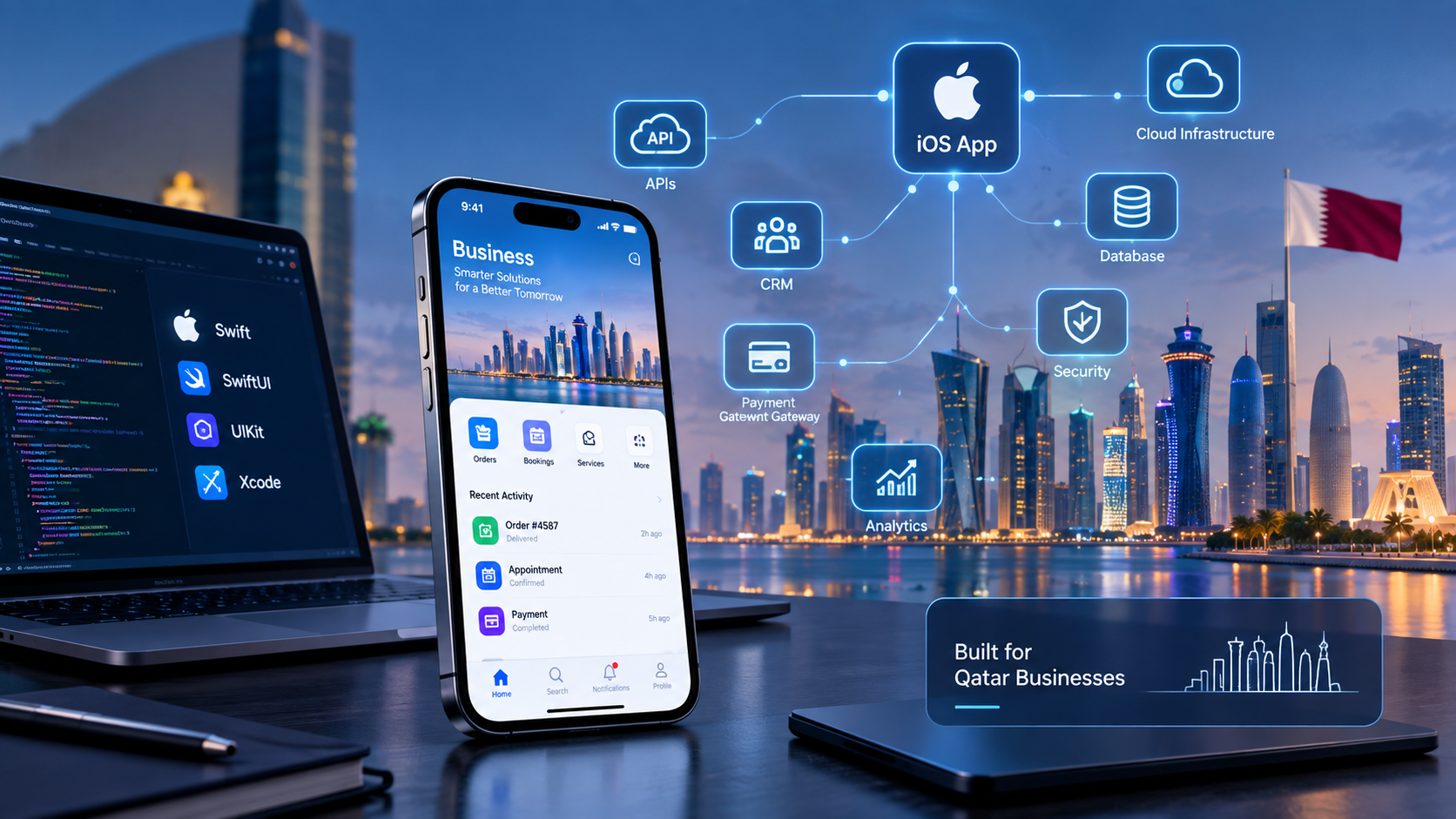
Modern iOS application development connecting businesses, customers and digital systems in Qatar.
iOS App Development in Qatar: A Complete Guide for Businesses in 2026
Businesses in Qatar are increasingly using mobile applications to connect with customers, simplify services, manage internal operations and create digital products. For companies whose target customers use iPhones and other Apple devices, iOS app development in Qatar can be an important part of a broader digital strategy.
An iOS application can be much more than a mobile version of a website. It can connect with business systems, APIs, payment services, customer accounts, notifications, location services, analytics platforms and other digital infrastructure.
For companies planning a new application, the key question is not simply whether an iOS app can be built. The more important questions are:
What business problem should the app solve?
Who will use it?
Which features are actually necessary?
Should the application be native iOS or cross-platform?
How will it connect to existing software?
How will security and privacy be handled?
What will be required to publish and maintain it?
This guide explains the iOS app development process, technologies, features, costs, Qatar-specific considerations and the factors businesses should evaluate before starting a project.
Businesses that need iOS, Android or other mobile solutions can also explore Galaxium Coding's mobile application development services.
What Is iOS App Development?
iOS app development is the process of designing, building, testing and maintaining applications for Apple's mobile platforms.
A business application may be created for purposes such as:
E-commerce
Food and delivery services
Booking and appointments
Real estate
Education
Healthcare
Banking and finance
Customer portals
Employee applications
Business management
Logistics
Travel and hospitality
On-demand services
Modern iOS applications can communicate with cloud platforms, databases and business systems through APIs. This means the mobile application can become part of a larger technology ecosystem rather than operating as an isolated product.
For example:
iPhone App → API → Business Backend → CRM / ERP / Database
A customer could place an order through the application while the business receives the order inside its management system.
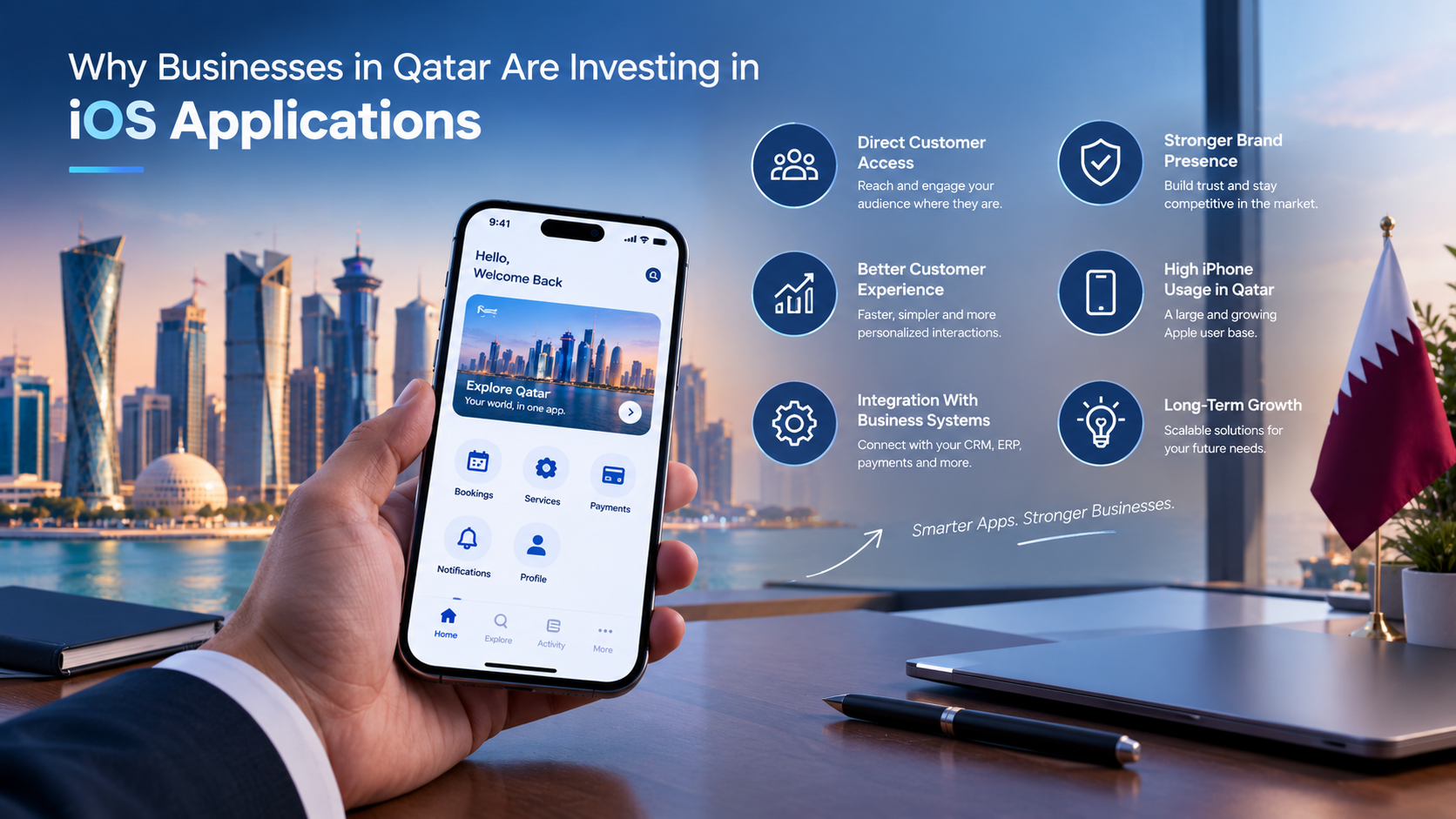
Why Businesses in Qatar Are Investing in iOS Applications
The value of an iOS application depends on the business model and target users, but mobile apps can provide several practical advantages.
Direct Customer Access
A mobile application gives customers a dedicated digital channel rather than requiring them to repeatedly find a website.
Depending on the application, users may be able to:
Create accounts
Browse products
Request services
Make bookings
Track orders
Receive notifications
View documents
Make payments
Communicate with support teams
Better Customer Experience
A purpose-built application can be designed around specific customer workflows.
For example, a real estate company could create an app where customers can:
Browse properties
Filter units
View property details
Request a viewing
Contact an agent
Track enquiries
Receive appointment notifications
Instead of trying to fit every business function into a general website, the application can focus on the actions customers perform most often.
Integration With Business Systems
An iOS application can connect with existing:
CRM systems
ERP platforms
E-commerce systems
Payment gateways
Inventory systems
Booking systems
Customer databases
Authentication services
Analytics platforms
AI services
This is particularly useful when a business already has software but wants to give customers or employees mobile access.
Businesses that need broader software infrastructure can also consider custom software development as part of the overall solution.
What Types of iOS Apps Can Businesses Build?
There is no single type of business application. The architecture and features should depend on the actual use case.
1. E-Commerce Applications
An iOS shopping application can include:
Product catalogues
Categories
Search
Filters
Customer accounts
Shopping carts
Checkout
Payment integration
Order tracking
Notifications
Offers and promotions
The app can communicate with the company's e-commerce backend so product, inventory and order information remains synchronized.
2. Delivery Applications
Delivery businesses may require several applications or interfaces.
For example:
Customer App
Place order
Track delivery
Receive notifications
View order history
Driver App
View assigned deliveries
Update delivery status
Access location information
Confirm delivery
Admin System
Manage orders
Assign drivers
Monitor operations
Generate reports
The iOS application therefore becomes one component of a larger platform.
3. Booking Applications
Businesses such as clinics, salons, consultants, hotels and service providers can use iOS applications for:
Appointment booking
Availability management
Customer accounts
Reminders
Notifications
Online payments
Booking history
4. Real Estate Applications
Real estate companies can provide mobile access to:
Property listings
Property images
Unit information
Search and filtering
Enquiry forms
Viewing requests
Agent communication
Saved properties
Notifications
The app can also connect to a CRM so customer enquiries generated through the application are automatically available to sales teams.
5. Employee Applications
Not every mobile application needs to target customers.
Businesses can build internal iOS applications for:
Employee attendance
Leave requests
HR services
Task management
Approvals
Documents
Notifications
Field operations
Internal communication
6. Education Applications
Educational organizations can use iOS apps for:
Student accounts
Course information
Applications
Notifications
Learning content
Attendance
Assignments
Parent communication
Admissions workflows
Businesses operating in the education sector can also explore Galaxium Coding's education technology solutions.
Native iOS vs Cross-Platform Development
One of the most important decisions is whether to build the application specifically for iOS or use a cross-platform approach.
Approach | Main Idea | Suitable When |
|---|---|---|
Native iOS | Application built specifically for Apple platforms | iOS is the primary platform or deep Apple integration is important |
Cross-platform | Shared codebase used across platforms | Business needs both iOS and Android and wants code sharing |
Web/PWA | Mobile-friendly web experience | Requirements are relatively simple and browser access is sufficient |
There is no universally correct option.
A business should consider:
Target users
Required performance
Device capabilities
Development budget
Android requirements
Integration requirements
Long-term maintenance
User experience
Offline functionality
Platform-specific features
If the application requires both Android and iOS, cross-platform development may reduce duplicated development work. If the product depends heavily on Apple-specific capabilities or requires highly platform-specific behavior, native development may be more appropriate.
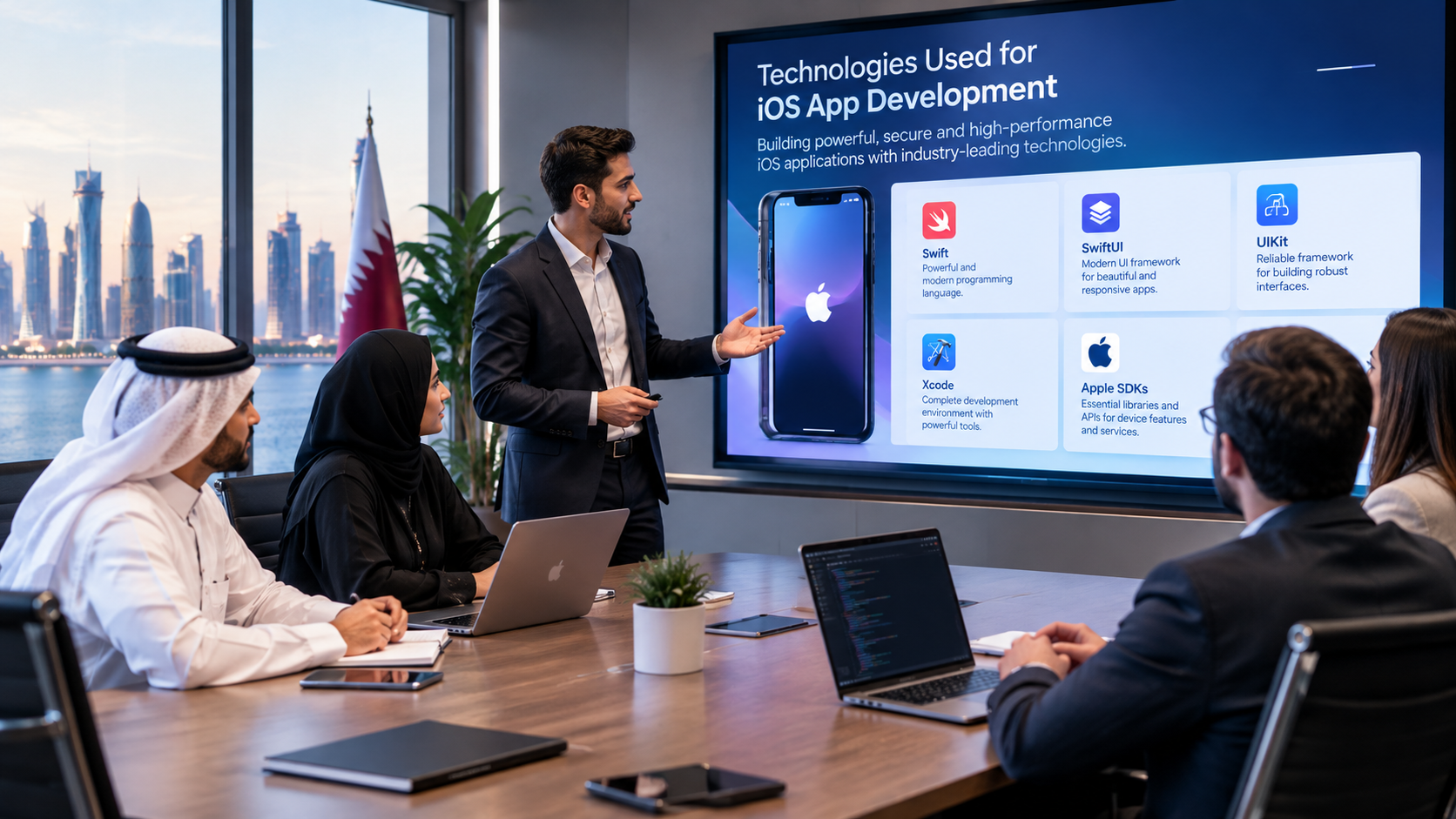
Technologies Used for iOS App Development
Swift
Swift is Apple's programming language for modern application development.
It is designed for Apple's software ecosystem and is widely used for building applications across Apple platforms.
SwiftUI
SwiftUI is Apple's declarative UI framework. Apple describes it as a way to build interfaces across Apple platforms using Swift, while allowing developers to work with a shared set of tools and APIs.
SwiftUI can help development teams create reusable interface components and iterate quickly during development.
UIKit
UIKit remains an important framework for iOS development. It provides infrastructure for graphical interfaces, event handling, interaction and other application functionality. Apple also supports combining UIKit and SwiftUI within applications.
This means developers do not necessarily have to choose one framework for every part of an application.
Xcode
Xcode provides tools for developing, testing and distributing Apple applications, including simulators, debugging and profiling capabilities.
A typical native iOS development environment may therefore include:
Swift
SwiftUI
UIKit
Xcode
Apple SDKs
APIs
Testing tools
App Store Connect
Key Features to Consider in an iOS Application
The right feature set depends on the business model.
User Registration and Login
Applications may support:
Email authentication
Phone authentication
Password login
Social authentication
Multi-factor authentication
The authentication method should be selected according to the application's security requirements.
Push Notifications
Push notifications can inform users about:
Orders
Appointments
Promotions
Messages
Delivery updates
Account activity
Important business notifications
Notifications should be useful rather than excessive.
Payment Integration
E-commerce and service applications may require payment functionality.
The development team should determine:
Which payment provider is required
Which currencies must be supported
Whether recurring payments are necessary
How payment status is synchronized
How failed transactions are handled
What security requirements apply
Search and Filtering
Applications containing products, properties, services or records may require advanced search.
For example, a property application could allow users to filter by:
Location
Property type
Price range
Number of bedrooms
Availability
Location Services
Location functionality can support:
Delivery tracking
Nearby services
Branch finding
Property discovery
Driver applications
Field-service operations
Location permissions should be requested only when genuinely necessary and should be handled transparently.
Analytics
Analytics can help businesses understand application usage.
Useful measurements can include:
User acquisition
Sign-ups
Feature usage
Conversion events
Purchase activity
Retention
App crashes
Analytics should support business decisions rather than simply collecting large amounts of data.
Designing an iOS App for Qatar Users
A Qatar-focused application may require considerations beyond the basic technical build.
Arabic and English
Many businesses may need bilingual experiences.
This means localization should be considered during architecture and design rather than added at the very end.
For Arabic interfaces, developers may need to consider:
Right-to-left layouts
Arabic typography
Navigation direction
Text expansion
Date and number formatting
Mixed Arabic and English content
Apple's current design documentation includes guidance for localization and adapting layouts across devices and contexts.
Local Business Workflows
A Qatar-based business may need its application to reflect actual local workflows.
For example, a service business could need:
Customer → Booking → Confirmation → Payment → Staff Assignment → Service Completion
The application should support this workflow instead of simply copying a generic app structure.
Payment and Commerce Requirements
Businesses offering online commerce or services should evaluate the relevant payment, licensing and regulatory requirements before launch.
Qatar's Ministry of Commerce and Industry announced an E-Commerce Licence in September 2026 under Ministerial Decision No. 25 of 2026, allowing e-commerce activities to be established and operated online through licensing the website designated for the activity. Businesses should verify how current requirements apply to their particular model before launch.
An app project should therefore consider the wider business setup rather than treating mobile development as a completely separate activity.
How Does iOS App Development Work?
A professional iOS project normally moves through several stages.
Step 1: Business and Requirement Analysis
The first stage is understanding the business problem.
Questions may include:
Who are the users?
What problem does the application solve?
What is the main user journey?
What features are essential?
What existing systems need integration?
Does the app require payments?
Does it require location services?
Will it need Arabic and English?
Does the business also need Android?
This stage prevents unnecessary features from entering the first version.
Step 2: UX and UI Design
The design team creates:
User flows
Wireframes
Screen layouts
Navigation
Visual design
Interactive prototypes
Apple recommends using its Human Interface Guidelines when designing applications so interfaces and interactions feel natural on Apple platforms.
Step 3: Technical Architecture
The development team decides how the application will communicate with the backend.
A common architecture could look like:
iOS App → API Layer → Backend → Database
Additional services may include:
Payment Gateway + Notifications + Analytics + CRM/ERP + Cloud Infrastructure
The architecture should be designed around expected users, security, scalability and future requirements.
Step 4: iOS Development
Developers implement:
User interfaces
Navigation
Authentication
Business logic
API communication
Local storage
Notifications
Device functionality
Error handling
Step 5: Backend and API Integration
Many business applications require more than the mobile interface.
The backend may manage:
Users
Products
Orders
Bookings
Payments
Customers
Employees
Notifications
Reports
This is why mobile development and backend development should be planned together.
Step 6: Testing
Testing should cover more than whether screens open correctly.
Teams should test:
Functional behaviour
UI
Performance
Security
Authentication
APIs
Payments
Notifications
Different screen sizes
Poor network conditions
Error states
Accessibility
Localization
Step 7: TestFlight and User Testing
Apple provides TestFlight for beta testing and collecting feedback during development.
Businesses can use this stage to identify issues before the application is publicly released.
Step 8: App Store Submission
Publishing requires preparation of the application's App Store presence and submission for review.
Apple reviews submitted apps and updates against its App Review Guidelines.
Therefore, App Store requirements should be considered early in development rather than immediately before launch.
Step 9: Launch and Maintenance
Launching the app is not the end of the project.
After release, businesses may need:
Bug fixes
Security updates
Performance improvements
New features
OS compatibility updates
Analytics monitoring
User feedback analysis
Backend maintenance
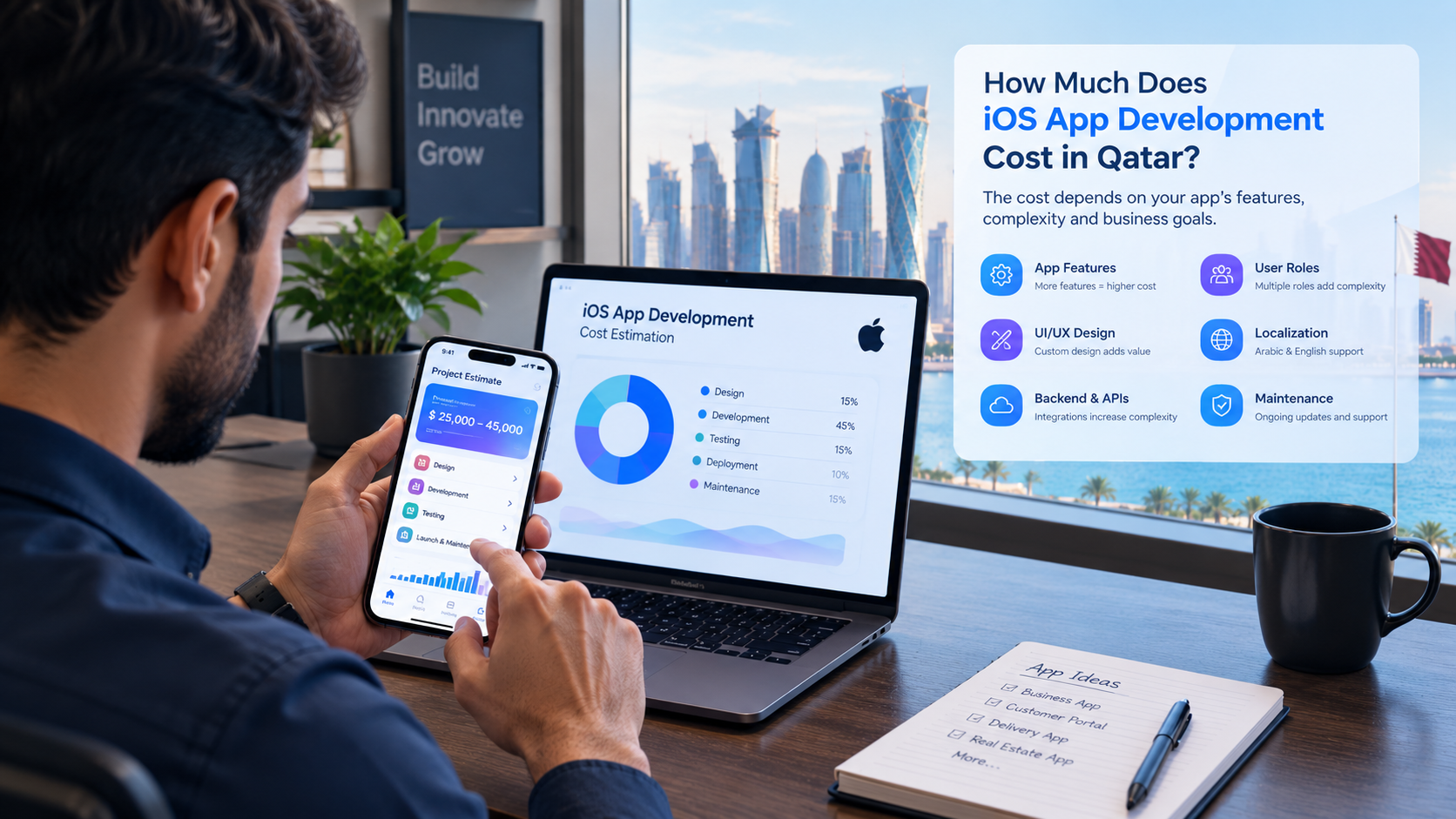
How Much Does iOS App Development Cost in Qatar?
There is no single fixed price for iOS app development in Qatar.
The development cost depends on the application's scope and technical complexity.
Major cost factors include:
Factor | Potential Impact |
|---|---|
Number of screens | More interfaces require more design and development |
Features | Advanced features increase development work |
Backend | Custom backend systems add complexity |
APIs | Multiple integrations require additional development and testing |
Payments | Payment workflows require additional implementation |
User roles | Different permissions increase complexity |
Arabic/English | Localization adds design and testing requirements |
AI | AI functionality can add significant technical complexity |
Real-time functionality | Messaging, tracking and live updates require additional architecture |
Security | Sensitive data can require stronger security controls |
Admin dashboard | Management interfaces add another development component |
Testing | More devices and workflows require broader testing |
Maintenance | Ongoing updates create long-term costs |
For example, a basic informational application and a multi-role delivery platform should not be expected to have the same development budget.
The better approach is to define the requirements first and then estimate the project according to actual scope.
What Is the Difference Between an MVP and a Full iOS Application?
A business does not necessarily need to build every planned feature in version one.
An MVP—or minimum viable product—focuses on the essential user journey.
For example, an appointment application might initially include:
Registration
Service selection
Availability
Booking
Confirmation
Notifications
Later versions could add:
Loyalty programs
AI support
Advanced analytics
Memberships
Recommendations
Additional payment features
This approach can reduce initial complexity and allow the business to learn from actual users.
Security Considerations for iOS Applications
Security should be considered from the beginning of the project.
Important areas can include:
Authentication
User accounts should have appropriate authentication and session-management controls.
Authorization
Users should only access information and actions they are permitted to use.
For example:
Customer: Own orders and profile
Employee: Assigned tasks
Manager: Team information
Administrator: System management
API Security
The mobile application should communicate with backend services through appropriately secured APIs.
Data Protection
Sensitive information should be handled carefully both during transmission and storage.
Secure Payment Processing
Where payments are involved, the application architecture should account for the requirements of the selected payment provider and relevant security practices.
Privacy
The application should only collect information necessary for its intended functionality and should provide appropriate privacy information and controls.
App Store Requirements Businesses Should Understand
App Store publication is not simply a matter of uploading an application.
Apple's review process covers areas including technical, content, design, reliability and privacy considerations. Apple recommends reviewing its guidelines early during development rather than waiting until submission.
Businesses should therefore plan for:
App metadata
Screenshots
App description
Privacy information
Permissions
Account functionality
Payment functionality
Review requirements
Testing
Support information
The Apple Developer Program currently lists an annual membership of $99, while organizations that qualify for Apple's separate Enterprise Program have different requirements and fees.
These Apple account costs are separate from the development cost charged by a software development company.
How Long Does iOS App Development Take?
Development time depends on scope.
A relatively simple application may require significantly less work than an application involving:
Multiple user roles
Real-time tracking
Payments
AI
Complex APIs
Large databases
Advanced dashboards
Arabic and English interfaces
CRM/ERP integration
A typical project can be divided into:
Requirements
UX/UI design
Architecture
Development
Backend integration
Testing
Beta testing
App Store submission
Launch
Maintenance
The timeline should be estimated after the requirements are defined rather than promising a generic number of days for every project.
Should a Qatar Business Build iOS Only or iOS + Android?
This depends on the target market.
iOS Only May Make Sense When:
The initial target audience is primarily Apple users
The application requires Apple-specific capabilities
The business wants to validate the concept on one platform first
The initial budget is limited
The product strategy is specifically focused on Apple users
iOS + Android May Make Sense When:
Customers use both platforms
The business needs broad market coverage
Employees use different device types
The application is expected to scale across multiple audiences
A business should use customer and operational requirements to make this decision rather than selecting a platform simply because it is technically convenient.
Common Mistakes in iOS App Development
1. Starting With Features Instead of the Business Problem
A long feature list does not automatically create a useful application.
Start with the core problem.
2. Treating the App as a Standalone Product
If the application needs customer, order or business information, the backend architecture matters just as much as the mobile interface.
3. Ignoring Localization
If Arabic and English are required, localization should be considered from the beginning.
4. Designing Only for One Screen Size
Apple's design guidance emphasizes layouts that adapt across display sizes, orientations and multitasking configurations.
5. Leaving Security Until the End
Security decisions can affect architecture, authentication, APIs and data storage.
6. Building Too Many Features in Version One
A larger first release can increase cost, development time and testing complexity.
7. Ignoring App Store Requirements
Review requirements should be considered during product planning.
8. Forgetting Post-Launch Maintenance
Operating-system changes, bugs, security updates and new business requirements mean an app needs ongoing attention.
How to Choose an iOS App Development Company in Qatar
When evaluating a development partner, look beyond the ability to create mobile screens.
Consider the company's ability to handle the complete technical ecosystem.
Check Mobile Development Experience
Ask whether the team has experience with:
iOS
Android
Backend development
APIs
Databases
Cloud infrastructure
Authentication
Payments
Review Previous Projects
Look at the development company's projects and portfolio to understand the types of technology and business solutions it has worked on.
Ask About Source Code
The agreement should clearly establish ownership, access and responsibilities related to the source code and project assets.
Discuss Integrations Early
If the app must connect to an existing CRM, ERP, website or database, this should be discussed before development begins.
Ask About Maintenance
Clarify:
Bug-fix support
Updates
Hosting
Monitoring
New features
OS compatibility
Security updates
Evaluate Communication
A successful project requires regular communication between the business, designers and developers.
Requirements should be documented so that everyone understands what is being built.
Why Work With a Qatar-Based Technology Company?
A local technology partner can be useful when the project requires an understanding of Qatar-specific business processes and customer requirements.
A Qatar-focused team may also be better positioned to discuss requirements such as:
Arabic and English interfaces
Local business workflows
Payment integrations
Customer management
Employee applications
Local service models
Business automation
Industry-specific software
However, businesses should still evaluate technical capabilities, portfolio quality, communication, security practices and long-term support.
iOS Apps as Part of a Larger Digital Strategy
An iOS application does not always need to exist independently.
For a growing company, it may become one part of a connected technology ecosystem:
Website → Mobile App → CRM → ERP → APIs → Cloud → Analytics → AI
For example, a customer might submit an enquiry through an iOS app.
That enquiry could then:
Enter the backend
Create a CRM lead
Notify a sales employee
Trigger an automated follow-up
Store customer activity
Update reporting dashboards
This creates much more business value than an application that simply displays information.
Companies planning a broader digital infrastructure can also explore Galaxium Coding's web application development services or cloud and DevOps solutions where appropriate.
The Future of iOS App Development
iOS development continues to evolve alongside Apple's software and hardware ecosystem.
Areas businesses may consider include:
AI-powered functionality
Intelligent search
Personalization
Voice interaction
Automation
Real-time notifications
Advanced analytics
Wearable integrations
Apple platform integrations
Improved accessibility
Cross-device experiences
Apple continues to update SwiftUI and its development ecosystem. For example, Apple's 2026 documentation includes updates to SwiftUI and development with Xcode 27 or later.
The important point for businesses is that technology choices should remain maintainable. An application should be designed so that future improvements can be introduced without rebuilding the entire product.
Frequently Asked Questions
Is iOS app development available in Qatar?
Yes. Businesses in Qatar can work with software development companies to design, develop, test and maintain iOS applications for customers, employees or internal operations.
How much does it cost to develop an iOS app in Qatar?
There is no universal price. Cost depends on features, design, backend requirements, integrations, user roles, security, testing, localization and ongoing maintenance.
How long does it take to develop an iOS app?
The timeline depends on scope. A simple application and a complex business platform with APIs, payments, multiple roles and real-time functionality require very different development efforts.
Should I build an iOS app or Android app first?
The decision should depend on your target users, business model, budget and technical requirements. If the target audience is strongly concentrated on Apple devices, an iOS-first approach may be considered. Businesses requiring broad coverage may plan for both platforms.
Can an iOS app connect to an existing CRM?
Yes. An iOS application can communicate with a CRM through APIs or other supported integration methods. This can allow mobile-generated customer activity to enter existing business workflows.
Can an iOS application support Arabic?
Yes. Arabic localization and right-to-left interface considerations can be incorporated into the application design and development process.
Can an iOS app include online payments?
Yes, depending on the business model and payment architecture. The appropriate payment solution and applicable requirements should be established during project planning.
Does an iOS app need a backend?
Not necessarily. Some simple applications can operate primarily on-device. However, business applications involving accounts, products, orders, bookings, databases or synchronized information generally require backend services.
What technologies are used for iOS development?
Native iOS development commonly uses technologies such as Swift, SwiftUI, UIKit and Xcode. The final technology stack should depend on the application's requirements.
Does Apple approve every submitted application?
No. Applications submitted to the App Store go through Apple's review process and must satisfy applicable requirements and guidelines.
Final Thoughts
iOS app development in Qatar can help businesses create dedicated digital experiences for customers, employees and partners.
The most successful projects usually begin with a clearly defined business problem rather than a long list of features.
Before development begins, businesses should define:
Target users
Core business objectives
Required features
iOS versus cross-platform requirements
Backend architecture
Integrations
Security requirements
Arabic and English localization
Budget
Development timeline
App Store requirements
Post-launch maintenance
For companies looking to develop an iOS application as part of a wider digital strategy, contact Galaxium Coding to discuss the project requirements and potential technical approach.