Performance Management and KPI Software for Businesses
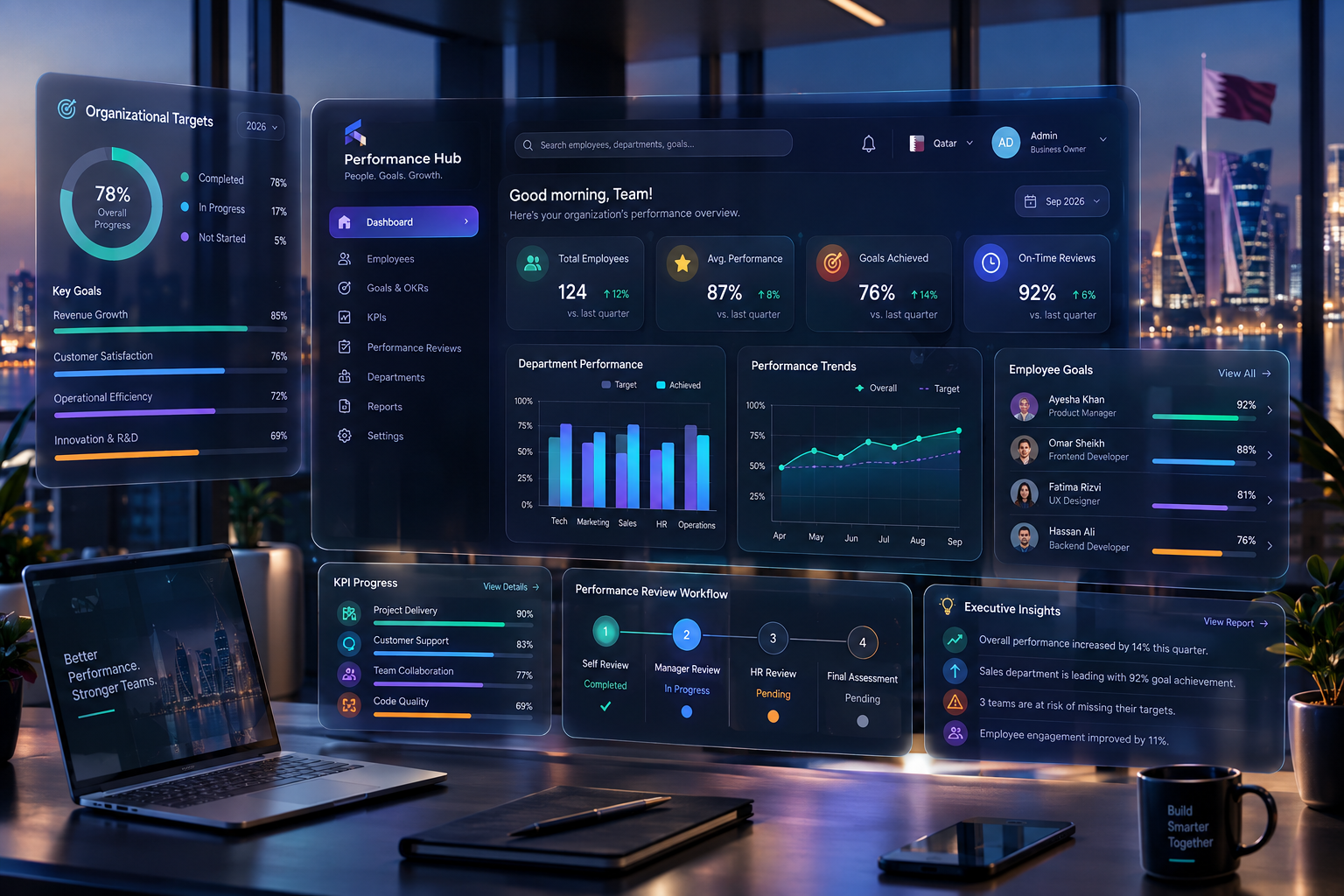
Modern performance management and KPI software connects business goals, employee objectives, measurable targets, reviews, and performance analytics in one digital platform.
Performance Management and KPI Software for Businesses
Managing business performance becomes increasingly difficult as companies grow. Managers need to know whether employees are meeting their objectives, departments need visibility into their targets, and leadership teams need reliable data to understand whether business strategy is actually being executed.
Many organizations still manage this information through spreadsheets, emails, manually prepared reports, periodic appraisals, and disconnected systems. The result can be delayed feedback, inconsistent performance evaluations, unclear responsibilities, and limited visibility into how individual work contributes to broader business objectives.
Performance management and KPI software provides a centralized way to define objectives, assign measurable targets, monitor progress, conduct reviews, collect feedback, and visualize performance information through dashboards.
The most effective systems do more than calculate scores. They connect business goals → team objectives → individual KPIs → ongoing feedback → performance reviews → management decisions.
For businesses considering a broader digital transformation, performance management functionality can also be integrated into custom software development solutions so that performance workflows match the organization's actual operating model.
This guide explains what performance management and KPI software is, how it works, which features businesses should consider, how to design useful KPIs, common implementation mistakes, and when a custom solution may make sense.
What Is Performance Management and KPI Software?
Performance management and KPI software is a digital business system used to manage employee, team, department, and organizational performance.
It can bring several activities into one platform, including:
Goal setting
KPI creation
Target assignment
Progress tracking
Performance dashboards
Employee self-assessments
Manager evaluations
Feedback
Performance reviews
Approval workflows
Performance reports
Development plans
Recognition
Performance analytics
A KPI, or Key Performance Indicator, is a measurable indicator used to evaluate progress toward a defined business or operational objective.
For example, a sales employee may have KPIs such as:
Monthly revenue generated
Qualified leads converted
Customer retention rate
Average sales cycle
Number of completed customer meetings
A customer support team could instead measure:
First response time
Resolution time
Customer satisfaction
Ticket backlog
Resolution rate
The important point is that KPIs should reflect the responsibilities and desired outcomes of a particular role or team.
Performance management is broader than KPI tracking. It can include objective setting, feedback, development, reviews, recognition, and addressing performance problems. The Chartered Institute of Personnel and Development (CIPD) describes performance management as a broader set of practices rather than a single activity, including objectives, feedback, reviews, development, and performance improvement.
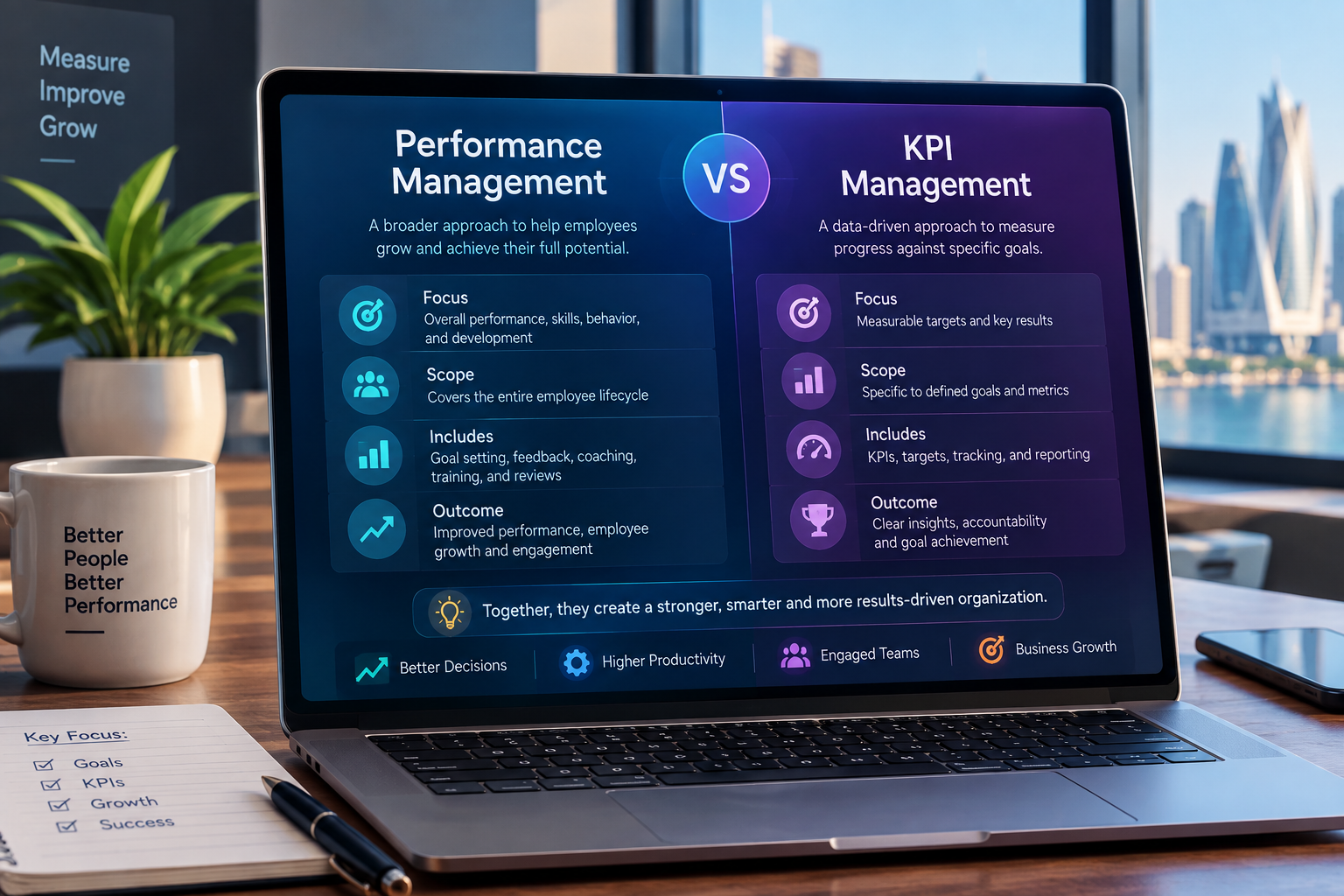
Performance Management vs KPI Management
The two concepts are closely related but should not be treated as identical.
Performance Management | KPI Management |
|---|---|
Broader management process | Focuses on measurable indicators |
Includes goals and objectives | Measures defined outcomes |
Includes feedback | Tracks progress against targets |
Includes reviews | Provides quantitative or measurable evidence |
Supports employee development | Supports performance measurement |
Can include recognition and development plans | Can feed data into reviews |
Covers ongoing performance conversations | Focuses on specific metrics |
A useful way to think about the relationship is:
KPI management is one component of performance management.
A company could track sales numbers perfectly and still have a weak performance management process if managers never discuss development, provide feedback, clarify expectations, or help employees improve.
Effective software should therefore support both measurement and management.
Why Businesses Need Performance Management Software
As organizations become larger, performance information becomes harder to manage manually.
A small company might manage employee objectives in a spreadsheet. But when the organization has hundreds or thousands of employees, this approach can create significant administrative work.
Managers may have to:
Collect KPI data.
Update spreadsheets.
Request information from different departments.
Prepare review documents.
Compare employees manually.
Send reminders.
Schedule review meetings.
Record feedback.
Prepare management reports.
Repeat the process every quarter or year.
A centralized system can reduce many of these manual activities.
1. Better Visibility
Managers can see performance information through dashboards rather than waiting for manually prepared reports.
A sales manager, for example, could see:
Target revenue
Actual revenue
Pipeline value
Conversion rate
Individual progress
Team progress
Overdue objectives
This gives management a more current view of performance.
2. Clearer Expectations
Employees should understand what is expected of them.
A performance management platform can provide each employee with a structured view of:
Role objectives
KPIs
Targets
Deadlines
Weightings
Current progress
Manager comments
Review status
This can make performance expectations more transparent.
3. Continuous Feedback
Performance management should not necessarily be limited to an annual appraisal.
Modern systems can support regular check-ins and feedback.
Managers can record:
Positive feedback
Areas for improvement
Coaching notes
Progress updates
Development requirements
Recognition
CIPD guidance similarly emphasizes ongoing performance conversations and regular, timely feedback rather than treating performance management as a single isolated event.
4. Reduced Administrative Work
Automated reminders can notify employees and managers about:
Upcoming reviews
Overdue objectives
Missing self-assessments
KPI updates
Approval requests
Development-plan milestones
This reduces the need for HR teams to manually chase every participant.
5. Better Management Decisions
Performance data becomes more useful when leadership can analyze it alongside other business information.
For example:
Sales performance + revenue + customer retention
may reveal a different picture than sales volume alone.
A high-performing salesperson may generate significant revenue but have poor customer retention.
A performance platform can therefore help organizations evaluate performance more holistically.
How Performance Management and KPI Software Works
A typical performance management workflow may look like this:
Business Strategy
↓
Department Goals
↓
Team Objectives
↓
Individual Objectives
↓
KPIs and Targets
↓
Progress Tracking
↓
Feedback and Check-ins
↓
Performance Review
↓
Development Plan
↓
Management Insights
The software provides the digital infrastructure connecting these stages.
Step 1: Define Organizational Goals
Leadership establishes the broader objectives of the organization.
For example:
Increase annual revenue
Improve customer retention
Reduce operational costs
Expand into new markets
Improve service quality
Increase employee productivity
Step 2: Translate Goals Into Department Objectives
The company objective is then translated into departmental responsibilities.
For example:
Business goal: Increase revenue.
Sales objective: Increase qualified opportunities.
Marketing objective: Generate more qualified leads.
Customer success objective: Improve retention and expansion.
Each department contributes to the broader goal.
Step 3: Assign Individual Objectives
Managers can then assign objectives to employees according to their roles.
For a sales executive:
Objective: Increase monthly sales.
KPI: Monthly closed revenue.
Target: QAR 150,000.
Measurement period: Monthly.
Weight: 40%.
The system can calculate progress automatically when data is available.
Step 4: Monitor Progress
Employees and managers can update progress throughout the performance period.
A dashboard might show:
KPI | Target | Actual | Progress |
|---|---|---|---|
Revenue | QAR 150,000 | QAR 135,000 | 90% |
Qualified leads | 50 | 46 | 92% |
Customer meetings | 40 | 44 | 110% |
Follow-up completion | 95% | 91% | 96% |
The dashboard provides a much clearer picture than a collection of spreadsheets.
Step 5: Conduct Check-Ins
Managers can review progress with employees.
A check-in might cover:
What is going well?
Which objectives are behind?
What obstacles exist?
Does the employee need additional resources?
Are the targets still appropriate?
What support is required?
Step 6: Complete the Performance Review
At the end of a review cycle, the system can consolidate:
KPI results
Goal completion
Manager feedback
Employee self-assessment
Peer feedback
Development activities
Previous review information
This gives managers a structured basis for the review.
Essential Features of KPI and Performance Management Software
Not every business requires the same features, but several capabilities are particularly useful.
1. Goal Management
Users should be able to create organizational, departmental, team, and individual goals.
A useful system can also show relationships between goals.
For example:
Corporate Goal → Department Goal → Team Goal → Employee Objective
This helps employees understand why their targets matter.
2. KPI Management
The system should allow administrators and managers to define:
KPI name
Description
Measurement method
Target
Actual value
Measurement frequency
Owner
Weight
Review period
Status
KPI definitions should be clear enough that employees understand how performance is measured.
3. KPI Weighting
Not every objective has equal importance.
For example:
KPI | Weight |
|---|---|
Revenue | 40% |
Customer retention | 25% |
New customers | 20% |
Reporting compliance | 15% |
Weighted scoring can prevent a minor objective from having the same influence as a strategically important one.
4. Employee Self-Assessment
Employees can submit their own assessment before a manager completes the review.
This gives employees an opportunity to explain:
Achievements
Challenges
Completed projects
Training needs
Career goals
Barriers to performance
5. Manager Reviews
Managers can evaluate employees against defined criteria.
The system can provide structured review forms instead of relying entirely on free-form documents.
6. Continuous Feedback
A feedback module can allow managers to record performance observations throughout the year.
This is useful because a manager may forget important examples if feedback is recorded only once annually.
7. Performance Dashboards
Dashboards can display:
Employee performance
Team performance
KPI achievement
Goal progress
Department comparisons
Overdue reviews
High-risk objectives
Improvement trends
Dashboards are particularly valuable for executives who need a high-level view without opening individual employee records.
8. Notifications and Reminders
Automated notifications can remind users about:
KPI updates
Review deadlines
Pending approvals
Check-ins
Goal deadlines
Self-assessments
9. Role-Based Access
Performance information is sensitive.
A system should control who can view and modify information.
For example:
Employee: Own performance information
Manager: Direct reports
Department Head: Department-level information
HR: Authorized employee records
Executive: Approved organization-level dashboards
Administrator: System configuration
10. Reporting and Analytics
Reports can help organizations identify:
Employees consistently exceeding targets
Underperforming objectives
Department trends
KPI gaps
Review completion rates
Development needs
Performance changes over time
What KPIs Should Businesses Track?
There is no universal KPI list that works for every organization.
KPIs should be connected to the responsibilities and outcomes of each role.
Sales KPIs
Common sales indicators include:
Revenue generated
New customers
Conversion rate
Average deal size
Sales cycle duration
Qualified opportunities
Customer retention
Follow-up completion
Customer Service KPIs
Customer service teams might measure:
First response time
Average resolution time
Customer satisfaction
Ticket resolution rate
Escalation rate
Repeat contact rate
Backlog
Marketing KPIs
Marketing teams may track:
Qualified leads
Conversion rate
Cost per lead
Campaign performance
Website conversions
Customer acquisition
Engagement metrics
Finance KPIs
Finance teams might measure:
Invoice processing time
Collection rate
Payment cycle
Budget variance
Reporting accuracy
Expense processing time
HR KPIs
HR-related measures can include:
Time to hire
Recruitment pipeline
Employee turnover
Training completion
Review completion
Employee engagement indicators
Absence trends
Software Development KPIs
Technology teams require more careful KPI design because raw output does not always represent software quality.
Possible indicators include:
Delivery against agreed milestones
Defect rates
Release reliability
Incident response
Code review participation
Project completion
Customer-impacting issues
Businesses should avoid reducing developers to simplistic productivity measurements such as lines of code.
How to Design Better KPIs
A KPI should answer a simple question:
What outcome tells us whether this responsibility is being performed successfully?
Poor KPI:
Be more productive.
Better KPI:
Complete agreed sprint deliverables within the planned sprint cycle while maintaining defined quality standards.
Poor KPI:
Improve customer service.
Better KPI:
Maintain an agreed customer satisfaction target while keeping first-response and resolution times within service standards.
Avoid Too Many KPIs
One of the most common mistakes is measuring everything.
If an employee has 25 KPIs, the system may create complexity rather than clarity.
A smaller number of meaningful indicators is often easier to understand and manage.
Combine Quantitative and Qualitative Evaluation
Numbers are valuable, but they are not always enough.
For example, an employee may achieve a sales target but generate repeated customer complaints.
Performance evaluation should therefore consider relevant qualitative information alongside quantitative results.
CIPD guidance notes that performance measurement can be more complicated for some roles, particularly knowledge work, where subjective assessment may need to complement measurable outcomes.
Performance Management Software for Different Business Sizes
Small Businesses
Small businesses may initially need:
Employee goals
Basic KPIs
Review forms
Feedback
Simple dashboards
Automated reminders
The priority should be simplicity.
A complex enterprise platform may create unnecessary administrative work.
Medium-Sized Businesses
Growing organizations often need:
Department-level goals
Role-based access
KPI weighting
Automated workflows
Employee self-service
Reporting
HR integrations
Performance analytics
Large Enterprises
Large organizations may require:
Multi-level organizational structures
Advanced permissions
Multiple review cycles
Succession planning
Competency frameworks
Advanced analytics
Enterprise integrations
Audit trails
Multi-language support
Regional configuration
High scalability
The right system should therefore reflect the complexity of the organization rather than simply the number of features offered by a vendor.
Performance Management Software for Businesses in Qatar
Businesses in Qatar operate across a wide range of industries, including construction, real estate, hospitality, healthcare, education, logistics, retail, professional services, and technology.
Performance software can be adapted to different operational environments.
For example, a Qatar-based real estate company may track:
Property sales
Qualified leads
Viewing appointments
Conversion rates
Agent activity
Follow-up completion
Revenue
Customer satisfaction
A construction company may focus more on:
Project milestones
Safety compliance
Quality indicators
Completion rates
Resource utilization
Cost variance
A hospitality business could track:
Guest satisfaction
Service response time
Occupancy-related objectives
Complaint resolution
Upselling
Department performance
The important consideration is not simply buying software labeled "KPI software."
The system should reflect the company's actual workflows and business model.
Businesses looking to connect performance management with broader operational applications can also explore web application development for centralized business platforms.
Integrating KPI Software With Other Business Systems
Performance software becomes more useful when it can receive data from the systems where business activity actually happens.
Consider a sales KPI.
If employees manually enter every sales result, the organization may still spend significant time maintaining performance records.
Instead:
CRM → Sales Data → KPI Engine → Performance Dashboard
The same principle can apply to other systems.
CRM Integration
A CRM can provide:
Leads
Opportunities
Sales
Conversion rates
Customer interactions
ERP Integration
An ERP can provide:
Revenue
Finance data
Inventory
Procurement
Operations
Employee information
Businesses interested in broader operational integration can consider cloud and DevOps solutions as part of the technical architecture.
Attendance Integration
Attendance systems can potentially provide:
Working hours
Attendance records
Absence information
Overtime data
However, attendance should not automatically be treated as a complete measure of employee performance.
Project Management Integration
Project systems can provide:
Tasks
Milestones
Completion rates
Deadlines
Project status
The goal is to reduce duplicate data entry and create a more connected performance environment.
Automated Performance Management Workflow
A business can automate much of the performance cycle.
For example:
1. Manager creates objective
↓
2. Employee receives notification
↓
3. Employee confirms objective
↓
4. KPI begins tracking
↓
5. System imports performance data
↓
6. Dashboard updates
↓
7. System identifies overdue target
↓
8. Manager receives notification
↓
9. Manager conducts check-in
↓
10. Employee submits self-assessment
↓
11. Manager completes review
↓
12. HR approves or records final result
This type of workflow can reduce administrative effort while creating a consistent process.
Should You Buy or Build Performance Management Software?
Businesses generally have two broad choices.
Ready-Made Performance Software
A ready-made platform can be attractive when:
Standard performance workflows are sufficient.
The company wants faster deployment.
The organization does not require unusual integrations.
The vendor's features match existing processes.
The business prefers subscription software.
Custom Performance Management Software
Custom software may be more appropriate when the organization needs:
Unique KPI calculations
Complex approval workflows
Specialized dashboards
Integration with internal systems
Custom employee portals
Industry-specific performance processes
Custom business rules
Greater control over the platform
For example, a company may have a performance formula that depends on several internal systems:
Sales result + customer retention + project delivery + quality score + manager evaluation
If existing software cannot represent the workflow properly, a custom application may provide greater flexibility.
The decision should be based on business requirements rather than the assumption that custom software is automatically better.
Galaxium Coding's existing guidance on custom software vs. off-the-shelf software can help businesses evaluate that broader decision.
Security and Privacy Considerations
Performance management platforms contain sensitive employee information.
A secure system should consider:
Authentication
Role-based authorization
Encryption
Secure APIs
Audit logs
Data backups
Access controls
Session management
Secure cloud infrastructure
Data retention
Administrative permissions
Not every employee should be able to access every performance record.
For example, an employee should generally not be able to browse another employee's confidential review.
Audit Trails
An audit trail can record actions such as:
Who changed a KPI
Who modified a target
Who approved a review
When feedback was submitted
Who changed a performance rating
This can improve accountability and make the system easier to administer.
AI in Performance Management
AI can add useful capabilities to performance software, but it should be implemented carefully.
Potential applications include:
Performance trend analysis
Automated summaries
Identification of unusual changes
Goal recommendations
Feedback summarization
Employee development suggestions
Natural-language reporting
Management insights
For example, an executive could ask:
"Which departments have the largest decline in KPI achievement this quarter?"
The system could analyze structured performance data and return a summary.
However, AI-generated recommendations should not automatically become employment decisions.
Performance ratings, promotions, disciplinary decisions, compensation decisions, and other significant employment actions require appropriate human oversight.
This distinction is especially important because performance data can be incomplete, contextual, or influenced by factors outside an employee's control.
Common Mistakes When Implementing KPI Software
Mistake 1: Measuring Too Much
More KPIs do not necessarily mean better management.
Focus on meaningful indicators.
Mistake 2: Using the Same KPIs for Everyone
A finance employee and a software developer should not be evaluated using identical metrics.
KPIs should reflect responsibilities.
Mistake 3: Focusing Only on Numbers
Performance is not always completely measurable.
Quality, collaboration, customer impact, problem-solving, and professional development may also matter.
Mistake 4: Setting Unrealistic Targets
A target should be challenging but grounded in business reality.
Unrealistic targets can reduce trust in the performance system.
Mistake 5: Making Reviews an Annual Event
Performance conversations become less useful when managers only discuss problems once a year.
Regular check-ins can provide earlier opportunities to correct course.
Mistake 6: Ignoring Employee Experience
If the system is difficult to use, employees may avoid updating objectives and feedback.
The user interface should therefore be simple and accessible.
Mistake 7: Automating a Bad Process
Software cannot automatically fix a poorly designed performance process.
The organization should first understand the workflow and then automate it.
Mistake 8: Treating KPI Scores as the Whole Story
A KPI score is evidence, not necessarily a complete explanation of performance.
Managers still need context.
How to Implement Performance Management Software
A practical implementation can follow these stages.
Step 1: Define the Business Objectives
Start with the outcomes the company actually wants to improve.
Step 2: Map Existing Performance Processes
Document:
Who sets goals?
Who approves them?
How are KPIs calculated?
How often are reviews conducted?
Who sees the data?
What happens when performance is below expectations?
Step 3: Define KPI Frameworks
Create appropriate KPI structures for each department and role.
Step 4: Select Core Features
Prioritize essential functionality rather than attempting to build everything immediately.
Step 5: Plan Integrations
Identify whether the system needs to connect with:
HR software
ERP
CRM
Payroll
Attendance
Project management
Business intelligence
Identity systems
Step 6: Design Permissions
Determine exactly who can access each category of performance data.
Step 7: Pilot the System
Start with one department or business unit.
A pilot can expose problems before company-wide deployment.
Step 8: Train Managers and Employees
Technology alone will not create effective performance management.
Users need to understand how to:
Set objectives
Update KPIs
Give feedback
Conduct reviews
Interpret dashboards
Step 9: Measure Adoption
Track whether employees and managers are actually using the platform.
Step 10: Improve Continuously
Review the process after each performance cycle.
KPIs, workflows, dashboards, and review forms may need to evolve as business priorities change.
How Much Does Performance Management Software Cost?
There is no single price for performance management software.
Cost depends on factors such as:
Number of users
Number of modules
Subscription model
Customization
Integrations
AI functionality
Mobile applications
Reporting requirements
Hosting
Security requirements
Implementation
Training
Ongoing support
A simple SaaS platform may have relatively predictable subscription costs.
A custom enterprise performance platform can involve substantially greater development and implementation investment.
For businesses considering a custom solution, the most useful approach is to first define the required workflows and integrations and then obtain a project-specific estimate.
What Should You Look for in a Performance Management Software Provider?
When evaluating a provider, consider more than the feature list.
Business Understanding
Does the provider understand how your company actually manages performance?
Customization
Can the platform accommodate your KPI structures and workflows?
Integration Capability
Can it connect with existing CRM, ERP, HR, payroll, attendance, or project systems?
Security
How does the provider protect employee and business information?
Scalability
Can the platform support additional users, departments, locations, and business units?
Reporting
Can managers and executives obtain useful information without manually preparing reports?
User Experience
Will employees actually find the platform easy to use?
Support
What happens after deployment?
A technology partner should be evaluated not only on development capability but also on its ability to understand the business problem.
Businesses can review Galaxium Coding's projects and portfolio to understand the company's broader technology work.
The Future of Performance Management Software
Performance management is increasingly moving from periodic reporting toward continuous, data-supported management.
Several trends are likely to influence the next generation of platforms.
Continuous Performance Management
Instead of one annual review, organizations can use:
Frequent check-ins
Continuous feedback
Real-time KPI dashboards
Regular goal adjustments
Ongoing development plans
AI-Assisted Insights
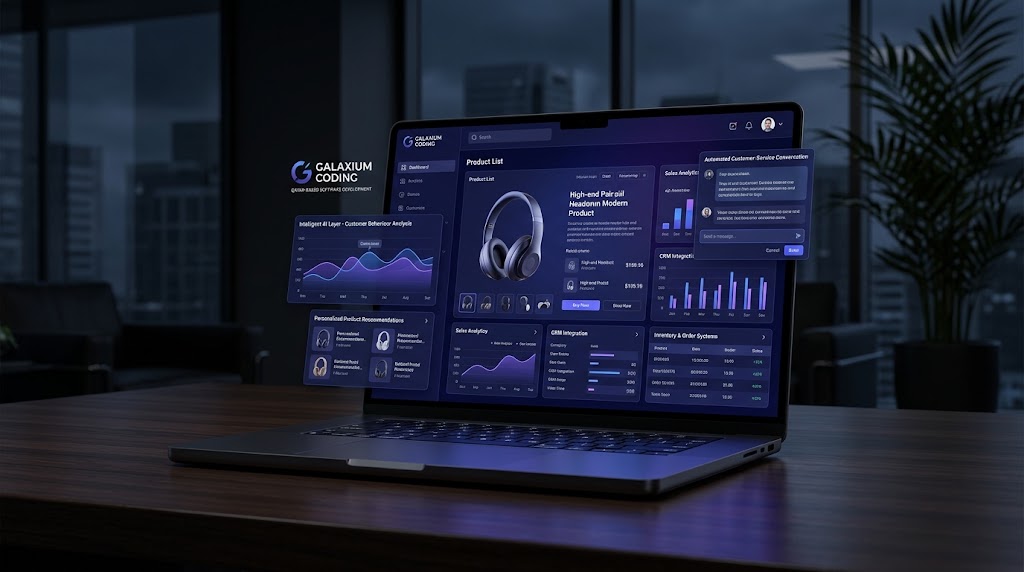
AI can help managers identify trends and summarize large amounts of performance information.
Connected Business Data
Performance software can increasingly connect with CRM, ERP, project management, financial, customer-service, and operational systems.
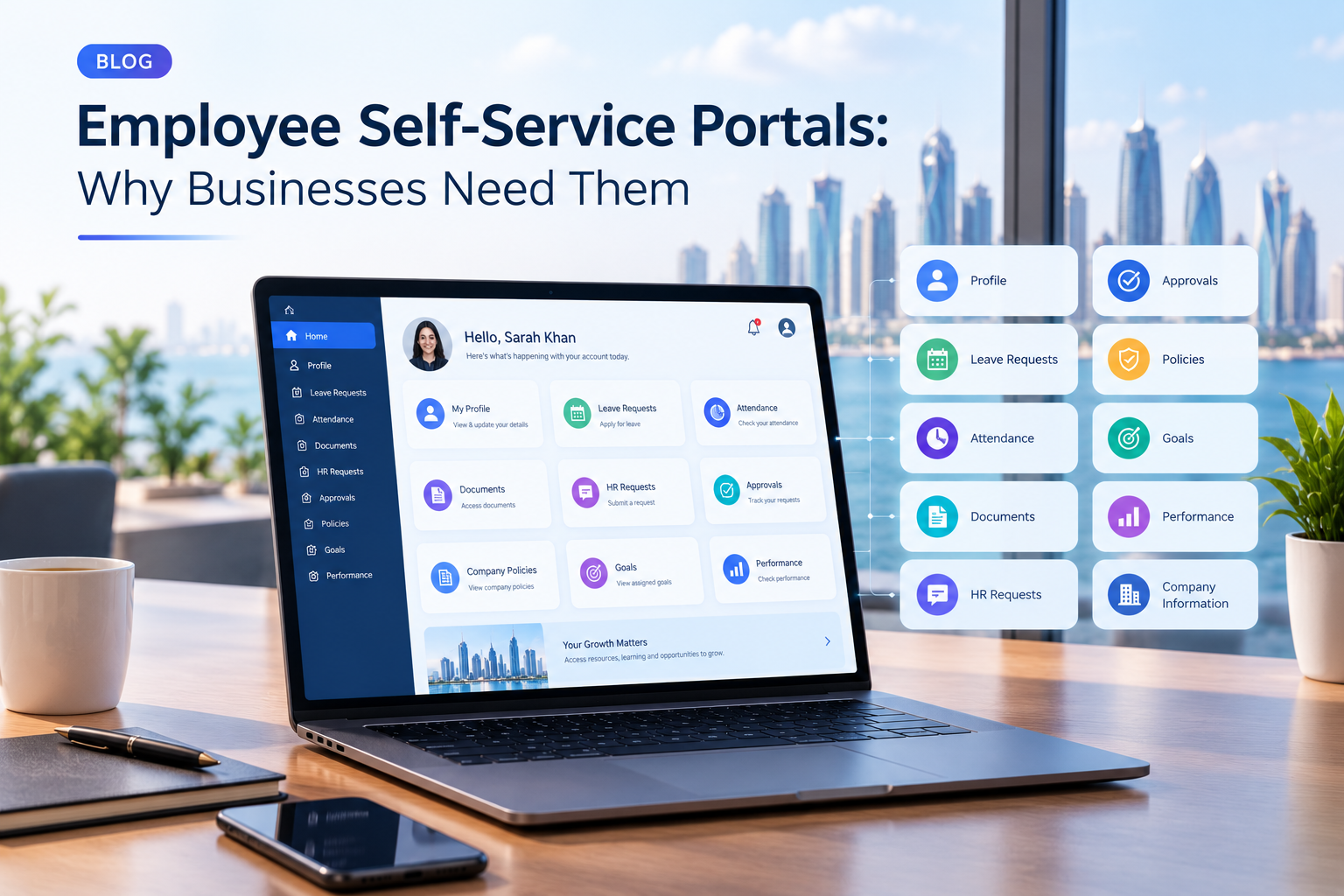
Employee Self-Service
Employees can increasingly manage their own goals, reviews, feedback, development plans, and performance information.
Mobile Access
Managers may need to review dashboards and approve workflows from mobile devices.
More Contextual KPIs
Rather than measuring employees using isolated numbers, organizations may combine multiple indicators to understand performance more accurately.
Final Thoughts
Performance management and KPI software can help businesses move from fragmented spreadsheets and periodic evaluations toward a more structured, connected approach to managing performance.
The most effective system does not simply display employee scores.
It connects:
Business strategy → goals → KPIs → progress → feedback → reviews → development → decisions.
For employees, this can create clearer expectations.
For managers, it can provide better visibility.
For HR teams, it can reduce administrative work.
For executives, it can provide a more connected view of organizational performance.
But software should support a well-designed performance management process rather than replace good management. KPIs need to be meaningful, targets need to be realistic, feedback needs to be constructive, and performance data needs to be interpreted in context.
For businesses that need a performance platform connected to their existing systems, a custom solution can provide greater control over workflows, integrations, dashboards, permissions, and business logic.
If your organization is evaluating a new performance management platform or wants to build a system around its existing workflows, you can contact Galaxium Coding to discuss the technical and business requirements.
Frequently Asked Questions
What is performance management and KPI software?
Performance management and KPI software is a business platform that helps organizations set goals, define KPIs, monitor progress, conduct reviews, collect feedback, and analyze employee and team performance.
What is the difference between KPI software and performance management software?
KPI software primarily focuses on measurable indicators and targets. Performance management software covers a broader process that can include goal setting, feedback, reviews, development, recognition, and performance improvement.
What are examples of employee KPIs?
Examples include revenue generated, customer satisfaction, conversion rate, response time, project completion, quality indicators, retention, and other measurable outcomes relevant to the employee's role.
How many KPIs should an employee have?
There is no universal number. The objective should be to use a manageable set of meaningful indicators rather than measuring every possible activity.
Can KPI software integrate with CRM and ERP systems?
Yes. Depending on the platform, KPI software can integrate with CRM, ERP, HR, payroll, attendance, project management, and other business systems so performance data can be collected more efficiently.
Can performance management software automate employee reviews?
It can automate many administrative parts of the review process, including reminders, review forms, self-assessments, approvals, notifications, and reporting. Human managers should still provide appropriate judgment and context.
Is performance management software useful for small businesses?
Yes, but small businesses should prioritize simplicity. Basic goal management, KPIs, reviews, feedback, reminders, and dashboards may be sufficient initially.
Can performance management software use AI?
Yes. AI can potentially support performance analysis, summaries, trend detection, recommendations, and natural-language reporting. However, important employment decisions should receive appropriate human oversight.
Should businesses build custom KPI software?
Custom KPI software may make sense when a company has unique performance calculations, complex workflows, specialized integrations, or business requirements that standard platforms cannot accommodate. Businesses with conventional requirements may find ready-made software more practical.
Is KPI software the same as HR software?
Not necessarily. KPI software can be a standalone performance platform or part of a broader HR system. It can also be integrated into ERP, business management, or custom enterprise software.
How does performance management software help managers?
It gives managers centralized visibility into goals, KPIs, progress, feedback, reviews, and development activities. Automated reminders and dashboards can also reduce manual administrative work.
Can employees access their own KPIs?
Yes. Employee self-service functionality can allow employees to view objectives, update progress, submit self-assessments, review feedback, and participate in performance processes.
What makes a good KPI?
A good KPI should be relevant to the role or business objective, clearly defined, measurable where appropriate, understandable, and connected to an outcome that actually matters to the organization.
Can performance management software replace managers?
No. Software can organize information, automate workflows, and provide insights, but effective performance management still depends on communication, coaching, feedback, judgment, and leadership.