Software Maintenance and Support: What Businesses Should Expect
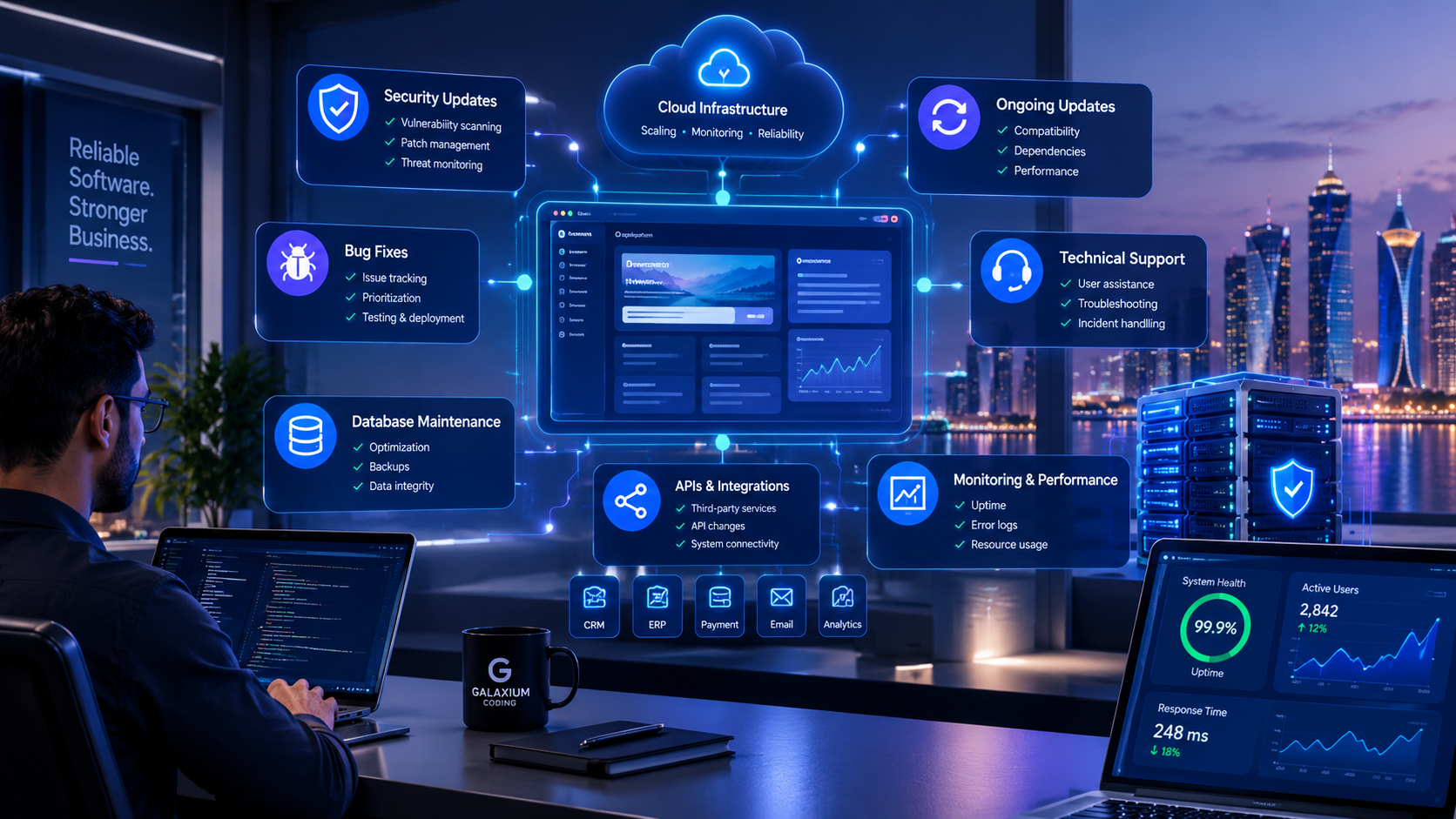
Software maintenance keeps business applications secure, reliable, compatible, and useful long after launch.
Software Maintenance and Support: What Businesses Should Expect
Launching software is not the end of a software project.
For a business, the real test begins when employees start using the system, customers depend on it, integrations exchange live data, and the application becomes part of everyday operations.
That is why software maintenance and support should be considered part of the software lifecycle rather than an optional service added only when something goes wrong.
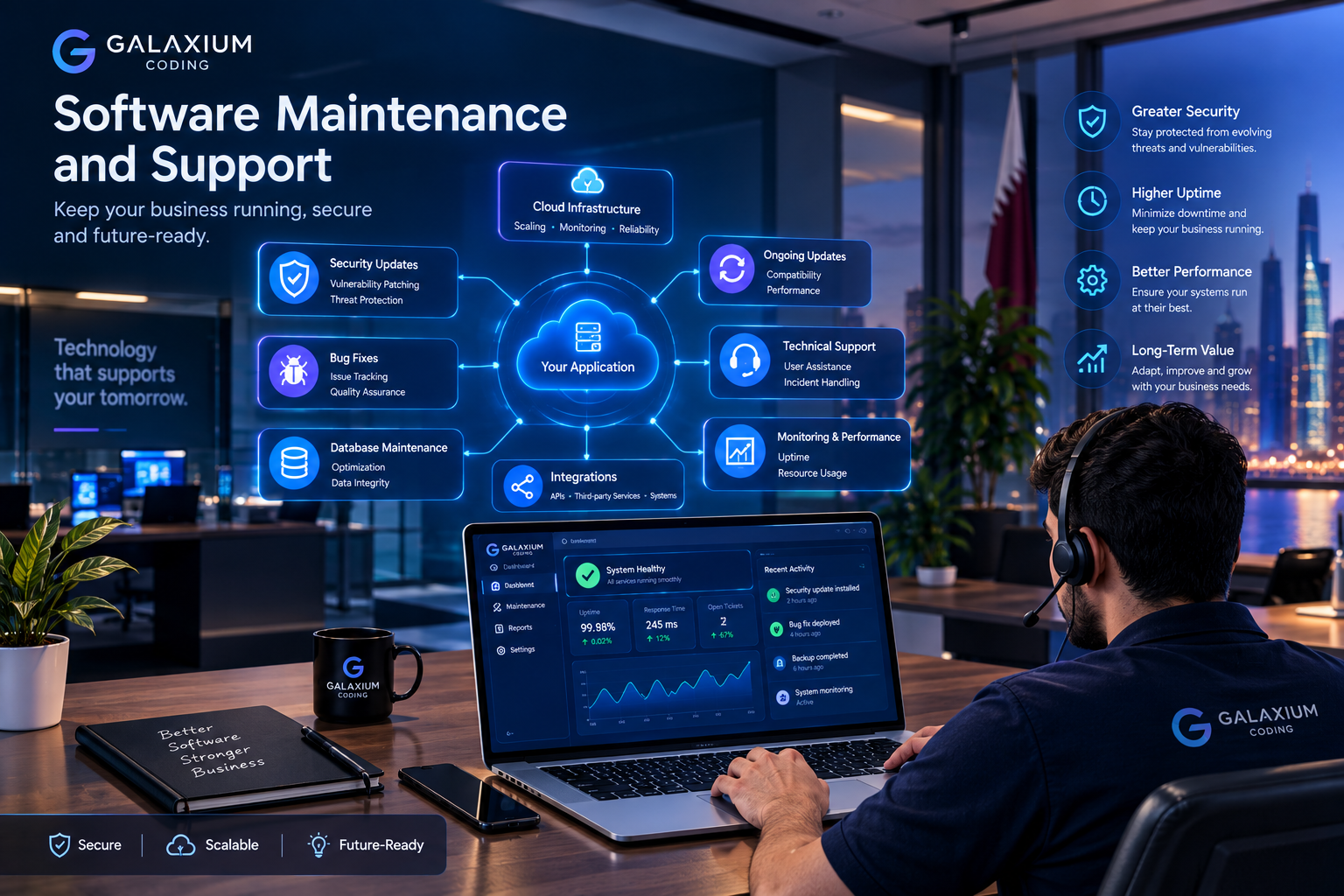
A business application may need bug fixes, security patches, database maintenance, performance improvements, compatibility updates, infrastructure changes, monitoring, technical assistance, and future enhancements throughout its operational life.
International guidance recognizes software maintenance as a defined part of the software lifecycle. ISO/IEC/IEEE 14764:2022 provides guidance on software maintenance processes and defines different types of maintenance.
For companies investing in custom software development, understanding what happens after launch can be just as important as understanding how the software will be built.
This guide explains what businesses should expect from a professional software maintenance and support arrangement, what should be included in an agreement, how support differs from maintenance, how security updates should be handled, and how to evaluate a long-term technology partner.
What Is Software Maintenance and Support?
Software maintenance is the ongoing work required to keep an application functional, secure, compatible, and useful after deployment.
Support is the assistance provided when users, administrators, or business teams need help with the software.
They are related, but they are not exactly the same.
Software maintenance usually includes:
Bug fixing
Security updates
Performance optimization
Database maintenance
Compatibility updates
Dependency updates
API changes
Infrastructure improvements
Backup and recovery planning
Monitoring
Technical improvements
Minor enhancements
Documentation updates
Software support may include:
User assistance
Troubleshooting
Technical questions
Incident handling
Configuration assistance
Error investigation
Account or access support
Escalation of technical problems
Communication about system incidents
A professional agreement should explain exactly which services are included rather than simply stating that "support is available."
Why Software Maintenance Matters After Launch
Software operates in an environment that keeps changing.
The application itself may remain the same, but the technology around it can change.
For example:
Operating systems receive new versions.
Browsers change.
Mobile devices evolve.
Cloud platforms introduce updates.
APIs change.
Third-party services modify their requirements.
Security vulnerabilities are discovered.
Business processes change.
Customer expectations evolve.
Regulations and internal policies may change.
A system that worked perfectly when it launched can therefore require changes months or years later.
NIST describes enterprise patch management as the process of identifying, prioritizing, acquiring, installing, and verifying patches, updates, and upgrades. It treats patching as an important component of preventive maintenance.
Maintenance is therefore not simply about fixing broken software.
It is also about reducing avoidable technical risk and keeping the system aligned with its operating environment.
The Four Main Types of Software Maintenance
Software maintenance can be divided into different categories. The exact terminology may vary between organizations, but four common categories are particularly useful for business planning.
1. Corrective Maintenance
Corrective maintenance addresses defects or problems discovered after deployment.
Examples include:
A report calculates an incorrect value.
A form fails under a specific condition.
A customer cannot complete checkout.
An API integration stops transferring information.
A mobile application crashes under a particular workflow.
Corrective maintenance is reactive because it responds to an identified problem.
However, a professional support process should still include structured investigation, prioritization, testing, and deployment rather than simply changing code immediately.
2. Adaptive Maintenance
Adaptive maintenance changes software so that it continues working when its environment changes.
Examples include:
Updating an application for a new operating system.
Adjusting an integration after an API change.
Updating browser compatibility.
Migrating to a newer database version.
Changing infrastructure because of cloud platform changes.
Adaptive maintenance becomes particularly important for software that depends on multiple external services.
3. Perfective Maintenance
Perfective maintenance improves existing software even when there is no critical defect.
For example:
Improving a slow dashboard.
Simplifying a complicated workflow.
Improving search.
Redesigning a frequently used screen.
Improving reports.
Reducing unnecessary steps.
Optimizing database queries.
These changes can make software more useful as business requirements mature.
4. Preventive Maintenance
Preventive maintenance attempts to reduce future problems.
It may include:
Refactoring difficult code.
Updating outdated dependencies.
Improving test coverage.
Reviewing technical architecture.
Removing obsolete components.
Improving monitoring.
Updating documentation.
Addressing technical debt.
Preventive maintenance is especially valuable for business-critical software because waiting until a problem becomes an outage can be more disruptive than addressing technical risks earlier.
What Should a Business Expect From a Maintenance Contract?
A maintenance contract should make expectations clear.
Businesses should ideally know:
What is covered
What is not covered
How issues are reported
How issues are prioritized
Expected response times
Expected resolution approach
Support hours
Emergency support availability
Security responsibilities
Backup responsibilities
Monitoring responsibilities
Hosting responsibilities
Change-request procedures
Reporting requirements
Pricing structure
The more important the software is to daily operations, the more detailed these expectations should be.
For example, a small internal application used occasionally may not need the same support arrangement as an e-commerce platform processing customer transactions every day.
Maintenance vs. Support: What's the Difference?
The distinction is important when reviewing proposals from software providers.
Area | Software Maintenance | Software Support |
|---|---|---|
Main purpose | Keep and improve the system | Help users and resolve issues |
Bug fixes | Usually included | May involve issue diagnosis |
Security updates | Usually included | May include coordination |
User questions | Not always included | Usually included |
Performance improvements | Often included | Usually escalated as technical work |
New features | Usually separate | Usually separate |
Emergency incidents | Depends on agreement | Depends on SLA |
Monitoring | Depends on package | May be included |
Infrastructure | Depends on scope | Depends on provider |
Documentation | May be updated | Usually available for troubleshooting |
The important point is that businesses should not assume that the word "support" automatically includes every form of technical maintenance.
Ask the provider to define both.
What Does Ongoing Software Maintenance Actually Include?
A strong maintenance program can cover several technical areas.
Bug Fixes
Bug fixing is one of the most obvious maintenance activities.
However, not every bug has the same priority.
A useful classification may look like this:
Critical: The system is unavailable or a major business function has stopped.
High: A significant function is affected, but a workaround may exist.
Medium: A non-critical function is affected.
Low: The problem has limited business impact.
The provider should explain how incidents are classified and escalated.
Security Updates
Security maintenance should be treated as an ongoing activity.
Software may rely on:
Frameworks
Libraries
Databases
Operating systems
Cloud services
Third-party APIs
Authentication providers
Plugins
Vulnerabilities can emerge in components after an application has already been deployed.
NIST recommends a structured approach to patch management that includes identifying, prioritizing, acquiring, installing, and verifying updates.
Businesses should therefore ask:
Who monitors security updates?
Who decides which updates are urgent?
How are patches tested?
Who approves production deployment?
How quickly are critical vulnerabilities addressed?
How are emergency security fixes handled?
Performance Monitoring
An application can remain available while still becoming slower.
Performance monitoring may look at:
Server response times
Database queries
API response times
Error rates
Resource consumption
Application latency
Background jobs
Storage usage
Traffic patterns
Performance maintenance can then address the underlying problem.
For example, if a reporting dashboard becomes slow as the database grows, the solution might involve database optimization, indexing, caching, query optimization, architecture changes, or infrastructure scaling.
Database Maintenance
Business applications often depend heavily on databases.
Maintenance may involve:
Database optimization
Index management
Query optimization
Data integrity checks
Storage management
Backup verification
Archiving strategies
Migration work
Schema changes
Database maintenance becomes increasingly important as transaction volumes and historical data grow.
API and Integration Maintenance
Modern business software rarely operates completely on its own.
A system may connect to:
Payment gateways
CRM systems
Accounting platforms
ERP systems
Email services
SMS providers
Maps
Analytics tools
AI services
Government or third-party APIs
If an external API changes, the application may need an update.
This is one reason businesses should clarify whether integration maintenance is included in their support agreement.
Compatibility Updates
Software may need changes to remain compatible with:
New browsers
Android versions
iOS versions
Desktop operating systems
Mobile devices
Cloud platforms
Database versions
For businesses operating mobile products, this can be especially important.
If mobile applications are part of your technology strategy, mobile application development should be considered together with the long-term update and support plan.
What Should a Software Support SLA Include?
An SLA, or Service Level Agreement, defines measurable expectations for service delivery.
A useful SLA may specify:
Response Time
How quickly the provider acknowledges an issue.
Resolution Target
The expected timeframe or target for resolving the problem.
Severity Levels
The SLA should explain what qualifies as critical, high, medium, or low priority.
Support Hours
Support may be:
Business-hours only
Extended-hours
24/7
Emergency-only outside business hours
Escalation
The agreement should explain what happens when the first support level cannot resolve an issue.
Communication
The provider may specify whether communication happens through:
Ticketing system
Email
Phone
Messaging
Dedicated support portal
Businesses should be careful to distinguish a response-time commitment from a guaranteed resolution time. Some technical problems depend on third-party providers, infrastructure, data conditions, or complex investigation.
Example of a Simple Support Priority Model
Priority | Example | Business Impact | Typical Handling |
|---|---|---|---|
P1 Critical | Entire platform unavailable | Severe | Emergency escalation |
P2 High | Major business function unavailable | High | Priority investigation |
P3 Medium | Important non-critical feature affected | Moderate | Scheduled resolution |
P4 Low | Minor issue or improvement | Low | Planned maintenance |
The exact definitions and timeframes should be agreed between the business and provider.
What Should Not Automatically Be Included?
One of the most common sources of disagreement is assuming that every change is covered by maintenance.
A maintenance agreement may cover bug fixes but not automatically include:
Completely new modules
Major redesigns
New mobile applications
New third-party integrations
Large database migrations
Major architecture changes
New AI functionality
New business workflows
Large feature expansions
For example, fixing a broken CRM report may be maintenance.
Building an entirely new CRM module may be a separate development project.
This distinction should be documented before work begins.
Businesses that require substantial ongoing development may benefit from combining a maintenance agreement with broader software development services.
What About Cloud and Infrastructure Support?
For cloud-hosted applications, software maintenance may overlap with infrastructure management.
Depending on the agreement, responsibilities can include:
Server monitoring
Cloud resource management
Deployment
Scaling
Backup configuration
Logging
Infrastructure security
Disaster recovery planning
CI/CD pipelines
Environment management
However, these responsibilities should not be assumed.
A business should ask:
Who is responsible for the application, and who is responsible for the infrastructure?
If cloud infrastructure is part of the system, cloud and DevOps solutions can support areas such as deployment, infrastructure management, monitoring, and continuous improvement.
Backups and Disaster Recovery
Backups are different from general maintenance, but they should be discussed when planning business software support.
A backup strategy should consider:
What data is backed up?
How often are backups created?
Where are backups stored?
How long are they retained?
Are backups encrypted?
Who can access them?
Are restores tested?
How quickly can the system be recovered?
A backup that has never been tested should not automatically be treated as a reliable recovery strategy.
Businesses should ask providers how restoration is tested and what responsibilities exist during a major incident.
Monitoring: What Should Businesses Know?
Monitoring can provide visibility into problems before users report them.
Depending on the system, monitoring may include:
Application uptime
Server health
Error logs
Database performance
API failures
CPU and memory utilization
Storage
Failed background jobs
Security events
Integration failures
The goal is not to monitor everything simply because technology allows it.
The monitoring strategy should focus on signals that matter to the business.
For example, an online retailer may care strongly about checkout failures, payment errors, inventory synchronization, and website performance.
A school management platform may care more about authentication, student records, reporting, notifications, and database availability.
Software Maintenance Costs: What Businesses Should Expect
There is no universal software maintenance price.
The cost depends on the system and the level of service required.
Factors can include:
Application size
Number of users
Number of modules
Technology stack
Number of integrations
Infrastructure complexity
Mobile applications
Database size
Support hours
SLA requirements
Security requirements
Monitoring
Backup requirements
Frequency of updates
Development team availability
Expected future enhancements
A simple internal application may require limited maintenance.
A business-critical platform with multiple integrations, mobile applications, cloud infrastructure, and thousands of users may require a much more structured support arrangement.
Common Commercial Models
Fixed Monthly Support
The business pays a recurring fee for an agreed level of support.
This can make budgeting easier when the service scope is clearly defined.
Retainer-Based Support
The business purchases a defined amount of technical capacity each month.
Unused hours and rollover rules should be clearly documented.
Pay-As-You-Go
The business pays for individual maintenance tasks.
This can work for applications with limited support requirements but may provide less predictable costs.
Dedicated Development Team
A business maintains ongoing access to developers, QA specialists, DevOps professionals, or other technical resources.
This may make sense for larger products that require continuous improvement.
The right model depends on the importance and complexity of the software.
How Businesses Can Reduce Long-Term Maintenance Problems
Maintenance becomes easier when software is designed for maintainability from the beginning.
Use Clear Architecture
A well-organized architecture can make future changes easier.
Document Important Systems
Documentation should explain:
Architecture
APIs
Database structure
Deployment
Environment variables
Integrations
User roles
Operational procedures
Automate Testing
Automated tests can help detect regressions when software changes.
Maintain Dependencies
Outdated libraries can create compatibility and security problems.
Monitor Production
Monitoring helps teams understand what is happening after deployment.
Keep Environments Organized
Development, testing, staging, and production environments should have clearly defined purposes.
Maintain Source-Code Access
Businesses should understand who controls source code and repositories.
Plan for Knowledge Transfer
If the original developer becomes unavailable, another qualified team should ideally be able to understand the system.
This is one reason documentation and maintainable architecture matter commercially, not just technically.
What Businesses Should Ask Before Signing a Support Agreement
Before selecting a software maintenance provider, ask practical questions.
1. What exactly is included?
Request a written scope.
2. What counts as a bug?
Clarify the difference between defects and new feature requests.
3. What are the support hours?
Do not assume 24/7 support.
4. What are the response targets?
Ask for severity-specific expectations.
5. Who handles security updates?
Clarify responsibilities for the application, dependencies, servers, and integrations.
6. Who manages backups?
Understand where backups are stored and how restoration works.
7. Is monitoring included?
If yes, ask what is actually monitored.
8. Are third-party integrations covered?
This is especially important for payment gateways, APIs, CRM systems, and cloud services.
9. What happens when we need a new feature?
Understand the change-request process and pricing.
10. Who owns the source code?
Clarify source code, database, hosting, domain, credentials, and third-party accounts.
11. What happens if we change providers?
Ask about documentation, knowledge transfer, repository access, and transition procedures.
12. Can we review previous projects?
A provider's projects and portfolio can help a business understand the types of systems it has experience delivering.
Signs of a Strong Software Maintenance Process
A mature maintenance process usually has clear procedures rather than relying entirely on individual developers remembering what to do.
Look for:
Documented issue tracking
Defined severity levels
Clear escalation
Change management
Testing before production deployment
Security update procedures
Monitoring
Backup procedures
Documentation
Version control
Release procedures
Communication processes
Post-incident review when appropriate
The objective is not to create bureaucracy.
The objective is to make technical support predictable.
Software Maintenance in Qatar: What Businesses Should Consider
For businesses operating in Qatar, software maintenance should be connected to the company's actual operating model rather than treated as a generic technology package.
Depending on the organization, considerations may include:
Arabic and English interfaces
Local customer workflows
Multiple branches
Payment integrations
Employee management
Customer portals
Mobile access
Cloud infrastructure
Data protection
Business automation
AI integrations
CRM and ERP connectivity
A growing business may also need its software ecosystem to connect websites, mobile applications, business systems, APIs, and cloud infrastructure.
The important principle is to select maintenance services according to business requirements rather than purchasing technical services that the company does not actually need.
Businesses can explore web application development when a web-based system forms part of the wider business platform.
Software Maintenance for Different Business Types
Maintenance requirements can vary considerably by industry.
Retail and E-Commerce
Important areas may include:
Product catalogs
Payments
Inventory
Customer accounts
Order processing
Promotions
Integrations
Education
A school or education platform may require support for:
Student records
Attendance
Teacher accounts
Parent portals
Notifications
Reporting
Online learning features
Real Estate
A property platform may depend on:
Property listings
Lead management
Customer inquiries
Agent accounts
Search
Notifications
CRM integration
Professional Services
Professional-service businesses may need maintenance for:
Customer portals
Appointment systems
Document management
Billing
CRM
Reporting
Larger Enterprises
Enterprise systems can involve:
Multiple departments
Multiple branches
Complex permissions
ERP
CRM
APIs
Cloud infrastructure
Business intelligence
Mobile applications
The larger the technology ecosystem becomes, the more important clear ownership and maintenance responsibilities become.
A Practical Post-Launch Maintenance Workflow
A business can think of ongoing maintenance as a continuous cycle.
Step 1: Monitor
Identify errors, performance problems, security events, and user-reported issues.
Step 2: Classify
Determine severity and business impact.
Step 3: Investigate
Identify the root cause rather than only treating the visible symptom.
Step 4: Plan
Determine the appropriate fix and whether testing is required.
Step 5: Test
Validate the change in a suitable environment.
Step 6: Deploy
Release the update according to the agreed deployment process.
Step 7: Verify
Confirm that the issue is resolved and that the update has not introduced a regression.
Step 8: Document
Record important changes and update documentation where necessary.
Step 9: Review
For recurring or serious problems, investigate why the problem occurred and whether preventive action is appropriate.
This workflow helps transform maintenance from reactive firefighting into a structured operational process.
Common Software Maintenance Mistakes
Treating Launch as the End
A system needs ongoing attention after deployment.
Choosing a Provider Only on Initial Development Price
A lower initial price does not necessarily represent lower total cost over the software's life.
Not Defining Support Scope
Ambiguous agreements can create disagreements about what is included.
Ignoring Security Updates
Outdated software components can increase security exposure. CISA also emphasizes the importance of regularly updating software and patching known vulnerabilities.
Having No Clear Escalation Process
A critical outage should not be handled through the same process as a minor cosmetic issue.
Failing to Document the System
Poor documentation can make future maintenance slower and more expensive.
Mixing Bugs and New Features
A defect correction and a new business capability are different types of work.
Ignoring Technical Debt
Short-term development decisions can create future maintenance costs.
Not Planning for Provider Transition
Businesses should understand what happens if they eventually move to another development partner.
How to Choose a Software Maintenance and Support Provider
The right provider should be evaluated based on more than development skills.
Consider:
Technical Capability
Can the provider work with your technology stack?
Understanding of Your Business
Does the team understand how the software supports your operations?
Security Practices
Can the provider explain how vulnerabilities, access, credentials, and updates are handled?
Communication
Is there a clear process for reporting and escalating issues?
Documentation
Will important technical information remain documented?
Scalability
Can the provider support the system as users, branches, integrations, and functionality grow?
Transparency
Are maintenance tasks, additional development, and third-party costs clearly separated?
Long-Term Support
Can the provider support the product beyond the initial development phase?
For businesses evaluating a technology partner, learn more about Galaxium Coding and review the services and project experience relevant to your requirements.
What Should Be in a Software Maintenance Agreement?
Before signing, consider including the following:
Agreement Area | What to Define |
|---|---|
Scope | Applications and components covered |
Support hours | Business hours, extended hours, or 24/7 |
Severity | P1/P2/P3/P4 or another agreed model |
Response | Target response times |
Resolution | Resolution targets or service objectives |
Security | Patch and vulnerability responsibilities |
Monitoring | Systems and metrics monitored |
Backups | Frequency, retention, and responsibilities |
Infrastructure | Hosting and cloud responsibilities |
Integrations | Which third-party systems are covered |
Changes | Process for new features |
Reporting | Support and maintenance reports |
Documentation | Documentation responsibilities |
Access | Repository and infrastructure access |
Ownership | Code, data, domains, accounts, and credentials |
Exit | Handover and transition procedures |
A written agreement helps both sides understand what the relationship actually covers.
When Should a Business Consider a New Maintenance Partner?
A business may need to reconsider its support arrangement when:
Critical issues remain unresolved repeatedly.
Security updates are consistently delayed.
Nobody knows who owns the source code.
Documentation is missing.
Support responsibilities are unclear.
Infrastructure is poorly monitored.
Maintenance costs are unpredictable.
The system cannot easily evolve.
The original developer is no longer available.
The provider cannot support the required technology.
Business growth has made the existing support model inadequate.
Changing providers should not be done casually, especially for business-critical systems.
Before making a transition, document the current architecture, hosting, source code, databases, integrations, credentials, deployment procedures, backups, and outstanding issues.
How Galaxium Coding Can Support Long-Term Software Needs
Galaxium Coding is a Qatar-based technology company working across software and digital solutions.
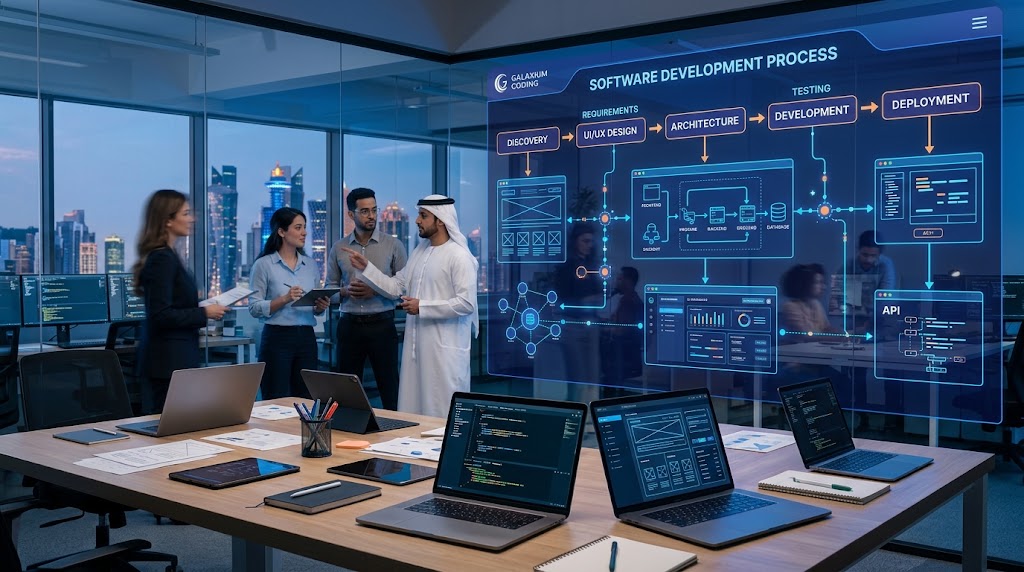
Its software development approach can include requirements analysis, architecture, development, quality assurance, deployment, maintenance, documentation, and support.
For businesses building or maintaining a digital platform, relevant services can include:
Custom software development
Web applications
Mobile applications
Cloud and DevOps
Business automation
API integrations
CRM and business systems
AI integration
Digital platforms
Businesses can also review Galaxium Coding's technology blog for additional information about software, AI, automation, cloud technology, and digital transformation.
The key principle is that maintenance should be designed around the actual software and business requirement.
A small application may need a lightweight support arrangement.
A business-critical platform may require monitoring, security management, structured incident response, infrastructure support, and continuous development.
Final Thoughts
Software maintenance and support should not be treated as an afterthought.
The value of a business application depends not only on what it does at launch, but also on whether it remains reliable, secure, compatible, maintainable, and useful as the business changes.
A well-planned maintenance strategy should address:
Bug fixes
Security updates
Performance
Compatibility
APIs and integrations
Monitoring
Backups
Technical support
Documentation
Infrastructure
Future enhancements
The most important step is to define expectations before problems occur.
Businesses should know who will respond to incidents, what the SLA covers, which maintenance activities are included, how security updates are handled, who owns the technology, and how future development will be managed.
For organizations planning a new platform or reviewing the support of an existing system, contact Galaxium Coding to discuss software development, maintenance, cloud, web, mobile, and ongoing technology requirements.
Frequently Asked Questions
What is software maintenance?
Software maintenance is the ongoing work performed after deployment to correct problems, adapt the software to changing environments, improve functionality and performance, and reduce future technical issues.
What is the difference between software maintenance and support?
Maintenance focuses primarily on keeping and improving the software. Support focuses on assisting users and responding to technical issues. A professional agreement should clearly define both.
Is software maintenance necessary after launch?
For most business-critical applications, ongoing maintenance is important because technology environments, security requirements, integrations, operating systems, and business requirements change over time.
What does a software maintenance contract usually include?
Depending on the agreement, it may include bug fixes, security updates, monitoring, performance optimization, database maintenance, compatibility updates, technical support, and infrastructure-related services.
Are new features included in maintenance?
Not necessarily. Minor improvements may be included in some agreements, while major new functionality is usually treated as separate development work. The contract should define this clearly.
How much does software maintenance cost?
There is no universal price. Cost depends on application complexity, users, integrations, infrastructure, support hours, SLA requirements, security needs, and the amount of ongoing development required.
Should software maintenance include security updates?
Security maintenance should be planned explicitly. Businesses should establish responsibility for vulnerability monitoring, patching, testing, deployment, and emergency security updates.
What is an SLA in software support?
A Service Level Agreement defines measurable service expectations such as support hours, issue severity, response targets, escalation procedures, and other responsibilities.
How often should business software be updated?
There is no single schedule for every application. Security updates and urgent compatibility fixes may require prompt action, while feature improvements and larger upgrades can be planned according to business priorities.
What should I ask a software company before signing a maintenance agreement?
Ask what is included, support hours, response targets, security responsibilities, backup responsibilities, monitoring, infrastructure coverage, integration support, pricing, source-code ownership, documentation, and the process for new features.
Can another developer maintain software built by a different company?
Often yes, provided the new team has appropriate access to the source code, infrastructure, databases, documentation, credentials, deployment processes, and relevant technical information. A proper handover can make the transition easier.
Why is documentation important for software maintenance?
Documentation helps technical teams understand the architecture, integrations, deployment process, databases, configuration, and operational procedures. It can reduce dependence on individual developers.