10 Signs Your Business Needs an ERP System

10 signs your business may have outgrown disconnected software and could benefit from an ERP system.
10 Signs Your Business Needs an ERP System
Many businesses do not decide to implement an ERP system because they suddenly want more software. They reach that decision because their existing systems are no longer keeping up with the way the business operates.
At first, spreadsheets, accounting software, CRM tools, messaging apps, email and separate departmental applications may be perfectly adequate. As the company grows, however, the number of employees, customers, transactions, suppliers, products and internal processes also grows.
Eventually, employees may spend more time moving information between systems than actually using it.
Sales may have customer information in one application. Finance may maintain separate records. Inventory may be tracked in spreadsheets. HR may use another platform. Management may wait for employees to manually prepare reports before making decisions.
An ERP system brings core business processes into a connected environment. ERP software can integrate functions such as finance, procurement, sales, inventory, human resources, projects, operations and reporting. Microsoft similarly describes ERP as software that integrates core processes and creates a shared source of business information.
But how do you know when your company actually needs one?
The following 10 signs can help you determine whether your current technology setup is becoming a limitation.
What Is an ERP System?
ERP stands for Enterprise Resource Planning.
An ERP system is business management software designed to connect multiple organizational functions through a centralized platform.
A typical ERP environment might connect:
Sales → CRM → Inventory → Procurement → Accounting → Reporting
Depending on the business, it may also include:
Human resources
Payroll
Projects
Purchasing
Warehouse management
Manufacturing
Customer service
Documents
Business intelligence
Workflow automation
Mobile applications
API integrations
AI-powered features
The purpose is not simply to put many features into one application.
The purpose is to create connected workflows.
For example, when a salesperson creates a customer order, the ERP could connect that order with inventory, procurement, invoicing, accounting and management reporting.
This reduces the need for employees to repeatedly enter the same information into different systems.
Businesses that need software designed around their own workflows can also explore custom software development as an alternative to forcing complex processes into disconnected tools.
10 Signs Your Business Needs an ERP System
Not every company needs ERP immediately. The important question is whether the complexity of your business has reached a point where disconnected systems are creating operational problems.
Here are 10 common warning signs.
1. Your Business Relies Heavily on Spreadsheets
Spreadsheets are extremely useful business tools.
The problem begins when spreadsheets become the central operating system for the company.
You may be using spreadsheets to manage:
Inventory
Sales
Employee information
Expenses
Customer records
Purchasing
Commissions
Project tracking
Financial reporting
Supplier information
Stock movements
Management dashboards
A spreadsheet may work well for a small process involving a few people.
But as the number of users and transactions increases, problems can appear.
Common spreadsheet problems
Employees may accidentally overwrite information.
Different departments may maintain different versions of the same file.
A manager may receive an outdated report.
Important information may be stored on an employee's computer.
A formula may be changed without anyone noticing.
Employees may spend hours copying information from one spreadsheet to another.
This creates an operational risk: the business has data, but not necessarily one reliable version of that data.
When spreadsheets become a warning sign
Ask yourself:
If our company doubled its customers and transactions next year, could our current spreadsheet-based processes handle the increase without adding significant administrative work?
If the answer is no, it may be time to evaluate an ERP system.
2. Different Departments Use Different Systems That Do Not Communicate
Another major sign is the growth of disconnected applications.
For example:
Sales → CRM
Finance → Accounting Software
HR → HR Platform
Inventory → Spreadsheet
Customer Service → Email
Management → Manual Reports
Each application may perform its own job effectively.
The problem is the information between them.
Suppose a salesperson closes an order.
The sales team records the customer.
Then finance manually creates an invoice.
The warehouse checks another system.
Inventory is updated separately.
Management receives the final figures later.
Every manual handoff creates another opportunity for delays or errors.
What an integrated workflow can look like
A connected ERP workflow might look like:
Customer Order
↓
Sales
↓
Inventory Check
↓
Warehouse / Procurement
↓
Invoice
↓
Payment
↓
Accounting
↓
Management Dashboard
The exact workflow depends on the business, but the principle is straightforward: information should move between connected processes instead of being repeatedly recreated.
3. You Enter the Same Data Multiple Times
Duplicate data entry is one of the clearest signs that business systems are becoming inefficient.
Imagine a customer places an order.
An employee enters the customer's information into:
CRM
Sales system
Invoice software
Accounting system
Delivery system
If five systems require the same information, employees may spend a considerable amount of time entering and checking duplicate records.
The risk is not only wasted time.
Repeated data entry can create inconsistent information.
For example:
Customer Information | System A | System B | System C |
|---|---|---|---|
Phone number | Updated | Old | Old |
Address | Updated | Updated | Old |
Updated | Old | Updated | |
Customer name | Correct | Correct | Typo |
Which record should employees trust?
An ERP can provide a centralized environment where information is entered once and then used by connected processes, depending on the system's architecture and integrations.
A simple test
Track how many times employees enter the same customer, product, supplier or transaction information.
If the answer is repeatedly, your business may have an integration problem that ERP could address.
4. Management Cannot Get Reliable Reports Quickly
Business leaders need information to make decisions.
But if management has to wait several days for someone to collect information from different departments, reporting becomes a bottleneck.
You might hear questions such as:
How much did we sell this month?
Which products are moving fastest?
What is our current inventory?
Which invoices are overdue?
How much do we owe suppliers?
Which salespeople are performing best?
What are our operating expenses?
Which branch is generating the most revenue?
How many active customers do we have?
If employees have to manually combine several reports before answering these questions, the company may have outgrown its current reporting structure.

ERP and management visibility
A properly designed ERP can connect operational data with dashboards and reporting.
Instead of asking five departments for separate reports, management can potentially access information from connected business processes through one platform.
This does not automatically make the data accurate. The underlying processes, integrations, permissions and data quality still matter.
But centralized systems can make reporting much more practical.
5. Inventory Problems Keep Happening
Inventory complexity can become a major operational challenge.
You may need to investigate ERP if your company regularly experiences:
Stockouts
Overstocking
Incorrect stock counts
Missing products
Duplicate inventory records
Difficult warehouse transfers
Poor visibility across locations
Manual stock reconciliation
Unclear reorder requirements
For example, imagine a company with three warehouses.
Warehouse A shows 100 units.
Warehouse B shows 50.
Warehouse C shows 75.
But the information is stored in separate spreadsheets that are updated at different times.
Management may technically have inventory data, but not a reliable real-time picture.
An ERP inventory module can connect products, warehouses, purchases, sales, transfers and stock movements within a broader business system.
Inventory becomes more important as you grow
The larger the number of products, warehouses, suppliers and transactions, the more difficult manual inventory management can become.
If inventory problems are affecting sales, cash flow or customer satisfaction, ERP should become part of the technology discussion.
6. Financial Processes Are Becoming Difficult to Manage
Finance is another common trigger for ERP adoption.
As a business grows, financial management can involve:
Sales invoices
Purchase invoices
Accounts payable
Accounts receivable
Expenses
Payments
Cash-flow tracking
Reconciliation
Budgeting
Financial reporting
Branch-level reporting
Supplier payments
Customer collections
If these processes are spread across multiple systems, finance teams may have to repeatedly reconcile information.
For example:
Sales System
↓
Customer Invoice
↓
Accounting Software
↓
Payment
↓
Bank Record
↓
Manual Reconciliation
An integrated ERP can connect financial processes with sales, purchasing, inventory and other operational data.
This can reduce unnecessary duplication and provide management with a more connected view of financial activity.
However, ERP does not eliminate the need for sound accounting processes. Businesses still need appropriate financial controls, configuration and professional accounting oversight.
7. Employees Spend Too Much Time on Repetitive Administrative Tasks
Sometimes the strongest signal is not a particular software problem.
It is the amount of time employees spend doing repetitive work.
For example:
Copying data between systems
Preparing recurring reports
Sending approval emails
Updating spreadsheets
Creating invoices manually
Checking stock levels
Following up on routine approvals
Updating customer records
Preparing employee reports
Sending repetitive notifications
These tasks may appear small individually.
But when performed hundreds or thousands of times, they become a significant operational burden.
ERP can create opportunities for automation
Depending on the platform, workflows can automate processes such as:
Purchase Request → Approval → Purchase Order
or:
Sales Order → Inventory Check → Invoice
or:
Employee Request → Manager Approval → HR Record
Automation should not be introduced simply because technology allows it.
The process should first be understood and standardized.
Then appropriate repetitive steps can be automated.
This is where ERP and broader business automation solutions can become part of a larger digital transformation strategy.
8. Your Business Is Growing Into Multiple Branches, Locations or Teams
Growth is one of the most common reasons companies eventually evaluate ERP.
A company that operates from one location may be able to manage operations using a handful of tools.
But additional branches introduce new requirements.
You may need to manage:
Multiple warehouses
Branch-level sales
Different employees
Shared customers
Centralized finance
Inventory transfers
Purchasing
Approvals
Management reporting
User permissions
For example:
Head Office
↓
Branch A
↓
Branch B
↓
Branch C
↓
Warehouse Network
Managing this structure through independent spreadsheets can become increasingly difficult.
An ERP can provide a centralized environment while still allowing different teams, branches or departments to operate according to defined permissions and workflows.
Multi-location businesses should ask
Before selecting an ERP, clarify:
How many locations exist today?
How many are expected in the next few years?
Does each location have separate inventory?
Does each branch require separate reporting?
Which data should be shared?
Which data should remain restricted?
Are approvals centralized or decentralized?
These questions should be answered before implementation begins.
9. Your Existing Software No Longer Fits Your Business Processes
Another important sign is when employees have developed workarounds around your software.
You may notice phrases such as:
"The system cannot do that, so we use Excel."
or:
"We export the report and modify it manually."
or:
"Finance keeps a separate record because the software is not flexible enough."
or:
"The sales team uses WhatsApp because the CRM does not support this workflow."
These workarounds indicate that your technology and business processes may no longer match.
Off-the-shelf software vs ERP customization
A standard software product can be suitable for many businesses.
But companies with specialized workflows may need more customization or integrations.
For example, a real estate business might require:
Property listings
Leads
Agents
Commissions
Customer records
Documents
Payment tracking
Property availability
Management reports
A manufacturer may instead need:
Production planning
Raw materials
Work orders
Warehouses
Suppliers
Quality control
Inventory
Procurement
The ERP should therefore be evaluated against actual workflows rather than simply the number of features advertised by the vendor.
Galaxium Coding's existing guide on custom software vs. off-the-shelf software provides additional context for businesses comparing flexibility, integrations and customization requirements.
10. You Need a Scalable Technology Foundation for Future Growth
The final sign is strategic.
Your current systems may technically work today, but you know the business is going to become more complex.
Perhaps you plan to:
Add employees
Open new branches
Expand product lines
Increase sales channels
Introduce e-commerce
Launch a mobile application
Connect payment systems
Add CRM
Improve reporting
Automate workflows
Integrate AI
Expand into additional markets
If every new initiative requires another disconnected application, the technology environment can become increasingly complicated.
An ERP can provide a central operational foundation around which additional applications and integrations can be developed.
For example:
ERP
↕
CRM
↕
Website
↕
Mobile App
↕
Payment Systems
↕
Business Intelligence
↕
AI & Automation
Modern ERP platforms can also connect with other business applications and automate workflows.
The objective should not be to build the biggest technology stack.
The objective should be to create a system that can support the company's operating model as it grows.
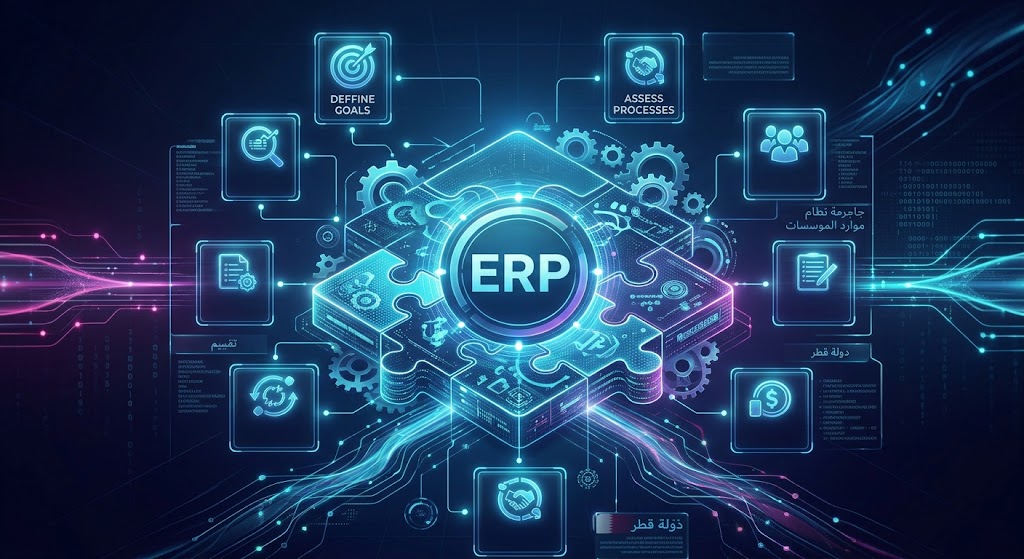
A Quick ERP Readiness Checklist
Use the following checklist to evaluate your current situation.
Business Challenge | Yes / No |
|---|---|
We rely heavily on spreadsheets for core processes | |
Different departments use disconnected systems | |
Employees enter the same data multiple times | |
Management reports take too long to prepare | |
Inventory information is difficult to trust | |
Financial reconciliation is highly manual | |
Employees perform repetitive administrative tasks | |
We operate multiple branches or locations | |
Employees use workarounds because software does not fit our processes | |
Our existing systems may not support future growth |
If you answer yes to several of these questions, it may be worth conducting an ERP readiness assessment.
The checklist is not a universal rule for deciding whether to buy ERP. The appropriate solution depends on the size, complexity, processes, budget and growth plans of the business.
Does Every Growing Business Need an ERP?
No.
ERP is not automatically the right answer for every company.
A small business with simple operations may be perfectly comfortable with:
Accounting software
CRM
Spreadsheets
Cloud storage
Email
A few specialized applications
The question is not:
"Are we growing?"
The better question is:
"Is our current technology creating operational complexity that is becoming difficult to manage?"
A company with 20 employees and complicated operations might have greater ERP needs than a company with 50 employees and very simple workflows.
ERP may be worth evaluating when:
Processes are becoming interconnected
Data is fragmented
Manual reporting is increasing
Inventory is becoming difficult to manage
Financial reconciliation is taking too long
Multiple branches are being added
Employees rely heavily on workarounds
Management needs better visibility
Existing software cannot scale with the business
ERP vs. Separate Business Applications
Businesses often face a choice between integrating several specialized applications and adopting a broader ERP platform.
Factor | Separate Applications | ERP System |
|---|---|---|
Initial simplicity | Can be high | May require more planning |
Department integration | Requires integrations | Usually designed around connected processes |
Data management | Can become fragmented | More centralized |
Reporting | May require data consolidation | Can be centralized |
Customization | Depends on each product | Depends on ERP platform |
Implementation | Can be gradual | May require structured implementation |
Scalability | Depends on architecture | Designed for broader business processes |
Maintenance | Multiple vendors | Potentially fewer core systems |
Cost | Varies significantly | Depends on modules, users and customization |
Neither approach is automatically correct.
A company should evaluate its actual requirements, existing systems and long-term technology strategy.
What Should You Consider Before Implementing ERP?
Recognizing the signs is only the beginning.
ERP implementation can affect many departments, so preparation is important.
1. Map Current Processes
Document how work currently happens.
For example:
Lead → Sale → Order → Inventory → Invoice → Payment
Then identify:
Who performs each step?
Which software is used?
Where is information stored?
Which steps are manual?
Where do delays occur?
Where are approvals required?
This gives the development or implementation team a clearer picture of what the ERP needs to accomplish.
2. Define Required Modules
Do not activate every available ERP module simply because it exists.
Instead, identify the modules that address actual problems.
Potential modules include:
Accounting
Finance
Sales
CRM
Inventory
Procurement
HR
Payroll
Projects
Manufacturing
Warehouse
Reporting
Document management
Workflow automation
Galaxium Coding's ERP modules guide provides a broader discussion of how businesses can evaluate different ERP functions.
3. Plan Integrations
Your ERP may need to communicate with:
Website
E-commerce platform
Payment gateway
Accounting systems
CRM
HR software
Banking systems
Email
Customer portals
Mobile applications
Third-party APIs
API architecture should therefore be considered early rather than after the ERP is already built.
Businesses requiring connected web platforms can also explore web application development as part of their broader technology environment.
4. Plan User Roles and Security
ERP systems can contain sensitive information such as:
Financial records
Employee data
Customer information
Supplier records
Contracts
Sales data
Business documents
Access should therefore be designed around job responsibilities.
Modern enterprise systems commonly use authentication, permissions, role-based access controls, auditing and data-protection mechanisms. Microsoft documents these controls for Business Central, including authentication, access control, data protection and auditing.
Your ERP implementation should similarly define:
Who can view information?
Who can edit it?
Who can approve transactions?
Who can delete records?
Who can access financial information?
Who can administer the system?
5. Prepare Your Data
Data migration is often underestimated.
Before moving information into a new ERP, review:
Duplicate customers
Outdated products
Old employee records
Incorrect supplier information
Incomplete addresses
Duplicate transactions
Unused fields
Moving poor-quality data into a new system does not solve the underlying problem.
6. Train Employees
An ERP system is only useful when employees actually use it correctly.
Training should cover:
Daily workflows
User permissions
Data entry
Approvals
Reports
Error handling
Security
New responsibilities
Training should be tailored to different roles rather than giving every employee the same information.
ERP Implementation Mistakes to Avoid
Several mistakes can make an ERP project unnecessarily difficult.
Choosing software before understanding the business
Do not begin with:
"Which ERP has the most features?"
Begin with:
"Which business problems are we trying to solve?"
Trying to automate broken processes
Automation should not simply make a bad process faster.
Review the workflow first.
Adding too many modules
More modules do not automatically mean a better ERP.
Implement what the business actually needs.
Ignoring integrations
If your website, CRM, accounting platform or payment system needs to communicate with ERP, plan the integration from the beginning.
Underestimating data migration
Data cleanup and migration should be treated as a major implementation task.
Ignoring user adoption
Employees need clear processes and training.
Treating security as an afterthought
Security architecture, access control, authentication, backups and audit requirements should be considered from the beginning.
How Much Does an ERP System Cost?
There is no universal ERP price.
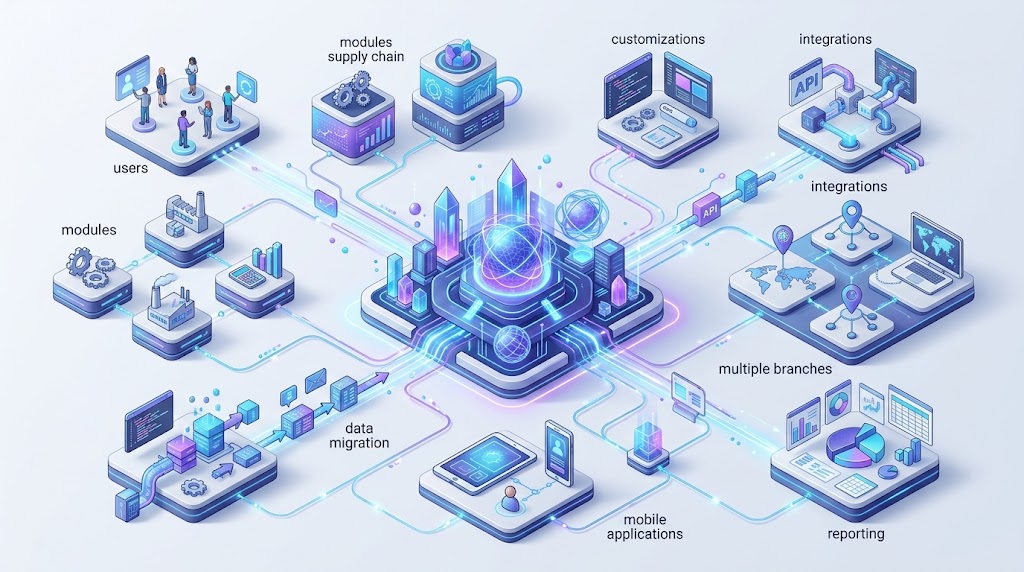
The cost can depend on:
Number of users
Number of modules
Business complexity
Customization
Integrations
Number of branches
Data migration
Mobile applications
Reporting requirements
Security requirements
Cloud infrastructure
Training
Maintenance
Support
For example, an ERP containing accounting and customer management is fundamentally different from a platform connecting:
CRM + HR + Payroll + Procurement + Inventory + Accounting + Projects + Mobile + AI + Automation
The development and implementation effort can therefore vary significantly.
Instead of asking only:
"How much does ERP cost?"
businesses should define the scope first and then request a detailed estimate.
ERP in Qatar: What Businesses Should Consider
For businesses operating in Qatar, ERP planning should focus on actual operational requirements rather than simply adding "Qatar" to a software specification.
Depending on the business, relevant considerations may include:
Multi-branch operations
Arabic and English interfaces
Local business workflows
Financial processes
Employee management
Customer management
Inventory
Procurement
Mobile access
Cloud infrastructure
Integration with existing business systems
Data security
Reporting requirements
Different industries can also require very different ERP structures.
Examples
Real estate:
Leads, properties, agents, commissions, contracts, payments and customer communication.
Construction:
Projects, procurement, materials, employees, contractors, expenses and project reporting.
Retail:
Products, inventory, POS, purchasing, suppliers, sales and customer records.
Professional services:
CRM, projects, employees, timesheets, billing and reporting.
Distribution:
Warehouses, stock, suppliers, orders, deliveries, purchasing and finance.
The right ERP is therefore the one that reflects the company's operational model.
For businesses in Qatar evaluating broader digital transformation, Galaxium Coding's technology blog provides additional guidance on software, AI, automation and enterprise technology.
Should You Buy an ERP or Build a Custom ERP?
This depends on how closely available ERP products match your requirements.
A ready-made ERP may make sense when:
Your processes are relatively standard
You need common accounting features
You need established modules
You want a pre-existing platform
Your customization requirements are limited
Custom ERP development may make sense when:
Your workflows are highly specialized
Existing systems require extensive workarounds
Multiple systems need to be connected
Your business model is unusual
You need a specialized customer or employee portal
You require custom automation
You need complete control over the user experience
Custom development does not automatically mean lower cost or greater suitability. It means the system can be designed around specific requirements.
The decision should be based on business processes, total cost, implementation requirements, integrations, scalability and long-term ownership.
A Practical ERP Roadmap
A structured ERP project can follow these stages.
Stage 1: Business Discovery
Document:
Departments
Employees
Customers
Products
Suppliers
Locations
Existing software
Manual processes
Pain points
Stage 2: Requirements
Define:
Modules
Features
Workflows
Reports
User roles
Integrations
Security requirements
Stage 3: Architecture
Plan:
Database
Backend
Frontend
APIs
Authentication
Infrastructure
Security
Backup strategy
Stage 4: Design
Create interfaces for:
Administrators
Employees
Managers
Finance teams
Sales teams
Customers
Mobile users
Stage 5: Development or Configuration
Build or configure the required ERP components.
Stage 6: Integration
Connect:
CRM
Website
Payment systems
Accounting
Mobile applications
Third-party APIs
Stage 7: Testing
Test:
Workflows
Permissions
Data
Reports
Integrations
Security
Performance
Stage 8: Data Migration
Clean and transfer the required business information.
Stage 9: Training
Train users according to their responsibilities.
Stage 10: Launch and Improvement
Deploy the system, monitor usage and improve workflows based on real business requirements.
Galaxium Coding's custom software development process provides additional context on moving from requirements and planning through development, testing, deployment and ongoing improvement.
How Galaxium Coding Can Help
An ERP project is not simply a software installation exercise.
It can involve business analysis, architecture, user experience, development, integrations, cloud infrastructure, security, automation and long-term maintenance.
Galaxium Coding is a Qatar-based technology company providing software development and connected digital solutions.
Businesses that need a platform designed around their operational requirements can explore Galaxium Coding's software development services.
Depending on the project, an ERP environment may also connect with:
Web applications
Mobile applications
CRM
AI solutions
APIs
Cloud infrastructure
Business automation
Customer portals
Employee portals
The appropriate architecture depends on the company's specific requirements rather than a one-size-fits-all template.
To discuss an ERP, business management platform or custom software requirement, businesses can contact Galaxium Coding and discuss the processes they want to improve.
Final Thoughts
The decision to implement an ERP system usually becomes relevant when business complexity starts exceeding the capabilities of disconnected tools.
The strongest warning signs include:
Heavy dependence on spreadsheets
Disconnected departmental systems
Repeated data entry
Slow or unreliable reporting
Inventory problems
Increasing financial complexity
Excessive repetitive administration
Multiple branches or locations
Software workarounds
The need for a scalable technology foundation
These signs do not mean every company should immediately purchase or build an ERP.
Instead, they indicate that it may be time to evaluate how business information flows through the organization.
A good ERP strategy begins with the business.
Understand the processes.
Identify the bottlenecks.
Clean the data.
Prioritize the modules.
Plan integrations.
Define security.
Train employees.
Then select or develop the technology that supports those requirements.
The goal is not to have the biggest ERP.
The goal is to have a business system that makes the organization easier to operate, easier to manage and better prepared for growth.
Frequently Asked Questions About ERP Systems
What are the main signs that a business needs an ERP system?
Common signs include heavy spreadsheet dependence, disconnected applications, duplicate data entry, slow reporting, inventory problems, manual financial processes, repetitive administration, multiple locations, software workarounds and limited scalability.
Does a small business need an ERP?
Not necessarily. A small business with simple processes may not need ERP. ERP becomes more relevant when disconnected tools and manual processes create significant operational complexity.
Can ERP replace spreadsheets?
An ERP can replace spreadsheets for many structured business processes, but spreadsheets can still remain useful for analysis, ad-hoc calculations and specialized tasks.
Can ERP integrate with CRM?
Yes. CRM can be built into an ERP environment or connected as a separate system through APIs and other integration methods.
Can ERP integrate with a website?
Yes. ERP systems can communicate with websites through APIs and other integration mechanisms. This can allow information such as customers, orders, products, inventory and payments to move between systems.
Is ERP only for large companies?
No. ERP can be used by businesses of different sizes. The appropriate implementation depends on operational complexity, requirements and budget.
Is custom ERP better than ready-made ERP?
There is no universal answer. Ready-made ERP can work well for standardized processes, while custom ERP may be appropriate when a business has specialized workflows or integration requirements.
How long does ERP implementation take?
Implementation time varies according to the number of modules, data migration, integrations, customization, testing, training and business complexity. A small implementation can be substantially different from a multi-branch enterprise deployment.
What ERP modules are commonly used?
Common modules include accounting, finance, sales, CRM, inventory, procurement, HR, payroll, projects, manufacturing, warehouse management, reporting and workflow automation.
What should a business do before implementing ERP?
Start by documenting current processes, identifying pain points, defining required modules, reviewing existing software, planning integrations, preparing data and defining user roles and security requirements.