API Integration in Qatar: Connect Your Website, App, CRM and Business Software
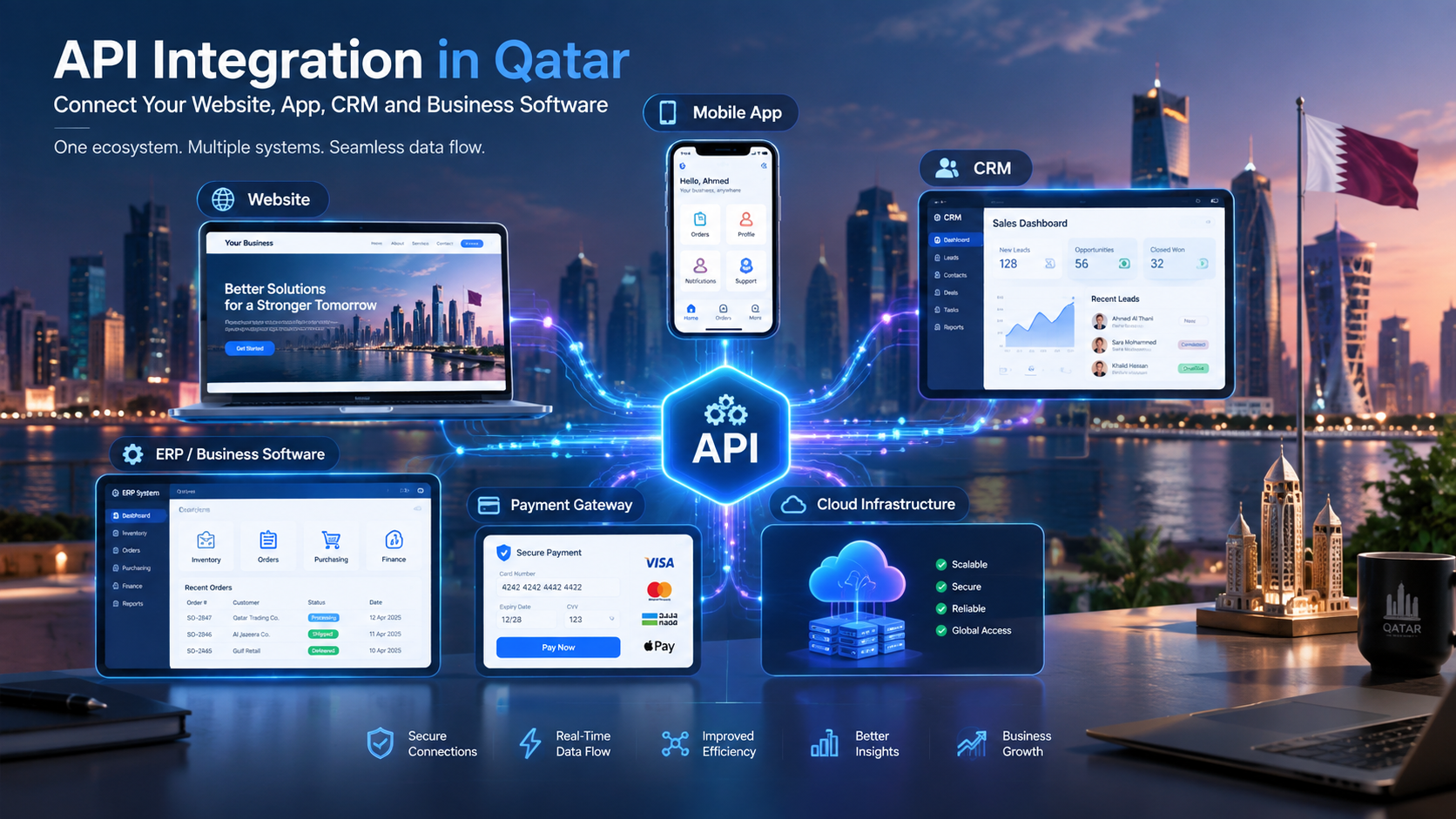
API integration connects websites, mobile applications, CRM, ERP and other business systems into a connected digital ecosystem.
API Integration in Qatar: Connect Your Website, App, CRM and Business Software
Modern businesses rarely depend on a single software system.
A company may have a website for customers, a mobile application for users, a CRM for sales teams, an ERP for operations, accounting software for finance, payment gateways for transactions, and cloud platforms for hosting and analytics.
The challenge is making these systems communicate with one another.
This is where API integration becomes important.
An API, or Application Programming Interface, provides a structured way for different software systems to exchange information and perform actions. Instead of employees manually copying information from one application into another, an integrated architecture can allow data to move between systems automatically.
For example:
Website → API → CRM → Sales Team
Or:
Mobile App → API → Business Backend → ERP → Inventory
A larger business ecosystem could look like:
Website ↔ API ↔ CRM ↔ ERP ↔ Accounting ↔ Payment Gateway ↔ Mobile App
For businesses in Qatar, API integration can be particularly useful when multiple digital systems have developed over time and now need to operate as one connected environment.
Companies considering custom software development can also design integrations into their architecture from the beginning instead of treating connectivity as an afterthought.
This guide explains what API integration is, how it works, where businesses use it, what it costs, how security should be handled and what companies should consider before starting an integration project.
What Is API Integration?
API integration is the process of connecting two or more software systems so they can exchange data or trigger actions.
The API acts as an interface between applications.
For example, suppose a customer fills out a form on a company's website.
Without integration:
The customer submits the form.
An employee receives an email.
The employee opens the CRM.
The employee manually creates a lead.
Another employee may update a spreadsheet.
The sales team contacts the customer.
With an API integration, the process can potentially become:
Customer submits the website form.
Website sends the information through an API.
CRM creates a lead.
Sales representative receives a notification.
Management can see the lead in the CRM.
The exact workflow depends on the software and business requirements, but the principle is straightforward: systems communicate instead of operating as isolated applications.
API Gateway technologies can also be used to publish, manage, monitor and secure APIs. For example, AWS describes API Gateway as a service for creating, publishing, maintaining, monitoring and securing REST, HTTP and WebSocket APIs.
Why API Integration Matters for Businesses in Qatar
Businesses often accumulate different software systems as they grow.
A company may start with a website and spreadsheets. Later it may introduce a CRM. Then accounting software, an e-commerce platform, a mobile app or an ERP system.
Each system may work correctly on its own.
The problem begins when employees have to repeatedly transfer the same information between them.
Common problems caused by disconnected systems
Businesses may experience:
Duplicate data entry
Customer information stored in multiple places
Delayed updates
Manual reporting
Order-processing mistakes
Inventory inconsistencies
Slow lead management
Difficult reconciliation
Limited visibility for management
Increased administrative workload
API integration can help create a connected architecture.
For example:
Website
↓
API
↓
CRM
↓
ERP
↓
Accounting
↓
Management Dashboard
Instead of maintaining every system independently, information can move between appropriate systems according to defined business rules.
This concept is also relevant to modern web application development, where the web application may need to communicate with databases, payment systems, CRM platforms, external services and mobile applications.
How Does an API Work?
At a simplified level, an API allows one software application to make a request and another system to return a response.
A typical process may look like this:
Application → API Request → Server → Business Logic → Database/Service → API Response → Application
For example, a mobile application may request a customer's latest orders.
The app sends a request.
The backend authenticates the request, processes it and retrieves the relevant information.
The API then returns the required data to the mobile application.
Many APIs use HTTP-based communication and standard methods such as:
GET
POST
PUT
PATCH
DELETE
AWS documentation describes REST APIs in terms of HTTP-based communication and these standard HTTP methods.
GET
Usually used to retrieve information.
Example:
GET /customers/123
The application could request information about customer 123.
POST
Often used to create a new record.
Example:
POST /customers
The request may contain a customer's name, phone number and email.
PUT or PATCH
Used to update information.
For example, an application might update a customer's address.
DELETE
Used when an API supports removing a particular resource.
The exact API design depends on the software architecture and requirements.
Common API Integration Types
API integration is not limited to one type of business software.
Businesses can connect many different systems.
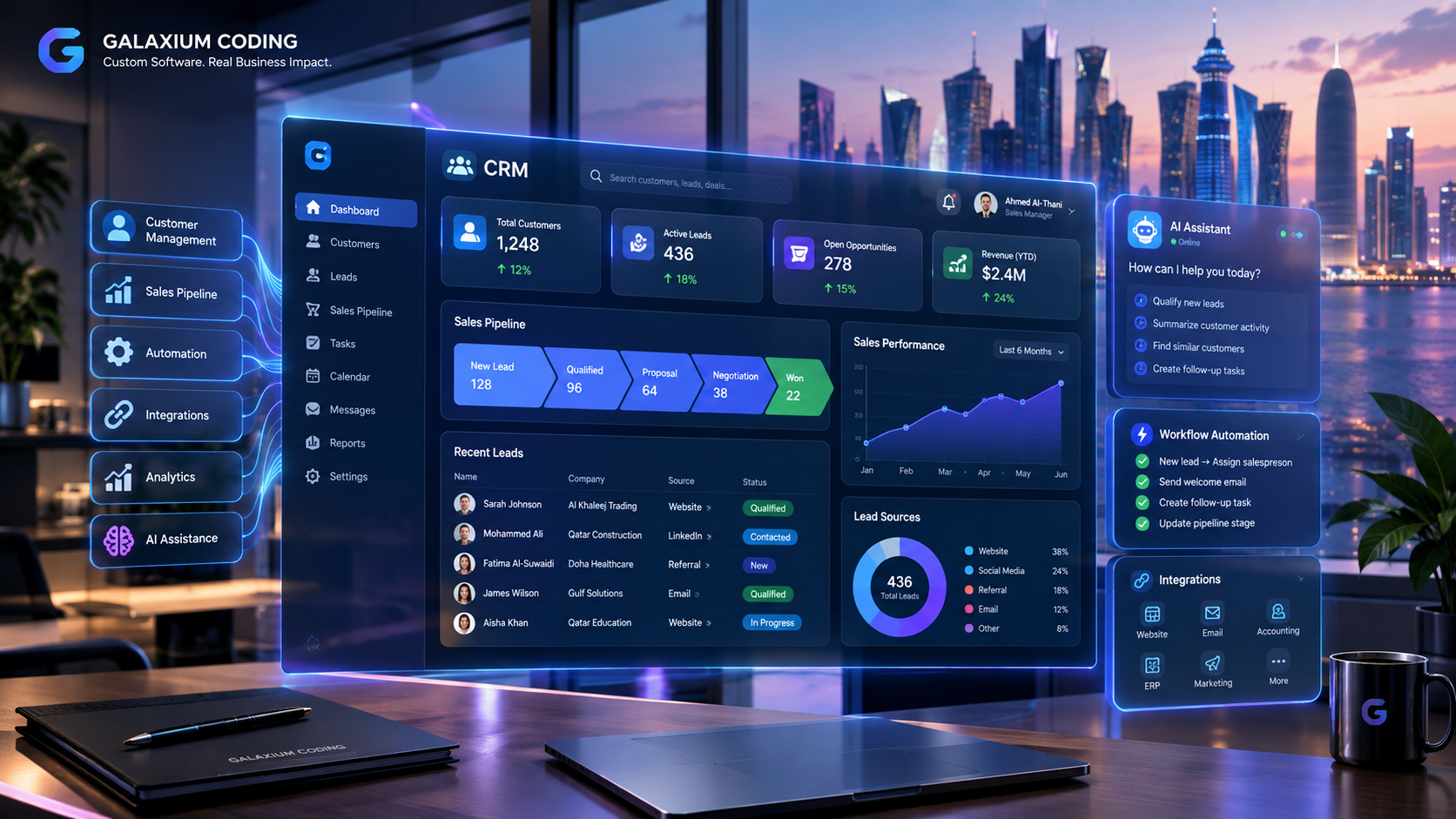
1. Website and CRM Integration
A website can send customer enquiries directly into a CRM.
Example:
Website Form → API → CRM → Sales Notification
When a customer requests information, the CRM can create a lead automatically.
This can be useful for:
Real estate companies
Education providers
Healthcare businesses
Professional services
Automotive businesses
B2B companies
Hospitality businesses
2. Mobile App and Backend Integration
A mobile application normally needs a backend system to manage data and business logic.
The architecture may look like:
Android/iOS App → API → Backend → Database
The mobile application can use APIs for:
Login
User profiles
Orders
Bookings
Payments
Notifications
Product information
Customer support
Account management
Businesses requiring a complete mobile product can explore mobile application development as part of a larger connected architecture.
3. Website and ERP Integration
An ERP system may contain information about:
Products
Inventory
Orders
Customers
Purchasing
Accounting
Employees
A website may need selected information from that ERP.
For example:
Website → API → ERP
When a customer places an order:
Website → Order API → ERP → Inventory → Accounting
The exact architecture depends on the ERP's available APIs and the business requirements.

4. CRM and ERP Integration
CRM and ERP systems manage different parts of a business.
A CRM may focus on:
Leads
Customers
Sales opportunities
Follow-ups
Communication
An ERP may focus on:
Inventory
Purchasing
Finance
Operations
Orders
Connecting the systems can allow information to move between sales and operations.
For example:
CRM Deal Won → API → ERP Sales Order
This can reduce the need for employees to recreate the same information manually.
5. Payment Gateway Integration
Online businesses often need to connect their websites or applications with payment services.
A simplified workflow could be:
Customer → Checkout → Payment API → Payment Provider → Response → Order System
The system may then update the order depending on the payment result.
Payment integration requires careful handling of authentication, transaction status, error responses and security.
6. Accounting Software Integration
Businesses may connect sales platforms with accounting systems.
For example:
E-commerce → API → Accounting
The integration may transfer selected information such as:
Orders
Customer information
Tax-related data
Payment status
Refund information
Invoices
The precise data mapping should be defined before development begins.
7. E-Commerce Integration
An online store may need to communicate with:
CRM
ERP
Inventory
Payment gateway
Shipping platform
Accounting software
Customer notification services
A connected workflow could look like:
Online Store → Payment → Order Management → Inventory → Delivery → Accounting → Customer Notification
This can turn an e-commerce website into part of a broader business platform.
8. AI and API Integration
AI systems can also be connected to business software through APIs.
For example:
Customer Question → AI Service → Business API → CRM/Knowledge Base → AI Response
An AI assistant could potentially retrieve approved information from a business system rather than relying only on static information.
AI integration can support workflows such as:
Customer support
Document processing
Lead qualification
Data classification
Report generation
Internal knowledge search
Customer communication
However, AI access to business data should be carefully controlled. The AI system should only receive the information and permissions necessary for its intended function.
A Practical API Architecture for a Qatar Business
Consider a Qatar-based retail company with:
Corporate website
E-commerce store
Mobile application
CRM
ERP
Accounting software
Payment gateway
Delivery system
A connected architecture might look like:
                    Website
                       |
                       v
                  API Layer
                 /    |    \
                /     |     \
             CRM     ERP   Payment
              |       |       |
              |       |       v
              |       |   Transaction
              |       |
              v       v
           Customer  Inventory
              |       |
              \       /
               \     /
                Mobile App
                    |
                    v
              Customer Data
The actual architecture should be designed around the company's requirements rather than copied from a generic diagram.
API Integration vs Manual Data Entry
The difference between connected and disconnected systems can be significant.
Area | Manual Process | API-Connected Process |
|---|---|---|
Lead creation | Employee enters lead | Lead can be created automatically |
Order transfer | Manual copying | Data can be transferred electronically |
Inventory updates | Periodic updates | Near-real-time updates may be possible |
Customer data | Multiple entries | Shared through defined integrations |
Reporting | Data collected manually | Data can be consolidated automatically |
Notifications | Staff-triggered | System-triggered workflows |
Error handling | Human correction | Automated validation plus exception handling |
API integration does not eliminate every manual task.
Instead, it can automate appropriate parts of a workflow while leaving employees responsible for decisions that require human judgement.
Real-World API Integration Examples
Example 1: Real Estate Company
A real estate website receives a property enquiry.
Website → API → CRM → Sales Representative
The CRM creates a lead containing:
Name
Phone number
Email
Property of interest
Enquiry details
The sales representative can then manage the lead inside the CRM.
Example 2: Restaurant Business
A restaurant operates:
Website
Online ordering
POS
Kitchen system
Delivery platform
A possible workflow is:
Customer Order → Website → API → POS → Kitchen → Delivery → Customer Notification
This can reduce repetitive order entry where the systems support the required integrations.
Example 3: Education Business
An education provider may have:
Website
Student portal
CRM
Payment system
Learning platform
A possible workflow could be:
Website Enquiry → CRM → Admission Process → Payment → Student Account
The exact integration depends on the platforms being used.
Example 4: Service Company
A service business may operate a booking application.
The customer books an appointment:
Mobile App → API → Booking System → Employee Calendar → Notification Service
The customer can receive a confirmation while the employee receives the appointment information.
API Integration for Qatar's Growing Digital Businesses
API integration can be relevant across many sectors in Qatar, including:
Retail
E-commerce
Real estate
Healthcare
Education
Hospitality
Logistics
Construction
Professional services
Financial services
Restaurants
Travel
Internal corporate operations
The integration requirements can differ significantly between industries.
For example, a retail business may prioritize inventory and payment integration, while a service company may prioritize bookings, CRM and notifications.
A healthcare-related application may require much stricter access controls and data protection.
The important point is that API architecture should be designed around the business workflow rather than simply connecting systems because an API is available.
Qatar Data Privacy and API Integration
Security and privacy should be considered from the beginning of an integration project.
Qatar's Personal Data Privacy Protection Law No. 13 of 2016 establishes requirements concerning personal data protection. Qatar's National Cyber Security Agency also provides guidance related to the law and personal-data processing.
For businesses integrating systems that process personal information, the technical architecture should therefore consider issues such as:
What personal data is being transferred?
Which systems receive it?
Why is the information being shared?
Who can access it?
How is access authenticated?
How is data protected in transit?
How long is information retained?
What happens when an integration fails?
Are third-party processors involved?
What contractual or regulatory requirements apply?
These questions should be reviewed according to the specific business, industry and applicable legal requirements.
An API should not automatically expose an entire database to another application.
A well-designed integration should expose only the resources and actions that are actually required.
API Security Best Practices
API security deserves special attention because APIs can become entry points into business systems.

Use Strong Authentication
Depending on the architecture, authentication may involve:
OAuth 2.0
OpenID Connect
API keys
Signed requests
Service accounts
Token-based authentication
The appropriate approach depends on the application.
Use HTTPS
Data exchanged between applications should be protected in transit using appropriate encryption.
Apply Authorization
Authentication answers:
Who are you?
Authorization answers:
What are you allowed to do?
A mobile application may need access to customer orders but should not automatically have permission to modify accounting records.
Limit Access
Follow the principle of least privilege.
Each integration should receive only the permissions required for its function.
Validate Input
APIs should validate incoming data before processing it.
Validation can help prevent malformed or unexpected requests from entering business systems.
Monitor API Activity
Monitoring can help identify:
Failed requests
Unusual traffic
Authentication failures
Performance problems
Integration outages
Protect Secrets
API keys, passwords and tokens should not be hard-coded into publicly accessible applications.
Sensitive credentials should be stored using appropriate secret-management mechanisms.
Plan for Failures
An API integration can fail because of:
Network problems
Authentication errors
Third-party downtime
Invalid data
Rate limits
Server problems
Software updates
A production integration should therefore have appropriate logging, error handling and recovery mechanisms.
API Gateway and Integration Architecture
As integrations become more complex, businesses may introduce an API gateway or integration layer.
The gateway can sit between applications and backend services.
A simplified structure is:
Website
↓
API Gateway
↓
Business Services
↓
CRM / ERP / Database / External APIs
API gateways can provide functionality such as routing, authentication, monitoring and traffic management.
For example, AWS API Gateway supports REST and HTTP APIs and provides capabilities for authorization, monitoring and API management.
The use of an API gateway is not mandatory for every project. Small integrations may require much simpler architectures.
REST APIs, Webhooks and Other Integration Methods
Not every integration works exactly the same way.
REST APIs
REST-style APIs commonly use HTTP requests and responses.
They are widely used for connecting:
Websites
Mobile apps
SaaS platforms
CRM systems
ERP systems
Business backends
Webhooks
A webhook allows one system to notify another system when a particular event occurs.
For example:
Payment Completed → Webhook → Order System
Instead of repeatedly asking whether the payment has completed, the receiving system can receive an event notification.
Scheduled Synchronization
Some integrations operate periodically.
For example:
Every 30 minutes → Synchronize Inventory
This may be appropriate when real-time synchronization is unnecessary.
Direct Database Integration
Direct database connections can sometimes be appropriate in controlled environments, but they require careful architecture and security considerations.
An API layer is often preferable when different applications need controlled access to business functionality.
What Information Should Be Shared Between Systems?
One of the most important parts of integration planning is deciding what data should actually move between systems.
For example, a CRM may contain:
Customer name
Phone number
Email
Lead source
Sales stage
An ERP may contain:
Customer account
Orders
Inventory
Invoices
Not every CRM field needs to be sent to the ERP.
A data-mapping exercise can define:
Source | Destination | Data |
|---|---|---|
Website | CRM | Lead information |
CRM | ERP | Customer/order information |
ERP | Website | Product availability |
Payment Gateway | Website | Payment status |
ERP | Accounting | Financial transaction data |
CRM | Notification Service | Customer communication events |
Good integration design focuses on necessary data, not maximum data.
API Integration Implementation Process
A successful integration should normally begin with business analysis rather than coding.
Step 1: Identify the Business Problem
Start with the workflow.
Ask:
What information is currently entered manually?
Where does duplication happen?
Which systems need to communicate?
What process is taking too much time?
What should happen automatically?
Step 2: Audit Existing Systems
Document:
Website technology
Mobile application
CRM
ERP
Accounting platform
Payment provider
Databases
Cloud infrastructure
Existing APIs
This helps identify technical constraints before development starts.
Step 3: Check API Availability
Not every software product exposes the same integration capabilities.
Check:
API documentation
Authentication method
Available endpoints
Rate limits
Webhook support
Data formats
Versioning
Pricing
Sandbox environment
API limitations
Step 4: Define the Data Mapping
Specify exactly what information travels between systems.
For example:
Website Field → CRM Field
Name → Customer Name
Phone → Mobile Number
Email → Email Address
Property → Interested Property
Message → Lead Notes
This reduces ambiguity during development.
Step 5: Design the Architecture
The development team should determine:
Integration endpoints
Authentication
Data flow
Error handling
Logging
Database requirements
API gateway requirements
Webhooks
Retry mechanisms
Monitoring
Step 6: Develop the Integration
The API connections are then implemented and configured.
Depending on the project, development may involve:
Backend development
API development
Frontend changes
Mobile development
Database changes
Cloud infrastructure
Third-party services
Step 7: Test the Integration
Testing should cover more than successful requests.
Test scenarios should include:
Valid requests
Invalid requests
Missing information
Authentication failure
Duplicate requests
Third-party downtime
Timeout
Network failure
Incorrect data
Large traffic volumes
Permission restrictions
Step 8: Monitor After Launch
Integration work does not necessarily end when the connection becomes operational.
Monitor:
API response times
Error rates
Failed transactions
Authentication problems
Third-party changes
System availability
Data synchronization
Ongoing maintenance can be especially important when external platforms change their API versions.

How Much Does API Integration Cost in Qatar?
There is no single fixed price for API integration.
The cost depends on the complexity of the systems and the number of workflows involved.
Factors That Affect Cost
Number of Systems
Connecting two systems is generally simpler than connecting:
Website + Mobile App + CRM + ERP + Accounting + Payment + Delivery
API Quality
A well-documented API can reduce development complexity.
Poorly documented or limited APIs may require additional technical work.
Data Complexity
Simple customer records are easier to synchronize than complex financial, inventory or operational data.
Real-Time Requirements
Real-time synchronization can require a different architecture from daily or hourly synchronization.
Security Requirements
Sensitive systems may require additional authentication, authorization, logging and monitoring.
Custom Business Rules
A straightforward data transfer is different from a workflow containing dozens of conditions.
Existing Software
Older systems may require custom connectors or middleware.
Ongoing Maintenance
Third-party APIs can change over time, which may require updates.
For this reason, businesses should request a project-specific assessment rather than relying on a generic API integration price.
API Integration vs Custom Software Development
API integration and custom software development are related but not identical.
API Integration
The objective is usually to connect existing systems.
For example:
Existing Website ↔ Existing CRM
Custom Software
The objective may be to build a new business platform.
For example:
Custom CRM + Customer Portal + Mobile App + ERP Integration
Hybrid Approach
Many businesses need a combination.
They may keep their existing accounting or ERP software while building a custom website, mobile app or customer portal around it.
The custom application communicates with existing systems through APIs.
This approach can sometimes provide flexibility without replacing every existing software platform.
Common API Integration Mistakes
Mistake 1: Starting Development Without Mapping the Workflow
Developers should understand what the business actually wants to automate.
Mistake 2: Assuming Every API Can Do Everything
An API may have limitations.
Always review official documentation.
Mistake 3: Ignoring Authentication
Security should be part of the architecture from the beginning.
Mistake 4: Sharing Too Much Data
Only necessary information should be exposed to each application.
Mistake 5: No Error Handling
Third-party services can fail.
The integration should know what to do when a request fails.
Mistake 6: No Monitoring
A broken integration can remain unnoticed if nobody monitors it.
Mistake 7: No Documentation
Future developers need to understand:
Endpoints
Credentials
Data mapping
Error codes
Webhooks
Business rules
Dependencies
Mistake 8: Treating Integration as a One-Time Task
APIs evolve.
Software platforms update.
Business processes change.
Integration maintenance should therefore be considered during project planning.
How to Choose an API Integration Partner in Qatar
Before hiring a technology company, ask practical questions.
Can they understand your business workflow?
A developer should understand what happens before and after the API call.
Can they work with your existing software?
Ask whether they have experience integrating:
CRM systems
ERP platforms
Accounting software
Payment gateways
Mobile applications
E-commerce platforms
Cloud services
How will security be handled?
Ask about:
Authentication
Authorization
Encryption
Secrets
Logging
Monitoring
Access control
How will failures be handled?
A professional integration should have a strategy for failed requests and unavailable services.
Will the integration be documented?
Documentation is important for future maintenance.
What happens when an API changes?
Clarify who will maintain the integration after launch.
For businesses looking for a technology partner, reviewing Galaxium Coding's projects and portfolio can provide context about the company's broader software and technology work.
Why API Integration Should Be Planned Early
One of the most common mistakes is building a website or application first and thinking about integrations later.
For example, imagine a company builds an e-commerce website without considering its ERP.
Later, the company discovers that:
Product data is structured differently.
Inventory cannot be synchronized easily.
Customer records use different identifiers.
Orders require manual entry.
Payment information needs additional processing.
The integration may still be possible, but it can require additional development.
Planning integrations early can help the architecture accommodate them.
This is especially important when building mobile applications or larger custom business platforms.
Future of API Integration in Qatar
Business systems are becoming increasingly connected.
Future integration projects are likely to involve more than traditional CRM and ERP connections.
Businesses may connect:
AI agents
Voice AI
Analytics
IoT devices
Mobile applications
Cloud platforms
Automation engines
Customer portals
E-commerce
Business intelligence systems
For example:
Customer Call → Voice AI → CRM API → Customer Record → Business Workflow → Notification
Or:
Website → AI Assistant → Product API → Inventory → Customer Response
The important trend is not simply having more APIs.
It is building a technology architecture in which different systems can exchange useful information securely and reliably.
How Galaxium Coding Can Help With API Integration
Galaxium Coding is a Qatar-based technology company working across custom software, web applications, mobile applications, business automation, CRM, ERP-style systems, cloud solutions and API integrations.
For businesses with several disconnected systems, the integration process can involve:
Business requirement analysis
API planning
System architecture
Custom backend development
CRM integration
ERP integration
Payment integration
Mobile application integration
Web application integration
Cloud integration
AI integration
Testing
Deployment
Maintenance
The objective should not simply be to connect software.
The objective is to create a reliable digital workflow that supports the business.
Companies can learn more about Galaxium Coding's technology and software development services and discuss their specific integration requirements with the development team.
Final Thoughts
API integration can turn disconnected business applications into a connected technology ecosystem.
A website can communicate with a CRM.
A mobile application can communicate with a backend.
An ERP can communicate with accounting software.
An e-commerce platform can communicate with inventory and delivery systems.
A payment provider can communicate with order management.
AI services can connect to approved business information.
The result is not necessarily the replacement of existing software. In many cases, the goal is to make existing systems work together more effectively.
For businesses in Qatar considering API integration, the right starting point is the business workflow: identify where information is duplicated, determine which systems need to communicate, define what data should move between them, and then design a secure and maintainable architecture around those requirements.
If your business needs to connect a website, application, CRM, ERP or other software systems, you can contact Galaxium Coding to discuss the required integration architecture.
Frequently Asked Questions
What is API integration?
API integration connects different software applications so they can exchange information or trigger actions automatically.
Why do businesses need API integration?
Businesses use API integration to connect systems such as websites, mobile applications, CRM, ERP, accounting, payment and e-commerce platforms.
Can a website connect to a CRM through an API?
Yes. If the CRM provides a suitable API, a website can potentially send form submissions, customer information or other data to the CRM.
Can a mobile app connect to an ERP?
Yes. A mobile application can communicate with an ERP through APIs when the ERP provides the necessary integration capabilities or a suitable integration layer is developed.
Is API integration secure?
API integration can be designed securely using appropriate authentication, authorization, encryption, validation, access controls, logging and monitoring. The appropriate controls depend on the systems and data involved.
How much does API integration cost in Qatar?
There is no universal price. Cost depends on the number of systems, API complexity, data requirements, security requirements, real-time needs, custom business logic and ongoing maintenance.
Can APIs connect CRM and ERP systems?
Yes. CRM and ERP systems can be connected when their integration capabilities support the required data and workflows.
What is a webhook?
A webhook allows one system to send an event notification to another system when something happens, such as a successful payment or new order.
Do small businesses need API integration?
Not every small business needs complex integrations. However, integration can become useful when a business starts using multiple systems and employees repeatedly transfer the same information between them.
Should API integration be planned before building a website or app?
Ideally, yes. Understanding integration requirements early can help developers design the website, mobile application and backend architecture around the systems that need to communicate.
Can API integration support AI?
Yes. APIs can connect AI services with approved business systems, allowing AI applications to retrieve or process information and trigger defined workflows.
Can Galaxium Coding develop custom API integrations?
Galaxium Coding provides technology solutions that can include custom software, web applications, mobile applications, business systems, cloud solutions, AI integration, automation and API integrations. The appropriate architecture depends on the specific project requirements.