Professional Website Design: Features Every Business Website Needs

A professional business website combines responsive design, clear navigation, consistent branding and user-friendly features.
Professional Website Design: Features Every Business Website Needs
A business website is often one of the first places potential customers visit before deciding whether to contact a company, explore its services or make a purchase. A professional website should therefore do more than look attractive. It should communicate the brand clearly, provide useful information, work smoothly across devices and guide visitors towards meaningful actions.
Professional website design combines visual identity, user experience, responsive layouts, accessible content, performance and clear calls to action. These elements work together to create a website that visitors can understand, navigate and trust.
For businesses planning a new digital presence, the challenge is not simply choosing attractive colours or adding modern animations. It is creating an organised experience that supports real customer needs and business objectives.
This guide explains the essential features every business website should consider, how to prioritise them and what to evaluate before starting a website design project.
What Is Professional Website Design?
Professional website design is the process of planning and creating a website that reflects a company's identity while making information and services easy to access.
It combines several disciplines:
Visual design: Colours, typography, imagery, spacing and layout.
User experience (UX): How easily visitors understand and use the website.
User interface (UI): The appearance and behaviour of buttons, menus, forms and other interactive elements.
Responsive design: How the website adapts to different screen sizes.
Content structure: How information is organised across pages.
Accessibility: Whether people with different abilities can use the website.
Conversion design: How the website encourages useful actions, such as enquiries, bookings or purchases.
A professional website does not need complicated graphics or excessive animations. Its design should make the business easier to understand and its services easier to access.
For example, a consulting company may need a clear service overview, professional team profiles and a consultation enquiry form. An online retailer may prioritise product discovery, shopping cart usability and a straightforward checkout experience.
The design should reflect the purpose of the website rather than follow a generic template without considering the audience.
Why Does Professional Website Design Matter for Businesses?
A website influences how visitors understand a business. When its content is confusing, navigation is difficult or pages do not work properly on mobile devices, potential customers may struggle to find the information they need.
A well-planned design can support several business objectives.
1. Creates a Strong First Impression
Visitors often form an initial impression from the website's layout, visual consistency and content presentation.
A clean homepage, readable typography, relevant images and clear service information help communicate that the business takes its digital presence seriously.
2. Builds Brand Recognition
Consistent colours, fonts, imagery and visual elements help create a recognisable identity.
When the website follows the same brand style across its pages, visitors can experience a more unified presentation of the company.
3. Improves Customer Experience
Good design reduces unnecessary effort.
Visitors should be able to understand what the company offers, locate important information and complete common actions without searching through confusing menus or poorly organised pages.
4. Supports Lead Generation
A business website can help convert interest into enquiries.
Clear contact details, service-specific calls to action, enquiry forms and booking options provide visitors with practical ways to take the next step.
5. Supports Search Visibility
A well-structured website makes information easier for people and search engines to understand.
Clear headings, descriptive page titles, useful content, logical internal links and accessible page structures contribute to a stronger technical and content foundation for SEO.
Google provides further guidance in its SEO Starter Guide.
Essential Features of Professional Website Design
The right features depend on the business, audience and purpose of the website. However, most business websites benefit from the following foundations.
1. Responsive and Mobile-Friendly Layout
A professional website should work properly on smartphones, tablets, laptops and desktop computers.
Responsive design adjusts the layout according to the available screen size. This may involve changing column arrangements, resizing images, adapting navigation and making buttons easier to use on smaller screens.
Important responsive design considerations include:
Readable text without unnecessary zooming.
Navigation that works on touchscreens.
Images that resize without distortion.
Forms that are easy to complete on mobile.
Buttons with sufficient space around them.
Content that does not require horizontal scrolling.
Consistent functionality across different devices.
For example, a customer visiting a company's website from a smartphone should be able to view its services, tap the phone number and submit an enquiry without switching to a desktop computer.
Google explains how mobile-first indexing works and recommends mobile-friendly website experiences in its mobile site best practices.
2. Clear and Simple Website Navigation
Navigation helps visitors understand where they are and how to find other sections.
A complicated menu can make even a visually attractive website difficult to use. Business websites should therefore organise their navigation around the information visitors are most likely to need.
Common navigation items include:
Home
About Us
Services
Products
Projects or Portfolio
Blog or Resources
Contact Us
The exact menu depends on the business. A small company may need only a few main sections, while a larger organisation may require dropdown menus or clearly organised service categories.
Good navigation should:
Use familiar labels.
Keep important pages easy to reach.
Avoid unnecessary menu items.
Work on mobile and desktop.
Make the current section easy to identify.
Provide a logical route back to the homepage.
Practical example: A software company could organise its services under Software Development, Web Applications, Mobile Applications and Cloud Solutions. Visitors can then identify relevant services without reading every page.
3. Strong Homepage Design
The homepage is often the first page visitors explore. It should quickly explain what the business does, who it serves and what visitors can do next.
A useful homepage structure may include:
Homepage section | Purpose |
|---|---|
Hero section | Introduces the business and its main value |
Primary CTA | Encourages visitors to contact, book or explore |
Services overview | Presents the main products or services |
About section | Provides context about the company |
Projects or portfolio | Shows relevant work where available |
Testimonials | Displays genuine customer feedback where available |
FAQs | Answers common questions |
Contact section | Provides a clear way to get in touch |
The hero section deserves particular attention. It should contain a meaningful headline, a short supporting explanation and a relevant call to action.
Avoid vague statements that could describe almost any company. Explain the actual service or value offered.
For example:
Less useful: "Welcome to the Future of Innovation."
More useful: "Custom Software and Web Application Solutions for Growing Businesses."
The second headline communicates the company's services more directly.
4. Consistent Branding and Visual Identity
A professional website should look like it belongs to the business.
Brand consistency helps connect the website with other customer touchpoints, such as social media, presentations, business documents and marketing campaigns.
Important branding elements include:
Company logo and appropriate logo variations.
Consistent brand colours.
Readable typography.
Consistent button styles.
Matching icon styles.
Relevant photography and illustrations.
Consistent spacing and layout patterns.
A business should avoid using too many unrelated colours, fonts or visual styles. A simple design system can make the website easier to maintain as new pages are added.
For example, a technology company may use a navy and blue palette with modern typography, while a hospitality brand may prefer warmer colours and photography that reflects its customer experience.
The visual identity should suit the business rather than follow a design trend simply because it is popular.
5. Readable Typography and Content Layout
Typography affects how visitors read and understand website information.
Even well-written content can become difficult to use when text is too small, line spacing is uncomfortable or headings are not clearly organised.
A professional website should consider:
Readable font sizes.
Appropriate line height.
Clear heading hierarchy.
Sufficient contrast between text and background.
Consistent font usage.
Comfortable paragraph widths.
Clear distinction between headings, body text and labels.
Long paragraphs should be divided into smaller sections. Bullets and tables can help visitors scan information when they are comparing services or looking for specific details.
Typography should also be tested on mobile screens. A layout that looks balanced on a large monitor may become crowded on a phone.
6. Clear Calls to Action (CTAs)
A call to action tells visitors what they can do next.
Without clear CTAs, visitors may read the website but remain unsure how to contact the business or proceed.
Examples include:
Request a Quote
Contact Our Team
Book a Consultation
Explore Our Services
View Our Projects
Get Started
Effective CTAs should be:
Easy to identify.
Written in clear, action-oriented language.
Relevant to the surrounding content.
Placed where visitors may need them.
Consistent in appearance.
Linked to the correct destination.
A service page, for example, could include a relevant enquiry button after explaining the service and its benefits.
Avoid placing too many competing buttons in the same section. Visitors should be able to identify the most useful next step.
7. Professional Service and Product Pages
The homepage introduces the business, but dedicated pages explain what it actually offers.
Each important service or product should have enough information for visitors to understand its purpose and relevance.
A service page may include:
Service overview.
Problems the service addresses.
Main features or deliverables.
Relevant industries or use cases.
Process or implementation stages.
Frequently asked questions.
Related services.
Contact or enquiry CTA.
For example, a website development company may create separate pages for corporate websites, ecommerce websites and custom web applications.
This makes the content more specific and gives visitors a clearer understanding of the available solutions.
Avoid placing every service in one long paragraph on the homepage. Dedicated pages create room for useful explanations and more focused customer journeys.
8. High-Quality and Relevant Visual Content
Images, illustrations, icons and videos can make a website more engaging when they support the content.
Visual elements should explain something, reinforce the brand or help visitors understand a product or service.
Useful visual content may include:
Product photography.
Team and workplace photographs.
Project screenshots.
Service illustrations.
Process diagrams.
Product demonstrations.
Genuine portfolio images.
Use appropriately sized image files and descriptive alternative text where images communicate important information.
Avoid excessive decorative graphics, unrelated stock photos and large background videos that distract visitors or affect loading performance.
For accessibility, informative images should have text alternatives that communicate their purpose. The W3C Web Content Accessibility Guidelines (WCAG) 2.2 provide guidance on accessible web content.
9. Contact Forms and Communication Options
A business website should make it easy for visitors to ask questions or request information.
A contact page commonly includes:
Business email address.
Telephone number.
Business location where relevant.
Contact or enquiry form.
Business hours where applicable.
Relevant social media links.
Map or directions where useful.
Contact forms should collect only the information needed to respond.
A basic enquiry form may request:
Field | Purpose |
|---|---|
Name | Identify the person making the enquiry |
Provide a response channel | |
Phone | Allow telephone follow-up when appropriate |
Subject | Understand the enquiry category |
Message | Collect relevant details |
Forms should include clear labels, helpful validation messages and an understandable confirmation after successful submission.
If a business uses WhatsApp or another messaging channel, the option should be visible and functional. It should not replace essential contact information.
10. Website Speed and Performance
Visitors expect pages to load and respond smoothly. Slow pages, delayed buttons and unexpected layout changes can interrupt the browsing experience.
Performance should be considered during design and development rather than treated as a final optional improvement.
Useful practices include:
Compressing and appropriately sizing images.
Avoiding unnecessary animations.
Reducing unused scripts and plugins.
Using efficient fonts.
Applying browser caching where appropriate.
Optimising server responses.
Testing important pages on mobile networks.
Monitoring performance after launch.
Google's Core Web Vitals measure real-world loading performance, interactivity and visual stability.
The current recommended good thresholds are:
Metric | What it measures | Good target |
|---|---|---|
LCP | Loading performance | 2.5 seconds or less |
INP | Interaction responsiveness | Less than 200 milliseconds |
CLS | Visual stability | Less than 0.1 |
These measurements should be evaluated using real user data where available. A single test on one computer does not represent every visitor's experience.
See Google's Core Web Vitals documentation for measurement guidance.
11. Search Engine-Friendly Structure
Professional website design should consider SEO from the beginning.
A website can look impressive but still make it difficult for search engines and visitors to understand its content if pages are poorly organised.
Important SEO-friendly design and structure elements include:
One clear primary heading on each page.
Logical H1, H2 and H3 hierarchy.
Descriptive page titles.
Useful meta descriptions.
Readable and descriptive URLs.
Descriptive image alt text.
Relevant internal links.
Useful page content.
XML sitemap.
Correct canonical URLs.
Appropriate indexing controls.
For example, a company offering several services should create meaningful pages for those services instead of placing every keyword and description on one page.
SEO should support useful content and clear navigation. Repeating keywords unnaturally or creating pages with little unique value does not improve the visitor experience.
12. Website Security and Privacy
Security is an essential part of a professional business website, particularly when it collects personal information, processes enquiries or connects with other systems.
Important considerations include:
HTTPS encryption.
Secure hosting and server configuration.
Regular software and dependency updates.
Strong administrator authentication.
Access controls for website users.
Secure form handling.
Regular backups.
Protection against common web vulnerabilities.
Clear privacy information where applicable.
Businesses should also understand what information their website collects and how it is handled.
A contact form, analytics tool, booking system or customer account feature may involve personal data. The website's privacy information and technical implementation should reflect the actual data practices of the business.
Security should be planned during development and maintained after launch.
13. Accessibility and Inclusive User Experience
A professional website should be usable by as many people as reasonably possible, including people who use assistive technologies or alternative input methods.
Accessibility is not limited to adding a special button or changing font size. It involves the structure and behaviour of the entire interface.
Useful accessibility practices include:
Sufficient text and background contrast.
Keyboard-accessible navigation.
Visible focus indicators.
Descriptive form labels.
Text alternatives for meaningful images.
Captions or alternatives for relevant media.
Clear error messages.
Logical heading structure.
Avoiding colour as the only way to communicate information.
For example, a form should not rely only on red borders to communicate an error. It should also provide a clear text explanation of what needs to be corrected.
Businesses can use WCAG 2.2 as a reference when planning accessibility improvements. The appropriate level of conformance should be assessed according to the website's purpose and applicable requirements.
14. Content Management and Easy Updates
A business website needs to remain useful after launch. Services change, contact details are updated, new projects are completed and fresh information may need to be published.
A content management system (CMS) can allow authorised team members to update website content without editing the underlying code for every change.
Depending on the project, useful CMS capabilities may include:
Page editing.
Blog publishing.
Image and media management.
Service updates.
User permissions.
Draft and review workflows.
SEO metadata management.
Content versioning or backups.
The CMS should match the business's actual content needs. A small brochure website may require a simple editing experience, while a larger organisation may need multiple roles and approval workflows.
15. Useful Integrations and Business Functionality
Some businesses need their websites to connect with other tools.
Integrations can reduce manual work and help website enquiries become part of a wider business process.
Depending on the requirements, a website may connect with:
Customer relationship management (CRM) systems.
Email marketing platforms.
Booking and appointment systems.
Payment gateways.
Customer support tools.
Analytics platforms.
Inventory or enterprise resource planning (ERP) systems.
Maps and location services.
Third-party APIs.
For example, a service enquiry form could send a lead to a CRM system so the sales team can manage follow-ups.
These integrations should solve a real operational need. Adding unnecessary third-party tools can increase complexity, cost and maintenance requirements.
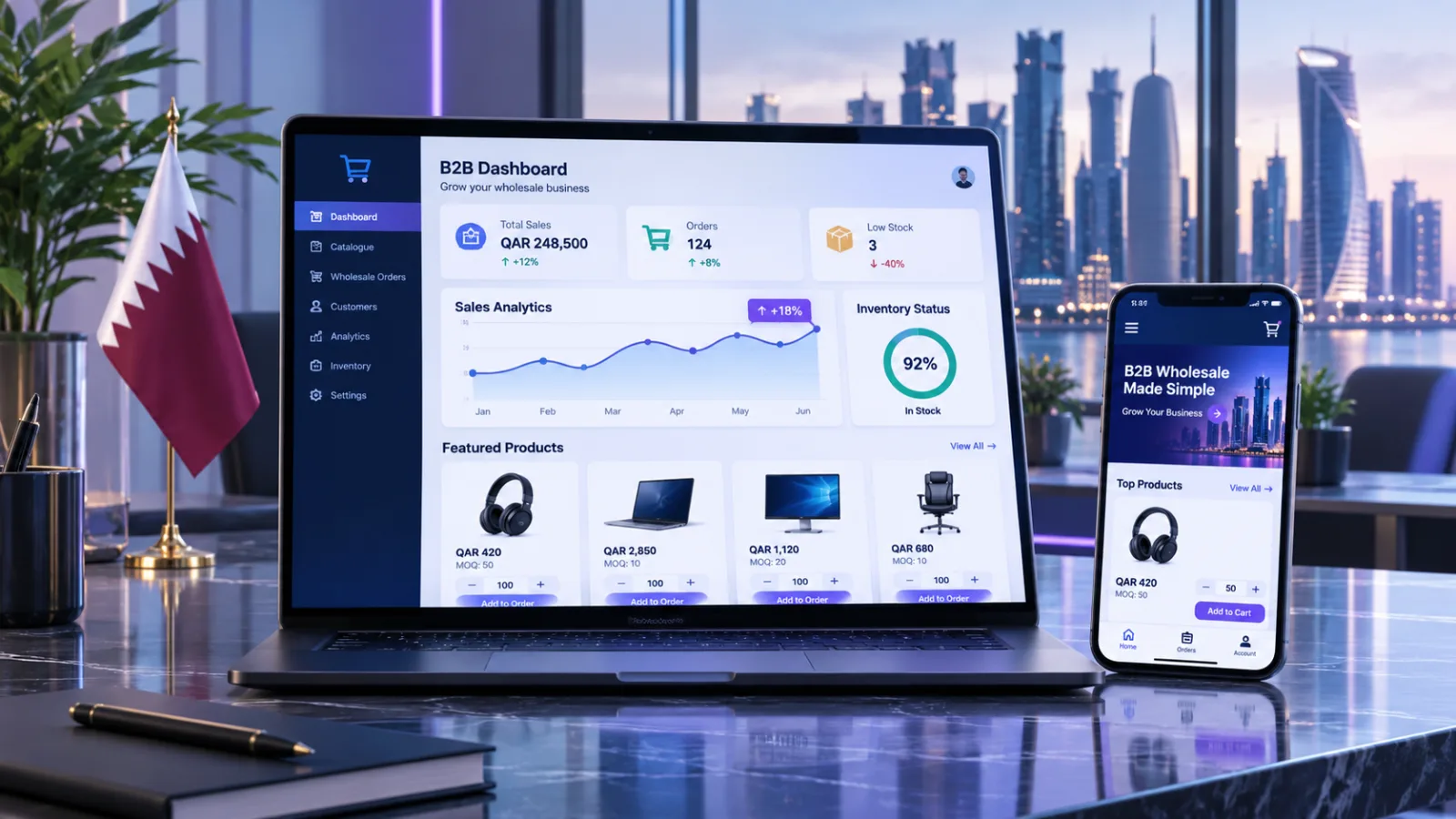
Qatar-Specific Considerations for Business Website Design
Businesses serving customers in Qatar may need to consider local audience expectations, language preferences and business communication requirements.
The right approach depends on the target market and the nature of the company.
Arabic and English Language Support
For businesses serving both Arabic- and English-speaking audiences, bilingual website support may be valuable.
A properly designed bilingual website should consider more than translating the text.
It may require:
Arabic and English content.
Right-to-left (RTL) layout for Arabic.
Left-to-right (LTR) layout for English.
Suitable Arabic typography.
Correct menu alignment.
Form and button adjustments.
Language-specific page metadata.
Testing on mobile and desktop.
The language switcher should be easy to find, and visitors should be able to move between language versions without losing their place unnecessarily.
Local Contact and Business Information
Businesses targeting customers in Qatar should make relevant contact information easy to find.
Depending on the organisation, this may include:
Qatar telephone contact details.
Business location.
Working hours.
Service coverage.
Local enquiry options.
Relevant business and service information.
Information should be accurate and kept up to date.
Local Customer Experience
The website should reflect how the business's intended audience prefers to communicate and access services.
For example, a local service provider may benefit from visible telephone and WhatsApp contact options, while a company serving corporate clients may need detailed service descriptions, project information and a quotation request form.
The design should be based on the audience's actual needs rather than adding local references simply for appearance.
How to Choose the Right Features for Your Business Website
Not every business needs every feature. The best approach is to identify the website's purpose and prioritise the functions that support it.
Business type | Useful website priorities |
|---|---|
Small business | Homepage, service pages, contact details, enquiry form and responsive design |
Corporate company | Company profile, service sections, portfolio, team information and lead generation |
Professional services | Expertise pages, team profiles, consultation booking and enquiry forms |
Ecommerce business | Product catalogue, search, shopping cart, checkout and order management |
Real estate company | Property listings, filters, enquiry forms, agent information and maps |
Educational institution | Programmes, admissions information, announcements and enquiry forms |
Technology company | Service pages, project portfolio, technical content and consultation requests |
A practical way to prioritise is to divide the requirements into three groups:
Essential features
These are necessary for the website to fulfil its main purpose. Examples include responsive layouts, clear navigation, accurate service information and working contact options.
Business-specific features
These depend on the company's operations. Examples include booking systems, product filters, customer accounts, payment processing or CRM integration.
Future enhancements
These can be introduced when there is a clear business reason. Examples include advanced personalisation, AI-powered support, customer portals and more sophisticated automation.
This approach helps prevent unnecessary complexity during the initial project.
Common Website Design Mistakes Businesses Should Avoid
A website may contain many features and still provide a poor experience if the fundamentals are overlooked.
Common mistakes include:
1. Designing Only for Desktop
A website that works on a large screen may become difficult to navigate on mobile devices. Responsive behaviour should be planned and tested from the beginning.
2. Overloading the Homepage
Too many banners, animations, buttons and messages can make it difficult to understand the main purpose of the website.
Prioritise the information visitors need most.
3. Using Unclear Headlines
Generic headlines do not explain what a business offers. Use specific language that communicates the service or value clearly.
4. Ignoring Website Speed
Large images, unnecessary scripts and poorly optimised components can affect performance. Test important pages before launch and monitor them afterwards.
5. Hiding Contact Information
Visitors should not have to search through several pages to find a telephone number, email address or enquiry form.
6. Using Inconsistent Branding
Different colours, fonts and button styles across pages can make the website feel disconnected. Establish consistent design rules.
7. Neglecting Accessibility
Low contrast, missing labels and keyboard-inaccessible menus can prevent some visitors from using the website effectively.
8. Treating SEO as an Afterthought
Page structure, content hierarchy, URLs and image optimisation should be considered during the design and development process.
9. Adding Features Without a Purpose
Animations, chatbots and integrations should solve a real problem. Extra functionality is not automatically an improvement.
Website Design vs Website Development: What Is the Difference?
Website design and website development work together, but they have different responsibilities.
Area | Website Design | Website Development |
|---|---|---|
Main focus | Appearance and user experience | Functionality and implementation |
Typical work | Layout, typography, colours and prototypes | Frontend, backend, databases and integrations |
Main concern | How users interact with the interface | How the website works technically |
Deliverables | Design concepts and interface specifications | Functional website and connected systems |
For example, a designer may create a service enquiry form layout and define how it should behave visually. A developer then implements the form, validates its inputs and connects it to the required email or CRM workflow.
A successful business website requires both disciplines to work together.
Companies planning more advanced functionality can explore web application development services when their requirements extend beyond standard informational pages.

How to Plan a Professional Website Design Project
A structured planning process helps businesses avoid unnecessary revisions and unclear requirements.
Step 1: Define the Website's Main Purpose
Start by identifying what the website should achieve.
Possible objectives include:
Generating enquiries.
Presenting products or services.
Building brand awareness.
Supporting online sales.
Providing customer information.
Allowing users to book appointments.
Supporting existing business operations.
A clear objective helps determine which pages and features are necessary.
Step 2: Understand the Target Audience
Identify the people who will use the website.
Consider:
Their common questions.
The information they need.
Their preferred devices.
Their familiarity with the service.
Their preferred communication channels.
The actions they are expected to take.
This helps shape the website's content and navigation.
Step 3: Prepare the Sitemap
A sitemap outlines the main pages and their relationships.
A basic business website might include:
Home
About Us
Services
Individual Service Pages
Projects or Portfolio
Blog
Contact Us
Privacy Policy
The final structure should reflect the size and needs of the business.
Step 4: Create the Design and Page Layouts
The design stage defines the visual direction and user experience.
It may include:
Homepage layout.
Internal page templates.
Mobile layouts.
Navigation design.
Typography and colour system.
Button and form styles.
Image and icon direction.
Reviewing the layouts before development can help identify content and usability issues early.
Step 5: Develop and Integrate the Website
Once the design is approved, the development team implements the website.
Depending on the project, this may involve frontend development, CMS configuration, backend functionality, integrations and content management features.
The technical approach should match the project's complexity rather than adding technologies without a clear reason.
Step 6: Test Before Launch
Testing should cover both appearance and functionality.
Review:
Desktop and mobile layouts.
Navigation and internal links.
Contact forms.
Buttons and calls to action.
Image loading.
Browser compatibility.
Page performance.
Accessibility basics.
Security configuration.
SEO metadata.
Testing with realistic content is important because placeholder text and images may not reveal layout problems.
Step 7: Launch and Maintain the Website
Launching the website is not the end of the project.
Businesses should plan for:
Software and security updates.
Backups.
Content updates.
Broken-link checks.
Performance monitoring.
Form testing.
Analytics review.
Future improvements.
Regular maintenance helps keep the website reliable as the business and its requirements change.
How Much Does Professional Website Design Cost?
The cost of professional website design depends on the project's scope and requirements. There is no single price that applies to every business.
A basic informational website and a custom corporate website with multiple integrations require different amounts of planning, design and development work.
Common cost factors include:
Cost factor | How it affects the project |
|---|---|
Number of pages | More unique pages generally require more design and content work |
Custom design | Original layouts and brand-specific visuals require additional design effort |
Responsive layouts | Different screen sizes need implementation and testing |
Content creation | Copywriting, editing, photography and translation add scope |
CMS requirements | Editing workflows and user permissions affect configuration |
Integrations | CRM, booking, payment and API connections add complexity |
Advanced functionality | Portals, accounts and custom workflows require additional development |
Maintenance | Updates, monitoring and support create ongoing costs |
Businesses should request a quotation based on a clear list of requirements.
A useful proposal should explain what is included, what is excluded, the expected deliverables, revision arrangements, testing responsibilities and post-launch support.
Avoid comparing quotations only by their total price. Two proposals may describe very different levels of design quality, functionality and support.
What to Look for When Choosing a Website Design and Development Company
Selecting a suitable provider is an important part of the project.
Businesses should evaluate more than visual examples. A website may look impressive in a screenshot but still have usability, performance or maintenance problems.
Consider the following:
Portfolio and Relevant Experience
Review the provider's previous work and look for examples relevant to your business type or project requirements.
Design and UX Approach
Ask how the team understands the target audience, organises content and plans user journeys.
Technical Capabilities
Check whether the provider can implement the required CMS, integrations, responsive layouts and functionality.
SEO and Performance Understanding
Ask how technical SEO, page structure, loading performance and mobile usability will be handled.
Testing and Quality Assurance
Understand how the finished website will be tested across devices, browsers and key user journeys.
Communication and Project Management
Clarify who will manage the project, how progress will be shared and how feedback will be handled.
Maintenance and Support
Ask what happens after launch, including updates, backups, bug fixes and technical support.
Businesses looking for a technology partner can review Galaxium Coding's web and software solutions and explore its projects and portfolio to understand its work and capabilities.
Future Trends in Professional Website Design
Website design continues to evolve as user expectations, devices and technologies change. Businesses should evaluate new approaches according to their actual value rather than adopting every trend.
AI-Assisted Website Experiences
AI-powered assistants may help visitors find information, ask questions or navigate complex services.
They are most useful when they provide accurate answers and connect users with an appropriate next step.
More Personalised User Experiences
Some websites adapt content or recommendations according to user preferences, account settings or browsing context.
Personalisation should be transparent and should respect applicable privacy requirements.
Accessibility-Focused Design
Accessibility is increasingly important in professional digital experiences. Clear interfaces, readable content, keyboard support and well-designed forms benefit a wider range of users.
Performance-First Design
Businesses are placing greater attention on loading speed, responsive interactions and visual stability.
This encourages design teams to use visual effects and third-party scripts selectively.
More Connected Business Websites
Websites are increasingly connected to CRM platforms, booking systems, analytics and other business tools.
This can make the website a useful part of the organisation's wider digital operations.
The best future-ready website is not necessarily the one with the most advanced effects. It is the one that can adapt to changing business requirements while remaining clear, reliable and easy to use.
Frequently Asked Questions About Professional Website Design
1. What makes a website design professional?
A professional website combines consistent branding, clear navigation, readable content, responsive layouts, useful calls to action, good performance and appropriate security. It should also make it easy for visitors to understand the business and find the information they need.
2. What are the most important features of a business website?
Most business websites should prioritise:
Responsive design.
Clear navigation.
A useful homepage.
Dedicated service or product pages.
Contact information and enquiry forms.
Consistent branding.
Search-friendly content structure.
Website security.
Fast-loading pages.
Additional features should depend on the business model.
3. Why is responsive website design important?
Responsive design allows a website to adapt to smartphones, tablets and desktop screens. It helps visitors access content and use website functions without unnecessary zooming, horizontal scrolling or navigation difficulties.
4. Does professional website design help SEO?
Professional design can support SEO by improving content structure, mobile usability, navigation, accessibility and page performance. However, design alone does not guarantee search rankings. Useful content, technical SEO and ongoing optimisation are also important.
5. Should a business website include a blog?
A blog can help businesses publish useful information, answer customer questions and build topical coverage around their services. It is most valuable when the business can maintain relevant, accurate and genuinely useful content.
6. Is a custom website better than a template-based website?
It depends on the business requirements. A template may be suitable for a straightforward website with standard functionality. Custom design and development may be more appropriate when a business needs a distinctive user experience, specialised features or integrations.
7. How many pages should a professional business website have?
There is no fixed number. A small business may need a homepage, about page, services page and contact page. A larger organisation may require separate service pages, project sections, resources, team profiles and other content.
The page structure should be based on what visitors need to understand and what the business needs to communicate.
8. Should a Qatar business website support Arabic and English?
If the business serves both Arabic- and English-speaking audiences, bilingual support may improve accessibility and usability. The website should implement proper right-to-left Arabic layouts rather than simply translating text.
9. How often should a business website be updated?
There is no universal update schedule. Security updates and backups should follow an appropriate maintenance routine, while content should be reviewed whenever services, contact details, policies or business information change. Performance and functionality should also be checked regularly.
10. What should I prepare before starting a website design project?
Prepare:
Your business goals.
Target audience information.
Service or product descriptions.
Logo and brand assets.
Preferred website language or languages.
Required pages and functionality.
Contact details.
Examples of websites you like.
Any required integrations.
Approximate budget and timeline.
Clear requirements help the design and development team plan the project more accurately.
Final Thoughts
Professional website design is about creating a useful digital experience, not simply making pages look attractive. A successful business website should communicate the company's value, organise information clearly, work across devices and make it easy for visitors to take action.
Responsive layouts, clear navigation, consistent branding, accessible content, strong performance, security and useful functionality provide a practical foundation. Additional features should be selected according to the business model and customer needs.
For businesses planning a new website or improving an existing one, the best starting point is a clear understanding of the audience, objectives and required functionality.
Galaxium Coding provides technology and web solutions for businesses looking to strengthen their digital presence. Explore the Galaxium Coding website or contact the team to discuss your website requirements.