Payroll Management Software: Complete Guide
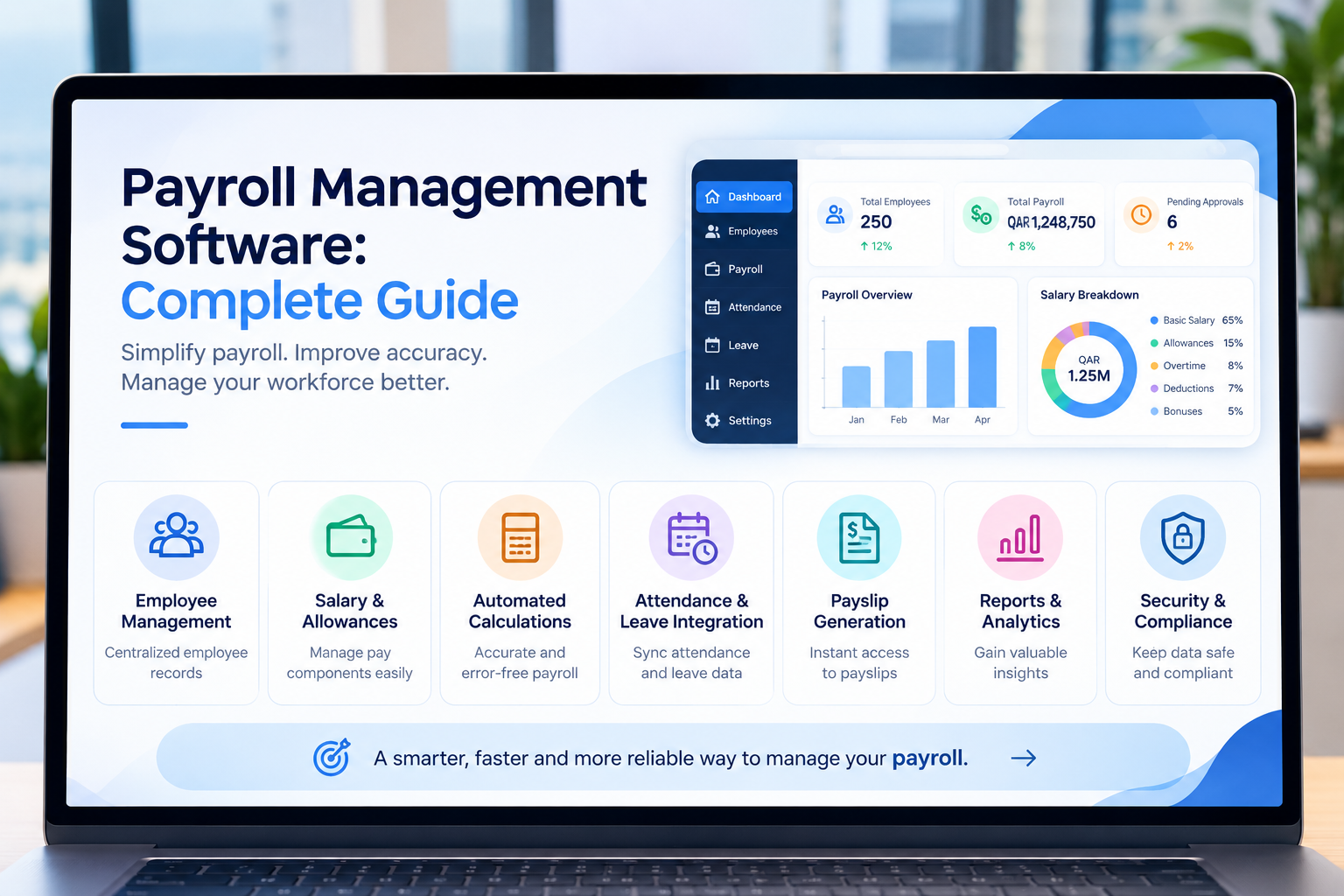
Modern payroll management software connecting employee records, salary processing, attendance, approvals and payroll reporting.
Payroll Management Software: Complete Guide
Managing payroll manually can become increasingly difficult as a business grows. Employee salaries, allowances, deductions, overtime, leave, attendance, bonuses, advances and payment records all need to be calculated and maintained accurately.
When these processes depend on spreadsheets, separate attendance systems, emails and manual calculations, even a small change in employee information can require updates across multiple files.
Payroll management software provides a centralized way to manage these processes. Depending on the system, it can connect employee information, attendance, leave, salary structures, payroll calculations, approvals, payslips, reporting and accounting.
For businesses in Qatar, payroll technology also needs to be considered alongside applicable wage-payment requirements and the country's Wage Protection System (WPS). Qatar's official resources describe WPS as a system for monitoring and supporting timely wage payments.
This guide explains what payroll management software is, how it works, its key features, benefits, integrations, security requirements, Qatar-specific considerations, implementation process, costs and how businesses can choose the right payroll solution.
What Is Payroll Management Software?
Payroll management software is a digital system that helps businesses calculate, process, manage and report employee salaries.
Instead of manually calculating every employee's salary, an organization can configure salary structures and payroll rules within the system.
A typical payroll process may look like:
Employee Information
↓
Salary Structure
↓
Attendance & Leave
↓
Overtime / Bonuses / Adjustments
↓
Deductions
↓
Payroll Calculation
↓
Approval
↓
Payslip
↓
Payment / Payroll Records
↓
Reports & Accounting
The exact workflow depends on the company's policies, workforce structure, jurisdiction and payroll requirements.
The important principle is that payroll information should move through a controlled and traceable process instead of being repeatedly entered into disconnected spreadsheets.
Businesses that need payroll to work as part of a broader HR or business-management platform can also consider custom software development services designed around their actual workflows.
Why Do Businesses Need Payroll Management Software?
Payroll is one of the most important administrative processes in an organization because it directly affects employees and financial operations.
A payroll error can result in:
Incorrect salary payments
Incorrect deductions
Employee complaints
Delayed payroll processing
Additional administrative work
Reporting inconsistencies
Difficult payroll reconciliation
Compliance risks
Manual payroll becomes particularly challenging when a business has many employees or operates across multiple departments, branches or salary structures.
For example, imagine a company with several hundred employees.
HR may maintain employee records.
The attendance team may manage working hours.
Managers may approve overtime.
Employees may submit leave requests.
Finance may manage deductions and payments.
Payroll staff then have to collect information from all these sources before calculating salaries.
A connected payroll system can bring much of this information together.
Payroll Software Can Help Businesses
A well-designed payroll system can help organizations:
Reduce repetitive manual calculations
Centralize salary information
Automate recurring payroll processes
Connect attendance and leave with payroll
Generate payslips
Manage deductions
Track bonuses and allowances
Maintain payroll history
Generate payroll reports
Control access to sensitive salary information
Improve payroll visibility
Integrate payroll with accounting and HR systems
The objective is not simply to automate salary calculations.
The bigger objective is to create a reliable payroll workflow.
How Does Payroll Management Software Work?
A payroll system generally begins with employee and salary information.
For example:
Employee
Employee ID
Department
Job title
Joining date
Employment information
Salary structure
Bank/payment information
Applicable deductions
↓
Monthly Inputs
Attendance
Leave
Overtime
Bonuses
Commissions
Advances
Other adjustments
↓
Payroll Engine
Gross salary
Allowances
Deductions
Adjustments
Net salary
↓
Approval
↓
Payslip & Payroll Records
The system can store the results and maintain historical payroll information.
This creates a more structured process than manually calculating every employee's salary from scratch.
Key Features of Payroll Management Software
The features required by a business depend on its size, industry and payroll structure. However, several capabilities are particularly useful.
1. Employee Information Management
Payroll starts with accurate employee information.
The system should allow authorized users to maintain records such as:
Employee name
Employee ID
Job title
Department
Joining date
Employment status
Salary information
Allowances
Payment information
Contract information
Leave information
Documents
Payroll history
A centralized employee database reduces the need to maintain the same information across multiple spreadsheets.
2. Salary Structure Management
Different employees may have different salary structures.
For example, one employee may receive:
Basic salary
Housing allowance
Transport allowance
Other allowances
Another employee may have:
Basic salary
Commission
Performance bonus
Overtime
Payroll software should allow businesses to configure appropriate salary components instead of forcing every employee into one structure.
Example
An organization might define:
Gross Salary = Basic Salary + Allowances + Overtime + Bonuses
Then:
Net Salary = Gross Salary − Applicable Deductions
The exact calculation rules should be configured according to the organization's employment policies and applicable legal requirements.
3. Attendance Integration
Attendance is often directly connected to payroll.
A payroll platform can receive information from:
Biometric attendance devices
Time clocks
HR systems
Mobile attendance applications
Shift-management systems
Attendance information may include:
Check-in
Check-out
Working hours
Late arrivals
Early departures
Absence
Overtime
Shifts
For example:
Attendance System
↓
Approved Attendance Data
↓
Payroll System
↓
Overtime / Absence Calculation
↓
Payroll Processing
This can reduce the need for HR employees to manually transfer attendance information into payroll spreadsheets.
4. Leave Management Integration
Leave can also affect payroll.
Depending on company policy, certain leave categories may influence salary calculations, attendance records or other payroll inputs.
A connected workflow could look like:
Employee submits leave
↓
Manager approves
↓
HR record updates
↓
Leave balance changes
↓
Payroll receives approved information
↓
Payroll calculation is updated where applicable
This is one reason payroll works better when integrated with HR rather than operating as a completely separate system.
5. Overtime Management
Businesses with employees working beyond scheduled hours may need overtime calculations.
A payroll system can capture approved overtime and apply configured rules.
For example:
Employee works additional hours
↓
Manager approves overtime
↓
System records approved overtime
↓
Payroll calculates applicable amount
↓
Amount appears in payroll
The exact calculation method should be based on the organization's policies and applicable regulations.
6. Allowances and Benefits
Payroll software can manage different types of compensation.
Depending on the organization, these may include:
Housing allowances
Transport allowances
Communication allowances
Meal allowances
Travel allowances
Performance bonuses
Sales commissions
Other benefits
Businesses should be able to configure recurring and one-time components separately.
This makes payroll easier to manage when employee compensation changes.
7. Deductions Management
Payroll systems can also manage deductions.
Depending on the organization and jurisdiction, deductions may include:
Approved employee advances
Loans
Absence-related adjustments
Employee contributions
Other authorized deductions
The system should provide a clear record of why a deduction was applied.
This is particularly important when employees need to understand their payslip.
8. Payroll Processing
The payroll engine is the central component of the system.
A typical payroll cycle may include:
Confirm employee records.
Import or approve attendance.
Process approved leave.
Add overtime.
Add bonuses or commissions.
Apply allowances.
Apply authorized deductions.
Calculate gross salary.
Calculate net salary.
Review payroll.
Approve payroll.
Generate payslips.
Prepare payment-related records.
Generate reports.
A good system should make each stage visible and traceable.
9. Payslip Generation
Employees should be able to receive a clear breakdown of their salary.
A payslip may include:
Employee information
Payroll period
Basic salary
Allowances
Overtime
Bonuses
Deductions
Net salary
Other relevant information
Digital payslips can also be made available through an employee self-service portal.
This can reduce the number of routine requests HR teams receive.
Businesses interested in connected employee-facing systems can explore web application development for customized employee portals and business applications.
10. Payroll Approval Workflows
Payroll should not necessarily be processed without review.
A business may configure an approval workflow such as:
HR prepares payroll
↓
Payroll officer reviews
↓
Finance reviews
↓
Authorized manager approves
↓
Payroll is finalized
The exact workflow depends on the organization's internal controls.
Approval workflows are especially useful when payroll amounts are significant or multiple departments are involved.
11. Payroll Reports
Payroll software should provide useful reporting rather than simply producing payslips.
Possible reports include:
Payroll summary
Employee salary report
Department payroll
Allowance report
Deduction report
Overtime report
Payroll register
Payroll history
Payroll cost analysis
Payment-related reports
Employee compensation reports
Management can use these reports to understand workforce costs and identify unusual changes.
12. Employee Self-Service
Employee self-service can make payroll administration more efficient.
Employees may be able to:
View payslips
Review salary information they are permitted to access
Submit HR requests
Check attendance
Submit leave requests
View approved documents
Receive notifications
Instead of contacting HR every time an employee needs a payslip, the information can be available through a secure portal.
This approach also fits into the broader employee self-service model already discussed in Galaxium Coding's employee self-service portal guide.
13. Role-Based Access
Payroll data is highly sensitive.
Not every employee should have access to every payroll record.
A payroll system can define different roles.
Employee
Can access:
Own payslips
Own permitted payroll information
Own requests
Manager
Can access:
Relevant team information
Approved payroll-related workflows where authorized
HR Manager
Can access:
Employee records
Payroll information
HR reports
Payroll workflows
Finance
Can access:
Required payroll financial information
Payroll reports
Accounting-related information
Administrator
Can manage:
Technical configuration
Users
Permissions
System settings
Role-based access helps reduce unnecessary exposure of sensitive salary information.
Payroll Management Software for Qatar Businesses
Payroll software for businesses operating in Qatar needs to be designed around the organization's actual employment and payroll processes.
Qatar has implemented the Wage Protection System, which supports electronic wage payments and enables authorities to monitor wage-payment compliance. Qatar Central Bank describes WPS as a centralized system launched through cooperation between the central bank and labour authorities to manage and verify wage processing.
Official Qatar labour material also states that employers subject to the relevant labour framework are required to transfer workers' wages through WPS within the specified period.
Therefore, businesses should evaluate whether their payroll software can support the required payroll workflow and any necessary WPS-related processes or integrations.
Important Qatar Payroll Considerations
Businesses should consider:
Employment contracts
Salary structures
Allowances
Overtime
Leave
Payroll frequency
Wage payment processes
WPS requirements
Employee banking information
Payroll records
Applicable deductions
Data security
Reporting
Integration with accounting systems
Payroll software should not be treated as a substitute for professional legal or payroll advice.
Regulations can change, and businesses should verify current requirements with the relevant Qatar authorities or qualified advisers before configuring a production payroll system.
For broader HR requirements, businesses can also review Galaxium Coding's HR management software guide for Qatar.
Payroll Software and HRMS Integration
Payroll is usually more effective when it is connected to the broader HR system.
Consider this workflow:
Employee Database
↓
Attendance
↓
Leave
↓
Overtime
↓
Payroll
↓
Payslip
↓
Accounting
↓
Management Reporting
Instead of entering employee information repeatedly, connected systems can allow authorized data to move between modules.
A modern HR platform may connect:
Employee management
Recruitment
Onboarding
Attendance
Leave
Payroll
Performance
Documents
Employee self-service
Reporting
This is why payroll can be considered one component of a larger HR technology environment.
Payroll and Accounting Integration
Payroll also has a strong relationship with accounting.
For example:
Payroll Processing
↓
Salary Expense
↓
Payroll Payable
↓
Payment
↓
Accounting Records
This can help finance teams maintain more consistent financial records.
Integration can reduce duplicate data entry and allow payroll-related financial information to flow into accounting systems according to the organization's configuration.
For businesses requiring larger integrated business systems, Galaxium Coding also works on broader custom software development projects that can connect HR, finance and operational workflows.
Payroll Software and ERP
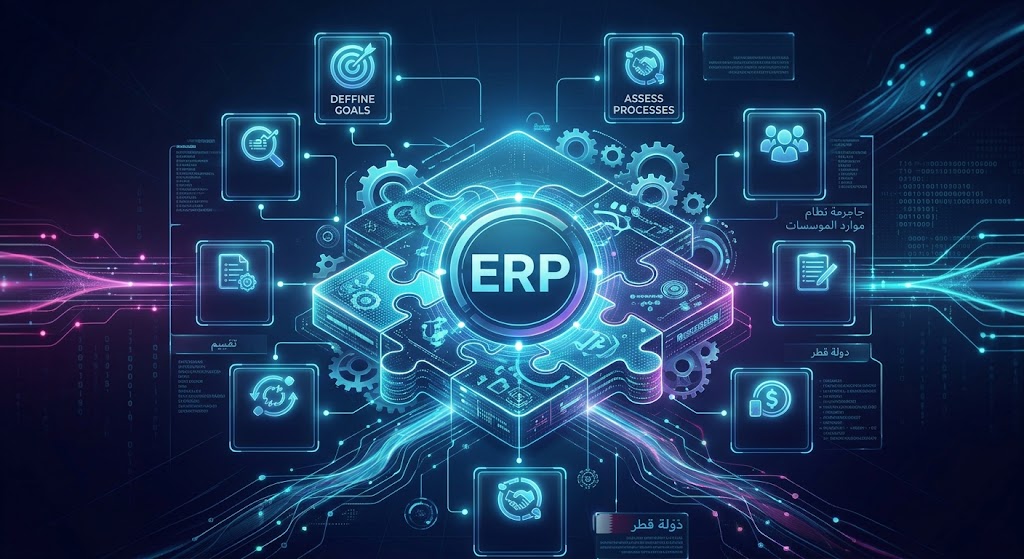
Payroll can also be implemented as part of an ERP system.
An ERP environment might connect:
CRM
↓
Sales
↓
Accounting
↓
HR
↓
Payroll
↓
Inventory
↓
Operations
↓
Reporting
For example, management may want to understand not only total payroll but also workforce costs by department, branch or project.
An integrated ERP can potentially connect these records.
Payroll is already recognized as an important ERP component for growing businesses, alongside HR, accounting, CRM, inventory and other business functions.
Businesses considering a broader ERP strategy can also explore Galaxium Coding's ERP modules guide.
Payroll Software Integrations
Modern payroll systems may need to connect with several other technologies.
Attendance Systems
Payroll can receive approved attendance and overtime information.
HR Management Systems
Employee information, leave and other HR records can feed payroll.
Accounting Software
Payroll financial information can be transferred to accounting.
Banking and Payment Systems
Depending on the business and jurisdiction, payroll systems may connect with payment workflows.
Employee Portals
Employees can access payslips and submit relevant requests.
Mobile Applications
Managers and employees can access selected payroll and HR workflows from mobile devices.
ERP Systems
Payroll can become part of a larger business platform.
APIs
APIs can connect payroll with third-party applications and internal systems.
A well-designed integration strategy should minimize unnecessary duplicate data entry.
Cloud-Based Payroll Software
Cloud payroll software runs on remote infrastructure and can be accessed through approved devices and networks.
Potential advantages include:
Remote accessibility
Centralized data
Easier updates
Scalability
Multi-location access
Reduced local infrastructure requirements
Centralized backup strategies
However, cloud software also requires careful attention to:
Access controls
Authentication
Encryption
Data protection
Backups
Vendor security
Infrastructure configuration
Disaster recovery
The decision should be based on business requirements rather than simply choosing cloud technology because it is popular.
Businesses requiring scalable infrastructure can explore cloud and DevOps solutions as part of a broader software architecture.
On-Premise Payroll Software
Some organizations may prefer systems deployed within infrastructure controlled by the business.
Potential reasons include:
Internal infrastructure policies
Specific security requirements
Existing IT infrastructure
Integration with internal systems
Organizational control requirements
However, on-premise systems can require greater internal responsibility for:
Servers
Backups
Updates
Monitoring
Security
Disaster recovery
The right deployment model depends on the organization's technology strategy.
Payroll Security Requirements
Payroll contains some of the most sensitive information in a business.
This may include:
Employee identity information
Salary information
Bank details
Employment records
Tax-related information
Payroll history
Benefits
Deductions
Security should therefore be designed into the payroll platform from the beginning.
Important Security Controls
A payroll system should consider:
Role-based access control
Strong authentication
Multi-factor authentication where appropriate
Encryption
Secure APIs
Audit logs
Backup systems
Access monitoring
Data retention policies
Secure document storage
Disaster recovery
Controlled administrator privileges
Audit Trails
An audit trail can record important activities such as:
Who changed an employee's salary
Who approved payroll
Who modified deductions
Who changed permissions
When a payroll record was updated
This can help organizations investigate unexpected changes.
Payroll Dashboards and Analytics
Payroll software can provide more value when it includes management dashboards.
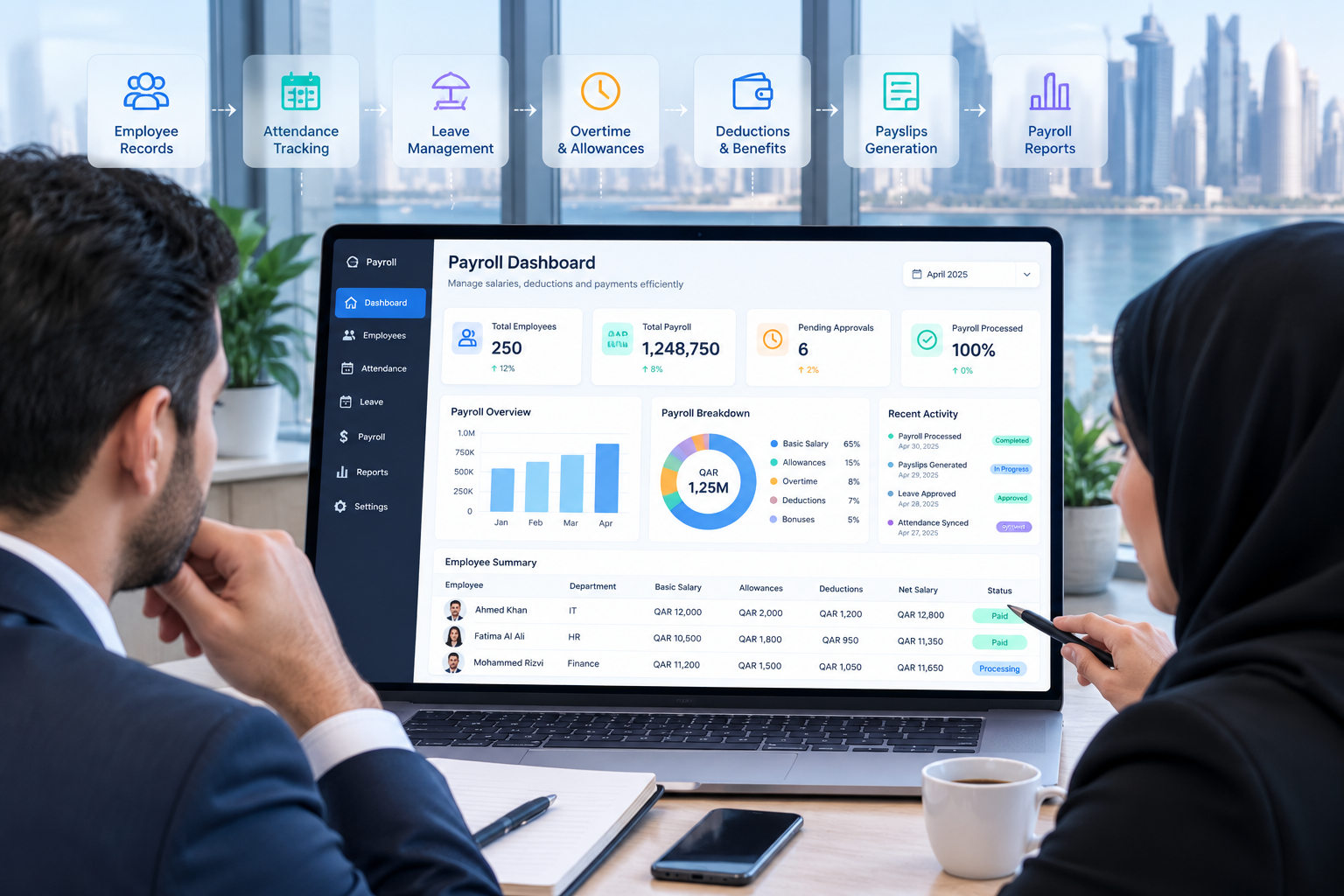
A payroll dashboard could show:
Total payroll
Payroll by department
Payroll by branch
Overtime costs
Allowance totals
Deduction totals
Employee count
Payroll trends
Payroll exceptions
Pending approvals
For example:
Monthly Payroll Dashboard
Employees: 250
Total Payroll: Configured according to company data
Pending Approvals: 6
Overtime Records: 18
Payroll Exceptions: 4
The purpose of the dashboard is not to create attractive graphics.
The purpose is to help authorized managers identify important information quickly.
How AI Can Improve Payroll Management
AI can potentially add useful capabilities to payroll software, but it should complement—not replace—appropriate payroll controls and human review.
Potential applications include:
Payroll anomaly detection
Report summarization
Employee payroll FAQs
Document classification
Payroll trend analysis
Natural-language reporting
Automated notifications
Data validation assistance
For example, an authorized finance manager could ask:
"Which departments had unusually high overtime this month?"
The system could analyze permitted payroll data and provide a summary.
Another example:
"Show the payroll cost trend for the last six months."
An AI-enabled reporting layer could retrieve authorized information and present it in a more conversational format.
However, AI should operate within the payroll system's permission model.
An employee should not receive another employee's salary information simply because an AI assistant has access to the underlying database.
Payroll Management Software for Different Business Sizes
Small Businesses
A small business may only need:
Employee database
Salary structures
Basic payroll processing
Payslips
Leave
Attendance
Basic reports
There is little value in implementing dozens of modules that the business does not need.
Medium-Sized Businesses
A growing company may require:
Payroll
HR
Attendance
Leave
Employee portal
Accounting integration
Approval workflows
Advanced reporting
Role-based access
Large Enterprises
Larger organizations may require:
Multi-branch payroll
Multiple salary structures
Complex approval workflows
ERP integration
Accounting integration
Advanced reporting
Mobile applications
Employee self-service
API integrations
Advanced security
Audit trails
Business intelligence
AI-powered analytics
The important principle is scalability.
The payroll platform should be able to evolve as the organization grows.
Ready-Made Payroll Software vs Custom Payroll Software
Businesses often have to decide whether to use an existing payroll platform or develop a customized system.
Ready-Made Payroll Software
Advantages can include:
Faster implementation
Existing payroll features
Established workflows
Existing documentation
Vendor support
Lower initial development requirements
However, businesses may need to adapt their processes to the software.
Custom Payroll Software
Custom payroll software can be designed around the organization's own:
Salary structures
Payroll rules
Approval processes
Employee workflows
Integrations
Reporting requirements
Security architecture
Employee portal
Mobile requirements
Custom development can make sense when payroll is part of a larger business platform or when standard software cannot accommodate important requirements.
The decision should be based on business requirements, total cost of ownership, integration needs, scalability and operational complexity rather than simply the initial price.
How Much Does Payroll Management Software Cost?
There is no universal payroll software cost.
Pricing or development effort can depend on:
Number of employees
Number of users
Payroll complexity
Number of salary structures
Number of branches
Attendance integration
Biometric integration
Accounting integration
Banking integration
Employee portal
Mobile application
Reporting
AI functionality
Security requirements
Data migration
Cloud infrastructure
Customization
Maintenance
Support
A basic payroll system is very different from an enterprise platform connecting:
HR + Attendance + Leave + Payroll + Accounting + ERP + Employee Portal + Mobile App + AI
Businesses should therefore define requirements before comparing prices.

How to Implement Payroll Management Software
A successful payroll project should begin with business requirements.
Step 1: Document Current Payroll Processes
Identify:
How salaries are calculated
Where employee information is stored
How attendance is collected
How leave is approved
How overtime is calculated
How deductions are handled
Who approves payroll
How payslips are delivered
How payments are processed
How reports are generated
Step 2: Identify Problems
Look for:
Manual calculations
Duplicate data entry
Payroll delays
Spreadsheet dependency
Reporting problems
Approval delays
Security weaknesses
Integration gaps
Step 3: Define Requirements
Document:
Payroll modules
Employee roles
Salary structures
Approval workflows
Reports
Integrations
Security requirements
Employee portal requirements
Mobile requirements
Step 4: Select the Technology Approach
Decide whether the business should use:
Ready-made payroll software
Customized payroll software
HRMS
ERP
Custom business software
Step 5: Plan Data Migration
Existing employee and payroll information should be reviewed before migration.
Remove:
Duplicate records
Incorrect information
Outdated information
Unnecessary records
Then define the data that must be migrated.
Step 6: Configure and Develop
Configure or develop:
Employee records
Salary structures
Payroll rules
Attendance
Leave
Deductions
Reports
Permissions
Integrations
Step 7: Test Payroll
Payroll should be tested carefully before production use.
Test scenarios may include:
New employees
Salary changes
Overtime
Leave
Bonuses
Deductions
Employee termination
Different departments
Different salary structures
Approval workflows
Payslips
Reports
Step 8: Train Users
HR, payroll, finance and managers should understand their responsibilities within the system.
Step 9: Go Live and Monitor
After launch, monitor:
Payroll calculations
User access
Integration performance
Employee feedback
Reports
Exceptions
Security events
Payroll software should be continuously reviewed as business processes change.
Common Payroll Software Mistakes
1. Choosing Software Only Because It Is Cheap
Low initial cost does not necessarily mean low total cost.
A cheap system may require extensive manual work or additional software.
2. Ignoring Integrations
If payroll does not connect with attendance, HR or accounting, employees may continue entering information manually.
3. Poor Access Control
Giving too many users access to salary information creates unnecessary security risk.
4. Not Testing Edge Cases
Payroll should not be tested only with standard employees.
Test salary changes, overtime, leave, bonuses, deductions and unusual scenarios.
5. Ignoring Data Migration
Incorrect employee information can lead to incorrect payroll.
6. Over-Automating Without Approval Controls
Automation should not mean that sensitive payroll changes happen without review.
7. Ignoring Local Requirements
For Qatar businesses, payroll systems should account for applicable local wage-payment requirements and WPS-related processes.
8. Treating Payroll as a Standalone System
Payroll can become significantly more useful when connected with HR, accounting, attendance, leave and employee self-service.
Payroll Software Implementation Example
Consider a company with 300 employees.
Before implementation:
Attendance: Separate system
Leave: Email
Employee Data: Spreadsheet
Payroll: Manual calculations
Payslips: Manually generated
Accounting: Separate system
The monthly process may require HR to collect information from several sources.
After implementation:
Employee Database
↓
Attendance
↓
Leave
↓
Overtime
↓
Payroll
↓
Approval
↓
Payslip
↓
Accounting
↓
Management Dashboard
The system becomes a connected workflow rather than a collection of manual tasks.
Future of Payroll Management Software
Payroll systems are likely to become increasingly connected with broader HR and business platforms.
Future payroll environments may include:
AI-powered payroll analytics
Automated anomaly detection
Employee self-service
Mobile payroll access
Real-time dashboards
Advanced API integrations
Cloud infrastructure
Automated workflows
Conversational HR assistants
Connected accounting
ERP integration
Digital employee records
The most important trend is not simply automation.
It is connected automation.
For example:
Employee
↓
HR Portal
↓
HRMS
↓
Attendance
↓
Leave
↓
Payroll
↓
Accounting
↓
Analytics
↓
AI
This creates a more connected digital workforce environment.
How to Choose the Right Payroll Management Software
Before choosing a system, ask:
Does It Support Your Salary Structures?
The software should accommodate your actual salary components.
Can It Integrate With Attendance?
If attendance affects payroll, integration is important.
Can It Connect With HR?
Employee data should not have to be entered repeatedly.
Can It Integrate With Accounting?
Finance teams may need payroll information for accounting and reporting.
Does It Provide Employee Self-Service?
Self-service can reduce routine HR workload.
Is Security Strong Enough?
Review:
Permissions
Authentication
Encryption
Audit logs
Backups
Administrator access
Can It Scale?
Consider future:
Employees
Branches
Departments
Salary structures
Integrations
Reporting requirements
Does It Support Qatar Requirements?
For Qatar-based organizations, investigate how the system handles the organization's applicable wage-payment processes and WPS requirements.
Can It Be Customized?
If your business has unique payroll workflows, customization may become important.
Why Galaxium Coding for Custom Payroll and Business Software?
Payroll often becomes part of a larger technology environment.
A company may need to connect:
HR
Payroll
Attendance
Leave
Accounting
ERP
Employee portal
Mobile application
Reporting
Business automation
Galaxium Coding is a Qatar-focused technology company working across custom software, web applications, mobile applications, cloud solutions and business systems.
Businesses that need a payroll platform designed around their specific workflows can explore Galaxium Coding's software development services.
For employee-facing payroll and HR workflows, web application development can be used to create secure browser-based portals.
For businesses requiring mobile employee access, mobile application development can extend selected HR and payroll workflows to smartphones.
The appropriate solution depends on the company's requirements rather than the number of features available.
Final Thoughts
Payroll management software can transform payroll from a heavily manual administrative process into a structured digital workflow.
The most useful systems can connect:
Employee information
Salary structures
Attendance
Leave
Overtime
Allowances
Deductions
Bonuses
Payroll processing
Approvals
Payslips
Accounting
Reporting
Employee self-service
For businesses in Qatar, payroll technology should also be designed around applicable local wage-payment processes and WPS requirements, with current regulatory details verified before implementation.
The best payroll system is not necessarily the one with the most features.
It is the one that accurately reflects the organization's payroll processes, protects sensitive information, integrates with existing systems and can scale as the business grows.
If your business is managing payroll through spreadsheets or disconnected systems, the next step may be to document the current process, identify the biggest sources of manual work and determine whether ready-made software, an HRMS, ERP or custom payroll software is the right approach.
Businesses can contact Galaxium Coding to discuss software requirements, integrations and custom business-system development.
Frequently Asked Questions About Payroll Management Software
What is payroll management software?
Payroll management software is a digital system that helps businesses manage employee salaries, allowances, deductions, overtime, payroll processing, payslips, reporting and related workflows.
What are the main features of payroll software?
Common features include employee management, salary structures, attendance integration, leave management, overtime, allowances, deductions, payroll processing, payslips, approvals, reports, role-based access and integrations.
Can payroll software integrate with attendance?
Yes. Payroll software can integrate with attendance systems to use approved working hours, overtime, absences and other attendance information during payroll processing.
Can payroll software manage leave?
Yes. Payroll can be connected with leave management so approved leave information can be considered in applicable payroll processes.
Is payroll software useful for small businesses?
Yes. Small businesses may benefit from basic payroll automation when manual calculations and spreadsheets begin consuming significant time or creating errors.
Can payroll software integrate with accounting?
Yes. Payroll systems can be integrated with accounting systems so relevant payroll financial information can flow into accounting workflows.
Is payroll software required by law in Qatar?
Using payroll software itself is not necessarily the same thing as a legal requirement. However, businesses operating in Qatar must comply with applicable labour and wage-payment requirements, including relevant WPS processes. Organizations should verify current requirements with the appropriate authorities or qualified advisers.
What is WPS in Qatar?
The Wage Protection System is a Qatar wage-payment and monitoring system designed to support timely electronic wage payments and provide authorities with visibility into wage processing.
Can payroll software generate payslips?
Yes. Payslip generation is a common payroll feature. Payslips can also be made available through an employee self-service portal where supported.
Is cloud payroll software secure?
Cloud payroll software can be secure when it is properly designed and managed. Businesses should evaluate authentication, access controls, encryption, backups, audit logging, infrastructure security and data protection.
Can AI be used in payroll software?
Yes. AI can potentially support payroll analytics, anomaly detection, report summarization, employee FAQs and other controlled workflows. Sensitive payroll information should remain protected by the system's permission model.
Should a business choose ready-made or custom payroll software?
Ready-made software can be suitable when standard payroll workflows meet business requirements. Custom software may be more appropriate when the company needs specialized salary structures, integrations, workflows, reporting or a payroll system connected to a broader business platform.