AI Business Automation: Complete Guide to Building an AI-Powered Business
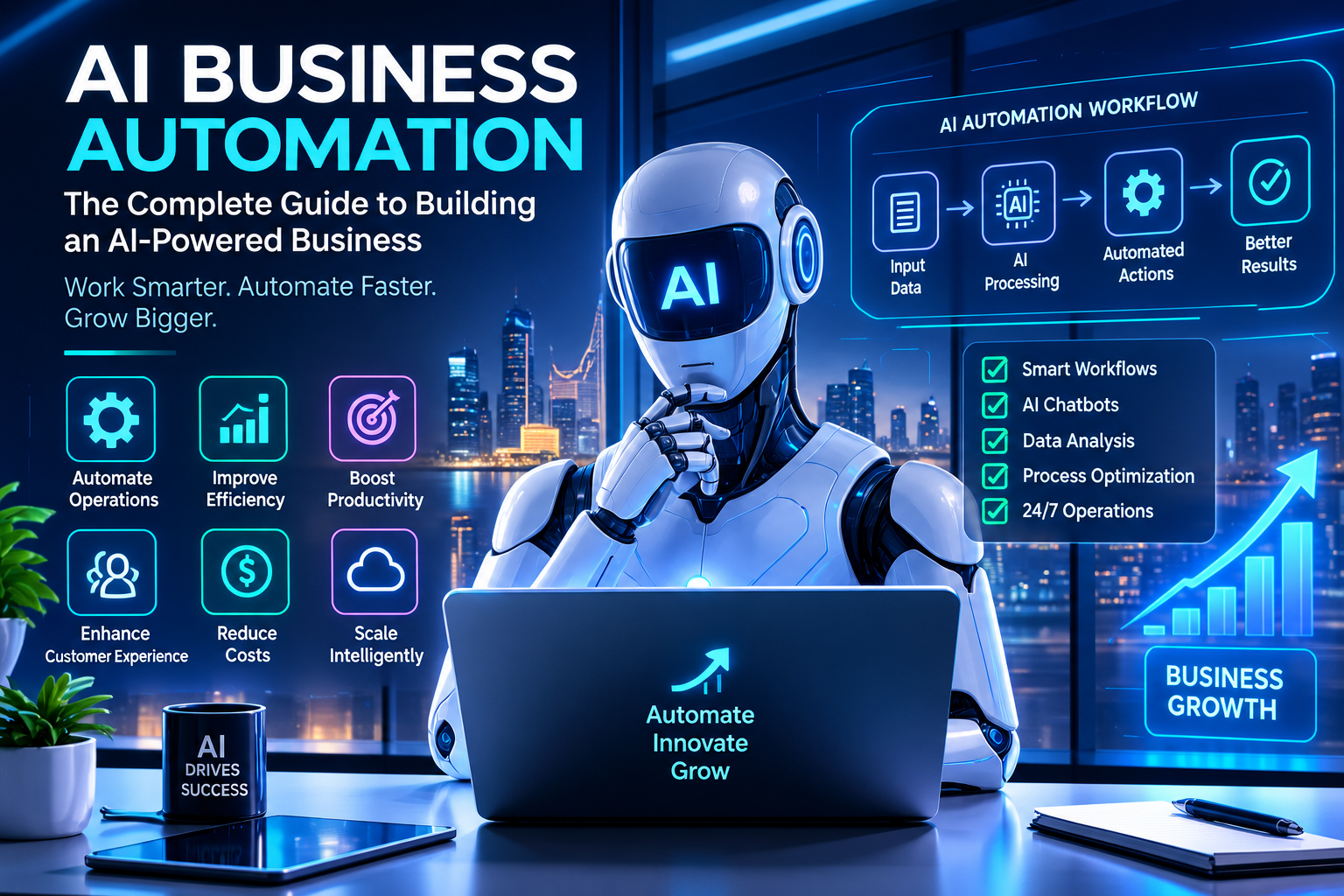
An AI-powered business connects artificial intelligence with software, data, automation workflows, APIs, and core business systems.
AI Business Automation: Complete Guide to Building an AI-Powered Business
Artificial intelligence is changing how businesses communicate with customers, manage information, support employees, automate repetitive work, and make decisions.
But building an AI-powered business is not the same as adding a chatbot to a website.
A genuinely AI-powered business connects artificial intelligence with the systems and processes that already run the organization.
A typical architecture might look like:
Customers → Website / Mobile App / WhatsApp → AI → CRM → Business Software → Automation → Analytics → Management
The AI layer can help understand requests, process information, summarize documents, qualify leads, answer questions, assist employees, and trigger approved workflows.
The automation layer can then move information between systems and perform predefined actions.
The result is a business where technology does more than store information.
It can help the organization understand, decide, communicate, and act.
This guide explains how businesses can approach AI business automation, what technologies are involved, how to build an AI-powered business step by step, what it can cost, how to manage security and data, and what companies in Qatar should consider before starting.

What Is AI Business Automation?
AI business automation is the use of artificial intelligence together with software, APIs, workflows, databases, cloud infrastructure, and business systems to automate or assist business processes.
Traditional automation usually follows predefined rules.
For example:
Invoice overdue → Send reminder
AI can work with less-structured information.
For example:
Customer sends a message → AI understands the request → identifies the relevant workflow → retrieves permitted information → responds or routes the request
The two approaches can work together.
Traditional Automation
A traditional workflow might look like:
Customer submits form
↓
System creates lead
↓
Sales employee receives notification
↓
Follow-up reminder is created
AI-Powered Automation
A more intelligent workflow could look like:
Customer sends a natural-language enquiry
↓
AI understands intent
↓
AI extracts relevant information
↓
CRM identifies or creates customer record
↓
Workflow assigns lead
↓
Sales employee receives structured summary
↓
Customer receives automated response
↓
Management dashboard is updated
The important difference is that AI can help interpret information before the automation system executes the appropriate workflow.
AI Business Automation vs. Traditional Business Automation
AI and automation are closely related, but they are not the same thing.
Traditional Automation | AI-Powered Automation |
|---|---|
Usually follows predefined rules | Can interpret less-structured information |
Works well with predictable inputs | Can work with text, documents, voice and other complex inputs |
“If this, then that” workflows | Can interpret context before taking an approved action |
Highly predictable | May require validation and guardrails |
Often does not require AI | Uses AI models where appropriate |
Best for repetitive structured tasks | Useful for repetitive tasks involving interpretation or judgment |
Neither approach is automatically better.
For a simple invoice reminder, traditional automation may be the better solution.
For a customer sending a long, unstructured request, AI may provide more value.
The strongest systems often combine both.
Why Businesses Are Moving Toward AI-Powered Operations
Many businesses already use multiple digital systems.
For example:
Website
↓
CRM
↓
Accounting
↓
Inventory
↓
HR
↓
Customer Support
↓
Mobile Application
The problem is that these systems may not always work together.
Employees may have to:
Copy information from one system to another
Read and summarize customer messages
Create reports manually
Follow up with customers
Search through documents
Answer repetitive questions
Enter the same data multiple times
Monitor multiple dashboards
Prepare recurring communications
AI business automation can help connect these processes.
The goal is not to automate every human activity.
The goal is to identify where technology can remove unnecessary repetitive work while keeping people involved where judgment, responsibility, relationships, or expertise are important.
What Does an AI-Powered Business Look Like?
A traditional business may operate like this:
Customer
↓
Employee
↓
CRM
↓
Operations
↓
Finance
↓
Management
Information often moves through people manually.
An AI-powered business can introduce intelligent software into the flow:
Customer
↓
AI Interface
↓
AI Understanding
↓
Business Systems
↓
Automation
↓
Employee
↓
Management Analytics
For example, a customer could ask:
“I need to book a service next week and want to know the available options.”
The system could:
Understand the customer's request.
Identify the requested service.
Check permitted availability.
Present suitable options.
Create a booking after confirmation.
Update the customer record.
Send confirmation.
Notify the relevant employee.
The exact workflow depends on the business and the systems available.
This is the difference between AI as a standalone tool and AI as part of business infrastructure.
The Core Components of an AI-Powered Business
A reliable AI business automation platform normally contains several layers.
1. Customer Interfaces
Customers may interact through:
Website
Mobile application
WhatsApp
Email
Voice
Customer portal
Online booking system
2. AI Layer
The AI layer may include:
AI assistants
AI agents
Natural-language processing
Document intelligence
Voice AI
Recommendation systems
AI-powered search
Classification
Summarization
3. Business Logic
This determines what the system is actually allowed to do.
For example:
AI identifies customer request → Business rules determine available actions
4. APIs and Integrations
APIs allow systems to exchange information.
For example:
AI → CRM
AI → Booking System
AI → ERP
AI → Inventory
AI → Payment System
5. Automation Layer
This executes approved workflows.
6. Data Layer
This includes:
Customer data
Product data
Business records
Documents
Transaction data
Knowledge bases
Analytics
7. Security and Governance
This controls:
Authentication
Permissions
Data access
Logging
Human approval
Monitoring
AI behavior
8. Analytics
Management needs to understand whether automation is actually improving the business.

AI Assistants vs. AI Agents
One of the most important distinctions when planning an AI-powered business is the difference between an assistant and an agent.
AI Assistant
An AI assistant primarily helps a person.
For example:
“Summarize these five customer complaints.”
The AI produces a summary.
The employee decides what to do next.
AI Agent
An AI agent can potentially interact with business systems and perform defined actions within its permissions.
For example:
Customer asks for appointment
↓
AI checks permitted availability
↓
AI presents options
↓
Customer confirms
↓
System creates booking
↓
CRM is updated
↓
Confirmation is sent
The agent is therefore part of a workflow rather than simply generating an answer.
However, businesses should not give AI unrestricted access to critical systems.
Actions should be controlled through permissions, business rules, validation, monitoring, and human approval where appropriate.
Where AI Business Automation Can Be Used
Almost every department can potentially benefit, but the best opportunities usually involve repetitive work, high information volume, or predictable workflows.
Sales Automation
AI can assist sales teams with:
Lead qualification
Customer enquiry analysis
Lead summaries
Follow-up recommendations
CRM updates
Sales communication
Meeting summaries
Customer segmentation
Opportunity prioritization
A possible workflow is:
Website enquiry
↓
AI reads enquiry
↓
Lead information extracted
↓
CRM record created
↓
Lead scored or categorized
↓
Sales employee notified
↓
Follow-up task created
The salesperson still makes important decisions, but much of the administrative work can be automated.
AI Customer Service Automation
Customer service teams often receive repetitive questions.
Examples include:
Opening hours
Product information
Service details
Order status
Booking information
Required documents
Delivery questions
Basic account questions
An AI system can potentially handle routine requests.
A more advanced workflow could be:
Customer message
↓
AI identifies intent
↓
System retrieves approved information
↓
AI generates response
↓
Customer receives answer
↓
Conversation is recorded
↓
Complex request is escalated
This is especially useful when the AI is connected to reliable company information instead of simply generating generic answers.
AI for Finance and Accounting Workflows
Finance departments often work with structured documents and repetitive processes.
AI can potentially assist with:
Invoice classification
Document extraction
Expense processing
Payment reminders
Report summaries
Document comparison
Financial information retrieval
Exception detection
For example:
Invoice received
↓
Document processing
↓
Information extracted
↓
Supplier identified
↓
Invoice matched against approved records
↓
Exception detected or approval workflow started
↓
Finance employee reviews
The final financial decision can remain under human control.
AI for Human Resources
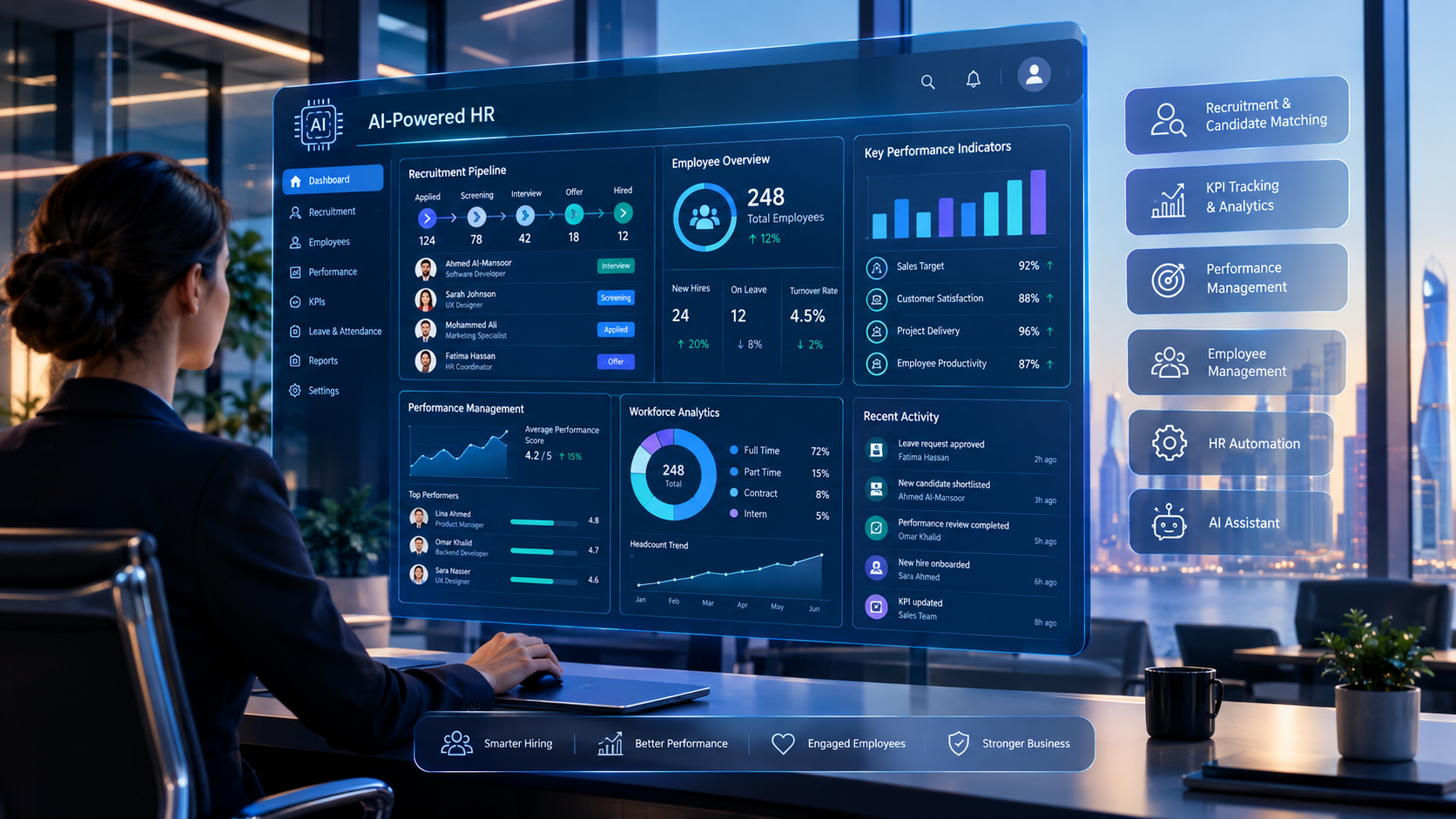
HR departments manage large amounts of employee information.
AI-powered systems can assist with:
Employee questions
Policy search
Document processing
Recruitment workflows
Candidate communication
Interview scheduling
Leave-related workflows
Employee self-service
HR analytics
An employee might ask:
“How many annual leave days can I request?”
The AI could retrieve the relevant approved policy information.
For sensitive HR decisions, businesses should use appropriate human review rather than allowing an AI system to make consequential decisions without oversight.
AI for Operations
Operations teams can use AI to help manage:
Tasks
Requests
Inventory information
Scheduling
Customer service
Internal communication
Workflow exceptions
Operational reporting
For example:
Customer order
↓
Inventory check
↓
Order confirmation
↓
Task assigned
↓
Delivery workflow
↓
Customer notification
↓
Management reporting
AI can be introduced where interpretation is needed.
Traditional automation can handle predictable steps.
AI for Documents and Knowledge Management
Many organizations have important information spread across:
PDFs
Word documents
Policies
Contracts
Product information
Internal manuals
Emails
Databases
Employees may spend considerable time searching for information.
An AI-powered knowledge system can allow authorized employees to ask natural-language questions.
For example:
“What is our procedure for approving this type of purchase?”
The system can retrieve relevant information from approved sources.
This can be particularly valuable when employees need information quickly but should not have unrestricted access to every company document.
AI-Powered Business Search
Traditional software often requires employees to know where information is stored.
AI can provide a natural-language interface.
Instead of navigating:
Reports → Sales → Monthly → Region → Qatar → October
an authorized manager might ask:
“Show me October sales by region.”
The AI system could retrieve information from the connected business system and present the result.
The key requirement is that the AI should respect the user's permissions.
A manager should not automatically gain access to information simply because an AI interface exists.
AI Voice Automation
Voice AI can extend automation to telephone interactions.
A possible workflow is:
Customer calls
↓
Voice AI answers
↓
Identifies request
↓
Retrieves approved information
↓
Creates booking / enquiry
↓
Updates CRM
↓
Sends confirmation
↓
Transfers complex request to employee
Voice AI can be useful for:
Appointment booking
Customer support
Lead qualification
Order enquiries
Frequently asked questions
Reminders
Call routing
The system should clearly define when a conversation needs human intervention.
Galaxium Coding already covers the specific use case of Voice AI agents in Qatar as part of the broader AI and automation ecosystem.
AI Business Automation for E-Commerce
E-commerce businesses generate large amounts of customer and transaction data.
AI automation can potentially support:
Product recommendations
Customer support
Order enquiries
Lead qualification
Abandoned-cart workflows
Product search
Customer segmentation
Review analysis
Inventory insights
Marketing assistance
A connected architecture could look like:
Customer
↓
E-Commerce Website / App
↓
AI
↓
Product & Customer Data
↓
Order System
↓
Inventory
↓
Payment
↓
Analytics
This becomes much more powerful when the systems share reliable information.
Businesses that need a broader digital platform can also consider custom software development rather than attempting to combine unrelated tools without a clear architecture.
AI Business Automation for Real Estate
Real estate companies can use AI to assist with:
Lead qualification
Property search
Customer enquiries
Property recommendations
Follow-up reminders
Document processing
Appointment scheduling
CRM updates
Sales analytics
For example:
Customer says:
“I need a two-bedroom apartment and want to move next month.”
AI can potentially identify:
Property type
Number of bedrooms
Timeline
Other relevant requirements
The system can then route the lead to an appropriate workflow.
A human agent can remain responsible for the final customer relationship and transaction.
AI Business Automation for Healthcare
Healthcare is a sensitive area where AI must be implemented carefully.
Potential applications can include:
Appointment management
Administrative support
Document organization
Patient communication
Internal information retrieval
Scheduling
Workflow assistance
Healthcare organizations should apply appropriate privacy, security, governance, and professional oversight requirements.
AI should not be treated as an unrestricted replacement for qualified healthcare professionals.
AI Business Automation for Education
Educational organizations can use AI for:
Student support
Administrative enquiries
Scheduling
Document search
Staff assistance
Communication
Learning support
Reporting
For institutions requiring broader digital systems, Galaxium Coding also provides education technology solutions.
How to Build an AI-Powered Business Step by Step
Building an AI-powered business should not start with choosing an AI model.
It should start with understanding the business.
Step 1: Identify the Business Problem
Ask:
What takes too much employee time?
Where do customers experience delays?
Where is information duplicated?
Which processes generate frequent errors?
Which questions are repetitive?
Which reports take too long?
Which workflows depend heavily on manual data entry?
Choose a real problem.
Step 2: Map the Current Workflow
Document the process as it exists today.
For example:
Customer enquiry
↓
Employee reads message
↓
Employee copies information
↓
CRM updated
↓
Manager notified
↓
Follow-up created
↓
Customer contacted
This gives the development team something concrete to improve.
Step 3: Redesign the Workflow
Before adding AI, remove unnecessary steps.
For example:
Customer enquiry
↓
AI understands request
↓
CRM automatically updated
↓
Lead assigned
↓
Sales employee receives summary
↓
Customer receives confirmation
The new workflow should be simpler, not merely more technological.
Step 4: Decide Where AI Is Actually Needed
Not every step requires AI.
Use traditional automation when the process is predictable.
Use AI when the system needs to:
Understand natural language
Classify information
Summarize content
Extract information from documents
Interpret customer intent
Search large knowledge collections
Generate context-sensitive responses
This keeps the system more reliable and cost-effective.
Step 5: Prepare Business Data
AI is only as useful as the information it can reliably access.
Businesses may need to organize:
Customer records
Product information
Policies
Documents
FAQs
Service information
Transaction data
Internal knowledge
Data quality therefore becomes an important part of AI implementation.
Step 6: Design the Technical Architecture
A typical architecture may include:
User Interface
↓
Application
↓
Authentication
↓
AI Layer
↓
Business Logic
↓
API Layer
↓
CRM / ERP / Database
↓
Automation
↓
Analytics
Cloud infrastructure may sit underneath these components.
For larger systems, cloud and DevOps solutions can support deployment, scalability, monitoring, and infrastructure management.
Step 7: Build Permissions and Guardrails
Before allowing AI to perform actions, define:
What information can it access?
Which users can use it?
What can it change?
Which actions require approval?
What happens when it is uncertain?
When should it transfer to a human?
What should be logged?
This is one of the most important parts of AI business architecture.
Step 8: Build a Minimum Viable AI Workflow
Do not attempt to automate the entire organization immediately.
Choose one workflow.
For example:
Lead capture → AI qualification → CRM → Sales notification
Build it.
Test it.
Measure it.
Then expand.
Step 9: Test Real Scenarios
AI systems should be tested using:
Normal requests
Ambiguous requests
Incorrect information
Unexpected questions
Missing data
Duplicate records
System failures
Unauthorized requests
High-volume situations
The system should have a defined response when it cannot safely complete an action.
Step 10: Launch With Monitoring
After deployment, monitor:
Accuracy
Errors
Escalations
User satisfaction
Response time
Automation completion
Business outcomes
System performance
Security events
AI systems should be continuously evaluated rather than launched and forgotten.
The Technology Architecture Behind AI Business Automation
A practical AI-powered business can be viewed as several layers.
Layer 1: User Experience
This includes:
Website
Mobile application
Employee portal
Customer portal
WhatsApp
Voice
Chat
Layer 2: Application Layer
This controls the actual business experience.
Layer 3: AI Layer
This may contain:
Language models
AI assistants
AI agents
Classification
Document intelligence
Voice processing
Retrieval systems
Layer 4: Business Logic
This defines:
Rules
Permissions
Approval workflows
Validation
Escalation
Layer 5: Integration Layer
APIs connect:
CRM
ERP
Accounting
Inventory
Payments
Booking systems
Customer databases
Layer 6: Data Layer
This includes structured and unstructured business information.
Layer 7: Infrastructure
This can include:
Cloud servers
Databases
Monitoring
Logging
Deployment systems
Backups
A company that needs a connected digital platform can combine these capabilities with web application development and mobile applications rather than building AI as a disconnected add-on.
AI Business Automation and CRM
CRM systems are one of the strongest places to introduce AI.
A conventional CRM might store:
Customer
Contact information
Lead status
Sales activity
Notes
An AI-powered CRM can potentially add:
Lead summaries
Conversation analysis
Lead qualification
Follow-up suggestions
Customer question answering
Automated updates
Sales recommendations
Natural-language search
For example:
Manager asks:
“Which leads have not been contacted this week?”
The AI can potentially query authorized CRM data and return the relevant information.
This changes the CRM from a database employees update manually into a more interactive business system.
AI Business Automation and ERP
ERP systems manage operational information across departments.
An AI layer can potentially help employees interact with that information more naturally.
For example:
“Which products are approaching their reorder level?”
or:
“Show outstanding invoices for this month.”
or:
“Which branches have the highest sales?”
The AI should retrieve information from authorized systems rather than inventing answers.
This is one reason AI becomes more valuable when connected to reliable business data.
Galaxium Coding's existing ERP software guidance explores how ERP, AI, automation, mobile applications, and business systems can work together.
AI Business Automation and Mobile Applications
Employees and customers increasingly interact with businesses through mobile devices.
An AI-powered mobile application could provide:
AI customer support
Voice interaction
Personalized recommendations
Booking
Order management
Employee assistance
Document access
Notifications
AI search
For businesses that require this type of customer or employee experience, mobile application development can become part of the overall AI architecture.
The important principle is that the mobile application should connect to the same underlying business systems rather than becoming another isolated database.
Security in AI Business Automation
AI introduces additional security considerations.
An AI system may have access to:
Customer information
Employee information
Business documents
Financial information
Internal policies
CRM records
Operational systems
The system therefore needs strong access controls.
Authentication
The system needs to establish who the user is.
Authorization
The system needs to determine what the user is allowed to access.
Data Minimization
AI systems should receive only the information necessary for the task.
Logging
Important actions should be traceable.
Human Approval
High-risk actions may require human approval.
Prompt and Input Security
The system should be designed to handle malicious or misleading inputs.
Third-Party Services
External AI APIs and software dependencies should be reviewed carefully.
Model Output Validation
AI-generated information should not automatically be treated as correct.
This is particularly important when AI can trigger actions.
Human-in-the-Loop AI
Not every decision should be fully automated.
A useful model is:
Low-Risk Action
AI → Action
Example:
Generating a routine internal summary.
Medium-Risk Action
AI → Recommendation → Employee
Example:
Prioritizing sales leads.
High-Risk Action
AI → Recommendation → Human Approval → Action
Example:
A significant financial or operational decision.
This approach allows businesses to benefit from AI while retaining appropriate human control.
How Much Does It Cost to Build an AI-Powered Business?
There is no universal AI business automation price.
A small AI workflow is fundamentally different from a complete AI-powered business platform.
The investment can depend on:
Number of workflows
AI capabilities
Number of users
Data volume
Software architecture
CRM integration
ERP integration
Mobile application
Web application
APIs
Voice AI
Document processing
Security requirements
Cloud infrastructure
Monitoring
Ongoing maintenance
Simple AI Implementation
A small business might start with:
Website → AI Assistant → Lead Capture → CRM
Medium AI Platform
A growing company might need:
Website + Mobile App + CRM + AI + Automation + Dashboard
Enterprise AI Platform
A larger organization might require:
Website + Mobile + CRM + ERP + HR + Accounting + Inventory + AI Agents + Voice AI + Cloud + Analytics
The cost difference between these approaches can be substantial.
This is why businesses should define the problem and architecture before requesting a development quotation.
Galaxium's existing guide on AI-powered business solution costs in Qatar covers the cost-focused search intent separately; this article focuses on how to actually design and build the business system.
Measuring ROI From AI Automation
AI implementation should have measurable objectives.
Useful metrics can include:
Time Saved
How much employee time is saved?
Response Time
How quickly do customers receive answers?
Conversion
Does automation improve lead-to-customer conversion?
Error Reduction
Are manual mistakes decreasing?
Customer Experience
Are customer satisfaction and response quality improving?
Employee Productivity
Can employees spend more time on higher-value work?
Operational Cost
Does the workflow require fewer manual resources?
Revenue Impact
Does the automation contribute to additional sales or retention?
The exact metric depends on the business.
For example:
Before automation
100 enquiries → 60 contacted → 20 qualified
After automation
100 enquiries → automated qualification → 85 routed appropriately → sales team focuses on qualified leads
The business can then measure whether the change improves actual results.
Avoid measuring AI success simply by asking how many AI features were launched.
Measure business outcomes.
AI Business Automation in Qatar
For companies in Qatar, AI implementation should be based on actual local business requirements rather than simply adding “Qatar” to a generic AI strategy.
Relevant considerations may include:
Arabic and English interfaces
Local customer workflows
Mobile-first interactions
Digital payments
Customer communication
Multi-branch operations
CRM and ERP integration
Data security
Cloud infrastructure
Industry-specific requirements
Internal employee systems
Qatar's broader digital transformation strategy creates an environment where businesses can consider AI alongside software, cloud infrastructure, mobile applications, data, and automation.
The opportunity is not simply to add an AI chatbot.
It is to build connected digital operations.
Arabic and English AI Experiences
Businesses serving multilingual customers may need AI experiences that work across both Arabic and English.
This affects:
Website assistants
Mobile applications
Customer service
Search
Voice systems
Knowledge bases
Notifications
Translation alone may not be sufficient.
The system should understand the actual business terminology used by customers and employees.
For example, a customer may use informal language, mixed Arabic-English terminology, or different descriptions for the same service.
Testing should therefore include realistic customer conversations rather than only idealized examples.
Common Mistakes When Building an AI-Powered Business
Mistake 1: Starting With the AI Model
The business problem should come first.
Do not begin with:
“Which AI model should we use?”
Begin with:
“Which business process should improve?”
Mistake 2: Treating AI as a Chatbot
A chatbot may be useful, but an AI-powered business can involve much more:
AI
APIs
CRM
ERP
Automation
Data
Analytics
Mobile
Cloud
Mistake 3: Giving AI Too Much Access
AI should have only the permissions required for its role.
Mistake 4: Using AI Where Rules Are Better
If a simple rule solves the problem reliably, there may be no reason to add AI.
Mistake 5: Ignoring Data Quality
Poor business data can lead to poor AI results.
Mistake 6: Automating a Broken Workflow
Technology cannot automatically fix every badly designed business process.
Redesign the workflow first.
Mistake 7: Building Everything at Once
A huge first release increases complexity.
Start with one or two high-value workflows.
Mistake 8: Ignoring Employees
Employees should understand how the new system affects their work.
Mistake 9: No Human Escalation
The system needs a clear process for uncertain or sensitive cases.
Mistake 10: No Post-Launch Monitoring
AI behavior and business requirements evolve.
The system should be monitored and improved.
A Practical AI Business Automation Roadmap
A company can use the following roadmap.
Phase 1: Business Assessment
Identify:
Business objectives
Existing software
Repetitive tasks
Customer pain points
Employee pain points
Phase 2: Automation Audit
Rank workflows according to:
Frequency
Time consumed
Business value
Error rate
Complexity
AI suitability
Phase 3: Data Preparation
Organize:
Documents
Customer records
Product data
Policies
Knowledge
Business databases
Phase 4: Architecture
Define:
Applications
APIs
AI components
Business logic
Database
Cloud
Security
Monitoring
Phase 5: MVP
Build one high-value workflow.
For example:
AI lead qualification → CRM → Sales notification
Phase 6: Testing
Test:
Accuracy
Security
Failure scenarios
Permissions
Performance
User experience
Phase 7: Launch
Release to a controlled group before wider deployment where appropriate.
Phase 8: Measure
Track:
Time saved
Accuracy
Adoption
Customer experience
Revenue
Operational efficiency
Phase 9: Expand
Once the first workflow works, add:
Customer service
Voice
Document processing
Reporting
AI agents
Mobile
ERP integration
This approach creates an AI roadmap instead of an uncontrolled technology project.
How to Choose an AI Development Partner
An AI-powered business requires more than someone who can connect an AI API.
Look for a development partner that understands:
Business Analysis
Can they understand the process before proposing technology?
Software Development
Can they build the underlying application?
AI Integration
Can they connect AI to real business workflows?
APIs
Can they integrate CRM, ERP, payments, databases, and third-party systems?
Security
Can they implement authentication, authorization, logging, and appropriate controls?
Cloud Infrastructure
Can they deploy and maintain the system?
Mobile and Web
Can they create the interfaces employees and customers actually use?
Long-Term Support
Can they maintain and improve the system after launch?
Galaxium Coding provides capabilities across custom software development, web applications, mobile applications, cloud and DevOps, AI solutions, and business automation.
Businesses can also explore Galaxium Coding's projects and portfolio when evaluating the type of technology solutions that may be appropriate for a digital transformation project.
Why Galaxium Coding for AI Business Automation?
An AI-powered business rarely consists of one technology.
It may require:
Business Strategy
↓
Custom Software
↓
Web Application
↓
Mobile Application
↓
CRM / ERP
↓
APIs
↓
Cloud
↓
AI
↓
Automation
↓
Analytics
Galaxium Coding's approach can bring these technology areas together around the business requirement rather than treating each component as a separate project.
The objective is not to add AI because it is fashionable.
The objective is to identify where AI can create measurable value.
A business might begin with:
AI customer support
Then expand to:
AI + CRM
Then:
AI + CRM + Automation
Then:
AI + CRM + ERP + Automation
Then eventually:
AI-powered connected business platform
The correct starting point depends on the organization's actual needs.
What Should a Business Automate First?
A useful rule is:
Automate the process that is repetitive, measurable, frequent, and valuable.
For example:
Process | Frequency | AI Potential | Automation Potential |
|---|---|---|---|
Lead entry | High | Medium | High |
Customer FAQs | High | High | High |
Invoice reminders | High | Low | High |
Complex negotiations | Low | Medium | Low |
Document extraction | High | High | High |
Management reporting | Medium | High | High |
Strategic decisions | Low | Low/Medium | Low |
Appointment booking | High | High | High |
This type of assessment can help prevent businesses from investing in AI features that do not solve meaningful problems.
The Future of AI-Powered Businesses
The next stage of business technology is likely to be increasingly connected.
Instead of:
Website
CRM
ERP
AI
Mobile
all operating separately, businesses can build connected systems.
A future workflow could look like:
Customer
↓
Website / Mobile / Voice
↓
AI
↓
Customer Profile
↓
CRM
↓
Business Rules
↓
ERP
↓
Automation
↓
Employee
↓
Analytics
↓
Management
AI becomes the intelligence layer.
Automation becomes the execution layer.
Business software becomes the operational layer.
Data becomes the information layer.
People remain responsible for judgment, relationships, strategy, and accountability.
That combination can create a much more capable digital business.
Final Thoughts
Building an AI-powered business is not primarily an AI project.
It is a business transformation and software architecture project that uses AI where AI provides real value.
The strongest approach is:
Identify the business problem
↓
Map the workflow
↓
Improve the process
↓
Decide where automation is appropriate
↓
Decide where AI adds value
↓
Connect business systems
↓
Build security and permissions
↓
Launch a focused MVP
↓
Measure results
↓
Expand gradually
A company does not need to become fully autonomous overnight.
It can start with one repetitive workflow and build from there.
For a small business, that might be:
Website → AI → Lead → CRM
For a growing company:
Website → AI → CRM → Sales → Automation → Analytics
For a larger organization:
Website + Mobile + CRM + ERP + AI Agents + Automation + Cloud + Analytics
The goal is not to have the most complicated technology stack.
The goal is to create a business where technology makes work simpler, information more accessible, customer experiences better, and operations more measurable.
If your organization is considering AI business automation, contact Galaxium Coding to discuss the business process, software architecture, AI requirements, and automation opportunities.
Frequently Asked Questions
What is an AI-powered business?
An AI-powered business uses artificial intelligence as part of its actual business operations, often connected to software, databases, APIs, automation workflows, customer channels, and management systems.
What is AI business automation?
AI business automation combines artificial intelligence with business workflows so that software can interpret information, assist employees, communicate with customers, and perform approved actions.
What is the difference between AI and automation?
Automation usually follows predefined rules, while AI can interpret less-structured information and generate or classify responses. They can be combined in the same workflow.
Does every business need AI?
No. Businesses should use AI when it solves a genuine problem. Some workflows are better handled by traditional software rules.
Can AI automate customer service?
Yes. AI can potentially answer routine questions, retrieve approved information, classify requests, create service tickets, update CRM records, and escalate complicated cases.
Can AI connect to CRM and ERP systems?
Yes. APIs and integration layers can allow AI applications to interact with CRM, ERP, databases, booking systems, inventory, and other software when suitable integration mechanisms are available.
Can AI agents take actions?
AI agents can potentially perform defined actions through authorized systems, such as creating a booking, updating a record, routing a lead, or initiating a workflow. Permissions and guardrails should be implemented carefully.
How much does it cost to build an AI-powered business?
There is no universal price. Cost depends on the number of users, workflows, AI capabilities, integrations, applications, security requirements, infrastructure, data requirements, and ongoing maintenance.
Can small businesses use AI business automation?
Yes. A small business can start with a focused workflow such as AI lead qualification, customer support, appointment booking, document processing, or CRM automation.
Does AI business automation replace employees?
Not necessarily. In many implementations, the goal is to reduce repetitive administrative work and allow employees to focus on customers, strategy, problem-solving, creativity, and other higher-value activities.
How should a company start an AI transformation?
Start with a real business problem. Identify repetitive processes, map the workflow, determine which parts can be automated, decide where AI adds value, and build a focused first implementation.
Why is data important for AI business automation?
AI needs reliable information to provide useful results. Poor-quality, outdated, incomplete, or inaccessible business data can limit the effectiveness of an AI system.
Can AI business automation support Arabic and English?
Yes. AI-powered applications can be designed for multilingual environments, although language quality, business terminology, user interface localization, and testing should all be considered.
Does AI automation require custom software?
Not always. Some businesses can use existing software and integrations. Custom development becomes more useful when the company requires unique workflows, specialized integrations, proprietary data, or a tightly connected business platform.