Android App Development in Qatar: Complete Guide for Businesses in 2026
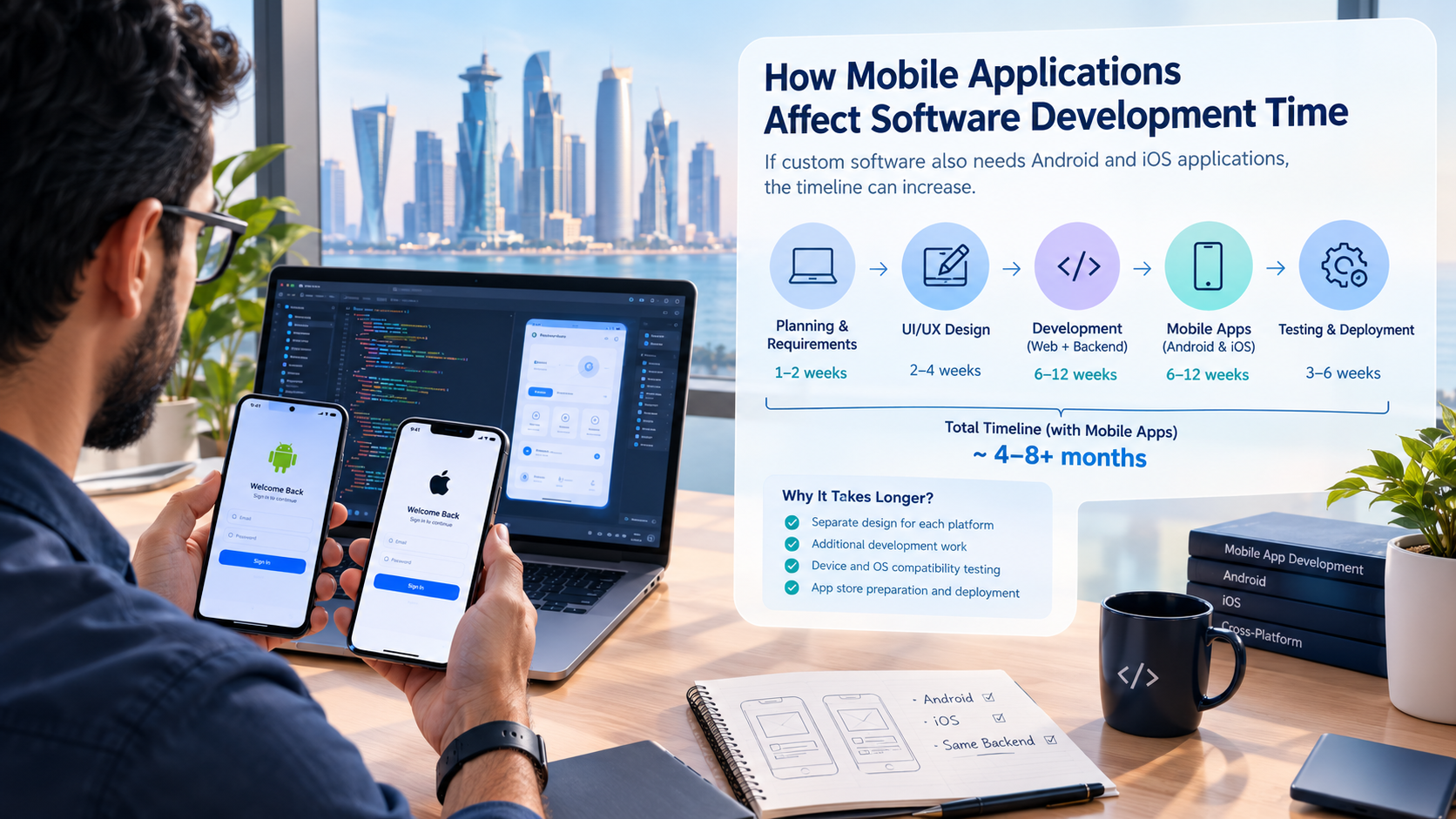
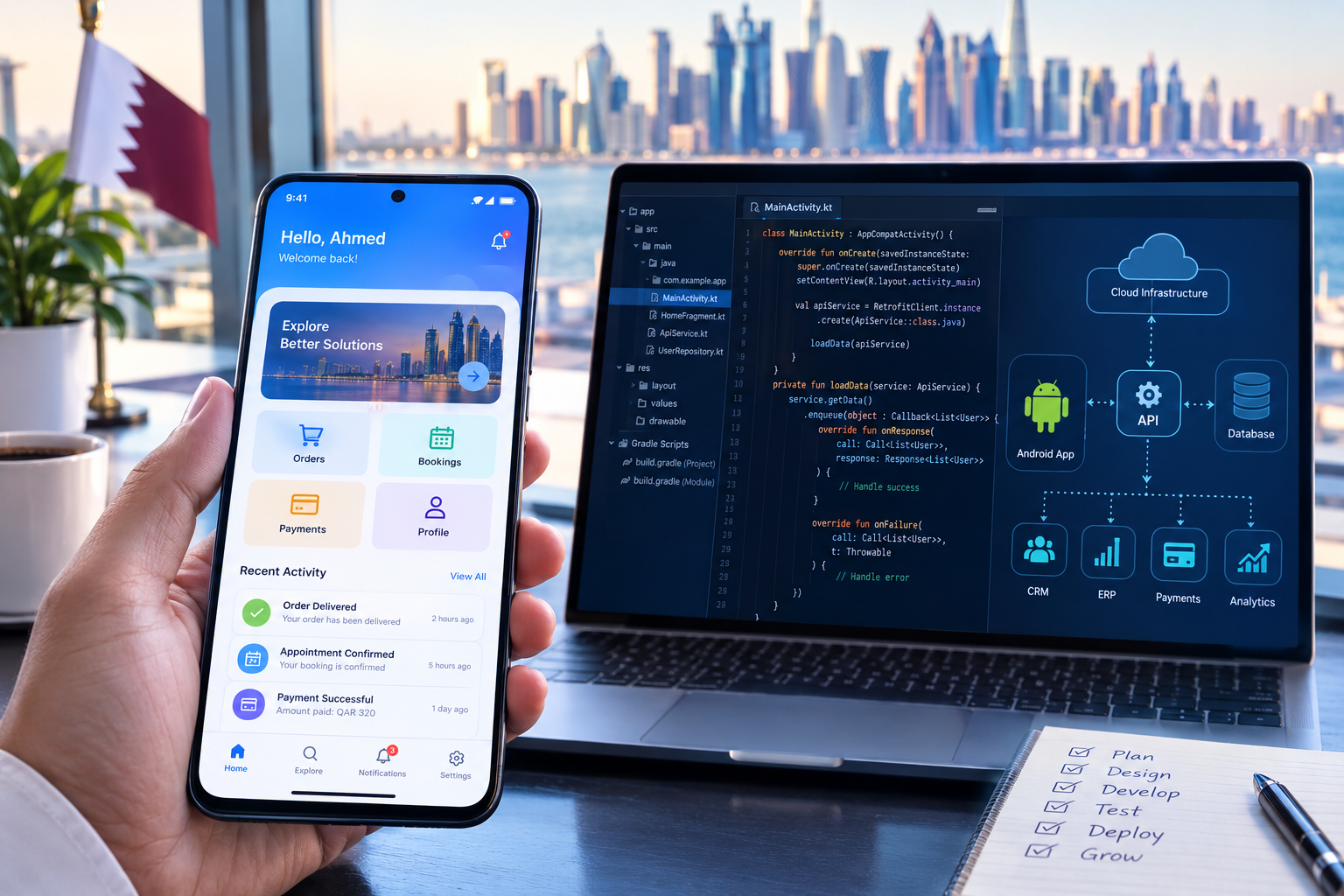
Android app development in Qatar can connect customer experiences, business applications, APIs, cloud systems and digital workflows.
Android App Development in Qatar: Complete Guide for Businesses in 2026
Android applications have become an important digital channel for businesses that want to reach customers, simplify operations, sell products, provide services, or connect mobile users with existing business systems.
For a company in Qatar, developing an Android application is not simply about creating a few mobile screens. A successful application needs the right combination of business planning, user experience, backend architecture, APIs, security, performance, testing, and long-term maintenance.
Businesses may use Android applications for e-commerce, food delivery, booking, healthcare, education, real estate, logistics, employee management, customer service, finance, field operations, and many other workflows.
Qatar's wider digital-transformation environment also creates opportunities for businesses to connect mobile applications with cloud platforms, AI, business automation, CRM, ERP and other digital systems. Qatar's Ministry of Communications and Information Technology describes the Digital Agenda 2030 as a national roadmap for accelerating digital transformation, innovation and sustainable economic growth.
If your business is considering an Android application, this guide explains what you need to know before development begins.
Businesses can also explore mobile application development services when planning a custom mobile product.

What Is Android App Development?
Android app development is the process of designing, developing, testing, deploying and maintaining applications for devices that use the Android operating system.
An Android application can be a relatively simple customer-facing app or part of a much larger digital ecosystem.
For example:
Customer Android App → API → Backend → Database → Admin Dashboard
A more advanced business system could look like:
Android App → API → CRM → ERP → Payment Gateway → Cloud Infrastructure → Analytics
This means the mobile application is often only one component of the complete technology solution.
Android's official documentation explains that an application includes components, permissions and device compatibility requirements that are defined through its application configuration and manifest.
For businesses, the important question is therefore not simply:
"Can you build an Android app?"
The better question is:
"Can you build an Android application that works properly with our customers, business processes and existing technology?"
Why Are Businesses in Qatar Investing in Android Applications?
The value of an Android application depends on the business model and target users.
A mobile application can give customers a more direct way to interact with a company compared with relying entirely on a website.
For example, a business may use an Android app to allow customers to:
Create an account
Browse products
Place orders
Make payments
Book appointments
Track deliveries
Request services
Receive notifications
View order history
Contact customer support
Manage subscriptions
Upload documents
Receive personalized offers
Businesses can also develop internal Android applications for employees.
An employee application might allow staff to:
View assigned tasks
Record attendance
Update customer information
Manage sales leads
Submit expenses
Request leave
Upload documents
Check inventory
Update delivery status
Complete field-service jobs
Receive management notifications
The result can be a more connected digital workflow.
Android Can Become Part of a Larger Business System
A modern business application does not have to operate independently.
For example:
Customer
↓
Android Application
↓
API
↓
CRM
↓
ERP
↓
Inventory
↓
Payment System
↓
Management Dashboard
This type of architecture can allow different departments and customer touchpoints to work from connected information.
For businesses that need a broader technology platform, custom software development can be combined with mobile application development.
Android App Development in Qatar: What Businesses Should Plan First
One of the most common mistakes in mobile app projects is starting development before clearly defining the business requirements.
Before a developer starts writing code, the business should understand:
1. Who Will Use the Application?
Identify the primary users.
They might include:
Customers
Employees
Managers
Delivery drivers
Sales representatives
Students
Patients
Tenants
Property owners
Service providers
Administrators
Different users may require completely different interfaces and permissions.
2. What Problem Will the App Solve?
A mobile application should have a clear purpose.
For example:
Retail business:
Allow customers to browse products, order and pay.
Restaurant:
Allow customers to view menus, order food and track deliveries.
Real estate company:
Allow customers to browse properties, request viewings and communicate with agents.
Education company:
Allow students to access courses, schedules, documents and notifications.
Logistics company:
Allow drivers to receive deliveries and update delivery status.
The clearer the problem, the easier it becomes to determine the required features.
3. Does the App Need a Backend?
Most business applications require backend services.
The backend may handle:
User accounts
Authentication
Customer data
Products
Orders
Payments
Notifications
Reports
Business rules
API requests
Database operations
User permissions
A mobile app without appropriate backend architecture can become difficult to scale and maintain.
4. What Existing Systems Need to Be Connected?
A business may already have:
Website
CRM
ERP
Accounting software
POS
Inventory system
Payment gateway
Booking platform
Customer database
Cloud services
Third-party APIs
These integrations should be considered before development starts.
Key Features of a Business Android Application
The required features depend on the type of application.
However, many commercial Android applications use a combination of the following.
User Registration and Login
Users may register using:
Email
Phone number
Password
OTP
Social login
Enterprise credentials
The correct authentication method depends on the application's security and business requirements.
User Profiles
Users may be able to manage:
Name
Contact information
Address
Profile image
Preferences
Payment information
Documents
Account settings
Push Notifications
Notifications can be used for:
Order updates
Booking reminders
Promotional campaigns
Delivery updates
Account alerts
Employee tasks
System notifications
Notifications should be useful rather than excessive.
Search and Filtering
Applications with large amounts of information may need:
Search
Filters
Categories
Sorting
Location-based results
For example, a real estate application might allow users to filter properties by:
Location
Property type
Price
Bedrooms
Availability
Features
Payments
An e-commerce or service application may require online payment functionality.
The exact payment provider and implementation should be selected according to the business, market and applicable requirements.
Maps and Location
Location functionality can be useful for:
Delivery applications
Ride services
Real estate
Field-service businesses
Logistics
Store locators
Appointment services
Admin Dashboard
The Android application may need a web-based management dashboard.
For example:
Mobile App
Customers place orders.
↓
Admin Dashboard
Staff manage orders.
↓
Inventory
Stock is updated.
↓
CRM
Customer information is recorded.
↓
Reports
Management monitors performance.
This demonstrates why mobile application development should often be planned as part of a larger system rather than as an isolated product.
Android App UI/UX Design
A technically functional application can still fail if users find it difficult to navigate.
Android's current design guidance emphasizes organizing applications around system bars, navigation and the body of the application, while Android's architecture guidance recommends separating UI responsibilities from application logic.
Good Android UX should focus on:
Clear navigation
Readable content
Consistent layouts
Appropriate touch targets
Fast interactions
Useful feedback
Simple forms
Clear error messages
Accessible design
Consistent visual hierarchy
Arabic and English Interfaces
For businesses operating in Qatar, language requirements should be discussed during the design phase.
Depending on the target audience, an application may require:
English interface
Arabic interface
Right-to-left layout
Localized content
Localized notifications
Language switching
Arabic support should not be treated as simply translating text.
The interface may need to adapt to right-to-left presentation and different text lengths.
Native Android vs Cross-Platform Development
Businesses often need to decide how their mobile application will be developed.
Two common approaches are native development and cross-platform development.
Native Android Development
Native Android development is designed specifically for the Android platform.
It can be suitable when a business requires:
Strong Android-specific functionality
High performance
Deep device integration
Advanced hardware capabilities
Platform-specific user experiences
Cross-Platform Development
Cross-platform development allows developers to share a significant portion of application code across platforms.
Technologies such as Flutter and React Native may be considered when a business plans to support Android and iOS.
The decision should not be based simply on which framework is popular.
Consider:
Requirement | Native Android | Cross-Platform |
|---|---|---|
Android-specific features | Strong fit | Depends on requirements |
Android-only application | Strong option | Possible |
Android + iOS | Separate platform development | Often useful |
Shared code | Limited | Higher potential |
Platform-specific optimization | Strong | Depends on implementation |
Development strategy | Android-focused | Multi-platform focused |
The correct choice depends on the application, budget, technical requirements, performance expectations, integrations and long-term roadmap.
Technologies Used in Android App Development
The technology stack depends on the project.
A modern Android solution may involve:
Android Development
Android-specific development technologies form the foundation of the application.
Kotlin
Kotlin is widely used for modern Android development.
Jetpack and Android Libraries
Android provides libraries and development tools that help developers build structured applications.
Jetpack Compose
Android's official documentation identifies Jetpack Compose as the recommended toolkit for building Android UIs.
APIs
APIs allow the Android application to communicate with backend systems.
For example:
Android App → API → Customer Database
or:
Android App → API → CRM → Customer Record
Databases
Depending on the application, data may be stored locally, remotely or through a combination of approaches.
Cloud Infrastructure
Cloud services can support:
Application backends
Databases
File storage
Notifications
Analytics
APIs
Scalability
Businesses with broader infrastructure requirements can also explore cloud and DevOps solutions.
How Android App Development Works
A professional Android development project normally involves multiple stages.
Step 1: Business Analysis
The development team identifies:
Business objectives
Target users
Core problems
Required features
User roles
Integrations
Security requirements
Step 2: Requirements Definition
The features are documented and organized.
A business might divide its requirements into:
Must Have
Login
Product catalogue
Cart
Checkout
Orders
Should Have
Wishlist
Reviews
Loyalty system
Future
AI recommendations
Advanced analytics
Voice search
This helps prevent unnecessary complexity in the first release.
Step 3: UI/UX Design
The application screens and user flows are designed.
Typical screens may include:
Splash screen
Login
Registration
Home
Search
Product/service details
Cart
Checkout
Profile
Notifications
Settings
Step 4: Backend Development
The backend is developed to support the mobile application.
This can include:
APIs
Databases
Authentication
Business logic
User permissions
Admin functionality
Step 5: Android Development
The application interface and functionality are implemented.
Step 6: Integration
The application may be connected to:
Payment systems
CRM
ERP
Maps
SMS
Email
Cloud services
AI APIs
Analytics
Third-party platforms
Step 7: Testing
Testing should cover more than whether buttons work.
The team may test:
Functional behaviour
UI
Performance
Security
Authentication
APIs
Payments
Notifications
Different screen sizes
Different Android versions
Error handling
Network conditions
Step 8: Deployment
Once testing is complete, the application can be prepared for distribution through Google Play and other appropriate channels.
Step 9: Maintenance
Launch is not the end of the project.
Applications may require:
Bug fixes
Security updates
Android compatibility updates
Performance improvements
New features
API updates
Third-party service updates
Security Requirements for Android Applications
Security should be considered from the beginning rather than added at the end.
An Android business application may handle:
Personal information
Customer accounts
Payment information
Business records
Documents
Location information
Employee information
Transaction data
Important areas can include:
Authentication
Make sure users can securely prove their identity.
Authorization
Users should only access information and features appropriate to their role.
For example:
Customer: Can view their own orders.
Employee: Can access assigned tasks.
Manager: Can access team information.
Administrator: Can manage the wider system.
Secure APIs
Mobile applications frequently communicate with backend systems through APIs.
API access should be appropriately authenticated and protected.
Data Protection
Sensitive information should be handled carefully in transit and at rest.
Secure Permissions
An application should request only the permissions it actually needs.
Android's official documentation notes that the application manifest declares permissions and device or software features required by an app.
Logging and Monitoring
For larger business systems, logging can help identify unusual activity, application failures and operational problems.
Android App Development for Different Industries in Qatar
Android applications can be customized for many industries.
Retail and E-Commerce
An Android shopping application can provide:
Product catalogue
Search
Categories
Cart
Checkout
Payments
Orders
Delivery tracking
Promotions
Customer accounts
Restaurants
Restaurant applications can support:
Digital menus
Food ordering
Delivery
Pickup
Reservations
Loyalty programs
Notifications
Real Estate
Real estate applications can include:
Property listings
Search
Filters
Property details
Photos
Location
Viewing requests
Agent communication
Education
Education applications can support:
Student accounts
Courses
Learning materials
Class schedules
Notifications
Assignments
Parent communication
Businesses working in education can also explore Galaxium Coding's education technology solutions.
Healthcare
Depending on the business and applicable requirements, healthcare applications can support:
Appointment requests
Patient communication
Medical information
Notifications
Healthcare service discovery
Sensitive healthcare information requires particularly careful security and privacy planning.
Logistics and Delivery
A delivery application can provide:
Driver login
Delivery assignments
Order information
Location tracking
Status updates
Proof of delivery
Customer notifications
Employee Management
Businesses can create internal Android applications for:
Attendance
Leave requests
Tasks
Approvals
Documents
Employee profiles
Performance information
Internal notifications
Android Apps and Business Automation
An Android application becomes significantly more useful when it connects with business automation.
For example:
Lead Created
↓
CRM
↓
Sales Representative Notification
↓
Android App
↓
Lead Follow-Up
↓
CRM Update
Instead of employees manually checking multiple systems, information can move through connected workflows.
Another example:
Customer Places Order
↓
Android App
↓
API
↓
Order Management
↓
Inventory
↓
Payment
↓
Delivery
↓
Customer Notification
This is where mobile development can become part of a broader digital-transformation strategy.
Android Apps and AI
Artificial intelligence can also be incorporated into Android applications when there is a genuine business use case.
Possible examples include:
AI customer assistants
AI product recommendations
Intelligent search
AI-powered document processing
Voice assistants
Automated customer support
Lead qualification
Personalized recommendations
AI analytics
However, AI should not be added simply because it is fashionable.
The first question should be:
What business problem will AI solve?
For example, an e-commerce company may use AI to help customers find products.
A real estate company may use AI to help users search properties using natural-language questions.
A customer-service application may provide an AI assistant that retrieves approved information from business systems.
The AI component should also be designed with appropriate access controls and data protection.
How Much Does Android App Development Cost in Qatar?
There is no single fixed price for Android application development.
The final cost depends on the complexity of the application.
Important factors include:
Number of Screens
A five-screen application is different from an application with dozens of customer and administrative screens.
UI/UX Complexity
Custom animations, advanced interfaces and highly interactive experiences can require additional development effort.
Backend
An application requiring a complete backend, database, authentication and admin dashboard will generally involve more work than a simple front-end application.
Integrations
Costs can increase when the application needs integrations with:
Payment gateways
CRM
ERP
Accounting systems
Maps
SMS
WhatsApp
AI
External APIs
User Roles
A system supporting customers, employees, managers and administrators may require more complex permissions.
Real-Time Features
Features such as real-time tracking, chat or live status updates can add technical complexity.
Security
Applications handling sensitive information may require stronger authentication, access controls, monitoring and security testing.
Maintenance
The development budget should also consider post-launch support and future updates.
The right approach is therefore to define the requirements before requesting a final quotation.
How Long Does It Take to Build an Android App?
The development timeline depends on the application's scope.
A simple application with limited functionality can be developed much faster than a complex business platform.
The timeline may be influenced by:
Number of features
Number of screens
UI/UX requirements
Backend complexity
Integrations
Payment systems
User roles
Testing requirements
Security requirements
Content readiness
Client feedback
App-store preparation
A practical development process usually begins with requirements and design before full development.
This helps reduce the risk of discovering major requirements after coding has already started.
Common Mistakes Businesses Make When Developing Android Apps
1. Starting With Technology Instead of the Business Problem
Choosing a framework should come after understanding the application requirements.
2. Trying to Build Everything in Version One
A large first release can increase cost, development time and complexity.
A better strategy may be to create a focused MVP and expand it.
3. Ignoring Backend Architecture
The mobile application may look excellent, but poor backend architecture can create problems later.
4. Treating Security as an Afterthought
Security should be considered during architecture, development and testing.
5. Ignoring User Experience
Users should not need extensive instructions to understand a simple application.
6. Forgetting Maintenance
Android applications need to remain compatible with changing devices, operating-system versions, libraries and external services.
Android documentation also notes the importance of considering API levels and application compatibility as the Android platform evolves.
7. Choosing a Developer Only on Price
The cheapest initial quotation may not produce the best long-term value.
Businesses should evaluate:
Technical experience
Portfolio
Backend capabilities
Security approach
Communication
Development process
Ownership
Maintenance
Scalability
How to Choose an Android App Development Company in Qatar
Choosing the right development partner can have a major impact on the success of the project.
Look at Relevant Experience
Ask whether the company has experience with applications similar to yours.
Review Previous Projects
A portfolio can help you understand the company's design, development and technical capabilities.
Businesses can review Galaxium Coding's projects and portfolio to understand the types of technology solutions the company presents.
Ask About the Technology Stack
The development company should be able to explain:
Why a particular technology is appropriate
How the backend will work
How APIs will be designed
How the application will scale
How security will be handled
Ask About Integrations
If your business already uses CRM, ERP, accounting, inventory or other systems, discuss these requirements early.
Clarify Ownership
Before development begins, clarify ownership and access to:
Source code
Database
Designs
APIs
Documentation
Cloud infrastructure
Intellectual property
Ask About Post-Launch Support
Find out what happens after the application is published.
A long-term support strategy can be important for business-critical applications.
Why Work With a Qatar-Based Technology Company?
A local technology partner can potentially make communication and business discovery easier.
For Qatar-based businesses, the development team may need to understand requirements such as:
Local business workflows
Arabic and English interfaces
Qatar-specific customer expectations
Local payment requirements
Multi-branch operations
Local service models
Business automation
Existing enterprise systems
However, location alone should not be the deciding factor.
The technology partner should still demonstrate the technical capability, communication, development process and long-term support required for the project.
Why Galaxium Coding for Android App Development?
Galaxium Coding is a Qatar-based technology company providing custom software, web applications, mobile applications, AI solutions, business automation and related digital solutions.
Its mobile-development capabilities can support applications such as:
Business applications
Customer applications
E-commerce applications
Service applications
Booking applications
Employee applications
Management applications
Android applications
iOS applications
Cross-platform applications
The company's broader approach can also connect mobile applications with backend systems, APIs, business software, cloud infrastructure and automation.
Businesses that need a mobile solution can explore Galaxium Coding's mobile application services and then discuss their specific requirements.
Android App Development: A Practical Project Checklist
Before contacting a development company, prepare answers to these questions:
Business
What problem will the application solve?
Who are the primary users?
What business outcome do you expect?
Features
What are the essential features?
What features can wait until a later release?
Do you need notifications?
Do you need payments?
Do you need maps?
Do you need chat?
Do you need AI?
Technology
Does the app need Android only?
Will iOS be required later?
Does it need a backend?
What existing systems need integration?
Security
What information will the app store?
What user roles are required?
What level of authentication is needed?
Operations
Who will manage the application?
Is an admin dashboard required?
Who will provide content?
Who will handle support?
Growth
Could the application need additional branches?
Could the user base grow significantly?
Will the application eventually connect with CRM or ERP?
Could AI or automation be added later?
Answering these questions before development can make the project more predictable.
Android App Development in Qatar: Final Thoughts
Android app development can help Qatar-based businesses create direct digital experiences for customers, employees and partners.
But a successful application is more than an attractive mobile interface.
It needs:
Clear business objectives
Good UX
Reliable architecture
Secure authentication
Strong backend systems
Well-designed APIs
Appropriate integrations
Thorough testing
Scalable infrastructure
Ongoing maintenance
The best Android application is not necessarily the one with the largest number of features.
It is the one that solves the right business problem effectively and gives the company a strong foundation for future growth.
If your business is planning an Android application, start by defining the users, business problem, essential features and integrations. From there, a development team can determine the appropriate architecture and technology strategy.
For businesses planning a larger digital product, Galaxium Coding's software development services can also support the broader systems surrounding the mobile application.
When the requirements are ready, businesses can contact Galaxium Coding to discuss their Android application idea, business requirements and development roadmap.
Frequently Asked Questions
What is Android app development?
Android app development is the process of designing, developing, testing, deploying and maintaining applications for Android-powered devices.
How much does Android app development cost in Qatar?
There is no universal price. Cost depends on features, number of screens, UI/UX complexity, backend requirements, integrations, security, user roles, payment systems, real-time functionality and maintenance.
How long does it take to develop an Android app?
The timeline depends on the scope. A simple application can require substantially less development work than a complex platform with a backend, admin dashboard, payments, integrations and advanced functionality.
Should I build a native Android app or a cross-platform app?
It depends on the project. Native Android development can be suitable for Android-specific requirements, while cross-platform development can be useful when a business plans to support both Android and iOS with shared code.
Can an Android app connect to CRM or ERP software?
Yes. An Android application can communicate with CRM, ERP and other business systems through APIs and appropriate backend architecture.
Can an Android application support Arabic?
Yes. Arabic support can be designed into the application, including appropriate right-to-left layouts and localized content.
Can Android apps include AI?
Yes. AI can be integrated for use cases such as customer assistance, recommendations, intelligent search, document processing, analytics and automation. The use case should be defined before choosing the AI technology.
Do Android apps need a backend?
Many business applications do. A backend can manage authentication, users, databases, APIs, orders, payments, business rules and other services. Simple applications may have different architecture requirements.
Can an Android app work with an existing website?
Yes. An Android application can connect to an existing website's backend or APIs. However, simply wrapping a website inside an app is not always the best solution. The appropriate approach depends on the business requirements.
What should I look for in an Android app development company in Qatar?
Look for relevant experience, a strong portfolio, backend expertise, API and integration capabilities, security practices, clear communication, transparent project planning and post-launch support.
Does Galaxium Coding develop Android applications?
Yes. Galaxium Coding provides mobile application development services, including Android, iOS and other custom mobile solutions.