Mahzooz App Development: Features and Technology
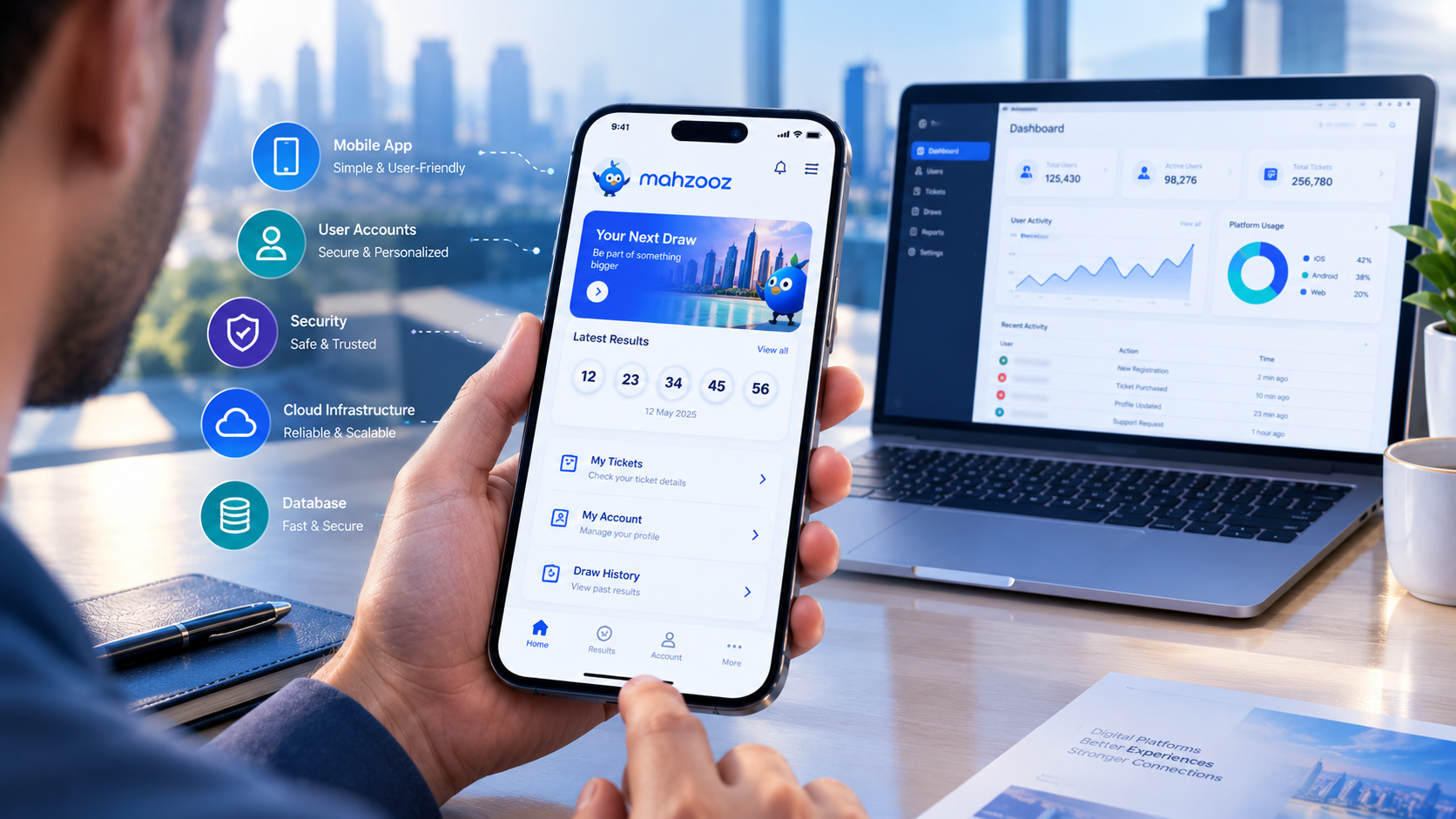
Explore the mobile app features, backend architecture, security, and cloud technologies behind digital draw and promotional platforms.
Mahzooz App Development: Features and Technology Behind Digital Draw Platforms
Digital platforms have changed how people interact with online services, manage accounts, receive updates, and access information through their smartphones. Apps built around digital draws and promotional campaigns bring several technology components together, including mobile interfaces, user accounts, databases, notification systems, administrative dashboards, and secure backend services.
The Mahzooz app provides a useful case for discussing this type of digital platform. However, there is an important current-status detail: Mahzooz, previously a weekly draw in the UAE, has permanently ceased operations. Its official website states that it remains available for informational purposes, including historical content and stories about its social impact. You can verify this through the official Mahzooz website.
This article is therefore about the app development concepts and technology behind digital draw platforms, not instructions for participating in an active Mahzooz draw.
For businesses considering a similar digital product, the key lesson is that a mobile app is only one part of a larger system. The platform also needs reliable data management, appropriate security controls, transparent records, administrative tools, and a clear understanding of the laws and rules that apply to its intended use.
This guide explains the core features, technology stack, development process, security considerations, costs, and practical decisions involved in planning a digital draw or promotional platform.
What Is a Digital Draw Platform?
A digital draw platform is a software system that manages a defined draw, raffle, giveaway, or promotional campaign through digital interfaces and supporting backend services.
Depending on its lawful purpose and business model, a platform may let users:
Register and manage their accounts.
Read campaign rules and eligibility requirements.
View announcements and published results.
Receive notifications about important updates.
Access their account history where applicable.
Contact customer support.
Read policies, disclosures, and frequently asked questions.
The exact features depend on the platform's purpose. A free promotional giveaway, a loyalty campaign, and a regulated prize-based service can have very different legal and technical requirements. They should not automatically be treated as interchangeable products.
A typical architecture may look like this:
Mobile App or Website → Secure API → Backend Services → Database → Admin Dashboard
Additional components might include a notification service, analytics, customer support tools, monitoring, and reporting.
The mobile interface makes the service accessible to users. The backend processes requests and applies business rules. The database stores appropriate records, while the administrative interface allows authorized staff to manage permitted operations.
For companies planning a new product, custom software development can help connect these components into a system designed around the actual requirements rather than treating the mobile app as a standalone product.
Mahzooz App: What Can Be Learned From Its Digital Experience?
Mahzooz is a useful historical example for examining how a consumer-facing digital platform can organize account access, historical information, and user-facing content.
Its former app listings describe features such as account access, game history, ticket history, favourites, and access to information about draws. These are descriptions of historical app functionality, not confirmation that the associated draw service is currently operating.
App Store
+1
From a software design perspective, the broader lessons are relevant to many types of digital products.
1. Keep important information easy to find
Users should not have to search through multiple screens to find essential information. Account details, service status, published updates, help resources, and relevant policies should be clearly organized.
2. Design account features around user needs
If a product offers user accounts, the interface should make routine tasks understandable. Users need clear feedback when they sign in, update information, or encounter a problem.
3. Make historical information understandable
Where a service publishes historical results or campaign records, those records should be clearly labelled by date and status. Historical information should not be presented in a way that suggests an old campaign is still active.
4. Treat trust as a product requirement
Trust depends on more than attractive screens. Users need clear terms, accurate information, appropriate privacy controls, and a reliable way to ask questions or report issues.
These principles can apply to promotional platforms, membership applications, customer portals, event systems, and other products that organize information for a large number of users.
Core Features of a Digital Draw Application
The right feature set depends on the product's lawful purpose, audience, operating model, and technical requirements. The following are common features to evaluate when designing a digital campaign or draw-management platform.
1. User Registration and Login
Account functionality allows a platform to provide personalized information and manage access to appropriate services.
Possible features include:
Email or mobile-number registration.
Secure sign-in and sign-out.
Password recovery.
Account verification where required.
Session management.
Profile updates.
Account closure or deletion workflows where applicable.
Registration should collect only the information needed for a clearly defined purpose. Requiring unnecessary personal details increases privacy risk and creates more information that the business must protect.
The login experience also needs to account for failed attempts, expired sessions, suspicious activity, and account recovery. These should be designed as part of the original system rather than added only after problems occur.
2. User Dashboard
A dashboard gives users a central place to access relevant information.
Depending on the product, it could display:
Profile information.
Announcements and notifications.
Campaign status.
Historical activity.
Support requests.
Account settings.
Links to rules and policies.
The dashboard should distinguish between current, completed, cancelled, and archived campaigns whenever those statuses apply. Clear labels reduce confusion and help users understand what information is current.
3. Campaign Information and Eligibility
Every campaign needs a clear information page describing what it is, who is eligible, and how it operates.
A campaign information module may include:
Campaign description.
Start and end dates.
Eligibility requirements.
Applicable terms and conditions.
Important restrictions.
Relevant disclosures.
Contact information.
Current campaign status.
For any product involving prizes, chance-based participation, paid entry, or similar regulated activity, these features are not merely presentation choices. The business must establish whether the activity is legally permitted and what approvals, disclosures, age restrictions, and other controls apply before implementing it.
4. Results and Historical Records
Some platforms need to publish completed campaign results or retain a record of earlier activity.
A results module may support:
Date-based browsing.
Search and filtering.
Clearly identified publication dates.
Archived campaign pages.
Status labels.
Authorized administrative corrections.
Audit records for material changes.
If a platform publishes results, it should establish a documented process for verifying the information before publication. Corrections should be traceable, and the user-facing page should communicate the current status accurately.
Important: A display of historical results is not proof that a service is active or that a user can participate in a new campaign. Current service status should be communicated separately.
5. Push Notifications and Announcements
Notifications can help users receive timely information without repeatedly opening the app.
Potential uses include:
Service announcements.
Changes to published schedules.
Account-security alerts.
Support-ticket updates.
Policy updates.
Campaign status changes.
Notification controls should allow users to manage optional messages where appropriate. Sensitive account information should not appear in lock-screen notifications unless the content and implementation have been carefully assessed.
Developers should also plan for notification delivery failures, duplicate messages, outdated device tokens, and users who disable notifications.
6. Customer Support
Support functionality gives users a way to report problems or request clarification.
Depending on the platform, this might include:
Frequently asked questions.
A contact form.
Support tickets.
Email support.
Status updates for submitted requests.
A record of relevant conversations.
Support workflows should identify who is responsible for responding, how requests are prioritized, and how sensitive information is handled. A contact form should not encourage users to submit passwords or unnecessary financial or identity information.
7. Administrative Dashboard
The administrative dashboard is the control centre for authorized staff. It should not be treated as an afterthought.
Common capabilities include:
Managing user accounts and roles.
Publishing approved content.
Updating campaign information.
Reviewing support requests.
Managing announcements.
Accessing operational reports.
Reviewing audit logs.
Monitoring errors and service health.
Permissions should be based on responsibilities. For example, a content editor may need to update informational pages without having permission to change security settings or access all user records.
For sensitive actions, the platform may need approval workflows, additional authentication, and detailed logging.
8. Accessibility and Multilingual Support
The interface should be designed for the intended audience and the languages the service genuinely needs to support.
Useful considerations include:
Readable text and clear contrast.
Screen-reader-friendly labels.
Simple navigation.
Accessible form validation.
Support for different screen sizes.
Correct handling of right-to-left text where needed.
Consistent translations of policies and interface labels.
For businesses serving users in Qatar or other multilingual markets, language selection and right-to-left layout support should be planned early if Arabic and English are both required.
These decisions affect interface design, content management, testing, and the structure of the application itself.
Technology Stack Behind a Digital Draw Platform
The technology stack is the combination of tools, frameworks, services, and infrastructure used to build and operate an application. There is no single stack that is best for every project. The choice depends on the required features, team capabilities, expected usage, security requirements, budget, and future maintenance.
1. Mobile App Development
A business may choose native or cross-platform development.
Technology approach | How it works | When to consider it |
|---|---|---|
Native Android | Built specifically for Android | When Android-specific functionality or platform-level control is important |
Native iOS | Built specifically for Apple devices | When iOS-specific functionality or a highly tailored iOS experience is required |
Flutter | Uses a shared codebase for supported platforms | When a consistent interface across platforms is a priority |
React Native | Uses a JavaScript-based development approach for native app experiences | When the team and project benefit from its ecosystem and development model |
Responsive web app | Runs through a browser and adapts to different screens | When browser access is central or installing an app is unnecessary |
The choice should follow the product requirements, not simply whichever framework is most popular.
For example, a platform that primarily displays campaign information, historical records, and account settings may have different technical needs from an app that depends on extensive device integration or complex offline workflows.
Businesses can explore mobile application development services when evaluating how a mobile product could fit into a wider digital service.
2. Backend Development
The backend handles the logic that users do not see directly.
It may be responsible for:
User authentication and permissions.
Retrieving and updating account information.
Applying business rules.
Managing campaign records.
Processing authorized administrative changes.
Sending notifications.
Generating reports.
Communicating with external services.
Backend development can use different programming languages and frameworks, including Java, C#, Python, JavaScript/TypeScript, and other suitable technologies.
The most important decision is not the language by itself. It is whether the architecture can be maintained, secured, tested, and scaled as the requirements change.
3. APIs and Integration
An API allows different components to exchange information through defined interfaces.
For example, a mobile app might request a user's profile from a backend API rather than connecting directly to the database.
A simplified request flow looks like this:
The user opens the app and signs in.
The app sends a request to the backend over a secure connection.
The backend validates the session and checks permissions.
The backend retrieves the appropriate information.
The API returns a structured response.
The app displays the information to the user.
The backend must validate requests even if the mobile app already checks user input. A user interface is not a security boundary: requests can be modified or sent outside the official app.
APIs may also connect a platform to approved email providers, notification services, analytics tools, customer-support systems, or internal reporting applications.
4. Database Design
A database stores information that the application needs to operate.
Depending on the product, records might include:
User profiles.
Campaign details.
Published announcements.
Support tickets.
Account preferences.
Administrative actions.
Historical activity.
Relational databases, such as PostgreSQL or MySQL, can be suitable when records have structured relationships and transaction consistency is important. Document-oriented databases may suit some flexible data models. The choice should follow the application's data relationships, access patterns, consistency requirements, and operational needs.
Good database design also considers retention and deletion. The platform should not keep personal information indefinitely simply because storage is inexpensive.
5. Cloud Hosting and Infrastructure
Cloud infrastructure can provide application hosting, managed databases, storage, monitoring, and other services without requiring a business to operate every component on its own physical hardware.
A typical deployment might include:
A mobile app or web frontend.
An API service.
A managed database.
File or media storage.
A notification service.
Centralized logs and monitoring.
Automated backups.
A deployment pipeline.
Not every project needs a complex cloud architecture. A small application may begin with a simpler deployment and adopt more advanced infrastructure as its actual needs grow.
The objective is to balance reliability, security, operational complexity, and cost. Cloud and DevOps solutions can be relevant when a business needs structured deployment, monitoring, and ongoing infrastructure management.
6. Security Frameworks and Authentication
Security should be designed into the application and backend from the beginning.
For Apple-platform applications, Apple's official security documentation explains how platform security capabilities support identity, access control, and protection of data in transit and at rest.
Apple Developer Documentation
+1
Depending on the product, the implementation may include:
Secure authentication.
Role-based authorization.
Encrypted network communication.
Secure handling of tokens and credentials.
Rate limiting.
Monitoring of suspicious activity.
Secure storage of secrets.
Dependency and vulnerability management.
These controls need to be selected and implemented for the actual risks of the application. No individual framework or hosting provider automatically makes a platform secure.
Recommended Architecture: How the Components Work Together
A digital draw or promotional platform should be designed as a connected system, with clear responsibilities for each component.
Mobile App / Web App
Account access, campaign information, notifications and history
Secure HTTPS API
Backend Services
Authentication, business rules, permissions and requests
Database
Accounts and records
Admin Dashboard
Authorized management
Cross-system controls
Access control, audit logs, backups, monitoring and privacy controls
This is an illustrative architecture, not a diagram of Mahzooz's internal technology. The actual architecture of a particular app should not be assumed without verified technical documentation.
Why Separate the Mobile App From the Backend?
Separating the interface from backend logic provides several advantages:
Consistency: The mobile app and website can use the same authorized source of information.
Maintainability: Developers can improve backend logic without rebuilding every screen.
Access control: The server can enforce permissions independently of the interface.
Integration: Additional applications can use well-defined APIs where appropriate.
Observability: Teams can monitor backend errors and operational performance centrally.
The architecture still needs careful implementation. A poorly designed API, unprotected administrative endpoint, or incorrectly configured database can create serious weaknesses regardless of how polished the app looks.
Security and Privacy: Essential Considerations
An application that manages accounts, personal information, or important records needs a security plan proportionate to its risks.
Security should cover the entire lifecycle: design, development, testing, deployment, operation, and eventual retirement.
Authentication and Authorization
Authentication answers, “Who is signing in?” Authorization answers, “What is this user allowed to do?”
These are related but different controls.
For example, a signed-in customer should not automatically be able to access another customer's records. An administrative user should receive only the permissions needed for their responsibilities.
Recommended practices include:
Use established authentication mechanisms.
Apply least-privilege access.
Protect account recovery.
Expire sessions appropriately.
Require stronger verification for sensitive administrative actions where justified.
Review access permissions periodically.
Data Encryption
Sensitive information should be protected while moving between devices and servers and, where appropriate, while stored.
Teams should use established security libraries and managed platform capabilities rather than inventing their own cryptographic methods. Apple's security guidance specifically recommends using appropriate higher-level APIs rather than creating custom cryptographic implementations unnecessarily.
Apple Developer Documentation
+1
Audit Logs and Change History
Audit logs help authorized teams understand what happened during important operations.
Depending on the application, records may include:
Administrative sign-ins.
Permission changes.
Campaign status changes.
Publication and correction of records.
Changes to important settings.
Security-related events.
Logs should be protected against unauthorized modification and should avoid storing passwords, access tokens, or unnecessary personal information.
Privacy by Design
Privacy is not simply a policy page. It should influence how the software collects, processes, stores, shares, and deletes data.
Before collecting information, a product team should establish:
Why the information is required.
Which features depend on it.
Who can access it.
How long it should be retained.
Whether it is shared with a third party.
How users can exercise applicable privacy rights.
How data will be deleted or retained when an account closes.
The appropriate legal requirements depend on the service, its operators, the people it serves, and the jurisdictions involved.
Transparency and Compliance Must Come Before Development
A platform involving draws, raffles, prizes, paid participation, or chance-based rewards may be subject to specific legal requirements. These requirements cannot safely be inferred from the app's feature list alone.
Before development begins, the business should obtain qualified legal advice about the exact activity and markets it intends to serve.
The review may need to address:
Whether the activity is legally permitted.
Licensing or approval requirements.
Eligibility and age restrictions.
Rules governing prize promotions or chance-based activities.
Required disclosures and terms.
Consumer protection.
Data protection and retention.
Payment handling, if applicable.
Recordkeeping and auditability.
Platform distribution requirements.
Do not assume that a product permitted in one country is automatically permitted in another. For a business operating in Qatar, requirements must be checked against the actual proposed activity and applicable local law. The same applies to any other market in which the service will be offered.
Legal and compliance requirements should shape the product specification, not be left until after the application is complete.
Responsible Product Design
A responsible platform should communicate important terms clearly and avoid misleading users about eligibility, outcomes, or service status.
If a product involves chance-based rewards, the business should carefully assess whether the activity is appropriate and lawful before considering features that encourage participation. It should not use misleading claims, hidden conditions, or interface patterns designed to pressure users into spending money.
For a historical service such as Mahzooz, current messaging should clearly state its cessation of operations rather than implying that past features or campaigns remain available.
How to Develop a Digital Draw or Promotional App Step by Step
A structured development process helps businesses control scope, test important assumptions, and avoid expensive changes late in the project.
Step 1: Define the Product and Its Purpose
Start by writing down what the platform is intended to do.
Is it an informational app, a free promotional campaign manager, a membership portal, or a different type of service? The answer affects the interface, data model, legal review, and backend architecture.
Prepare a short requirements document covering:
Intended users.
Core use cases.
Supported platforms.
Required features.
Data to be collected.
External systems to integrate.
Security and privacy requirements.
Operational responsibilities.
At this stage, identify features that are essential for launch and those that can be considered later.
Step 2: Confirm Legal and Operational Requirements
Before building features associated with prizes, draws, or paid participation, confirm that the proposed business model is lawful in the intended markets.
The team should identify required approvals, disclosures, eligibility rules, recordkeeping requirements, and operational controls. This assessment should be documented so that developers know which functions are permitted and which restrictions must be enforced.
Step 3: Plan the User Experience
Map the main journeys before designing individual screens.
For example, an informational platform might have this user journey:
Open the application.
Read the current service-status notice.
Browse published information.
Open a historical record.
Find answers to common questions.
Contact support if clarification is needed.
A user journey helps designers remove unnecessary steps and identify missing information.
Wireframes and prototypes can then be tested with representative users before developers invest in a full implementation.
Step 4: Select the Architecture and Technology
Choose the mobile approach, backend framework, database, hosting environment, and integration strategy based on the documented requirements.
The team should consider:
Expected usage and performance.
Security and privacy.
Team expertise.
Hosting and maintenance costs.
Integration needs.
Availability requirements.
Long-term support.
Future changes to the product.
Technology choices should be documented with their trade-offs. This helps the business understand why a particular solution is appropriate instead of treating technology selection as a popularity contest.
Step 5: Develop the Backend and Core Features
Build the underlying data model, authentication, permissions, API endpoints, administrative workflows, and core business rules.
Backend and mobile development can proceed in parallel when the API contracts are agreed upon. This reduces confusion about which data fields, response formats, and error conditions the mobile app should expect.
The team should also establish development, testing, and production environments so that changes can be validated before reaching real users.
Step 6: Test the Complete System
Testing should cover more than whether each screen opens correctly.
A practical testing plan includes:
Test area | What to verify |
|---|---|
Functional testing | Forms, navigation, account actions and expected workflows |
API testing | Request validation, permissions, error handling and response formats |
Security testing | Authentication, authorization, data exposure and common vulnerabilities |
Performance testing | Response times and behaviour under expected load |
Device testing | Different screen sizes, operating-system versions and device conditions |
Accessibility testing | Labels, contrast, keyboard or assistive-technology access |
Recovery testing | Backups, restoration procedures and recovery from failures |
User acceptance testing | Whether the application meets documented user needs |
Testing should also verify that expired or discontinued campaigns are displayed correctly and that unauthorized users cannot change published records.
Step 7: Deploy and Monitor
Before launch, prepare the production environment, configure monitoring, verify backup procedures, and document how incidents will be handled.
After deployment, monitor:
Application crashes.
API errors.
Response times.
Failed login patterns.
Database performance.
Availability.
Security alerts.
Support requests.
Monitoring should help the team detect and investigate problems without collecting more personal information than necessary.
Step 8: Maintain and Improve the Platform
Software requires ongoing maintenance. Operating-system updates, library changes, security issues, new business requirements, and user feedback can all require updates.
A maintenance plan should define who is responsible for updates, how incidents are prioritized, how releases are tested, and how changes are communicated to users.
If the service eventually closes, the business should also have a retirement plan covering user communication, data retention, account closure, and the continued availability of any legally or operationally required records.
How Much Does Digital Draw App Development Cost?
There is no reliable universal price for developing a digital draw platform. Costs depend on scope, complexity, security requirements, integrations, platform choices, and ongoing operating needs.
The following table describes relative cost drivers, not market quotations.
Project type | Typical scope | Main cost drivers |
|---|---|---|
Informational app | Published information, announcements and browsing | UI design, content management and deployment |
Account-based application | Login, profiles, user history and support | Authentication, database design, APIs and privacy controls |
Multi-platform product | Mobile applications plus web access | Platform coverage, shared components, testing and release management |
Complex integrated platform | Multiple user roles, reporting, external systems and advanced administration | Integration complexity, auditability, security, monitoring and operational support |
Factors That Affect the Budget
Number of platforms: Supporting Android, iOS, and a web interface can increase design, testing, release, and maintenance work.
Backend complexity: Simple content retrieval is different from managing large numbers of related records, multiple roles, or complex workflows.
Security requirements: Risk assessments, secure architecture, testing, monitoring, and access controls all require time and expertise.
Integrations: External services may require API development, account setup, vendor fees, testing, and ongoing maintenance.
Administrative tools: A reliable admin dashboard needs permission management, validation, auditability, and appropriate reporting.
Compliance requirements: Legal review, operational procedures, documentation, and changes required by applicable rules can affect the project scope.
Maintenance: Hosting, updates, monitoring, customer support, and ongoing development should be budgeted separately from initial implementation.
A sensible estimate should be based on a documented feature list, technical architecture, delivery plan, assumptions, exclusions, and maintenance expectations. Businesses can discuss their requirements with Galaxium Coding to evaluate a suitable software development approach.
Common Mistakes to Avoid
1. Starting With Features Instead of Requirements
A long feature list does not prove that a product solves the right problem. Define the intended service and user journeys before choosing screens and frameworks.
2. Treating the App as the Entire Product
The app depends on backend services, data storage, security, deployment, and support. Ignoring those components can result in a polished interface that is unreliable in practice.
3. Building Compliance Into the Product Too Late
If legal requirements affect eligibility, participation, records, or payment flows, the architecture may need substantial changes if those requirements are considered only after development.
4. Giving Every Administrator Full Access
Broad administrative permissions increase the consequences of compromised accounts and accidental changes. Use role-based access and separate sensitive responsibilities where appropriate.
5. Publishing Unverified Information
Published results, service announcements, and status updates need a defined review process. The interface should distinguish verified information from drafts and historical records.
6. Ignoring Data Retention
Keeping personal information without a clear purpose can increase operational and privacy risks. Define retention, deletion, and backup policies before launch.
7. Skipping Maintenance Planning
An application can become insecure or unreliable if dependencies and infrastructure are not maintained. Assign ownership for monitoring, updates, and incident response.
8. Assuming Every App Needs Advanced Technology
AI, microservices, complex analytics, and elaborate infrastructure are not automatically necessary. Choose components that solve actual requirements and add complexity only when there is a clear reason.
Digital Draw Platforms vs. General Promotional Apps
A business planning a customer-facing platform should distinguish the product's purpose before deciding which features to build.
Consideration | Informational app | General promotional app | Draw or prize-based platform |
|---|---|---|---|
Main purpose | Publish information | Communicate offers or campaigns | Manage a defined draw or prize-related activity |
User accounts | Optional, depending on content | Depends on campaign needs | Depends on the service and applicable rules |
Campaign records | May be unnecessary | Useful for tracking campaigns | May require more rigorous records and controls |
Legal review | Depends on content and market | Depends on offer structure | Particularly important because specific rules may apply |
Security | Appropriate to data and access | Appropriate to collected data | Must reflect the platform's specific operational and compliance risks |
Administrative tools | Content management | Campaign management | May require additional permissions, approvals and audit trails |
This comparison is a planning guide, not a legal classification. The actual requirements depend on the details of the service and applicable law.
Future Trends in Digital Platform Development
The technology behind consumer-facing platforms continues to evolve. Businesses should evaluate emerging capabilities according to their usefulness, risks, and maintenance requirements.
Better Personalization
Applications can organize relevant content around user preferences, provided that personalization is transparent and respects privacy choices.
More Accessible Interfaces
Clear navigation, readable content, assistive-technology support, and multilingual design can make services easier to use.
Stronger Security Practices
Secure development processes, improved authentication options, better monitoring, and routine vulnerability management can strengthen a platform's protection.
Improved Operational Analytics
Aggregated operational data can help teams identify performance issues, understand support demand, and improve service quality. Analytics should be designed to avoid unnecessary collection of identifiable user data.
AI-Assisted Support
AI may help answer routine questions or guide users toward relevant information. Human review, clear limitations, and safeguards for sensitive questions remain important.
These are potential design directions, not guarantees of better results. Each capability should be evaluated against the product's purpose, user expectations, and risk profile.
How to Choose a Digital Platform Development Company
Selecting a development partner requires more than comparing the initial price or reviewing a list of programming languages.
Consider the following questions.
Does the company understand your requirements?
A capable team should ask about the business model, target users, required features, data flows, integrations, and operational constraints before proposing an architecture.
Can it explain the technical design?
Ask how the mobile app will communicate with the backend, how access permissions will work, where data will be stored, and how the system will be monitored.
Does it consider security and privacy?
The proposal should explain authentication, authorization, secure communication, testing, data retention, and incident handling at an appropriate level.
Does it plan for testing and maintenance?
Ask how the team will test the application, manage releases, address defects, update dependencies, and support the system after launch.
Can it demonstrate relevant work?
Review verifiable projects and ask what role the company performed. Do not assume that a developer has built a particular draw platform unless that experience is independently confirmed.
Businesses can review Galaxium Coding's projects and portfolio to understand its publicly presented work and explore whether its services align with their software requirements.
For companies that need more than a mobile interface, a broader web application development approach may also be relevant, especially when users and administrators need to access a shared system through different interfaces.
Conclusion
Mahzooz provides a historical example for discussing the user-facing features of digital draw platforms, but its former UAE weekly draw has permanently ceased operations. Its current website is intended for informational purposes, so historical functionality should not be confused with an active service.
+1
For businesses considering a comparable digital product, the most important lesson is to plan the whole system—not just the mobile interface. User experience, backend architecture, data management, security, auditability, compliance, and long-term maintenance all contribute to a reliable platform.
Start by defining the product's purpose and confirming its legal requirements. Then select the features and technology that genuinely support the intended service. A clear scope, documented architecture, realistic budget, and structured testing process will give the project a stronger foundation.
If your business is planning a custom digital platform, mobile application, or connected business system, explore Galaxium Coding's software development services or contact the team to discuss your requirements.
Frequently Asked Questions (FAQs)
1. What is Mahzooz app development?
The phrase can refer to the technology and design concepts associated with the Mahzooz app or to developing a separate application with comparable types of features. This article discusses the broader architecture of digital draw and promotional platforms; it does not claim that Galaxium Coding developed Mahzooz.
2. Is the Mahzooz app still operating?
Mahzooz's official website states that its former weekly draw in the UAE has permanently ceased operations and that the website remains available for informational purposes. Check the official Mahzooz website for its current public information.
+1
3. What features can a digital draw platform include?
Depending on the lawful purpose of the service, features may include user accounts, campaign information, notifications, historical records, customer support, administrative dashboards, reporting, and access controls. The required features should be determined by the actual business model and applicable rules.
4. Which technologies are used to build digital draw apps?
A typical application may use Flutter, React Native, native Android or iOS technologies, a backend framework, a database, APIs, cloud infrastructure, and security tools. The best combination depends on the project requirements, development team's capabilities, budget, and maintenance plan.
5. How does the backend of a digital draw app work?
The mobile app sends requests to backend services through APIs. The backend validates the request, checks the user's permissions, applies the relevant business rules, retrieves or updates authorized records, and returns a response. This separation helps protect data and maintain consistent application behaviour.
6. How much does it cost to build a digital draw app?
The cost depends on the number of platforms, feature complexity, backend architecture, security controls, integrations, testing, compliance requirements, and ongoing maintenance. A reliable estimate requires a defined scope and technical assessment rather than a generic price.
7. Is it legal to develop a digital draw or prize-based app in Qatar?
Legality depends on the exact activity, business model, and applicable requirements. A business should obtain qualified legal advice and verify the relevant rules before building or launching a platform involving draws, prizes, paid participation, or chance-based rewards. Do not assume that a service permitted elsewhere is automatically permitted in Qatar.
8. How can a digital draw platform protect user information?
Common measures include secure authentication, role-based permissions, encrypted communications, appropriate data storage, security testing, protected audit logs, limited data collection, and documented retention policies. Controls should be selected based on the platform's specific risks.
9. Does a digital draw platform need an admin dashboard?
Not every small application needs a complex dashboard, but many platforms benefit from authorized tools for publishing information, managing records, responding to support requests, and monitoring operations. Administrative permissions should be restricted according to job responsibilities.
10. How long does it take to develop a digital draw app?
There is no universal timeline. A simple informational app has different requirements from a multi-platform system with accounts, extensive administration, integrations, and advanced security controls. The delivery estimate should account for requirements, design, development, testing, compliance review, deployment, and any external dependencies.
11. Should a business use a mobile app or a web application?
A mobile app may be useful when customers need frequent access, mobile-specific functionality, or device notifications. A web application may be more suitable when browser access is sufficient or administrators need a larger-screen interface. Some businesses need both, connected through shared backend services.
12. Can AI be added to a digital platform?
AI may support tasks such as answering routine questions, helping users find published information, or summarizing operational trends. Its use should be justified by a genuine need, tested for accuracy, and designed with privacy and human oversight in mind. AI does not replace security controls, legal review, or reliable recordkeeping.