How to Choose the Best Gym App for Your Fitness Goals
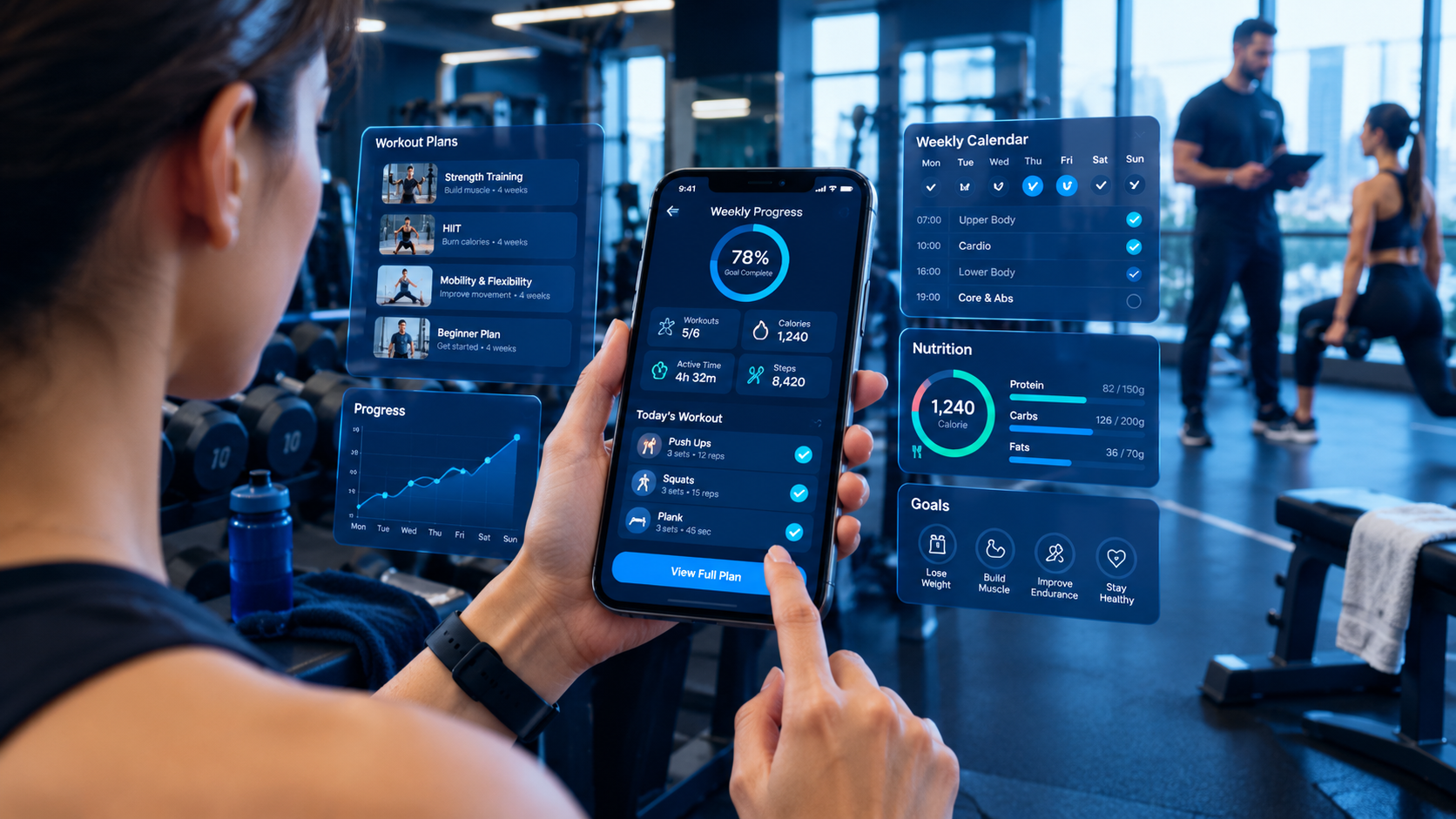
Choose a gym app that matches your fitness goals, workout routine, and tracking needs.
How to Choose the Best Gym App for Your Fitness Goals
Finding the best gym app can make it easier to stay consistent with workouts, track progress, follow training plans, and build healthier habits. Whether you want to lose weight, build muscle, improve endurance, or simply become more active, the right app can help you organise your fitness routine.
However, not every fitness app offers the same experience. Some focus on gym workouts and strength training, while others provide home exercises, personalised coaching, nutrition tracking, or activity monitoring. Choosing an app without understanding your needs can leave you paying for features you rarely use.
The best gym app is the one that supports your specific fitness goals, fits your schedule, works with your devices, and helps you maintain a realistic routine.
In this guide, you will learn how to compare gym apps, identify useful features, understand free and paid plans, evaluate privacy, and choose a fitness application that suits your lifestyle. We will also explore how businesses can approach the development of a gym app for their own fitness communities.
What Is a Gym App?
A gym app is a mobile application designed to help users manage workouts, follow exercise programmes, monitor fitness activities, and organise aspects of their health and training routines.
Depending on the app, users may be able to record exercises, track repetitions and weights, watch instructional videos, follow workout schedules, monitor activity, or communicate with trainers.
Some gym apps are designed for individual fitness enthusiasts. Others are developed for gyms, personal trainers, fitness studios, and health clubs that want to provide digital services to members.
Common types of gym and fitness apps include:
Workout tracking apps: Record exercises, sets, repetitions, weights, and training history.
Personal training apps: Provide structured programmes and coaching guidance.
Home workout apps: Offer exercises that can be performed with minimal equipment.
Nutrition tracking apps: Help users record meals and monitor nutritional intake.
Activity tracking apps: Monitor activities such as walking, running, and cycling.
Gym membership apps: Support membership management, class bookings, and gym access.
All-in-one fitness apps: Combine several fitness tools in one application.
Before choosing an app, determine which type best matches your needs.
1. Identify Your Fitness Goals First
The first step in choosing the best gym app is deciding what you want to achieve. Your goal determines which features will be most useful.
Weight management
If your goal is weight management, look for an app that helps you maintain consistent physical activity and, if needed, record meals or general nutrition information.
Useful features may include:
Workout scheduling
Activity tracking
Progress history
Habit reminders
Optional food logging
Goal-setting tools
Remember that weight changes are affected by several factors, including nutrition, activity, sleep, and individual health circumstances. An app can support your routine, but it cannot guarantee a particular result.
Muscle building and strength training
If you regularly lift weights, choose a gym app with detailed workout logging and training history.
Look for features such as:
Exercise libraries
Sets and repetition tracking
Weight logging
Rest timers
Workout templates
Personal records
Training history
For example, if you perform three sets of a particular exercise, the app should make it easy to record your repetitions and the weight used. Reviewing these records can help you understand your progress over time.
General fitness and staying active
If you want to improve your general fitness, a simpler app may be sufficient.
Useful features include daily activity records, beginner-friendly workouts, walking goals, exercise reminders, and flexible weekly schedules.
You do not necessarily need an advanced subscription or complicated training dashboard to establish a consistent exercise habit.
Improving endurance
For people interested in running, cycling, or cardiovascular fitness, relevant features may include distance tracking, duration, pace, heart-rate data from supported devices, and training history.
Choose an app that supports your preferred activity rather than paying for tools designed primarily for strength training.
2. Choose the Right Type of Gym App
Once you know your goals, compare the main categories of fitness apps.
App type | Best suited for | Features to prioritise |
|---|---|---|
Strength training app | Gym users building strength | Sets, repetitions, weights, workout history |
Home workout app | People exercising at home | Video demonstrations, bodyweight exercises, adaptable routines |
Personal training app | Users who want structured guidance | Training plans, coach communication, progress reviews |
Nutrition app | Users tracking food intake | Meal logging, nutritional information, food preferences |
Activity tracking app | Walkers, runners, and cyclists | Distance, duration, activity history |
Gym membership app | Members of fitness clubs | Class booking, membership details, schedules |
All-in-one fitness app | Users who prefer several tools together | Workout tracking, planning, activity records, integrations |
Some applications combine multiple categories. However, a longer feature list does not automatically make an app better.
Choose the option that makes your most important activities easy to complete.
3. Check the Essential Features Before Downloading
A good gym app should be practical, easy to understand, and suitable for your normal routine.
Workout planning
Look for an app that allows you to create or follow a training schedule.
Depending on your needs, it may include workout templates, exercise substitutions, rest days, training reminders, and the ability to adjust sessions.
A useful app should help you organise your workouts without making your schedule unnecessarily complicated.
Exercise demonstrations
If you are learning new movements, clear demonstrations can be valuable.
Look for instructional videos, diagrams, written instructions, and safety guidance where appropriate.
Exercise instructions should be understandable and should not encourage users to perform movements beyond their ability.
Progress tracking
Progress tracking helps you review your activity over time.
Depending on the app, you may be able to monitor:
Workout completion
Training frequency
Exercise performance
Personal records
Activity duration
Exercise consistency
Select an app that records the information relevant to your goals. You should not have to enter large amounts of unnecessary data just to track a basic workout.
Reminders and scheduling
Reminders can help you remember planned workouts, but they should be adjustable.
Look for options to choose reminder times, set weekly goals, pause notifications, and modify your schedule.
The purpose is to support consistency, not create pressure or guilt when you miss a session.
Device compatibility
Check whether the app works on your smartphone and operating system.
If you use a smartwatch or fitness tracker, confirm that the exact device and features you need are supported. Compatibility can vary by app, device model, subscription, and operating-system version.
4. Evaluate Personalisation and Training Plans
Some fitness apps offer general workout routines, while others provide personalised plans based on user preferences and activity history.
Personalisation can be useful when it makes the app more relevant to your experience and goals.
Look for settings that allow you to specify:
Fitness experience
Preferred training activities
Available equipment
Workout duration
Weekly availability
Exercise preferences
Accessibility needs
For example, someone who can train for 30 minutes three times a week needs a different schedule from someone who exercises five days a week.
The app should make it easy to adapt your routine when your availability changes.
Are AI-powered fitness plans worth considering?
Some fitness applications use artificial intelligence to suggest workouts, answer questions, or adapt recommendations based on user input.
These features can improve convenience, but they should not be treated as a substitute for qualified medical or fitness advice when professional guidance is necessary.
Before relying on AI-generated recommendations, check how the app explains its suggestions, handles personal information, and responds to safety concerns.
Avoid treating automatically generated plans as medical advice or assuming they are appropriate for every user.
5. Look for an Easy-to-Use Interface
The best gym app should make routine tasks straightforward.
If logging a workout requires navigating multiple menus, entering repetitive information, or reading confusing instructions, you may find it difficult to use consistently.
What makes a fitness app easy to use?
A well-designed interface should offer:
Clear navigation
Readable text
Simple workout logging
Easy-to-find exercise instructions
Logical menus
Quick access to frequently used features
Useful progress summaries
Helpful error messages
It should also work across supported screen sizes and handle common situations, such as losing an internet connection or needing to edit a workout entry.
Test the app before committing
Try completing a few typical tasks:
Find a workout suitable for your experience.
Start a training session.
Record an exercise.
Save the session.
Review your progress.
Change a reminder or preference.
If these tasks are easy to complete, the app may be a good fit for your routine.
6. Compare Free and Paid Gym Apps
Many fitness apps offer free access, paid subscriptions, or a combination of both.
A free plan may be sufficient if you mainly need workout logging and basic tracking. A paid plan may offer additional training programmes, advanced analytics, coaching, or a larger exercise library.
The right choice depends on the features you will actually use.
Feature | Free plan may include | Paid plan may include |
|---|---|---|
Workout logging | Basic records | Advanced templates or analytics |
Exercise library | Limited selection or general access | Additional exercises and programmes |
Training plans | Standard routines | More structured or personalised plans |
Progress reports | Basic summaries | More detailed trends |
Coaching | Limited or unavailable | Coaching features, depending on the app |
Advertising | May be present | May be reduced or removed |
These are general examples, not guarantees about every app. Check the current plan details before subscribing.
How to assess subscription value
Before paying, ask yourself:
Does the paid version provide a feature I genuinely need?
Can I test it before committing?
Is the subscription monthly or annual?
Does it renew automatically?
Can I cancel easily?
Will I lose access to stored features or records if I cancel?
Are there separate charges for coaching or other services?
Compare the total cost over the period you expect to use the app. An expensive subscription is not automatically better than a simple free alternative.
7. Check Privacy and Data Security
Fitness applications may collect personal information such as account details, workout history, activity records, device information, and, where enabled, health-related data.
Before creating an account, review the privacy policy and understand what information the app collects.
Privacy questions to ask
What personal information does the app collect?
Is an account required for basic features?
Does the app connect to a smartwatch or health platform?
Can you control which data is shared?
Is your information shared with advertising or analytics providers?
Can you download or delete your data?
How can you manage account access and permissions?
Grant only the permissions necessary for the features you want to use.
For example, a workout logging app may not need access to your contacts. An activity tracking app may require location access for route recording, but you should understand when that access is used.
Check whether the app offers suitable account security and explains its data handling practices. If an app requests sensitive information without a clear reason, reconsider whether it is appropriate for you.
8. Consider Integrations With Smartwatches and Fitness Devices
If you already use a smartwatch or activity tracker, integration can make fitness tracking more convenient.
Depending on supported devices, an app may be able to receive information such as steps, workout duration, heart rate, or activity records.
However, not all devices provide the same data, and not all apps support the same integrations.
Before choosing an app, confirm:
Your exact device is supported.
The required feature works with your phone.
Data synchronisation is reliable.
You understand which information is shared.
You can disconnect the integration if needed.
If you do not own a fitness tracker, you can still benefit from many gym apps that allow manual workout logging.
9. Read Reviews and Test Reliability
App store ratings and user reviews can help you identify potential strengths and weaknesses, but they should not be your only decision criteria.
Look for repeated comments about issues that matter to your routine.
For example:
Workout records disappearing
Synchronisation problems
Frequent crashes
Confusing subscription terms
Poor customer support
Features that require unexpected payments
Difficulty cancelling a subscription
Pay attention to whether reviews refer to the current version of the app. Older reviews may describe problems that have since been fixed, while a high average rating may not reveal a recent issue.
You should also check how often the app is maintained and whether its developer provides clear support information.
A reliable gym app should help you access your records and complete everyday tasks without unnecessary interruptions.
10. Choose an App That Fits Your Lifestyle
The best fitness app is not necessarily the one with the most features. It is the one you can realistically use over time.
Consider how, when, and where you normally exercise.
If you go to the gym regularly
Prioritise strength training records, workout templates, exercise substitutions, rest timers, and progress history.
If you exercise at home
Look for guided sessions, bodyweight workouts, equipment options, and routines that fit your available space.
If your schedule changes frequently
Choose an app that allows you to reschedule sessions and adjust workout duration without rebuilding your entire plan.
If you are a beginner
Look for clear instructions, beginner-friendly programmes, and a simple interface. Avoid applications that encourage unrealistic training volumes or make unsupported promises.
If you work with a personal trainer
Check whether the app allows you to share workout records, receive a programme, or communicate with your trainer when those features are needed.
A practical app should support your routine rather than force you to reorganise your life around its interface.
11. Gym Apps for Users in Qatar
People living in Qatar may have specific preferences when selecting a fitness app, particularly if they use local gyms, follow a busy work schedule, or prefer Arabic-language interfaces.
Consider the following factors when comparing options.
Arabic and English support
If you prefer to use an app in Arabic, verify that its interface and instructions are available in Arabic rather than assuming that translation is included.
Check whether the layout works properly for right-to-left text and whether the exercise instructions are clear in your preferred language.
Gym schedules and class bookings
If you belong to a fitness club, check whether the club has its own membership app or booking system.
A general workout tracker may be useful for logging your sessions, while a gym's official application may be needed for class reservations, membership information, or other club-specific features.
Time and routine flexibility
For users balancing work, family, and exercise, scheduling features may be more useful than complicated performance analytics.
Choose an app that supports realistic workouts and allows you to adjust your schedule when necessary.
Subscription and payment details
Review the displayed subscription price, billing currency, renewal terms, and available payment methods before purchasing.
Do not assume that every app supports the same payment options or regional pricing.
12. Compare Gym Apps Using a Simple Scorecard
If you have shortlisted several apps, compare them using the same criteria.
Give each app a score from 1 to 5, where 1 means poor and 5 means excellent.
Evaluation criterion | Suggested weight |
|---|---|
Features relevant to your fitness goal | 25% |
Ease of use | 20% |
Workout tracking and progress records | 15% |
Price and subscription value | 15% |
Privacy and security transparency | 10% |
Device compatibility | 10% |
Support and reliability | 5% |
Total | 100% |
Multiply each score by its weighting to calculate a comparative result.
For example, if an app is excellent at workout logging but does not support your preferred device, your score should reflect that limitation.
This scorecard is a decision-making tool, not a scientific measure of app quality. Some requirements, such as compatibility with your phone or a necessary accessibility feature, may be essential regardless of the final score.
13. Common Mistakes to Avoid When Choosing a Gym App
Choosing an app because it is popular
Popularity does not guarantee that the app supports your fitness goals. Check the actual features before downloading.
Paying for features you will not use
An advanced subscription may offer coaching, analytics, and extra programmes that you do not need. Start with your essential requirements.
Ignoring the privacy policy
Understand what information the app collects and how you can manage permissions before sharing personal or health-related data.
Expecting instant results
A gym app can organise workouts and track progress, but it cannot guarantee a specific body shape, strength level, or weight change.
Overcomplicating your routine
Using multiple apps may create duplicate records and unnecessary effort. Start with one app that covers your main needs, then add other tools only if they provide clear value.
Failing to check cancellation terms
Before subscribing, confirm how to cancel, whether renewal is automatic, and what happens to your account after cancellation.
14. How Fitness Businesses Can Build Their Own Gym App
Choosing an existing gym app is suitable for individuals who want to manage their personal fitness routines. However, gym owners, fitness studios, and personal trainers may have different requirements.
A business may want its own application to manage memberships, class schedules, trainer bookings, payments, and member communication.
A custom gym app can be designed around those specific workflows.
Essential features of a gym membership app
Depending on the business model, a gym app may include:
Member registration and profiles
Membership plans and renewal information
Class schedules and bookings
Trainer profiles and appointment booking
Workout plans
Push notifications
Payment integration
Attendance records
Administrative dashboards
Reporting and analytics
Not every gym needs every feature. A small fitness studio may begin with bookings and membership management, while a larger business may require multiple branches, staff roles, and more advanced reporting.
Example: A fitness studio in Doha
Imagine a fitness studio that currently manages class reservations through phone calls and spreadsheets.
A custom application could allow members to view available classes, reserve a place, receive reminders, and manage their bookings. Staff could use an administrative dashboard to update schedules, monitor attendance, and manage membership information.
Before development, the business would need to define its booking rules, cancellation policy, user permissions, payment requirements, and data protection responsibilities.
This is where custom software development services may be relevant for businesses that need more than an off-the-shelf fitness app.
What technology is needed?
A gym application may require a mobile interface, backend services, a database, secure authentication, payment integration, and administrative tools.
The exact architecture depends on the required features, expected usage, integrations, and maintenance strategy.
Businesses planning a dedicated fitness application can explore mobile application development services to understand the development approach for their project.
15. Frequently Asked Questions
What is the best gym app for beginners?
The best app for a beginner is one that offers clear exercise instructions, manageable workout plans, a simple interface, and progress tracking suited to the user's goals. The right choice depends on whether the person trains at home, uses a gym, or prefers guided coaching.
Are free gym apps good enough?
Yes, a free gym app may be sufficient for basic workout logging, exercise instructions, and activity tracking. Paid plans may be useful when they provide specific features you need, such as advanced programmes or coaching.
Which features should I look for in a gym app?
Start with features relevant to your goal. Strength training users may need sets, repetitions, and weight tracking, while runners may prioritise distance and pace. Scheduling, usability, device compatibility, and privacy are also important.
Can a gym app help me build muscle?
A gym app can help you organise strength training and record your workouts. Building muscle also depends on factors such as appropriate training, nutrition, recovery, and individual circumstances. An app cannot guarantee a specific result.
Can I use a gym app without a smartwatch?
Yes. Many apps allow users to record workouts manually using only a smartphone. A smartwatch or fitness tracker is optional unless a particular feature requires a supported device.
Are gym apps safe to use?
Many gym apps can be used safely, but users should review privacy practices, permissions, account security, and the quality of exercise guidance. Seek qualified professional advice when you have health concerns or need an exercise plan tailored to a medical condition.
Should I choose a gym app or a personal trainer?
An app can provide workout records, instructions, and structured programmes. A qualified personal trainer can offer individual feedback and adjust exercises based on your technique and needs. Some people benefit from using both.
How much does it cost to build a gym app?
The development cost depends on the number of features, supported platforms, backend complexity, membership management, payment integrations, design, testing, and maintenance. A simple workout tracker has different requirements from a full gym membership platform. A detailed scope is needed for a meaningful estimate.
Can a gym app manage memberships and class bookings?
Yes. A gym membership application can include membership plans, renewal reminders, class schedules, bookings, attendance records, and payments, provided these features are included in its design and development scope.
How do I know whether a gym app is right for me?
Test the app with a few typical workouts. Check whether you can easily find exercises, record sessions, review progress, manage reminders, and understand the subscription terms. If the app fits your routine and provides useful features without unnecessary complexity, it may be a good match.
Conclusion
Choosing the best gym app starts with understanding your fitness goals and identifying the features that genuinely support them.
Compare workout planning, exercise guidance, progress tracking, personalisation, pricing, privacy, device compatibility, and ease of use. Test shortlisted apps before committing to a subscription, and avoid paying for features that do not add meaningful value.
For individuals, the right gym app can make exercise easier to organise and progress easier to review. For fitness businesses, a custom application may offer a way to manage memberships, bookings, and digital services around their own needs.
If your business is considering a dedicated fitness application, you can contact Galaxium Coding to discuss your requirements and explore suitable development options.
The best choice is the one that supports a practical, sustainable fitness routine—or, for a business, delivers a genuinely useful experience to its members.