Inventory Management Software Development in Qatar
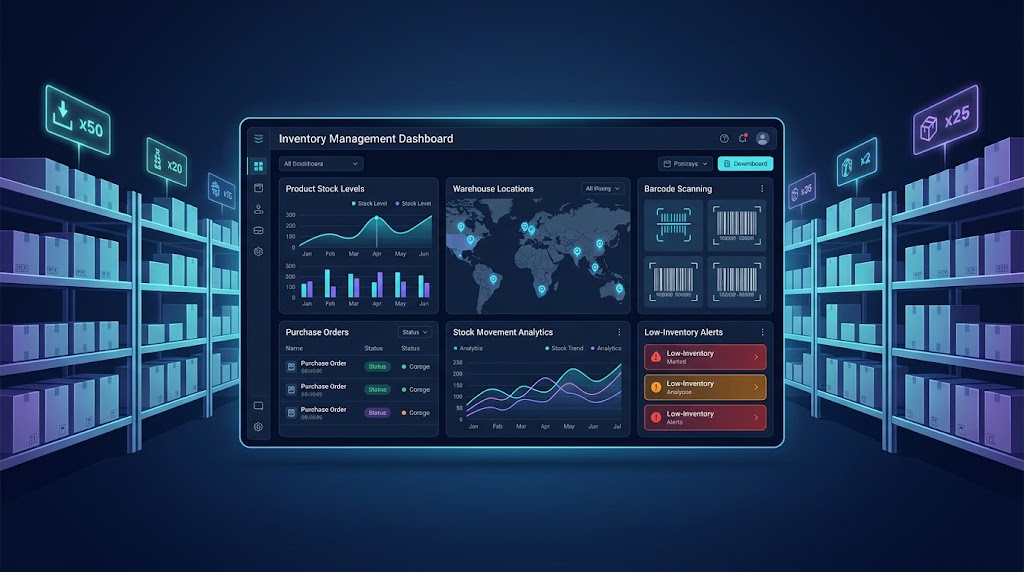
Inventory management software helps businesses monitor stock levels, streamline warehouse operations, and connect inventory with purchasing and sales.
Inventory Management Software Development in Qatar: Features, Benefits & Cost
Inventory management is a critical part of running a product-based business. Whether a company operates a retail store in Doha, distributes products across Qatar, manages a warehouse, supplies construction materials, or sells through multiple online channels, accurate inventory data helps keep daily operations running smoothly.
However, managing stock through spreadsheets, paper records, disconnected point-of-sale systems, or manual updates can become increasingly difficult as a business grows. Employees may struggle to identify available stock, purchasing teams may reorder products unnecessarily, and managers may lack a reliable view of inventory across multiple locations.
Inventory management software development in Qatar helps businesses create a centralized system for tracking products, monitoring stock movements, managing suppliers, automating replenishment, and connecting inventory with sales and accounting workflows. Depending on operational requirements, the solution can be a ready-made product, a customized platform, or a completely custom-built application.
This guide explains how inventory management software works, which features businesses should consider, how much development may cost, and how to choose an appropriate solution for the Qatari market.
Businesses exploring tailored digital systems can also review custom software development services from Galaxium Coding to understand how software can be designed around specific operational workflows.
What Is Inventory Management Software?
Inventory management software is a digital system that helps businesses monitor and control the products and materials they purchase, store, transfer, sell, or consume.
Instead of maintaining separate records across spreadsheets and departments, a centralized inventory platform keeps product information and stock transactions organized in one place.
A typical inventory management system can track:
Product names, SKUs, and barcodes.
Available, reserved, damaged, and incoming stock.
Warehouse and branch-level quantities.
Purchase orders and supplier information.
Sales orders and stock deductions.
Stock transfers between locations.
Batch numbers, serial numbers, and expiry dates where required.
Minimum stock levels and replenishment alerts.
Inventory valuation and stock movement reports.
User activity and inventory adjustments.
For example, imagine a retailer in Doha that sells electrical equipment. When a customer purchases a product through the point-of-sale system, the inventory platform records the transaction and updates the available quantity. If the remaining stock falls below the configured threshold, the purchasing team receives an alert.
The manager can then review demand, check supplier availability, and create a purchase order before the product becomes unavailable.
The purpose is not simply to digitize stock records. It is to give employees and decision-makers reliable information for everyday inventory decisions.
Why Businesses in Qatar Need Inventory Management Software
Businesses in Qatar operate across different sectors, including retail, wholesale distribution, food and beverage, construction, healthcare, automotive supplies, and e-commerce. Each sector has its own stock control requirements.
A retailer may need real-time branch-level inventory, while a food distributor may need expiry-date tracking and a construction supplier may need to monitor materials across several storage locations.
A well-designed system can support these different workflows without forcing every department to depend on manual updates.
1. Improve Stock Accuracy
When multiple employees update spreadsheets or record transactions separately, discrepancies can develop between recorded and physical quantities.
Inventory software creates a structured process for receiving, issuing, transferring, and adjusting stock. Each transaction can update the relevant inventory records automatically.
Businesses should still conduct physical stock counts because software cannot independently guarantee that every recorded item is physically present.
2. Reduce Overstocking and Stockouts
Overstocking ties up working capital and consumes storage space. Stockouts can delay customer orders, interrupt production, and affect customer satisfaction.
Inventory software can use minimum stock levels, supplier lead times, sales history, and reorder rules to help purchasing teams make better decisions.
For instance, a business might configure an alert when a frequently sold product falls below 20 units. The threshold should reflect actual demand, replenishment time, and the business's acceptable risk of running out.
3. Manage Multiple Warehouses and Branches
Companies with several locations need to know where products are stored and whether stock can be transferred to meet demand.
A centralized system can show quantities by warehouse, branch, or storage zone. Authorized users can create transfers, record dispatches, confirm receipts, and investigate discrepancies.
This is particularly useful for businesses serving customers across Doha and other parts of Qatar.
4. Make Purchasing More Efficient
Without reliable stock data, purchasing teams may order products that are already available or overlook items that require replenishment.
Inventory management software can provide reorder suggestions, supplier records, purchase order tracking, and pending delivery information.
The purchasing team can review recommendations before approving orders, keeping procurement decisions under human control where needed.
5. Support Better Business Decisions
Inventory reports help managers understand which products sell quickly, which remain unused, and where inventory costs are increasing.
Useful reports include:
Fast-moving and slow-moving products.
Stock availability by location.
Reorder requirements.
Inventory adjustment history.
Supplier delivery performance.
Expiring or expired products.
Stock valuation.
Sales and stock movement trends.
These reports help businesses make decisions based on recorded operational data rather than assumptions.
Essential Features of Inventory Management Software
The right feature set depends on business size, product complexity, warehouse operations, and existing software. A small retailer may need basic stock tracking and POS integration, while a distributor may require advanced warehouse workflows and multi-location controls.
1. Product and SKU Management
The product module stores essential information about every item.
Common fields include:
Product name and description.
SKU or internal product code.
Barcode or QR code, where applicable.
Product category and brand.
Unit of measurement.
Purchase cost and selling price.
Supplier details.
Reorder threshold.
Product images and attachments, if useful.
Businesses selling products in different sizes, colors, packaging types, or configurations should define how each variation is identified.
For example, a clothing retailer may track a single shirt design as separate SKUs for each size and color. This makes stock counts and sales reporting more accurate.
2. Real-Time Stock Tracking
Stock tracking records how quantities change after business transactions.
The system should distinguish between different inventory states instead of displaying only one total quantity.
Stock status | Meaning |
|---|---|
Available | Stock that can be allocated to new orders |
Reserved | Stock assigned to existing orders |
Incoming | Stock expected from suppliers or transfers |
Damaged | Stock that cannot be sold normally |
In transit | Stock moving between approved locations |
For example, a warehouse may physically contain 100 units, but 15 are reserved for customer orders and five are damaged. The system should not present all 100 units as freely available for sale.
A clear inventory model reduces confusion between physical stock, sellable stock, and stock already committed to customers.
3. Warehouse and Multi-Location Management
Businesses with multiple warehouses need more than a single inventory total.
Useful capabilities include:
Warehouse creation and configuration.
Storage locations and bin management.
Stock transfers.
Transfer approval workflows.
Dispatch and receiving confirmation.
Location-specific stock reports.
Inter-warehouse movement history.
A transfer should have a clear status, such as requested, approved, dispatched, received, or cancelled. This helps employees identify whether goods are still in transit or have arrived at their destination.
For larger distribution operations, the system may also include picking lists, packing workflows, put-away rules, and integration with barcode scanners.
4. Purchase Order and Supplier Management
A purchasing module connects supplier information with inventory replenishment.
It may support supplier profiles, product-specific supplier codes, purchase requests, quotations, purchase orders, expected delivery dates, goods receipts, and purchase history.
A typical workflow looks like this:
Low-stock alert → Reorder review → Purchase order → Supplier delivery → Goods receipt → Stock update
The system should compare the received quantity with the purchase order. If a supplier delivers 95 units instead of the ordered 100, employees can record the discrepancy and follow the appropriate resolution process.
Supplier lead times and historical delivery performance can also inform future purchasing decisions.
5. Sales and Point-of-Sale Integration
When inventory software connects with a point-of-sale system, completed sales can update stock records automatically.
This is useful for retailers, wholesalers, showrooms, and businesses operating both physical and online sales channels.
Important integration requirements include:
Product and SKU synchronization.
Sales transaction updates.
Returns and refunds.
Discount and promotion handling.
Order reservations.
Cancellation processing.
Branch-level stock availability.
The implementation should define how failed transactions, duplicate messages, offline sales, and delayed synchronization will be handled.
Otherwise, two systems may report different quantities even when an integration is technically available.
6. Barcode and QR Code Scanning
Barcode scanning can reduce the need for employees to search for products manually.
Staff can scan items during receiving, picking, packing, stock counts, and transfers. The application identifies the relevant product and records the transaction.
QR codes may be useful when a business needs to link an item or storage location to additional information.
The software must support the actual labels, scanners, mobile devices, and barcode formats used by the business. These requirements should be confirmed before development or procurement.
7. Batch, Serial Number, and Expiry Tracking
Some products require traceability beyond a basic quantity count.
Batch tracking records groups of items associated with a production or supplier batch. Serial-number tracking identifies individual units. Expiry tracking records the dates by which products should be used or sold.
These features can be important for food distribution, healthcare supplies, cosmetics, electronics, and other products with traceability or lifecycle requirements.
Where appropriate, the system can support first-expiry-first-out (FEFO) picking so that items with earlier expiry dates are prioritized.
Businesses should determine their sector-specific traceability and recordkeeping requirements before configuring these features.
8. Low-Stock Alerts and Reorder Automation
Inventory software can notify authorized employees when a product reaches its reorder threshold.
More advanced replenishment logic can consider:
Average daily sales.
Supplier lead time.
Seasonal demand.
Minimum order quantities.
Safety stock.
Outstanding purchase orders.
Existing reservations.
For example, if a business sells approximately 10 units daily and a supplier usually takes seven days to deliver, the team may need enough available stock to cover demand during the lead time, plus an appropriate safety buffer.
This is a planning example, not a universal reorder formula. Actual settings should account for demand variability, delivery reliability, and the cost of holding stock.
9. Inventory Reports and Analytics
A reporting dashboard should answer practical questions quickly.
Managers may need to know which products require immediate attention, how much stock is held at each location, and whether purchasing decisions are improving availability.
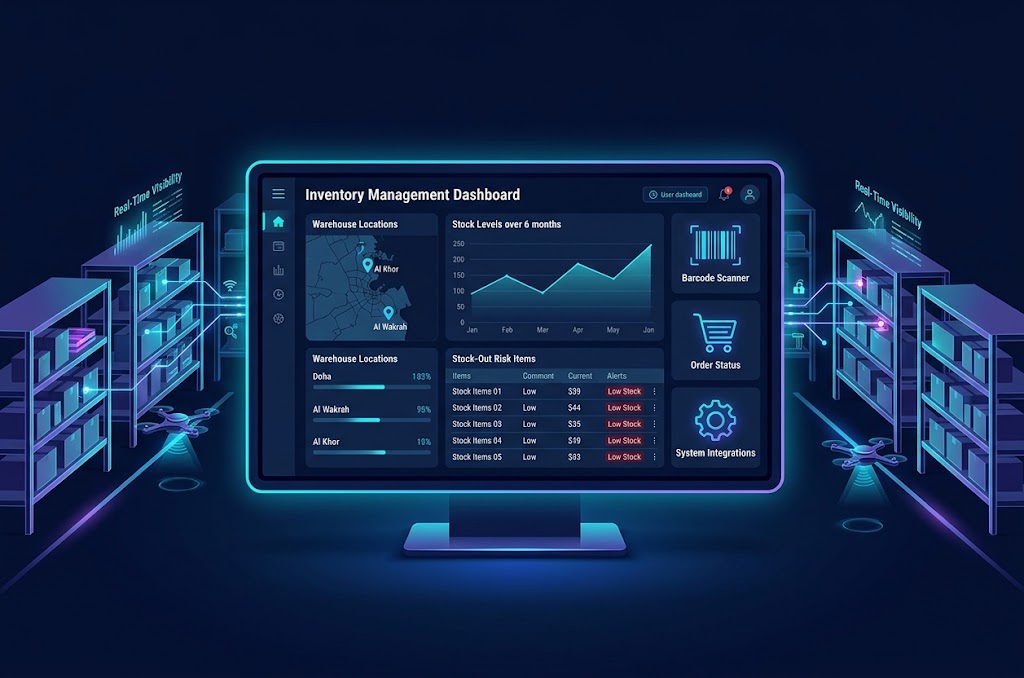
Useful dashboard components include stock alerts, inventory valuation, sales trends, ageing stock, supplier performance, and adjustment history.
Reports should be filterable by date, warehouse, product category, supplier, and other relevant dimensions.
Exporting selected reports to spreadsheet or PDF formats may also help teams with their existing reporting processes.
10. Role-Based Access and Audit Logs
Not every employee should have permission to change product costs, approve purchases, or adjust stock quantities.
Role-based access controls can restrict activities according to job responsibilities.
For example:
Warehouse staff can receive, pick, and transfer stock.
Purchasing staff can prepare purchase orders.
Managers can approve defined transactions.
Finance staff can access relevant valuation and purchasing reports.
Administrators can configure users and system settings.
Audit logs should record important changes, including the user, timestamp, affected record, and action performed. High-risk adjustments may also require a reason or approval.
These controls improve accountability and help teams investigate discrepancies.
Types of Inventory Management Software
Before investing in development, businesses should decide whether they need a standalone inventory system, a customized existing platform, or inventory functionality integrated into a broader business application.
Solution type | Best suited for | Main consideration |
|---|---|---|
Basic inventory software | Small shops and businesses with straightforward stock requirements | Limited advanced workflows |
Cloud-based inventory software | Businesses needing access across locations and devices | Internet connectivity, vendor dependency, and subscription terms |
Custom inventory software | Businesses with specialized workflows or integration needs | Higher initial planning and development effort |
Warehouse management system (WMS) | Warehouses with complex storage, picking, and dispatch operations | More detailed process design and staff training |
ERP-integrated inventory | Businesses that need inventory connected to finance, procurement, and operations | Broader implementation scope and dependencies |
Mobile inventory application | Staff performing stock operations away from a desk | Device compatibility and offline requirements |
The best choice is the one that addresses real operational problems without introducing unnecessary complexity.
For example, a single-store retailer may not need a full warehouse management system. A distributor operating several warehouses with batch-controlled products may need considerably more advanced functionality.
Businesses evaluating broader integration can read the ERP software in Qatar guide to understand how inventory connects with purchasing, finance, sales, and other business processes.
Custom Inventory Software vs Ready-Made Software
A major decision is whether to buy an existing product or invest in custom inventory management software development.
Ready-Made Inventory Software
Ready-made software is generally designed for common inventory processes and can often be configured without building every feature from scratch.
Potential advantages include:
Faster initial deployment.
Established standard workflows.
Existing documentation and support.
Lower initial implementation effort in some cases.
Prebuilt integrations, depending on the product.
However, licensing restrictions, recurring fees, integration limitations, and workflow constraints may affect long-term suitability.
Businesses should also verify whether the product supports their required languages, currencies, tax configuration, locations, devices, and data-export needs.
Custom Inventory Management Software
Custom software is developed around the organization's specific workflows and requirements.
Potential advantages include:
Tailored stock and approval processes.
Integration with existing business applications.
Custom dashboards and reporting.
Greater control over the feature roadmap.
Support for specialized warehouse or product requirements.
The trade-offs include development costs, implementation time, testing requirements, and ongoing maintenance responsibilities.
Custom software is not automatically better than an existing product. It is most useful when the business has requirements that available products cannot reasonably satisfy.
Comparison at a Glance
Factor | Ready-made software | Custom-built software |
|---|---|---|
Initial deployment | Often faster | Requires discovery and development |
Workflow flexibility | Depends on configuration | Designed around agreed requirements |
Upfront investment | Often lower | Usually higher |
Integration | Depends on available connectors and APIs | Can be designed for specified systems |
Updates | Managed by the vendor, depending on the product | Requires an agreed maintenance process |
Ownership and control | Governed by the vendor's terms | Depends on contract, code ownership, and licensing |
Best fit | Standard inventory processes | Distinctive operational or integration needs |
Before choosing, calculate the total cost of ownership, including subscriptions, customization, integrations, hosting, support, training, and future changes.
Industry Applications of Inventory Management Software in Qatar
Different industries need different inventory rules. A practical system should reflect how products are purchased, stored, moved, and sold in the actual business.
Retail and Supermarkets
Retail inventory software can connect store sales with product availability, promotions, returns, and replenishment.
A retailer operating several branches may need a consolidated dashboard showing which items are available at each location. Staff can use this information to plan transfers or identify where additional purchasing is required.
For supermarkets, expiry tracking and stock rotation may be particularly important for applicable products.
Wholesale and Distribution
Wholesalers often handle large quantities of products, multiple suppliers, and orders destined for different customers.
Their inventory systems may need customer-specific pricing integrations, bulk receiving, partial deliveries, warehouse transfers, and order fulfilment workflows.
Accurate stock reservation is essential when several sales representatives or channels are selling from the same inventory.
Food and Beverage
Food distributors, restaurants, and suppliers may need to track expiry dates, batches, storage locations, and wastage.
The software can help employees identify products nearing expiry and record damaged or discarded items.
Where food safety or traceability obligations apply, system configuration should be reviewed against the relevant requirements rather than assumed to be compliant by default.
Construction and Building Materials
Construction suppliers may store cement, steel, electrical components, plumbing materials, tools, and other products across warehouses or project sites.
Useful features include unit-of-measure conversion, bulk stock tracking, project-specific allocations, material transfers, and supplier delivery records.
For example, a company supplying materials to several projects can reserve quantities for each project and monitor whether deliveries match approved requirements.
Healthcare and Pharmaceutical Supply
Healthcare and pharmaceutical inventory may require stronger batch controls, expiry monitoring, serial tracking for selected products, restricted access, and detailed transaction histories.
A suitable solution should define how recalled, expired, damaged, or quarantined items are identified and prevented from being issued incorrectly.
Sector-specific requirements should be validated with qualified compliance professionals before deployment.
E-Commerce Businesses
Online stores need inventory information that remains consistent across their website, marketplace channels, and fulfilment operations.
An integrated system can synchronize product quantities, reserve stock for confirmed orders, process returns, and reduce the risk of selling unavailable products.
If an online store operates from several warehouses, stock allocation rules can determine which location fulfils an order.
For businesses building connected customer-facing systems, web application development services can support the development of administrative dashboards, order portals, and inventory interfaces.
How Inventory Management Software Works: A Practical Example
Consider a fictional wholesale business in Qatar that supplies electrical equipment to contractors and retail shops.
The company stores products in a main warehouse and a smaller distribution location. Employees currently maintain stock records manually, and the purchasing team often discovers shortages only after receiving a customer order.
A centralized inventory application could introduce the following workflow.
Step 1: Register Products and Suppliers
The business imports its product catalogue, SKUs, units of measurement, supplier information, and initial stock quantities.
Before launch, employees verify opening balances against physical stock counts.
Step 2: Receive Supplier Deliveries
When a delivery arrives, an employee opens the relevant purchase order and records the received quantities.
The application flags discrepancies between ordered and received quantities and updates inventory according to the configured receiving process.
Step 3: Process Customer Orders
When a customer order is confirmed, the system checks available stock and reserves the required quantities.
If the items are unavailable, the order can be flagged for replenishment, back-order handling, or review.
Step 4: Transfer Products Between Locations
If the distribution location needs more stock, an authorized employee creates a transfer request.
The application records dispatch and receipt events so both locations can see the transfer status.
Step 5: Generate Reorder Alerts
When stock falls below a configured threshold, the system notifies the purchasing team.
Employees review demand, existing purchase orders, supplier lead times, and budget requirements before approving a new order.
Step 6: Review Performance
Managers use dashboards to identify frequently ordered products, slow-moving stock, supplier delivery delays, and recurring inventory discrepancies.
This example illustrates a possible workflow, not a documented Galaxium Coding client project or a guarantee of specific results.
The central principle is that each inventory transaction should be recorded consistently and connected to the next relevant business activity.
Inventory Management Software Development Process
Successful development starts with understanding operations, not selecting a technology stack immediately.
A structured process reduces the risk of building features that do not match the way employees work.
1. Requirements Discovery
The development team and business stakeholders document existing workflows, business objectives, user roles, product types, locations, and operational pain points.
Important questions include:
How many warehouses and branches are involved?
How many SKUs are managed?
Which transactions occur daily?
Is batch, serial-number, or expiry tracking necessary?
Which accounting, POS, ERP, or e-commerce systems must be connected?
Do staff need mobile access or offline functionality?
Which reports are essential?
Who approves purchases and stock adjustments?
The output should be an agreed requirements document and an initial project scope.
2. Workflow and System Design
The next stage defines how inventory transactions move through the system.
Designers should map receiving, stock adjustments, transfers, reservations, picking, dispatch, returns, and reporting.
The data model should clearly define products, locations, stock balances, transactions, purchase orders, sales orders, and audit records.
This stage is also where the team identifies unusual situations, such as duplicate transactions, cancelled orders, partial deliveries, and stock corrections.
3. UI and Dashboard Design
The interface should be designed around the tasks performed by warehouse staff, purchasing teams, managers, and administrators.
A warehouse employee may need large, simple controls for scanning and receiving goods. A manager may need dashboards with stock alerts, trends, and approval queues.
The goal is to minimize unnecessary steps while making critical information easy to verify.
4. Development and Integration
Developers build the application modules and connect approved external systems.
Depending on requirements, the solution may include:
An administrative web dashboard.
A database for product and transaction records.
Backend services and APIs.
Mobile interfaces for warehouse staff.
POS, ERP, accounting, or e-commerce integrations.
Reporting and notification services.
A modular architecture can make the system easier to maintain and extend as requirements evolve.
5. Testing and Data Validation
Testing should cover ordinary transactions and unusual operational conditions.
Examples include receiving fewer items than ordered, cancelling a sale after stock reservation, transferring goods between locations, and processing simultaneous orders for the same product.
The team should also test permissions, audit trails, backup recovery, integration failures, and data migration.
Before launch, the business should reconcile test results against expected stock balances.
6. Deployment and Staff Training
Deployment may involve importing product data, validating opening balances, configuring users, connecting devices, and moving from the previous process to the new application.
A pilot launch in one warehouse or branch can reveal operational problems before the system is rolled out more widely.
Training should be role-specific, with clear instructions for receiving, transfers, stock counts, adjustments, and exception handling.
7. Maintenance and Continuous Improvement
After deployment, the software requires monitoring, security updates, bug fixes, backups, and support.
Businesses should also review user feedback and inventory reports to identify opportunities for better workflows.
For organizations requiring ongoing application infrastructure and deployment support, cloud and DevOps solutions may be relevant to the system's hosting, release, and operational requirements.
Recommended Technology Architecture
The appropriate technology stack depends on transaction volume, integration requirements, budget, internal expertise, and deployment preferences. No single stack is right for every inventory application.
A typical architecture may contain the following layers:
Layer | Purpose |
|---|---|
Web dashboard | Product administration, reporting, purchasing, and approvals |
Mobile interface | Stock counts, barcode scanning, receiving, and transfers |
Backend/API | Business rules, permissions, transaction processing, and integrations |
Database | Products, locations, stock transactions, orders, and audit records |
Integration layer | Communication with POS, accounting, ERP, and e-commerce platforms |
Hosting and monitoring | Availability, security monitoring, backups, and operational visibility |
For the frontend, a web framework such as React may be suitable. Backend options may include Node.js, Python, or other technologies selected according to the team's requirements. A relational database can be appropriate when transactional consistency and structured business records are central to the application.
These are examples rather than a prescribed stack. The final architecture should be selected after requirements analysis.
Cloud-Based or On-Premises Deployment?
Cloud hosting can make it easier for authorized teams to access a centralized system across multiple locations. It may also reduce the need for the business to maintain its own physical application servers.
On-premises deployment may suit organizations with specific infrastructure, connectivity, or internal control requirements.
A hybrid architecture may be appropriate where local operations must continue during temporary connectivity interruptions.
The decision should consider data access, business continuity, security responsibilities, connectivity, hosting costs, and recovery requirements.
Integrations That Make Inventory Software More Useful
Inventory data becomes more valuable when it is connected to the other systems that create or consume stock transactions.
Accounting Software
Accounting integration can connect purchasing and sales records with the relevant financial workflows.
The integration design should specify which system owns product costs, supplier invoices, credit notes, and financial records. This prevents conflicting updates and duplicated transactions.
ERP Systems
An ERP platform can connect inventory with finance, procurement, sales, and operational planning.
Businesses considering this approach can explore ERP software in Qatar for a broader overview of connected business processes.
E-Commerce Platforms
E-commerce integration can synchronize product information, stock availability, orders, cancellations, and returns.
The design should account for synchronization delays, failed API calls, duplicate messages, and stock reservations across channels.
POS Systems
POS integration allows completed in-store transactions to update inventory records and can support branch-level reporting.
The integration should define how offline transactions and delayed synchronization are reconciled.
Mobile Applications and Scanners
Mobile tools can support receiving, picking, stock counts, and warehouse transfers without requiring staff to return to a desktop computer for every transaction.
For more specialized field workflows, a business may need a dedicated mobile application connected to the same backend and inventory database.
API-Based Integrations
APIs allow systems to exchange information according to defined rules.
Before connecting an external platform, confirm its API capabilities, authentication method, rate limits, data ownership, licensing conditions, and error-handling requirements.
An integration should be tested as a business workflow, not merely as a successful technical connection.
Security and Data Protection Considerations
Inventory systems may contain commercially sensitive information, including supplier pricing, purchasing history, product costs, stock availability, and sales activity.
Security should be considered from the beginning of the project.
Recommended controls include:
Role-based access and least-privilege permissions.
Multi-factor authentication where supported and appropriate.
Encryption for data in transit and suitable protection for stored data.
Secure API authentication and credential management.
Audit logs for important transactions and configuration changes.
Regular backups and tested recovery procedures.
Monitoring for suspicious access and application errors.
Documented incident-response procedures.
Controlled software updates and vulnerability management.
The system should also define how long records are retained, who can export them, and how access is removed when employees leave.
For Qatar-based operations, organizations should review the applicable requirements under Qatar's data protection framework and any relevant sector-specific obligations. The official Qatar government portal is a starting point for locating government information; legal or regulatory obligations should be verified against the relevant current legislation and competent authorities.
Using inventory software does not, by itself, establish compliance with every applicable law or industry standard.
How Much Does Inventory Management Software Development Cost in Qatar?
The cost of inventory management software development depends on scope, complexity, integrations, user requirements, and ongoing support.
A basic stock-tracking application is fundamentally different from a multi-warehouse platform with barcode scanning, batch traceability, offline mobile operations, and integrations with several business systems.
The following figures are illustrative planning ranges in Qatari riyals (QAR), not verified market averages, supplier quotations, or guaranteed development prices. They are intended to help businesses think about possible project scope.
Project type | Illustrative planning range (QAR) | Typical scope |
|---|---|---|
Basic inventory application | 15,000–35,000 | Product catalogue, stock entries, basic adjustments, and simple reports |
Small-business inventory system | 35,000–75,000 | Purchasing, suppliers, stock alerts, user roles, and dashboard |
Multi-location inventory platform | 75,000–150,000 | Multiple warehouses, transfers, approvals, and more advanced reporting |
Advanced inventory and integration platform | 150,000–300,000+ | Complex workflows, mobile operations, multiple integrations, traceability, and advanced controls |
These ranges are hypothetical budgeting estimates. Actual quotations may fall outside them, and they should not be interpreted as validated Qatar market pricing.
What Influences the Cost?
1. Feature complexity: More complex stock rules, approvals, traceability, and reporting require additional design, development, and testing.
2. Number of locations: Multi-warehouse operations introduce transfer workflows, location-specific permissions, and more demanding reconciliation requirements.
3. Integrations: Each POS, accounting, ERP, or e-commerce integration can introduce API limitations, data mapping, testing, and ongoing maintenance.
4. Mobile and offline functionality: Scanning, local data storage, synchronization, and conflict resolution can increase the development effort.
5. Data migration: Importing and validating historical stock records may require substantial cleanup if existing spreadsheets contain duplicate SKUs, inconsistent units, or inaccurate balances.
6. Security and reporting: Advanced permissions, audit requirements, analytics, and monitoring can add to the project scope.
7. Maintenance and hosting: The budget should account for support, hosting, backups, updates, monitoring, and future enhancements after launch.
How to Budget More Accurately
Before requesting quotations, prepare a short requirements brief containing:
The number of products and locations.
Required inventory workflows.
Essential integrations.
Mobile and barcode requirements.
Reporting needs.
User roles and approval rules.
Data migration requirements.
Hosting preferences.
Support and maintenance expectations.
Ask each provider to separate development, third-party licensing, integrations, deployment, training, and recurring costs. This makes competing proposals easier to compare.
Common Mistakes to Avoid
1. Building Too Many Features at Once
Trying to launch every possible feature can delay the project and make testing harder.
Start with the essential workflows, then add advanced functionality after the core system is stable.
2. Ignoring Existing Business Processes
Software that does not reflect real warehouse activities can frustrate employees and encourage workarounds.
Observe the current process and document exceptions before designing the application.
3. Migrating Inaccurate Stock Data
If opening stock balances are incorrect, the new system may begin with unreliable information.
Clean product records, standardize units, remove duplicates, and verify physical stock before launch.
4. Failing to Define System Ownership
When multiple systems can change stock quantities, conflicting updates become more likely.
Define which application is authoritative for each record and how transactions are synchronized.
5. Overlooking User Permissions
Unrestricted stock adjustments and purchase approvals can make errors harder to detect.
Use clear roles, approval rules, and transaction logs.
6. Neglecting Staff Training
Even a well-designed application can produce poor results if staff do not understand the correct workflows.
Provide practical training and documented procedures for common tasks and exceptions.
7. Underestimating Ongoing Costs
Software requires maintenance after launch. Hosting, support, security updates, integration changes, and user training should be included in the long-term budget.
8. Choosing a Provider Based Only on Price
The cheapest proposal may exclude important integrations, testing, documentation, or support.
Compare providers based on their understanding of the requirements, delivery plan, technical approach, ownership terms, and ability to maintain the application.
How to Choose an Inventory Management Software Development Company in Qatar
Choosing a development partner involves evaluating both technical capabilities and operational understanding.
Review Relevant Technical Capabilities
Ask whether the provider can develop the modules and integrations your business actually needs, including inventory transactions, dashboards, APIs, mobile interfaces, and access controls.
You can explore Galaxium Coding's software development services to learn about its general software development offering.
Request a Clear Project Scope
A professional proposal should explain what is included, what is excluded, which deliverables will be provided, and how changes to the requirements will be handled.
It should also identify milestones, acceptance criteria, dependencies, and testing responsibilities.
Evaluate Integration Experience
If the inventory application must connect with existing systems, ask how the provider will handle authentication, synchronization failures, duplicate transactions, and reconciliation.
Request a demonstration or technical explanation relevant to your proposed workflow rather than relying on general promises.
Clarify Ownership and Maintenance
The contract should explain rights to source code, software licensing, documentation, data exports, third-party components, and future modifications.
It should also specify the support arrangement, response expectations, backup responsibilities, and maintenance costs.
Examine the Development Process
Look for a structured process that includes requirements discovery, design, development, testing, deployment, training, and ongoing support.
Businesses can also review Galaxium Coding's projects and portfolio when assessing the company's publicly presented work. Verify that any specific project experience relevant to your requirements is documented before relying on it as evidence.
Check Communication and Support
Establish who will communicate project progress, approve changes, handle defects, and support the application after deployment.
Clear responsibilities help prevent misunderstandings during implementation.
Future Trends in Inventory Management Software
Inventory systems continue to evolve as businesses seek better visibility, faster transactions, and more informed purchasing decisions.
AI-Assisted Demand Forecasting
AI-enabled tools can analyze historical sales, seasonality, and other available data to estimate future demand.
Forecasts should be treated as decision support rather than guaranteed predictions. Their usefulness depends on data quality, product availability history, and changing market conditions.
Predictive Replenishment
Advanced systems can combine demand forecasts, supplier lead times, and safety-stock policies to recommend when and how much to reorder.
Human review may remain appropriate for expensive purchases, unusual demand spikes, or products with uncertain supplier availability.
Mobile-First Warehouse Workflows
Mobile interfaces and scanning devices can help warehouse staff receive, count, pick, and transfer stock closer to where the work happens.
Offline capability may be valuable in locations with intermittent connectivity, but it requires careful synchronization and conflict handling.
Connected Business Platforms
Inventory systems are increasingly valuable when connected to sales, purchasing, finance, e-commerce, and business reporting.
A unified platform can reduce duplicate data entry and make it easier to understand how a transaction affects several departments.
Better Operational Analytics
Dashboards can evolve from static stock reports to exception-focused monitoring, highlighting discrepancies, delayed deliveries, unusual adjustments, and items at risk of stockout.
Businesses should prioritize insights that lead to clear actions instead of adding charts that employees rarely use.
Final Thoughts
Inventory management software development in Qatar can help businesses establish more reliable stock control, improve warehouse visibility, organize purchasing, and connect inventory with sales and financial workflows.
The right solution depends on the organization's actual needs. Some businesses will be best served by ready-made software, while others may benefit from customization or a purpose-built platform.
Before making a decision, document the existing process, identify the most costly inventory problems, define the required integrations, and estimate the total cost of ownership. Start with reliable core workflows and expand when there is a clear operational reason to do so.
Galaxium Coding provides software development services that businesses can explore when assessing tailored digital solutions. If you are considering a new inventory platform, you can contact Galaxium Coding to discuss your requirements and determine an appropriate project scope.
Frequently Asked Questions
1. What is inventory management software development?
Inventory management software development is the process of designing, building, integrating, testing, and maintaining an application that tracks products, stock quantities, purchases, transfers, sales, and related inventory operations.
2. How much does inventory management software cost in Qatar?
The cost depends on the feature set, number of locations, integrations, mobile requirements, data migration, and support arrangements. Illustrative planning estimates can range from QAR 15,000 for a basic application to QAR 300,000 or more for an advanced platform. These figures are not verified market averages or formal quotations.
3. Is custom inventory software better than ready-made software?
Not always. Ready-made software may be suitable when standard inventory workflows meet the business's needs. Custom software may be worth considering when the business requires specialized processes, integrations, reporting, or greater control over its development roadmap.
4. Can inventory software manage multiple warehouses?
Yes. A suitably designed system can maintain location-specific stock balances, record transfers, track goods in transit, and provide consolidated reporting across warehouses and branches.
5. Can inventory software integrate with accounting and ERP systems?
Yes, when the relevant systems support suitable integration methods. The implementation must define data ownership, transaction mapping, synchronization, error handling, and reconciliation procedures.
6. Does inventory software support barcode scanning?
It can. Barcode scanning can support receiving, stock counts, picking, packing, and transfers. Compatibility depends on the barcode format, scanning hardware, mobile devices, and application design.
7. Can inventory software track expiry dates and batch numbers?
Yes. These capabilities can be implemented when the product types and operational requirements justify them. The system can record batch identifiers, expiry dates, and stock movements, and may support FEFO picking rules.
8. How long does it take to develop inventory management software?
The timeline depends on project scope, integration complexity, data quality, testing requirements, and stakeholder availability. A basic application may take several weeks to a few months, while a complex multi-location platform may require several months or longer. A reliable estimate requires a defined scope and delivery plan.
9. Is cloud-based inventory software suitable for businesses in Qatar?
Cloud-based software can be suitable for businesses that need centralized access across locations. The decision should account for connectivity, security, hosting, recovery, data access, and any applicable legal or sector-specific requirements.
10. Can small businesses benefit from inventory management software?
Yes. Even a small business may benefit from accurate stock records, low-stock alerts, supplier tracking, and straightforward reporting. The solution should remain proportionate to the business's product range, transaction volume, and budget.
11. What should a business prepare before starting development?
Prepare a product catalogue, stock records, warehouse details, existing workflows, user roles, integration requirements, reporting priorities, and a list of current inventory problems. Clean data and clear requirements make estimation and testing more reliable.
12. Does inventory management software eliminate stock discrepancies?
No software can guarantee that discrepancies will never occur. However, controlled transactions, access permissions, audit logs, regular stock counts, and clear receiving procedures can help businesses identify and investigate discrepancies more effectively.
Call to Action
Ready to improve your inventory operations?
Explore Galaxium Coding's software development services or contact the team to discuss your inventory requirements, integration needs, and potential development approach.
The goal is to build a system that solves real operational problems, fits your workflows, and remains maintainable as your business grows.