How to Modernize Legacy Business Software: A Practical Guide for 2026
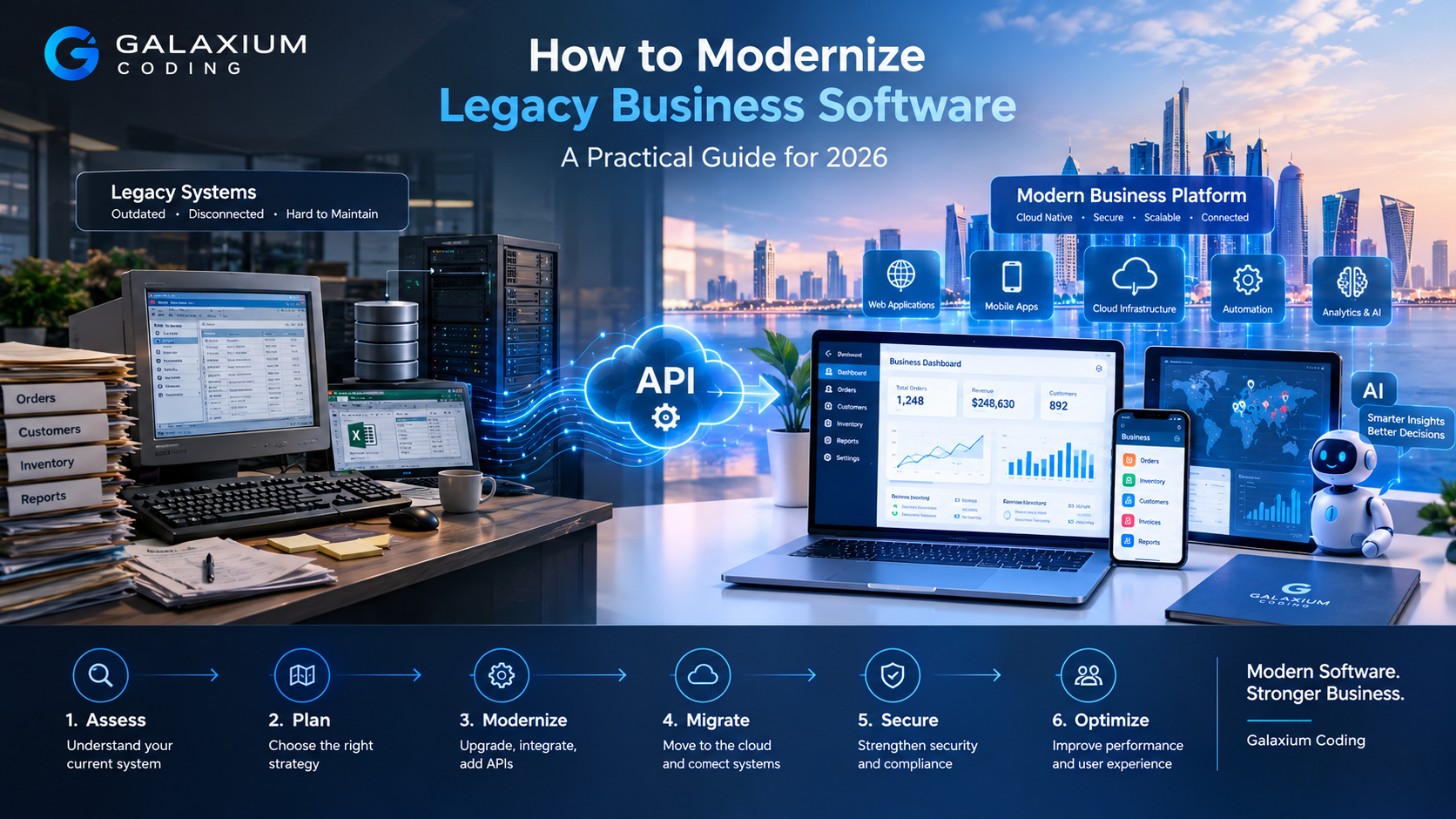
Modernizing legacy business software can connect existing business logic and data with modern applications, APIs, cloud infrastructure, automation, and AI.
How to Modernize Legacy Business Software: A Practical Guide for 2026
Legacy business software can become one of the most difficult technology challenges an organization faces.
It may still process orders, manage customers, calculate payroll, track inventory, generate invoices, or support critical internal workflows. That makes replacing it risky. At the same time, an aging application can become increasingly expensive to maintain, difficult to integrate, vulnerable to security problems, and frustrating for employees.
The solution is not always to throw the old system away and start again.
In many cases, the better approach is legacy software modernization: systematically improving an existing business application, its architecture, data, integrations, infrastructure, and user experience while protecting the business processes that still work.
Modernization can involve moving an application to the cloud, updating its technology stack, exposing its functionality through APIs, replacing selected components, redesigning the database, rebuilding critical modules, or gradually transitioning users to a new platform.
Microsoft's current application-modernization guidance similarly treats modernization as a continuous process of assessment, planning, execution, maintenance, and optimization rather than a single migration event.
For businesses considering modernization, the central question is therefore not:
"How do we replace our old software?"
It is:
"How can we modernize the parts of our software that limit the business while preserving what already works?"
This guide explains how to answer that question.
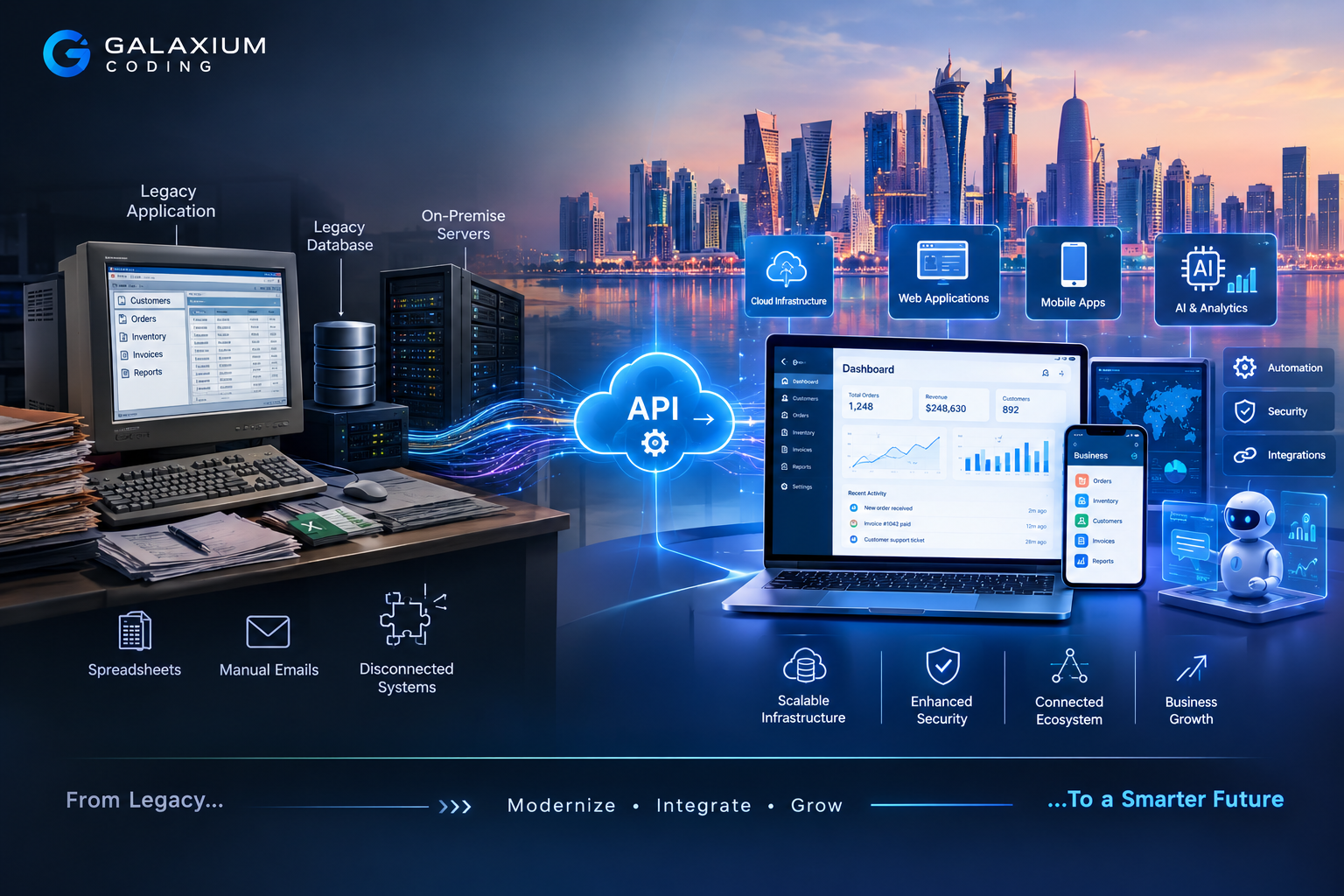
What Is Legacy Business Software?
Legacy business software is an application or technology system that has become outdated relative to the organization's current business, technical, security, integration, or scalability requirements.
"Legacy" does not necessarily mean that the software is extremely old.
A system can become legacy because:
Its technology is no longer actively supported.
Only a small number of employees understand how it works.
It cannot integrate easily with modern applications.
Its database is difficult to access or maintain.
Adding new features requires excessive development effort.
Security updates are difficult to implement.
It cannot scale with business growth.
Employees rely on manual workarounds.
Its user interface is outdated.
The original vendor or development team is no longer available.
The system depends on obsolete infrastructure.
Business-critical processes are trapped inside a monolithic application.
For example, a company may still operate a custom desktop application built years ago.
The application might technically work.
However, employees may have to export information into spreadsheets, manually email reports, copy customer data into a CRM, and enter the same information into several systems.
At that point, the problem is not simply that the software is "old."
The problem is that the software is preventing the business from operating efficiently.
Why Businesses Modernize Legacy Software
Legacy systems often survive because they are deeply connected to the business.
Replacing them can affect customers, employees, finance, operations, inventory, reporting, compliance, and management.
That is why modernization should begin with the business impact rather than technology alone.
1. Reduce Technical Debt
Technical debt accumulates when software is repeatedly modified without addressing deeper architectural problems.
A system may contain:
Old frameworks
Duplicated code
Complex dependencies
Hard-coded business rules
Outdated libraries
Inconsistent databases
Manual deployment processes
Undocumented integrations
The longer these problems remain, the harder future development can become.
Modernization allows the organization to gradually reduce this technical debt.
2. Improve Security
Older software may depend on unsupported operating systems, frameworks, libraries, authentication methods, or infrastructure.
Even when the application itself has not experienced a security incident, outdated dependencies can increase risk.
Modernization provides an opportunity to introduce:
Modern authentication
Role-based access control
Stronger authorization
Secure APIs
Encryption
Better secrets management
Centralized logging
Monitoring
Automated security testing
Regular dependency updates
Better backup and recovery processes
Security should be part of the architecture rather than an activity performed immediately before launch.
3. Connect Disconnected Systems
Many legacy systems were designed before APIs and cloud-based integrations became standard business requirements.
A company may now need to connect:
Legacy Application → CRM → ERP → Payment Gateway → Website → Mobile App → Analytics → AI
If the legacy application cannot communicate with these systems efficiently, employees may become the integration layer.
They copy data.
They send emails.
They download spreadsheets.
They manually reconcile records.
Modernization can replace these manual connections with APIs, automated workflows, event-driven integrations, or shared services.
Businesses evaluating this type of architecture can also explore custom software development when existing products cannot adequately support their workflows.
4. Improve Employee Productivity
Employees should not have to understand the limitations of an old software system just to complete routine work.
A modernized platform can simplify:
Data entry
Approvals
Reporting
Customer management
Inventory operations
Document management
Notifications
Search
Workflow automation
Mobile access
The objective is not merely to give employees a more attractive interface.
The objective is to remove unnecessary steps.
5. Support Business Growth
A legacy application may have been perfectly suitable for 50 employees and become a bottleneck for 500.
Growth can expose limitations in:
Database performance
Concurrent users
Infrastructure
Reporting
Integrations
Storage
Authentication
Deployment
Monitoring
Modern architecture can provide more flexibility as the organization grows.
Signs That Your Business Software Needs Modernization
Not every old application needs to be replaced.
A system may be old but stable, secure, maintainable, and perfectly suited to the business.
Modernization becomes more compelling when the software creates measurable operational or technical problems.
Look for warning signs such as:
Development Has Become Slow
A small feature requires weeks of investigation because developers are afraid of breaking unrelated functionality.
Nobody Fully Understands the System
The organization depends on one or two employees who know how the application works.
This creates a major knowledge risk.
Integrations Require Manual Work
Employees export CSV files, modify spreadsheets, and manually import information between systems.
The User Experience Is Poor
Employees or customers struggle with interfaces designed for older workflows.
Security Updates Are Difficult
The application depends on technologies that are no longer supported or difficult to patch.
Infrastructure Is Expensive
The system requires specialized servers or infrastructure that could potentially be replaced with more manageable platforms.
Reporting Is Slow
Managers cannot obtain current information without manual data preparation.
Mobile Access Is Missing
Employees increasingly need to work outside the office, but the legacy application only works on specific desktops or networks.
The System Cannot Scale
Performance deteriorates as transactions, users, data, or locations increase.
Every Change Is Risky
If developers routinely say, "We cannot change that because it might break something," the architecture deserves closer examination.
Legacy Software Modernization vs Software Replacement
Modernization does not automatically mean rebuilding the entire application.
There are several possible strategies.
Strategy | What It Means | Typical Reason |
|---|---|---|
Retain | Keep the existing application | It still provides sufficient value |
Retire | Decommission the application | It is no longer needed |
Replace | Move to another product | A suitable modern system already exists |
Rehost | Move the application with minimal code changes | Infrastructure is the primary problem |
Replatform | Move to a newer platform with limited changes | Improve infrastructure and operations |
Refactor | Improve internal code and architecture | Reduce technical debt |
Rearchitect | Change the application's architecture | Improve scalability and maintainability |
Rebuild | Create a new system around existing requirements | The current architecture is too limiting |
Microsoft's current modernization framework describes six related strategies: Rehost, Replatform, Refactor, Rebuild, Retire, and Retain.
The important point is that different applications may require different strategies.
A business does not need to choose one strategy for its entire technology portfolio.
One application might be retained.
Another might be retired.
A third might be replatformed.
A fourth might need to be rebuilt.
How to Modernize Legacy Business Software Step by Step
A successful modernization program should be treated as a business transformation project supported by technology, not as a simple coding exercise.
Step 1: Inventory the Existing System
Before changing anything, document what exists.
Create an inventory of:
Applications
Databases
Servers
Operating systems
Frameworks
Programming languages
APIs
Integrations
User groups
Business processes
Scheduled jobs
Reports
Data stores
Third-party services
Authentication systems
Backup systems
Dependencies
Microsoft's modernization guidance recommends beginning with a comprehensive inventory of applications, databases, infrastructure, security requirements, compliance considerations, and costs.
This inventory frequently reveals dependencies that were not obvious to management.
For example:
Customer Portal
↓
Legacy API
↓
Main Database
↓
Nightly Reporting Server
↓
Finance System
A seemingly simple application replacement could therefore affect four or five other systems.
Step 2: Document Business-Critical Workflows
Do not document only the technology.
Document what the business actually does.
For example:
New Customer
↓
Sales Entry
↓
Approval
↓
Contract Generation
↓
Invoice
↓
Payment
↓
Account Activation
↓
Customer Notification
This workflow may exist partly inside software and partly inside spreadsheets, email, and employee knowledge.
Modernization should capture the complete workflow.
Step 3: Identify Pain Points
Create a list of the problems that modernization needs to solve.
For each problem, ask:
How often does it occur?
How many employees are affected?
Does it delay customers?
Does it create errors?
Does it create security risk?
Does it increase operational cost?
Does it prevent new features?
Does it limit business growth?
This helps separate genuine modernization priorities from cosmetic improvements.
Step 4: Classify Applications and Components
Not every component deserves the same treatment.
A useful classification might be:
Keep
Stable, secure, and valuable.
Improve
Functional but technically outdated.
Replace
No longer suitable for current requirements.
Integrate
Still useful but needs modern interfaces.
Retire
No longer needed.
This approach prevents organizations from spending the same amount of effort on every part of the legacy environment.
Step 5: Define the Target Architecture
Once the current system is understood, design the future environment.
A modern business application might include:
Web Application
↓
API Layer
↓
Business Services
↓
Database
↓
External Integrations
↓
Cloud Infrastructure
↓
Monitoring & Security
Additional components could include:
Mobile applications
CRM
ERP
Payment systems
Analytics
AI services
Document management
Identity management
Notification services
The architecture should reflect the actual requirements.
A small business does not necessarily need dozens of microservices.
A large enterprise may need a more distributed architecture.
The right architecture is the one that balances maintainability, scalability, security, performance, cost, and business requirements.
Choose the Right Modernization Strategy
After assessing the system, decide what should happen to each major component.
Rehost
Rehosting means moving an application to a new infrastructure environment with minimal changes.
For example, an application running on an aging physical server might be moved to virtual infrastructure or cloud hosting.
Advantages:
Relatively fast
Lower application-change requirements
Can reduce dependence on physical infrastructure
Limitations:
Does not automatically modernize the code
Technical debt remains
Old architecture may remain difficult to maintain
Rehosting can therefore be useful when infrastructure is the immediate problem but should not be confused with complete modernization.
Replatform
Replatforming introduces selected improvements without completely redesigning the application.
Examples might include:
Moving to a managed database
Updating runtime environments
Containerizing an application
Moving to managed hosting
Improving deployment automation
This can provide a practical balance between risk and modernization.
Refactor
Refactoring improves the internal implementation while preserving the application's overall behavior.
Developers may:
Remove duplicated code
Separate responsibilities
Update dependencies
Improve database access
Improve testing
Introduce automated deployments
Improve application structure
Refactoring is particularly useful when the business logic remains valuable but the implementation has become difficult to maintain.
Rearchitect
Rearchitecting changes the fundamental structure of the application.
For example, a large monolithic application might gradually be separated into independently managed services.
Another option is to introduce an API layer around the existing system before replacing individual modules.
API-first and legacy-wrapping patterns are among the modernization approaches identified in Microsoft's current guidance.
Rebuild
Rebuilding means creating a new application based on the requirements and business logic of the existing system.
This can make sense when:
The original architecture is severely outdated.
The codebase is difficult to maintain.
Documentation is poor.
The system cannot support required integrations.
The user experience needs major improvement.
The organization needs a fundamentally different architecture.
However, rebuilding carries significant risk.
The organization must understand the existing business rules before attempting to reproduce them.
Modernize the Database Carefully
Database modernization deserves special attention.
The database often contains the most valuable part of a legacy system: the organization's historical business data.
It may contain:
Customer records
Orders
Financial transactions
Employee records
Inventory
Contracts
Documents
Historical reports
Before migrating data, determine:
Which data must be preserved?
Which data is obsolete?
Which records contain duplicates?
Which fields are still required?
What relationships exist?
What data needs transformation?
What retention rules apply?
Who can access the information?
A database migration should include validation.
For example:
Legacy Records
→ Extract
→ Clean
→ Transform
→ Validate
→ Load
→ Reconcile
→ Test
→ Go Live
Never assume that because a migration script completed successfully, the migration was correct.
Business reconciliation is essential.
Use APIs to Connect Legacy and Modern Systems
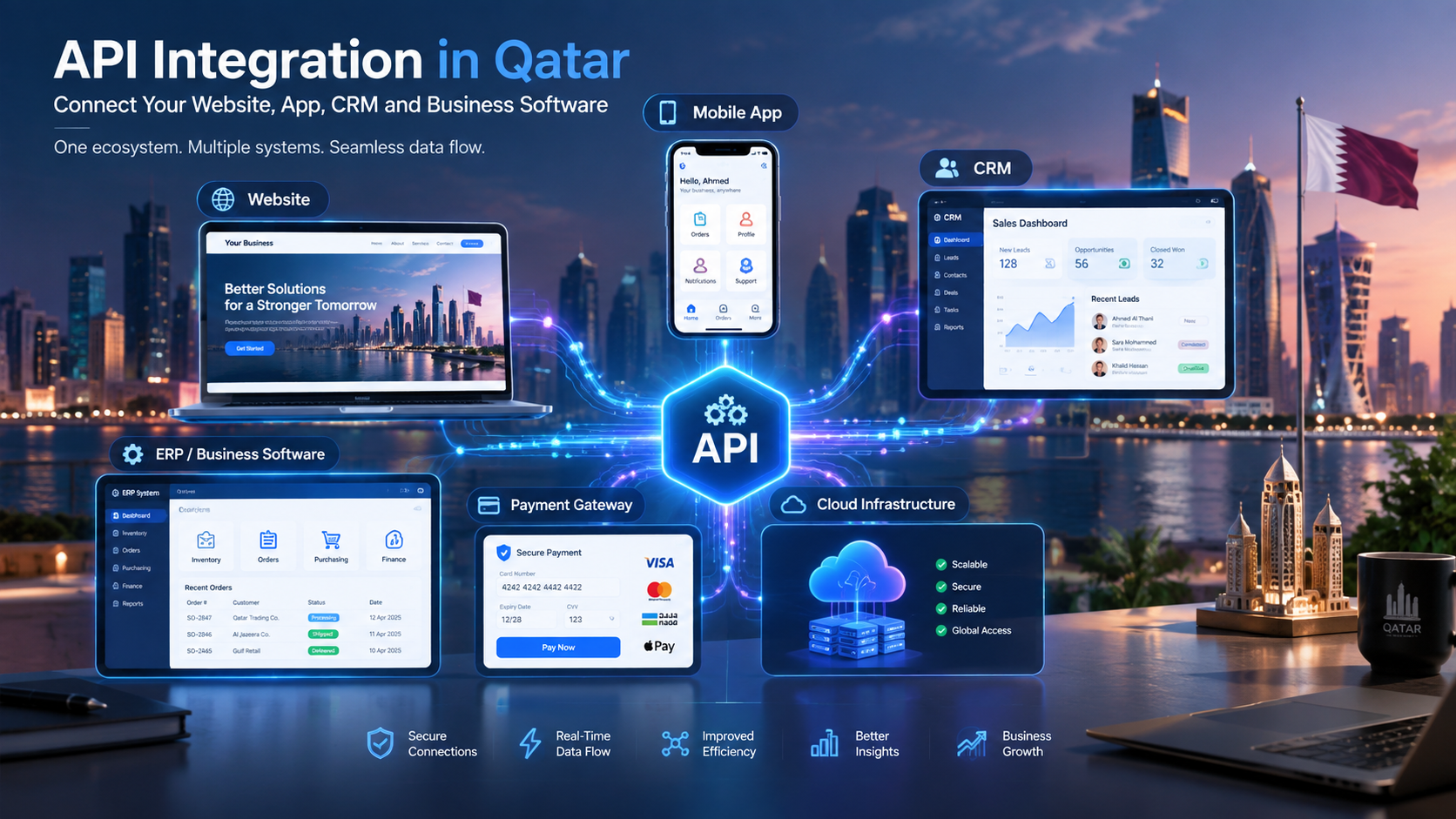
One of the most effective modernization techniques is to introduce an API layer.
Instead of immediately replacing a legacy application, a business can expose selected functionality through controlled interfaces.
For example:
Legacy ERP
↓
API Layer
↓
CRM
Mobile App
Website
Analytics
AI Assistant
This approach can allow the organization to modernize gradually.
A customer-facing mobile application, for example, does not necessarily need direct access to the legacy database.
Instead:
Mobile App → Secure API → Business Logic → Legacy Database
This creates an abstraction layer that can later make it easier to replace the legacy backend.
Consider Cloud Modernization
Moving legacy software to the cloud can provide operational benefits, but cloud migration should not be treated as synonymous with modernization.
A poorly designed legacy application can remain poorly designed after being moved to the cloud.
Cloud modernization can involve:
Managed databases
Cloud application hosting
Containers
Automated deployments
Monitoring
Backup automation
Infrastructure as code
Scalable compute
Managed storage
API gateways
Security services
Cloud and DevOps practices can also help organizations automate testing and deployment and improve operational consistency.
For businesses evaluating this layer of modernization, cloud and DevOps solutions can be part of a broader application modernization strategy.
Modernize the User Experience
A technically modern backend is not enough if employees still struggle to use the system.
Modernization should examine the user journey.
For each major workflow, ask:
How many screens are required?
How many fields must be entered?
Is information duplicated?
Can common tasks be automated?
Can approvals be completed digitally?
Can employees search quickly?
Can managers see current information?
Is mobile access necessary?
Can notifications replace manual follow-ups?
For example, instead of:
Employee → Open legacy system → Search record → Export data → Email manager
a modern workflow could be:
Employee → Open dashboard → Select record → Submit approval → Automatic notification
The best modernization projects improve the work itself, not simply the appearance of the software.
Add Automation Where It Creates Real Value
Legacy software often contains repetitive processes that can be automated after modernization.
Examples include:
Finance
Invoice generation
Payment notifications
Reconciliation workflows
Approval routing
Sales
Lead assignment
Follow-up reminders
Customer notifications
Sales reporting
HR
Leave approvals
Employee document workflows
Onboarding
Notifications
Operations
Inventory alerts
Purchase approvals
Scheduling
Work-order management
Customer Service
Ticket routing
Status notifications
Customer self-service
Automated follow-ups
Modernization therefore provides an opportunity to combine software modernization with business automation rather than simply reproducing the old system in a new interface.
Where AI Fits Into Legacy Software Modernization
AI should not be added merely because it is currently popular.
It should solve a real business problem.
Once legacy data and workflows are exposed through secure modern architecture, AI can potentially be introduced into areas such as:
Natural-language reporting
Document processing
Customer support
Knowledge search
Forecasting
Data classification
Workflow assistance
Internal business assistants
Intelligent notifications
Automated data extraction
For example, a traditional inventory system might require a manager to open several reports.
A modernized system could potentially provide an authorized AI interface that answers questions such as:
Which products are approaching their reorder threshold?
Or:
Which branches have experienced the largest inventory changes this month?
The important architecture principle is that AI should operate within the organization's security, permissions, data governance, and business workflows.
AI should not become a shortcut around access control.
Security During Legacy Software Modernization
Security should be addressed before migration, during implementation, and after launch.
Key areas include:
Identity
Who can access the system?
Authentication
How are users authenticated?
Authorization
What is each user allowed to do?
Data Protection
Which data needs encryption or additional protection?
API Security
How are external applications authenticated and authorized?
Logging
Can security-relevant activity be investigated?
Monitoring
Can abnormal behavior or failures be detected?
Backup and Recovery
Can the organization recover after a system failure?
Dependency Management
Are third-party libraries and frameworks maintained?
Secrets Management
Are credentials stored securely rather than inside source code?
Modernization is a good opportunity to eliminate insecure legacy practices rather than simply transferring them to new infrastructure.
How to Modernize Without Disrupting the Business
One of the biggest fears around modernization is operational disruption.
A company cannot simply shut down its core system for six months while a replacement is developed.
A phased strategy is usually safer.
Phase 1: Assessment
Understand the existing system.
Phase 2: Architecture
Design the future environment.
Phase 3: Pilot
Modernize a contained component or workflow.
Phase 4: Integration
Connect the modernized component to the legacy system.
Phase 5: Migration
Move selected users, processes, or data.
Phase 6: Validation
Compare the new system against expected business results.
Phase 7: Expansion
Modernize additional modules.
Phase 8: Legacy Retirement
Decommission components only after dependencies have been addressed.
A proof of concept can be particularly useful before a large modernization program. Microsoft's guidance recommends using an end-to-end proof of concept to validate the chosen modernization strategy and expose technical or operational issues early.
The Strangler Pattern for Legacy Modernization
One useful approach is to gradually replace parts of the old system rather than replacing everything at once.
Imagine the original platform contains:
Customers + Orders + Inventory + Billing + Reporting
Instead of rebuilding everything simultaneously, the organization might modernize:
Customer management
Then order processing
Then inventory
Then billing
Then reporting
The legacy system continues operating while modern components gradually take over responsibilities.
This can reduce the risk associated with a "big bang" replacement.
However, it requires careful management of dependencies and data consistency.
Testing a Modernized Business Application
Testing should be significantly more comprehensive than checking whether the new application opens.
Important testing areas include:
Functional Testing
Does each workflow produce the correct result?
Integration Testing
Do systems communicate correctly?
Data Testing
Was information migrated accurately?
Performance Testing
Can the application handle expected workloads?
Security Testing
Are authentication, authorization, APIs, and data protections working correctly?
User Acceptance Testing
Can actual employees complete their work successfully?
Regression Testing
Did modernization break functionality that previously worked?
Disaster Recovery Testing
Can the business recover from serious failures?
Testing should begin early rather than being postponed until the final weeks of the project.
How Much Does Legacy Software Modernization Cost?
There is no universal modernization price.
The cost depends on the complexity of the existing system and the modernization strategy.
Important cost factors include:
Application size
Number of users
Number of modules
Programming language
Database complexity
Number of integrations
Data volume
Security requirements
Cloud infrastructure
Mobile requirements
API development
User-interface redesign
Testing
Migration complexity
Documentation
Training
Ongoing support
A small internal application may require a relatively focused modernization effort.
An enterprise platform connected to finance, inventory, HR, CRM, payment systems, and customer portals can require a much larger program.
The most useful way to estimate cost is therefore not:
"How old is the software?"
but:
"What must change, what must remain, what dependencies exist, and what business outcome are we targeting?"
A phased modernization program can also distribute investment over multiple stages instead of requiring the organization to fund an entire replacement immediately.
Common Legacy Modernization Mistakes
Mistake 1: Rebuilding Everything at Once
A complete rewrite may appear attractive because it creates a clean technical starting point.
The risk is that the team may underestimate hidden business rules.
Mistake 2: Focusing Only on Technology
Replacing a framework does not automatically improve the business.
Modernization should improve workflows, reliability, security, scalability, or user experience.
Mistake 3: Ignoring Users
Employees understand practical problems that technical documentation may not reveal.
Include users in requirements, testing, and validation.
Mistake 4: Migrating Dirty Data
Moving inaccurate or duplicated information into a new database simply creates modernized data problems.
Mistake 5: Forgetting Integrations
The main application may be only one part of the business ecosystem.
Map every dependency before migration.
Mistake 6: Treating Cloud Migration as Complete Modernization
Moving an old application to a cloud server can solve an infrastructure problem without solving architectural problems.
Mistake 7: Adding AI Without a Business Case
AI should address a specific use case and operate within appropriate data and security controls.
Mistake 8: Ignoring Documentation
Modernization is an opportunity to document architecture, APIs, workflows, dependencies, deployment processes, and operational procedures.
Mistake 9: Failing to Plan the End State
A project should define what happens to the legacy platform after modernization.
Will it remain?
Will it become a fallback?
Will it be retired?
When?
Who is responsible?
These decisions should be made before the final migration stage.
A Practical Legacy Software Modernization Roadmap
A business can use the following roadmap as a starting point.
Stage 1 — Discover
Inventory:
Applications
Infrastructure
Databases
Integrations
Users
Dependencies
Stage 2 — Assess
Evaluate:
Business value
Technical debt
Security
Cost
Performance
Scalability
Maintainability
Stage 3 — Prioritize
Rank systems according to:
Business value + risk + modernization effort + dependencies
Stage 4 — Select the Strategy
Choose whether each component should be:
Retained
Retired
Replaced
Rehosted
Replatformed
Refactored
Rearchitected
Rebuilt
Stage 5 — Design
Create the target architecture.
Define:
Applications
APIs
Databases
Infrastructure
Security
Integrations
Monitoring
Data migration
Stage 6 — Pilot
Select a manageable business capability.
Build a proof of concept.
Test it with real users.
Stage 7 — Modernize Incrementally
Move additional capabilities in controlled phases.
Stage 8 — Measure
Track:
Processing time
Error rates
System performance
User adoption
Support tickets
Development speed
Operational costs
Security findings
Stage 9 — Retire Legacy Components
Decommission old components only after verifying dependencies, data retention, business continuity, and user access.
Stage 10 — Continuously Improve
Modernization should not be considered finished forever.
Applications require ongoing:
Security updates
Performance optimization
Infrastructure improvements
Feature development
Monitoring
Data governance
User feedback
Architecture reviews
Microsoft's current modernization lifecycle similarly emphasizes continuous optimization after initial modernization rather than treating implementation as the final stage.
Example: Modernizing a Legacy Business Management System
Consider a hypothetical distribution company using a desktop business management application.
The system handles:
Customers
Orders
Inventory
Invoices
Reports
However, employees also use spreadsheets and email.
The company wants:
A web interface
Mobile access
Customer self-service
Automated notifications
Better reporting
CRM integration
A risky approach would be to immediately replace the entire system.
A more controlled approach could be:
Phase 1
Document the existing workflows and database.
Phase 2
Create an API layer around selected legacy functionality.
Phase 3
Build a modern web interface.
Phase 4
Introduce customer accounts and a customer portal.
Phase 5
Connect CRM and automated notifications.
Phase 6
Modernize inventory management.
Phase 7
Modernize reporting and analytics.
Phase 8
Build a mobile application if the business case supports it.
Phase 9
Move appropriate infrastructure to managed cloud services.
Phase 10
Retire the original desktop modules progressively.
The result is not simply a "new application."
It is a transition from a closed legacy system to a connected business platform.
For organizations requiring web-based business applications, web application development can form part of this type of modernization architecture.
Legacy Software Modernization for Qatar Businesses
For businesses operating in Qatar, modernization decisions should reflect actual operational requirements rather than simply adding "Qatar" to a generic technology plan.
Relevant considerations can include:
Arabic and English user interfaces
Local business workflows
Multi-branch operations
Customer portals
Mobile access
Payment integrations
Cloud infrastructure
Data security
Employee management
CRM and ERP integration
Business automation
AI capabilities
Future regional expansion
A company operating in Qatar may also have technology spread across websites, ERP platforms, accounting software, HR systems, CRM tools, mobile applications, and internal systems.
The modernization opportunity is therefore often about connecting technology, not merely replacing one application.
Galaxium Coding's broader guidance on digital transformation in Qatar similarly emphasizes connecting software, mobile applications, cloud infrastructure, AI, automation, CRM, ERP, and other business technologies.
When Should You Modernize Instead of Replace?
Modernization is often attractive when the existing system contains valuable business logic that would be expensive or risky to reproduce.
Consider modernization when:
The core business workflows still work.
The software contains valuable historical data.
Existing users understand the system.
The main problems are architectural or technical.
The application can be incrementally improved.
Some modules remain useful.
The business cannot tolerate a major operational interruption.
Replacement may be more appropriate when:
The application no longer reflects the business.
The architecture cannot reasonably support requirements.
The technology is fundamentally unsupported.
A suitable modern platform already exists.
Maintaining the old system costs more than transitioning.
The business is changing its processes significantly.
There is no universal answer.
The right decision comes from comparing the business value of the existing system against the cost, risk, and opportunity of modernization or replacement.
How to Choose a Legacy Software Modernization Partner
Modernization projects require more than programming ability.
When evaluating a technology partner, ask:
Can they understand the existing system?
A modernization partner needs to understand legacy code, databases, integrations, and business rules.
Can they design the future architecture?
Look for experience with APIs, databases, cloud infrastructure, security, web applications, and integrations.
Can they migrate data safely?
Data migration should be treated as a major workstream rather than a final technical task.
Can they work incrementally?
A partner should be able to support phased modernization rather than insisting that every system be rebuilt simultaneously.
Do they understand business processes?
The technology should support the business rather than forcing employees into an arbitrary architecture.
Do they provide ongoing support?
Modernization creates a new technology environment that will require maintenance and improvement.
Can they integrate modern capabilities?
Depending on requirements, this could include:
CRM
ERP
Mobile applications
APIs
Cloud services
Automation
Analytics
AI
Galaxium Coding provides custom software development services for organizations that need software built around specific business requirements rather than relying entirely on generic systems.
Businesses can also review Galaxium Coding's projects and portfolio when evaluating relevant technology capabilities.
Final Thoughts
Modernizing legacy business software is not simply about replacing old code with new code.
It is about creating a technology environment that can support the organization's next stage of growth.
The best modernization programs begin by understanding what already exists.
They identify what should be preserved, what should be improved, what should be replaced, and what should be retired.
They prioritize business outcomes.
They modernize incrementally.
They protect data.
They improve security.
They introduce APIs and integrations where appropriate.
They use cloud infrastructure when it provides genuine value.
They redesign workflows rather than simply copying old screens.
And when AI or automation can solve a real business problem, they introduce those capabilities within a secure and well-designed architecture.
The goal is not to make every part of the system "new."
The goal is to make the business more capable, connected, secure, scalable, and easier to operate.
For organizations that need help evaluating their current software environment or planning a modernization program, contact Galaxium Coding to discuss the business requirements, existing systems, and potential modernization path.
Frequently Asked Questions
What is legacy software modernization?
Legacy software modernization is the process of improving an existing business application or technology environment so it can better meet current requirements for security, scalability, integration, performance, maintainability, and user experience.
It can involve rehosting, replatforming, refactoring, rearchitecting, rebuilding, replacing, or retiring applications.
Does legacy software always need to be replaced?
No.
A legacy application can remain valuable if it is stable, secure, maintainable, and still meets business requirements.
Modernization may involve improving only selected components rather than replacing the entire system.
What is the difference between modernization and migration?
Migration generally describes moving an application, data, or infrastructure from one environment to another.
Modernization is broader.
It can include migration but may also involve redesigning architecture, improving code, introducing APIs, automating workflows, modernizing databases, improving security, and changing the user experience.
Should legacy software be moved to the cloud?
Not automatically.
Cloud migration can be useful when it improves scalability, availability, operations, or infrastructure management. However, moving poorly designed legacy software to the cloud does not automatically make its architecture modern.
The decision should be based on business and technical requirements.
How long does legacy software modernization take?
The timeline depends on the size and complexity of the system.
A focused modernization of one module may take significantly less time than modernizing an enterprise platform with multiple databases, integrations, and user groups.
A proper assessment should be completed before committing to a detailed timeline.
Is it safer to modernize software gradually?
Often, yes.
A phased approach can reduce operational risk by allowing the organization to modernize and validate individual components before moving to the next stage.
It also provides opportunities to learn from early phases.
Can APIs help modernize legacy systems?
Yes.
An API layer can provide controlled access to selected legacy functionality and allow modern applications such as websites, mobile apps, CRM systems, analytics platforms, and other services to interact with the legacy environment.
This can make incremental modernization easier.
Should the database be modernized too?
Often, yes, but carefully.
The database may contain critical business information and historical records. Database modernization should therefore include data assessment, cleaning, transformation, migration, validation, security, backup, and reconciliation.
Can AI be added to legacy business software?
Potentially.
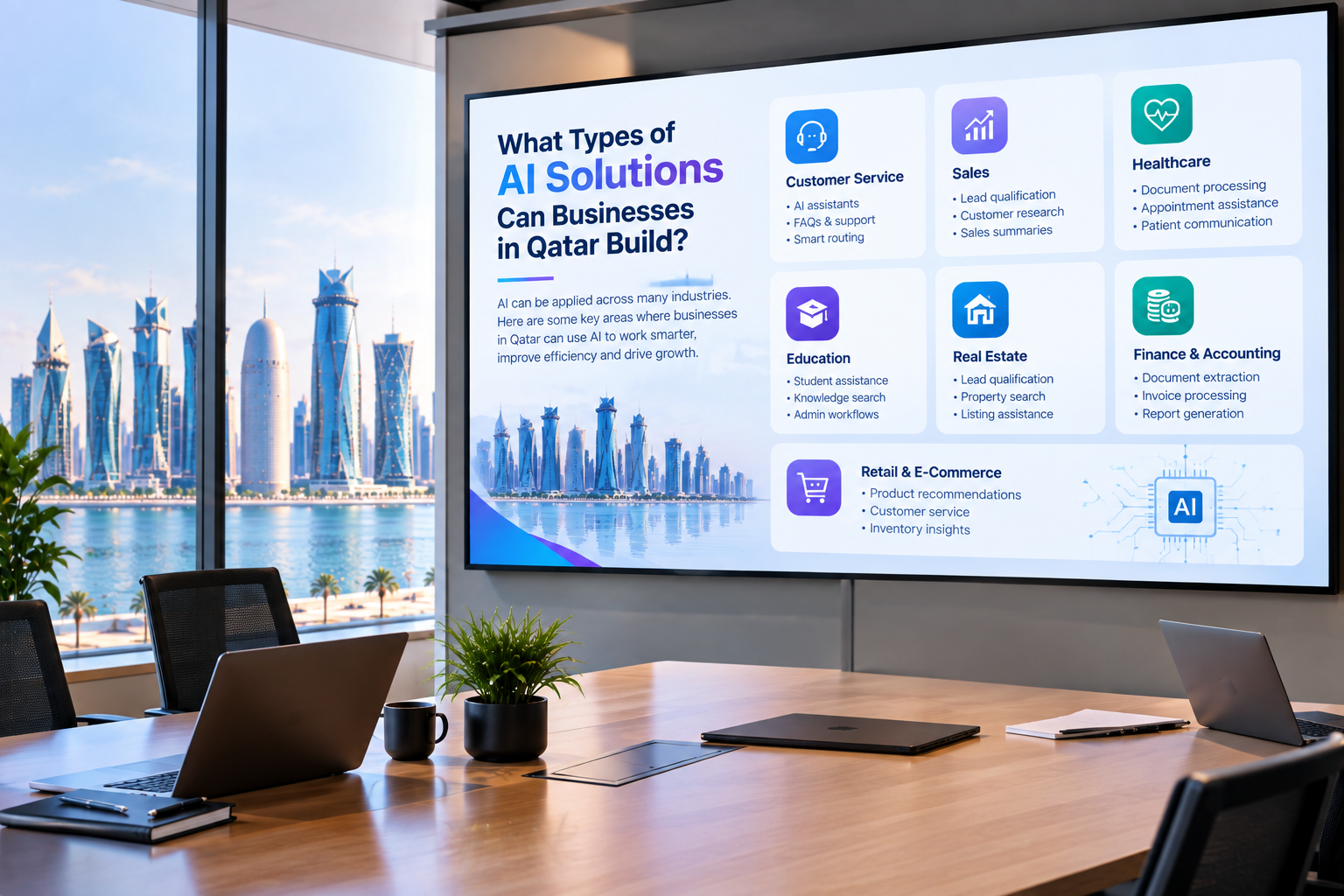
AI can be integrated into modernized business applications for use cases such as document processing, natural-language reporting, customer service, knowledge search, workflow assistance, and data analysis.
However, AI should be introduced according to a specific business case and appropriate security and access controls.
How do I know whether to rebuild or modernize my legacy software?
Start with an assessment.
If the existing business logic and data remain valuable and the system can be improved incrementally, modernization may be appropriate.
If the architecture is fundamentally unsuitable, poorly understood, impossible to maintain, or unable to meet future requirements, rebuilding or replacing it may be more practical.
The decision should consider business value, technical risk, dependencies, cost, and future requirements.