How ERP Software Can Automate Business Operations

ERP software connects departments and automates business workflows through one centralized platform.
Introduction
Many businesses begin with spreadsheets, email, messaging applications, accounting software, CRM platforms, and separate systems for individual departments. This approach can work when operations are small. However, as a company grows, employees often spend more time transferring information between systems, checking records, preparing reports, following up on approvals, and completing repetitive administrative tasks.
This is where ERP software automation can become valuable.
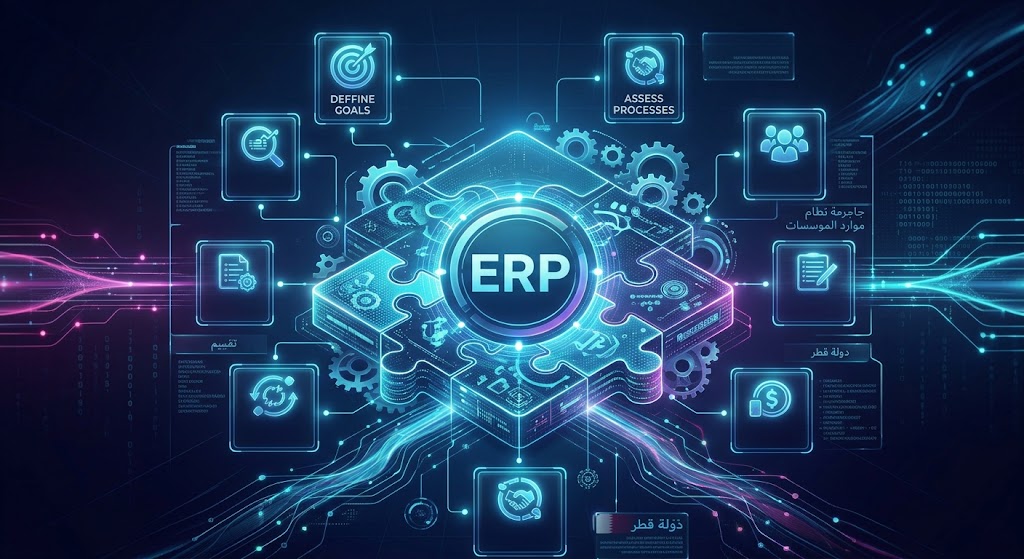
Enterprise Resource Planning (ERP) software connects important business functions through a centralized system. Instead of treating sales, purchasing, inventory, accounting, human resources, customer management, and reporting as completely separate activities, an ERP can connect them through structured workflows.
For example:
Customer Order → Sales → Inventory → Invoice → Accounting → Management Report
Rather than requiring employees to manually update each stage, an appropriately configured ERP can automate parts of this workflow.
Businesses considering broader digital transformation can also explore custom software development when their processes require functionality that standard software cannot provide.
This article explains how ERP software can automate business operations, which processes can be automated, what benefits businesses can expect, common implementation challenges, and how companies can approach ERP automation strategically.
What Is ERP Automation?
ERP automation refers to using an ERP system to automatically execute repetitive business tasks according to predefined rules, workflows, triggers, and data.
Traditional business processes often require employees to perform multiple manual steps.
For example:
A customer places an order.
An employee records the order.
Another employee checks stock.
The warehouse receives instructions.
An invoice is prepared.
Accounting records the transaction.
The customer receives confirmation.
Management later receives the information through a report.
With ERP automation, these activities can become connected.
A simplified automated workflow might look like:
Customer Order
↓
ERP Records Order
↓
Inventory Checked
↓
Stock Reserved
↓
Invoice Generated
↓
Accounting Updated
↓
Customer Notification
↓
Management Dashboard Updated
The exact workflow depends on the business, but the principle is straightforward: software performs predefined repetitive actions while employees handle tasks that require judgment, approval, communication, or decision-making.
Why Businesses Automate Operations Through ERP Software
The main reason businesses adopt ERP automation is not simply to reduce the number of clicks employees make.
The larger objective is to improve how information moves through the organization.
Without connected systems, businesses can experience:
Duplicate data entry
Delayed approvals
Inconsistent records
Manual reporting
Missed follow-ups
Inventory discrepancies
Slow purchasing processes
Repetitive administrative work
Limited visibility for management
Difficulty tracking transactions
ERP automation can create a structured flow between departments.
For example, a sales transaction can trigger inventory activity, accounting activity, customer communication, and reporting without requiring employees to manually recreate the same information several times.
This is particularly useful for growing organizations that need their technology to support increasingly complex operations.

How ERP Software Automates Business Operations
ERP automation can cover many areas of a business. The most useful approach is to identify repetitive processes and connect them to the appropriate ERP modules.
1. Sales Order Automation
Sales teams often spend considerable time creating quotations, recording orders, checking customer information, and communicating with other departments.
An ERP can centralize this process.
A typical workflow might be:
Lead → Customer → Quotation → Sales Order → Inventory → Invoice → Payment
Once a quotation is accepted, the system can create a sales order according to predefined rules.
Depending on the configuration, the system may also:
Check product availability
Reserve inventory
Apply pricing rules
Calculate totals
Generate documentation
Notify relevant employees
Create an invoice
Update customer records
Update sales dashboards
This reduces the need to enter the same information repeatedly.
2. Automated Inventory Management
Inventory is another area where automation can create significant operational value.
Manual inventory management can require employees to repeatedly check spreadsheets, warehouse records, purchase orders, and sales information.
An ERP can connect these processes.
For example:
Sale Completed → Inventory Reduced → Stock Level Checked → Reorder Rule Triggered
If inventory falls below a predefined threshold, the system can notify the responsible employee or initiate a purchasing workflow, depending on the business rules.
ERP inventory automation can support:
Stock level monitoring
Stock movement tracking
Warehouse transfers
Purchase orders
Reorder notifications
Product availability
Inventory reporting
Supplier records
Stock adjustments
The objective is not to automate every inventory decision blindly. Instead, the system should automate predictable activities while allowing employees to review important exceptions.
3. Purchase and Procurement Automation
Procurement can involve multiple steps:
Requirement → Approval → Supplier Selection → Purchase Order → Delivery → Invoice → Payment
When these activities are handled through email and spreadsheets, it can become difficult to determine the status of a purchase.
ERP software can create approval workflows.
For example:
Employee submits purchase request
Manager receives notification
Manager approves request
Purchase order is generated
Supplier receives order
Goods are received
Inventory is updated
Invoice is recorded
Finance processes payment
The business can also define different approval rules based on purchase value, department, supplier, or type of expense.
This can make procurement more structured and easier to monitor.
4. Automated Invoicing
Creating invoices manually for every transaction can consume significant administrative time.
An ERP can generate invoices from transactions already recorded in the system.
For example:
Sales Order → Delivery Confirmation → Invoice
Instead of re-entering customer information, product information, quantities, and prices, the system can use the information already stored in the transaction.
Depending on the implementation, ERP automation can also support:
Recurring invoices
Payment status
Outstanding balances
Customer statements
Payment reminders
Credit notes
Invoice reporting
This creates a stronger connection between sales and accounting.
5. Accounting Workflow Automation
ERP software can connect operational transactions with financial records.
For example:
Purchase → Supplier Invoice → Accounts Payable
and:
Sale → Customer Invoice → Accounts Receivable
This can reduce the amount of information that accounting teams need to enter manually.
An ERP may also automate:
Expense recording
Invoice matching
Payment tracking
Receivable reminders
Payable monitoring
Financial reports
Approval workflows
Transaction categorization
The precise accounting functionality should be designed according to the organization's financial requirements and applicable local requirements.
6. Human Resources Automation
ERP automation is not limited to finance and inventory.
Human resources departments can also benefit from connected workflows.
An ERP or integrated HR module can support processes such as:
Employee onboarding
Leave requests
Attendance
Employee records
Approval workflows
Payroll-related information
Document management
Employee notifications
For example:
Employee Submits Leave Request → Manager Notified → Manager Approves → Leave Balance Updated
Without automation, each stage may require separate messages or manual updates.
With a connected system, the information can move through the workflow automatically.
7. Automated Approval Workflows
Approvals are often overlooked when businesses discuss automation.
However, many organizations rely on approvals for:
Purchases
Expenses
Discounts
Refunds
Leave
Contracts
Payments
Customer accounts
Inventory adjustments
An ERP can route requests to the appropriate person.
For example:
Expense Submitted → Department Manager → Finance Review → Approval → Accounting Record
The system can also maintain a record of who approved the request and when.
This creates greater visibility into operational processes.
8. Automated Customer Management
When ERP software is connected with CRM functionality, customer information can move between sales, service, billing, and other departments.
A customer record might contain:
Contact details
Sales history
Orders
Invoices
Payments
Support information
Communication history
A sales employee does not necessarily need to ask another department for information that already exists in the connected system.
This can help create a more consistent customer experience.
Businesses that need customer-facing digital systems can also consider web application development for portals, dashboards, customer platforms, and other connected applications.
9. Automated Reporting
One of the most useful ERP automation capabilities is automated reporting.
Without a centralized system, managers may have to wait for employees to collect information from multiple sources.
An ERP can collect operational information continuously.
Management dashboards can display information such as:
Sales
Revenue
Expenses
Inventory
Outstanding payments
Purchases
Customers
Employees
Orders
Branch performance
Instead of preparing the same report manually every week, the system can generate updated information from the underlying database.
This does not eliminate the need for management analysis. It simply reduces the manual effort required to collect and organize the information.
10. Automated Notifications and Alerts
ERP systems can trigger notifications when specific conditions occur.
For example:
Inventory reaches a defined threshold
Invoice becomes overdue
Purchase request requires approval
Customer order is delayed
Payment is received
Employee submits a request
Contract reaches a particular date
A task remains incomplete
These alerts can be delivered through the channels supported by the implementation.
The important point is that employees do not have to continuously monitor every transaction manually.
11. Automating Multi-Department Workflows
The real strength of ERP automation appears when multiple departments are connected.
Consider a simple business selling physical products.
A customer places an order.
Customer
↓
Sales
↓
Inventory
↓
Warehouse
↓
Delivery
↓
Invoice
↓
Accounting
↓
Management Dashboard
The same transaction can affect several parts of the organization.
Without an integrated system, each department may update its own records.
With an ERP, information can flow through the connected platform.
This creates a single operational process instead of several disconnected processes.
ERP Automation vs Manual Business Operations
Business Activity | Manual Approach | ERP Automation |
|---|---|---|
Sales order | Employee enters information manually | Order recorded in centralized system |
Inventory | Spreadsheet or separate software | Inventory updated through connected transactions |
Purchasing | Email and manual approvals | Configured approval workflow |
Invoicing | Invoice created manually | Invoice generated from transaction data |
Reporting | Employees compile information | Dashboards use centralized data |
Notifications | Employees remember to follow up | Rule-based alerts |
Customer records | Multiple databases | Centralized customer information |
Approvals | Email/messages | Structured workflow |
Data entry | Repeated across departments | Information can flow between modules |
The table illustrates the difference in process structure. Actual automation capabilities depend on the ERP product and its configuration.
What Business Processes Should Be Automated First?
Not every process should be automated immediately.
Businesses should begin by identifying processes that are:
Repetitive
High-volume
Rule-based
Time-consuming
Prone to manual errors
Dependent on multiple departments
Easy to measure
For example, automatically generating invoices from completed orders may be a straightforward automation opportunity.
By contrast, a complex business decision requiring human judgment may not be appropriate for complete automation.
A Practical Automation Assessment
Businesses can evaluate each process using four questions:
1. How frequently does the task occur?
A task performed hundreds of times each month may offer more automation potential than an activity performed twice a year.
2. How much manual effort is involved?
If employees spend hours transferring information between systems, automation may have measurable value.
3. Is the process rule-based?
Predictable processes are generally easier to automate.
4. What happens when something goes wrong?
A good workflow should define exception handling rather than assuming every transaction will follow the normal path.
ERP Automation and Business Integrations
ERP software does not always operate alone.
A business may need to connect its ERP with:
Websites
E-commerce platforms
Payment gateways
Banking systems
CRM platforms
HR applications
Mobile apps
Shipping systems
Email services
SMS platforms
Third-party APIs
Customer portals
For example:
E-Commerce Website
↓
API
↓
ERP
↓
Inventory
↓
Accounting
↓
Customer Notification
API integrations can allow different applications to exchange information without requiring employees to manually transfer data.
Businesses with complex integration requirements can explore cloud and DevOps solutions as part of a broader software architecture.
ERP Automation and Mobile Applications
Modern business operations are not always performed from a desktop computer.
Sales employees may work in the field. Managers may travel between branches. Warehouse employees may need mobile access. Customers may require self-service portals.
An ERP backend can potentially support web and mobile interfaces.
For example:
ERP Backend
↙ ↓ ↘
Web Application | Mobile Application | API
A mobile application could allow authorized employees to:
View customers
Update orders
Check inventory
Submit expenses
Review tasks
Approve requests
Receive notifications
Businesses requiring mobile access can consider mobile application development as part of an integrated ERP ecosystem.
ERP Automation and Artificial Intelligence
Artificial intelligence can extend ERP automation beyond traditional rule-based workflows.
Traditional automation might follow:
If stock < threshold → Send notification
AI-assisted automation can potentially analyze larger amounts of information and support more complex tasks.
Possible applications include:
AI-Powered Reporting
AI can summarize business information and help employees understand trends within authorized data.
AI Customer Support
An AI assistant can handle common customer questions when connected to appropriate business information.
AI Sales Assistance
AI can help sales teams organize leads, summarize customer information, or identify follow-up opportunities.
AI Document Processing
AI can extract information from documents and pass relevant data into business workflows, subject to appropriate validation.
AI Business Assistance
Employees could use natural-language interfaces to ask questions about permitted business information.
For example:
Employee: "Which customer invoices are overdue?"
AI Assistant → ERP Data → Authorized Results
The AI layer does not replace the ERP. It works with the ERP's underlying information and business rules.
ERP Automation in Qatar
ERP automation can be particularly relevant for businesses in Qatar that are expanding operations, adding employees, opening branches, or connecting multiple digital systems.
However, Qatar-focused ERP implementation should not simply mean adding the words "Qatar ERP" to a generic software solution.
Businesses should consider their actual operational requirements, including:
Organizational structure
Industry workflows
Accounting processes
Employee management
Customer management
Branch operations
Existing software
Integration requirements
Data security
Hosting requirements
Language requirements
Reporting requirements
Local business processes
For companies operating in Qatar, the technology platform should be evaluated according to actual business needs rather than simply the number of modules offered by a vendor.
Custom ERP vs Standard ERP Automation
Businesses generally have two broad approaches.
Standard ERP
A standard ERP provides pre-built functionality.
Potential advantages include:
Faster implementation
Existing features
Established workflows
Existing integrations
Vendor support
However, businesses may need to adapt some processes to the software.
Custom ERP
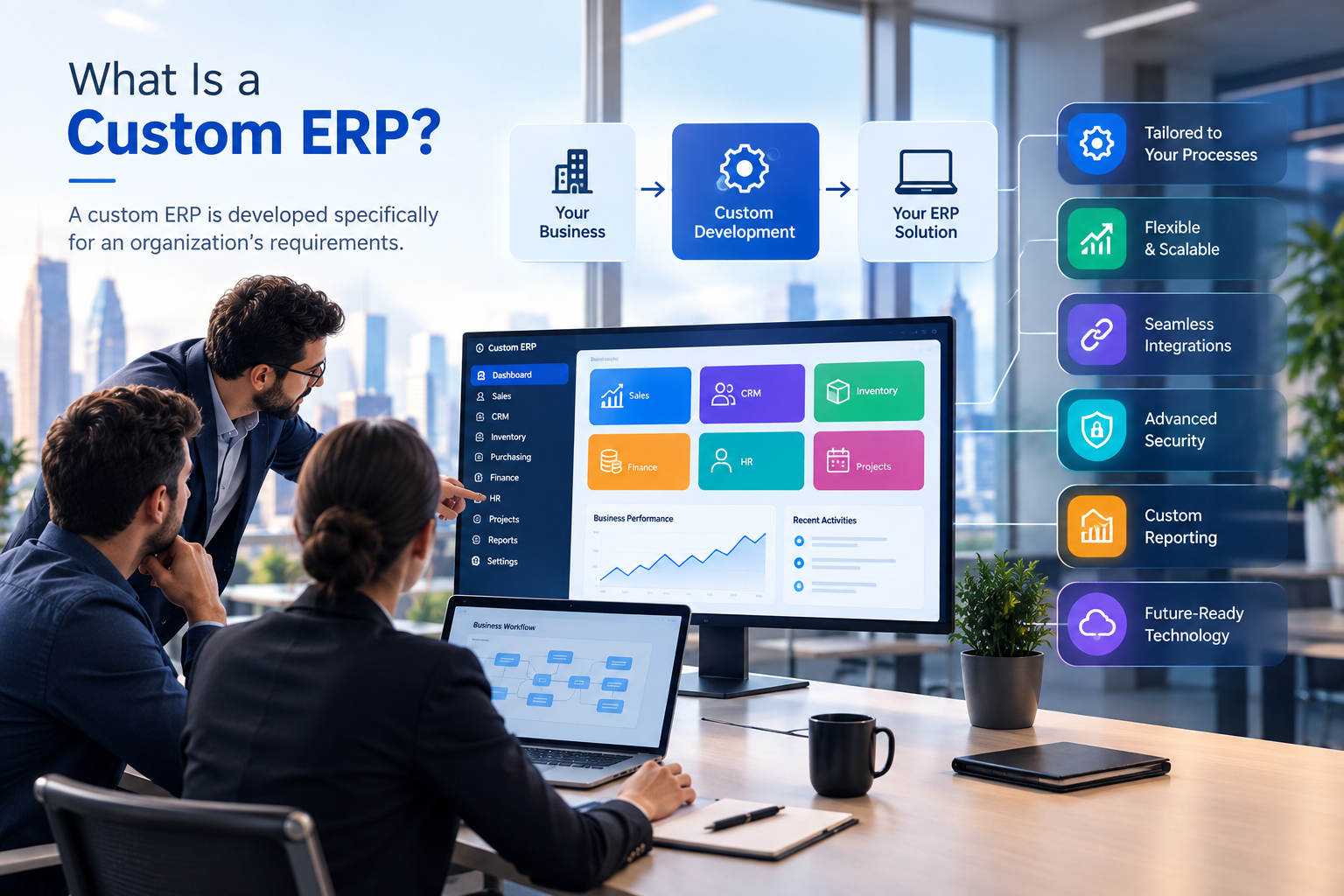
A custom ERP is designed around the organization's specific requirements.
It can be useful when a business requires:
Unique workflows
Industry-specific functionality
Specialized approvals
Custom dashboards
Complex integrations
Customer portals
Employee portals
Mobile applications
Advanced automation
The decision should depend on requirements, budget, implementation complexity, scalability, and long-term business objectives.
A company does not automatically need custom ERP software simply because customization is possible.
Common ERP Automation Mistakes
ERP automation can produce significant benefits, but poor implementation can create new problems.
Mistake 1: Automating a Bad Process
Automation does not automatically improve a poorly designed workflow.
If the current process contains unnecessary steps, automating every step may simply make the inefficient process run faster.
Businesses should review the process before automating it.
Mistake 2: Automating Everything at Once
Large ERP projects can become difficult when every department attempts to automate every process simultaneously.
A phased approach can make implementation easier to manage.
Mistake 3: Ignoring Data Quality
Automation depends on reliable information.
If customer, product, inventory, or financial data is inaccurate, automated workflows can produce inaccurate results.
Mistake 4: Removing Human Oversight
Not every decision should be fully automated.
Important financial, compliance, customer, or operational decisions may still require human approval.
Mistake 5: Ignoring Integrations
An ERP cannot provide a fully connected business environment if important external systems remain isolated.
Integration requirements should be considered during planning.
Mistake 6: Focusing Only on Features
A long list of features does not necessarily mean the ERP will work well for a particular organization.
Businesses should focus on workflows and outcomes.
A Practical ERP Automation Implementation Process
A structured implementation can reduce unnecessary complexity.
Step 1: Map Current Processes
Document how information currently moves through the organization.
For example:
Customer → Sales → Inventory → Accounts
Identify where employees manually transfer information.
Step 2: Identify Bottlenecks
Look for:
Repeated data entry
Delayed approvals
Manual reporting
Duplicate records
Communication gaps
Inventory discrepancies
Missed follow-ups
Step 3: Define Automation Opportunities
Prioritize processes that are repetitive, measurable, and rule-based.
Step 4: Define User Roles
Determine who can:
View information
Create records
Approve requests
Modify transactions
Access reports
Manage settings
Step 5: Design Integrations
Identify external systems that need to communicate with the ERP.
Step 6: Configure or Develop the ERP
Depending on the chosen approach, the business may configure an existing ERP or develop customized functionality.
Step 7: Test Workflows
Test both normal transactions and exceptions.
For example:
What happens when inventory is unavailable?
What happens when an invoice is rejected?
What happens when an approval is delayed?
What happens when a payment fails?
Step 8: Train Employees
Employees need to understand not only how to use the system, but also why the workflow has changed.
Step 9: Monitor Performance
After launch, review whether automation is producing the expected operational improvements.
Security and Access Control in ERP Automation
Because ERP systems can contain sensitive business information, security should be part of the architecture.
An ERP may contain:
Financial information
Customer information
Employee records
Supplier data
Business documents
Sales information
Operational data
Organizations should consider:
Role-based access
Authentication
Authorization
Secure APIs
Encryption
Backup procedures
Audit logs
Monitoring
Data recovery
Secure infrastructure
Automation should also respect access permissions.
For example, an employee who cannot manually access financial records should not gain access to the same information simply because an automated workflow exists.
How ERP Automation Can Improve Management Visibility
Automation is not only about reducing repetitive tasks.
It can also improve visibility.
When business transactions are captured centrally, management can potentially see operational information through dashboards.
For example:
Sales Dashboard
Orders
Revenue
Customers
Sales representatives
Inventory Dashboard
Available stock
Low-stock items
Warehouse activity
Purchase requirements
Finance Dashboard
Receivables
Payables
Expenses
Cash-flow information
Operations Dashboard
Pending tasks
Orders
Approvals
Service activity
This allows management to spend less time asking departments for basic operational information and more time interpreting the information.
Measuring ERP Automation Success
Businesses should define measurable objectives before implementing automation.
Possible measurements include:
Time spent on repetitive tasks
Number of manual data-entry steps
Order processing time
Invoice processing time
Approval time
Inventory discrepancies
Reporting preparation time
Number of duplicate records
Customer response time
For example, if employees previously needed several hours each week to compile a recurring report, the business can compare the process after automation.
The objective should be measurable rather than simply stating that the ERP should "make things better."
When ERP Automation May Not Be the Right Solution
ERP software is not automatically the answer to every operational problem.
A business may not need a large ERP implementation if:
Operations are very small
Processes are simple
Existing software already works well
There are few departments
Transaction volumes are low
Integration requirements are minimal
In such situations, smaller business applications or targeted automation may be more appropriate.
The right technology depends on the organization's actual requirements.
The Future of ERP Automation
ERP systems are increasingly becoming connected with cloud computing, APIs, mobile applications, analytics, and artificial intelligence.
The future business platform may look less like a collection of separate applications and more like an interconnected digital ecosystem.
For example:
Customer
↓
Website / Mobile App
↓
CRM
↓
ERP
↓
Inventory + Accounting + HR
↓
AI + Automation
↓
Management Analytics
In this environment, ERP becomes the operational foundation while other technologies extend what the business can accomplish.
The objective is not to add technology simply because it is available.
Instead, businesses should identify operational problems and determine which technologies can solve them effectively.
How Galaxium Coding Can Support ERP and Business Automation
ERP projects often involve more than a single software module.
A business may require custom software, APIs, web applications, mobile applications, cloud infrastructure, dashboards, AI, and automation around its core ERP.
Galaxium Coding provides software development and digital technology services that can support customized business platforms and connected applications.
Businesses can review Galaxium Coding's projects and portfolio to explore its broader technology work.
For organizations whose requirements cannot be fully addressed through standard software, custom software development can provide an approach where workflows and functionality are designed around specific operational requirements.
Final Thoughts
ERP software can automate business operations by connecting departments, centralizing information, and turning repetitive manual processes into structured digital workflows.
The most valuable ERP automation is not necessarily the most complicated.
A simple workflow such as:
Order → Inventory → Invoice → Accounting
can already eliminate repeated data entry and improve information flow.
As business requirements become more complex, ERP automation can expand into procurement, HR, customer management, reporting, mobile applications, integrations, AI, and advanced business workflows.
The key is to start with the business process.
Before selecting an ERP, businesses should ask:
Which processes consume the most manual effort?
Where is information being entered repeatedly?
Which approvals cause delays?
Which departments need to share information?
Which reports require manual preparation?
Which external systems need integration?
Which decisions should remain under human control?
Once these questions are answered, technology can be selected and configured around actual operational requirements.
For businesses evaluating an ERP, custom business platform, or broader automation strategy, you can contact Galaxium Coding to discuss the requirements and determine which technology approach fits the organization.
Frequently Asked Questions
What is ERP automation?
ERP automation uses ERP software, workflows, rules, and integrations to automate repetitive business activities such as order processing, invoicing, inventory updates, approvals, reporting, and notifications.
What business processes can ERP software automate?
ERP software can automate many processes, including sales orders, purchasing, inventory management, invoicing, accounting workflows, employee requests, approvals, reporting, customer management, and notifications.
Can ERP automate accounting?
Yes. Depending on the ERP system, accounting workflows can connect with sales, purchases, invoices, payments, expenses, receivables, payables, and financial reporting.
Can ERP automate inventory management?
Yes. ERP systems can connect sales and purchasing with inventory records, allowing stock levels, movements, orders, and notifications to be managed through connected workflows.
Can ERP software integrate with other systems?
Yes. ERP platforms can integrate with websites, e-commerce systems, CRM platforms, payment services, mobile applications, banking systems, shipping platforms, and other software through APIs and integrations.
Does ERP automation eliminate employees?
ERP automation is generally intended to reduce repetitive administrative work rather than eliminate the need for employees. People remain important for judgment, customer relationships, approvals, strategy, exception handling, and decision-making.
Is custom ERP better than standard ERP?
There is no universal answer. Standard ERP may be appropriate when its existing functionality fits the business. Custom ERP can be considered when an organization has specialized workflows, complex integrations, or requirements that standard products cannot adequately support.
How long does ERP implementation take?
Implementation time varies according to the number of modules, integrations, data migration requirements, customization, testing, user count, and organizational complexity. A detailed scope is needed before estimating a realistic timeline.
What should businesses automate first?
Businesses should generally examine repetitive, high-volume, rule-based processes first, particularly processes involving repeated data entry, approvals, reporting, or movement of information between departments.
Can AI work with ERP software?
Yes. AI can potentially work with ERP data and workflows for applications such as business assistance, reporting, document processing, customer support, sales assistance, and data analysis. Appropriate access controls and validation remain important.
Conclusion
ERP automation is ultimately about connecting business processes.
Instead of employees repeatedly moving information between spreadsheets, emails, applications, and departments, an integrated ERP can allow information to move through predefined workflows.
The result can be a more connected operational environment where sales, inventory, procurement, accounting, HR, customers, reporting, and management information work together.
The right ERP strategy begins not with a feature list, but with a clear understanding of how the business operates today and where automation can create measurable value.