ERP Solutions for Qatar Businesses: Sales, HR, Finance, Inventory and Operations
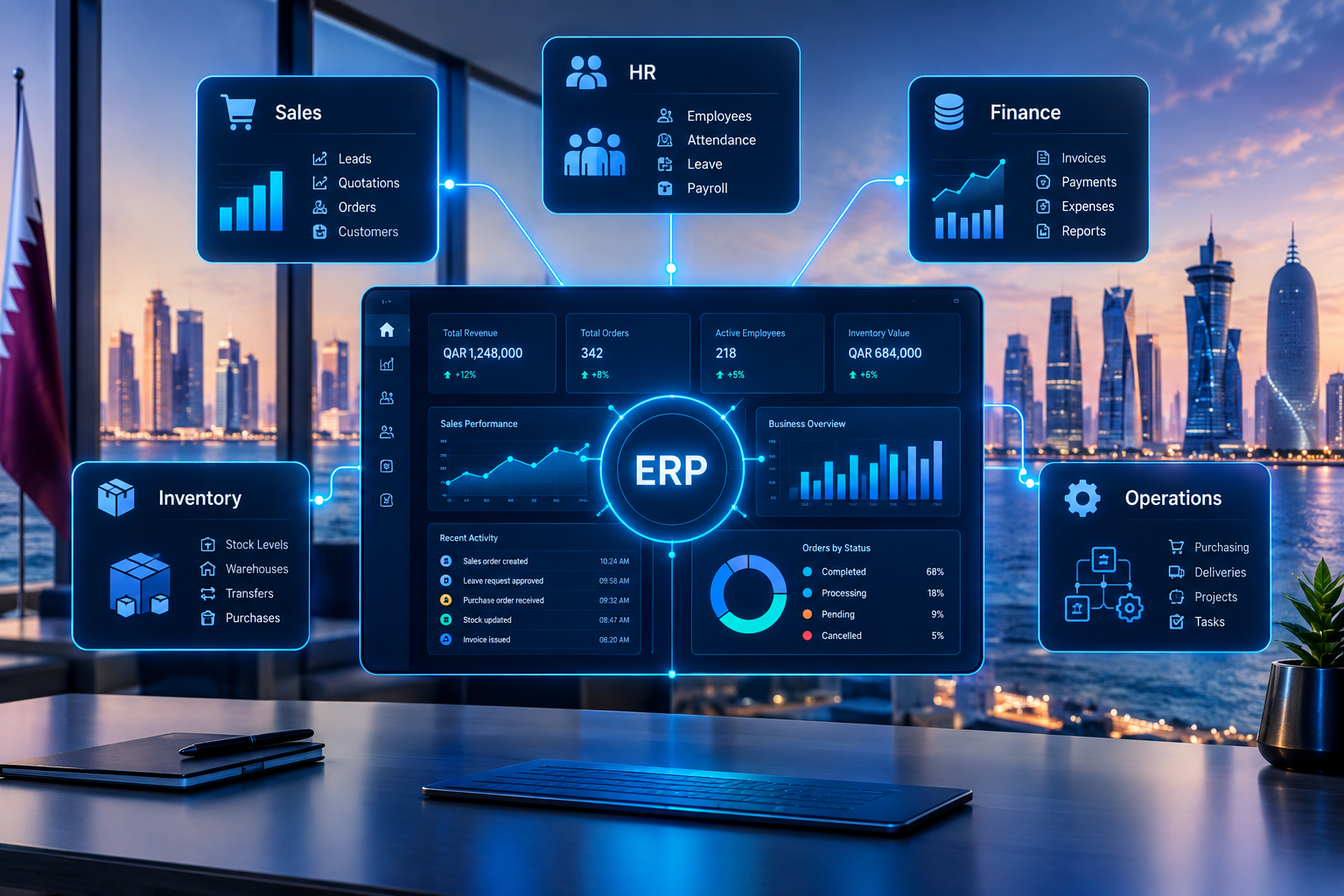
Modern ERP solutions connect sales, HR, finance, inventory and operations through one integrated business platform.
ERP Solutions for Qatar Businesses: Sales, HR, Finance, Inventory and Operations
Running a growing business often means managing several departments at the same time.
Sales teams handle customers and quotations. Finance teams manage invoices and payments. HR manages employees and attendance. Inventory teams track products and stock movements. Operations teams coordinate purchasing, deliveries, services and day-to-day workflows.
When every department uses separate spreadsheets, applications or manual processes, information can become fragmented.
A sales employee may not know the latest inventory position. Finance may need to wait for sales information before preparing reports. HR may maintain employee records separately from attendance and payroll systems. Management may need to collect information from several departments before understanding overall business performance.
This is where ERP solutions for Qatar businesses can provide a more connected approach.
Enterprise Resource Planning, or ERP, brings multiple business functions into one digital environment. Instead of treating sales, finance, HR, inventory and operations as completely separate systems, an ERP can connect them through shared data, workflows, permissions and reporting.
For Qatar businesses, the right ERP approach may also need to consider factors such as organizational structure, multiple branches, bilingual users, industry-specific processes, integrations and future digital transformation requirements.
Businesses that need software designed around their specific workflows can also explore custom software development solutions from Galaxium Coding.
This guide explains how ERP can connect the core departments of a business, what each area can manage, how information can move between departments, and what businesses should consider before implementing an ERP platform.
What Is an ERP Solution?
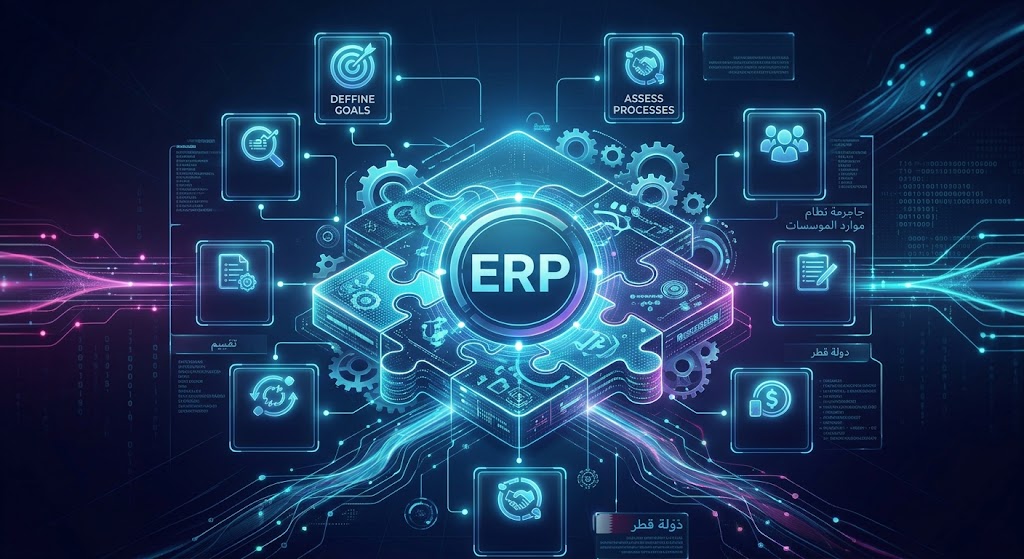
An ERP solution is a business management system that connects different organizational functions through a centralized software platform.
Instead of maintaining completely independent systems for every department, businesses can use an ERP to create connected workflows.
A typical ERP environment may include:
Sales
CRM
Finance and accounting
Human resources
Payroll
Inventory
Purchasing
Procurement
Operations
Projects
Reporting
Document management
Workflow automation
Customer management
Business analytics
The exact configuration depends on the organization.
A retail company may need strong inventory and POS capabilities.
A service company may prioritize sales, CRM, projects, HR and invoicing.
A distribution company may require inventory, procurement, sales, warehouse and delivery management.
A construction business may require projects, procurement, employees, expenses and financial management.
The purpose of ERP is therefore not to install every available module.
The objective is to connect the processes that are important to the business.
Why ERP Solutions Matter for Qatar Businesses
Qatar businesses operate across a wide range of industries, including retail, real estate, construction, professional services, logistics, hospitality, education, healthcare and technology.
Each industry has different operational requirements.
However, many organizations share similar challenges:
Customer information is stored in multiple systems.
Sales and finance use different records.
Inventory is updated manually.
Employees submit requests through email or messages.
Managers receive reports manually.
Purchasing information is disconnected from stock levels.
Customer follow-ups are difficult to track.
Different branches maintain separate records.
Business owners lack a centralized operational view.
ERP can address these challenges by creating a connected information environment.
For example:
Customer enquiry → Sales → Quotation → Order → Inventory → Invoice → Payment → Finance → Management Report
At the same time:
Employee → HR → Attendance → Leave → Payroll → Finance
And:
Low stock → Purchase request → Supplier → Purchase order → Goods received → Inventory → Finance
The value comes from the connections between these processes.
Core ERP Solutions for Qatar Businesses
A practical ERP platform can be divided into several major business areas.
For the purpose of this guide, five core areas are particularly important:
Sales
HR
Finance
Inventory
Operations
These areas should not necessarily operate as isolated modules. Their greatest value often comes from the way they communicate with one another.
1. ERP Sales Management
Sales is one of the most visible parts of a business.
A sales team may manage leads, customers, quotations, orders, products, pricing, discounts and follow-ups every day.
When sales information is disconnected from other departments, problems can occur.
For example, a sales representative may promise a customer a product without having accurate information about current stock.
Or a salesperson may close an order while finance has no immediate visibility of the transaction.
An ERP can connect the sales process with CRM, inventory and finance.
What Can an ERP Sales Module Manage?
Depending on the business requirements, sales functionality may include:
Leads
Prospects
Customers
Contacts
Sales representatives
Sales pipelines
Follow-ups
Quotations
Sales orders
Products
Pricing
Discounts
Taxes and charges
Invoices
Payments
Sales targets
Sales reports
Customer history
Notifications
The important part is not simply having these screens.
The important part is connecting them.
Example Sales Workflow
A connected sales workflow could look like this:
Lead
↓
Customer
↓
Quotation
↓
Sales Order
↓
Inventory Check
↓
Order Processing
↓
Invoice
↓
Payment
↓
Financial Report
Instead of entering the same information repeatedly, the system can carry relevant information from one stage to the next.
Sales Dashboards
Management may also need visibility into sales performance.
An ERP dashboard can potentially show:
Total sales
Sales by employee
Sales by branch
Sales by product
Open quotations
Pending orders
Completed orders
Outstanding payments
Customer activity
Sales targets
This can make sales information easier to review without waiting for manually prepared spreadsheets.
2. ERP HR and Employee Management
Human resources is another important component of an integrated ERP.
As a company grows, employee information can become difficult to manage through separate spreadsheets and documents.
An ERP HR module can centralize employee-related information.
What Can ERP HR Software Manage?
Depending on the requirements, an HR system may include:
Employee profiles
Departments
Job positions
Employee documents
Attendance
Leave management
Holidays
Employee requests
Payroll information
Benefits
Performance information
Recruitment workflows
Notifications
HR reports
Instead of keeping employee information in different places, HR teams can work from a centralized system.
Attendance and Leave Workflow
Consider a basic employee leave process:
Employee submits leave request
↓
Manager reviews request
↓
Approval or rejection
↓
Employee record updated
↓
Leave balance updated
↓
HR dashboard updated
If payroll is connected to HR, approved information can also be incorporated into relevant payroll workflows.
HR and Finance Connection
HR and finance are closely connected.
Employee information can affect:
Payroll
Benefits
Expenses
Employee reimbursements
Department costs
Workforce reporting
An integrated ERP can therefore reduce the need to transfer employee-related financial information manually between departments.
3. ERP Finance and Accounting
Finance is often at the center of business management.
Sales generate transactions.
Purchasing creates expenses.
Employees create payroll costs.
Inventory represents business assets.
Operations create financial activity.
An ERP can bring these transactions together so that finance has visibility across the organization.
Finance Functions in an ERP
Depending on the scope, finance functionality can include:
Chart of accounts
General ledger
Accounts receivable
Accounts payable
Sales invoices
Purchase invoices
Payments
Expenses
Financial reports
Cash-flow information
Budgets
Transaction history
Financial dashboards
Reconciliation workflows
The exact accounting requirements should be defined during business analysis.
Sales and Finance Integration
A connected sales process might work like this:
Customer order
↓
Sales order
↓
Invoice
↓
Payment
↓
Accounting record
↓
Financial dashboard
The finance team does not need to rely entirely on sales employees to manually send transaction information.
Purchasing and Finance Integration
Purchasing creates another important connection:
Purchase request
↓
Purchase order
↓
Goods received
↓
Supplier invoice
↓
Payment
↓
Accounting
This creates a more structured procurement-to-payment workflow.
4. ERP Inventory Management
Inventory can become difficult to control when a business has many products, warehouses, branches or transactions.
A simple spreadsheet may work for a small operation, but as stock activity increases, businesses may require more structured inventory management.
What Can ERP Inventory Software Manage?
An ERP inventory module may include:
Products
Categories
SKUs
Warehouses
Stock levels
Stock movements
Transfers
Adjustments
Purchases
Sales
Suppliers
Product costs
Reorder levels
Stock reports
Low-stock alerts
The exact features depend on the industry.
A retail company may need POS integration.
A distributor may require warehouse and delivery workflows.
A manufacturing company may need production and material planning.
A pharmacy may require additional product and expiry-related workflows.
Inventory and Sales Connection
One of the most useful ERP connections is between sales and inventory.
For example:
Customer places order
↓
Sales order created
↓
Stock availability checked
↓
Inventory reserved or updated
↓
Warehouse processes order
↓
Delivery completed
↓
Invoice processed
This can help reduce manual coordination between sales and warehouse employees.
Inventory and Purchasing Connection
Inventory can also trigger purchasing workflows.
For example:
Stock level falls
↓
Purchase request
↓
Supplier quotation
↓
Purchase order
↓
Goods received
↓
Inventory updated
↓
Supplier invoice
↓
Finance
This creates a connected procurement cycle.
5. ERP Operations Management
Operations are often where all the other ERP modules come together.
Operations may include:
Purchasing
Procurement
Warehousing
Deliveries
Projects
Service requests
Approvals
Branch management
Internal workflows
Customer service
Asset management
Task management
Scheduling
The operational requirements depend heavily on the business model.
Example: Distribution Business
A distribution company might use ERP to connect:
Customer order
↓
Sales
↓
Inventory
↓
Warehouse
↓
Delivery
↓
Invoice
↓
Payment
↓
Finance
Management can then monitor the overall process through dashboards.
Example: Service Business
A professional services company may have a different workflow:
Lead
↓
Customer
↓
Proposal
↓
Project
↓
Employees
↓
Tasks
↓
Timesheets
↓
Invoice
↓
Payment
Here, project and employee information becomes more important than warehouse inventory.
This demonstrates why ERP should be designed around business workflows rather than simply selecting a large list of modules.
How Sales, HR, Finance, Inventory and Operations Work Together
The biggest advantage of an ERP is often the relationship between modules.
A business should not think of Sales, HR, Finance, Inventory and Operations as five unrelated applications.
They can form a connected business environment.
Sales + Inventory
Sales can access relevant inventory information.
When an order is processed, inventory can be updated according to the defined workflow.
Sales + Finance
Sales transactions can connect with invoicing and payment records.
Finance can therefore obtain relevant sales information without depending entirely on manual data transfer.
HR + Finance
Employee information can support payroll, expenses and workforce-related financial reporting.
Inventory + Procurement
Stock levels can inform purchasing requirements.
Procurement + Finance
Purchase orders, supplier invoices and payments can follow a connected process.
Operations + All Departments
Operations can coordinate information from sales, purchasing, inventory, employees and finance.
This is where ERP becomes more than a collection of software modules.
It becomes a connected business system.
A Practical ERP Workflow for a Qatar Business
Consider a company selling products to customers in Qatar.
A customer contacts the company and requests a quotation.
Step 1: Sales
The sales employee creates or updates the customer record.
The quotation is prepared through the ERP.
Step 2: Customer Approval
The customer accepts the quotation.
The quotation becomes a sales order according to the company's workflow.
Step 3: Inventory
The ERP checks the relevant stock information.
If the product is available, the order moves toward fulfillment.
If stock is insufficient, the system can initiate the defined procurement process.
Step 4: Operations
Warehouse or operations staff prepare the order.
The order is delivered or otherwise fulfilled according to the business process.
Step 5: Finance
The relevant invoice and payment information is recorded.
Step 6: Reporting
Management can view the transaction through relevant dashboards and reports.
The complete process can therefore move through multiple departments without requiring each department to maintain a separate version of the same transaction.
ERP Dashboards for Business Management
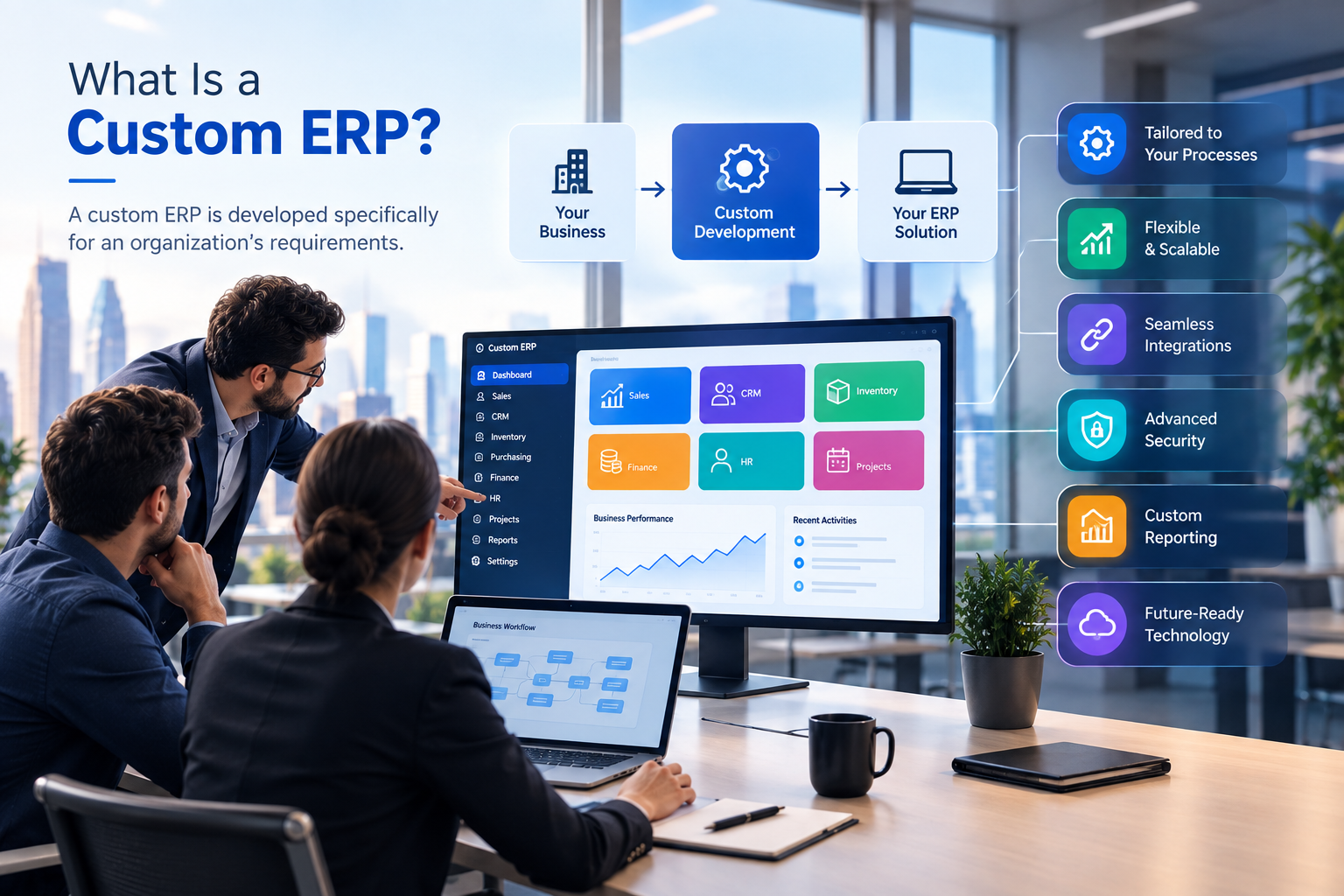
Business owners and managers often need a high-level view rather than individual transaction records.
An ERP dashboard can bring important information together.
A management dashboard may include:
Area | Example Information |
|---|---|
Sales | Revenue, orders, quotations, sales performance |
Finance | Receivables, payables, expenses, payments |
Inventory | Stock levels, movements, low-stock items |
HR | Employees, attendance, leave and workforce information |
Operations | Orders, tasks, procurement and workflow status |
Customers | Leads, customers, follow-ups and activity |
Procurement | Suppliers, purchase orders and pending purchases |
The dashboard should be designed around the decisions management needs to make.
A dashboard containing dozens of unnecessary charts may create more confusion rather than improving visibility.
ERP Solutions for Different Qatar Industries
ERP requirements vary significantly by industry.
Retail
Retail businesses may require:
Sales
POS
Inventory
Purchasing
Customers
Promotions
Branches
Finance
Reporting
Real Estate
A real estate business may need:
Properties
Units
Leads
Customers
Owners
Tenants
Contracts
Payments
Commissions
Maintenance
CRM
Reporting
Construction
Construction businesses may require:
Projects
Employees
Contractors
Procurement
Materials
Expenses
Project budgets
Tasks
Documents
Finance
Reporting
Professional Services
A professional services company may prioritize:
CRM
Leads
Customers
Projects
Employees
Tasks
Timesheets
Expenses
Invoicing
Payments
Reporting
Education
Educational organizations may require:
Student enquiries
Admissions
Student records
Counselling
Employees
Fees
Documents
Communication
Reporting
Organizations that need specialized digital education workflows can also explore Galaxium Coding's education technology solutions.
The important point is that ERP should reflect the industry's actual processes.
Ready-Made ERP vs Custom ERP for Qatar Businesses
One of the most important decisions is whether to use a ready-made ERP, customize an existing platform, or build a custom ERP solution.
Ready-Made ERP
A ready-made ERP can provide established functionality such as:
Accounting
Sales
HR
Inventory
Procurement
Reporting
Advantages can include faster implementation and an existing feature set.
However, businesses may need to adapt their processes to the software.
Custom ERP
A custom ERP is developed around the organization's specific requirements.
This approach may be suitable when a business has:
Unique workflows
Industry-specific requirements
Specialized approval processes
Multiple integrations
Custom dashboards
Custom customer portals
Mobile applications
Advanced automation
AI requirements
Complex business rules
The question should not simply be whether custom ERP is better.
The more useful question is:
Which approach can support the business requirements with an appropriate level of cost, complexity and flexibility?
For organizations whose workflows do not fit standard platforms well, custom software development may provide another option.
Arabic and English ERP Requirements in Qatar
Language support can be an important consideration for organizations operating in Qatar.
Depending on the workforce and customers, an ERP may need to support both Arabic and English.
Requirements may include:
Arabic user interfaces
English user interfaces
Arabic data
English data
Right-to-left layouts
Left-to-right layouts
Bilingual reports
Multilingual notifications
Arabic and English documents
Bilingual requirements should ideally be considered during the design and architecture stage.
Adding language support after the entire application has been developed can be more difficult than planning for it from the beginning.
ERP Integrations
An ERP does not necessarily need to replace every other business application.
Instead, it may need to communicate with existing systems.
Possible integrations include:
Websites
E-commerce platforms
Payment systems
Email
SMS
CRM systems
Accounting platforms
Mobile applications
Shipping systems
Maps
Third-party APIs
Cloud services
For example:
Website
↓
API
↓
ERP
↓
CRM
↓
Inventory
↓
Finance
A business may therefore use different technologies while maintaining a connected flow of information.
Organizations requiring browser-based business systems can also explore web application development, while businesses requiring mobile access can consider mobile application development.
ERP Automation for Qatar Businesses
Automation can reduce repetitive administrative work.
Consider a manual process:
Customer places order.
↓
Employee records order.
↓
Employee checks stock.
↓
Employee informs warehouse.
↓
Employee prepares invoice.
↓
Finance updates records.
↓
Customer receives confirmation.
An integrated ERP can potentially automate parts of this process:
Customer places order.
↓
System records order.
↓
Inventory is checked.
↓
Order workflow begins.
↓
Invoice is generated according to configured rules.
↓
Relevant records are updated.
↓
Notifications are sent.
The exact workflow depends on the organization's requirements.
Automation should not be added simply because it is technically possible.
The best candidates for automation are usually repetitive, rules-based processes where automation can reduce unnecessary manual effort.
AI and ERP Solutions
Artificial intelligence is becoming another layer of modern business software.
AI can potentially support ERP workflows through:
AI Business Assistants
Employees can ask natural-language questions about permitted business information.
AI Reporting
AI can summarize business activity and help users understand large amounts of information.
AI Sales Assistance
AI can help identify follow-up opportunities or organize customer information.
AI Customer Support
AI assistants can answer common customer questions and route complex requests to employees.
AI Document Processing
AI can help extract information from documents before it enters a business workflow.
AI Forecasting
AI can potentially identify patterns in sales, inventory and other business data.
However, AI should solve a genuine business problem.
A useful ERP architecture may look like:
ERP Data
↓
Business Rules
↓
AI Layer
↓
Automation
↓
Employee or Customer Action
This approach is more practical than treating AI as a separate chatbot disconnected from the company's actual systems.
Cloud ERP vs On-Premise ERP
Businesses also need to consider where the ERP will operate.
Cloud ERP
A cloud-based ERP can provide access through internet-connected devices, depending on the architecture and security model.
Potential advantages include:
Remote access
Centralized infrastructure
Easier scaling
Managed hosting options
Integration with cloud services
On-Premise ERP
An on-premise deployment can provide an organization with greater control over its own infrastructure, depending on its technical capabilities and requirements.
The appropriate approach depends on:
Security requirements
IT resources
Data architecture
Budget
Scalability
Integration requirements
Business continuity
Access requirements
Businesses considering cloud infrastructure can also explore cloud and DevOps solutions.
ERP Security Considerations
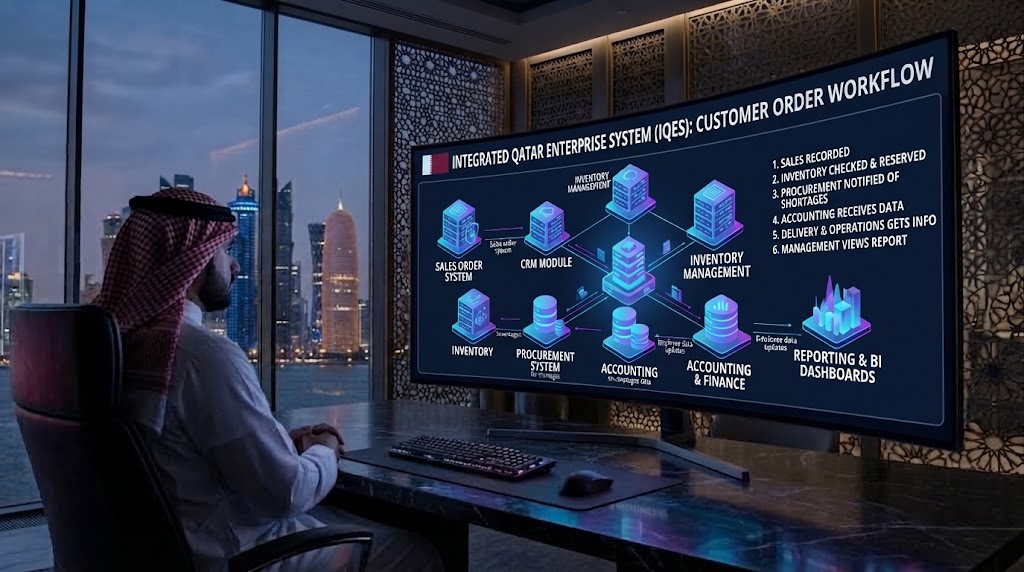
ERP systems contain important business information.
Depending on the organization, this may include:
Customer data
Employee information
Financial records
Sales data
Supplier information
Business documents
Inventory information
Internal reports
Security should therefore be part of ERP architecture rather than an afterthought.
Relevant measures may include:
Secure authentication
Role-based access
Permission management
Encryption
Secure APIs
Database security
Backups
Audit logs
Monitoring
Secure hosting
Regular maintenance
Different employees should not automatically have access to every part of the system.
For example, a sales employee may need customer and quotation access but not unrestricted access to payroll information.
A finance employee may require financial records but not administrative control over the entire platform.
Role-based permissions can help establish these boundaries.
ERP Implementation Process
ERP implementation should begin with business analysis rather than software installation.
Step 1: Analyze Existing Processes
Document how the business currently handles:
Sales
Customers
Employees
Finance
Inventory
Purchasing
Operations
Reporting
Identify where manual work and duplication occur.
Step 2: Define Requirements
Document:
Modules
Features
Workflows
User roles
Approvals
Reports
Integrations
Notifications
Security requirements
Step 3: Prioritize Features
Not every feature needs to be launched at the same time.
Businesses can classify requirements as:
Essential
Required for the first version.
Important
Useful but potentially suitable for a later phase.
Future
Potential functionality for future expansion.
This can make implementation more manageable.
Step 4: Design the Architecture
The technology team can define:
Database
Backend
Frontend
APIs
Authentication
Infrastructure
Security
Integration architecture
Step 5: Design the User Experience
Different users may need different interfaces.
For example:
Sales dashboard
HR dashboard
Finance dashboard
Inventory dashboard
Operations dashboard
Management dashboard
The interface should reflect the actual tasks users perform.
Step 6: Development and Integration
Develop the required modules and connect relevant systems.
Step 7: Testing
Test:
Workflows
Permissions
Calculations
Integrations
Reports
Mobile access
Security
Performance
Step 8: Data Migration
Existing customer, employee, product, supplier or financial information may need to be transferred into the new system.
Data should be reviewed and cleaned before migration where appropriate.
Step 9: Training
Employees should understand how their specific workflows operate within the new system.
Step 10: Launch and Maintenance
After deployment, the system should be monitored and improved as business requirements evolve.
Should a Qatar Business Build a Custom ERP?
There is no universal answer.
A business should first understand its actual operational requirements.
Custom ERP development may be worth evaluating when the company has:
Highly specialized workflows
Complex approval processes
Multiple business units
Unique customer journeys
Industry-specific requirements
Multiple third-party integrations
Specialized reporting
Custom mobile requirements
AI and automation requirements
On the other hand, a ready-made ERP may be appropriate when standard functionality already meets most requirements.
The decision should consider:
Factor | Question |
|---|---|
Workflow | Does standard software match our processes? |
Cost | What is the total implementation and ownership cost? |
Flexibility | How much customization is required? |
Integration | Can it connect with existing systems? |
Scalability | Can it support future growth? |
Security | Does it meet organizational requirements? |
Usability | Can employees use it effectively? |
Support | Who will maintain the system? |
A structured requirements analysis can make this decision much clearer.
Common ERP Mistakes Businesses Should Avoid
ERP projects can become unnecessarily complicated when businesses focus on software features instead of business outcomes.
Choosing Software Before Understanding Requirements
A business may select an ERP because it has hundreds of features without checking whether those features actually solve its problems.
Trying to Implement Everything at Once
Launching too many modules simultaneously can increase complexity.
A phased implementation may be more practical.
Ignoring Employee Workflows
ERP software is used by people.
If the interface does not match how employees actually work, adoption can become difficult.
Underestimating Data Migration
Old spreadsheets and systems may contain duplicate, incomplete or inconsistent data.
Migration should be planned carefully.
Ignoring Integrations
If the business already depends on websites, payment systems, e-commerce platforms or other software, integrations should be discussed early.
Treating Security as an Afterthought
Permissions, authentication, backups and audit requirements should be considered during architecture and development.
Focusing Only on Initial Cost
ERP should be evaluated based on the broader lifecycle:
Development
Licensing
Hosting
Integrations
Migration
Training
Maintenance
Future changes
How to Choose an ERP Technology Partner in Qatar
The technology partner can have a significant impact on the outcome of an ERP project.
Before selecting a provider, businesses should consider:
1. Technical Experience
Does the provider have experience with business applications and complex workflows?
2. Relevant Projects
Ask to review real projects and examples.
Businesses can explore Galaxium Coding's projects and portfolio to understand the company's broader software development work.
3. Integration Capability
Can the team connect the ERP with existing systems?
4. Security
How will user permissions, authentication, data protection and backups be handled?
5. Scalability
Can the platform grow as employees, customers, transactions and branches increase?
6. Mobile and Web Support
Can users access the required functions through web or mobile applications?
7. Long-Term Support
Who will handle maintenance, updates, improvements and technical issues after launch?
8. Business Understanding
Perhaps most importantly, can the provider understand the business process before recommending the technology?
ERP is not only a software development project.
It is a business process project.
A Phased ERP Roadmap for Growing Businesses
Businesses do not necessarily need to implement every capability immediately.
A phased approach can look like:
Phase 1: Core Business
Sales
Customers
Finance
Inventory
Phase 2: Employees and Operations
HR
Attendance
Leave
Procurement
Operations
Phase 3: Digital Channels
Website
E-commerce
Customer portal
Mobile application
Phase 4: Automation
Automated approvals
Notifications
Workflow automation
Reporting automation
Phase 5: AI and Advanced Analytics
AI assistants
AI reporting
Forecasting
Intelligent document processing
Advanced analytics
The roadmap should be adjusted according to the organization's priorities.
ERP as Part of a Larger Digital Strategy
ERP should not always be viewed as an isolated project.
A business may eventually require:
Website
CRM
ERP
Mobile Application
Cloud
Automation
AI
These systems can communicate through APIs and shared workflows.
For example:
Customer
↓
Website
↓
CRM
↓
ERP
↓
Sales
↓
Inventory
↓
Finance
↓
Management Dashboard
At the same time:
Employee
↓
HR
↓
Attendance
↓
Payroll
↓
Finance
This type of connected architecture can help a business move away from isolated applications toward a broader digital ecosystem.
What Should Businesses Ask Before Starting an ERP Project?
Before speaking with an ERP provider, business owners and managers should document several questions.
About Sales
How are leads managed?
How are quotations created?
How are orders processed?
How are customer follow-ups tracked?
About HR
Where is employee information stored?
How is attendance recorded?
How are leave requests approved?
How is payroll information managed?
About Finance
How are invoices created?
How are payments recorded?
How are expenses tracked?
What financial reports are required?
About Inventory
How is stock tracked?
How many warehouses or branches are involved?
How are stock transfers handled?
When should purchasing begin?
About Operations
What approvals are required?
Which tasks are repetitive?
Which departments need to share information?
Which processes currently depend on spreadsheets or messages?
About Technology
What systems already exist?
Which integrations are required?
Does the business need mobile access?
Does it require Arabic and English?
What security requirements apply?
What future capabilities are expected?
Answering these questions can provide a much clearer foundation for an ERP project.
Frequently Asked Questions About ERP Solutions for Qatar Businesses
What is an ERP system for a business?
An ERP system is software that connects multiple business functions such as sales, finance, HR, inventory and operations through a centralized platform.
What are the main ERP modules?
Common modules include sales, CRM, finance, HR, payroll, inventory, procurement, operations, projects, reporting and workflow automation.
The appropriate modules depend on the business.
Can ERP connect sales and finance?
Yes. An ERP can connect sales transactions with invoicing, payments and accounting workflows according to the system's design.
Can ERP manage employees?
Yes. An ERP can include HR functions such as employee profiles, attendance, leave, documents, payroll and HR reporting.
Can ERP manage inventory?
Yes. Inventory ERP functionality can manage products, warehouses, stock levels, movements, purchases, sales and transfers.
Is custom ERP suitable for Qatar businesses?
Custom ERP can be considered when a business has specialized workflows, unique business rules, complex integrations or requirements that standard software cannot easily support.
Does ERP support Arabic and English?
An ERP can be designed to support Arabic and English interfaces and data when bilingual functionality is included in the system requirements and architecture.
Can ERP be connected to a website?
Yes. ERP systems can communicate with websites through APIs and integrations, allowing information such as customers, orders, products and other business data to move between systems according to the defined architecture.
Can ERP include AI?
Yes. AI can be integrated into ERP workflows for applications such as reporting assistance, document processing, customer support, sales assistance and business information retrieval.
How much does an ERP system cost?
ERP cost depends on the number of modules, users, workflows, integrations, customization, hosting, mobile applications, data migration, security requirements and development complexity.
A detailed scope should be prepared before comparing ERP project costs.
How long does ERP implementation take?
There is no single timeline for every ERP project. A simple implementation with limited requirements can differ significantly from a customized platform connecting multiple departments, branches, integrations and mobile applications.
Should a business use ready-made or custom ERP?
The decision depends on how closely existing ERP products match the organization's requirements. Businesses should compare functionality, flexibility, integration, cost, scalability, security and long-term support before deciding.
Final Thoughts
ERP solutions for Qatar businesses can bring sales, HR, finance, inventory and operations into a connected digital environment.
The real value of ERP is not simply having more software.
It is the ability to connect business information and workflows.
A customer order can connect sales with inventory and finance.
An employee record can connect HR with payroll and financial management.
A stock shortage can connect inventory with procurement and supplier management.
Management can then receive information through dashboards and reports.
The result is a business environment in which departments can work with more connected information instead of maintaining completely separate records.
However, ERP should be designed around the organization.
The most useful system is not necessarily the one with the largest number of features. It is the one that supports the company's actual workflows, users, integrations, security requirements and growth plans.
For businesses that require a broader technology platform, Galaxium Coding provides custom software development services along with web applications, mobile applications, cloud solutions and business-focused digital systems.
Businesses can also learn more about Galaxium Coding or contact Galaxium Coding to discuss their software requirements.
The objective should be simple:
Connect the right processes, give the right people the right information, and build technology that can grow with the business.