How AI Can Improve CRM and Sales Management

AI can enhance CRM and sales management by turning customer data into actionable sales assistance.
How AI Can Improve CRM and Sales Management
Customer relationship management has traditionally depended on sales employees manually entering information, reviewing customer records, preparing follow-ups, writing emails, updating sales pipelines, and analyzing reports.
Modern AI can change how much of this work is performed.
Instead of treating a CRM as a database where employees simply store customer information, businesses can use AI to make the CRM more useful as an intelligent sales-support system.
AI can help sales teams:
Summarize customer conversations
Prioritize leads
Draft customer communications
Identify follow-up opportunities
Extract information from enquiries
Analyze sales activity
Predict potential sales patterns
Recommend next actions
Search customer information using natural language
Automate repetitive CRM tasks
The important distinction is that AI should support the sales process rather than simply be added as a chatbot.
For businesses considering custom software development services, AI can be integrated into CRM and business applications according to the organization's actual sales workflows.
What Is AI-Powered CRM?
An AI-powered CRM combines traditional customer relationship management functionality with artificial intelligence.
A conventional CRM may help employees:
Store → Organize → Track → Report
An AI-enhanced CRM can add another layer:
Understand → Summarize → Recommend → Automate
For example, a traditional CRM might store:
Customer name
Company
Phone number
Email
Lead status
Sales opportunity
Notes
Follow-up date
An AI-enabled CRM could additionally help employees understand the information.
For example:
“Summarize this customer's recent interactions and identify the next follow-up.”
The system could analyze permitted CRM information and provide a concise summary for the sales employee.
AI therefore does not necessarily replace the CRM.
It can make the information inside the CRM easier to use.
Why AI Matters for Sales Management
Sales teams often spend a significant amount of time on administrative activities.
A salesperson may need to:
Enter lead information
Update CRM records
Read long email threads
Review meeting notes
Prepare follow-up messages
Search customer history
Update opportunity stages
Create reports
Identify inactive leads
Prepare for meetings
These activities are important, but many are repetitive.
AI can assist with some of these tasks so that employees can spend more time on activities requiring human judgment, communication, negotiation, and relationship building.
Galaxium Coding's existing research also describes AI sales assistance as a way to help organize leads, summarize conversations, draft follow-ups, analyze sales information, and support sales employees rather than replacing them.
1. AI Can Help Qualify Leads
Lead qualification is one of the most useful areas for AI-assisted CRM.
Businesses can receive large numbers of enquiries, but not every enquiry has the same level of urgency, relevance, or buying intent.
AI can analyze information contained in an enquiry and help classify it according to predefined business criteria.
For example:
Customer enquiry
↓
AI analyzes message
↓
Identifies product/service interest
↓
Extracts relevant information
↓
Suggests lead category
↓
Sales employee reviews
The system might identify:
Product requested
Customer requirements
Location
Company type
Budget information if provided
Purchase timeframe
Urgency
Questions asked
The sales employee can then review the information before deciding what action to take.
AI Lead Qualification Example
Imagine a software company receives the following enquiries:
Lead A:
“I need a custom inventory system for 50 employees.”
Lead B:
“Can you send me your company profile?”
Lead C:
“We need an ERP system urgently and would like to arrange a meeting this week.”
An AI system could help categorize these enquiries according to predefined qualification rules.
The exact classification should remain transparent and configurable.
AI should support the sales team's process rather than make unsupported assumptions about a customer's intentions.
2. AI Can Summarize Customer Conversations
Sales employees may communicate with customers through:
Email
Phone calls
Meetings
Chat
Website enquiries
Messaging platforms
Long conversations can make it difficult to remember every detail.
AI can help summarize permitted conversation data.
For example:
Customer Summary
Requirement: Custom CRM system
Current situation: Customer uses spreadsheets
Main concern: Sales team is missing follow-ups
Requested feature: Automated lead assignment
Next step: Product demonstration
This can reduce the amount of time employees spend reading through lengthy communication histories.
Microsoft's current sales documentation provides an example of AI-generated opportunity summaries using CRM context such as customer questions, concerns, and notes.
3. AI Can Draft Follow-Up Emails
Follow-up communication is essential to sales, but writing individual messages can consume considerable time.
AI can help create a first draft using approved CRM information.
For example:
CRM Data
Customer name
Product discussed
Previous meeting
Outstanding question
Next action
↓
AI
↓
Draft Follow-Up
The salesperson can review, edit, and send the message.
This workflow can be particularly useful when sales employees need to send many personalized communications.
AI-generated communication should still be reviewed when accuracy, tone, pricing, contractual terms, or customer-specific details matter.
Microsoft documents CRM-aware AI email drafting that can incorporate account and opportunity information into generated messages.
4. AI Can Help Salespeople Prepare for Meetings
Before a sales meeting, an employee may need to review:
Previous emails
Meeting notes
Customer requirements
Open opportunities
Quotations
Previous questions
Sales activity
Outstanding tasks
Instead of manually searching through multiple records, an AI assistant can potentially create a meeting briefing.
For example:
Customer Meeting Brief
Customer: ABC Company
Current opportunity: CRM implementation
Previous discussion: Lead management and sales automation
Main requirement: Centralized customer information
Open question: Integration with existing accounting software
Suggested discussion: Integration approach and implementation timeline
This gives the salesperson a concise starting point.
The underlying CRM information remains the source of the briefing.
5. AI Can Recommend Follow-Up Actions
A CRM can show that a customer has not been contacted for several days.
AI can add another layer by identifying patterns in customer activity and suggesting possible next actions.
For example:
Customer requested quotation
↓
Quotation sent
↓
No response
↓
AI identifies overdue follow-up
↓
Sales employee receives suggestion
↓
Employee decides whether to contact customer
This can help sales teams reduce the number of opportunities that remain inactive.
However, a recommendation should remain a recommendation.
The employee should be able to review the context before acting.
6. AI Can Help Identify Sales Opportunities
CRM systems contain large amounts of information.
This may include:
Customer purchases
Enquiries
Sales opportunities
Communication history
Product interests
Previous quotations
Customer activity
Sales outcomes
AI can analyze patterns in this information and surface potential opportunities.
For example:
A customer previously purchased one service.
The customer has recently asked about another related service.
The CRM could flag the account for sales review.
The AI is not necessarily deciding that the customer will buy.
Instead, it is helping the sales team notice a potentially relevant signal.
7. AI Can Improve Sales Forecasting
Sales managers need visibility into future business activity.
Traditional forecasting may depend heavily on:
Pipeline stages
Historical sales
Sales employee estimates
Opportunity values
Previous conversion patterns
AI can potentially analyze more variables and identify patterns in historical and current sales data.
For example:
Historical CRM Data
Current Pipeline
Opportunity Activity
Customer Engagement
↓
AI Analysis
↓
Sales Insights
These insights can help managers investigate questions such as:
Which opportunities need attention?
Where is the pipeline slowing down?
Which stages have the highest drop-off?
Which sales representatives have overdue activities?
Which opportunities have changed significantly?
AI-based forecasting should not be treated as automatically correct.
Sales conditions change, and predictions depend on the quality and relevance of the underlying data.
8. AI Can Analyze Sales Pipeline Health
A CRM pipeline may contain hundreds or thousands of opportunities.
A manager can technically review them manually, but this becomes increasingly difficult as the organization grows.
AI can help summarize pipeline activity.
For example:
Pipeline Overview
New Leads: 125
Qualified Opportunities: 58
Proposals: 31
Negotiations: 14
Overdue Follow-Ups: 9
Inactive Opportunities: 17
Instead of simply displaying numbers, an AI assistant could help identify areas requiring attention.
For example:
“Several opportunities have remained in the proposal stage without recent activity. Review these records before the next sales meeting.”
The underlying data should remain visible so that managers can verify the observation.
9. AI Can Reduce CRM Data-Entry Work
One of the biggest CRM challenges is incomplete data.
Sales employees may postpone updating records because manual data entry takes time.
AI can help extract structured information from unstructured content.
For example:
Customer Email
We need a mobile application for our field sales team. Approximately 25 employees will use it. We would also like reporting and customer management.
AI could potentially extract:
Requirement: Mobile application
Users: 25
Department: Sales
Feature: Reporting
Feature: Customer management
The employee can then review the extracted information before it is added to the CRM.
This creates a workflow where AI assists with data capture instead of requiring employees to enter every field manually.
10. AI Can Make CRM Search More Natural
Traditional CRM search often requires users to know exactly which filters or fields to use.
AI can introduce natural-language search.
Instead of navigating multiple filters, an employee might ask:
“Show me customers who received a quotation this month but have not been contacted in the last seven days.”
The system could translate the request into a CRM query and return relevant records.
Another example:
“Which active opportunities are waiting for a customer response?”
This type of interface can make business data more accessible to non-technical users.
However, access permissions remain important.
An AI interface should only retrieve information the user is authorized to access.
11. AI Can Personalize Customer Communication
Customers expect communication to be relevant.
A generic message may not be appropriate for every customer.
AI can help personalize communication based on information already available in the CRM.
For example:
Generic Message
“Thank you for your interest in our services.”
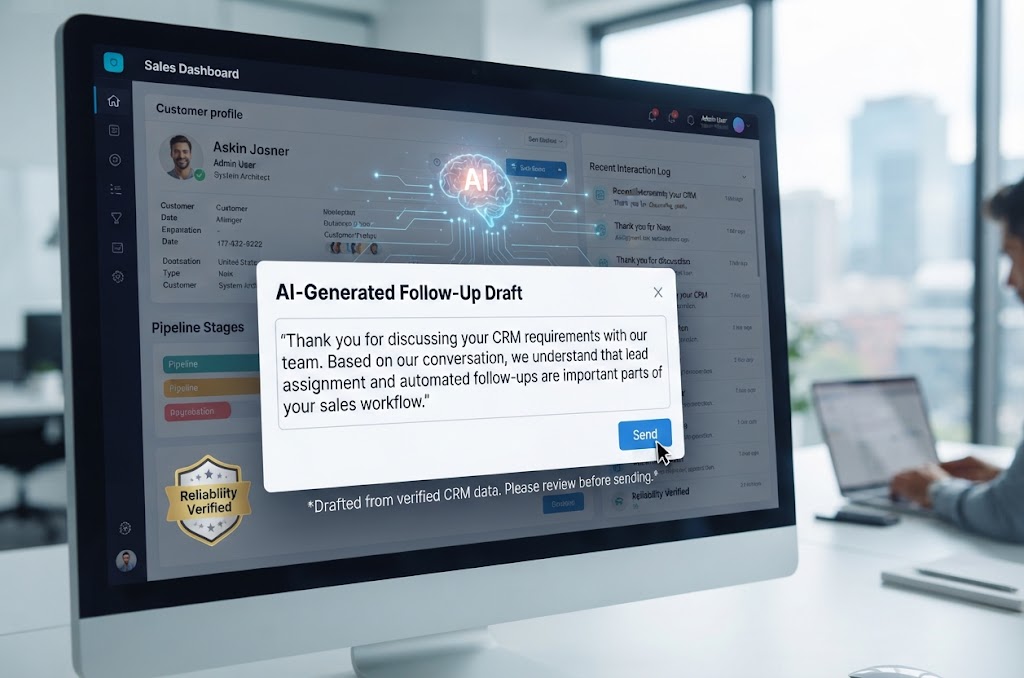
CRM-Assisted Message
“Thank you for discussing your CRM requirements with our team. Based on our conversation, we understand that lead assignment and automated follow-ups are important parts of your sales workflow.”
The second message can be more relevant because it reflects the customer's actual discussion.
The information should be drawn from reliable CRM data rather than invented by the AI.
12. AI Can Help Customer Service and Sales Work Together
CRM is not only about sales.
Customer-service conversations can also contain valuable information for sales teams.
For example, a customer may repeatedly ask about:
A new service
Additional product capacity
Advanced features
Upgrades
New locations
Additional users
AI can potentially identify relevant signals and surface them for the appropriate employee.
This creates a connected workflow:
Customer Service
↓
Customer Interaction
↓
AI Analysis
↓
Potential Opportunity
↓
Sales Team
The sales employee can then review the information before contacting the customer.
13. AI Can Support Cross-Selling and Upselling
Businesses often have multiple products or services.
A CRM can contain information about what customers already use.
AI can help identify possible opportunities based on predefined rules and historical patterns.
For example:
Customer uses Service A
↓
Customer reaches usage threshold
↓
Related Service B may be relevant
↓
CRM creates recommendation
↓
Sales employee reviews
This does not mean the system should automatically contact every customer.
The recommendation should be relevant to the customer's situation and business rules.
14. AI Can Automate Routine Sales Tasks
AI becomes more useful when connected to workflow automation.
For example:
New Enquiry
↓
AI Reads Enquiry
↓
Extracts Customer Information
↓
CRM Creates Lead
↓
Lead Assigned
↓
Follow-Up Task Created
↓
Sales Employee Notified
This combines AI with automation.
Galaxium Coding's existing business-automation material similarly describes connected workflows in which enquiries can become CRM records, receive assignments, trigger notifications, and generate follow-up activities.
For businesses building these connected systems, web application development can provide the application layer through which CRM, AI, automation, and business data interact.
AI CRM Features at a Glance
AI Capability | Possible CRM Use |
|---|---|
Lead classification | Categorize incoming enquiries |
Summarization | Condense customer history |
Generative AI | Draft emails and notes |
Natural-language search | Query CRM information |
Recommendation | Suggest follow-up actions |
Forecasting | Analyze sales patterns |
Data extraction | Convert messages into structured fields |
Sentiment analysis | Identify communication signals |
Conversation analysis | Summarize calls or chats |
Workflow automation | Trigger actions from events |
Sales intelligence | Surface relevant opportunities |
The exact usefulness of each capability depends on the quality of the CRM data and the business process.
AI and CRM: A Practical Example
Consider a company that provides business software.
A potential customer submits this enquiry:
“We are looking for a CRM for our sales team. We currently use spreadsheets and have difficulty tracking follow-ups. We have around 20 sales employees and would like to discuss automation.”
An AI-enhanced CRM workflow could be:
Step 1: Capture
The enquiry enters the CRM.
Step 2: Extract
AI identifies:
CRM requirement
Sales team
Approximately 20 users
Spreadsheet-based process
Follow-up challenge
Interest in automation
Step 3: Classify
The system categorizes the lead as a CRM/business-automation enquiry.
Step 4: Assign
The CRM assigns the lead according to the company's rules.
Step 5: Summarize
AI creates a concise summary for the sales employee.
Step 6: Follow-Up
A task is created for the sales employee.
Step 7: Prepare
Before the meeting, AI summarizes the lead history.
Step 8: Communication
The sales employee uses AI assistance to prepare a follow-up message.
Step 9: Management
The sales manager can monitor the opportunity through the CRM pipeline.
This example shows that AI can operate across multiple stages instead of being isolated in one chatbot.
AI CRM vs Traditional CRM
AI does not necessarily replace traditional CRM functionality.
Instead, the difference can be understood as an additional intelligence layer.
Area | Traditional CRM | AI-Enhanced CRM |
|---|---|---|
Customer records | Stores information | Stores and helps interpret information |
Lead management | Tracks leads | Can assist with classification and prioritization |
Communication | Records interactions | Can summarize and draft |
Search | Keyword/filter based | Can support natural-language queries |
Reporting | Displays dashboards | Can summarize patterns |
Follow-ups | Manual or rule-based | Can recommend or automate selected actions |
Forecasting | Historical/manual analysis | Can assist with pattern analysis |
Data entry | Mostly manual | Can extract information from unstructured content |
Sales support | Workflow tracking | Context-aware assistance |
The objective is not to remove the CRM's core functionality.
It is to make the information inside the system more actionable.
What Data Does AI Need to Improve CRM?
AI is only as useful as the information available to it.
Potential CRM data sources include:
Customer profiles
Sales opportunities
Lead information
Communication history
Meeting notes
Product information
Quotations
Sales activity
Customer-service records
Website enquiries
Transaction history
Poor data quality can reduce the reliability of AI-generated insights.
For example, if sales employees rarely update opportunity stages, an AI system may not have an accurate picture of the pipeline.
Therefore:
Better CRM data → Better context → More useful AI assistance
AI should not be treated as a substitute for good data management.
Businesses should consider:
Who can access customer information?
Which CRM records can the AI retrieve?
Where is data processed?
How is data transmitted?
How long is information retained?
Are sensitive fields excluded where appropriate?
How are AI outputs monitored?
What happens when AI produces incorrect information?
Can employees review AI-generated content before it is sent?
NIST's AI Risk Management Framework recommends considering characteristics such as validity and reliability, safety, security and resilience, accountability and transparency, explainability, privacy, and fairness when managing AI systems.
NIST's Generative AI profile also identifies privacy and information-security concerns among the risks organizations should consider when deploying generative AI.
For CRM systems, this means AI should be implemented with appropriate access controls and governance rather than simply connecting a model to the entire customer database.
Human Oversight Still Matters
AI can generate useful recommendations, but sales decisions often require human judgment.
For example, AI might summarize a customer as being interested in a product.
A salesperson may know additional context that is not captured in the CRM.
Similarly, AI might draft an email containing an inaccurate detail.
A human review step can catch the problem before the message reaches the customer.
A practical model is:
AI assists → Employee reviews → Employee decides → CRM records action
This is particularly important when AI is used for:
Pricing
Contract information
Customer commitments
Sensitive customer data
Sales decisions
Important communications
Escalations
Common AI CRM Mistakes
Mistake 1: Adding AI Without a Business Problem
AI should solve a genuine problem.
Instead of asking:
“Where can we add AI?”
start with:
“Which CRM task is taking too much time or creating avoidable errors?”
Mistake 2: Giving AI Access to Everything
More data is not automatically better.
Access should be based on business requirements and user permissions.
Mistake 3: Trusting AI Without Verification
AI output can be incorrect.
Important customer communications should be reviewed when necessary.
Mistake 4: Ignoring CRM Data Quality
If the underlying CRM data is outdated or incomplete, AI-generated insights may also be unreliable.
Mistake 5: Automating High-Impact Decisions Too Early
Some actions should remain subject to human review.
Start with lower-risk workflows before expanding automation.
Mistake 6: Measuring AI Adoption Instead of Business Outcomes
The number of AI-generated messages is not necessarily a meaningful success metric.
Businesses should instead examine outcomes such as:
Time saved
Follow-up completion
Data-entry reduction
Sales productivity
Customer response time
Pipeline visibility
Conversion-process efficiency
How to Implement AI in an Existing CRM
Businesses do not necessarily need to replace their entire CRM to introduce AI.
A phased approach can be more practical.
Step 1: Identify the Biggest CRM Bottleneck
Examples:
Too much manual data entry
Slow lead qualification
Long customer histories
Poor follow-up visibility
Time-consuming reporting
Difficult CRM search
Choose one meaningful problem first.
Step 2: Evaluate the Existing Data
Review:
CRM fields
Data quality
Duplicate records
Missing information
Customer history
Access permissions
Step 3: Select the AI Use Case
Possible starting points include:
Summarization
Email drafting
Lead classification
Natural-language search
Follow-up assistance
Report summaries
Step 4: Define Human Review
Decide which AI actions require employee approval.
Step 5: Integrate AI With the CRM
The technical architecture may include:
CRM
↓
API / Integration Layer
↓
AI Service
↓
Business Rules
↓
CRM
Depending on the implementation, cloud infrastructure can support the application's AI and integration components. Businesses requiring connected infrastructure can explore Cloud & DevOps solutions.
Step 6: Test With Realistic Scenarios
Test:
Correct information
Missing information
Duplicate data
Incorrect customer details
Unusual enquiries
Sensitive information
Long conversations
Multiple customer records
Step 7: Measure the Results
Compare the workflow before and after AI implementation.
Ask:
Did employees save time?
Did data-entry requirements decrease?
Did follow-up management improve?
Did customer communication become faster?
Did errors increase or decrease?
Are employees actually using the feature?
AI CRM for Businesses in Qatar
AI-enabled CRM can be relevant across many industries in Qatar.
The exact use case depends on the business.
Real Estate
AI can potentially assist with:
Property enquiries
Lead classification
Customer preferences
Follow-up reminders
Agent assignment
Customer communication
Property recommendations
A real estate CRM might follow:
Property Enquiry → AI Classification → Agent Assignment → Viewing → Follow-Up → Opportunity
Education
Educational organizations can use CRM workflows to manage:
Student enquiries
Course interests
Parent enquiries
Applications
Admissions
Counselling
Follow-ups
AI could assist with enquiry classification and summarization while employees handle important admissions decisions.
Organizations looking for broader education technology can also explore education technology solutions.
Retail and E-Commerce
AI can potentially support:
Customer recommendations
Customer service
Sales opportunities
Product enquiries
Personalized communication
Customer segmentation
Galaxium Coding has separately covered AI applications in e-commerce, including personalization, customer service, and sales automation.
Professional Services
Consulting firms and agencies can use CRM and AI to assist with:
Enquiry qualification
Meeting summaries
Proposal preparation
Follow-ups
Client communication
Opportunity tracking
B2B Sales
B2B organizations often have longer sales cycles.
AI can help employees review:
Multiple contacts
Long communication histories
Meeting notes
Proposals
Opportunity stages
Follow-up activity
This can be particularly useful when several employees work on the same account.
AI and CRM Integration With ERP
CRM does not always operate independently.
A business may use:
CRM + ERP + Website + Mobile App + Accounting + AI
For example:
Lead
↓
CRM
↓
Qualified Opportunity
↓
Quotation
↓
ERP
↓
Order
↓
Invoice
↓
Payment
AI can potentially operate across this workflow.
For example, an AI assistant could help a sales employee answer:
“Which active customers have open opportunities and unpaid invoices?”
The system would need appropriate integrations and access controls to answer such a question accurately.
Galaxium Coding's existing ERP content also describes CRM as a component that can connect with sales, accounting, inventory, and other business processes.
How Much Does AI CRM Development Cost?
There is no universal cost for AI-powered CRM.
The project can range from adding one AI feature to building an entire custom CRM platform.
Factors include:
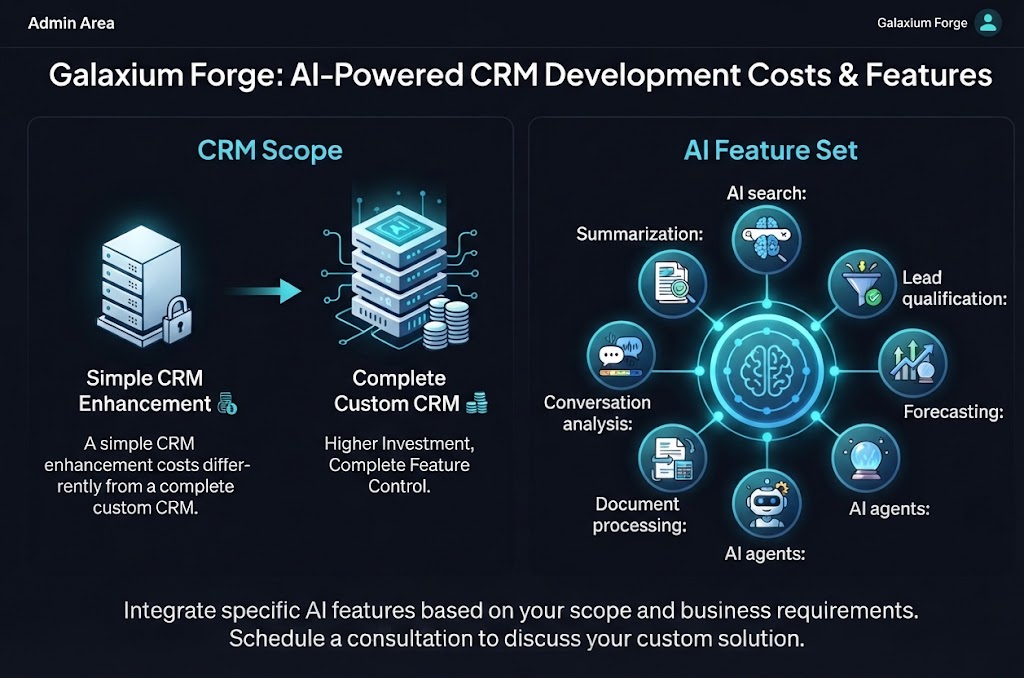
CRM Scope
A simple CRM enhancement costs differently from a complete custom CRM.
AI Features
Examples include:
Summarization
AI search
Lead qualification
Forecasting
AI agents
Document processing
Conversation analysis
Integrations
Costs can increase when connecting:
ERP
Website
Email
WhatsApp
Accounting
Payment systems
Marketing platforms
Mobile applications
Data Requirements
Data cleaning, migration, preparation, and permissions may require additional work.
Security
Enterprise CRM systems may require stronger authentication, access control, logging, monitoring, and governance.
Mobile Applications
A dedicated mobile CRM application adds development requirements.
Ongoing Costs
AI-enabled systems may also involve ongoing costs for:
Hosting
AI model usage
Monitoring
Maintenance
Security updates
Software improvements
A requirements-based assessment is therefore more useful than relying on a generic AI CRM price.
Should You Add AI to Your CRM?
AI can be useful when the CRM already contains meaningful data and employees have clear workflows.
AI may be worth exploring when:
Sales teams spend significant time on repetitive tasks
Customer histories are difficult to review
Follow-ups are frequently missed
Employees spend too much time writing routine communication
Managers need better pipeline insights
CRM data is large enough to analyze
The business has clear automation opportunities
AI may not be the first priority when:
CRM data is highly incomplete
Sales processes are not defined
Employees do not consistently use the CRM
The business has very low transaction volume
The problem can be solved with a simple workflow rule
In other words:
Fix the process first. Then use AI where it adds meaningful value.
The Future of AI-Powered CRM
The next stage of CRM development is likely to involve more intelligent interfaces between employees, customers, business data, and software systems.
Instead of navigating dozens of screens, employees may increasingly interact with CRM systems through natural language.
For example:
“Prepare me for today's customer meetings.”
Or:
“Which opportunities need follow-up?”
Or:
“Summarize this customer's history.”
Or:
“Create a draft follow-up based on our last conversation.”
The CRM becomes less like a database interface and more like a business assistant.
However, the underlying systems remain important.
AI still needs:
Reliable data
Business rules
Secure integrations
Access controls
Monitoring
Human oversight
Clear workflows
The future of CRM is therefore not simply about adding larger AI models.
It is about connecting AI to useful business processes.
Final Thoughts
AI can improve CRM and sales management by reducing repetitive work and helping employees make better use of the information already stored inside business systems.
Useful applications include:
Lead qualification
Customer summaries
Meeting preparation
Follow-up assistance
Email drafting
Natural-language CRM search
Sales analysis
Forecasting
Opportunity identification
Data extraction
Workflow automation
But AI should not be treated as a replacement for good CRM processes.
The strongest approach is usually:
Good Process → Reliable Data → Secure CRM → AI Assistance → Human Review → Measurable Outcome
For businesses in Qatar, this approach can be applied to real estate, education, retail, professional services, B2B sales, e-commerce, and other industries.
Galaxium Coding can help businesses explore custom software, CRM, AI integration, business automation, and connected digital systems according to their operational requirements. Businesses can explore Galaxium Coding's projects and portfolio or contact Galaxium Coding to discuss a CRM or AI-powered business solution.
Frequently Asked Questions
What is AI-powered CRM?
AI-powered CRM combines traditional customer relationship management functionality with AI capabilities such as summarization, classification, recommendations, natural-language search, content generation, and workflow assistance.
How can AI improve sales management?
AI can help sales teams analyze customer information, summarize conversations, identify follow-up opportunities, draft communications, support lead qualification, and analyze sales pipelines.
Can AI automatically qualify leads?
Yes, AI can assist with lead qualification by analyzing enquiry information against predefined criteria. Human review may still be appropriate, especially when qualification has important commercial consequences.
Can AI write sales emails?
AI can draft sales emails using information from permitted CRM records. Employees should review important customer communications before sending them.
Can AI predict sales?
AI can analyze historical and current sales data to identify patterns and support forecasting. Predictions are not guaranteed and depend on data quality, business conditions, and the model or method used.
Can AI work with an existing CRM?
Yes. AI can potentially be integrated into an existing CRM through APIs, extensions, automation platforms, or custom development, depending on the CRM's technical capabilities.
Is AI CRM secure?
Security depends on how the system is designed and deployed. Businesses should consider access control, data protection, integration security, logging, privacy, AI governance, and human oversight.
Does AI replace sales employees?
AI can automate or assist with certain repetitive tasks, but sales still involves communication, negotiation, relationship management, and judgment. AI can function as a sales-support layer rather than a replacement for the sales team.
How can AI improve CRM data entry?
AI can extract structured information from emails, forms, documents, conversations, and other permitted data sources and suggest CRM field values for employee review.
How much does AI CRM development cost?
There is no fixed cost. It depends on CRM scope, AI capabilities, integrations, data requirements, security, mobile applications, infrastructure, and ongoing maintenance.