Enterprise Software Development in Qatar: Complete Guide
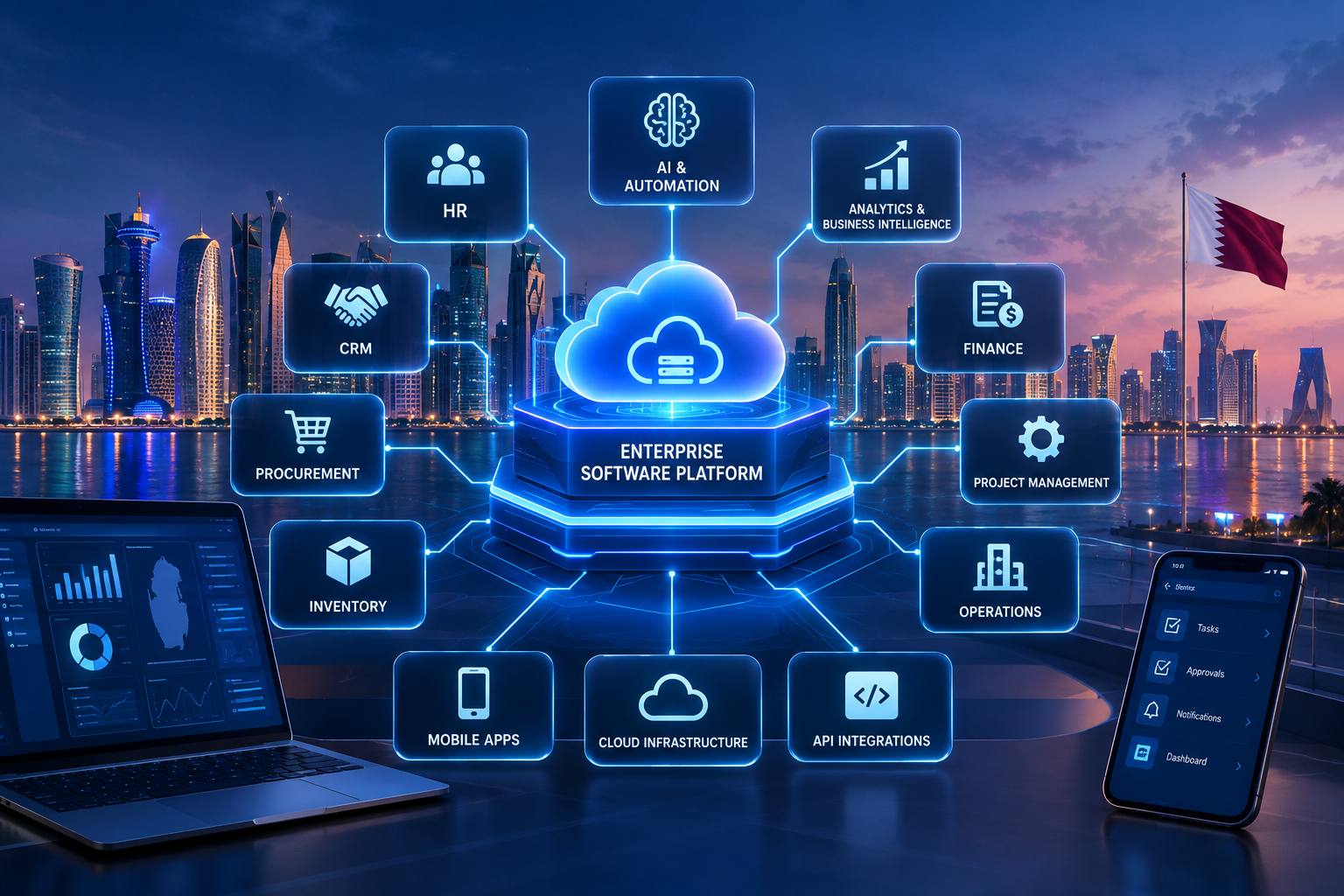
Enterprise software can connect business applications, departments, data, automation and digital services through a unified technology architecture.
Enterprise Software Development in Qatar: Complete Guide
Enterprise software development is becoming increasingly important for organizations that have outgrown spreadsheets, disconnected applications, manual workflows, and systems that cannot communicate with one another.
For a growing or established business, enterprise software can connect departments such as sales, finance, HR, procurement, operations, customer service, inventory, projects, and management reporting through a coordinated digital environment.
But enterprise software is not simply a larger version of an ordinary business application.
It is designed around complex organizational requirements, multiple users, business rules, integrations, permissions, security requirements, reporting needs, and long-term scalability.
For businesses operating in Qatar, enterprise software can also be designed around local operational requirements, Arabic and English interfaces, multi-branch operations, cloud infrastructure, integrations, data governance, and industry-specific workflows.
Qatar's Digital Agenda 2030 identifies digital infrastructure, digital technologies, digital innovation, digital economy, digital government, and digital society as strategic pillars. This creates a broader environment in which businesses are evaluating how technology can improve productivity, operations, and digital capabilities.
This guide explains what enterprise software development means, which systems businesses can build, how enterprise projects are developed, what features and technologies are involved, how much they may cost, and what organizations should consider before starting a project.
Businesses looking for a technology platform built around their own processes can also explore custom software development services from Galaxium Coding.
What Is Enterprise Software Development?
Enterprise software development is the process of designing, building, integrating, deploying, and maintaining software systems intended to support complex business or organizational operations.
Unlike a small application designed for a limited task, enterprise software may support:
Hundreds or thousands of users
Multiple departments
Multiple branches or locations
Complex approval workflows
Large databases
Business intelligence
Customer management
Financial processes
Employee management
Procurement
Inventory
Projects
Documents
Third-party integrations
Mobile access
Automated workflows
Artificial intelligence
Advanced security and permissions
The objective is not simply to create software with many features.
The objective is to create a reliable digital platform that supports the organization's actual operating model.
For example, a company could have a workflow like:
Lead → Sales → Customer Verification → Contract → Invoice → Payment → Accounting → Management Reporting
An enterprise system can connect these stages rather than requiring employees to manually transfer information between separate applications.
Enterprise Software vs. Regular Business Software
The difference is primarily related to scale, complexity, integration, governance, and organizational requirements.
Area | Standard Business Software | Enterprise Software |
|---|---|---|
Users | Small or moderate number | Large or distributed user base |
Departments | Often limited | Multiple departments |
Workflows | Relatively simple | Complex and configurable |
Integrations | Few | Multiple internal and external systems |
Permissions | Basic | Detailed role-based access |
Reporting | Standard reports | Advanced dashboards and analytics |
Scalability | Moderate | Designed for long-term growth |
Customization | Limited to moderate | Often highly customized |
Infrastructure | Simple | More complex architecture |
Security | Standard controls | Enterprise-level security requirements |
The exact boundary between the two varies by organization. A company does not need thousands of employees to require enterprise-style software. A smaller organization with complex operations can also require an enterprise architecture.
Why Do Businesses in Qatar Need Enterprise Software?
Many organizations gradually accumulate technology.
A business may start with spreadsheets.
Then it adds accounting software.
Later it introduces a CRM.
The HR department adopts another application.
Inventory is maintained separately.
Managers receive reports through email.
Employees communicate through messaging platforms.
Customer information is duplicated between systems.
At first, each tool may solve an individual problem.
Over time, however, the organization can end up with disconnected systems.
Common Signs That a Business Has Outgrown Its Current Software
A business may need to consider enterprise software when:
Employees repeatedly enter the same data
Departments maintain separate databases
Management reports require manual preparation
Customer information is scattered across systems
Approvals depend heavily on email
Inventory information is difficult to track
Branches operate different processes
Employees cannot access the information they need quickly
Existing applications cannot integrate with one another
Manual processes are slowing growth
Management lacks real-time visibility
Existing software cannot support new business processes
Security permissions are difficult to manage
Reporting requires extensive spreadsheet work
The solution is not necessarily to replace every existing system.
In some cases, integration is more practical.
In other cases, a centralized enterprise platform may make more sense.
The correct approach depends on the organization's requirements, existing technology, budget, security needs, and long-term plans.
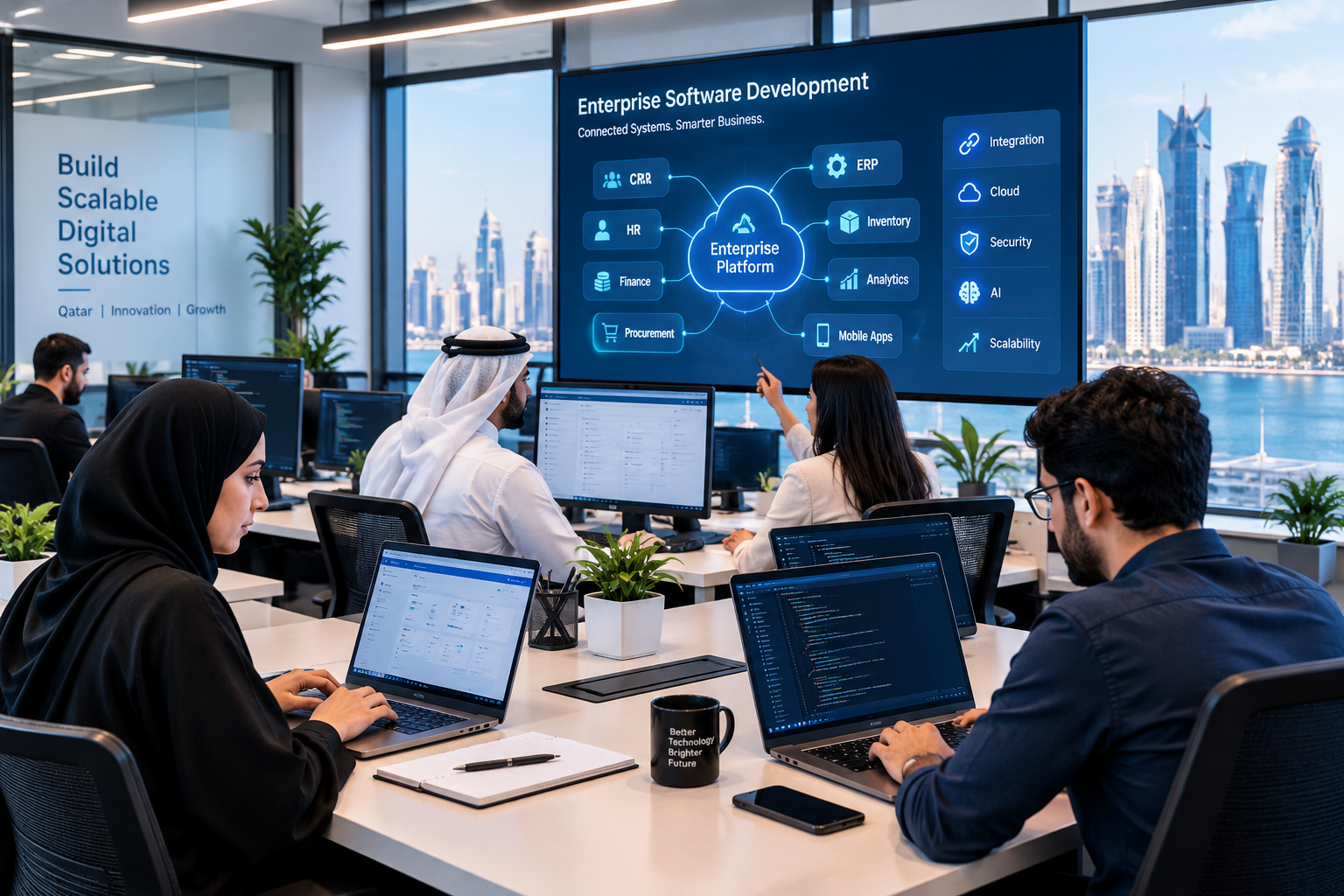
Types of Enterprise Software
Enterprise software is a broad category rather than a single product.
Different organizations may require different combinations of systems.
1. Enterprise Resource Planning Software
ERP software connects functions such as:
Finance
Accounting
Procurement
Inventory
Sales
HR
Payroll
Projects
Operations
Reporting
ERP is particularly useful when an organization needs a shared operational database and connected workflows.
Galaxium Coding's existing guide on ERP software in Doha covers ERP architecture, modules, implementation considerations, integrations, and business automation in greater detail.
2. Customer Relationship Management Software
Enterprise CRM platforms can manage:
Leads
Customers
Sales pipelines
Communications
Follow-ups
Customer service
Opportunities
Contracts
Sales reporting
An enterprise CRM can become significantly more powerful when connected to accounting, inventory, marketing, customer portals, and business intelligence.
3. Human Resource Management Software
Enterprise HR platforms can manage:
Employee profiles
Attendance
Leave
Payroll
Recruitment
Documents
Performance
Employee requests
Approvals
Workforce reporting
Instead of maintaining employee information in spreadsheets and separate applications, organizations can create a centralized HR environment.
4. Supply Chain and Procurement Software
Organizations with substantial procurement and supply-chain operations may require software for:
Supplier management
Purchase requests
Purchase orders
Approvals
Goods receiving
Inventory
Supplier invoices
Procurement analytics
Automation can reduce manual handoffs between departments.
5. Enterprise Project Management Software
Project-driven organizations may require systems that connect:
Client → Proposal → Contract → Project → Employees → Tasks → Expenses → Invoice → Payment
This can be particularly useful for consulting, construction, professional services, technology, engineering, and other project-based organizations.
6. Enterprise E-Commerce Platforms
Large e-commerce businesses may need platforms that integrate:
Product catalogs
Customers
Orders
Payments
Inventory
Shipping
Customer support
Promotions
Analytics
Supplier systems
For organizations that need customer-facing platforms, web application development can be combined with enterprise back-office systems.
7. Customer and Employee Portals
Enterprise software can also include dedicated portals.
A customer portal might allow users to:
View orders
Download invoices
Submit requests
Track service tickets
Upload documents
Make payments
Communicate with support
An employee portal might provide:
Leave requests
Attendance
Documents
Payroll information
Internal announcements
Task management
Approval workflows
Core Features of Enterprise Software
A well-designed enterprise platform can include many features, but the exact functionality should come from business requirements.
User Management
The system should allow administrators to manage users and their access.
For example:
Administrator → Department Manager → Employee → External User
Each role can receive appropriate permissions.
Role-Based Access Control
Not every employee should have access to every record.
An enterprise platform may define permissions based on:
Role
Department
Branch
Location
Data type
Workflow stage
Record ownership
For example, a sales employee may see customer information while an accountant can access financial records.
Workflow Automation
Instead of requiring employees to manually move information between departments, software can automate defined processes.
Example:
Purchase Request → Manager Approval → Procurement → Supplier → Receiving → Finance
Automation can trigger notifications, update records, assign tasks, and generate documents.
Dashboards and Reporting
Managers often need summarized information rather than raw records.
Enterprise dashboards can show:
Sales
Revenue
Expenses
Inventory
Customer activity
Employee metrics
Project status
Procurement
Outstanding payments
The important point is that dashboards should answer actual management questions.
Document Management
Organizations often deal with:
Contracts
Invoices
Employee documents
Customer documents
Purchase orders
Reports
Certificates
An enterprise platform can connect documents to the relevant customer, employee, supplier, project, or transaction.
Notifications
Notifications can be triggered by events such as:
New lead
Approval request
Low inventory
Overdue invoice
New support ticket
Employee request
Project deadline
Notifications may be delivered through the application, email, mobile application, or other approved channels.
Enterprise Software Integrations
One of the biggest differences between simple applications and enterprise systems is integration.
An enterprise platform rarely operates completely by itself.
It may need to communicate with:
Accounting systems
Payment gateways
Banks
CRM platforms
HR systems
ERP platforms
E-commerce systems
Government services
Email systems
SMS providers
Shipping platforms
Identity providers
Analytics systems
AI services
APIs
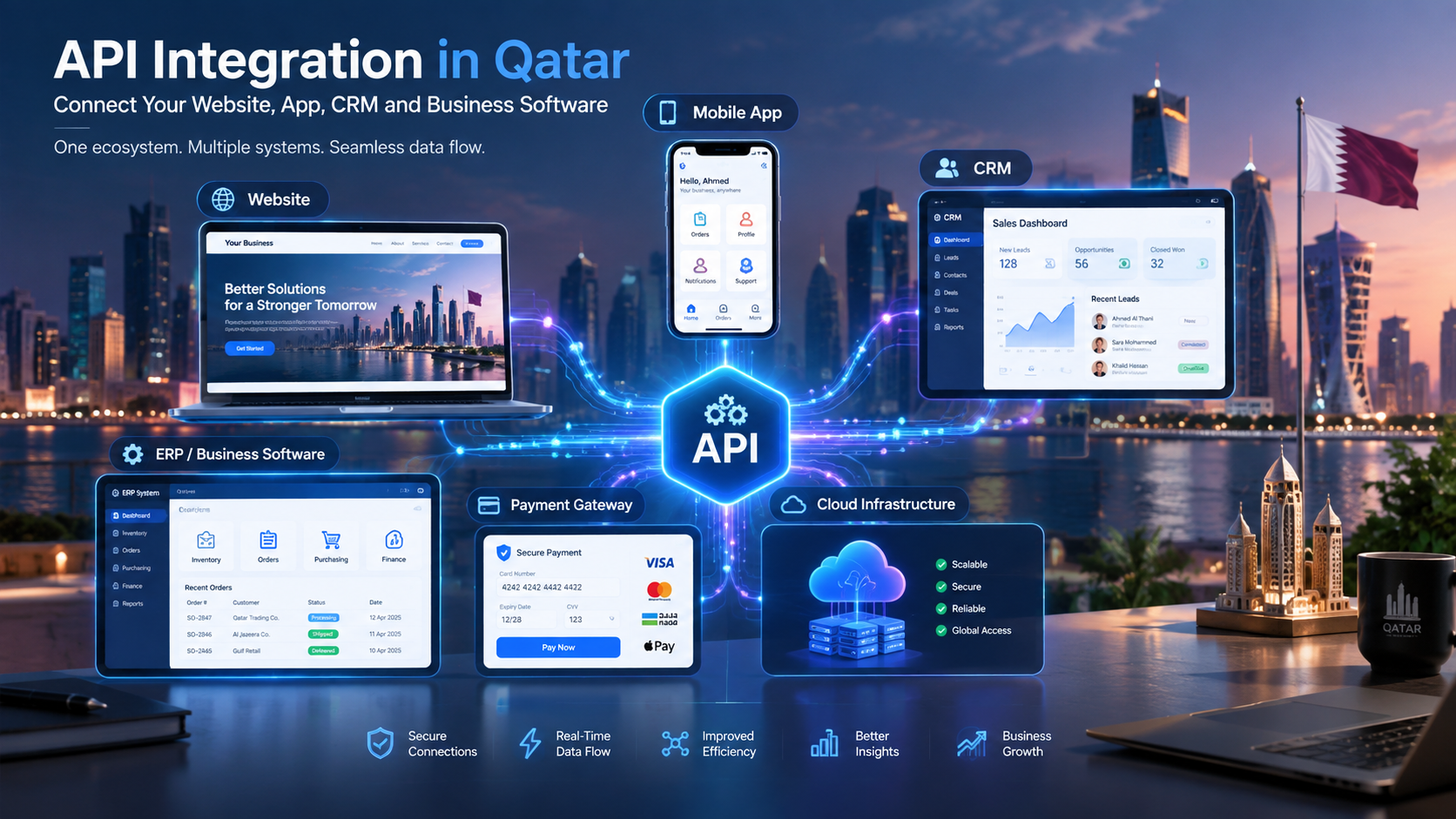
Application Programming Interfaces, commonly called APIs, allow software systems to exchange information.
For example:
Enterprise CRM → API → Accounting System
When a sales transaction is completed, relevant information can potentially be transferred to another system instead of being manually entered again.
API architecture should be designed around authentication, authorization, data validation, error handling, logging, rate limits, and security.
Organizations requiring connected systems can consider API and software integration through custom development as part of an enterprise architecture.
Cloud vs. On-Premises Enterprise Software
Enterprise applications can be deployed using different infrastructure models.
Cloud Deployment
Cloud-based enterprise software can provide:
Remote accessibility
Flexible infrastructure
Easier scaling
Centralized deployment
Managed infrastructure options
Disaster-recovery capabilities
Cloud architecture can be particularly useful for organizations with distributed teams or multiple locations.
Businesses can also explore cloud and DevOps solutions when infrastructure, deployment automation, monitoring, and scalability are important parts of the project.
On-Premises Deployment
Some organizations may prefer or require infrastructure hosted within their own environment.
Potential reasons include:
Internal infrastructure policies
Legacy systems
Specific operational requirements
Data governance requirements
Existing enterprise architecture
The choice should be based on the organization's actual requirements rather than assuming that one deployment model is universally appropriate.
Hybrid Architecture
A hybrid model can combine internal infrastructure with cloud services.
For example:
Internal Enterprise Database + Cloud Application + External APIs
This can be useful when organizations need to integrate legacy infrastructure with newer digital services.
Security in Enterprise Software Development
Security should be considered from the beginning of an enterprise software project.
It should not be treated as a feature added immediately before launch.
Important considerations include:
Authentication
Authorization
Role-based access
Encryption
Secure APIs
Database security
Audit logging
Backup strategy
Monitoring
Vulnerability management
Secure development practices
Incident response
Data retention
Access reviews
Data Privacy in Qatar
Qatar's Personal Data Privacy Protection Law No. 13 of 2016 establishes requirements concerning the processing and protection of personal data. The law applies to personal data processed electronically and certain related processing activities.
The law also requires controllers to take appropriate administrative, technical, and physical precautions to protect personal data.
This means enterprise software projects handling personal information should include privacy and security considerations during architecture and development rather than treating them as an afterthought.
Depending on the application, organizations may need to consider:
What personal information is collected
Why it is collected
Who can access it
How long it is retained
How users can exercise applicable rights
How information is protected
How data is transferred
How security incidents are handled
For organizations processing sensitive personal data, additional requirements may apply under Qatar's legal framework.
Because legal requirements can depend on the specific organization, industry, processing activity, and applicable regulations, businesses should obtain appropriate legal or compliance advice for their individual situation.
Arabic and English Enterprise Software in Qatar
For many organizations in Qatar, language support can be an important part of enterprise software planning.
A bilingual system may support:
Arabic interface
English interface
Bilingual reports
Arabic and English notifications
Customer-facing content
Employee-facing interfaces
However, bilingual software involves more than translating buttons.
Developers should consider:
Right-to-left layouts
Arabic typography
Date and number formatting
Search behavior
Database handling
PDF generation
Reports
Mobile interfaces
Mixed Arabic-English content
Localization should therefore be considered during architecture and UI design.
Mobile Enterprise Applications
Enterprise software is no longer limited to desktop computers.
Employees and managers may need access while traveling, visiting customers, working remotely, or operating outside a traditional office.
A mobile enterprise application can provide:
Task management
Approvals
Customer information
Notifications
Sales management
Attendance
Field operations
Document access
Dashboards
Service requests
For organizations that need mobile access to enterprise workflows, mobile application development can be integrated with the main enterprise platform.
A mobile application should not simply reproduce every desktop feature.
The mobile experience should focus on the actions users actually need while away from their desks.
AI in Enterprise Software
Artificial intelligence is increasingly being integrated into business software.
Instead of treating AI as a completely separate product, organizations can incorporate it into existing workflows.
Possible applications include:
AI Customer Support
AI assistants can help answer common customer questions and route more complex requests to employees.
Intelligent Document Processing
AI can assist with extracting information from documents such as invoices, forms, and applications.
Business Search
Authorized users could potentially ask natural-language questions about business information.
For example:
"Which invoices are overdue?"
Or:
"Which branches had the highest sales this month?"
Sales Assistance
AI can help summarize customer interactions, identify follow-up tasks, or assist employees with routine communication.
Predictive Analysis
With appropriate data and models, AI can support forecasting and pattern analysis.
However, enterprise AI should be implemented carefully.
The system needs appropriate:
Data access controls
Permission boundaries
Auditability
Validation
Human oversight
Security
Privacy controls
AI should not automatically receive unrestricted access to an organization's entire database.

Enterprise Software Development Process
Enterprise projects benefit from a structured development process.
Step 1: Business Requirements
The first stage is understanding the organization.
Questions may include:
What problem needs to be solved?
Which departments are involved?
Who will use the system?
Which processes are currently manual?
Which systems already exist?
Which integrations are required?
What information needs to be protected?
What should the system accomplish after launch?
The goal is to understand the business before choosing technology.
Step 2: Process Mapping
The development team can map existing workflows.
For example:
Customer Registration → Verification → Sales → Contract → Invoice → Payment
The team can then identify:
Manual steps
Duplicate data
Approval points
Bottlenecks
Automation opportunities
Integration requirements
Step 3: System Architecture
The technical architecture determines how the system will operate.
This can include:
Frontend
Backend
Database
APIs
Authentication
Cloud infrastructure
File storage
Monitoring
Security layers
External integrations
Step 4: UX and UI Design
Enterprise software can become complicated quickly.
Good UX design helps users find the information and actions they need without unnecessary complexity.
Important areas include:
Navigation
Dashboards
Forms
Search
Filters
Tables
Mobile responsiveness
Accessibility
Arabic/English support
Step 5: Development
Development can then proceed in planned iterations.
For larger projects, an incremental approach can make it easier to test functionality and obtain feedback before building the entire platform.
Step 6: Testing
Enterprise systems require extensive testing.
Testing can cover:
Functional requirements
APIs
Security
Performance
User permissions
Integrations
Mobile interfaces
Data validation
Workflow automation
Backup and recovery
Step 7: Deployment
Deployment involves moving the tested system into its production environment.
Depending on the architecture, this can involve:
Cloud infrastructure
Domain configuration
Databases
Security certificates
Monitoring
Backups
Deployment pipelines
Step 8: Training and Adoption
A technically successful system can still fail to deliver value if employees do not use it correctly.
Training can include:
Administrator training
Department-specific training
User guides
Demonstrations
Support documentation
Step 9: Maintenance and Continuous Improvement
Enterprise software should be treated as a long-term technology asset.
After launch, organizations may need:
Security updates
Bug fixes
Performance optimization
New integrations
New features
Infrastructure improvements
User support
Data maintenance
Businesses can review Galaxium Coding's technology projects and portfolio when evaluating the types of digital systems a development partner can build.
How Much Does Enterprise Software Development Cost in Qatar?
There is no single price for enterprise software development.
The cost can vary significantly depending on the project.
Important cost factors include:
Number of modules
Number of users
Number of departments
Number of branches
Workflow complexity
Integrations
Mobile applications
AI functionality
Data migration
Security requirements
Cloud infrastructure
Reporting
User interface complexity
Testing requirements
Support requirements
Maintenance
For example, a simple internal management application is fundamentally different from a platform connecting:
CRM + ERP + HR + Procurement + Inventory + Accounting + Mobile + AI + Business Intelligence
The second architecture requires substantially more planning, development, integration, testing, infrastructure, and maintenance.
Development Cost Should Not Be the Only Question
When comparing enterprise software proposals, businesses should also ask:
What is included?
How are integrations handled?
Who owns the source code?
How is security managed?
What support is provided?
What happens after launch?
How are future changes priced?
What infrastructure is required?
How is data migrated?
What testing is included?
A low initial development price does not necessarily represent the lowest total cost over the life of a system.
Build vs. Buy for Enterprise Software
Organizations often have three broad options:
Buy ready-made software
Customize an existing platform
Build a custom enterprise system
Ready-Made Software
Advantages can include:
Faster initial deployment
Established functionality
Existing support
Predictable feature sets
Potential limitations include:
Workflow restrictions
Integration limitations
Vendor dependency
Subscription costs
Limited customization
Customized Platform
This approach can provide more flexibility while retaining an existing software foundation.
Fully Custom Enterprise Software
Custom development can make sense when the organization's processes are sufficiently unique or when multiple systems need to be unified around a specific operating model.
Galaxium Coding's existing comparison of custom software vs. off-the-shelf software provides a broader discussion of flexibility, integrations, scalability, and business requirements.
The important question is not simply "Which option is better?"
The better question is:
Which approach fits the organization's processes, budget, risk profile, technology environment, and long-term strategy?

Common Enterprise Software Development Mistakes
1. Starting With Features Instead of Problems
A long feature list does not guarantee useful software.
Start with business problems.
2. Building Everything at Once
Trying to create every possible feature in the first release can increase complexity.
A phased roadmap can be more manageable.
3. Ignoring Existing Systems
An enterprise application often needs to coexist with existing technology.
Integration should be considered early.
4. Underestimating Data Migration
Moving historical information from spreadsheets or legacy systems can be complicated.
Data cleansing, mapping, validation, and testing should be planned.
5. Ignoring User Experience
Enterprise software is used by employees every day.
If the interface is unnecessarily complicated, adoption can suffer.
6. Treating Security as a Final Step
Security needs to influence architecture, development, testing, deployment, and maintenance.
7. Failing to Plan for Scale
An application that works for 50 users may behave differently with 500 or 5,000 users.
Scalability should be considered according to realistic growth expectations.
8. Not Planning Post-Launch Support
Enterprise software requires ongoing maintenance.
The organization should understand how updates, support, bug fixes, security patches, and future development will be handled.
How to Choose an Enterprise Software Development Company in Qatar
Selecting a development partner requires more than comparing quotations.
Check Relevant Experience
Ask what types of systems the company has developed.
Look for experience relevant to your requirements, such as:
Enterprise applications
ERP
CRM
Business automation
Mobile applications
API integration
Cloud systems
AI
Customer portals
Review Previous Projects
Look beyond marketing claims.
Review available projects and portfolio examples and ask whether the development partner understands systems similar to your own requirements.
Evaluate the Development Process
Ask how the company handles:
Requirements
Architecture
UI/UX
Development
Testing
Deployment
Documentation
Training
Maintenance
Ask About Security
Discuss:
Authentication
Authorization
Data encryption
Backups
Logging
Vulnerability management
Data privacy
Access control
Discuss Long-Term Support
Enterprise software may remain in operation for years.
The development partner should have a clear approach to:
Maintenance
Updates
Bug fixes
Security
Performance
New features
Integrations
Evaluate Communication
Enterprise projects involve multiple stakeholders.
Clear communication can be as important as technical capability.
Businesses can contact Galaxium Coding to discuss an enterprise software requirement and determine what type of architecture may fit the project.
Qatar-Specific Considerations for Enterprise Software
A Qatar-focused enterprise project should not simply take a generic software architecture and add "Qatar" to the title.
The local context should influence relevant parts of the system.
Depending on the organization, considerations may include:
Arabic and English Support
Bilingual interfaces may be important for employees and customers.
Local Business Workflows
Approval processes, document requirements, organizational structures, and operational workflows may differ from one organization to another.
Data Privacy
Systems processing personal information should be designed with applicable Qatar privacy requirements in mind. Qatar's Personal Data Privacy Protection Law establishes obligations around lawful processing, data protection, transparency, and security.
Digital Transformation
Qatar's Digital Agenda 2030 identifies digital adoption and the digital economy among its strategic priorities.
For businesses, this can make enterprise software part of a broader digital strategy involving cloud computing, automation, AI, mobile applications, data, and connected business systems.
Multi-Branch Operations
Organizations operating across multiple locations may require centralized management with branch-level permissions and reporting.
For example:
Head Office → Branch A → Branch B → Branch C → Central Dashboard
The system can be designed so that local employees access appropriate information while management receives consolidated reporting.
Example Enterprise Software Architecture
Consider a hypothetical Qatar-based services company with multiple departments.
Its system might look like:
Customer Portal
↓
CRM
↓
Sales
↓
Contract Management
↓
Project Management
↓
HR & Employee Allocation
↓
Procurement
↓
Accounting
↓
Management Dashboard
Alongside these core components:
Mobile App
API Layer
Cloud Infrastructure
AI Services
Security & Identity
Analytics
The exact architecture should be determined by the organization's requirements rather than copying a generic diagram.
Enterprise Software and Business Automation
Enterprise software becomes particularly valuable when it automates the movement of information.
For example, imagine a purchase request.
Without automation:
Employee → Email → Manager → Email → Procurement → Spreadsheet → Supplier → Finance
With an integrated workflow:
Employee → Digital Request → Approval → Procurement → Purchase Order → Receiving → Finance
The second approach can provide a more structured record of the process.
Automation can also support:
Customer follow-ups
Employee approvals
Invoice reminders
Inventory alerts
Contract renewals
Lead assignment
Service tickets
Project notifications
The objective should be meaningful automation, not automation for its own sake.
Enterprise Software and Analytics
A centralized platform can create opportunities for more useful reporting.
Instead of asking employees to combine information manually, management dashboards can pull information from connected systems.
Examples include:
Sales Dashboard
Leads
Opportunities
Conversion
Revenue
Sales by branch
Finance Dashboard
Revenue
Expenses
Receivables
Payables
Cash-flow indicators
Operations Dashboard
Orders
Projects
Tasks
Inventory
Service requests
HR Dashboard
Workforce
Attendance
Leave
Recruitment
Department-level information
The quality of analytics depends heavily on the quality, consistency, and governance of the underlying data.
Future of Enterprise Software in Qatar
Enterprise software is moving toward increasingly connected ecosystems.
Future enterprise platforms are likely to combine several technology layers:
Enterprise Software + Cloud + Mobile + AI + Automation + Analytics + APIs
AI may make business applications more conversational.
Employees may increasingly interact with systems using natural language rather than navigating through multiple menus.
Automation may reduce repetitive administrative tasks.
Mobile applications may make enterprise workflows accessible from almost anywhere.
Cloud platforms can provide scalable infrastructure.
APIs can connect enterprise systems with external services.
However, technological sophistication should not become the goal by itself.
The most useful enterprise system will still be the one that solves meaningful business problems reliably and securely.
Enterprise Software Development Checklist
Before starting a project, organizations can prepare the following checklist.
Business
What business problem are we solving?
Which departments are involved?
Who are the primary users?
What processes should be automated?
Technology
Which systems already exist?
Which integrations are required?
Do we need web, mobile, or both?
What infrastructure is required?
What reporting is needed?
Security
What data is sensitive?
Who should access it?
How will authentication work?
How will backups be managed?
What privacy requirements apply?
Project Management
What is the minimum viable release?
What should be developed later?
What is the expected timeline?
Who approves requirements?
How will changes be managed?
Long-Term
Who will maintain the software?
How will new features be added?
How will security updates be handled?
How will the system scale?
What happens if the business expands to additional branches?
Frequently Asked Questions
What is enterprise software development?
Enterprise software development is the design and development of software systems that support complex organizational processes, multiple users, departments, integrations, security requirements, reporting, and long-term business operations.
How is enterprise software different from normal business software?
Enterprise software generally has greater requirements for scalability, integrations, permissions, security, workflow automation, reporting, and multi-department operations. The exact difference depends on the organization.
How much does enterprise software development cost in Qatar?
There is no fixed price. Cost depends on modules, users, integrations, security, mobile applications, AI, infrastructure, data migration, complexity, testing, and support requirements.
Should a business buy ERP software or build custom enterprise software?
The answer depends on the organization's processes and requirements. Ready-made ERP can provide established functionality, while custom development can provide greater control over unique workflows. Some businesses may also benefit from integrating existing systems rather than replacing them.
Can enterprise software support Arabic and English?
Yes. Enterprise systems can be designed with bilingual interfaces and workflows. Arabic support should be considered at the UI, database, reporting, search, document, and layout levels.
Can enterprise software include AI?
Yes. AI can be integrated into areas such as customer support, document processing, business search, analytics, workflow assistance, and employee productivity. Appropriate security, permissions, validation, and human oversight should be considered.
Can enterprise software connect with existing systems?
Yes. APIs and integration layers can connect enterprise software with accounting platforms, CRMs, payment systems, HR software, e-commerce systems, databases, and other services.
Is cloud deployment suitable for enterprise software?
Cloud deployment can provide scalable infrastructure, remote access, centralized deployment, and other benefits. The appropriate architecture depends on the organization's operational, security, compliance, and infrastructure requirements.
How long does enterprise software development take?
The timeline varies substantially. A small enterprise module can be developed much faster than a large platform connecting multiple departments, databases, integrations, mobile applications, and AI functionality. Requirements, scope, integrations, testing, and approvals all influence the timeline.
Why is enterprise software maintenance important?
Enterprise systems operate continuously and may need security updates, bug fixes, performance improvements, infrastructure changes, integrations, and new features. Maintenance helps keep the system useful and secure as business requirements change.
Final Thoughts
Enterprise software development is not simply about building a large application.
It is about designing technology around how an organization actually operates.
For businesses in Qatar, the right enterprise platform may connect CRM, ERP, HR, finance, procurement, inventory, projects, mobile applications, APIs, analytics, AI, and automation into a more coordinated digital environment.
The most successful projects begin with business requirements rather than technology trends.
Before development begins, organizations should understand:
Which problems need to be solved
Which workflows should be automated
Which systems need integration
Which users need access
What data needs protection
What the organization may need in the future
How the software will be maintained after launch
Enterprise software is a long-term investment. The architecture, development process, security model, integrations, and support strategy can all influence its value over time.
For organizations planning a custom enterprise platform, learn more about Galaxium Coding's software development services or contact Galaxium Coding to discuss the requirements of your project.