Sales Pipeline Management Software: Complete Guide
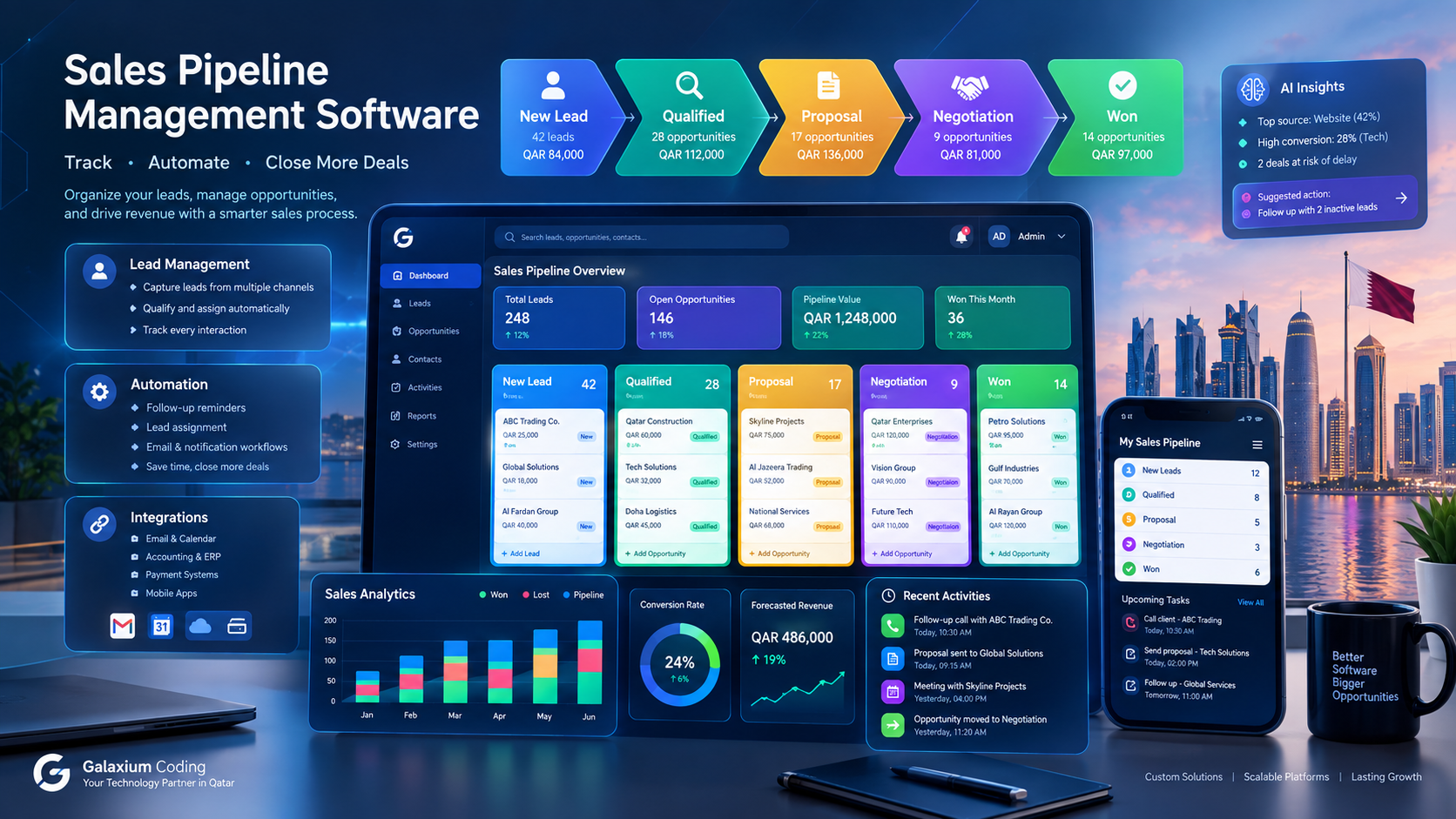
Sales pipeline management software connects leads, opportunities, follow-ups, automation, and sales analytics in one system.
Sales Pipeline Management Software: Complete Guide for Businesses
Sales teams can generate hundreds or thousands of leads, but generating leads is only the beginning.
The real challenge is moving prospects through the sales process without losing information, missing follow-ups, duplicating work, or relying on spreadsheets that quickly become difficult to manage.
Sales pipeline management software provides a structured way to manage this process. It allows businesses to organize leads and opportunities, define sales stages, assign activities, automate follow-ups, monitor performance, and understand which deals require attention.
For a growing business, the sales pipeline can become the connection between marketing, sales, customer relationships, management reporting, and revenue.
A small company may initially manage its pipeline with spreadsheets and email. As the sales team grows, however, this approach can create problems:
Leads can be forgotten.
Follow-ups can be delayed.
Sales representatives may not know which opportunities require attention.
Managers may lack real-time visibility.
Sales forecasts may depend on manually prepared spreadsheets.
Customer information can become fragmented across different tools.
Important activities can remain undocumented.
A dedicated sales pipeline system can bring these activities into one connected environment.
Businesses that require a system designed around their own workflows can also explore custom software development services to build a sales platform around their specific processes.
This guide explains what sales pipeline management software is, how it works, its essential features, benefits, implementation process, integrations, costs, security considerations, and how businesses can determine whether they need an off-the-shelf CRM or a custom solution.
What Is Sales Pipeline Management Software?
Sales pipeline management software is a digital system used to organize and monitor potential sales opportunities as they move through different stages of a sales process.
A typical pipeline might look like:
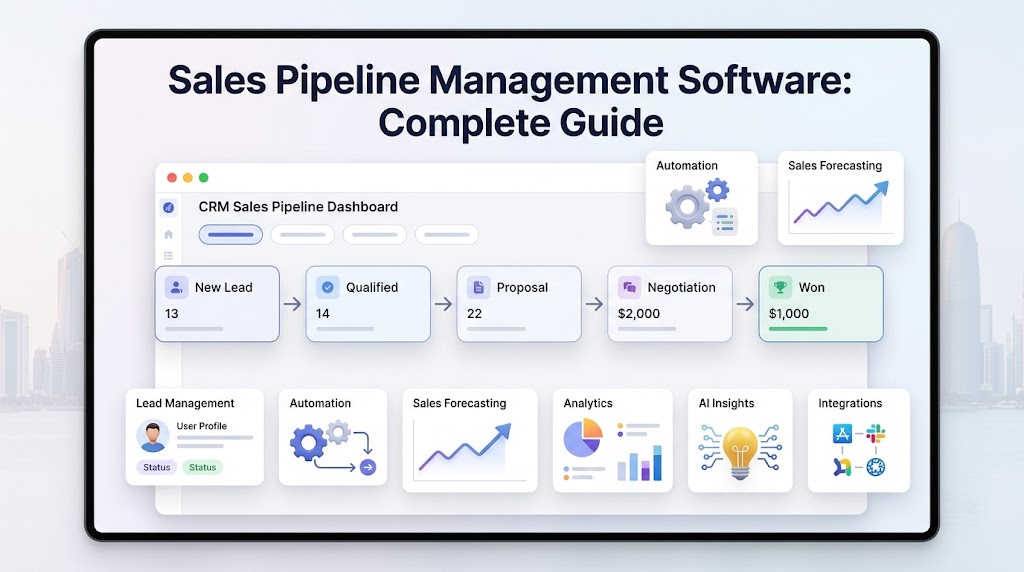
New Lead → Qualified → Contacted → Proposal → Negotiation → Won/Lost
Each opportunity can contain information such as:
Customer or company name
Contact details
Lead source
Sales representative
Opportunity value
Current sales stage
Expected closing date
Communication history
Follow-up activities
Notes
Documents
Tasks
Probability of closing
Products or services being considered
Instead of asking a salesperson, "What happened to this lead?", management can view the opportunity directly inside the system.
The objective is not simply to store customer information.
The objective is to understand where every opportunity is, what should happen next, and what is preventing it from progressing.
Sales Pipeline vs Sales Funnel
The terms sales pipeline and sales funnel are related but describe different perspectives.
A sales funnel generally focuses on the customer's journey and conversion from a larger number of prospects to a smaller number of customers.
A sales pipeline focuses more heavily on the active opportunities being managed by the sales team.
For example:
Sales Funnel | Sales Pipeline |
|---|---|
Visitor | New lead |
Prospect | Qualified opportunity |
Interested prospect | Contacted |
Potential buyer | Proposal |
Customer | Negotiation / Closed |
Focuses on conversion | Focuses on sales execution |
A business can use both concepts together.
The funnel helps management understand conversion.
The pipeline helps sales teams manage the opportunities currently in progress.
Why Sales Pipeline Management Matters
Sales teams often struggle not because they lack leads, but because they lack visibility into what happens after a lead is created.
Consider a company receiving 500 enquiries every month.
If those enquiries are stored across:
Email
WhatsApp
Spreadsheets
Website forms
Phone records
Individual salesperson notes
management may have difficulty answering basic questions.
How many leads are active?
Which leads have been contacted?
Which opportunities are close to conversion?
Which salesperson owns each opportunity?
How much potential revenue is currently in the pipeline?
Which deals have not received a follow-up?
Which lead sources generate the highest-quality opportunities?
Sales pipeline software can bring these activities into a centralized system.
This creates a more structured workflow:
Lead Capture → Qualification → Assignment → Follow-Up → Opportunity → Proposal → Negotiation → Closing → Customer
The exact process varies by business, but the principle remains the same: every opportunity should have a clear status and next action.
How Does Sales Pipeline Management Software Work?
A sales pipeline system generally works by recording opportunities and moving them through predefined stages.
A simplified example could be:
Stage 1: New Lead
A customer submits an enquiry through a website.
The system creates a lead record containing:
Name
Phone number
Email
Company
Enquiry details
Source
Stage 2: Lead Assignment
The system assigns the lead to a salesperson.
Assignment can be manual or automated.
For example:
New Lead → Sales Team → Assigned Representative
Stage 3: Qualification
The salesperson determines whether the lead is a genuine sales opportunity.
Qualification may consider:
Need
Budget
Timeline
Location
Company size
Product interest
Decision-maker involvement
Stage 4: Opportunity Creation
A qualified lead becomes a sales opportunity.
The opportunity may contain an estimated value and expected closing date.
Stage 5: Proposal
The salesperson prepares a quotation or proposal.
The opportunity remains visible in the pipeline while the customer evaluates the offer.
Stage 6: Negotiation
The customer may request:
Price changes
Additional services
Contract modifications
Delivery adjustments
Payment terms
The salesperson records these activities.
Stage 7: Closed Won or Closed Lost
The opportunity eventually reaches an outcome.
Closed Won means the sale was completed.
Closed Lost means the opportunity did not convert.
Recording both outcomes is important because lost opportunities can provide useful information about the sales process.
Essential Features of Sales Pipeline Management Software
The right feature set depends on the organization's size, industry, sales process, and technology environment.
However, several capabilities are commonly important.
1. Lead Management
Lead management allows businesses to capture, organize, qualify, assign, and track potential customers.
A lead record might include:
Name
Contact information
Company
Lead source
Product interest
Assigned employee
Status
Notes
Communication history
Next follow-up
Lead score
A centralized lead database reduces the need to maintain separate spreadsheets.
2. Visual Sales Pipeline
A visual pipeline provides a quick overview of opportunities.
For example:
Stage | Opportunities | Potential Value |
|---|---|---|
New | 42 | $84,000 |
Qualified | 28 | $112,000 |
Proposal | 17 | $136,000 |
Negotiation | 9 | $81,000 |
Won | 14 | $97,000 |
The exact metrics will vary by organization.
The important point is that managers can see the distribution of opportunities across stages.
A visual pipeline can also help identify bottlenecks.
If hundreds of opportunities remain stuck in the proposal stage, management may need to investigate pricing, proposal quality, follow-up processes, or customer objections.
3. Opportunity Management
An opportunity represents a potential sale.
A good opportunity-management system can track:
Opportunity name
Customer
Value
Sales stage
Probability
Owner
Expected close date
Products
Notes
Activities
Documents
Communication
Next action
This gives sales representatives a structured workspace for managing active deals.
4. Sales Activities and Tasks
Salespeople need more than a list of leads.
They need to know what they should do next.
A sales pipeline system can create activities such as:
Call customer
Send quotation
Schedule meeting
Send proposal
Follow up
Request approval
Send contract
Check payment
Schedule demonstration
Tasks can be linked directly to opportunities.
For example:
Opportunity: ABC Construction
Next Activity: Call procurement manager
Due Date: Tomorrow
Expected Value: QAR 85,000
This creates accountability and reduces reliance on personal notes.
5. Follow-Up Automation
Follow-up is one of the most important parts of sales execution.
A pipeline system can automate appropriate reminders and workflows.
For example:
New lead created
↓
Assign salesperson
↓
Send internal notification
↓
Create follow-up task
↓
No activity for 3 days
↓
Notify salesperson
↓
No activity for 7 days
↓
Notify manager
The exact automation should reflect the company's real sales process rather than being added simply because automation is available.
6. Sales Forecasting
Sales forecasting uses pipeline information to estimate potential future revenue.
A basic forecast may consider:
Opportunity value
Sales stage
Probability
Expected closing date
Historical conversion rates
For example:
If a pipeline contains:
QAR 100,000 in early-stage opportunities
QAR 150,000 in qualified opportunities
QAR 80,000 in negotiation
management can evaluate the pipeline according to its own forecasting methodology.
Forecasting should not be treated as a guaranteed prediction.
It is a planning tool based on available information and assumptions.
7. Sales Dashboards
A dashboard can provide management with a high-level view of sales activity.
Possible metrics include:
New leads
Qualified leads
Open opportunities
Pipeline value
Won opportunities
Lost opportunities
Conversion rates
Sales by representative
Sales by source
Average deal size
Average sales cycle
Expected revenue
Overdue follow-ups
Dashboards can reduce the need for manually prepared reports.
8. Contact and Customer Management
Pipeline management works best when customer information is connected to sales opportunities.
A customer profile may include:
Contact information
Company details
Previous opportunities
Purchases
Communication history
Support interactions
Documents
Notes
Assigned account manager
This allows sales representatives to understand the relationship rather than viewing every opportunity in isolation.
9. Communication History
Sales activities can occur across multiple channels.
A CRM may record:
Emails
Calls
Meetings
Messages
Notes
Proposals
Documents
The goal is to create a consistent history of customer interactions.
Businesses using multiple communication channels may also require integrations with their existing systems.
10. Lead Source Tracking
Knowing where leads originate can be valuable.
Possible sources include:
Website
Search engines
Social media
Referral
Events
Advertising
Phone
Email
Partner network
Existing customers
A pipeline system can associate opportunities with their original source.
Management can then compare lead volume and conversion across channels.
Sales Pipeline Management Software for Different Business Models
There is no universal pipeline structure.
A real estate company may need a very different workflow from a software development company.
Real Estate
A real estate pipeline may look like:
New Enquiry → Property Match → Viewing → Negotiation → Documentation → Closed
Additional information may include:
Property
Buyer
Seller
Agent
Property value
Commission
Viewing date
Documents
B2B Services
A consulting or professional-services company might use:
Lead → Discovery Call → Qualified → Proposal → Negotiation → Contract → Won
The opportunity may include:
Service type
Project scope
Estimated value
Proposal
Decision-maker
Contract status
Software Development
A software company may use:
Enquiry → Discovery → Requirements → Proposal → Technical Review → Negotiation → Contract → Project
A custom CRM can potentially connect the sales process with project-management workflows.
Businesses requiring this type of connected platform can consider business software development tailored to their operational requirements.
Education
An education organization may manage:
Enquiry → Counselling → Application → Documentation → Admission → Enrolled
The system may need to connect:
Student
Parent
Course
Application
Documents
Payments
Communication
E-commerce and Retail
The pipeline may be less focused on individual sales opportunities and more focused on customer lifecycle management.
Possible stages include:
Lead → Registered → First Purchase → Repeat Customer → Loyalty
In such cases, CRM and marketing automation may become more important.
CRM vs Sales Pipeline Management Software
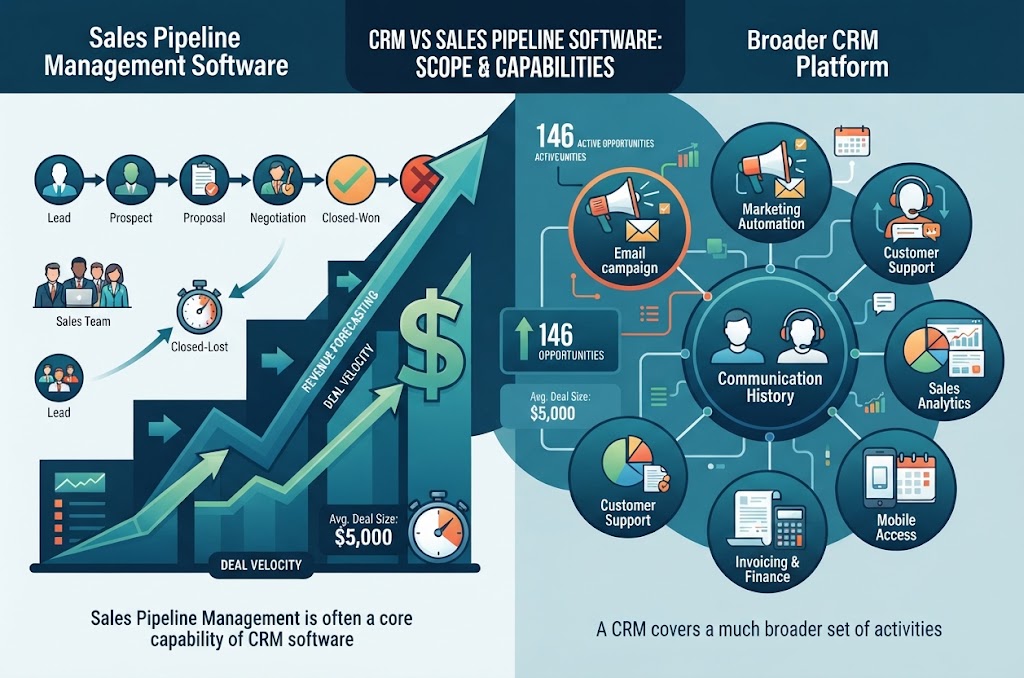
Sales pipeline management is often a core capability of CRM software.
A CRM, or Customer Relationship Management platform, can cover a much broader set of activities.
Capability | Sales Pipeline Software | Broader CRM |
|---|---|---|
Lead management | Yes | Yes |
Opportunity tracking | Yes | Yes |
Sales stages | Yes | Yes |
Customer profiles | Usually | Yes |
Communication history | Usually | Yes |
Marketing automation | Sometimes | Often |
Customer service | Limited | Often |
Reporting | Yes | Yes |
Sales forecasting | Often | Often |
Support tickets | Usually limited | Often |
Customer portals | Optional | Sometimes |
Workflow automation | Often | Often |
For a small sales team, a focused pipeline system may be enough.
A growing organization may eventually require a broader CRM platform.
Spreadsheet vs Sales Pipeline Software
Many businesses begin with spreadsheets.
There is nothing inherently wrong with using a spreadsheet for a small, simple sales process.
The problem appears when the sales operation becomes too complex for manual management.
Spreadsheet | Pipeline Software |
|---|---|
Manual updates | Centralized records |
Limited automation | Workflow automation |
Difficult collaboration | Multi-user access |
Basic reporting | Dashboards |
Manual reminders | Automated activities |
Version-control problems | Centralized database |
Limited integrations | APIs and integrations |
Difficult audit trail | Activity history |
Manual forecasting | Pipeline-based forecasting |
A spreadsheet can remain useful for specific analysis and data exports.
However, it may become inefficient when many employees need to update and access the same sales information simultaneously.
Off-the-Shelf CRM vs Custom Sales Pipeline Software
One of the most important decisions is whether to use an existing CRM or build a custom system.
Off-the-Shelf CRM
An existing CRM typically provides features that are already developed and tested.
Advantages can include:
Faster deployment
Established features
Existing integrations
Vendor support
Predictable subscription model
Potential limitations include:
Feature restrictions
Workflow limitations
Subscription costs
Vendor dependency
Limited customization
Difficult integration with unusual business processes
Custom Sales Pipeline Software
Custom software can be designed around the company's own workflow.
For example:
Website Enquiry
↓
Lead Qualification
↓
Sales Representative
↓
Technical Review
↓
Manager Approval
↓
Quotation
↓
Finance Approval
↓
Contract
↓
Payment
↓
Customer Portal
A standard CRM may support some or all of these steps, but the workflow may require configuration, extensions, integrations, or custom development.
Custom software can provide more control over the process.
However, custom development also requires planning, development, testing, deployment, maintenance, and ongoing investment.
The decision should therefore be based on business requirements rather than the assumption that custom software is always better.
Galaxium Coding's existing custom software development services can be relevant when a business needs a CRM, pipeline, workflow, or business-management platform designed around its specific operations.
Key Integrations for Sales Pipeline Software
A pipeline system becomes more useful when it can communicate with the other systems a business already uses.
Website Integration
A website enquiry form can automatically create a lead.
Example:
Website Form → API → CRM → Lead → Sales Assignment
This eliminates unnecessary manual data entry.
Businesses building browser-based business platforms can also explore web application development.
Email Integration
Email integration can help sales teams associate communications with customer records.
Potential capabilities include:
Email tracking
Templates
Communication history
Automated messages
Follow-up reminders
Messaging Integration
Depending on the business and available integrations, messaging channels can become part of the customer communication workflow.
For example:
Customer Message → Lead Record → Sales Assignment → Follow-Up
The exact implementation depends on the messaging platform and its API capabilities.
Accounting Integration
Sales and finance often need to share information.
A connected workflow might look like:
Opportunity → Won → Customer → Invoice → Payment
This can reduce duplicate data entry.
Payment Integration
For businesses that collect payments online, a pipeline or CRM can potentially connect sales activity with payment status.
For example:
Contract Signed → Payment Request → Payment Received → Opportunity Closed
Mobile Application Integration
Sales teams that work outside the office may benefit from mobile access.
A sales representative could use a mobile application to:
View leads
Update opportunities
Make notes
Schedule follow-ups
Check customer history
Receive notifications
Update sales stages
Businesses that require mobile access can explore mobile application development.

Cloud Infrastructure
Modern sales platforms commonly rely on cloud infrastructure for application hosting, databases, backups, monitoring, and scalability.
Cloud architecture should be selected according to:
Expected users
Data requirements
Availability
Security
Integration needs
Performance
Compliance requirements
Businesses planning cloud-connected applications can also consider Cloud & DevOps solutions.
AI in Sales Pipeline Management
Artificial intelligence can add capabilities beyond traditional CRM automation.
However, AI should solve a real business problem rather than being added simply as a marketing feature.
Potential applications include:
Lead Classification
AI can help classify incoming enquiries according to predefined business criteria.
For example:
Lead → Industry → Product Interest → Priority
Lead Summarization
AI can summarize long customer conversations so sales representatives can understand the context quickly.
Sales Assistant
An AI assistant could help answer questions such as:
Which opportunities require follow-up?
Which deals have been inactive?
Which leads came from a particular campaign?
What happened during the previous customer interaction?
Document Assistance
AI can potentially help extract information from:
Proposals
Contracts
Customer documents
Enquiry forms
Sales Analytics
AI-based analytics may identify patterns in historical sales data.
However, AI outputs should be reviewed appropriately, particularly when they influence financial, contractual, or customer-facing decisions.
Sales Pipeline Automation Examples
Automation can turn a static CRM into an operational workflow.
Example 1: New Lead
Customer submits website form
↓
CRM creates lead
↓
Lead assigned to salesperson
↓
Salesperson notified
↓
Follow-up task created
↓
Customer receives acknowledgement
Example 2: Inactive Opportunity
Opportunity has no activity for 5 days
↓
System identifies inactivity
↓
Salesperson receives reminder
↓
Manager notification after defined threshold
Example 3: Proposal Approval
Salesperson creates proposal
↓
Discount exceeds defined limit
↓
Manager approval required
↓
Manager approves
↓
Proposal becomes ready for customer
Example 4: Won Deal
Opportunity marked Won
↓
Customer record updated
↓
Contract stored
↓
Finance notified
↓
Invoice workflow initiated
↓
Project team notified
This type of workflow demonstrates why pipeline software can become part of a broader business automation strategy.
For organizations looking to connect sales, operations, customer management, and repetitive workflows, business automation solutions can be designed around the organization's processes.
Sales Pipeline Metrics to Track
A pipeline is only useful if the business measures the right things.
Important metrics may include:
Lead Volume
How many new leads are entering the pipeline?
Qualification Rate
What percentage of leads become qualified opportunities?
Conversion Rate
How many opportunities become customers?
Average Deal Size
What is the typical value of a closed opportunity?
Sales Cycle
How long does it take to move from initial lead to closed deal?
Pipeline Value
What is the total value of active opportunities?
Win Rate
What proportion of completed opportunities are won?
Lost Opportunity Rate
How many opportunities are being lost?
Sales Activity
How many calls, meetings, proposals, and follow-ups are being completed?
Pipeline Velocity
How quickly are opportunities progressing through the pipeline?
The exact formulas should be defined consistently across the organization.
How to Implement Sales Pipeline Management Software
Technology alone does not fix an unclear sales process.
Implementation should begin with business analysis.
Step 1: Document the Existing Sales Process
Map what happens today.
For example:
Lead → Salesperson → Spreadsheet → Manager → Proposal → Email → Customer
Identify:
Who performs each step?
What information is required?
Where is information stored?
Where do delays occur?
Which tasks are repetitive?
Step 2: Define Pipeline Stages
Avoid creating too many stages.
A practical pipeline might use:
New Lead
Qualified
Discovery
Proposal
Negotiation
Won
Lost
The exact stages should reflect the organization's real sales process.
Step 3: Define Required Data
Determine what information should be captured.
For example:
Customer
Contact
Lead source
Opportunity
Value
Owner
Stage
Expected close date
Next action
Notes
Do not collect information simply because the software allows it.
Every field should have a purpose.
Step 4: Define User Roles
Different employees may need different access.
Roles can include:
Sales representative
Sales manager
Administrator
Finance
Management
Customer support
Permissions should be designed according to job responsibilities.
Step 5: Integrate Existing Systems
Identify systems that need to communicate with the pipeline.
These may include:
Website
Email
Accounting
Payment systems
ERP
Marketing tools
Mobile applications
Messaging platforms
Analytics systems
APIs can provide a mechanism for exchanging information between systems.
Step 6: Automate Appropriate Processes
Start with repetitive, predictable workflows.
Good candidates include:
Lead assignment
Notifications
Follow-up reminders
Approval requests
Status updates
Report generation
Automation should be tested before it is deployed to the entire sales team.
Step 7: Train the Sales Team
A technically capable CRM can still fail if employees do not use it consistently.
Training should explain:
Why the system exists
How leads are created
How opportunities are updated
When activities must be recorded
How managers use reports
What information is mandatory
Step 8: Monitor and Improve
After launch, monitor:
Adoption
Data quality
Pipeline accuracy
Workflow problems
User feedback
Reporting requirements
The pipeline should evolve as the business evolves.
Security Considerations
Sales systems can contain sensitive business and customer information.
Security should therefore be considered from the beginning.
Important areas include:
Authentication
Users should authenticate securely.
Authorization
Employees should only access information appropriate to their role.
Encryption
Sensitive data should be protected during transmission and, where appropriate, at rest.
Audit Logs
Important activities can be recorded to provide visibility into changes.
Backups
Data should be backed up according to the organization's requirements.
API Security
Integrations should use appropriate authentication and authorization mechanisms.
Data Retention
Organizations should define how long customer and sales data should be retained.
Monitoring
Production systems should be monitored for errors, availability, and suspicious activity.
Security requirements should be adapted to the industry, data involved, architecture, and applicable regulations.
How Much Does Sales Pipeline Management Software Cost?
There is no single price for sales pipeline software.
The cost depends heavily on the implementation model.
Off-the-Shelf CRM
Subscription-based systems may charge according to:
Number of users
Features
Storage
Automation
Integrations
Support level
The total cost can therefore include monthly or annual subscription fees.
Custom Sales Pipeline Software
Custom development costs can depend on:
Number of users
Pipeline complexity
Number of workflows
UI/UX requirements
Web application requirements
Mobile applications
Integrations
API development
AI features
Reporting
Security
Cloud infrastructure
Data migration
Testing
Maintenance
A simple internal pipeline can be significantly different from a complete enterprise CRM.
For this reason, businesses should define requirements before requesting a development estimate.
When Should a Business Build Custom Sales Pipeline Software?
Custom development may become relevant when a business has workflows that existing CRM platforms cannot support efficiently.
Possible indicators include:
Complex approval processes
Industry-specific workflows
Multiple internal systems
Large integration requirements
Unique pricing logic
Custom commission calculations
Specialized reporting
Proprietary business processes
Customer portals
Mobile workforce requirements
Need for deeper ERP integration
For example, a company may require:
Lead → Sales → Technical Review → Pricing → Management Approval → Finance → Contract → Customer Portal
If this process is central to the business, software designed around the workflow may be worth considering.
The decision should be based on total cost, complexity, strategic importance, and expected business value.
Sales Pipeline Software for Qatar Businesses
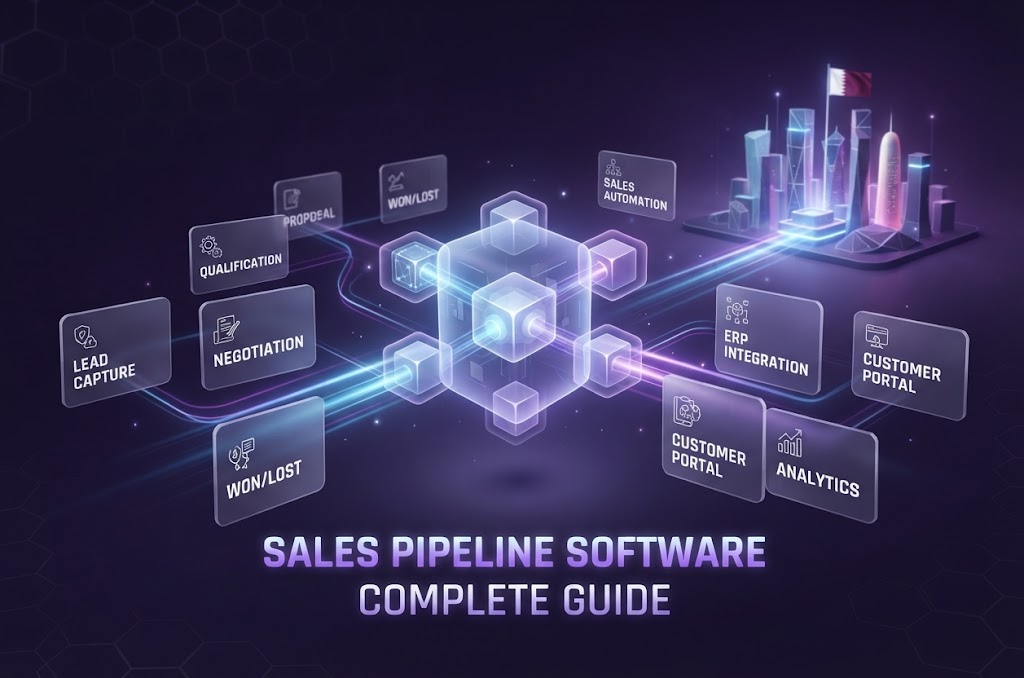
For businesses operating in Qatar, pipeline software can be designed around local business processes while still supporting international technology standards.
Relevant considerations may include:
QAR-based opportunity values
Local customer records
Arabic and English interfaces where required
Local business workflows
Customer communication preferences
Accounting integrations
Approval structures
Mobile access
Cloud deployment
Data-security requirements
Different industries can have very different requirements.
For example:
Real Estate
Lead management, property matching, viewings, commissions, and documentation.
Construction
Enquiries, tenders, technical evaluation, quotations, approvals, contracts, and project handover.
Professional Services
Consultation, proposal, scope approval, contract, project initiation, and billing.
Retail
Customer acquisition, promotions, purchases, repeat customers, and loyalty.
Education
Enquiries, counselling, applications, documentation, admissions, and payments.
The important principle is to design the technology around the actual workflow rather than simply adding a "Qatar" label to generic CRM software.
Galaxium Coding positions its software development capabilities around custom business applications and connected digital systems for organizations that require tailored workflows.
Common Sales Pipeline Management Mistakes
Mistake 1: Too Many Pipeline Stages
A pipeline with 20 stages may become difficult for employees to understand.
Keep stages meaningful.
Mistake 2: No Clear Definition of Each Stage
Employees may interpret "Qualified" differently.
Define what must happen before an opportunity moves from one stage to another.
Mistake 3: Treating the CRM as a Contact Database
A CRM should support the sales process, not merely store names and phone numbers.
Mistake 4: Ignoring Data Quality
Duplicate customers, missing fields, outdated opportunities, and incorrect sales stages can make reports unreliable.
Mistake 5: Automating Everything
Not every process needs automation.
Automate repetitive and predictable tasks where there is a clear operational benefit.
Mistake 6: Building Too Much Before Testing
A large CRM project can become expensive and complicated if every possible feature is included in the first release.
An MVP can focus on:
Leads
Contacts
Opportunities
Pipeline
Activities
Basic reporting
Additional capabilities can be introduced later.
Mistake 7: Ignoring User Adoption
Employees need to understand why accurate pipeline updates matter.
A system that nobody updates cannot provide reliable management information.
Sales Pipeline Management Software Implementation Checklist
Before deployment, businesses can review the following checklist.
Business Process
Sales process documented
Pipeline stages defined
Stage definitions documented
Roles identified
Approval workflows documented
Data
Customer fields defined
Lead fields defined
Opportunity fields defined
Required fields identified
Duplicate handling planned
Technology
CRM or custom software selected
Database architecture defined
API requirements identified
Integrations identified
Hosting strategy defined
Automation
Lead assignment planned
Follow-up reminders planned
Notifications defined
Approval workflows defined
Reporting automation defined
Security
User roles defined
Access permissions configured
Authentication implemented
Backups planned
Audit requirements reviewed
Launch
Data migrated
Users trained
Testing completed
Pilot completed
Feedback collected
Monitoring established
What Should a Sales Pipeline Dashboard Show?
A useful dashboard should answer management's most important questions quickly.
For example:
Pipeline Overview
Total Active Opportunities: 146
Pipeline Value: QAR X
Expected Closing This Month: X opportunities
Won This Month: X
Lost This Month: X
Sales Team
Representative | Open Deals | Pipeline Value | Won |
|---|---|---|---|
Salesperson A | 28 | QAR X | X |
Salesperson B | 34 | QAR X | X |
Salesperson C | 21 | QAR X | X |
The numbers above are illustrative rather than actual Galaxium Coding statistics.
A real dashboard should use the organization's own data.
The Future of Sales Pipeline Management
Sales pipeline software is increasingly becoming part of a broader business technology ecosystem.
The future is not necessarily a CRM that operates in isolation.
Instead, businesses can connect:
Website
↓
Lead Capture
↓
CRM
↓
Sales Pipeline
↓
Automation
↓
ERP / Accounting
↓
Customer Portal
↓
Mobile App
↓
Analytics
↓
AI
This connected approach can reduce manual data entry and provide a more complete view of the customer lifecycle.
AI can add another layer of intelligence by assisting with summaries, classification, search, analytics, and workflow support.
However, the underlying data and business processes still matter.
AI cannot compensate for a poorly designed sales process or inaccurate customer data.
How to Choose Sales Pipeline Management Software
Before selecting a platform, ask these questions:
1. What problem are we trying to solve?
Do not begin with features.
Begin with the business problem.
2. How complex is our sales process?
A simple sales cycle may require only a basic CRM.
A complex B2B sales process may require custom workflows.
3. How many users need access?
Consider current and future users.
4. Which systems need integration?
List existing platforms before selecting the solution.
5. What reports does management need?
Define the decisions the system should support.
6. How much customization is required?
Determine which processes must remain unique to the organization.
7. What is the expected total cost?
Consider:
Subscription
Development
Implementation
Integration
Training
Support
Hosting
Maintenance
8. Can the system scale?
A system that works for five users may need significant changes when the organization reaches 100 or 500 users.
9. What security requirements apply?
Consider customer data, financial information, authentication, access control, backups, and applicable requirements.
10. What happens after launch?
Ask who will provide:
Support
Bug fixes
Security updates
Enhancements
Monitoring
Infrastructure management
Why Custom Software Can Be Useful for Complex Sales Processes
A business's competitive advantage may sometimes exist inside its sales workflow.
For example, a company may have a specialized process for:
Lead qualification
Pricing
Technical evaluation
Approval
Contracting
Customer onboarding
If that process is important to the business, software can be designed around it.
Instead of employees adapting their work to generic software, a custom platform can model the organization's actual workflow.
This is particularly relevant when sales must connect to other business functions.
For example:
Sales → CRM → ERP → Finance → Inventory → Project Management → Customer Portal
The result is not simply a CRM.
It is a connected business-management system.
Organizations considering this approach can review Galaxium Coding's projects and portfolio to understand the company's broader software-development positioning.
Final Thoughts
Sales pipeline management software helps businesses organize the journey from lead to customer.
At its most basic level, it answers three questions:
What opportunities do we have?
Where are they in the sales process?
What should happen next?
A more advanced system can go much further.
It can connect:
Leads
Customers
Opportunities
Sales representatives
Activities
Proposals
Approvals
Communication
Forecasting
Reporting
Automation
Finance
ERP
Mobile applications
AI
The right solution depends on the organization's sales process.
A small business may be well served by an existing CRM.
A growing organization may require advanced configuration and integrations.
A company with highly specialized workflows may benefit from custom software.
The most important step is therefore not choosing software first.
It is understanding the business process first.
Map the current workflow, identify bottlenecks, define the information that needs to be captured, determine which activities should be automated, and then select or build the technology that supports those requirements.
For businesses that need a technology partner to design and develop connected sales, CRM, automation, or business-management software, contact Galaxium Coding to discuss the requirements and potential implementation approach.
Frequently Asked Questions About Sales Pipeline Management Software
What is sales pipeline management software?
Sales pipeline management software is a system that helps businesses track leads and sales opportunities as they move through defined stages toward a potential purchase.
What is the difference between a CRM and a sales pipeline?
A sales pipeline is a component of the sales process focused on active opportunities and their stages. A CRM is broader and can include customer records, communications, marketing, service, reporting, and other relationship-management capabilities.
What are the main features of sales pipeline software?
Common features include lead management, opportunity tracking, pipeline stages, tasks, follow-up reminders, dashboards, reporting, forecasting, customer records, communication history, and integrations.
Can sales pipeline software automate follow-ups?
Yes. Depending on the system, businesses can automate reminders, lead assignments, notifications, emails, approvals, and other predefined workflows.
Is sales pipeline software suitable for small businesses?
Yes. Small businesses can use pipeline software to organize leads, track opportunities, and establish consistent follow-up processes. The appropriate system depends on the business's complexity and budget.
Can a sales pipeline integrate with accounting software?
Yes. Many CRM and business-management systems can integrate with accounting platforms through APIs or other integration mechanisms.
Can a website automatically send leads to a CRM?
Yes. A website form can be connected to a CRM so that a submitted enquiry creates or updates a lead record automatically.
Can sales pipeline software work with mobile applications?
Yes. A mobile application can provide sales representatives with access to leads, opportunities, customer information, tasks, and notifications.
Should a business build a custom sales pipeline?
Custom development may be appropriate when the organization has complex workflows, specialized requirements, multiple integrations, or processes that existing CRM platforms cannot support efficiently.
How much does sales pipeline software cost?
Costs vary according to whether the business uses subscription software or develops a custom system. Custom development costs depend on features, integrations, users, security, automation, mobile applications, AI, infrastructure, and maintenance requirements.
Is AI necessary for sales pipeline management?
No. Traditional CRM and workflow automation can manage many sales processes without AI. AI can be introduced where it provides a practical benefit, such as summarization, classification, search, analytics, or assistance.
What should a business do before implementing sales pipeline software?
Start by documenting the existing sales process. Define pipeline stages, users, required data, integrations, reporting needs, automation opportunities, and security requirements before selecting or developing the system.
Can sales pipeline software be integrated with ERP?
Yes. CRM and ERP systems can be connected so that customer, sales, order, finance, inventory, and operational information can move between systems where appropriate.
Can Galaxium Coding build custom sales pipeline software?
Galaxium Coding provides custom software development and business application capabilities that can be relevant to organizations requiring tailored CRM, workflow, automation, ERP-style, integration, and business-management systems. Businesses can discuss their specific requirements through the Galaxium Coding contact page.