Employee Self-Service Portals: Why Businesses Need Them
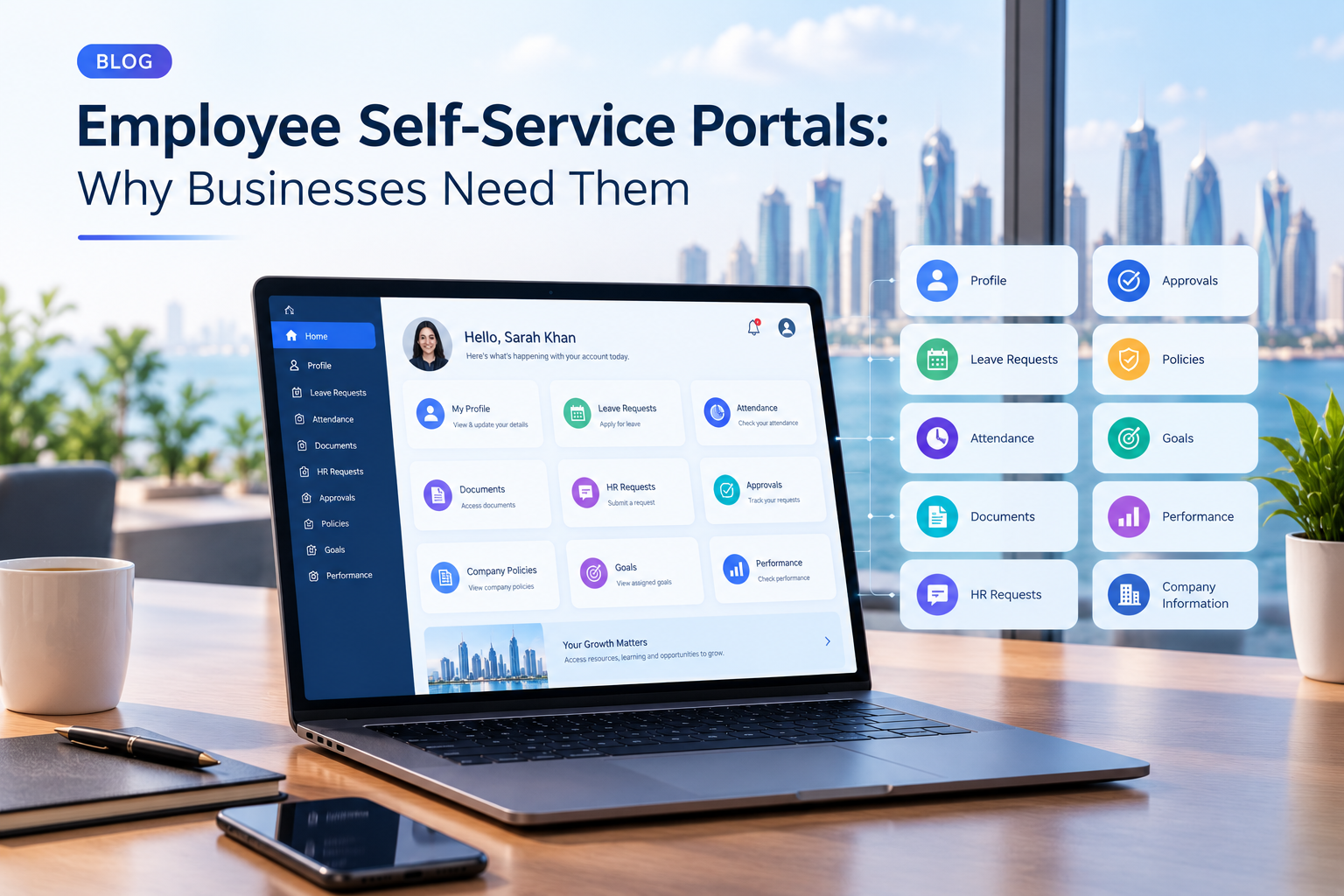
Employee self-service portals give employees centralized access to HR information, requests, documents, approvals and workplace services.
Employee Self-Service Portals: Why Businesses Need Them
Employees interact with HR departments throughout their entire employment lifecycle.
They may need to request leave, check attendance, download documents, update selected personal information, submit HR requests, track approvals, review company policies, or access performance information.
When every request has to pass through HR manually, the process can become slow and repetitive.
An employee self-service portal provides a digital alternative.
Instead of sending an email or visiting the HR department for every routine request, employees can access an online portal where they can view information, submit requests, track their status, and complete selected HR tasks themselves.
For businesses, this can create a more organized HR workflow while giving employees greater visibility and control over routine workplace activities.
Modern employee portals can also be connected with HR management software, ERP systems, payroll, attendance systems, document management, business applications, mobile apps, and automated approval workflows.
Businesses that require employee-facing systems can explore custom software development services when standard HR platforms do not fully match their internal workflows.
This guide explains what employee self-service portals are, what they can do, why businesses use them, which features they should include, how they work, security considerations, implementation steps, costs, and how businesses in Qatar can approach employee portal development.
What Is an Employee Self-Service Portal?
An employee self-service portal is a secure digital platform that allows employees to access HR information and complete selected workplace tasks without depending on HR staff for every request.
A portal may be available through:
Web browsers
Desktop computers
Mobile-responsive interfaces
Mobile applications
Company intranets
Depending on the organization's requirements, employees may be able to:
View their employee profile
Check attendance
Submit leave requests
Track approval status
Upload documents
Access company policies
Submit HR requests
View payslips
Review assigned goals
Access performance information
Receive notifications
Update selected personal information
The exact functionality depends on the business.
An employee portal for a small company may only include leave, attendance, documents, and requests.
A larger enterprise may require a much broader system connected to HR, payroll, ERP, performance management, training, finance, identity management, and other business applications.
Why Do Businesses Need Employee Self-Service Portals?
The main reason businesses implement employee self-service portals is to move routine HR activities from manual communication into structured digital workflows.
Consider a simple leave request.
Traditional Process
Employee sends an email to HR
↓
HR checks leave balance
↓
HR contacts manager
↓
Manager approves
↓
HR updates records
↓
Employee receives confirmation
This process may involve several people and multiple communication steps.
Employee Portal Workflow
Employee submits leave request
↓
System checks relevant information
↓
Manager receives notification
↓
Manager approves or rejects
↓
HR record updates
↓
Employee sees status
The second approach creates a centralized process where each participant can see the relevant stage.
Modern ERP systems can already provide employee portals for activities such as leave requests, documents, attendance and employee requests.
The opportunity with a dedicated employee self-service portal is to make the employee experience the central focus rather than treating the portal as a small feature inside a larger administrative system.
Employee Self-Service Portal vs Traditional HR Communication
Businesses do not necessarily need to eliminate all communication between employees and HR.
Instead, self-service portals are particularly useful for repetitive and structured requests.
Traditional HR Process | Employee Self-Service |
|---|---|
Email HR for leave | Submit leave through portal |
Ask HR for attendance information | View attendance directly |
Request documents manually | Download available documents |
Ask for request status | Track status online |
Send forms by email | Submit forms digitally |
Ask about policies | Access policy library |
Follow up on approvals | View approval status |
Request profile changes | Submit selected updates |
Ask for payslip | Access available payslips |
Request HR assistance | Submit structured HR request |
The objective is not to remove HR professionals from the process.
Instead, the portal allows HR teams to spend less time handling repetitive administrative questions and more time working on activities that require human judgment.
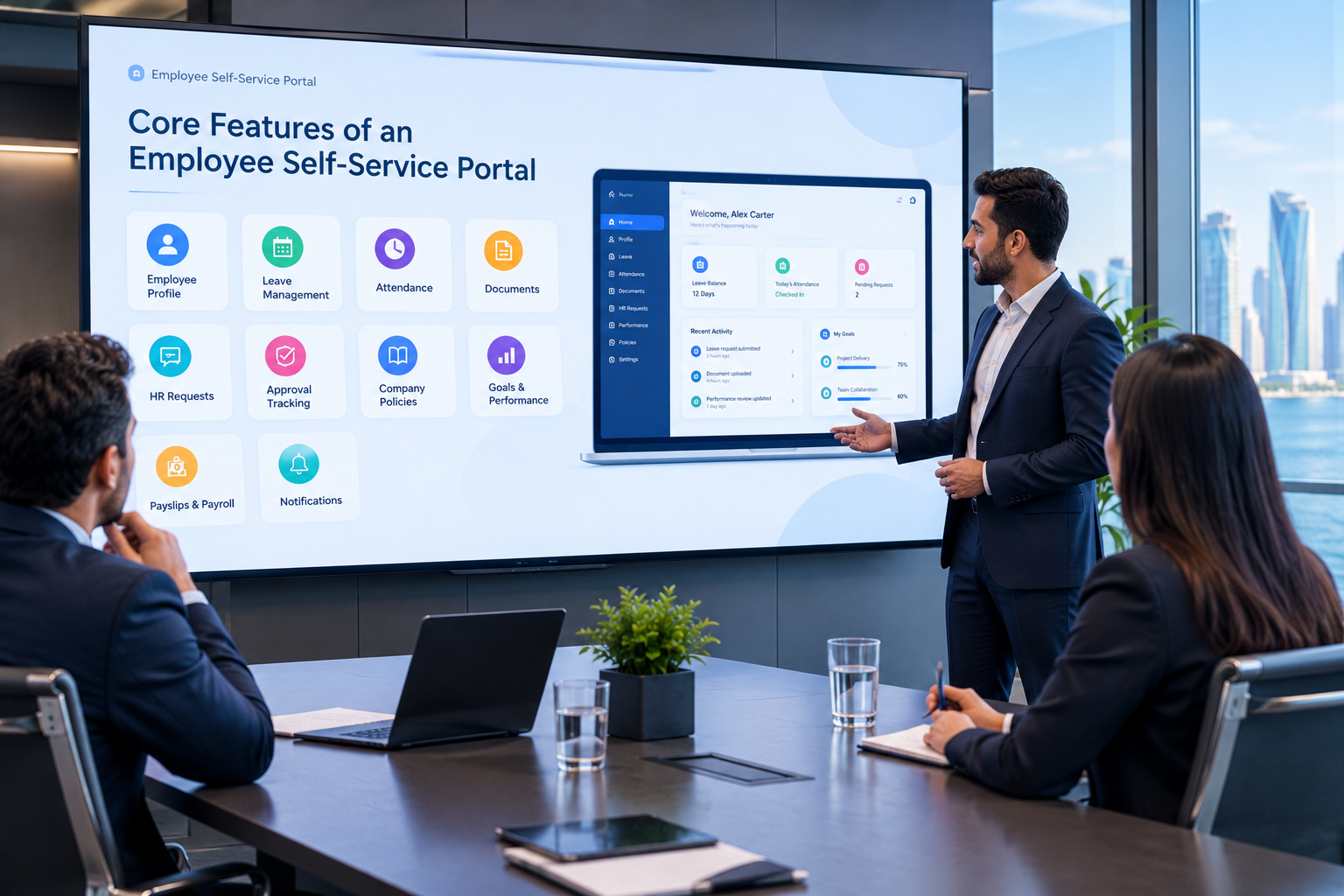
Core Features of an Employee Self-Service Portal
A useful employee portal should be designed around actual employee workflows.
1. Employee Profile
The employee profile provides a centralized view of relevant information.
It may include:
Employee name
Employee ID
Job title
Department
Manager
Joining date
Contact information
Work location
Employment information
Profile photo
Some organizations may also allow employees to request updates to selected information.
Sensitive changes can require HR approval.
For example:
Employee submits profile change
↓
HR reviews
↓
Change approved
↓
Employee record updated
This creates a controlled process instead of allowing unrestricted changes to important records.
2. Leave Management
Leave management is one of the most common employee self-service features.
Employees can potentially:
View available leave
Submit leave requests
Select dates
Add reasons or notes
Attach documents when required
Track approval status
View previous requests
Managers can then:
Review requests
Approve or reject them
Add comments
View relevant team information
HR can monitor the overall process.
Example
An employee needs annual leave.
The employee logs into the portal and submits:
Leave Type: Annual Leave
Start Date: Monday
End Date: Wednesday
Comment: Personal leave
The system sends the request to the relevant manager.
Once approved, the employee receives a notification and the leave record is updated.
This type of workflow can be automated without requiring advanced AI.
3. Attendance Management
Employees often want to know their attendance status without contacting HR.
A portal can provide access to information such as:
Check-in time
Check-out time
Working hours
Attendance history
Late arrivals
Missing attendance records
Approved corrections
Depending on the business, the portal can connect with:
Biometric systems
Attendance machines
Access-control systems
Mobile applications
Time-tracking platforms
For example:
Attendance System
↓
Employee check-in
↓
HR platform
↓
Employee portal
↓
Employee sees attendance
This creates a connected flow between the underlying attendance system and the employee-facing interface.
4. Document Management
Employees frequently need access to workplace documents.
An employee portal can provide secure access to documents such as:
Employment documents
HR letters
Company policies
Certificates
Training records
Payslips
Forms
Employee handbooks
Instead of asking HR to locate a document every time, employees can access documents that they are authorized to view.
This can also help HR teams reduce repetitive document requests.
Document access should always be controlled through appropriate permissions.
An employee should only see documents assigned to their account or role.
5. HR Requests
Not every HR request fits into a standard category.
A portal can therefore include a general HR request system.
Employees could submit requests such as:
Employment letters
Document requests
Personal-information updates
HR support requests
Payroll questions
Benefits-related questions
Workplace requests
Each request can have a status.
Example
Submitted
↓
HR Reviewing
↓
Additional Information Required
↓
Approved
↓
Completed
This gives employees visibility without requiring them to repeatedly email HR for updates.
6. Approval Tracking
Employees often want to know whether their request has been approved.
A portal can provide a centralized approval area showing:
Request | Status |
|---|---|
Annual Leave | Approved |
Document Request | Processing |
Profile Update | Pending |
HR Request | Completed |
This small feature can significantly improve transparency.
Instead of asking:
"Has my request been approved?"
the employee can simply check the portal.
7. Company Policies and Information
Employee portals can also act as a centralized information hub.
Employees may be able to access:
HR policies
Attendance policies
Leave policies
Workplace guidelines
Company announcements
Employee handbooks
Internal forms
Frequently asked questions
This can reduce the problem of employees relying on outdated files or asking different departments for the same information.
The organization should maintain appropriate version control so employees can identify current documents.
8. Performance and Goal Tracking
A modern employee portal can extend beyond basic HR administration.
Employees may also be able to view:
Assigned goals
KPIs
Performance objectives
Review schedules
Feedback
Development plans
Training assignments
For example:
Employee Goal
Improve customer response time
↓
Target
Respond to customer requests within defined service standards
↓
Progress
Tracked through the performance system
↓
Review
Manager provides feedback
This creates a more continuous employee experience.
Performance information should be presented according to the employee's permissions and the organization's HR policies.
9. Payslip and Payroll Access
If connected with payroll software, an employee portal can provide access to relevant payroll documents.
Depending on the system, employees may be able to:
View payslips
Download payslips
Review payroll history
View selected compensation information
Access approved payroll documents
Payroll data is highly sensitive, so access controls are especially important.
A secure system should ensure that employees cannot access another employee's financial information.
10. Notifications
Employees should not have to constantly check every section of the portal.
Notifications can alert them about:
Leave approval
HR request updates
New documents
Policy updates
Performance reviews
Training assignments
Important announcements
Missing information
Approval requests
Notifications may be delivered through:
In-app alerts
Email
Push notifications
SMS, where appropriate
A notification system becomes particularly useful when combined with workflow automation.
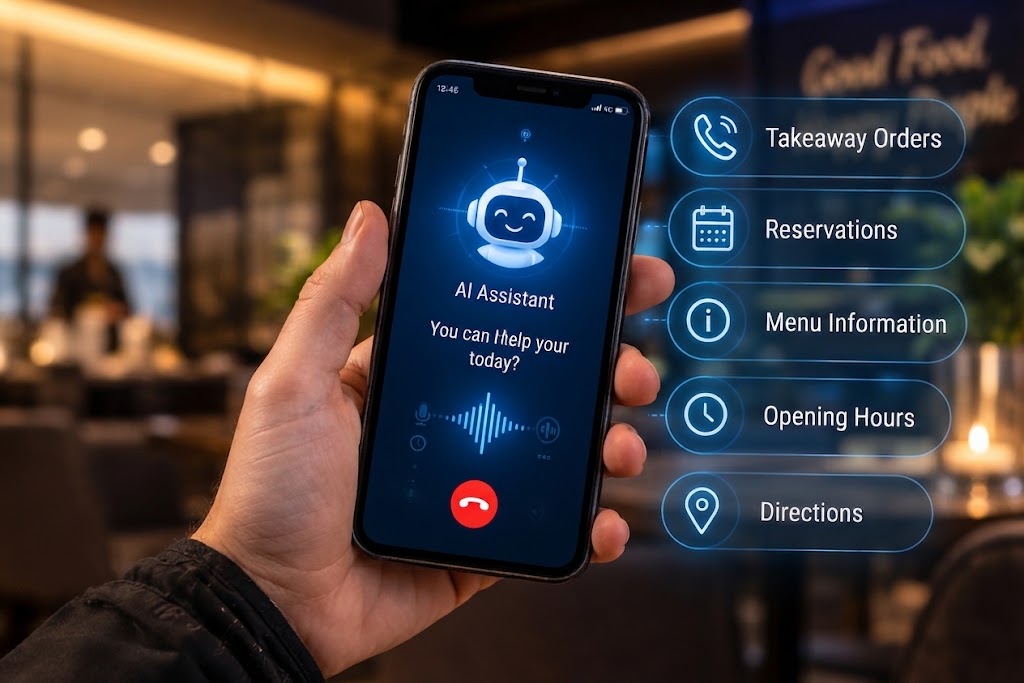
Employee Self-Service Through Mobile Applications
Employees are not always sitting at a desktop computer.
A mobile employee application can provide access to selected portal features from smartphones.
Potential mobile functions include:
Leave requests
Attendance
Notifications
HR requests
Document access
Approvals
Company announcements
Profile information
Businesses requiring a dedicated mobile experience can consider mobile application development alongside their employee portal.
For example:
Employee opens mobile app
↓
Checks attendance
↓
Submits leave request
↓
Receives manager approval
↓
Gets notification
This can make HR services more accessible for employees working across branches, offices, retail locations, field operations, or multiple sites.
How Employee Self-Service Portals Improve HR Efficiency
The biggest opportunity is reducing repetitive administrative communication.
Imagine an HR team receiving hundreds of questions such as:
How many leave days do I have?
Can I see my attendance?
Where is my payslip?
Has my leave been approved?
Can I get a copy of my document?
Where can I find the company policy?
A self-service portal can answer many of these questions through direct access to information.
This does not mean every HR interaction becomes automated.
Complex situations may still require an HR professional.
The portal simply handles the routine layer.
Employee Self-Service and HR Automation
A portal becomes more valuable when it connects with workflow automation.
For example:
Leave Automation
Employee submits leave
↓
System checks relevant rules
↓
Manager receives approval request
↓
Manager approves
↓
HR record updates
↓
Employee receives notification
Document Request
Employee submits request
↓
HR receives task
↓
HR prepares document
↓
Document uploaded
↓
Employee notified
Onboarding
New employee created
↓
Portal account generated
↓
Employee receives login
↓
Document checklist appears
↓
Employee uploads required documents
↓
HR reviews documents
↓
Onboarding progress updates
This type of automation can reduce manual coordination between employees, managers, HR, and other departments.
Galaxium Coding's existing business-automation content also identifies employee onboarding, leave requests, attendance, employee records, document collection, approvals and notifications as areas where workflow automation can be applied.
Employee Self-Service Portal and ERP Integration
An employee portal does not always need to operate as a completely separate system.
It can be connected to an ERP or broader business-management platform.
For example:
Employee Portal
↓
HR Management
↓
Attendance
↓
Payroll
↓
Finance
↓
Management Reporting
This creates a connected information environment.
An employee may submit a leave request through the portal.
The request can then update the HR system and potentially affect relevant attendance or payroll workflows.
The exact integration depends on the organization's architecture and business rules.
For companies requiring a broader connected platform, web application development can be used to build employee-facing dashboards and portals around specific workflows.
Employee Portal for Businesses in Qatar
For businesses in Qatar, employee self-service requirements can vary significantly by company size, industry, workforce structure, and existing technology.
A company with one office and a small team may need only:
Employee profiles
Leave
Attendance
Documents
HR requests
A larger organization may require:
Multiple branches
Department-level permissions
Manager dashboards
Payroll integration
Attendance integrations
Mobile access
Arabic and English interfaces
Document management
Performance management
Workflow automation
ERP integration
Advanced reporting
The portal should therefore be designed around the organization's actual HR processes rather than assuming that every business needs the same feature set.
For Qatar-based organizations considering a broader digital system, Galaxium Coding provides custom software development for businesses requiring solutions built around their operational requirements.
Arabic and English Employee Portals
For organizations with multilingual workforces, language support can be an important consideration.
A portal may need:
English interface
Arabic interface
Multilingual notifications
Localized date formats
Localized labels
Consistent terminology
Language support should be considered during the architecture and UI design stages rather than added as an afterthought.
The database, interface, notifications, reports, and mobile experience should all be designed to support the selected languages consistently.
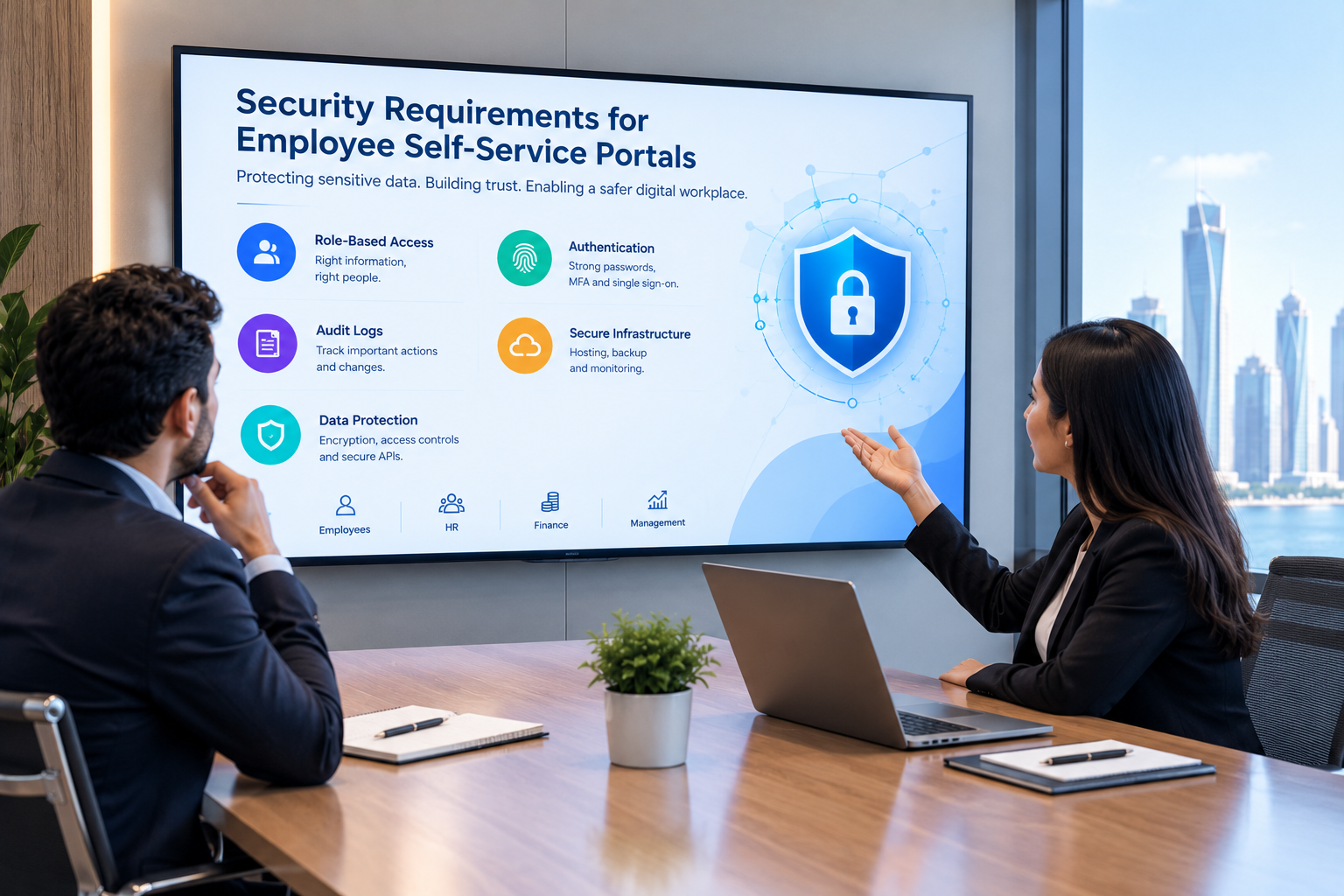
Security Requirements for Employee Self-Service Portals
Employee portals contain sensitive information.
Depending on the organization, the system may contain:
Personal information
Employment records
Attendance
Leave history
Payroll information
Documents
Performance information
Internal requests
Security should therefore be part of the architecture from the beginning.
Role-Based Access
Different users should have different access levels.
For example:
User | Typical Access |
|---|---|
Employee | Own information and requests |
Manager | Relevant team information |
HR | HR records and workflows |
Finance | Relevant payroll information |
Administrator | System configuration |
Management | Approved reports and dashboards |
Permissions should follow actual business responsibilities.
Authentication
The portal should use appropriate authentication mechanisms.
Depending on the organization's environment, this could include:
Strong passwords
Multi-factor authentication
Single sign-on
Identity-provider integration
Session management
Audit Logs
Important actions can be recorded through audit logs.
For example:
Who changed an employee record?
Who approved a request?
Who uploaded a document?
When was a document accessed?
Who changed a permission?
Auditability can help organizations understand what happened inside the system.
Data Protection
Sensitive information should be protected through appropriate:
Encryption
Access controls
Secure APIs
Database security
Backup procedures
Monitoring
Infrastructure controls
Businesses considering cloud-based employee portals can also evaluate cloud and DevOps solutions as part of the broader application architecture.
Common Employee Self-Service Portal Mistakes
1. Building Too Many Features
A portal does not need every possible HR feature from day one.
Starting with the most frequently used employee services can make implementation easier.
For example:
Phase 1
Profile
Leave
Attendance
Documents
Phase 2
HR requests
Approvals
Notifications
Phase 3
Performance
Goals
Training
Phase 4
Mobile application
Advanced analytics
AI assistance
2. Ignoring Employee Experience
The portal is built for employees.
If users need ten steps to submit a simple leave request, the system has not solved the underlying problem.
Important actions should be easy to find.
The dashboard should clearly show:
Pending requests
Leave balance
Attendance
Notifications
Important documents
Upcoming actions
3. Giving Users Too Much Access
Self-service does not mean unrestricted access.
Employees should only see the information they are authorized to access.
For example, an employee may be allowed to see their own performance review but not another employee's review.
4. Automating Poor Workflows
Technology cannot automatically fix a badly designed process.
Before automating a workflow, businesses should ask:
Why does this approval exist?
Who actually needs to approve it?
Is every step necessary?
Can information be collected once instead of multiple times?
Can employees track the status themselves?
Simplifying the process first can make the technology more effective.
5. Forgetting Mobile Users
If employees regularly work away from desks, a desktop-only portal may limit adoption.
Businesses should consider whether mobile responsiveness or a dedicated mobile application is appropriate.
How to Implement an Employee Self-Service Portal
A structured implementation process can reduce complexity.
Step 1: Identify Employee Pain Points
Start by asking employees and HR teams which processes create the most friction.
Common examples include:
Leave requests
Attendance questions
Document requests
HR inquiries
Approval tracking
Payslip access
Step 2: Map Existing Workflows
Document the current process.
For example:
Employee request
↓
HR receives email
↓
HR reviews
↓
Manager approval
↓
HR updates system
↓
Employee receives response
Then determine which steps can be digitized.
Step 3: Select Core Features
Create an initial feature list.
A basic portal may include:
Employee profile
Leave
Attendance
Documents
HR requests
Notifications
Step 4: Define Permissions
Determine exactly what each role can view, edit, approve, download, and manage.
Step 5: Plan Integrations
Identify existing systems that need to connect with the portal.
Potential integrations include:
HR software
ERP
Payroll
Attendance
Email
Identity management
Document storage
Mobile applications
Step 6: Design the Employee Experience
Create a simple dashboard that prioritizes the tasks employees perform most often.
Step 7: Develop and Test
Testing should cover:
User permissions
Workflow logic
Notifications
Integrations
Mobile responsiveness
Security
Document access
Approval processes
Step 8: Launch in Phases
Start with high-value features and expand over time.
This allows the business to collect employee feedback before introducing more complex functionality.
What Should an Employee Self-Service Portal Include?
The exact feature set depends on the business, but the following table provides a useful starting point.
Feature | Purpose |
|---|---|
Employee Profile | View and manage selected personal information |
Leave Management | Submit and track leave |
Attendance | View attendance information |
Documents | Access authorized HR documents |
HR Requests | Submit structured HR requests |
Approval Tracking | See request status |
Notifications | Receive important updates |
Company Policies | Access current policies |
Payslips | View payroll documents |
Goals | Review assigned objectives |
Performance | Access relevant performance information |
Training | View assigned learning activities |
Announcements | Receive company updates |
Manager Dashboard | Review team requests |
Mobile Access | Use services from smartphones |
Reports | Provide management visibility |
Integrations | Connect with HR and business systems |
Not every organization needs all of these features.
The right portal should reflect actual employee needs.
Custom Employee Portal vs Ready-Made HR Portal
Businesses can generally approach employee self-service in two ways.
Ready-Made Platform
A ready-made HR platform may provide:
Faster deployment
Existing employee portal features
Standard workflows
Vendor support
Established functionality
This can be appropriate when the organization's processes fit the available platform.
Custom Employee Portal
A custom portal can be designed around:
Unique approval workflows
Existing ERP
Internal HR processes
Custom employee dashboards
Specific permissions
Existing attendance systems
Custom reporting
Mobile requirements
Multilingual requirements
Business-specific integrations
Requirement | Ready-Made | Custom |
|---|---|---|
Standard HR features | Usually available | Can be developed |
Custom workflows | Depends on platform | High flexibility |
Existing system integration | Depends on APIs | Designed around requirements |
Unique dashboards | Limited by platform | Customizable |
Specialized permissions | Platform dependent | Customizable |
Initial deployment | Often faster | Requires development |
Long-term customization | Platform dependent | Greater control |
Neither approach is automatically suitable for every business.
The decision should be based on requirements, budget, existing systems, internal processes, and future growth.
How Much Does an Employee Self-Service Portal Cost?
The cost depends on the scope of the platform.
Important factors include:
Number of employees
Number of user roles
Web or mobile access
Number of modules
UI/UX requirements
HR integrations
Payroll integration
Attendance integration
ERP integration
Document management
Notifications
Reporting
Security requirements
Multilingual support
AI features
Hosting requirements
Ongoing maintenance
A simple employee portal with leave and documents will have very different requirements from an enterprise platform connected to HR, payroll, ERP, attendance, performance management, mobile apps, and AI.
Businesses should therefore define the workflows and integrations before requesting a development estimate.
Future of Employee Self-Service Portals
Employee portals are moving beyond simple HR information pages.
Future systems can increasingly connect:
Employee
↓
HR Portal
↓
Workflow Automation
↓
HR Management
↓
Payroll
↓
ERP
↓
Analytics
↓
AI Assistance
AI can potentially provide additional capabilities such as:
Natural-language HR questions
Document summarization
Intelligent search
HR knowledge assistants
Automated request classification
Personalized employee information
Workflow assistance
For example, instead of navigating through several menus, an authorized employee could ask:
"How many leave days do I have available?"
Or:
"What is the status of my latest HR request?"
The system could retrieve the relevant information according to the employee's permissions.
AI should complement the portal rather than replace clear navigation and reliable underlying HR data.
Why Employee Self-Service Is More Than an HR Feature
An employee portal may look like a small HR application, but it can become an important part of a company's internal digital ecosystem.
Consider the complete employee lifecycle:
Recruitment
↓
Onboarding
↓
Employee Portal
↓
Attendance
↓
Leave
↓
Documents
↓
Goals
↓
Performance
↓
Training
↓
Payroll
↓
Offboarding
When these processes are connected, the company can create a more consistent employee experience.
This is particularly useful for growing organizations where manual HR communication becomes increasingly difficult to manage.
Galaxium Coding's broader portfolio includes business software, web applications, mobile solutions, and connected digital systems that can support organizations building such employee-facing experiences. Businesses can explore Galaxium Coding's projects and portfolio to understand its broader technology work.
How Galaxium Coding Can Help Build Employee Self-Service Software
Businesses that need more than a standard employee portal may require a custom solution.
Galaxium Coding is a Qatar-based technology company working on custom software and business applications.
A custom employee portal can potentially include:
Employee profiles
Leave management
Attendance
HR requests
Document management
Approval workflows
Employee notifications
Performance information
KPI dashboards
Manager dashboards
Payroll integration
ERP integration
Mobile applications
Multilingual interfaces
AI-powered HR assistance
The right architecture depends on the company's existing systems and the workflows employees need to complete.
Organizations considering a custom employee portal can contact Galaxium Coding to discuss their requirements, integrations, user roles, and development scope.
Final Thoughts
Employee self-service portals can change how employees interact with HR.
Instead of relying on emails, spreadsheets, paper forms, and repeated HR questions, employees can access relevant information and complete routine requests through a centralized digital platform.
A well-designed portal can provide:
Faster access to information
Easier leave and attendance management
Better request visibility
Centralized documents
Digital approvals
Improved employee convenience
Reduced repetitive HR administration
Better workflow transparency
For businesses in Qatar and other growing markets, the most effective approach is not necessarily to build the biggest portal.
It is to build the right employee portal around the organization's actual workflows.
Start with the employee tasks that create the most administrative work, connect the portal with the systems that already contain business information, implement appropriate security controls, and expand the platform as employee and business requirements grow.
Frequently Asked Questions
What is an employee self-service portal?
An employee self-service portal is a secure digital platform that allows employees to access HR information and complete routine workplace tasks such as leave requests, attendance checks, document access, HR requests, and approval tracking.
What can employees do through a self-service portal?
Depending on the system, employees can view their profiles, submit leave requests, check attendance, upload documents, access policies, submit HR requests, track approvals, view goals, review performance information, and access payroll documents.
Can an employee portal connect with payroll?
Yes. An employee portal can be integrated with payroll systems so authorized employees can access relevant payroll information and payslips.
Can employee self-service portals work with ERP systems?
Yes. Employee portals can be connected with ERP and business-management platforms so employee information and workflows can move between HR and other business functions.
Can employees use an HR portal on mobile phones?
Yes. A portal can be designed to work responsively on mobile browsers or be extended with a dedicated mobile application.
Are employee self-service portals secure?
They can be designed with security controls such as authentication, role-based access, encryption, audit logs, secure APIs, and controlled document access. The appropriate controls depend on the organization's data and risk requirements.
Does every business need a custom employee portal?
No. A ready-made HR platform may be sufficient when its workflows and features match the organization's requirements. Custom development becomes more relevant when a business requires specialized workflows, integrations, permissions, dashboards, or employee experiences.
Can AI be added to an employee self-service portal?
Yes. AI can potentially support natural-language HR questions, document search, summaries, request classification, and other assistance features. AI functionality should operate within the organization's security and permission model.
How should a business start an employee self-service portal project?
The best starting point is to identify the employee requests and HR processes that currently require the most manual work. The business can then prioritize features, map workflows, define permissions, plan integrations, and implement the portal in phases.
Can employee portals support businesses in Qatar?
Yes. Employee portals can be designed around the organization's workforce structure, branches, languages, HR processes, existing software, approval workflows, and integration requirements in Qatar.
CTA
If your business is still managing employee requests through emails, spreadsheets, paper forms, or disconnected HR systems, an employee self-service portal can provide a more structured digital experience.
Explore Galaxium Coding's technology solutions or contact Galaxium Coding to discuss an employee portal, HR system, web application, mobile application, or integrated business platform built around your requirements.