Custom ERP vs Ready-Made ERP: Which Is Better for Your Business?
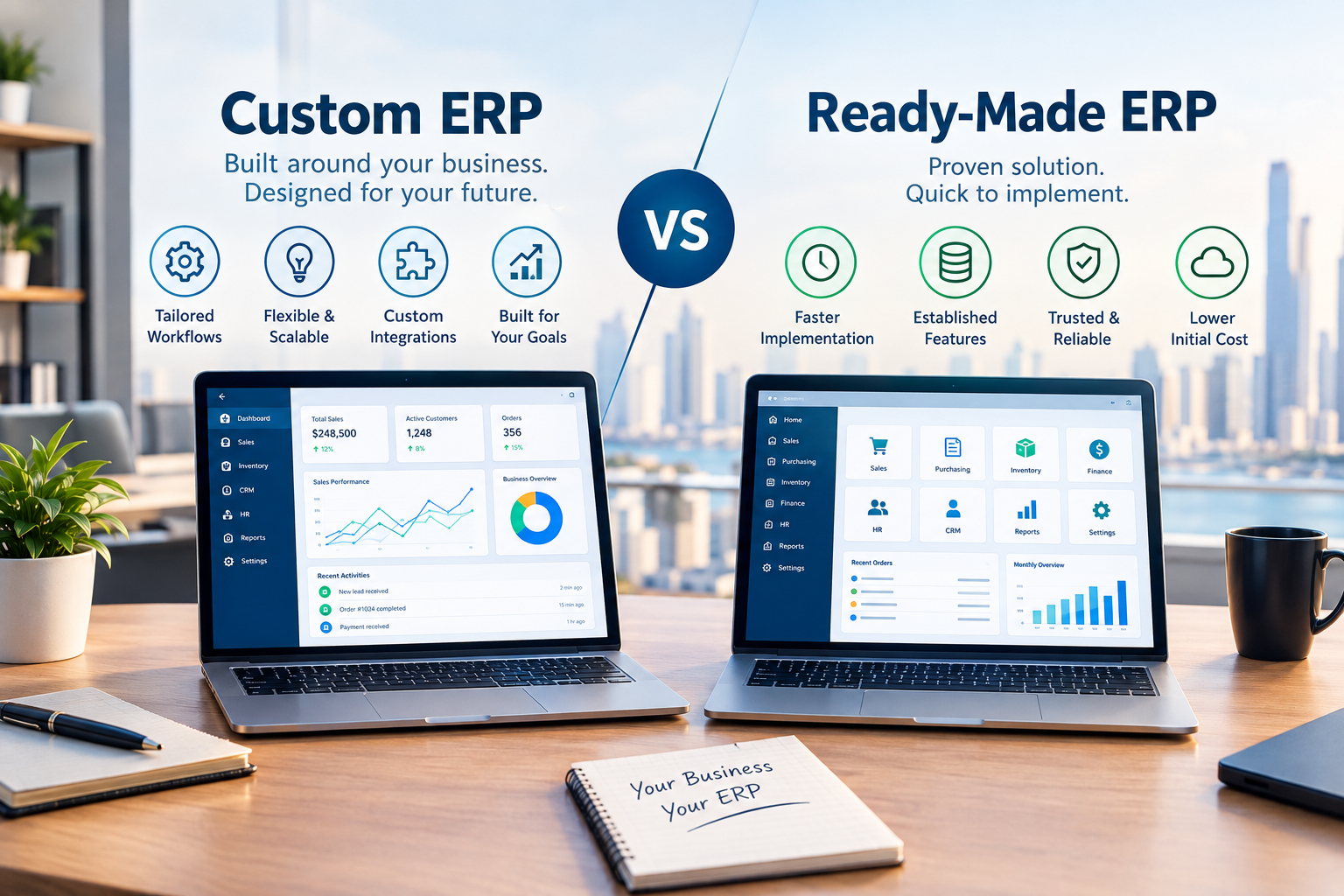
Custom ERP offers tailored workflows and flexibility, while ready-made ERP provides established features and faster implementation.
Custom ERP vs Ready-Made ERP: Which Is Better for Your Business?
Choosing an Enterprise Resource Planning (ERP) system is an important technology decision for a growing business. An ERP can connect departments such as finance, sales, inventory, purchasing, human resources, customer management, operations, and reporting within a centralized business environment.
But businesses often face a fundamental question:
Should you invest in a custom ERP system or choose a ready-made ERP platform?
There is no universal answer.
A ready-made ERP may be appropriate when a company's processes closely match the features provided by an existing platform. A custom ERP may make more sense when the organization has specialized workflows, unique business rules, complex integrations, or requirements that standard software cannot easily support.
The right choice depends on how the business operates today, what it expects to need in the future, its implementation timeline, available budget, internal resources, and the level of customization required.
This guide explains the differences between custom ERP and ready-made ERP systems and provides a practical framework for making the decision.
What Is an ERP System?
ERP stands for Enterprise Resource Planning.
An ERP system brings different business functions together through a connected software platform.
Depending on the organization, an ERP may include:
Accounting and finance
Sales
CRM
Inventory
Purchasing
Procurement
Human resources
Payroll
Projects
Operations
Customer management
Reporting
Business analytics
Document management
Workflow automation
Instead of every department maintaining separate information, an ERP can create a shared environment where business data and processes are connected.
For example:
Lead → Customer → Sales Order → Inventory → Invoice → Payment → Accounting → Management Report
This type of connected workflow can reduce duplicate data entry and make information easier to access across departments.
However, ERP systems are not identical. The biggest difference is often how much control a business has over the software.
This leads to the distinction between custom ERP and ready-made ERP.
What Is a Ready-Made ERP?
A ready-made ERP is an existing software product developed for a broad range of businesses.
Instead of developing the entire system from the beginning, a company selects an existing platform and configures it according to its needs.
Ready-made ERP systems generally provide predefined modules and workflows.
These may include:
Finance
Accounting
Inventory
Sales
Purchasing
HR
Payroll
CRM
Reporting
Project management
Some platforms also support integrations, extensions, plugins, and configuration options.
How Ready-Made ERP Works
The implementation process commonly looks like this:
Select ERP → Configure Modules → Import Data → Configure Users → Train Employees → Test → Launch
The business generally starts with the capabilities already available in the software.
For organizations with relatively standard processes, this approach can simplify implementation.
Advantages of Ready-Made ERP
A ready-made ERP can offer several advantages.
Faster Implementation
Because the core software already exists, businesses do not need to build every feature from scratch.
Implementation may therefore be faster than developing an entirely new ERP platform.
Existing Features
A mature ERP may already contain many of the functions a business needs.
Instead of developing accounting, inventory, purchasing, CRM, and reporting independently, these modules may already be available.
Established Integrations
Some ready-made ERP platforms have existing integrations with payment services, accounting tools, communication platforms, marketplaces, and other business systems.
Predictable Functionality
Businesses can evaluate existing features before committing to the platform.
This can make initial product evaluation easier.
Potentially Lower Initial Development Effort
Because the core system already exists, the business may not need to fund development of every basic ERP capability.
However, the total cost can still depend on licenses, users, implementation, customization, integrations, support, training, and other requirements.
What Is a Custom ERP?
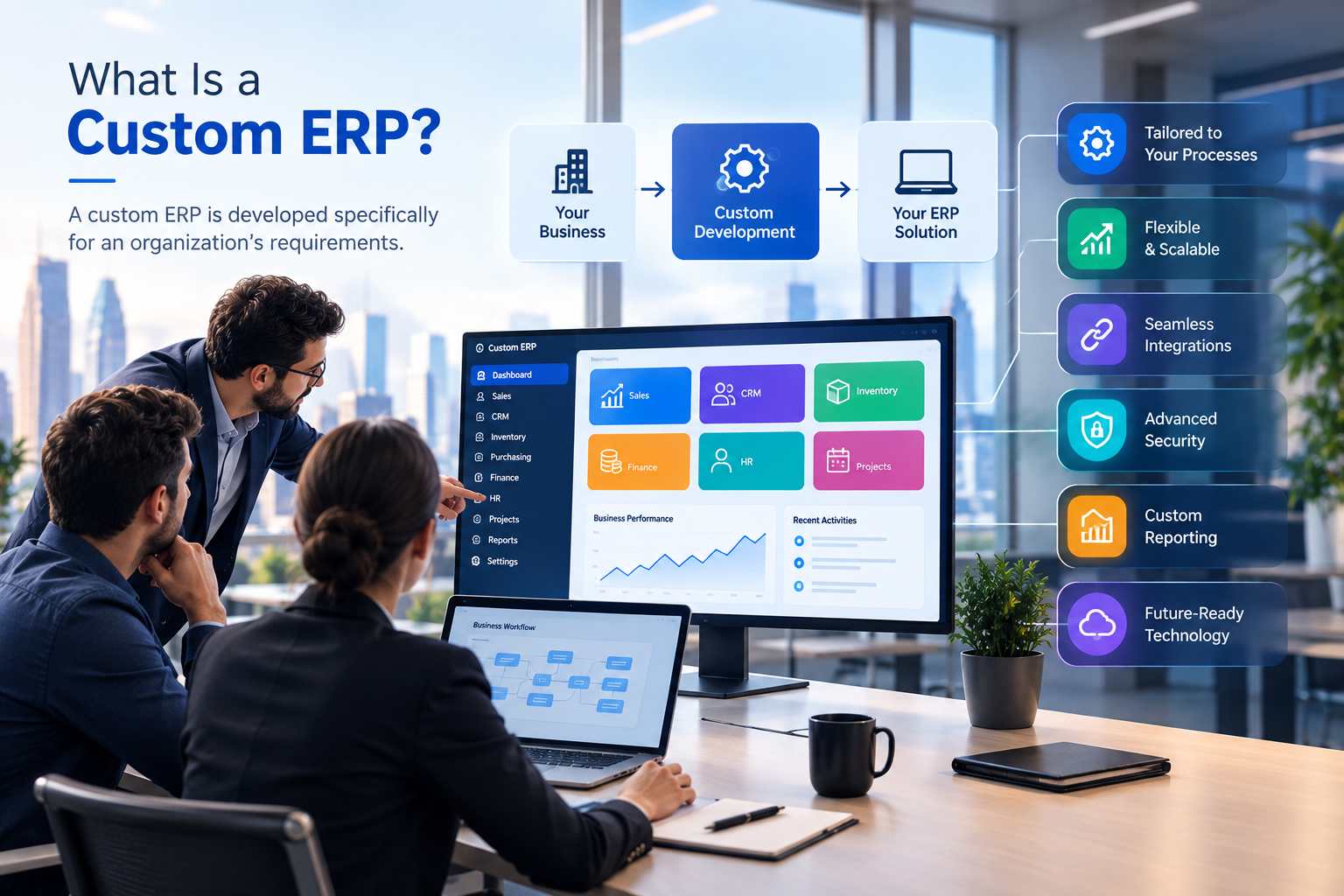
A custom ERP is developed specifically around an organization's business requirements.
Instead of selecting an existing platform and adapting the company to its predefined workflows, the development process starts by understanding how the organization operates.
The basic approach is:
Business Requirements → System Design
→ Custom Development → Integration → Testing → Deployment → Continuous Improvement
A custom ERP may include only the modules the organization actually needs.
For example, a real estate company could require:
Property management
Units
Leads
Customers
Owners
Tenants
Contracts
Payments
Commissions
Maintenance
CRM
Reporting
A generic ERP may not provide exactly the workflow the company requires.
A custom ERP can be designed around those processes.
Businesses considering this approach can explore custom software development services to understand how software can be designed around specific operational requirements.
Custom ERP vs Ready-Made ERP: Key Differences
The differences become clearer when both approaches are compared across practical business considerations.
Factor | Custom ERP | Ready-Made ERP |
|---|---|---|
Development | Built around business requirements | Existing product |
Customization | High | Usually limited to available configuration/customization |
Initial implementation | Can take longer | Often faster |
Initial development effort | Usually higher | Usually lower |
Workflow flexibility | High | Depends on platform |
Scalability | Designed according to requirements | Depends on vendor/platform |
Integrations | Can be developed specifically | Depends on available integrations |
User experience | Can be designed for the organization | Based on existing product |
Updates | Managed as part of custom development/support | Usually provided by vendor |
Vendor dependency | Depends on development/support arrangement | Usually significant |
Specialized processes | Strong fit | May require workarounds |
Standard business processes | May be more development than necessary | Often suitable |
The table does not identify one universal winner because the appropriate choice depends on the business.
Custom ERP vs Ready-Made ERP: Cost
Cost is one of the first questions businesses ask.
However, comparing only the initial purchase price can be misleading.
The total cost of an ERP can include:
Software licenses
User licenses
Development
Customization
Implementation
Data migration
Integrations
Infrastructure
Security
Training
Maintenance
Support
Upgrades
Future development
Ready-Made ERP Costs
A ready-made ERP can reduce the amount of initial software development required.
However, businesses may still incur costs for:
Licensing
Implementation
Configuration
Custom modules
Third-party integrations
Data migration
Employee training
Support
Additional users
A business should therefore calculate the total cost of ownership, not just the software subscription or license price.
Custom ERP Costs
Custom ERP development generally requires more initial planning and development effort.
The project may involve:
Business analysis
UX/UI design
Backend development
Database architecture
Frontend development
API development
Integrations
Security
Testing
Deployment
Training
Maintenance
The advantage is that the business can invest in functionality that directly relates to its workflows rather than paying for a large collection of features it may never use.
Which ERP Is Easier to Implement?
In many cases, a ready-made ERP can be implemented more quickly because the underlying product already exists.
However, implementation speed depends on:
Number of users
Number of modules
Data migration
Customization
Integrations
Training
Testing
Business complexity
A small organization using standard processes may be able to implement an existing ERP relatively efficiently.
A complex organization may require substantial configuration even with a ready-made platform.
Custom ERP projects generally require more development before launch because the system must first be designed and built around the organization's requirements.
The important question is therefore not simply:
"Which ERP launches faster?"
A better question is:
"Which ERP can be implemented without creating unnecessary operational compromises?"
Flexibility and Customization
Flexibility is one of the biggest differences between custom and ready-made ERP systems.
Ready-Made ERP Flexibility
A ready-made platform may provide configuration options such as:
User roles
Permissions
Workflows
Fields
Reports
Dashboards
Notifications
Business rules
However, the level of flexibility depends on the specific platform.
If the required workflow is not supported, the business may need to change its process, purchase an extension, or develop an integration.
Custom ERP Flexibility
A custom ERP can be designed around the organization's exact workflows.
For example, a company may require:
Lead → Sales Manager Approval → Credit Check → Contract → Payment Plan → Invoice → Account Confirmation
If this workflow is unique to the company, custom software can be designed to represent the actual process.
This can be especially useful when operational procedures are a competitive advantage.
Scalability: Custom ERP vs Ready-Made ERP
Scalability means the ability of the system to support business growth.
A business may start with:
10 employees
500 customers
100 products
Several years later, it may have:
100 employees
20,000 customers
Multiple branches
Thousands of products
Multiple sales channels
The ERP must be capable of supporting this growth.
Ready-Made ERP Scalability
Ready-made platforms may provide established infrastructure and scaling options.
However, scalability depends on the platform architecture, vendor infrastructure, licensing model, and available features.
Custom ERP Scalability
A custom ERP can be architected according to anticipated business requirements.
For example, the system can be designed with:
Modular architecture
API-based integrations
Cloud infrastructure
Role-based access
Scalable databases
Mobile applications
Automated workflows
Reporting systems
Businesses that need cloud infrastructure and deployment support can also explore cloud and DevOps solutions.
Integrations
Modern businesses rarely operate with one system.
An ERP may need to communicate with:
Payment gateways
Banks
Accounting software
CRM platforms
E-commerce websites
Mobile applications
HR systems
Email platforms
Messaging systems
Customer portals
Analytics tools
AI services
For example:
Website → API → ERP → Inventory → Accounting
Or:
Mobile App → API → ERP → Customer Data → Notifications
Ready-Made ERP Integrations
Ready-made ERP systems may provide prebuilt integrations.
This can reduce development effort when the business uses supported services.
The limitation is that a required integration may not exist or may not support the exact workflow required.
Custom ERP Integrations
A custom ERP can be designed around the organization's integration requirements.
Businesses requiring web-based systems can also consider web application development when an ERP needs to connect with customer or employee portals.
For mobile users, mobile application development can extend selected ERP workflows to smartphones and tablets.
Security Considerations
ERP systems contain sensitive business information.
Depending on the organization, this can include:
Customer information
Employee records
Financial information
Contracts
Sales data
Inventory information
Supplier information
Business reports
Security should therefore be considered from the beginning.
Important areas include:
Authentication
Authorization
Role-based permissions
Encryption
Secure APIs
Database security
Backups
Monitoring
Audit logs
Access controls
Secure deployment
Security testing
Security in Ready-Made ERP
The security architecture is largely determined by the ERP vendor.
Businesses should evaluate the vendor's security practices, access controls, update process, infrastructure, backup policies, and compliance requirements.
Security in Custom ERP
A custom ERP allows the development team to design security according to the business architecture.
However, customization does not automatically make a system more secure.
Security depends on proper architecture, implementation, testing, maintenance, monitoring, and operational controls.
User Experience
Employees interact with ERP software every day.
A complicated interface can make even a technically capable ERP difficult to use.
Ready-made ERP platforms generally provide an established interface.
This can be useful because users may have access to a consistent set of standard screens and workflows.
A custom ERP can instead be designed around the actual tasks employees perform.
For example, a sales employee may only need:
Leads
Customers
Follow-ups
Quotes
Orders
Notifications
There may be little reason to expose that employee to complex accounting or procurement screens.
A custom interface can therefore focus on role-specific workflows.
Custom ERP for Different Industries
The right ERP structure can vary significantly by industry.
Real Estate
A real estate organization may require:
Properties
Units
Owners
Tenants
Leads
Customers
Contracts
Payments
Commissions
Maintenance
CRM
Reporting
Construction
A construction company may need:
Projects
Contractors
Employees
Materials
Procurement
Budgets
Expenses
Project progress
Documents
Reporting
Retail
A retail business may need:
Products
Inventory
Purchasing
Suppliers
Sales
Customers
POS
Payments
Promotions
Reporting
Education
An educational organization may require:
Student enquiries
Applications
Admissions
Students
Courses
Parents
Counselling
Fees
Attendance
Communication
Galaxium Coding also provides education technology solutions for organizations requiring digital education workflows.
When Should You Choose a Ready-Made ERP?
A ready-made ERP may be appropriate when:
Your processes are relatively standard.
You need implementation quickly.
Existing ERP features meet most requirements.
Your required integrations are already supported.
You want to minimize initial development.
Your team prefers an established platform.
You do not need highly specialized workflows.
For example, a growing company with standard accounting, inventory, sales, purchasing, and HR requirements may not need a completely custom platform.
When Should You Consider a Custom ERP?
A custom ERP may be worth considering when:
Your business has highly specialized workflows.
Existing ERP systems require extensive workarounds.
You need industry-specific functionality.
Multiple systems must be connected.
You require unique dashboards.
Your approval processes are complex.
You need specialized customer or employee portals.
You require custom mobile applications.
Your business rules are difficult to represent in standard software.
You expect the system to become a core part of your operations.
The important point is that customization should solve a genuine business requirement.
Building custom software simply because it is possible does not automatically create business value.
A Practical Decision Framework
Before selecting an ERP, create a requirements matrix.
Step 1: Document Your Current Processes
List the major workflows in your organization.
For example:
Lead → Sales → Contract → Invoice → Payment
Then identify the systems currently used at every stage.
Step 2: Identify Operational Problems
Ask:
Where is information duplicated?
Where do employees manually enter data?
Which processes depend on spreadsheets?
Where do approvals become delayed?
Which reports are difficult to produce?
Which departments lack shared information?
Step 3: Separate Essential and Optional Features
Create three categories:
Must Have
Features the business cannot operate without.
Should Have
Features that provide meaningful improvements.
Future
Features that may be required as the company grows.
This prevents the ERP project from becoming unnecessarily complicated.
Step 4: Evaluate Ready-Made Platforms
Check whether an existing ERP supports the essential requirements.
Do not focus only on the number of features.
Check whether the software actually supports the workflows.
Step 5: Calculate Customization Requirements
If a ready-made ERP does not meet your requirements, document what would need to change.
For example:
Custom fields
Custom reports
Custom workflows
Custom modules
API integrations
Mobile application
Customer portal
Employee portal
If customization becomes extensive, it may be useful to compare the cost and complexity against a custom ERP.
Step 6: Consider Long-Term Requirements
Think beyond today's requirements.
Ask:
Will the company open additional branches?
Will the number of users increase?
Will new products be introduced?
Will new integrations be required?
Will customers need mobile access?
Will AI or automation become important?
Will the organization enter new markets?
An ERP should support the organization's direction rather than only its current situation.
Common Mistakes When Choosing an ERP
Choosing Based Only on Price
The cheapest software may not have the lowest total cost.
If employees constantly work around the software, additional customization and manual processes can increase the overall cost.
Choosing Too Many Features
More features do not automatically mean a better ERP.
A complicated system can create unnecessary training and operational complexity.
Ignoring Integrations
Businesses should identify all systems that need to communicate with the ERP before implementation.
Ignoring Employees
Employees are the people who will actually use the system.
Their workflows should be considered during requirements gathering and testing.
Focusing Only on Initial Implementation
An ERP is a long-term business system.
Businesses should consider maintenance, updates, support, security, scaling, and future development.
Building Custom Software Without Clear Requirements
Custom development should start with a clear understanding of the business.
Without proper requirements analysis, a custom ERP can become unnecessarily expensive and difficult to maintain.
Custom ERP vs Ready-Made ERP: A Simple Example
Consider a property management company.
The company needs:
Property listings
Units
Owners
Tenants
Contracts
Rent payments
Maintenance requests
Sales leads
Commissions
Reports
A ready-made ERP might provide accounting, CRM, inventory, and general reporting.
However, the company's property-specific workflows may require additional configuration or customization.
A custom ERP could instead be designed around the complete property-management workflow:
Property → Unit → Owner/Tenant → Contract → Payment → Maintenance → Reporting
The appropriate approach depends on the company's requirements, budget, timeline, and expected growth.
Is Custom ERP Better Than Ready-Made ERP?
There is no universal answer.
A ready-made ERP can be appropriate when standard functionality meets the business requirements.
A custom ERP can be appropriate when specialized workflows, integrations, reporting, or business rules require a more tailored system.
The decision should therefore be based on business fit rather than the label "custom" or "ready-made."
A useful way to think about the decision is:
If the business can comfortably operate within the ERP's capabilities, a ready-made solution may be practical.
If the ERP forces the business to repeatedly change important processes, a custom solution may deserve consideration.
There is also a third option: a hybrid approach.
Can You Combine Ready-Made and Custom Software?
Yes.
A business does not necessarily have to choose between a completely ready-made ERP and a completely custom ERP.
A hybrid architecture may use:
Ready-made accounting software
Custom CRM
Custom customer portal
Existing payment gateway
Custom integrations
Mobile application
Cloud infrastructure
AI automation
For some organizations, this can provide a balance between established software and customized workflows.
The architecture should be determined by the actual business requirements.
How Galaxium Coding Can Help
Galaxium Coding is a technology and software development company in Qatar working on custom software, web applications, mobile applications, AI solutions, business automation, and business management systems.
For businesses evaluating an ERP strategy, the first step should be understanding the operational requirements rather than immediately choosing a technology.
A technology partner can help assess:
Business workflows
ERP requirements
User roles
Modules
Integrations
Reporting
Mobile requirements
Automation opportunities
Security requirements
Cloud infrastructure
Future scalability
Businesses can also review Galaxium Coding's projects and portfolio to explore its technology work.
Final Thoughts
The custom ERP vs ready-made ERP decision is ultimately a business decision, not simply a software decision.
A ready-made ERP may provide a practical route when standard functionality matches the organization's needs.
A custom ERP may provide greater flexibility when the business depends on specialized workflows, unique business rules, custom integrations, or industry-specific processes.
Before making a decision, evaluate:
Current workflows
Business problems
Required ERP modules
Integrations
Number of users
Implementation timeline
Budget
Security requirements
Scalability
Long-term business objectives
The objective should not be to buy the largest ERP or build the most complicated system.
The objective should be to create a technology environment that helps people work more efficiently, keeps business information connected, and supports future growth.
If you are evaluating custom ERP development or a broader business management platform, you can contact Galaxium Coding to discuss your requirements.
Frequently Asked Questions
1. What is the difference between custom ERP and ready-made ERP?
A custom ERP is developed around the specific requirements of an organization, while a ready-made ERP is an existing software platform designed for a broader range of businesses.
2. Is custom ERP more expensive than ready-made ERP?
Custom ERP can require greater initial development investment, but total cost depends on development, licenses, customization, integrations, implementation, support, maintenance, and other requirements.
3. Which ERP is faster to implement?
A ready-made ERP can often be implemented faster because the core software already exists. Actual implementation time depends on the modules, users, integrations, data migration, customization, testing, and business complexity.
4. Can a ready-made ERP be customized?
Many ready-made ERP platforms provide configuration and customization options. The extent depends on the specific product and its architecture.
5. Why choose a custom ERP?
Businesses may consider custom ERP when they have specialized workflows, unique business rules, complex integrations, custom reporting requirements, or industry-specific processes.
6. Can ERP software connect with a mobile app?
Yes. ERP systems can communicate with mobile applications through APIs and backend services, allowing selected data and workflows to be accessed through smartphones and tablets.
7. Can AI be integrated into an ERP?
Yes. AI can potentially support ERP-related use cases such as document processing, analytics, forecasting, natural-language queries, workflow automation, and intelligent assistance. Access controls and data security should be considered carefully.
8. How long does it take to develop a custom ERP?
There is no single timeline. Development time depends on the number of modules, complexity, integrations, user roles, data migration, testing, security requirements, and deployment architecture.
9. What industries can use custom ERP?
Custom ERP systems can be developed for industries including real estate, construction, retail, education, logistics, professional services, healthcare, manufacturing, and other sectors with specialized operational workflows.
10. Should a small business use custom ERP?
Not necessarily. A small business with standard requirements may find a ready-made ERP more practical. Custom ERP becomes more relevant when the organization's workflows or integration requirements cannot be effectively supported by existing software.
Ready to Discuss Your ERP Requirements?
Choosing between custom ERP and ready-made ERP starts with understanding your business processes.
Galaxium Coding can help businesses evaluate software requirements and explore solutions involving ERP, custom business software, web applications, mobile applications, integrations, cloud infrastructure, and automation.
Contact Galaxium Coding to discuss your requirements and determine what type of business technology approach fits your organization.