Business Management Software in Qatar: Complete Guide
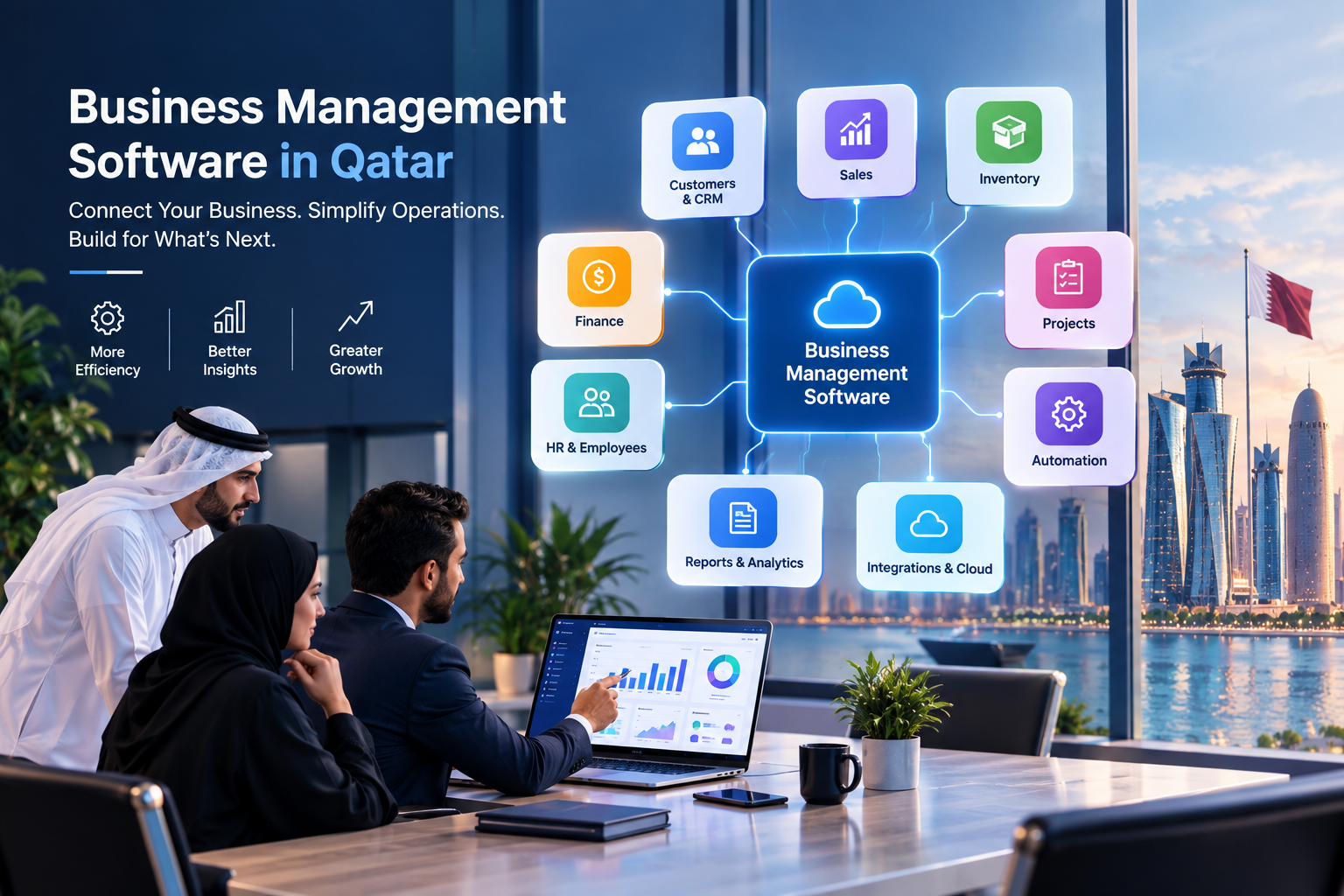
Business management software can connect core business operations through one centralized digital platform.
Business Management Software in Qatar: Complete Guide
Running a growing business involves much more than selling products or providing services. Companies need to manage customers, employees, sales, finance, inventory, purchasing, projects, operations, documents, reporting, and communication—often at the same time.
When these activities are managed through spreadsheets, emails, disconnected applications, and manual processes, information can become fragmented. Employees may enter the same information more than once, managers may wait for reports, and departments may work with different versions of the same data.
This is where business management software in Qatar can become valuable.
Business management software is a digital platform designed to help organizations manage and connect important business activities from a centralized environment. Depending on the organization's requirements, it may include customer management, sales, accounting, inventory, HR, project management, purchasing, reporting, workflow automation, mobile access, and integrations.
For companies in Qatar, the right system can also be designed around the organization's industry, business processes, branches, users, language requirements, integrations, and future growth.
Businesses considering a new platform can explore custom software development services when standard software does not adequately match their workflows.
This guide explains what business management software is, how it works, the features businesses may need, its benefits, implementation considerations, security, integrations, costs, industry applications, and how to choose an appropriate solution.
What Is Business Management Software?
Business management software is a digital system that helps organizations manage multiple business activities through one connected platform.
Instead of relying on separate tools for every department, a business management platform can bring related information and workflows together.
For example:
Lead → Customer → Quote → Order → Invoice → Payment → Report
A more connected platform might look like:
Customer → CRM → Sales → Inventory → Accounting → Management Dashboard
Other processes can also be connected:
Employee management
Procurement
Projects
Customer support
Documents
Approvals
Notifications
Reporting
Business analytics
Workflow automation
Mobile applications
Third-party integrations
The purpose is not simply to put as many features as possible into one application.
The purpose is to create a system that supports the actual way a business operates.
For example, a trading company may need inventory, purchasing, sales, customers, suppliers, invoices, payments, and reporting.
A real estate company may require properties, units, owners, tenants, leads, contracts, commissions, payments, maintenance, and CRM.
A service company may focus more heavily on customers, quotations, projects, employees, tasks, invoices, payments, and support.
Therefore, business management software should be evaluated according to business requirements rather than the number of features advertised by a vendor.
Why Do Businesses in Qatar Need Business Management Software?
As a company grows, operational complexity usually increases.
A small business may initially be able to operate using spreadsheets, email, messaging applications, accounting software, and a few standalone tools.
That approach can become difficult when the organization starts handling:
More customers
More employees
More products or services
More transactions
Multiple departments
Multiple branches
Larger inventories
More suppliers
More projects
More customer enquiries
Larger amounts of business data
More management reporting
The problem is often not the individual tools.
The problem is that the tools may not communicate with each other.
For example, a sales employee may create a quotation in one system, while accounting maintains invoices somewhere else and inventory is tracked in a spreadsheet.
This creates additional manual work.
A connected business management platform can provide a shared environment where information moves between relevant processes.
For Qatar-based businesses, requirements may also include Arabic and English interfaces, Qatari Riyal-based financial workflows, local business processes, mobile access, cloud deployment, and integration with existing systems.
These requirements should be assessed during the planning stage rather than added as an afterthought.
Business Management Software vs ERP vs CRM
The terms business management software, ERP, and CRM are sometimes used interchangeably, but they can represent different scopes.
Business Management Software
Business management software is a broad term.
It can describe a platform designed to manage several business functions, such as:
Customers
Sales
Employees
Inventory
Finance
Projects
Operations
Reporting
Documents
Automation
The exact scope depends on the system.

ERP Software
ERP, or Enterprise Resource Planning, generally focuses on integrating multiple core business processes.
An ERP may include:
Accounting
Finance
Inventory
Procurement
Sales
HR
Payroll
CRM
Projects
Reporting
Operations
Galaxium Coding already covers ERP-specific requirements in its ERP software in Doha guide, so businesses should distinguish between an ERP-focused project and a broader business management platform.

CRM Software
CRM, or Customer Relationship Management software, primarily focuses on customer-related processes.
Typical CRM functionality includes:
Lead capture
Lead qualification
Customer profiles
Sales pipelines
Follow-ups
Communication history
Opportunities
Sales reporting
Customer support
Businesses whose main requirement is customer and sales management may need a CRM rather than a complete ERP.
The appropriate solution depends on the organization's actual requirements.
Core Features of Business Management Software
There is no universal feature list that applies to every business.
However, several capabilities are commonly useful.
1. Customer Management
A centralized customer module can store important information such as:
Customer profiles
Contact information
Communication history
Sales history
Documents
Follow-ups
Notes
Customer status
Assigned employees
This can reduce the need to search across multiple systems for customer information.
2. Lead and Sales Management
Businesses can manage the journey from initial enquiry to completed sale.
A typical workflow may be:
Lead → Qualification → Opportunity → Quote → Order → Invoice → Payment
A sales dashboard may show:
New leads
Open opportunities
Pending quotations
Won deals
Lost deals
Follow-ups
Sales performance
Businesses that specifically need advanced customer and pipeline functionality can also consider CRM development solutions as part of a broader platform.
3. Inventory Management
Inventory functionality can help businesses monitor:
Products
Stock levels
Warehouses
Stock movements
Purchases
Sales
Transfers
Low-stock items
Suppliers
For businesses with physical products, connecting inventory with sales and purchasing can reduce manual data entry.
For example:
Customer Order → Inventory Check → Stock Allocation → Delivery → Invoice
4. Accounting and Finance
Financial functionality may include:
Invoices
Payments
Expenses
Receivables
Payables
Financial reports
Customer balances
Supplier balances
The exact accounting requirements should be defined with the organization's finance team and relevant accounting professionals.
Business management software does not automatically make an organization compliant with every applicable financial or regulatory requirement. Specific compliance requirements should be verified before implementation.
5. Employee Management
A business management platform can also include employee-related functionality.
Depending on requirements, this may cover:
Employee profiles
Departments
Attendance
Leave
Documents
Approvals
Performance information
Internal requests
Organizations requiring advanced HR functionality may use a dedicated HR platform or integrate an HR system with their broader business platform.
6. Project Management
For service companies, agencies, consultants, construction companies, and technology businesses, project management can be important.
Features may include:
Projects
Tasks
Deadlines
Employees
Clients
Milestones
Documents
Time tracking
Project costs
Project status
Managers can use dashboards to understand which projects are active, delayed, completed, or awaiting action.
7. Procurement Management
Procurement functionality can connect suppliers and purchasing processes.
A workflow may include:
Purchase Request → Approval → Purchase Order → Goods Received → Supplier Invoice → Payment
This creates a more traceable purchasing process than relying entirely on email or spreadsheets.
8. Reporting and Dashboards
Business management software becomes significantly more useful when operational data can be converted into understandable reports.
Common dashboards may show:
Sales
Revenue
Expenses
Inventory
Customers
Employees
Projects
Purchasing
Outstanding payments
Branch performance
Managers can then spend less time collecting information manually and more time reviewing the information.
How Business Management Software Works
A business management platform normally consists of several connected components.
Database
The database stores structured business information.
Examples include:
Customers
Products
Orders
Employees
Invoices
Payments
Projects
Backend
The backend handles business logic and processes.
For example, when an order is created, the backend may:
Validate the order.
Check product availability.
Update inventory.
Create the relevant financial record.
Notify responsible employees.
Update reporting data.
User Interface
Employees interact with the system through web or mobile interfaces.
Different users can have different dashboards and permissions.
A salesperson may see:
Leads
Customers
Quotes
Orders
Follow-ups
An accountant may see:
Invoices
Payments
Expenses
Financial reports
A manager may see:
Business dashboards
Approvals
Sales
Operations
Performance reports
APIs and Integrations
APIs allow business software to communicate with external systems.
For example:
Website ↔ CRM ↔ ERP ↔ Accounting ↔ Payment System ↔ Mobile App
Businesses requiring connected systems can consider web application development as part of their technology architecture.
Benefits of Business Management Software
Centralized Information
Instead of keeping information in many locations, organizations can create a central source of business data.
Reduced Manual Work
Automated workflows can reduce repetitive tasks such as:
Data entry
Notifications
Approvals
Report generation
Customer follow-ups
Status updates
Better Visibility
Management dashboards can provide a clearer view of business operations.
Improved Collaboration
Departments can work from shared information instead of relying entirely on manually transferred data.
Faster Reporting
When data is connected, reports can be generated from system information rather than manually combining spreadsheets.
Better Scalability
A well-designed platform can be expanded as the organization grows.
New users, branches, workflows, integrations, and modules can be added according to the architecture and business requirements.
Improved Customer Management
Employees can access customer information, previous interactions, orders, enquiries, and follow-ups from one environment.
Business Management Software for Different Industries in Qatar
A major advantage of business management software is that it can be adapted to different industries.
Retail
Retail businesses may require:
Products
Inventory
Suppliers
Customers
Sales
POS integration
Purchases
Returns
Payments
Reporting
Real Estate
Real estate organizations may need:
Properties
Units
Owners
Tenants
Leads
Customers
Contracts
Payments
Commissions
Maintenance
CRM
Reporting
Construction
Construction companies may require:
Projects
Contractors
Suppliers
Employees
Materials
Procurement
Budgets
Tasks
Documents
Project reporting
Education
Educational organizations may manage:
Students
Parents
Enquiries
Applications
Admissions
Courses
Counselling
Follow-ups
Payments
Staff
Organizations that require broader education workflows can also explore education technology solutions.
Professional Services
Consulting companies, agencies, legal businesses, and other professional service organizations may need:
Clients
Leads
Projects
Employees
Tasks
Documents
Time tracking
Invoices
Payments
Reporting
Healthcare
Healthcare organizations may require carefully designed systems for:
Patients
Appointments
Staff
Billing
Inventory
Records
Notifications
Reporting
Healthcare projects require particularly careful consideration of security, privacy, access controls, data retention, and applicable regulations.

Qatar-Specific Considerations
Choosing business management software in Qatar should involve more than simply selecting an international software package.
Arabic and English Support
Depending on the organization's customers and employees, bilingual interfaces may be important.
The software architecture should account for localization rather than simply translating a few labels.
Qatari Riyal and Financial Workflows
Businesses operating in Qatar may require financial workflows based around Qatari Riyal and their accounting processes.
Specific accounting and tax requirements should be reviewed with qualified financial professionals and verified against current official requirements.
Multiple Branches
Organizations with multiple branches may need centralized reporting while still allowing branch-level access.
For example:
Head Office → Branch A → Branch B → Branch C
Management may require consolidated reporting while branch employees only access relevant operational information.
User Permissions
Not every employee should have access to every piece of information.
Role-based permissions can restrict access according to responsibilities.
For example:
Role | Possible Access |
|---|---|
Sales Executive | Leads, customers, quotations |
Accountant | Invoices, payments, financial records |
HR Manager | Employee records, leave, attendance |
Operations Manager | Orders, inventory, operations |
Administrator | System configuration |
Executive | Dashboards and reports |
Cloud and Mobile Access
Many modern organizations require access from offices, branches, customer locations, and mobile devices.
Cloud infrastructure can support centralized access, while mobile applications can provide specific workflows for managers and field employees.
Businesses considering cloud infrastructure can explore cloud and DevOps solutions.
Custom vs Ready-Made Business Management Software
One of the most important decisions is whether to purchase an existing platform or develop a customized system.
Ready-Made Software
Ready-made software is already developed and can generally be configured for business use.
Potential advantages include:
Faster deployment
Established functionality
Existing documentation
Standard workflows
Existing integrations
Potential limitations may include:
Unused features
Workflow restrictions
Customization limitations
Integration challenges
Licensing costs
Dependence on vendor capabilities
Custom Business Management Software
Custom software is developed around the organization's requirements.
Potential advantages include:
Business-specific workflows
Customized interfaces
Tailored permissions
Specific integrations
Greater control over functionality
Ability to build industry-specific modules
Potential considerations include:
Higher initial development effort
Longer implementation
Ongoing maintenance
Testing requirements
Need for a capable development partner
The decision should be based on requirements rather than the assumption that one approach is universally better.
Galaxium Coding's existing article on custom software vs off-the-shelf software provides a broader comparison of the two approaches.
When Should a Business Consider Custom Software?
Custom development can make sense when standard software does not fit the organization's processes.
Examples include businesses that have:
Highly specialized workflows
Industry-specific requirements
Multiple existing systems
Complex approval processes
Unique customer portals
Specialized reporting
Custom mobile workflows
Proprietary business processes
Complex integrations
For example, suppose a real estate company needs one platform connecting:
Website → Leads → CRM → Properties → Units → Owners → Tenants → Contracts → Payments → Commissions → Reporting
If available software cannot connect these processes in the required way, custom development may be worth evaluating.
Integrations Are a Major Part of Business Management Software
A business management system rarely operates completely alone.
Organizations may already use:
Websites
Mobile applications
Accounting platforms
Payment gateways
CRM systems
ERP platforms
E-commerce platforms
Email services
Messaging systems
Analytics platforms
HR systems
An integration layer can allow these systems to exchange relevant information.
For example:
Website Form
↓
CRM
↓
Sales Team
↓
Order System
↓
Inventory
↓
Accounting
↓
Management Dashboard
This can reduce duplicated data entry and improve information flow.
AI and Business Management Software
Artificial intelligence is becoming another component of modern business platforms.
AI does not need to replace the entire management system.
Instead, it can operate on top of existing business data and workflows.
Possible applications include:
AI Business Assistant
A manager could ask questions such as:
Which customers have not purchased recently?
Sales Intelligence
AI could identify patterns in sales information and help employees prioritize follow-ups.
Document Processing
AI can assist with extracting information from documents where appropriate.
Customer Service
AI-powered assistants can help answer common customer questions.
Business Forecasting
Historical data can be analyzed to support forecasting and planning.
AI should be implemented with appropriate permissions, security controls, human oversight, and data governance.
The quality of AI output also depends heavily on the quality, structure, and accessibility of the underlying business data.
Security Requirements
Business management software can contain highly sensitive information.
Depending on the organization, this may include:
Customer information
Employee records
Financial information
Contracts
Business documents
Sales information
Supplier information
Operational data
Security should therefore be considered from the beginning of the project.
Important areas include:
Authentication
Users should be authenticated securely.
Authorization
Users should only access information appropriate to their roles.
Encryption
Sensitive information should be protected during transmission and, where appropriate, at rest.
Backups
Business-critical information should have an appropriate backup strategy.
Audit Logs
Important actions can be recorded to help organizations understand who changed what and when.
Monitoring
Production systems should be monitored for availability, errors, and suspicious activity.
Secure Development
Security should be considered throughout design, development, testing, deployment, and maintenance.
Business Management Software Implementation Process
A successful implementation should begin with business requirements rather than software features.
Step 1: Analyze Existing Processes
Document how the business currently works.
Ask:
How are leads captured?
How are customers managed?
How are orders processed?
How is inventory tracked?
How are invoices created?
How are approvals handled?
How are reports generated?
Step 2: Identify Problems
Find the processes causing the greatest amount of manual work.
For example:
Duplicate data entry
Delayed approvals
Missing follow-ups
Manual reporting
Spreadsheet dependency
Poor inventory visibility
Step 3: Define Requirements
Create a requirements document covering:
Modules
Users
Roles
Workflows
Reports
Integrations
Security
Mobile requirements
Hosting
Data migration
Step 4: Design the Architecture
The technical team can define:
Database architecture
Backend
Frontend
APIs
Authentication
Infrastructure
Security
Integrations
Step 5: Design the User Experience
Interfaces should be designed around actual employee tasks.
For example, a salesperson should not need to navigate through accounting and inventory screens simply to follow up with a customer.
Step 6: Development
Develop the system according to the approved requirements.
Step 7: Testing
Test:
Features
Integrations
Permissions
Performance
Security
Mobile responsiveness
Data handling
Error conditions
Step 8: Data Migration
If an organization is replacing spreadsheets or legacy software, relevant data may need to be cleaned, mapped, validated, and migrated.
Step 9: Training
Employees need to understand the new workflows.
Step 10: Deployment and Maintenance
After launch, the system requires monitoring, maintenance, security updates, bug fixes, and improvements.
How Much Does Business Management Software Cost in Qatar?
There is no single price for business management software.
The total cost depends on the scope and complexity of the system.
Major cost factors include:
Factor | Possible Impact |
|---|---|
Number of modules | More modules generally increase scope |
Number of users | Can affect architecture and licensing |
Custom workflows | Increase development requirements |
Integrations | Complex integrations require additional work |
Mobile applications | Adds design and development scope |
AI features | Can add development and infrastructure requirements |
Data migration | Legacy data may require cleaning and transformation |
Security | Advanced security requirements can increase effort |
Reporting | Complex dashboards require additional development |
Cloud infrastructure | Hosting and DevOps create ongoing costs |
Maintenance | Required after launch for long-term operation |
A small internal business management tool may be significantly less complex than a multi-branch platform integrating CRM, ERP, accounting, mobile applications, AI, and third-party systems.
Therefore, businesses should request a detailed scope and development estimate rather than relying on a generic software price.
Common Mistakes to Avoid
Choosing Software Based Only on Price
The cheapest system may not solve the actual business problem.
Buying Too Many Features
More features do not automatically mean better software.
Unused functionality can make a system more complicated for employees.
Ignoring User Experience
Employees use business software every day.
A confusing interface can reduce adoption even when the underlying technology is strong.
Ignoring Integrations
A system that cannot communicate with existing business tools may create additional manual work.
Underestimating Data Migration
Moving data from spreadsheets or legacy systems can be more complicated than expected.
Ignoring Security
Security should not be added only after development is complete.
Not Planning for Growth
The system should be designed with future users, branches, data, integrations, and workflows in mind.
Treating Software as a One-Time Purchase
Business software requires ongoing maintenance.
Even ready-made systems need configuration, updates, user management, training, and data governance.
How to Choose a Business Management Software Company in Qatar
Choosing a development partner should involve more than comparing prices.
Consider the following areas.
Understands Your Business
The provider should first understand your workflows before recommending technology.
Relevant Technical Experience
Look for experience with the technologies and system types your organization requires.
Clear Development Process
A transparent process should explain:
Requirements
Design
Development
Testing
Deployment
Maintenance
Integration Capability
Ask how the provider will connect your existing systems.
Security Approach
Discuss authentication, permissions, encryption, backups, monitoring, and security testing.
Scalability
Ask how the platform can support future users, branches, modules, and integrations.
Post-Launch Support
Clarify how maintenance, bug fixes, monitoring, upgrades, and improvements will be handled.
Portfolio
Review relevant projects where available. Businesses can explore Galaxium Coding's projects and portfolio when evaluating its capabilities.
Why Custom Business Management Software Can Be Valuable
A business does not necessarily need to change its processes to match software.
With custom development, software can instead be designed around the processes that make the organization unique.
For example:
Business Requirement
↓
Workflow Analysis
↓
System Design
↓
Custom Modules
↓
Integrations
↓
Testing
↓
Deployment
↓
Continuous Improvement
This approach can be useful for organizations with specialized workflows or multiple systems that need to work together.
Galaxium Coding provides technology services covering custom software, web applications, mobile applications, cloud solutions, AI, and business automation. Organizations can learn more about Galaxium Coding before discussing their requirements.
Frequently Asked Questions
What is business management software?
Business management software is a digital platform used to manage and connect business processes such as customers, sales, finance, inventory, employees, projects, operations, reporting, and automation.
Is business management software the same as ERP?
Not necessarily. Business management software is a broad term that can cover many business functions. ERP generally focuses on integrating core enterprise processes through a centralized system.
Is business management software useful for small businesses?
It can be. Small businesses may start with a focused set of modules and expand the system as their operations grow. The software should be appropriately scoped rather than overloaded with unnecessary functionality.
Can business management software be customized?
Yes. Custom business management software can be developed around specific workflows, user roles, integrations, reporting requirements, and industry processes.
Can business management software include CRM?
Yes. CRM functionality can be included as part of a broader business management platform or implemented as a separate system connected through integrations.
Can it connect with accounting software?
It can, provided the accounting platform offers an appropriate integration mechanism such as an API or another supported connection method.
Can business management software work on mobile devices?
Yes. Depending on the architecture, businesses can use responsive web applications or dedicated mobile applications for specific workflows.
Can AI be added to business management software?
Yes. AI can support functions such as business assistance, document processing, customer service, sales intelligence, reporting, and workflow automation, depending on the use case and data available.
How much does business management software cost in Qatar?
The cost depends on factors such as modules, users, integrations, mobile applications, AI functionality, security requirements, data migration, reporting, infrastructure, and ongoing maintenance. A detailed scope is required for a meaningful estimate.
Should a business choose ready-made or custom software?
There is no universal answer. Ready-made software can be suitable when existing functionality matches business requirements. Custom software may be appropriate when workflows, integrations, reporting, or industry requirements are highly specific.
How long does it take to develop business management software?
Development time depends on scope and complexity. A focused internal system can require substantially less work than a multi-module platform with mobile applications, integrations, AI, complex permissions, and multiple branches.
Final Thoughts
Business management software is not simply a collection of digital tools.
Its real value comes from connecting business processes.
For a growing company, the ideal platform may connect:
Customers → Sales → Operations → Inventory → Finance → Employees → Projects → Reporting → Automation
For another organization, a smaller system focused on customers, sales, projects, and invoicing may be enough.
The right approach depends on the organization's size, industry, workflows, existing technology, users, budget, security requirements, and growth plans.
For businesses in Qatar, the technology should also be evaluated in the context of local operational requirements, language needs, financial workflows, branches, integrations, and future expansion.
Galaxium Coding can help organizations evaluate these requirements and develop technology solutions around their business processes, including custom software, web applications, mobile applications, cloud platforms, AI solutions, and business automation.
If your organization is considering a new business management platform, contact Galaxium Coding to discuss the workflows, integrations, and technology requirements that should be considered before development begins.


