Custom CRM vs Salesforce, HubSpot and Other Ready-Made CRM Systems
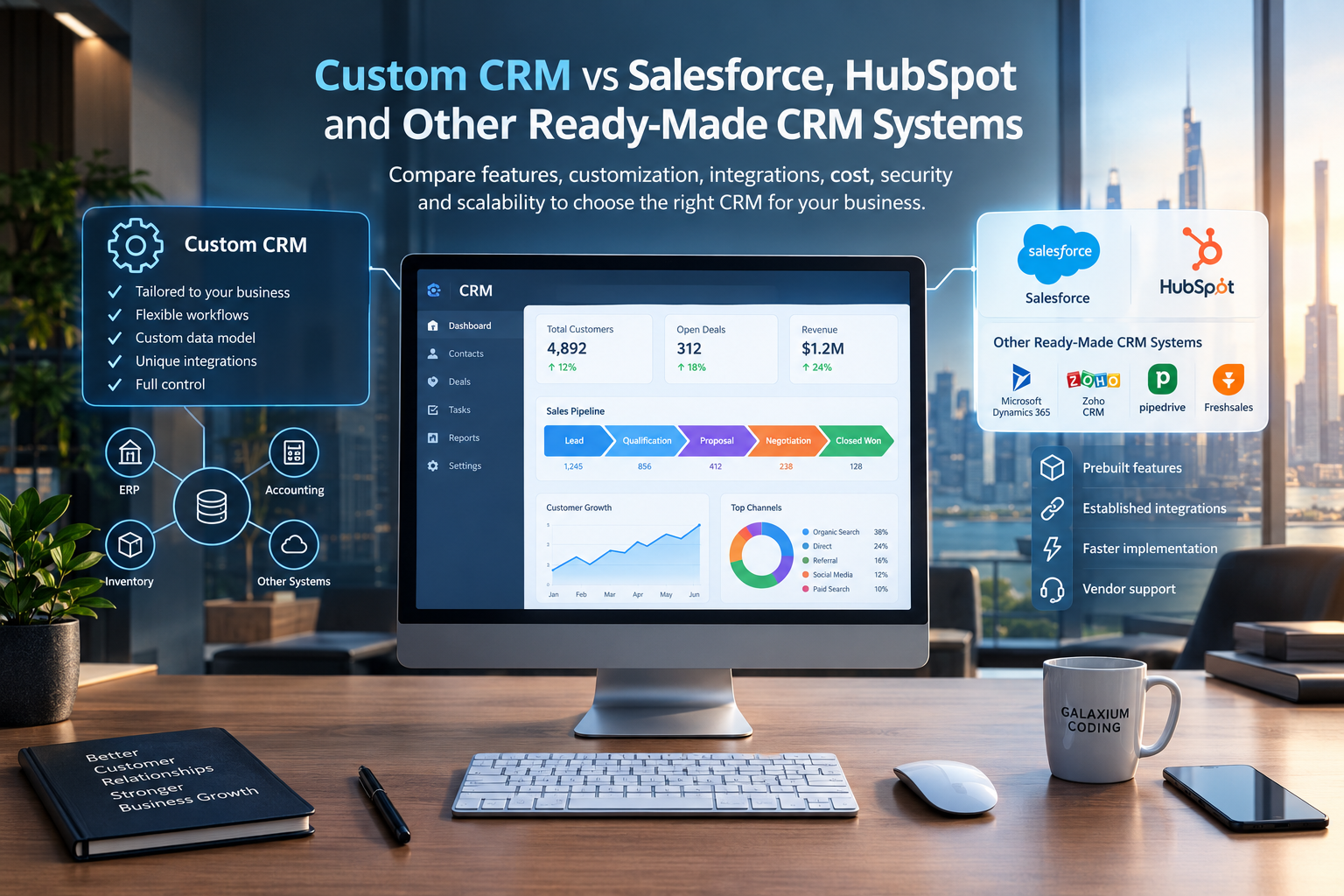
Businesses can choose between ready-made CRM platforms and custom CRM development depending on their workflows, integrations, customization requirements and long-term technology strategy.
Custom CRM vs Salesforce, HubSpot and Other Ready-Made CRM Systems
Customer relationship management has become an important part of modern business operations.
Businesses use CRM systems to manage leads, customers, sales pipelines, communication, follow-ups, support requests, marketing activities and business data.
However, choosing a CRM is not always straightforward.
A business may choose a ready-made platform such as Salesforce or HubSpot, or it may decide to build a custom CRM specifically around its own processes.
Both approaches can work.
The important question is not simply:
“Which CRM is better?”
The more useful question is:
“Which CRM approach fits the way our business actually operates?”
A ready-made CRM can provide an established platform with prebuilt features, integrations and automation.
A custom CRM can be designed around specific business processes, data structures, workflows and integrations.
This guide explains the differences so businesses can understand the trade-offs before making a CRM decision.
On This Page
What Is a CRM?
What Is a Ready-Made CRM?
What Is a Custom CRM?
Custom CRM vs Ready-Made CRM
Salesforce as a Ready-Made CRM
HubSpot as a Ready-Made CRM
Other Ready-Made CRM Systems
Customization
Integrations
Automation
Scalability
Security and Data Control
Cost Considerations
Implementation Time
Maintenance and Updates
Custom CRM vs Salesforce vs HubSpot
When Should You Choose a Ready-Made CRM?
When Should You Consider a Custom CRM?
Can a Business Combine Both Approaches?
Common CRM Selection Mistakes
How to Choose the Right CRM Strategy
Why Choose Galaxium Coding?
Final Thoughts
Frequently Asked Questions

What Is a CRM?
CRM stands for Customer Relationship Management.
A CRM system helps businesses organize customer-related information and interactions in one place.
Depending on the business, a CRM may manage:
Leads
Contacts
Companies
Sales opportunities
Deals
Customer communication
Follow-ups
Tasks
Sales pipelines
Customer support
Marketing activities
Appointments
Customer history
Reports
Invoices
Customer documents
Automated workflows
For example, a sales team may use a CRM to track a lead from the moment they submit an enquiry until the deal is closed.
A typical process may look like:
Lead → Qualification → Follow-Up → Proposal → Negotiation → Closed Deal
A CRM makes this process easier to organize and monitor.
What Is a Ready-Made CRM?
A ready-made CRM is software that has already been developed and is available for businesses to subscribe to or purchase.
Examples include:
Salesforce
HubSpot
Microsoft Dynamics 365
Zoho CRM
Pipedrive
Freshsales
Other industry-specific CRM platforms
Instead of developing the system from the beginning, a business creates an account, configures the platform and starts using its existing features.
This can significantly reduce the amount of initial software development required.
Ready-made CRM platforms can provide features such as:
Contact management
Lead management
Sales pipelines
Reporting
Automation
Email integration
Mobile applications
Customer support tools
Marketing features
Third-party integrations
For example, HubSpot currently provides contact management, deal pipelines, reporting, ticketing, mobile access, AI features and integrations through its CRM platform.
What Is a Custom CRM?
A custom CRM is a CRM system developed specifically for a particular business.
Instead of adapting the business process to an existing platform, the CRM is designed around the company's actual requirements.
A custom CRM may include:
Custom customer records
Custom sales pipelines
Industry-specific workflows
Custom dashboards
Employee roles
Approval systems
Custom notifications
Business-specific automation
Custom reports
API integrations
ERP integration
Accounting integration
Inventory integration
AI features
Mobile applications
Custom customer portals
For example, a real estate company may require a CRM that connects:
Leads + Property Inventory + Agents + Site Visits + Payments + Installments + Documents + Follow-Ups
A standard CRM may handle many of these functions through configuration or integrations.
A custom CRM can instead be designed around the entire business workflow.
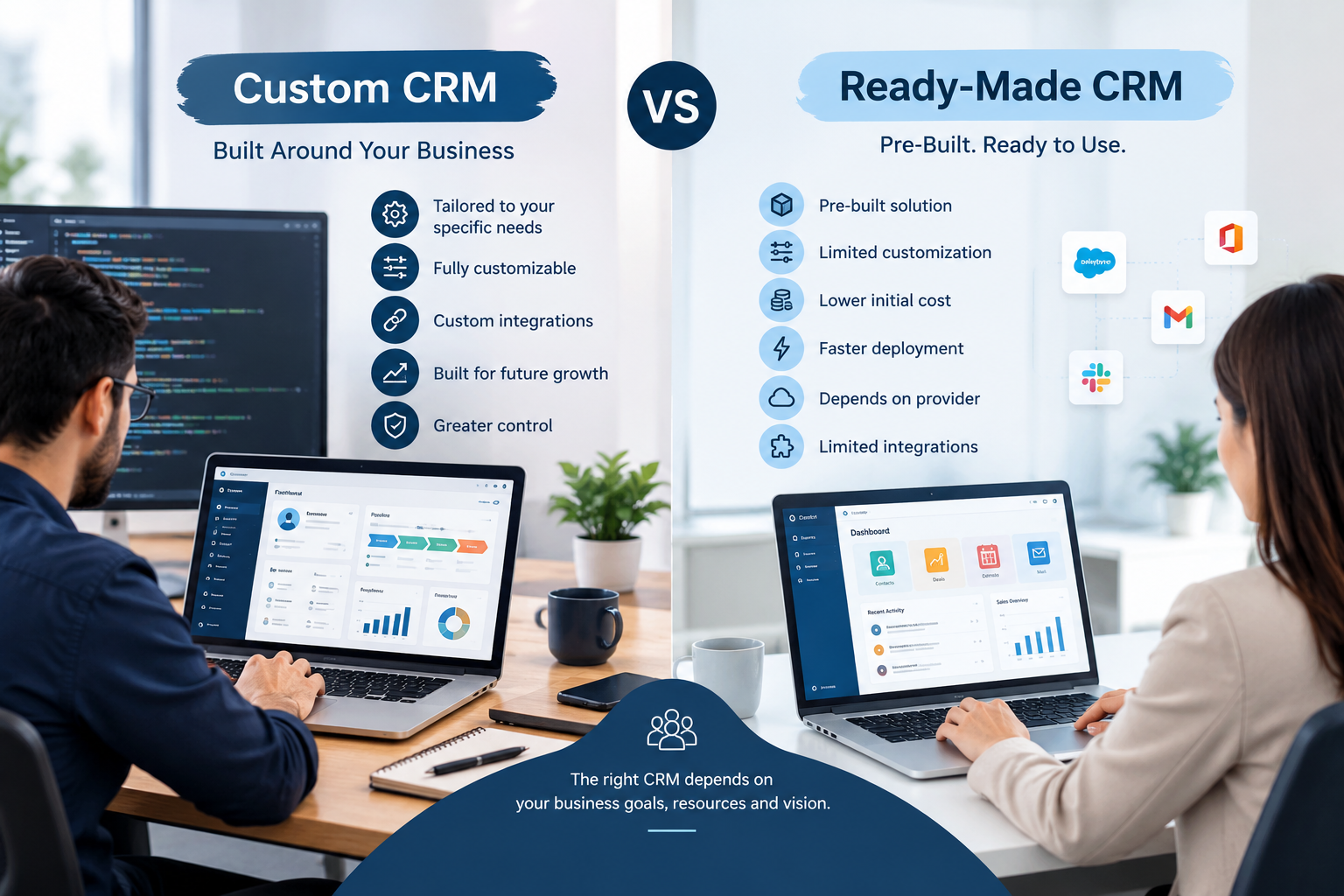
Custom CRM vs Ready-Made CRM
The fundamental difference is flexibility.
A ready-made CRM gives businesses an existing system that can usually be configured and customized within the capabilities of the platform.
A custom CRM is developed specifically for the organization's requirements.
Area | Custom CRM | Ready-Made CRM |
|---|---|---|
Development | Built specifically for the business | Already developed |
Initial setup | Requires development and configuration | Usually faster |
Customization | Very high | Depends on platform |
Workflow design | Business-specific | Platform-specific |
Integrations | Can be developed specifically | Depends on available integrations/APIs |
User interface | Fully customizable | Based on platform |
Data model | Can be designed around business | Based on platform structure |
Ownership | Business-specific software | Subscription/platform-based |
Updates | Managed by development team | Vendor-managed |
Maintenance | Business/development team | Vendor + implementation partner |
Initial development cost | Usually higher | Usually lower |
Long-term flexibility | High | Depends on platform |
Neither approach automatically fits every business.
The right choice depends on requirements, budget, internal resources, processes and future plans.
Salesforce as a Ready-Made CRM
Salesforce is a large CRM platform designed for sales, service, marketing, commerce and other business processes.
Its current CRM offerings include lead, account, contact and opportunity management, sales flows, lead routing, automation and analytics. Higher plans provide additional customization and automation capabilities.
Salesforce also provides industry-focused solutions and multiple products within its broader CRM ecosystem.
This makes Salesforce relevant for organizations that require a broad enterprise CRM platform.
However, businesses should evaluate the total cost, implementation requirements, integrations, user needs and level of customization required before selecting a specific edition.
Salesforce's published pricing currently includes a Starter Suite at $25 USD per user per month and higher-priced plans with additional capabilities. Pricing and packaging can change, so businesses should verify current pricing before purchasing.
HubSpot as a Ready-Made CRM
HubSpot provides CRM functionality together with marketing, sales, customer service, content and data tools.
Its CRM includes features such as:
Contact management
Deal management
Pipeline management
Tasks and activities
Reporting
Ticketing
Shared inbox
AI tools
Mobile access
Third-party integrations
HubSpot currently states that its CRM can connect with more than 2,000 business applications through its marketplace and integrations.
HubSpot also provides CRM customization through objects, properties, associations, workflows and other configuration options.
Its pricing structure includes free tools as well as paid plans with additional functionality. Current published pricing should be checked directly with HubSpot because plans, limits and packaging can change.
Other Ready-Made CRM Systems
Salesforce and HubSpot are not the only CRM options.
Businesses can also evaluate platforms such as:
Microsoft Dynamics 365
Zoho CRM
Pipedrive
Freshsales
Monday CRM
Industry-specific CRM systems
Different platforms focus on different combinations of sales, marketing, service, automation, reporting and integrations.
Therefore, choosing a CRM should not be based only on brand recognition.
The business should first identify what it actually needs.
Customization
Customization is one of the biggest differences between custom CRM development and ready-made CRM platforms.
A ready-made CRM may allow businesses to customize:
Fields
Pipelines
Dashboards
User permissions
Workflows
Reports
Forms
Automations
However, customization still operates within the platform's architecture and technical limitations.
A custom CRM can be designed around the organization's own data model.
For example, a business might require:
Customer → Contract → Project → Payment → Employee → Approval → Support Case
Instead of trying to fit this process into a standard CRM structure, developers can design the database and interfaces around the business model.
Integrations
Modern businesses rarely operate with one software system.
A CRM may need to communicate with:
Websites
Mobile applications
ERP systems
Accounting software
Payment gateways
Email platforms
WhatsApp
SMS services
Inventory systems
HR software
Marketing platforms
AI services
Analytics platforms
Ready-made CRMs can provide APIs, connectors and app marketplaces to support many integrations.
For example, HubSpot provides integrations and data synchronization capabilities with third-party applications.
Salesforce also provides an ecosystem of applications and integrations around its CRM platform.
However, if a business has unusual or highly specialized systems, custom development may provide greater control over how those systems communicate.
Automation
CRM automation can reduce repetitive manual work.
Examples include:
Automatic lead assignment
Follow-up reminders
Email notifications
Sales-stage updates
Customer onboarding
Support ticket assignment
Approval workflows
Invoice notifications
Lead scoring
Customer segmentation
Ready-made CRMs provide many automation capabilities.
Custom CRM development can go further by implementing automation based specifically on the organization's internal processes.
For example:
New Lead → Assign Salesperson → Send WhatsApp Message → Schedule Follow-Up → Notify Manager → Create Proposal → Request Approval
The workflow can be designed around the actual business process.
Scalability
A CRM should not only work for today's business.
It should also support future growth.
Consider:
More employees
More customers
More branches
More products
More sales channels
More integrations
More data
More reporting requirements
Ready-made CRM platforms are designed to support different business sizes and can provide established infrastructure.
Custom CRM systems can also be designed for scalability, but the architecture must be planned correctly from the beginning.
A poorly designed custom CRM can become difficult to maintain as the business grows.
Security and Data Control
CRM systems contain valuable business information.
This may include:
Customer details
Contact information
Sales records
Contracts
Communication history
Financial information
Business documents
Employee activity
Security should therefore be considered before selecting a CRM.
Businesses should evaluate:
Authentication
User permissions
Role-based access
Data encryption
Backup systems
Audit logs
API security
Data retention
Compliance requirements
Hosting arrangements
With a ready-made CRM, many infrastructure and security responsibilities are handled by the platform provider.
With a custom CRM, the development and infrastructure strategy needs to be planned specifically for the business.
Cost Considerations
CRM cost is more than the initial software price.
Businesses should consider the total cost of ownership.
For a ready-made CRM, costs may include:
Subscription fees
Number of users
Premium features
Additional modules
Implementation
Customization
Integrations
Training
Data migration
Support
For a custom CRM, costs may include:
Discovery and planning
UI/UX design
Backend development
Frontend development
Database development
API development
Integrations
Testing
Cloud infrastructure
Security
Maintenance
Future development
A ready-made CRM can therefore have lower initial development requirements, while a custom CRM may require greater upfront investment.
The comparison should consider long-term requirements rather than looking only at the initial price.
Implementation Time
Ready-made CRM platforms can often be configured and deployed faster because the core software already exists.
A business may need to:
Create an account
Configure users
Import data
Configure pipelines
Set permissions
Connect integrations
Train employees
Custom CRM development requires additional stages:
Requirement analysis
Business-process mapping
UI/UX design
Architecture
Database design
Backend development
Frontend development
API development
Integration
Testing
Deployment
Training
Maintenance
The exact timeline depends heavily on the scope.
Maintenance and Updates
Ready-made CRM software is maintained by the vendor.
The vendor can release:
Security updates
Feature updates
Performance improvements
New integrations
AI capabilities
Interface improvements
The business does not need to develop the core platform itself.
With a custom CRM, maintenance becomes the responsibility of the business and its development partner.
This can include:
Bug fixes
Security updates
Server maintenance
Database optimization
New integrations
Feature improvements
Mobile application updates
Performance monitoring
A maintenance agreement can help businesses manage these requirements.
Custom CRM vs Salesforce vs HubSpot
The three approaches can be understood through their basic characteristics.
Requirement | Custom CRM | Salesforce | HubSpot |
|---|---|---|---|
Ready to use | No | Yes | Yes |
Business-specific workflows | Very high flexibility | Configurable within platform | Configurable within platform |
Custom data model | Very high flexibility | Platform-dependent | Increasingly flexible |
Integrations | Custom-built | Large ecosystem | Large ecosystem |
Development required | High | Configuration/customization may be required | Configuration/customization may be required |
Vendor dependency | Lower for core software | Higher | Higher |
Initial deployment | Usually longer | Usually faster than building from scratch | Usually faster than building from scratch |
Custom interface | Fully possible | Available within platform capabilities | Available within platform capabilities |
Subscription model | Depends on deployment | Yes | Yes |
Maintenance | Business/development partner | Vendor + implementation ecosystem | Vendor + implementation ecosystem |
Salesforce and HubSpot both provide significant customization and integration capabilities, so a business should not assume that “ready-made” means “non-customizable.”
When Should You Choose a Ready-Made CRM?
A ready-made CRM may be appropriate when:
Your business follows common sales processes
You need a CRM quickly
Your required features already exist
You want established integrations
You prefer vendor-managed updates
You want predictable subscription-based access
Your internal team does not want to maintain software infrastructure
You do not require highly unusual workflows
For many businesses, configuring an existing CRM can be more practical than developing a complete CRM from scratch.
When Should You Consider a Custom CRM?
A custom CRM may be worth considering when:
Your business processes are highly specialized
Existing CRM platforms require extensive workarounds
You need a unique data structure
You require specialized workflows
Your CRM must connect deeply with proprietary software
You need a highly specific customer portal
You want complete control over the user interface
You need custom reporting
You have complex approval processes
Your business operates across multiple interconnected systems
You want CRM functionality designed around your existing software ecosystem
For example, a company operating its own ERP, inventory platform, customer portal and mobile application may want a CRM that communicates directly with all of these systems.
Can a Business Combine Both Approaches?
Yes.
A business does not always have to choose between building everything and using everything out of the box.
A company may use a ready-made CRM while developing custom software around it.
For example:
Website → API → CRM → ERP → Accounting
A custom application can connect with a ready-made CRM through APIs.
This approach can allow a business to use an established CRM while still creating custom functionality around its unique processes.
The right architecture depends on the systems involved and the required level of customization.
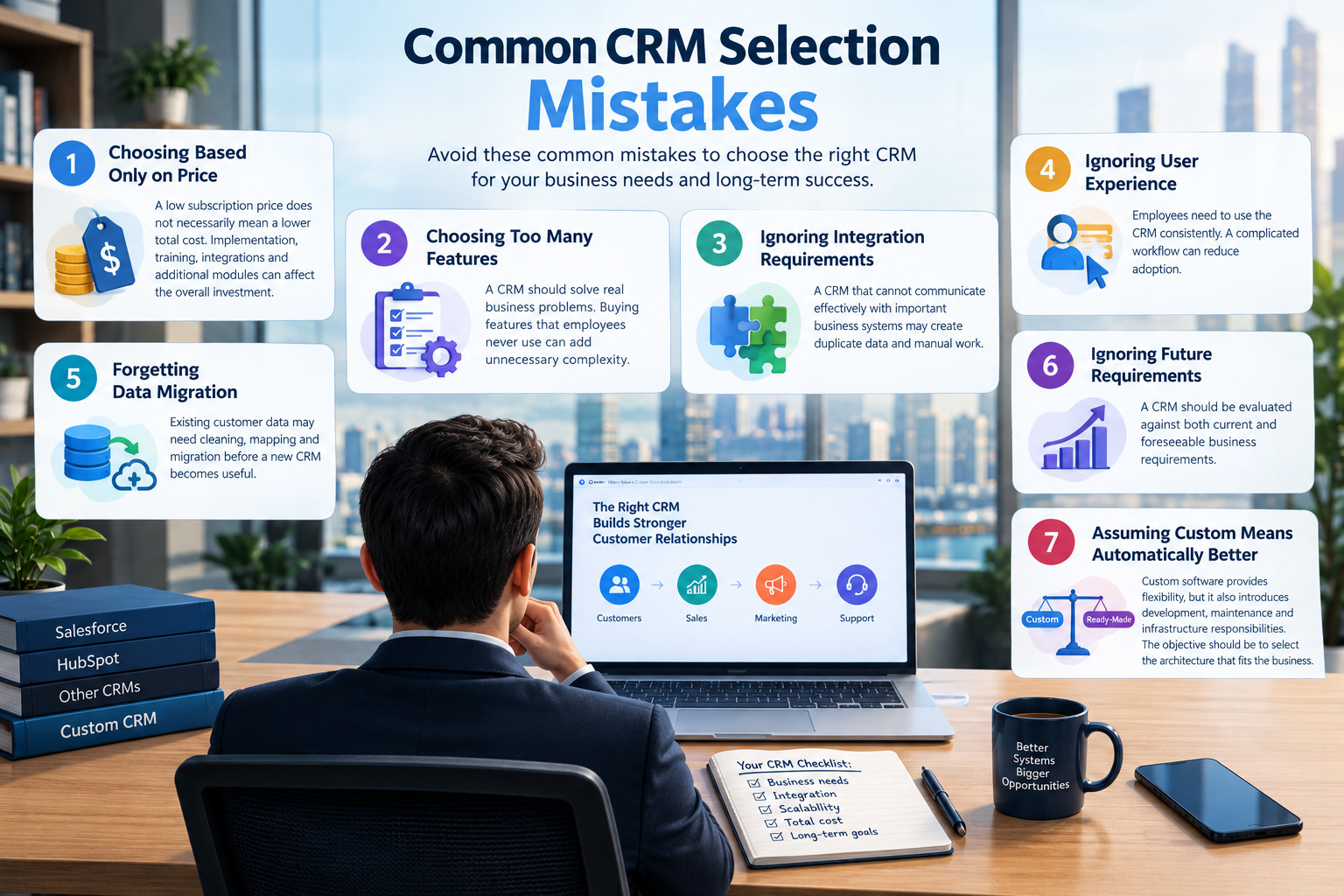
Common CRM Selection Mistakes
Mistake 1: Choosing Based Only on Price
A low subscription price does not necessarily mean a lower total cost.
Implementation, training, integrations and additional modules can affect the overall investment.
Mistake 2: Choosing Too Many Features
A CRM should solve real business problems.
Buying features that employees never use can add unnecessary complexity.
Mistake 3: Ignoring Integration Requirements
A CRM that cannot communicate effectively with important business systems may create duplicate data and manual work.
Mistake 4: Ignoring User Experience
Employees need to use the CRM consistently.
A complicated workflow can reduce adoption.
Mistake 5: Forgetting Data Migration
Existing customer data may need cleaning, mapping and migration before a new CRM becomes useful.
Mistake 6: Ignoring Future Requirements
A CRM should be evaluated against both current and foreseeable business requirements.
Mistake 7: Assuming Custom Means Automatically Better
Custom software provides flexibility, but it also introduces development, maintenance and infrastructure responsibilities.
The objective should be to select the architecture that fits the business.
How to Choose the Right CRM Strategy
Before selecting a CRM, document your requirements.
Ask:
1. What information do we need to store?
Customers, leads, companies, properties, contracts, projects or something else?
2. What does our sales process look like?
Map every stage from lead generation to closing.
3. What systems must the CRM connect with?
List your:
Website
ERP
Accounting software
Payment systems
Email
WhatsApp
Mobile apps
Inventory
HR systems
Analytics
4. Which workflows need automation?
Identify repetitive tasks that employees currently perform manually.
5. How many users will need access?
Consider current users and expected growth.
6. What reporting is required?
Determine which dashboards and reports management needs.
7. How much customization is actually necessary?
Not every business needs a custom platform.
8. What is the long-term technology strategy?
The CRM should fit into the broader digital architecture of the business.
Why Choose Galaxium Coding?
Choosing or developing a CRM is not simply a software purchasing decision.
It is a business-process and technology decision.
Galaxium Coding can help businesses analyze their requirements, design software architecture, develop custom CRM solutions and connect business systems through APIs and integrations.
A custom CRM can be designed around:
Sales processes
Customer management
Lead management
Business workflows
Reporting
Automation
APIs
ERP systems
Accounting systems
Mobile applications
Cloud infrastructure
AI-powered functionality
The objective is not to build a custom CRM simply because customization is possible.
The objective is to determine whether custom development provides meaningful value for the business.
Final Thoughts
There is no universal CRM solution for every business.
Salesforce, HubSpot and other ready-made CRM systems provide established platforms with extensive features, integrations and automation capabilities.
A custom CRM provides a different approach: building the system around the organization's specific processes, data and technology ecosystem.
The decision should therefore be based on:
Business Requirements + Workflow Complexity + Integrations + Budget + Scalability + Security + Long-Term Strategy
For a business with straightforward CRM requirements, a ready-made platform may provide the functionality needed without developing an entire system.
For a business with highly specialized processes, complex integrations or unique operational requirements, custom CRM development may provide greater control.
The most important step is to understand your business processes before choosing the technology.
A CRM should adapt to the way your business operates — not create unnecessary complexity around it.
Frequently Asked Questions
Is a custom CRM better than Salesforce?
A custom CRM and Salesforce use different approaches. Salesforce provides an established CRM platform with extensive features and customization capabilities, while a custom CRM can be developed specifically around a company's processes and requirements.
Is HubSpot a custom CRM?
HubSpot is a ready-made CRM platform that provides substantial configuration and customization options. It is not the same as building a CRM specifically for one business.
How much does a custom CRM cost?
There is no universal price.
The cost depends on:
Number of users
Features
UI/UX requirements
Database complexity
Integrations
Automation
Mobile applications
Security requirements
Cloud infrastructure
Reporting
AI functionality
Maintenance requirements
How long does custom CRM development take?
The timeline depends on project scope.
A simple CRM can require significantly less development than an enterprise CRM connected to ERP, accounting, inventory, mobile applications and multiple external systems.
Can a custom CRM integrate with Salesforce?
Yes, depending on the required architecture and available APIs or integration mechanisms.
A custom application can potentially communicate with Salesforce and other business systems.
Can a custom CRM integrate with HubSpot?
Yes. HubSpot provides APIs and integration capabilities that can be used to connect external applications and systems.
Can a ready-made CRM be customized?
Yes.
Modern CRM platforms provide different levels of customization.
For example, HubSpot provides custom objects, properties, associations, workflows and interface customization depending on the product and plan.
Salesforce also offers different levels of customization and automation depending on the edition.
Should a small business build a custom CRM?
Not necessarily.
A small business should first determine whether existing CRM platforms already provide the required features.
Custom development may become relevant when standard CRM platforms cannot efficiently support the company's workflows or integration requirements.
Can Galaxium Coding build a custom CRM?
Yes. A custom CRM can be designed and developed around a business's specific requirements, workflows, integrations and future technology plans.