AWS vs Azure vs Google Cloud: Which Is Right for Your Business?
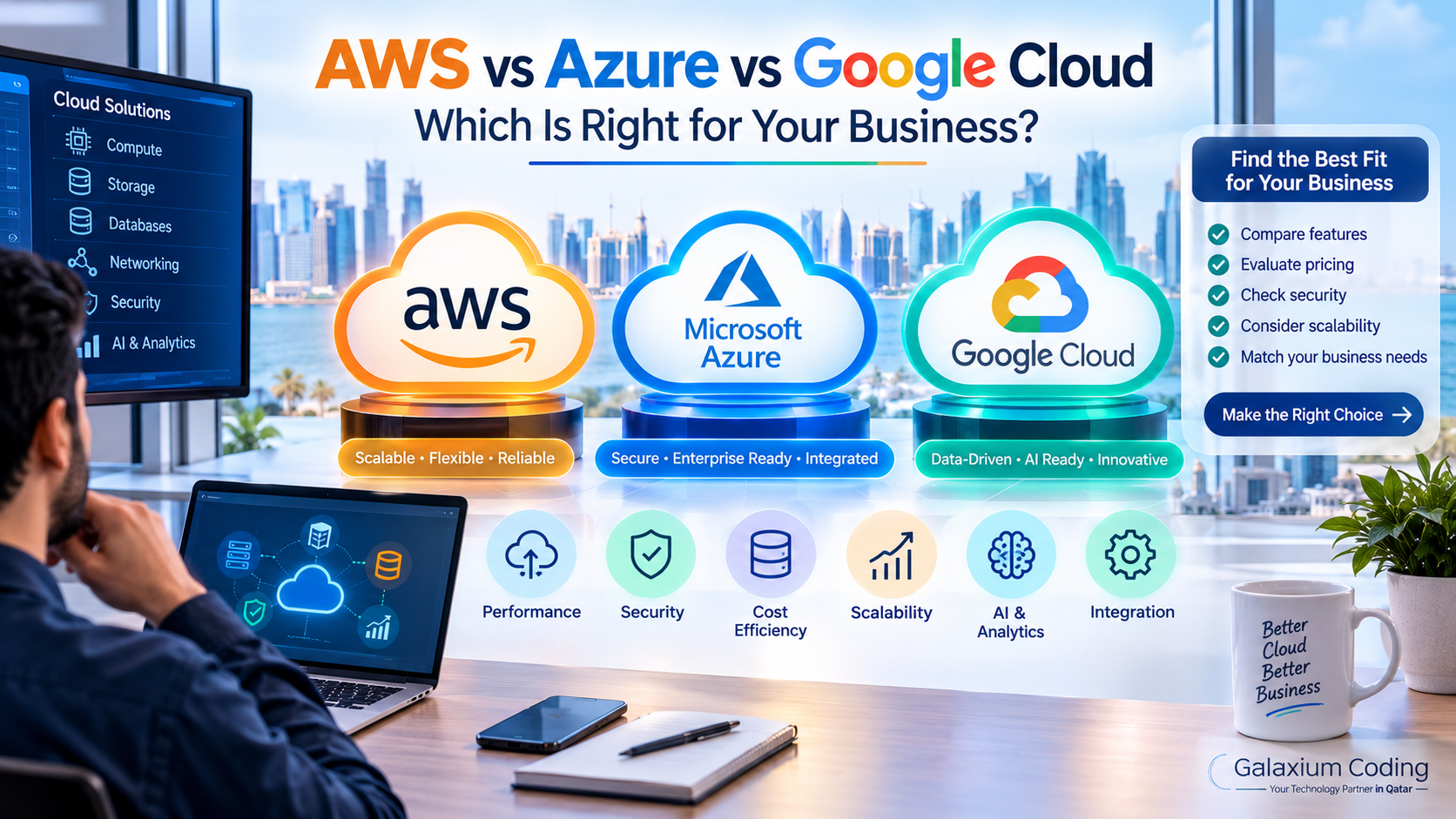
Compare AWS, Microsoft Azure, and Google Cloud to identify the right cloud platform for your business requirements.
AWS vs Azure vs Google Cloud: Which Is Right for Your Business?
Cloud computing has become an important part of modern business technology. Companies use cloud platforms to host websites, run business applications, store data, manage customer portals, deploy AI solutions, and support employees across different locations.
Three of the most widely used cloud platforms are Amazon Web Services (AWS), Microsoft Azure, and Google Cloud Platform (GCP). Each provides computing, storage, databases, networking, security, analytics, and application deployment services. However, their tools, integration options, management approaches, and suitability for different workloads vary.
AWS is a strong option for businesses seeking a broad range of cloud services and flexible infrastructure. Azure is particularly worth evaluating for organisations invested in Microsoft technologies and enterprise environments. Google Cloud is especially relevant for businesses prioritising data analytics, AI, machine learning, and cloud-native development. These are useful starting points rather than strict rules: all three platforms support a wide variety of business workloads.
For businesses in Qatar, the right choice depends on application requirements, existing IT systems, security obligations, expected traffic, technical expertise, and total operating costs.
This guide compares AWS vs Azure vs Google Cloud to help business owners, IT managers, and decision-makers make an informed choice.
What Are AWS, Azure, and Google Cloud?
Before comparing the platforms, it helps to understand what each one offers.
1. Amazon Web Services (AWS)
Amazon Web Services is Amazon's cloud computing platform. It provides services for hosting applications, running virtual servers, storing files, managing databases, delivering content, analysing data, and building AI-powered systems.
AWS allows businesses to provision infrastructure on demand instead of purchasing and maintaining all their own physical servers.
Common AWS services include:
Amazon EC2: Virtual servers for applications and workloads.
Amazon S3: Object storage for files, backups, and other data.
Amazon RDS: Managed relational databases.
AWS Lambda: Serverless computing for supported workloads.
Amazon CloudWatch: Monitoring and operational visibility.
Amazon VPC: Networking environments for cloud resources.
AWS can suit startups, growing businesses, software development teams, and large organisations that need flexible infrastructure.
Explore the official AWS service overview to learn more about its capabilities.
2. Microsoft Azure
Microsoft Azure is Microsoft's cloud computing platform. It provides infrastructure, managed application services, databases, identity management, analytics, AI capabilities, and hybrid-cloud options.
Azure is often worth considering when a business already relies heavily on Microsoft products, Windows-based systems, Microsoft Entra ID, or enterprise applications that integrate with the Microsoft ecosystem.
Common Azure services include:
Azure Virtual Machines: Virtual servers for different operating systems and workloads.
Azure App Service: Hosting for supported web applications and APIs.
Azure SQL Database: Managed relational database services.
Azure Blob Storage: Object storage for unstructured data.
Azure Functions: Serverless application execution.
Azure Monitor: Monitoring and operational insights.
Microsoft Entra ID: Identity and access management capabilities.
Azure can be particularly relevant for organisations seeking to connect cloud infrastructure with existing Microsoft-based business systems.
Read Microsoft's official explanation of Azure for more information.
3. Google Cloud Platform (GCP)
Google Cloud Platform, commonly called Google Cloud, provides cloud infrastructure, managed databases, analytics, AI and machine learning services, networking, storage, and application deployment tools.
It is a strong candidate for businesses building data-intensive applications, analytics platforms, AI-powered products, and modern cloud-native systems.
Common Google Cloud services include:
Compute Engine: Virtual machines for running workloads.
Cloud Storage: Object storage for files, backups, and application data.
Google Kubernetes Engine (GKE): Managed Kubernetes for containerised applications.
Cloud SQL: Managed relational database services.
BigQuery: A data analytics and warehousing platform.
Cloud Run: A platform for running supported containerised applications.
Google Cloud Operations: Tools for monitoring and operational management.
Google Cloud may be particularly suitable when advanced analytics, data engineering, managed Kubernetes, or AI capabilities are central to a project's requirements.
Explore the official Google Cloud product documentation for a broader view of its services.
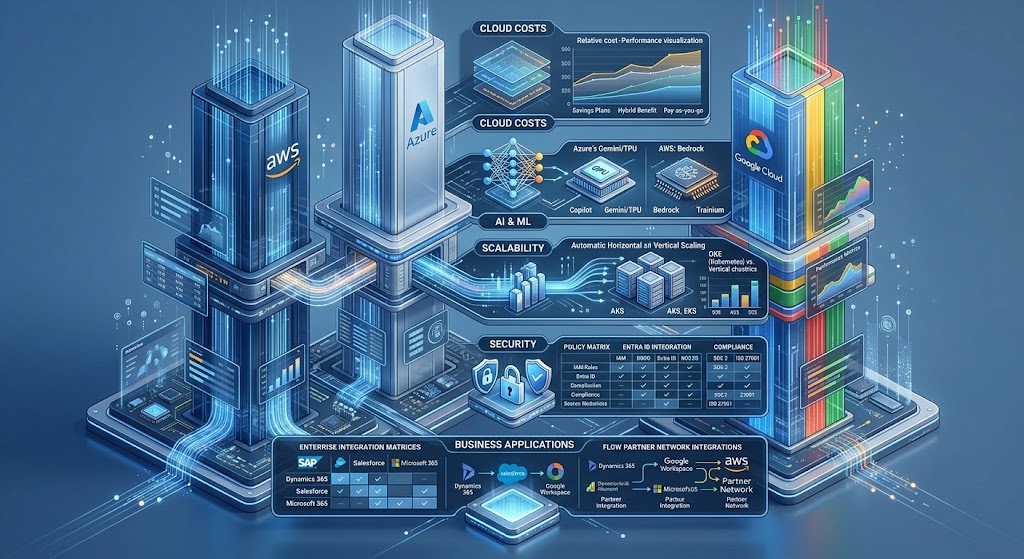
AWS vs Azure vs Google Cloud: Quick Comparison
The following table summarises practical differences businesses should consider.
Comparison factor | AWS | Microsoft Azure | Google Cloud |
|---|---|---|---|
Main consideration | Broad service selection and infrastructure flexibility | Microsoft ecosystem and enterprise integration | Data analytics, AI, and cloud-native workloads |
Computing | Amazon EC2 | Azure Virtual Machines | Compute Engine |
Object storage | Amazon S3 | Azure Blob Storage | Cloud Storage |
Managed relational databases | Amazon RDS | Azure SQL Database | Cloud SQL |
Kubernetes | Amazon EKS | Azure Kubernetes Service (AKS) | Google Kubernetes Engine (GKE) |
Serverless options | AWS Lambda | Azure Functions | Cloud Run and Cloud Functions-related offerings |
Analytics | AWS analytics services, including Athena and Redshift | Azure analytics services, including Microsoft Fabric integrations | BigQuery and related data services |
Microsoft environment integration | Available through supported integrations | Often a natural fit | Available through supported integrations |
AI and machine learning | AWS AI services | Azure AI services | Google Cloud AI and machine learning services |
Pricing approach | Service- and usage-based | Service- and usage-based | Service- and usage-based |
Best selection method | Match services to workload requirements | Match services to existing systems and workloads | Match services to data, AI, and application requirements |
Note: Product capabilities, service names, regional availability, and pricing can change. This comparison is intended as a decision-making guide, not a complete inventory of each provider's offerings.
Key Differences Between AWS, Azure, and Google Cloud
1. Infrastructure and Scalability
Cloud scalability means being able to adjust computing resources as application demand changes.
For example, an e-commerce website may receive moderate traffic on ordinary days but experience a major increase during a seasonal promotion. Its infrastructure must support the additional demand without unnecessary spending during quieter periods.
AWS offers a broad range of infrastructure and managed services that can be combined to build architectures for different workloads.
Azure supports scalable application hosting and infrastructure, including environments connected to existing Microsoft systems.
Google Cloud provides scalable computing and managed services for applications, data platforms, and containerised workloads.
All three can support scalable business applications. The difference is how their available services fit your architecture, team expertise, and operating model.
Before selecting a provider, evaluate:
Expected concurrent users and peak traffic.
Application response-time requirements.
Database size and transaction volume.
Geographic distribution of customers.
Backup and disaster recovery needs.
Automated scaling requirements.
Infrastructure monitoring and maintenance.
A smaller business application may need only a straightforward architecture. A complex platform with multiple integrations, high availability requirements, and fluctuating demand may need more advanced infrastructure.
2. AI, Data Analytics, and Machine Learning
Businesses increasingly use cloud platforms to process large amounts of information, develop intelligent applications, and automate repetitive tasks.
AWS provides AI, machine learning, data processing, and analytics services. Azure offers AI and analytics capabilities that can integrate with Microsoft-based environments. Google Cloud provides AI tools and data services, including BigQuery, that can be useful for analytics-intensive applications.
Consider a Qatar-based retail company that wants to analyse sales across several branches.
It might need to:
Collect data from its point-of-sale system.
Combine sales, inventory, and customer information.
Identify frequently purchased products.
Forecast stock requirements.
Create management dashboards.
Generate alerts when inventory falls below a threshold.
Any of the three platforms could support an appropriately designed solution. The best choice depends on the existing data sources, required analytics tools, integration needs, team experience, and budget.
For an AI-powered customer service assistant, the company might also need secure access to product details, customer records, order history, and support policies. In that case, access controls and reliable integration with business applications are just as important as the AI service itself.
3. Integration With Existing Business Systems
Cloud migration does not happen in isolation. Most organisations already have applications, databases, identity systems, accounting tools, customer relationship management (CRM) software, or enterprise resource planning (ERP) platforms.
Azure may be especially convenient for businesses that depend on Microsoft technologies. AWS and Google Cloud also support a wide range of integrations through APIs, connectors, and partner solutions.
Evaluate the actual compatibility of your systems rather than assuming that one cloud provider can integrate everything automatically.
Important questions include:
Can the platform connect to the current database?
Are suitable APIs or integration tools available?
Can employee identities and access permissions be managed centrally?
Will data need to move between cloud services and on-premises systems?
Are there licensing or third-party integration costs?
How difficult would it be to migrate away in the future?
For businesses developing new applications, custom software development can help align application architecture and integrations with operational requirements.
4. Security and Access Control
All three providers offer security capabilities, but secure deployment requires correct configuration and ongoing management.
Cloud security is a shared responsibility. The provider secures aspects of the underlying cloud infrastructure, while the customer remains responsible for applicable areas such as identity permissions, application security, data access, and workload configuration.
The exact division depends on the service being used.
A business should assess:
Multi-factor authentication.
Role-based access control.
Encryption for data at rest and in transit.
Network segmentation and firewall rules.
Audit logs and security monitoring.
Backup protection and recovery procedures.
Vulnerability management and software updates.
Compliance requirements relevant to its industry and operations.
For example, a customer portal should not allow one customer to access another customer's invoices or personal records. This requires correct application permissions and data-access controls, regardless of the cloud provider.
Businesses should also verify the provider's current regional service availability, contractual terms, and applicable data-handling requirements before choosing where workloads will run.
5. Developer Experience and Deployment
A cloud platform should support how your software team builds, tests, deploys, and maintains applications.
AWS, Azure, and Google Cloud each offer developer tools, APIs, automation options, monitoring, and services for modern application deployment.
A development team should consider:
Support for its programming languages and frameworks.
Compatibility with Docker and Kubernetes, if required.
Continuous integration and continuous deployment (CI/CD) options.
Automated testing and release processes.
Logging, monitoring, and alerting.
Infrastructure as code.
Rollback and recovery procedures.
Developer training and operational experience.
For example, a business may want to deploy updates to a customer portal several times a week. An effective deployment pipeline can run automated tests, package the application, release approved changes, and monitor the result.
The platform is only one part of this process. A well-designed DevOps workflow, clear responsibilities, and reliable testing are also essential.
Businesses evaluating these requirements can explore cloud and DevOps solutions from Galaxium Coding.
AWS vs Azure vs Google Cloud: Which Is More Affordable?
There is no universal winner on cloud pricing. Actual costs depend on the services selected, resource consumption, region, data transfer, support requirements, and workload design.
A platform with a lower price for one virtual machine may be more expensive overall if its database, networking, backup, or monitoring costs are higher for your particular architecture.
What affects cloud computing costs?
1. Compute resources
Virtual machine size, processor requirements, memory, operating hours, and scaling behaviour affect compute costs.
2. Storage
The amount of data, storage class, backup retention, and retrieval patterns influence storage expenses.
3. Database services
Database capacity, performance requirements, high availability, and managed service options affect the monthly bill.
4. Data transfer
Moving data between services, regions, or external networks can introduce charges depending on the service and transfer path.
5. Support and monitoring
Support plans, observability tools, security services, and operational requirements may add to the total cost.
6. Licensing
Operating systems, commercial software, and existing enterprise licences can change the cost of running a workload.
7. Engineering and maintenance
Cloud infrastructure still requires architecture, configuration, monitoring, updates, security management, and troubleshooting. These activities may involve internal staff or an external service provider.
How should businesses compare cloud pricing?
Use the official pricing tools and estimate the same workload on each platform.
Azure: Azure pricing information
Google Cloud: Google Cloud pricing
For a meaningful comparison, define the application, expected usage, database requirements, storage volume, availability target, backup plan, and support needs first.
Then estimate monthly and annual costs under normal usage and peak demand. Review the estimates regularly after deployment because actual consumption may differ from the original assumptions.

Which Cloud Platform Is Best for Different Business Needs?
AWS may be a good fit if you:
Need a wide selection of infrastructure and managed services.
Are building a scalable web or mobile application.
Have a team familiar with AWS tools.
Need to support multiple workload types.
Want to evaluate a broad range of cloud architecture options.
Azure may be a good fit if you:
Already depend on Microsoft technologies.
Need to integrate with Microsoft identity and enterprise environments.
Are modernising existing Windows-based applications.
Want cloud services that work with your established Microsoft tooling.
Need a platform that supports both cloud and hybrid environments.
Google Cloud may be a good fit if you:
Have significant data analytics requirements.
Plan to use BigQuery for data warehousing and analytics.
Are developing AI or machine learning applications.
Want managed Kubernetes capabilities through GKE.
Need cloud-native services for data-intensive products.
These are starting points, not exclusive categories. AWS supports AI and analytics, Azure supports cloud-native development, and Google Cloud supports enterprise applications. Evaluate the actual service requirements before making a final decision.
Choosing a Cloud Platform for Businesses in Qatar
Businesses in Qatar may use cloud technology for e-commerce, logistics, property management, financial operations, healthcare administration, education systems, and customer service.
The right infrastructure should reflect the needs of the specific business rather than simply choosing the most popular provider.
1. E-commerce and Online Marketplaces
An e-commerce business may need product catalogues, customer accounts, payment integrations, inventory synchronisation, order processing, and reliable performance during promotions.
The platform should support traffic management, secure transactions, monitoring, backups, and recovery procedures.
2. CRM and ERP Applications
Businesses running CRM or ERP platforms may need secure access to customer records, sales information, employee data, finance workflows, and inventory.
The architecture should account for database performance, user permissions, integration reliability, reporting, and business continuity.
3. Mobile Applications and Customer Portals
Mobile applications and web portals need reliable APIs, authentication, database access, file storage, and monitoring.
Businesses should evaluate how their chosen cloud platform supports application releases, peak demand, mobile backend services, and integration with existing systems.
Relevant web application development services can help businesses plan the application layer alongside their infrastructure requirements.
4. AI and Data-Driven Applications
Businesses planning AI assistants, predictive analytics, document processing, or automated reporting should examine data connectivity, model capabilities, security, and ongoing usage costs.
A successful AI deployment needs more than access to a cloud model. It also needs reliable business data, appropriate permissions, testing, and a clear operational purpose.
5. Data Location and Compliance
Before deploying business systems, confirm the applicable legal, regulatory, contractual, and industry requirements for data handling.
Check which services and regions are available for your intended architecture. Confirm where data is stored and processed, how backups are handled, what access controls are supported, and whether the proposed configuration meets your obligations.
Do not assume that all cloud services are available in every region or that selecting a particular provider automatically guarantees compliance.
Should You Use One Cloud Provider or Multiple Providers?
Most businesses do not need to start with a multi-cloud architecture.
Using one provider can simplify billing, access management, monitoring, staff training, and day-to-day operations. It may also reduce the number of integrations that need to be maintained.
However, a business may have valid reasons to use multiple providers, including existing infrastructure, specific service requirements, acquisitions, or contractual needs.
Benefits of a single-cloud approach
A more centralised operating environment.
Easier cost visibility.
Fewer platforms for staff to learn.
Simpler monitoring and support processes.
Less complexity in day-to-day administration.
Potential benefits of a multi-cloud approach
Access to services that best fit particular workloads.
Flexibility when integrating existing environments.
Options for specific business continuity or architecture requirements.
Reduced dependence on one provider for selected components, when the design genuinely supports this.
Multi-cloud also introduces challenges. Teams may need to manage different identity systems, networking models, monitoring tools, deployment pipelines, billing structures, and security policies.
For many small and medium-sized businesses, it is sensible to start with one well-designed cloud environment and consider additional providers only when a clear business or technical requirement justifies the extra complexity.
How to Choose the Right Cloud Platform: A Step-by-Step Process
Step 1: Define your business requirements
List the applications you need to run, the number of users, the data involved, the integrations required, and the expected growth of the business.
Separate essential requirements from features that may be introduced later.
Step 2: Review your current technology
Document your databases, programming languages, operating systems, identity systems, APIs, third-party applications, and existing licences.
This assessment can identify migration challenges before they become expensive problems.
Step 3: Identify performance and availability needs
Determine acceptable response times, expected peak usage, recovery objectives, backup requirements, and the consequences of downtime.
Not every application needs the same level of redundancy or availability.
Step 4: Assess security and data requirements
Identify the data your application processes, who should access it, and the applicable contractual or regulatory obligations.
Plan identity management, network security, logging, encryption, and recovery procedures as part of the architecture.
Step 5: Compare total cost of ownership
Estimate cloud consumption alongside engineering time, migration, training, monitoring, support, licensing, and ongoing maintenance.
Use realistic usage assumptions rather than relying only on promotional credits or introductory prices.
Step 6: Run a small proof of concept
Test a representative workload before committing to a large migration.
Measure performance, reliability, deployment complexity, integration compatibility, and cost. This provides evidence for the final decision.
Step 7: Plan deployment and ongoing management
Define how software will be tested, released, monitored, backed up, and updated.
A cloud platform should be supported by clear operational procedures and assigned responsibilities.
Common Mistakes When Choosing AWS, Azure, or Google Cloud
Choosing based only on popularity
A provider's reputation does not establish that it is the right fit for your application. Compare actual requirements and service compatibility.
Comparing only virtual machine prices
Compute is just one part of cloud expenditure. Include databases, storage, networking, backups, support, and engineering costs.
Ignoring migration complexity
Moving an application may require database changes, code updates, integration work, testing, and staff training.
Overengineering the architecture
Complex networking, unnecessary microservices, and multi-cloud infrastructure can increase operational effort without creating meaningful value for a smaller workload.
Treating security as the provider's responsibility alone
Secure cloud operations require appropriate customer-side configuration, access controls, application security, monitoring, and maintenance.
Forgetting about ongoing cost management
Monitor resource utilisation, unused services, storage growth, data transfer, and unexpected consumption after launch.
Failing to plan for recovery
Backups alone do not prove that a business can recover from an outage. Recovery procedures should be documented and tested.
How Galaxium Coding Can Help With Cloud-Based Applications
Selecting a cloud provider is only one part of building a successful digital product. The application architecture, integrations, deployment process, security controls, and maintenance strategy also influence long-term results.
Galaxium Coding provides technology services relevant to businesses planning custom applications, web platforms, and cloud-based solutions.
Depending on project requirements, a cloud implementation may involve:
Application architecture and technology selection.
Backend and API development.
Database design and integration.
Cloud deployment planning.
CI/CD and deployment automation.
Monitoring and operational visibility.
Security and access-control planning.
Maintenance and future scalability.
Businesses can explore Galaxium Coding's cloud and DevOps services or review its software development services.
The aim should be to select infrastructure that supports the business's actual needs—not to adopt the most complicated architecture available.
Final Thoughts: AWS vs Azure vs Google Cloud
AWS, Azure, and Google Cloud can all support modern business applications, but the right choice depends on your requirements.
Choose AWS as a leading candidate when infrastructure flexibility and a broad selection of cloud services are priorities.
Choose Azure as a leading candidate when Microsoft integration and enterprise compatibility are important.
Choose Google Cloud as a leading candidate when analytics, data engineering, AI, or cloud-native capabilities are central to your plans.
These recommendations should be validated against the specific workload, available services, technical skills, regional requirements, and total cost.
For businesses in Qatar, a practical decision starts with understanding current systems, identifying security and data requirements, estimating costs, and testing a representative application before committing to a major migration.
If you are planning a new digital platform or modernising an existing application, contact Galaxium Coding to discuss your software and cloud infrastructure requirements.
Frequently Asked Questions
1. Which is better: AWS, Azure, or Google Cloud?
None is universally best. AWS is worth evaluating for its broad service selection, Azure for Microsoft-oriented environments, and Google Cloud for analytics and AI-focused workloads. The best option depends on the specific application, budget, integrations, security requirements, and team expertise.
2. Is AWS cheaper than Azure and Google Cloud?
Not in every situation. Pricing varies by service, region, resource consumption, licensing, data transfer, and support. Compare equivalent architectures using the providers' official pricing tools before making a decision.
3. Which cloud platform is best for a small business?
Any of the three may suit a small business. The right choice depends on its application, current technology, technical skills, expected usage, and budget. A simple, well-managed architecture is often more valuable than a complex setup with unnecessary services.
4. Is Azure better for businesses already using Microsoft products?
Azure is often worth evaluating for Microsoft-oriented businesses because it offers services designed to integrate with Microsoft technologies. However, existing licences, application compatibility, migration requirements, and operating costs should still be reviewed.
5. Is Google Cloud good for AI and data analytics?
Google Cloud offers services for AI, machine learning, data engineering, and analytics, including BigQuery. Its suitability depends on the workload, data architecture, model requirements, security, and overall cost.
6. Can a business move from AWS to Azure or Google Cloud?
Yes, migration may be possible, but the effort depends on the application architecture. Some workloads can be moved with limited changes, while others need code modifications, database migration, integration updates, testing, and deployment redesign.
7. Which cloud platform is best for web and mobile applications?
All three support web applications, mobile backends, APIs, databases, storage, and deployment automation. Select the platform based on your technology stack, traffic patterns, integration requirements, developer expertise, and operating costs.
8. Is multi-cloud better than using one provider?
Not automatically. Multi-cloud can be useful when different providers serve clearly defined needs, but it increases management and integration complexity. Many businesses should begin with one suitable provider and expand only when there is a clear reason.
9. What should Qatar businesses consider before choosing a cloud provider?
Businesses should evaluate service availability in relevant regions, applicable data-handling requirements, security, access controls, integration needs, recovery arrangements, performance, support, and total cost of ownership.
10. Do businesses need DevOps when using cloud platforms?
Not every workload requires a dedicated DevOps team, but effective deployment automation, monitoring, testing, security practices, and operational processes are valuable for many cloud-based applications. The appropriate level of DevOps investment depends on the system's complexity and business-criticality.