Software Project Planning Checklist for Businesses
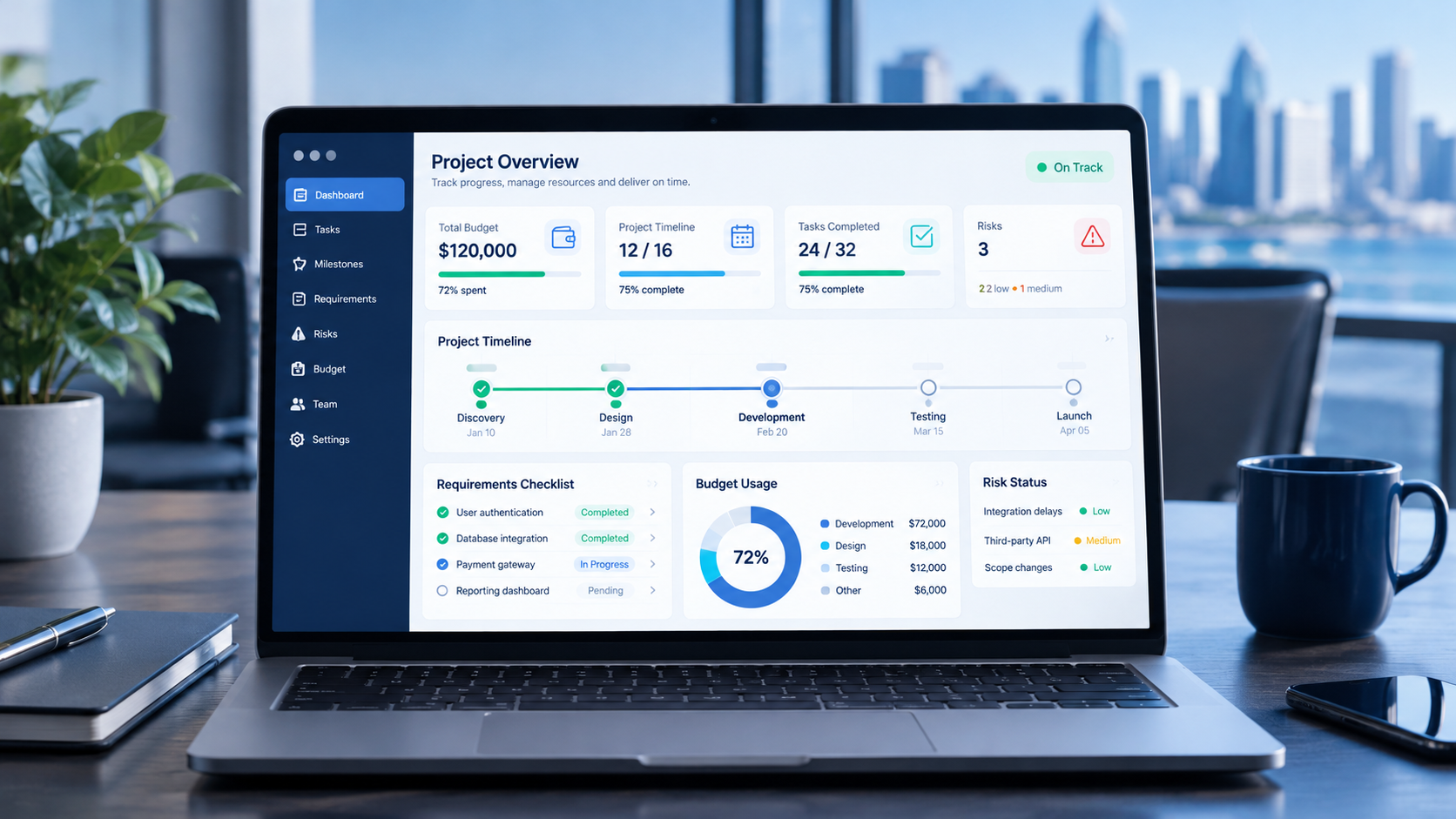
A structured software project plan helps businesses manage requirements, budgets, timelines, risks, testing, and delivery.
A successful software development project starts long before the first line of code is written. Businesses need to define what they want to achieve, understand their requirements, estimate resources, manage risks, and agree on how success will be measured.
Without a clear plan, even a technically capable development team can encounter delays, changing requirements, budget pressure, integration problems, and software that does not meet users' expectations.
For businesses investing in digital solutions, effective project planning creates a shared understanding between business owners, stakeholders, designers, developers, and testing teams. It establishes what will be built, why it matters, how the work will be organized, and what must happen before launch.
Whether you are developing a customer relationship management (CRM) system, enterprise resource planning (ERP) platform, mobile application, e-commerce website, or internal business management system, a structured planning process can help you make better decisions.
This guide provides a practical software project planning checklist covering requirements, scope, budgeting, timelines, team responsibilities, technical decisions, security, testing, deployment, and ongoing maintenance.
Businesses considering a tailored solution can also explore custom software development services to understand how software can be designed around specific operational requirements.
What Is Software Project Planning?
Software project planning is the process of defining a software project's objectives, requirements, scope, resources, schedule, budget, risks, and delivery expectations before and during development.
Its purpose is to establish a practical roadmap that guides the project from initial discovery through development, testing, deployment, and maintenance.
A software project plan typically includes:
Business objectives and expected outcomes.
Functional and non-functional requirements.
Project scope and feature priorities.
Estimated budget and resource requirements.
Development milestones and delivery schedule.
Team responsibilities and communication procedures.
Technology and architecture considerations.
Security, privacy, and data management requirements.
Testing and acceptance criteria.
Deployment, training, and maintenance plans.
The level of detail depends on the project's size and complexity. A small internal application may require a relatively simple plan, while an enterprise platform involving multiple departments, external integrations, sensitive information, and mobile applications needs more detailed preparation.
The goal is not to create unnecessary paperwork. It is to make important decisions early enough to reduce confusion during implementation.
Why Is Planning Important for Software Development?
Software development involves interconnected decisions. Changing one requirement can affect design, architecture, development effort, testing, integrations, and deployment.
Planning helps businesses understand these dependencies before they become expensive problems.
1. It Clarifies Business Objectives
A business may request a new application because employees are spending too much time on manual work. However, the real objective might be to reduce duplicate data entry, improve reporting, or accelerate customer response times.
Defining the objective helps the development team prioritize features that address the actual problem.
2. It Establishes Realistic Expectations
A project plan explains what the team intends to deliver, when milestones are expected, and which dependencies could affect progress.
This makes discussions about deadlines and costs more practical.
3. It Reduces Scope Changes
Unplanned features can increase complexity and delay delivery. Defining the initial scope and establishing a change-request process helps stakeholders evaluate new ideas before adding them to the project.
4. It Improves Communication
A shared plan gives business owners, developers, designers, and testers a common reference point.
Everyone can understand the current priorities, upcoming milestones, responsibilities, and outstanding decisions.
5. It Helps Identify Risks Early
Potential problems such as unreliable data, difficult integrations, unclear ownership, or security gaps can be identified during planning rather than discovered just before launch.
The Software Project Planning Checklist
The following checklist provides a practical starting point for businesses preparing a new software initiative.
Planning area | Questions to answer | Expected output |
|---|---|---|
Business objectives | What problem are we solving? | Project objectives |
Stakeholders | Who approves decisions? | Stakeholder list |
Requirements | What must the software do? | Requirements document |
Scope | What is included in the first release? | Scope statement |
Budget | What resources and services are needed? | Cost estimate |
Timeline | What are the milestones and dependencies? | Project schedule |
Technology | What architecture fits the requirements? | Technical plan |
Security | How will information be protected? | Security requirements |
Testing | How will the product be evaluated? | Test and acceptance plan |
Deployment | How will the system go live? | Launch plan |
Maintenance | Who handles issues after launch? | Support plan |
This checklist should be adapted to the actual project rather than treated as a fixed template for every software product.
Step 1: Define the Business Problem and Project Goals
Before deciding which features to build, document the business problem.
Ask what is currently difficult, expensive, unreliable, or time-consuming. Identify the people affected by the problem and the consequences of leaving it unresolved.
For example, a company may have customer information spread across spreadsheets, email conversations, and separate sales tools. Sales representatives might miss follow-ups because there is no centralized record of customer interactions.
The objective is not simply to build a CRM. It is to centralize customer information, improve follow-up consistency, and give managers better visibility into the sales pipeline.
Create measurable objectives
Whenever possible, define outcomes that can be measured.
Examples include:
Reduce duplicate data entry.
Improve visibility into sales opportunities.
Reduce the time required to prepare management reports.
Make customer information accessible to authorized employees.
Automate repetitive approval workflows.
Improve the reliability of order processing.
Avoid promising a specific improvement before collecting the information needed to support it. Establish a baseline first, then agree on a realistic target.
Checklist
Identify the main business problem.
Explain why existing tools are insufficient.
Identify the users affected.
Define the expected business outcome.
Establish baseline measurements where possible.
Agree on how success will be evaluated.
Step 2: Identify Stakeholders and Decision-Makers
Software projects often involve people with different priorities.
Business owners may focus on return on investment, employees may want simpler workflows, finance teams may need accurate reporting, and IT teams may prioritize integration and security.
Identify these stakeholders before requirements are finalized.
Assign responsibilities
A simple responsibility structure might look like this:
Role | Primary responsibility |
|---|---|
Business sponsor | Approves objectives, budget, and major decisions |
Product owner | Prioritizes requirements and features |
Project manager | Coordinates schedule, communication, and risks |
Business analyst | Documents workflows and requirements |
Designers | Plan the user interface and experience |
Developers | Build and integrate the software |
QA testers | Verify functionality and quality |
IT or security team | Review infrastructure and security needs |
End users | Provide workflow feedback and acceptance input |
One person may perform multiple roles in a small project. The important point is that responsibilities remain clear.
Establish an approval process
Decide who can approve:
Requirements.
Design changes.
New features.
Budget changes.
Milestone completion.
Production deployment.
Without clear approval responsibilities, projects can stall while teams wait for decisions or receive conflicting instructions.
Step 3: Gather and Document Software Requirements
Requirements describe what the system must do and how it should behave.
A requirements document provides a reference for estimating effort, planning development, designing the architecture, and testing the finished product.
Functional requirements
These define the software's capabilities.
For a business management platform, they might include:
Create and manage customer records.
Assign tasks to employees.
Approve requests.
Generate reports.
Send notifications.
Track orders.
Manage user permissions.
Integrate with an accounting system.
Non-functional requirements
These describe the quality and operational characteristics of the system.
They may include:
Performance and response time.
Security and access control.
Availability and reliability.
Accessibility and usability.
Scalability.
Backup and recovery.
Maintainability.
Compatibility with required devices and browsers.
Requirements should be specific enough to test. For example, instead of saying that a dashboard must be fast, identify the important operations and establish appropriate performance targets.
Document user workflows
Map how people complete tasks today and how the proposed software should support them.
A sales workflow might be:
Lead Created → Lead Assigned → Follow-up Scheduled → Proposal Sent → Deal Won or Lost
A purchasing workflow might be:
Purchase Request → Manager Approval → Purchase Order → Goods Received → Invoice Reconciliation
These workflows help the development team understand the business logic behind each feature.
Checklist
Document functional requirements.
Define non-functional requirements.
Identify user roles and permissions.
Map important business workflows.
Record reporting requirements.
Identify integration needs.
Establish acceptance criteria.
Obtain stakeholder approval.
Step 4: Define the Project Scope
Project scope determines what the team is expected to deliver.
A clear scope statement should identify the features, systems, integrations, deliverables, assumptions, exclusions, and constraints included in the project.
Separate essential features from future improvements
Not every useful idea belongs in the first release.
Consider a company planning a customer management platform.
Priority | Example features |
|---|---|
Essential | Customer profiles, lead tracking, sales pipeline |
Important | Follow-up reminders, basic reporting |
Later phase | Advanced analytics, marketing automation |
Optional expansion | AI-assisted forecasting, additional applications |
This prioritization helps the business launch a useful initial product without taking on every possible requirement at once.
Define what is outside the scope
Scope exclusions are equally important.
For example, an initial CRM project might exclude payroll processing, inventory management, and a customer-facing mobile application.
These capabilities can be considered later if the business needs them.
Manage scope changes
New requirements will often emerge during development. The solution is not to reject every change but to evaluate each change systematically.
A change request should explain:
What needs to change.
Why the change is necessary.
How it affects the timeline.
How it affects the budget.
Whether it introduces new risks or dependencies.
Who must approve it.
This creates a transparent process for balancing new ideas against existing commitments.
Step 5: Prepare a Realistic Software Development Budget
The development budget should account for more than programming.
Depending on the project, costs may include discovery, design, development, testing, integrations, hosting, third-party licenses, migration, training, maintenance, and support.
Identify the main cost categories
Cost category | What it may include |
|---|---|
Discovery and analysis | Workshops, workflows, requirements |
Design | Wireframes, user experience, visual design |
Development | Frontend, backend, databases, APIs |
Integration | External services and existing business systems |
Quality assurance | Functional, security, and performance testing |
Infrastructure | Hosting, storage, monitoring, backups |
Migration | Data cleanup, conversion, and validation |
Deployment | Production setup and release preparation |
Training | User guides and employee onboarding |
Maintenance | Updates, fixes, monitoring, and improvements |
Not every project needs every category, and the cost of each varies with scope.
Estimate effort before finalizing the budget
Ask the development team to explain the assumptions behind its estimate.
A useful estimate should distinguish known requirements from uncertain items, identify dependencies, and explain which services or third-party costs are excluded.
If important requirements remain unclear, an initial discovery phase may provide a more reliable basis for estimating the full project.
Plan for uncertainty
Avoid allocating the entire budget to the initially estimated development work. Set aside an appropriate contingency based on the project's complexity and uncertainty.
For example, projects involving unfamiliar integrations, poorly documented legacy systems, or extensive data migration may require more contingency than a well-defined internal application.
For businesses comparing development investment in Qatar, the guide to custom software development cost in Qatar offers additional cost-related considerations.
Step 6: Build a Practical Project Timeline
A timeline should reflect the actual work involved rather than an arbitrary launch date.
Start by dividing the project into phases, identifying the work required in each phase, and understanding which tasks depend on others.
A typical sequence might be:
Discovery and requirements.
Scope approval and planning.
UI/UX design.
Technical architecture.
Development.
Integration and testing.
User acceptance testing.
Deployment and training.
Post-launch monitoring.
Some activities can overlap, while others must be completed first. For example, testing can happen throughout development, but final production deployment depends on the release meeting the agreed acceptance criteria.
Create milestones
Useful milestones may include:
Requirements approved.
Design approved.
Core functionality completed.
Major integrations verified.
User acceptance testing completed.
Production release approved.
Each milestone should have a clear definition of completion.
Account for stakeholder availability
Project schedules often depend on more than development effort.
Delays can occur when business users are unavailable for workshops, approvals take longer than expected, external providers delay access, or data is not ready for migration.
Include these dependencies in the schedule.
Avoid false precision
A timeline is a planning tool, not a guarantee. Estimates should be updated as the team learns more about the requirements and technical challenges.
A useful schedule communicates the expected delivery window, major assumptions, risks, and conditions that could affect the date.
Step 7: Choose the Right Development Methodology
The development methodology determines how the team organizes work, receives feedback, manages changes, and delivers software.
Agile development
Agile approaches divide work into smaller increments and encourage regular feedback.
They can be useful when requirements are expected to evolve or when stakeholders want to review working software throughout development.
Waterfall-style planning
A sequential approach emphasizes defined phases, documentation, and approvals before progressing to subsequent stages.
It can be appropriate when requirements are stable, deliverables are well understood, or formal approval processes are important.
Hybrid approaches
Some projects combine detailed upfront planning with iterative design, development, and testing.
For example, a business might approve its scope, budget, security requirements, and architecture before using short development cycles to deliver features.
The right approach depends on the project, stakeholders, uncertainty, and governance requirements. The methodology should support effective delivery rather than create unnecessary administrative work.
Step 8: Plan Technology, Architecture, and Integrations
Technology decisions should be based on the requirements, not popularity alone.
The development team should evaluate the application's purpose, expected usage, security needs, integration requirements, operational constraints, and future growth.
Plan the architecture
Depending on the system, the technical plan may cover:
Frontend application.
Backend services.
Database structure.
Authentication and authorization.
API design.
Hosting and infrastructure.
File storage.
Logging and monitoring.
Backup and recovery.
Deployment and release procedures.
Identify integrations early
A business application may need to communicate with payment gateways, accounting software, email services, CRM platforms, ERP systems, or external APIs.
For each integration, document:
The information exchanged.
Which system owns the information.
How authentication works.
How errors are handled.
Whether data is synchronized instantly or periodically.
What happens when an external service is unavailable.
Any licensing or provider dependencies.
Integration requirements can significantly affect development effort. Identifying them early helps prevent surprises later.
Businesses considering infrastructure, deployment automation, or cloud hosting can explore cloud and DevOps solutions.
Step 9: Include Security and Data Protection in the Plan
Security should be addressed during discovery and architecture rather than postponed until the software is nearly complete.
The level of protection required depends on the information handled, the users involved, the operating environment, and applicable legal obligations.
Establish security requirements
Depending on the project, planning may include:
Secure authentication.
Role-based access controls.
Least-privilege permissions.
Encryption in transit and at rest where appropriate.
Secure API communication.
Audit logs.
Secrets and credential management.
Backup and recovery procedures.
Vulnerability assessment.
Incident response procedures.
Data retention and deletion rules.
Consider privacy and data handling
Identify what information the software collects, why it is needed, where it is stored, who can access it, and how long it should be retained.
For projects operating in Qatar, assess applicable local data protection requirements and any industry-specific obligations with appropriate legal or compliance expertise.
Avoid assuming that a particular hosting location or technology automatically guarantees compliance.
Plan for recovery
Backups are only useful if recovery works.
Define recovery expectations, assign responsibilities, and determine how backup restoration will be tested.
Security requirements should be translated into verifiable tasks rather than remaining general statements in the project documentation.
Step 10: Plan Quality Assurance and Testing
Testing should be included in the schedule and budget from the beginning.
It is not simply a final check after development is complete.
Types of testing
Testing type | Purpose |
|---|---|
Functional testing | Verify features behave as expected |
Integration testing | Check communication between systems |
Security testing | Identify security weaknesses |
Performance testing | Evaluate response and behavior under load |
Compatibility testing | Check supported browsers and devices |
Regression testing | Verify existing functionality after changes |
User acceptance testing | Confirm the solution meets business needs |
The relevant test types depend on the system.
For example, a payment platform may need detailed transaction and failure testing, while an internal reporting tool may prioritize data accuracy, permissions, and report generation.

Define acceptance criteria
Every important feature should have clear conditions for acceptance.
For a customer registration feature, acceptance criteria might include:
Valid information creates a customer record.
Required fields are validated.
Duplicate records are handled according to the agreed rules.
Unauthorized users cannot access restricted information.
Appropriate confirmation or error messages are displayed.
These criteria help stakeholders evaluate completed work objectively.
Step 11: Plan Data Migration and Business Continuity
If the new software replaces an existing system, data migration can become a major project dependency.
Existing information may be stored in spreadsheets, databases, legacy applications, or several disconnected tools.
Assess data quality
Before migration, identify:
Duplicate records.
Missing information.
Inconsistent formats.
Invalid values.
Outdated records.
Relationships between records.
Information that should not be migrated.
Agree on how each issue will be handled.
Prepare a migration plan
A controlled migration process can include:
Inventory existing data sources.
Map old fields to the new database.
Clean and validate the data.
Test the migration using a sample.
Reconcile record counts and important values.
Perform the production migration.
Verify the results.
Retain an appropriate recovery option.
For critical systems, the team should also decide how business operations will continue if migration or deployment fails.
The plan may include backups, rollback criteria, a maintenance window, and named decision-makers.
Step 12: Define Communication and Reporting Procedures
A project can lose momentum when stakeholders do not know what is happening or who needs to make the next decision.
Establish a communication process before development begins.
Decide how progress will be reported
A regular project update might include:
Work completed.
Work currently in progress.
Upcoming milestones.
Decisions required.
Current risks.
Budget and schedule status.
Changes requiring approval.
Maintain a decision log
Record important decisions, including their rationale, approval date, and impact on the project.
This helps prevent teams from revisiting settled questions or relying on informal conversations.
Agree on escalation procedures
If a significant risk threatens the deadline, budget, or security of the project, the team should know whom to notify and how quickly a decision is needed.
Good communication does not require constant meetings. It requires timely information, clear ownership, and reliable follow-through.
Step 13: Identify and Manage Project Risks
Every software project contains uncertainty. Effective planning identifies the most important risks and establishes practical responses.
Common software project risks
Risk | Potential impact | Planning response |
|---|---|---|
Unclear requirements | Rework and delays | Discovery and documented acceptance criteria |
Scope expansion | Budget and schedule pressure | Formal change control |
Integration problems | Delayed functionality | Early technical assessment |
Poor data quality | Incorrect or incomplete records | Data audit and migration testing |
Stakeholder delays | Blocked decisions | Named approvers and response expectations |
Security gaps | Exposure of sensitive information | Security requirements and testing |
Resource shortages | Reduced delivery capacity | Resource planning and contingency |
Low user adoption | Limited business value | User involvement and training |
Unreliable recovery | Extended disruption | Tested backup and recovery procedures |
Prioritize risks
Not every risk needs the same level of attention.
Evaluate each risk based on its likelihood, potential impact, and the difficulty of recovering from it.
Assign an owner to important risks and review them regularly.
A risk register is useful only when it leads to action. Each major risk should have a clear mitigation plan or an agreed response if the problem occurs.
Step 14: Prepare for Deployment and User Adoption
Deployment planning should begin before the final development stage.
The team needs to understand how the system will move into production, how users will access it, and what support will be available during launch.
Create a launch checklist
Depending on the project, this can include:
Production environment prepared.
Required security checks completed.
Data migration verified.
Critical tests passed.
Monitoring configured.
Backup and recovery procedures checked.
User accounts and permissions reviewed.
Documentation prepared.
Training delivered.
Support responsibilities assigned.
Rollback criteria agreed.
Choose an appropriate rollout strategy
A project may launch to all users at once or introduce the software gradually.
A phased rollout can help organizations gather feedback and resolve issues before expanding access, although it requires planning for users or departments operating different workflows during the transition.
The launch approach should reflect business risk, system complexity, and operational requirements.
Step 15: Plan Maintenance Before the Project Launches
Software requires ongoing attention after deployment.
The planning process should identify who will monitor the system, resolve defects, apply updates, manage infrastructure, and respond to support requests.
Maintenance may include:
Bug fixes.
Security updates.
Dependency updates.
Performance optimization.
Database maintenance.
Backup monitoring.
Infrastructure management.
API compatibility changes.
User support.
New feature development.
Businesses should also clarify ownership of the source code, documentation, hosting accounts, domains, credentials, and third-party services.
These details should be agreed upon in the development contract rather than left until the project ends.
Example: Planning a Business Management Application
Consider a growing company that manages sales, customer information, employee tasks, and management reporting through separate tools.
Management wants a unified business application.
A structured plan could look like this:
Phase 1: Discovery
Document current workflows, employee responsibilities, reporting needs, and existing systems.
Deliverable: Business requirements and objectives.
Phase 2: Scope and Priorities
Define the first release around customer records, task management, and essential reporting.
Deliverable: Approved scope and prioritized backlog.
Phase 3: Design and Architecture
Create screen designs, define user permissions, plan the database, and identify required integrations.
Deliverable: Approved designs and technical plan.
Phase 4: Development
Build the core modules in manageable increments and demonstrate working functionality to stakeholders.
Deliverable: Testable application features.
Phase 5: Testing and Acceptance
Verify workflows, permissions, integrations, data accuracy, and usability.
Deliverable: Tested release meeting agreed acceptance criteria.
Phase 6: Deployment and Training
Prepare production infrastructure, migrate approved data, train employees, and launch the application.
Deliverable: Operational business application.
Phase 7: Monitoring and Improvement
Collect feedback, monitor performance, resolve issues, and prioritize future enhancements.
Deliverable: Ongoing maintenance and improvement roadmap.
The duration and cost of each phase would depend on the actual requirements, team capacity, integrations, and technical complexity.
The example illustrates how planning turns a broad business request into a sequence of manageable decisions and deliverables.
How to Measure Software Project Success
Completing development is not the only measure of success.
A project should be evaluated against the business objectives established at the beginning.
Useful measures can include:
Delivery Performance
Were agreed milestones completed?
Were changes documented and approved?
Were budget assumptions managed transparently?
Software Quality
Were acceptance criteria satisfied?
Were critical defects resolved?
Were required security checks completed?
Is the system reliable under expected conditions?
User Adoption
Are employees using the software?
Can users complete essential workflows?
Are training and support sufficient?
Business Outcomes
Has manual work decreased?
Is information easier to access?
Have reporting workflows improved?
Are business processes more consistent?
Long-Term Sustainability
Can the system be maintained?
Are backups and recovery procedures working?
Is technical documentation available?
Can future requirements be introduced without unnecessary disruption?
Choose measures relevant to the project rather than collecting metrics simply because they are available.
How to Prepare for a Software Development Consultation
Before approaching a development partner, prepare a short project brief.
Include the following information:
Business overview: Describe the organization, industry, and operational context.
Problem statement: Explain what is not working well today.
Target users: Identify employees, customers, administrators, and other user groups.
Required features: List the essential functions and separate them from future ideas.
Existing systems: Identify software, databases, spreadsheets, and third-party services that may need integration.
Data requirements: Explain what information the application must store, process, or migrate.
Budget expectations: Provide a realistic budget range if one is available.
Timeline expectations: Explain any important deadlines and the reasons behind them.
Security requirements: Identify sensitive information, access restrictions, and relevant compliance considerations.
Success criteria: Describe what the completed software should enable the business to achieve.
This brief does not need to be a complete technical specification. Its purpose is to make the initial discussion more focused and productive.
Businesses can review Galaxium Coding's projects and portfolio for examples of the company's presented technology work and use those examples as a starting point for discussing their own requirements.
Final Thoughts
Software project planning is about making important decisions before uncertainty becomes expensive.
Businesses need to understand the problem, document requirements, define the initial scope, establish a realistic budget, plan milestones, evaluate technology, address security, and determine how quality will be measured.
They also need clear decision-making responsibilities, effective communication, risk management, and a practical approach to deployment and maintenance.
A useful plan does not eliminate every challenge. It gives the team a way to identify problems, evaluate changes, and make informed decisions throughout development.
For businesses in Qatar planning a new digital platform, the most productive starting point is a clear description of the business problem, the users who need the solution, and the outcomes the project should deliver.
Galaxium Coding helps businesses explore technology solutions tailored to their requirements. To discuss a potential project, contact Galaxium Coding and outline the business challenge you want to solve.
Frequently Asked Questions
1. What should be included in a software project plan?
A software project plan should cover objectives, stakeholders, requirements, scope, feature priorities, budget, schedule, responsibilities, technology, integrations, security, testing, risks, deployment, and maintenance.
The level of detail should match the complexity and risk of the project.
2. What is the first step in planning a software development project?
The first step is to understand the business problem and define the desired outcome. This establishes why the software is needed and provides a basis for requirements, priorities, and success criteria.
3. How do you estimate a software development budget?
Start by documenting the requirements and dividing the project into work packages. Estimate discovery, design, development, integrations, testing, infrastructure, migration, deployment, and support as applicable.
The estimate should state its assumptions, exclusions, uncertainties, and contingency.
4. How do you create a realistic software development timeline?
Break the project into phases and milestones, estimate the work involved, identify dependencies, and account for stakeholder approvals, external services, testing, and deployment. Review the schedule as requirements and technical understanding develop.
5. What causes software projects to go over budget?
Common causes include unclear requirements, uncontrolled scope changes, unexpected integration complexity, data migration problems, late stakeholder feedback, inadequate testing, and unplanned infrastructure or maintenance needs.
Better discovery, clear change control, and regular reviews can help manage these risks.
6. Should a business build all software features before launching?
Not necessarily. A minimum viable product can focus on the essential features needed to solve the primary business problem. Additional functionality can be prioritized based on user feedback, business value, and available resources.
The first release must still meet appropriate security, reliability, and quality requirements.
7. Why are acceptance criteria important?
Acceptance criteria define the conditions a feature or deliverable must satisfy before it is approved. They make requirements testable and help stakeholders evaluate whether the software meets the agreed expectations.
8. How should security be incorporated into project planning?
Identify sensitive data, user roles, access requirements, integration risks, backup needs, and applicable obligations during discovery. Translate these into design decisions, implementation tasks, and security tests.
9. What happens after software development is completed?
The project typically moves through final testing, acceptance, deployment, and user training. After launch, monitoring, bug fixes, security updates, support, and future improvements help keep the software useful and reliable.
10. How can businesses choose the right software development company?
Evaluate the provider's understanding of your business, requirements process, technical approach, security practices, testing strategy, communication, relevant portfolio, ownership terms, and post-launch support.
A useful provider should be able to explain not only how it will build the software but also how it will help the business achieve its objectives.