Small Business Inventory Software in 2026: A Complete Guide
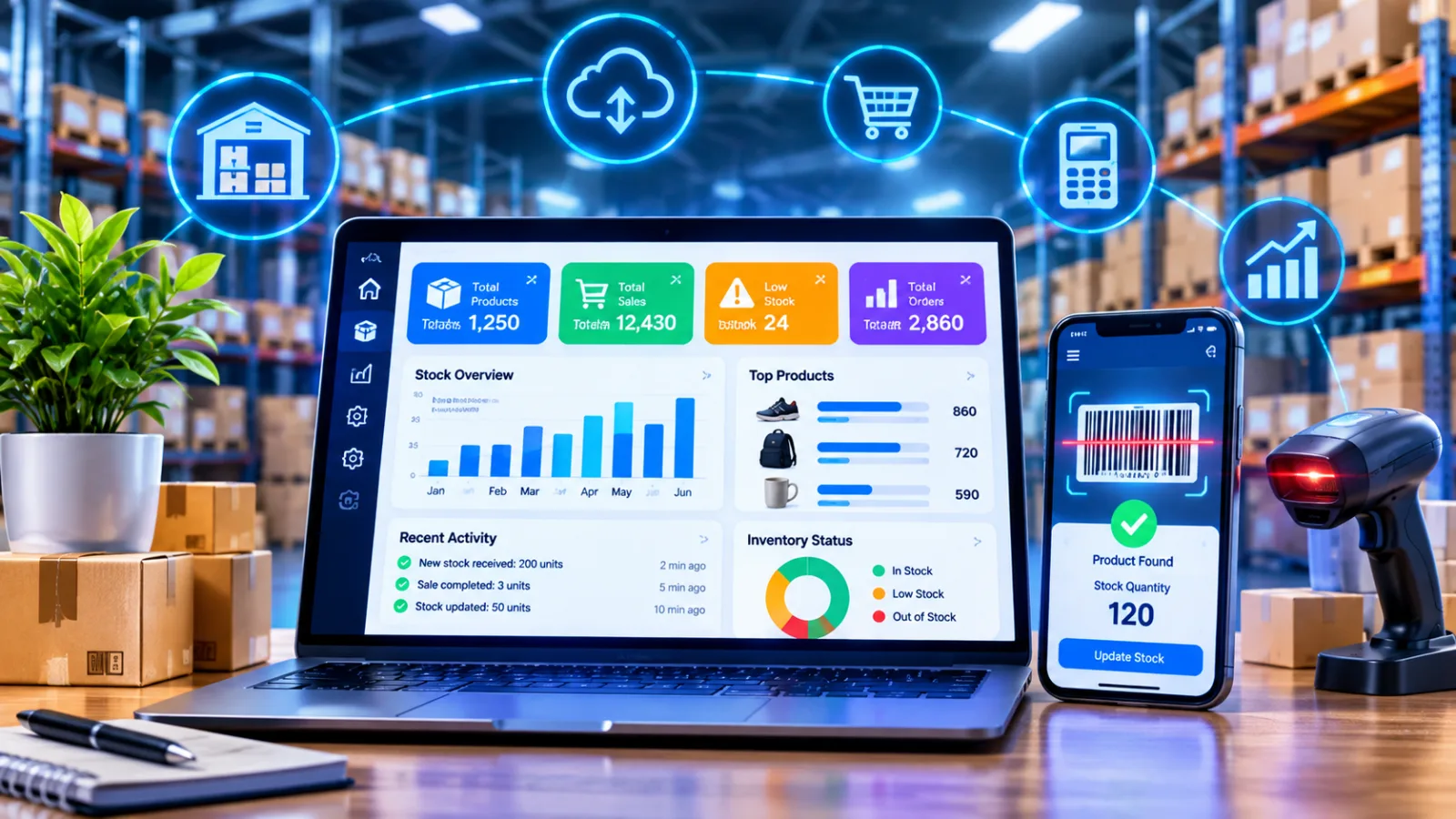
Explore how small business inventory software helps manage stock, automate inventory tracking, improve purchasing decisions, and streamline daily operations in 2026.
Small Business Inventory Software in 2026: A Complete Guide
Managing inventory is one of the most important responsibilities for a small business. Whether you operate a retail shop, online store, wholesale business, pharmacy, distribution company, or manufacturing operation, maintaining accurate stock records directly affects sales, customer satisfaction, and profitability.
Many small businesses initially rely on spreadsheets, notebooks, or manual stock registers. These methods may work when the business has only a few products and transactions. However, as the number of customers, orders, suppliers, and products increases, manual inventory tracking becomes increasingly difficult.
Small business inventory software provides a more organized way to monitor stock levels, record sales, manage purchases, track suppliers, and identify inventory shortages. Depending on the system, it can also connect inventory with accounting, point-of-sale (POS) systems, e-commerce platforms, and other business applications.
In 2026, inventory management is no longer limited to large enterprises. Small businesses can also access cloud-based software, mobile inventory applications, barcode scanning, automated stock alerts, and reporting tools without necessarily investing in a complex enterprise system.
This guide explains what small business inventory software is, how it works, which features matter most, how much it may cost, and how to choose a solution that supports your business operations and future growth.
What Is Small Business Inventory Software?
Small business inventory software is a digital application that helps businesses track, organize, and manage the products and materials they purchase, store, and sell.
It maintains inventory records and helps business owners understand how much stock is available, where products are located, and when additional inventory may be required.
Depending on the software, it can manage:
Product names, descriptions, and SKU numbers
Available stock quantities
Purchase orders and supplier information
Goods received and goods issued
Sales and returns
Stock transfers between locations
Reorder points and low-stock notifications
Product costs and inventory valuation
Inventory reports and sales trends
Barcode scanning and product identification
For example, imagine a small clothing retailer selling shirts, trousers, dresses, and accessories.
When a customer purchases three shirts, inventory software can automatically update the available quantity. If the remaining stock reaches a predefined threshold, the system can notify the owner that additional products may need to be ordered.
This helps businesses maintain better visibility without repeatedly checking shelves or updating spreadsheets manually.
Why Do Small Businesses Need Inventory Management Software?
Inventory management becomes more challenging as businesses expand.
A business owner may initially remember product quantities or maintain a simple notebook. However, once daily transactions increase, manually tracking every purchase, sale, return, and stock adjustment can become time-consuming.
Inventory software helps address several common operational challenges.
1. Reduce Manual Inventory Errors
Manual records can contain incorrect quantities, duplicate entries, missing transactions, and outdated information.
A digital inventory system records stock movements through structured workflows. When properly configured and consistently used, it can reduce errors associated with manual data entry.
For example, recording every sale and purchase in one system helps prevent situations where employees rely on different spreadsheets containing conflicting quantities.
2. Prevent Stockouts
A stockout occurs when a business cannot supply a product because it is unavailable.
Stockouts can lead to lost sales, dissatisfied customers, and missed business opportunities.
Inventory software can help businesses monitor product availability and receive alerts when stock approaches a predefined minimum level.
This allows purchasing teams to plan replenishment before products run out.
3. Avoid Overstocking
Purchasing excessive inventory can tie up working capital and increase storage expenses.
Some products may remain unsold for months, expire, become outdated, or lose value.
Inventory reports help businesses identify slow-moving products and make more informed purchasing decisions.
4. Save Time on Daily Operations
Employees may spend considerable time counting products, checking spreadsheets, updating sales records, and preparing reports.
Automating routine inventory activities can reduce repetitive administrative work and allow employees to focus on customer service, sales, and business development.
5. Improve Customer Satisfaction
Customers expect accurate product availability and reliable delivery information.
When sales teams have access to updated inventory records, they can provide more accurate information about whether an item is available, reserved, or awaiting replenishment.
6. Support Business Growth
As a business expands, inventory management may involve additional products, suppliers, warehouses, branches, and sales channels.
Software that supports these requirements can help businesses expand without completely changing their operational processes.
How Does Inventory Software Work?
Inventory software generally works by recording and updating stock movements throughout the purchasing, storage, and sales process.
A simplified workflow looks like this:
<CodeBlock language="mermaid" editable>
flowchart TD
A["Purchase Order Created"] --> B["Goods Received"]
B --> C["Inventory Quantity Updated"]
C --> D["Product Available for Sale"]
D --> E["Customer Places Order"]
E --> F["Stock Reserved or Reduced"]
F --> G["Sales and Inventory Records Updated"]
G --> H{"Stock Below Reorder Level?"}
H -->|Yes| I["Low-Stock Alert"]
H -->|No| J["Continue Operations"]
I --> K["Replenishment Purchase"]
K --> B
</CodeBlock>
The exact workflow depends on the business and the software configuration.
For example, a retailer may update inventory when a sale is completed through its POS system. A wholesaler may update inventory when products are dispatched against a sales order. A manufacturer may track raw materials, work in progress, and finished products separately.
The main objective is to maintain a consistent and reliable record of inventory movements.
Types of Inventory Software for Small Businesses
Different inventory management systems serve different business requirements. Understanding the available options can help you select a suitable solution.
1. Basic Inventory Tracking Software
Basic inventory applications focus on recording products, stock quantities, purchases, and sales.
They are suitable for businesses that need straightforward inventory tracking without complex operational workflows.
Common features include:
Product catalogues
Stock entries and adjustments
Basic sales records
Supplier information
Low-stock notifications
Simple inventory reports
Best for: Small shops, startups, home-based businesses, and businesses managing a limited number of products.
2. Cloud-Based Inventory Software
Cloud-based inventory systems store business information on hosted infrastructure and allow authorized users to access the system through supported devices and internet connections.
Depending on the provider, they may offer automatic updates, centralized data, remote access, and integration with other applications.
Best for: Businesses with multiple employees, remote teams, multiple sales channels, or owners who need access to inventory information outside the physical store.
3. Barcode Inventory Software
Barcode inventory software uses machine-readable codes to identify products and record inventory transactions.
Employees can scan a product instead of manually entering its SKU or description.
This can help speed up receiving, picking, packing, stock counting, and sales workflows.
Best for: Retailers, wholesalers, warehouses, pharmacies, and businesses managing many similar products.
Learn more about barcode inventory management and how it works.
4. POS-Integrated Inventory Software
A point-of-sale system records customer transactions. When inventory is integrated with POS, completed sales can automatically update stock records.
This reduces the need to enter the same transaction separately into multiple applications.
Best for: Retail stores, supermarkets, restaurants selling packaged products, and businesses with physical and online sales.
5. E-Commerce Inventory Software
E-commerce inventory systems connect product availability with online stores and supported sales channels.
Depending on the integrations, inventory may be synchronized across websites, marketplaces, and physical stores.
Best for: Online retailers, direct-to-consumer brands, and businesses selling through multiple channels.
6. Inventory and Accounting Software
These systems connect stock management with financial records.
Depending on the software, businesses can manage product costs, purchase transactions, invoices, and inventory-related financial reporting.
Best for: Small and growing businesses that want to reduce manual reconciliation between inventory and accounting.
7. Inventory Modules Within ERP Software
Enterprise resource planning (ERP) systems combine inventory with other business functions such as sales, finance, purchasing, customer management, and reporting.
An ERP inventory module can be useful when stock management needs to coordinate with several departments.
Best for: Growing businesses with increasingly interconnected operational requirements.
Businesses exploring broader operational integration can also read ERP software in Qatar: how to choose the right solution.
Essential Features of Small Business Inventory Software
Not every inventory application offers the same functionality. The best choice is a system that addresses your current operational challenges without introducing unnecessary complexity.
1. Real-Time Inventory Tracking
Real-time or near-real-time inventory tracking helps businesses understand available stock as transactions are recorded.
Look for the ability to:
View current stock quantities
Track stock received and sold
Record damaged or missing products
Manage stock adjustments
Identify reserved and available inventory
Review product movements
The reliability of real-time information depends on accurate transaction recording, system synchronization, and integration quality.
2. Product Catalogue and SKU Management
A product catalogue stores essential information about every inventory item.
Useful fields include:
Field | Purpose |
|---|---|
Product name | Identifies the item |
SKU | Unique internal product identifier |
Barcode | Scannable product identification |
Category | Organizes similar products |
Cost price | Records purchasing cost |
Selling price | Defines the sales price |
Supplier | Identifies the source |
Quantity | Shows stock availability |
Reorder level | Defines replenishment threshold |
Businesses selling products with different sizes, colors, or variations should confirm that the system supports product variants.
3. Low-Stock Alerts and Reordering
Low-stock notifications help business owners identify products that require replenishment.
A reorder point can be configured according to factors such as sales frequency, supplier lead time, and expected demand.
For example:
Product | Current Stock | Reorder Level | Status |
|---|---|---|---|
Product A | 5 | 10 | Reorder |
Product B | 28 | 8 | Available |
Product C | 3 | 15 | Urgent |
Automated purchase orders may also be available in more advanced systems.
However, businesses should review purchasing recommendations before placing orders because demand, supplier availability, and purchasing conditions can change.
4. Purchase Order Management
Purchase order management helps businesses organize purchasing activities.
Depending on the system, users may be able to:
Create purchase orders
Select suppliers
Record product quantities
Track expected delivery dates
Monitor order status
Record goods received
Compare ordered and received quantities
This is particularly useful for businesses that regularly purchase stock from multiple suppliers.
5. Sales and Returns Management
Inventory software should support the sales workflows relevant to your business.
A system may record completed sales, customer returns, exchanges, and stock adjustments.
It is important to understand how the software handles returned products. For example, a damaged returned product should not automatically become available for resale.
6. Barcode Scanning
Barcode scanning can make inventory operations more efficient.
Employees may use supported scanners or mobile devices to scan products during:
Stock receiving
Inventory counting
Product picking
Order packing
Sales processing
Stock transfers
For small businesses, confirm whether the system supports existing barcode labels and affordable scanning hardware.
7. Inventory Reporting and Analytics
Reports help business owners understand how inventory affects operational performance.
Useful reports may include:
Current stock valuation
Inventory movement history
Sales by product
Slow-moving products
Fast-selling products
Stockout history
Purchase history
Inventory turnover
Gross margin
Stock adjustment records
These insights can support better purchasing and sales planning.
8. Mobile Access
Mobile inventory access allows employees and managers to view stock information while working outside a desktop environment.
Depending on the application, mobile users may be able to scan barcodes, receive stock, check availability, and record inventory movements.
Confirm whether mobile functionality is included in the subscription or requires an additional application or license.
9. Multi-Location Inventory Management
Businesses operating more than one store or warehouse need accurate location-specific stock records.
Useful capabilities include:
Separate inventory by location
Stock transfer workflows
Location-specific permissions
Centralized reporting
Replenishment between branches
Inventory reconciliation
Even if your business currently operates from one location, consider whether additional locations are likely in the future.
10. Integration With Other Business Applications
Inventory software becomes more useful when it communicates with systems already used by your business.
Potential integrations include:
Accounting software
POS systems
E-commerce websites
Payment platforms
CRM software
Shipping and delivery applications
ERP systems
Supplier platforms
For example, an online order can trigger an inventory update, create a fulfillment record, and send transaction details to accounting.
Businesses requiring connected digital workflows can explore custom software development services to understand how tailored integrations may support their operations.
Benefits of Inventory Software for Different Small Businesses
Inventory requirements vary considerably between industries. A system designed for a clothing retailer may not be suitable for a pharmacy or a manufacturing business without additional functionality.
Retail Stores
Retailers need to monitor stock while processing customer transactions.
Inventory software can help with:
Product variants and sizes
POS integration
Sales tracking
Returns and exchanges
Barcode scanning
Reorder alerts
Sales performance reports
E-Commerce Businesses
Online retailers need reliable stock information across digital sales channels.
Important capabilities may include:
Website inventory synchronization
Product variants
Order management
Returns processing
Multiple warehouse support
Shipping integration
Stock availability updates
For businesses developing or expanding their online operations, web application development services may be relevant when standard platforms cannot support specific workflows.
Wholesale and Distribution Businesses
Wholesalers frequently manage bulk quantities, supplier relationships, and customer-specific orders.
They may benefit from:
Bulk stock management
Purchase order workflows
Warehouse tracking
Batch and lot tracking
Customer pricing
Order fulfillment
Supplier lead-time monitoring
Pharmacies
Pharmacies often require more specialized inventory controls.
Depending on local regulations and business requirements, these may include:
Batch and lot numbers
Expiry date tracking
Product recalls
Supplier information
Stock movement history
Prescription-related workflows where applicable
Expiry monitoring is especially important because products with limited shelf life require appropriate handling.
Small Manufacturing Businesses
Manufacturers may need to track raw materials, components, work in progress, and finished goods.
Useful features can include:
Bill of materials (BOM)
Raw material tracking
Production planning
Material consumption
Finished goods inventory
Batch tracking
Quality control records
A basic retail inventory system may not provide these capabilities.
Cloud-Based vs. On-Premise Inventory Software
One important decision is whether to use cloud-based software or deploy the application on infrastructure managed by your business.
Factor | Cloud-Based Software | On-Premise Software |
|---|---|---|
Deployment | Hosted by provider or cloud infrastructure | Installed on business-managed infrastructure |
Access | Internet-based access | Depends on local and configured remote access |
Maintenance | Provider may manage infrastructure and updates | Business manages infrastructure and maintenance |
Initial investment | Often subscription-based | May require infrastructure and setup investment |
Scalability | Often easier to expand | Depends on available infrastructure |
Data management | Depends on provider's architecture and policies | Greater direct infrastructure control |
Internet dependency | Usually required for full access | May support local operation, depending on design |
Neither model is automatically better.
Small businesses should consider their budget, connectivity, security requirements, technical resources, and operational preferences.
How to Choose the Right Inventory Software for Your Small Business
Choosing inventory software should begin with your actual business requirements rather than a long list of advertised features.
Step 1: Identify Your Current Inventory Problems
Write down the issues that affect daily operations.
For example:
Stock quantities are frequently incorrect.
Employees cannot find products quickly.
Purchasing is based on guesswork.
Online and physical stock records do not match.
Supplier orders are difficult to track.
Inventory reports take too much time.
Expired products are not identified promptly.
This list will help you determine which features are essential.
Step 2: Calculate Your Inventory Complexity
Consider:
Number of products and SKUs
Number of product variants
Number of suppliers
Daily sales transactions
Number of stores or warehouses
Sales channels
Stock turnover
Product shelf life
Required reporting
A business with 50 products may have very different needs from one managing 5,000 SKUs.
Step 3: Set a Realistic Budget
Do not evaluate software based only on its monthly subscription price.
Consider the total cost, including:
Subscription or license fees
Initial setup
Data migration
Barcode scanners and printers
Staff training
Integration costs
Additional user licenses
Support and maintenance
Some applications advertise low starting prices but charge separately for important features.
Step 4: Check Integration Requirements
List the systems that inventory software must communicate with.
For example:
Existing System | Required Integration |
|---|---|
POS | Automatic sales-related stock updates |
Accounting | Financial transaction synchronization |
E-commerce website | Product availability and order synchronization |
CRM | Customer and order information |
Shipping platform | Fulfillment and delivery status |
Confirm that the integrations are available and understand their limitations.
Step 5: Evaluate Ease of Use
Software should be easy for employees to learn and use consistently.
During a demonstration, ask staff to perform everyday tasks such as receiving products, checking stock, processing returns, and generating reports.
If routine activities require too many steps, adoption may become difficult.
Step 6: Request a Demo or Trial
Before making a final decision, test the software using realistic business scenarios.
Evaluate whether it can:
Add products easily
Record purchases accurately
Process sales and returns
Display correct stock levels
Generate useful reports
Manage user permissions
Support your existing workflow
A practical trial can reveal limitations that are not obvious from product descriptions.
Inventory Software Comparison: What Should You Evaluate?
When comparing different solutions, use a structured evaluation rather than selecting software based on brand popularity alone.
Evaluation Factor | Questions to Ask |
|---|---|
Ease of use | Can employees learn daily workflows quickly? |
Product management | Does it support SKUs and product variations? |
Stock accuracy | How are transactions and adjustments recorded? |
Purchasing | Can suppliers and purchase orders be managed? |
Reporting | Are stock movement and sales reports available? |
Barcode support | Does it support scanners and existing labels? |
Integrations | Can it connect with POS, accounting, and e-commerce? |
Mobile access | Can authorized employees work from mobile devices? |
Scalability | Can it support additional products and locations? |
Security | Are permissions, backups, and access controls appropriate? |
Support | Is technical assistance available when needed? |
Pricing | Are all necessary features included in the subscription? |
How Much Does Small Business Inventory Software Cost in 2026?
Inventory software pricing varies according to the provider, feature set, number of users, transaction volume, integrations, and deployment model.
The following are illustrative budgeting categories, not verified market averages or quotations.
Software Type | Illustrative Budget |
|---|---|
Basic inventory tracking | $0–$50 per month |
Small business inventory software | $50–$200 per month |
Inventory with POS and accounting integrations | $100–$400+ per month |
Multi-location inventory platform | $200–$1,000+ per month |
Custom inventory software | Project-based quotation |
Actual pricing can differ substantially. Some providers charge annually, per user, per location, or according to transaction volume.
What Affects Inventory Software Pricing?
Number of users: More employees may require additional licenses.
Number of products: Some plans limit the number of SKUs or inventory records.
Number of locations: Multi-warehouse features may be included only in higher-tier subscriptions.
Integrations: Connecting accounting, POS, e-commerce, or shipping systems may involve additional costs.
Automation: Advanced forecasting, automated purchasing, and reporting may require premium plans.
Customization: Tailored workflows and business-specific features may require professional development.
Support: Premium technical support and onboarding may be priced separately.
Is Free Inventory Software Suitable for Small Businesses?
Free inventory applications can be useful for startups and businesses with straightforward requirements.
However, evaluate limitations carefully.
A free plan may restrict:
Number of products
Number of users
Monthly transactions
Reporting capabilities
Integrations
Multi-location support
Customer support
Free software can be a reasonable starting point if it supports your actual workflow and maintains reliable records.
Inventory Software vs. Excel: Which Is Better?
Excel and other spreadsheet tools remain useful for simple inventory tracking.
However, dedicated inventory software can provide structured workflows and automation that become increasingly valuable as transaction volumes grow.
Feature | Spreadsheet | Inventory Software |
|---|---|---|
Basic stock list | Yes | Yes |
Manual stock updates | Yes | Yes |
Automated sales updates | Usually requires additional setup | Often supported |
Barcode scanning | Requires customization or external tools | Common in supported systems |
Low-stock notifications | Requires formulas or automation | Often built in |
Multi-user workflow | Possible but requires careful control | Designed for operational access |
Purchase orders | Usually manual or customized | Often supported |
Inventory movement history | Requires structured setup | Often available |
Integrated reporting | Manual or formula-based | Often automated |
Multi-location management | Possible but more complex | Available in suitable plans |
Practical recommendation: If your business has a small number of products and very few transactions, a spreadsheet may be sufficient. If stock changes frequently, several employees handle inventory, or you sell through multiple channels, dedicated software is worth evaluating.
Common Inventory Management Mistakes Small Businesses Should Avoid
1. Selecting Software With Too Many Unnecessary Features
Advanced functionality can increase cost and complexity.
Start with the features that address your current operational challenges.
2. Ignoring Data Migration
Moving existing inventory into a new system requires accurate product names, SKU numbers, quantities, units, and supplier information.
Incorrect opening balances can undermine the reliability of the new software.
3. Failing to Train Employees
Employees need to understand how and when to record stock movements.
If purchases, returns, and adjustments are not recorded consistently, inventory data becomes unreliable.
4. Ignoring Stock Reconciliation
Physical inventory counts should be compared with system records periodically.
Investigate differences rather than simply changing quantities without documentation.
5. Not Setting Reorder Levels
Without appropriate reorder thresholds, businesses may continue experiencing stockouts even when inventory software is available.
Reorder levels should reflect sales patterns and supplier lead times.
6. Overlooking Integration Costs
A system may advertise integration with another platform without including every required feature or workflow.
Confirm the integration's scope, data synchronization, limitations, and cost before purchasing.
7. Neglecting Security and Backups
Inventory records are valuable business information.
Consider user permissions, secure authentication, backups, and access management when evaluating software.
Inventory Management Best Practices for Small Businesses
Technology works best when supported by consistent business processes.
Maintain Accurate Product Records
Use clear product names, unique SKUs, consistent units of measurement, and accurate purchasing information.
Conduct Regular Stock Counts
Schedule physical stock counts according to the size and nature of your inventory.
Some businesses may count high-value or fast-moving items more frequently.
Monitor Inventory Turnover
Inventory turnover helps businesses understand how frequently stock is sold and replenished.
Very low turnover may indicate slow-moving inventory, while unusually high turnover can indicate insufficient stock or purchasing delays.
Interpret the metric in the context of your industry.
Use Demand-Based Reordering
Consider historical sales, seasonal changes, supplier lead times, and expected demand when deciding how much stock to purchase.
Review Slow-Moving and Expiring Products
Regularly identify products that are not selling or are approaching expiry.
This can help businesses adjust purchasing, promotions, and inventory allocation.
Establish Clear User Responsibilities
Define who can receive stock, approve purchases, adjust inventory, and process returns.
Clear responsibilities improve consistency and accountability.
Can Small Businesses Use Custom Inventory Software?
Yes. Businesses can consider custom inventory software when existing applications do not adequately support their workflows.
For example, a business may need:
Industry-specific inventory tracking
Special product pricing rules
Custom purchasing approvals
Unique stock allocation workflows
Integration with proprietary business applications
Specialized reporting
Multiple business units with different permissions
Custom development is not automatically the best choice for every small business.
Before considering a custom solution, compare the cost and complexity of customization against the capabilities of established software.
Businesses with specific operational requirements can explore custom software development or web application development to assess whether a tailored system would provide meaningful value.
Inventory Software Trends in 2026
Several technology developments are influencing inventory management.
AI-Assisted Demand Forecasting
Some inventory platforms use machine learning to analyze historical sales, seasonal patterns, and other available information.
Forecasting can support purchasing decisions, but predictions should be evaluated against actual business conditions.
Automated Replenishment
Inventory systems increasingly support rules that recommend or initiate replenishment when stock reaches predefined thresholds.
Businesses should configure approval processes appropriate to their purchasing requirements.
Mobile-First Inventory Operations
Mobile applications can support scanning, receiving, stock counts, and warehouse operations without requiring employees to remain at a desktop computer.
Connected Business Platforms
Integration between inventory, accounting, e-commerce, POS, and ERP systems can reduce duplicate data entry and improve visibility.
Data-Driven Decision-Making
Inventory reports and dashboards help businesses understand sales performance, stock movement, and purchasing requirements.
The value of these technologies depends on the accuracy of the underlying data and the quality of business processes.
How Galaxium Coding Can Help With Inventory Software Development
Small businesses have different inventory requirements depending on their products, operations, sales channels, and growth plans.
Galaxium Coding provides technology and software development services for businesses exploring custom digital solutions.
Depending on the project's requirements, inventory-related software may involve:
Product catalogue development
Inventory dashboards
Stock tracking and management
Supplier and purchase order workflows
Barcode integration
POS integration
E-commerce synchronization
Reporting and analytics
User roles and permissions
Business application integration
Cloud infrastructure and deployment
A custom solution should begin with an assessment of business workflows, technical requirements, integration needs, and expected costs.
Businesses can explore Galaxium Coding's mobile application development services when inventory operations require mobile access, or review Galaxium Coding's projects and portfolio for additional information about its development capabilities.
For organizations evaluating tailored inventory management or connected business applications, contact Galaxium Coding to discuss project requirements.
Final Thoughts
Small business inventory software helps businesses move beyond manual stock tracking toward more organized, reliable, and efficient inventory management.
The right system can help monitor product quantities, manage purchasing, track sales, reduce stock discrepancies, improve reporting, and support business growth.
However, choosing inventory software is not simply about finding the application with the largest feature list.
Start by identifying your inventory challenges, understanding your operational requirements, and evaluating solutions against your budget and existing technology.
A small business with straightforward stock management needs may benefit from a basic inventory application. A growing retailer may need POS integration and barcode scanning. A wholesaler or manufacturer may require more advanced purchasing, warehouse, or production functionality.
The best inventory management solution is one that fits your business today while providing a practical path for future growth.
Frequently Asked Questions (FAQs)
1. What is the best inventory software for a small business?
The best inventory software depends on your business type, product volume, budget, and required integrations. Compare features such as stock tracking, purchase orders, barcode scanning, reporting, and accounting integration before selecting a solution.
2. Is inventory software necessary for a small business?
Not every small business needs dedicated inventory software immediately. However, businesses experiencing frequent stock discrepancies, manual reporting, purchasing difficulties, or increasing transaction volumes may benefit from implementing one.
3. How much does inventory software cost for a small business?
Pricing varies by provider and features. Basic solutions may offer free or low-cost plans, while more advanced systems can charge hundreds of dollars per month. Custom inventory software requires a project-specific quotation.
4. Can inventory software integrate with accounting software?
Yes. Many inventory systems support accounting integrations that help synchronize relevant purchasing, sales, and financial records. Confirm which accounting platform and workflows are supported.
5. Can inventory software track products across multiple locations?
Yes. Suitable systems can manage stock by store, warehouse, or other inventory location. Availability depends on the selected software plan and configuration.
6. What is SKU in inventory management?
SKU stands for Stock Keeping Unit. It is a unique internal identifier used to distinguish products and product variations for inventory tracking and reporting.
7. Is barcode scanning necessary for small businesses?
Barcode scanning is not essential for every business. However, it can be helpful when managing many products, similar product variations, frequent stock movements, or large numbers of daily transactions.
8. Can inventory software work without an internet connection?
Some applications offer offline functionality, while others require internet access for most operations. If offline access is important, confirm how the system records transactions and synchronizes data after connectivity returns.
9. What is the difference between inventory software and ERP?
Inventory software focuses primarily on stock-related processes. ERP software connects inventory with other business functions such as finance, sales, purchasing, HR, and reporting. Some businesses need only inventory software, while others benefit from broader integration.
10. How long does inventory software implementation take?
A basic inventory application may be configured within days or weeks. More complex systems involving data migration, integrations, multiple locations, and custom workflows may take several months. The timeline depends on the project scope and data quality.
11. Can inventory software help reduce business costs?
It can help businesses identify overstocking, reduce manual administrative work, improve stock visibility, and support more informed purchasing decisions. Actual savings depend on how the system is implemented and used.
12. Should I choose ready-made or custom inventory software?
Ready-made software is often suitable when standard features meet your business requirements. Custom software may be worth evaluating when existing applications cannot adequately support specialized workflows, integrations, or operational requirements.