How to Integrate ChatGPT Into Business Software: A Complete Guide for 2026
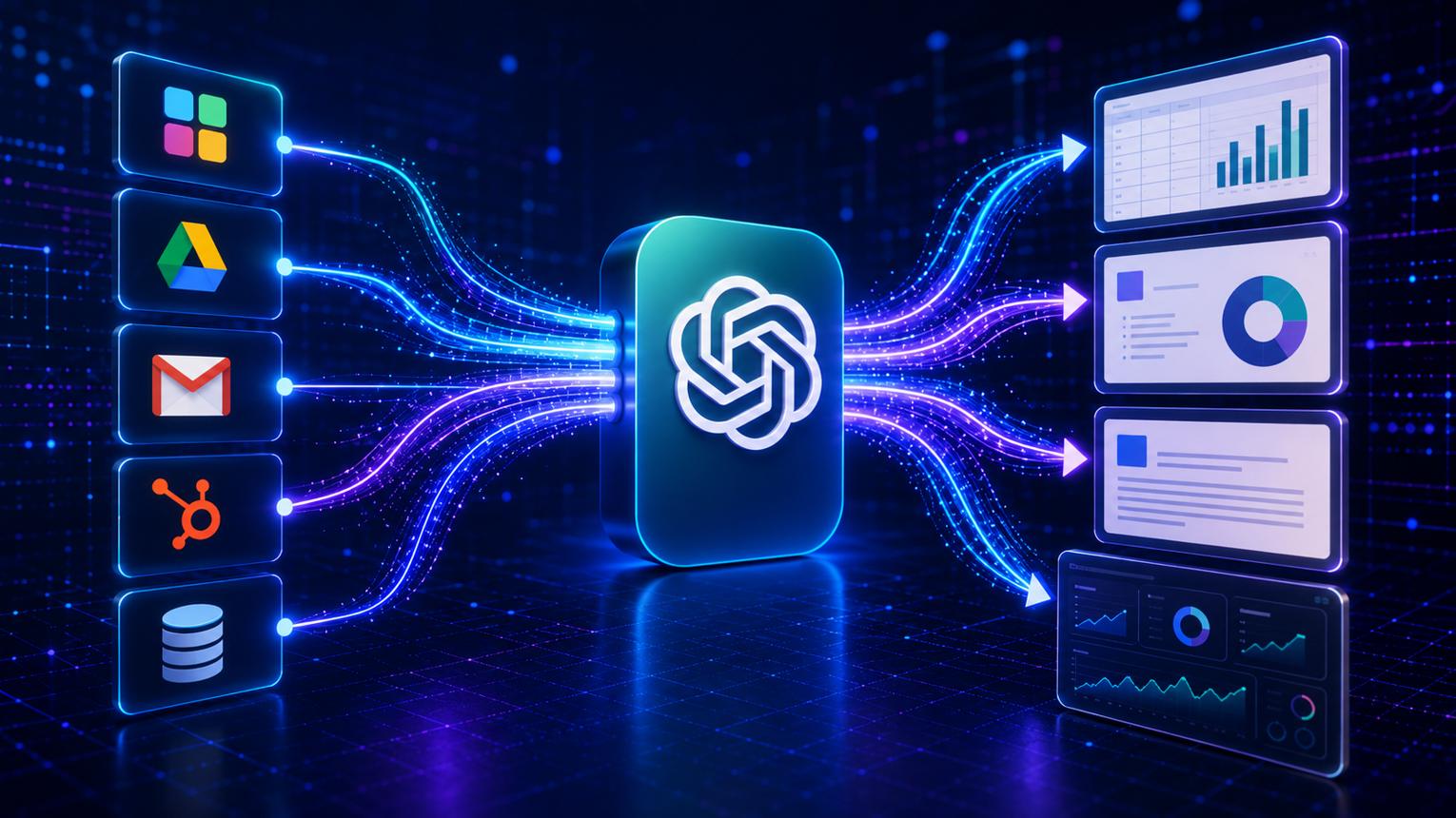
Discover how ChatGPT integration connects AI capabilities with existing business software and workflows.
How to Integrate ChatGPT Into Business Software: A Complete Guide for 2026
Businesses are increasingly exploring artificial intelligence to improve customer service, automate repetitive tasks, analyze information, and make existing software easier to use. However, getting value from AI involves more than opening ChatGPT in a browser. The real opportunity comes when AI capabilities are integrated into the business systems employees and customers already use.
Integrating ChatGPT into business software allows companies to add conversational AI, intelligent document processing, automated workflows, and natural-language assistance to existing applications. Depending on the business requirement, this may involve connecting an AI model through an API, retrieving information from company databases, integrating CRM or ERP systems, and implementing security controls.
For example, a sales employee could ask an AI assistant to summarize a customer’s recent interactions, while a customer support representative could use it to draft a response based on approved product documentation. A business manager might ask for a summary of monthly performance data without manually reviewing several reports.
For companies investing in custom software development, these capabilities can turn traditional applications into more interactive and intelligent business tools.
This guide explains how to integrate ChatGPT into business software, which technologies are involved, what applications benefit most, how to protect business data, and how organizations can approach implementation in 2026.
What Does It Mean to Integrate ChatGPT Into Business Software?
Integrating ChatGPT into business software means connecting an AI-powered language model to an application so users can interact with information, complete supported tasks, or receive assistance through natural language.
Instead of operating as a separate tool, AI becomes part of an existing workflow.
For example, a traditional customer relationship management (CRM) system may require employees to open individual records, review notes, and prepare summaries manually. With an AI integration, an authorized employee could request a summary of a customer’s history directly inside the CRM.
The application retrieves the relevant information, sends the permitted context to the AI service, and displays the response.
Common integration possibilities include:
AI-powered customer support.
CRM and sales assistance.
ERP and inventory queries.
Document summarization and extraction.
Internal knowledge search.
Report generation.
Email and communication drafting.
Workflow automation.
AI-powered website and mobile application assistants.
The exact capabilities depend on the AI service, application architecture, available data, permissions, and business rules.
ChatGPT, the OpenAI API, and Business Software: What Is the Difference?
These terms are related, but they are not interchangeable.
ChatGPT is the conversational AI product people use to ask questions, generate content, analyze information, and complete supported tasks.
The OpenAI API allows developers to integrate AI model capabilities into their own applications and workflows.
Business software is the application that manages company processes, such as sales, accounting, inventory, human resources, customer support, or operations.
An integration connects these components so AI can assist with a specific business task.
For example:
Employee → CRM interface → Company backend → OpenAI API → AI response → CRM interface
If the assistant needs company information, the backend can retrieve relevant data from authorized sources before sending the necessary context to the AI model.
Importantly, a ChatGPT subscription does not automatically provide API usage. API access and billing are managed separately, so businesses should account for both software development and AI service costs.
Developers can review the official OpenAI API platform to explore available capabilities and technical documentation.
Why Should Businesses Integrate ChatGPT Into Their Existing Software?
Many businesses already have software that performs essential tasks. Replacing those systems simply to introduce AI may be unnecessary.
Integrating AI into an existing application can allow organizations to preserve their established workflows while adding new capabilities.
1. Reduce Repetitive Manual Work
Employees often spend time summarizing emails, classifying support requests, reviewing documents, preparing reports, and entering information into business systems.
AI can assist with these tasks by processing natural-language content and returning structured results for the application to review.
For example, a support system could classify an incoming message as a billing question, technical issue, or account request. Existing business rules could then route the request to the appropriate team.
AI does not need to control the entire process. It can handle the language-related task while conventional software manages predictable operations.
2. Improve Customer Support
AI assistants can answer common questions using approved company information, explain product features, and help customers navigate services.
When an issue requires account-specific information, the application can retrieve authorized details from its backend.
If the assistant cannot answer confidently or the request involves a sensitive issue, the system should transfer the conversation to a human representative.
3. Make Business Information Easier to Access
Employees frequently search across dashboards, documents, spreadsheets, and customer records.
An AI assistant can provide a natural-language interface to selected information.
For example:
“Summarize the outstanding customer requests assigned to my team.”
The system can interpret the question, retrieve the relevant authorized records, and generate a summary.
The response should be based on actual data retrieved from the business systems rather than the model guessing an answer.
4. Support Better Decision-Making
AI can summarize business information and highlight patterns that deserve attention.
A manager might request a summary of sales activity, recurring support issues, or customer feedback.
However, AI-generated summaries should not be treated as automatically verified analysis. Financial calculations, operational metrics, and other critical figures should come from reliable database queries or reporting systems.
AI can explain the results, but the underlying data and calculations must remain dependable.
5. Improve the User Experience
Natural-language interfaces can make complex applications easier to navigate.
Instead of searching through multiple menus, an employee could ask where to find a customer record, how to complete a process, or which steps are required to submit a request.
For customer-facing applications, AI can help users find products, understand services, or navigate common workflows.
Which Types of Business Software Can Use ChatGPT?
ChatGPT integration can support many business applications. The most appropriate use cases depend on the information available and the tasks users need to complete.
Software type | Potential AI capabilities |
|---|---|
CRM | Customer summaries, lead classification, follow-up drafts |
ERP | Operational questions, inventory explanations, report summaries |
Customer support | FAQ responses, ticket classification, suggested replies |
E-commerce | Product discovery, order-related assistance, product questions |
HR software | Policy search, onboarding assistance, document summaries |
Accounting software | Invoice information extraction and expense classification |
Project management | Meeting summaries, task descriptions, project updates |
Web applications | Conversational interfaces and guided workflows |
Mobile applications | AI assistants, voice interaction, personalized help |
Document management | Search, summarization, and information extraction |
These are potential applications, not automatic features. Each requires suitable integration, testing, and permission controls.

ChatGPT Integration in CRM Software
CRM systems store customer information, sales opportunities, communications, and activity histories.
An AI assistant can help employees interpret this information more efficiently.
Possible features include:
Summarizing customer interactions.
Drafting personalized follow-up emails.
Classifying incoming leads.
Extracting important details from sales enquiries.
Suggesting next steps for sales representatives.
Answering questions using approved CRM information.
Consider a company receiving enquiries through its website. The CRM records a customer’s requirements, previous interactions, and sales status.
An AI assistant could summarize those details for the assigned sales representative before a meeting.
The CRM remains responsible for storing customer records and controlling access. AI provides the language-processing capability.
ChatGPT Integration in ERP Software
Enterprise resource planning (ERP) systems connect business functions such as inventory, procurement, finance, and operations.
AI can make selected ERP information easier to understand and explore.
Employees might ask:
Which products are below their reorder thresholds?
What are the main reasons for recent order delays?
Summarize the outstanding purchase requests.
Explain the operational report for this week.
For numerical questions, the application should retrieve data and perform calculations using reliable backend logic. The AI can then explain the results in a readable format.
For instance, a stock-management application might retrieve current inventory levels, compare them with predefined reorder thresholds, and ask the AI to explain which products require attention.
Any actual purchase order or inventory adjustment should follow existing approval rules.
Businesses planning connected applications can explore web application development services for software that brings business workflows and AI capabilities together.
ChatGPT Integration in Customer Support Software
Customer support is often a practical starting point because many requests involve recurring questions and written communication.
An AI-enabled support system could:
Receive a customer message.
Identify the question or issue type.
Search approved help articles.
Draft a relevant response.
Check whether the request requires escalation.
Present the response for approval or send it according to an approved policy.
Record the interaction in the support system.
For example, a customer may ask about a company's refund policy. The assistant can retrieve the relevant approved policy and explain it in simple language.
If the customer requests an exception, reports a disputed payment, or raises a complex complaint, the system can route the case to a qualified employee.
ChatGPT Integration in E-Commerce Software
E-commerce businesses can use AI to improve product discovery and customer assistance.
Potential features include:
Conversational product search.
Product comparisons.
Product description assistance.
Frequently asked question responses.
Order-status explanations.
Customer review summarization.
Suppose a customer asks, “I need a lightweight laptop for university with a long battery life.”
The application can search its product catalogue using supported filters and retrieve matching products. AI can explain the differences between those products using verified catalogue information.
Prices, availability, delivery dates, and specifications should come from current store data, not from an AI-generated guess.
ChatGPT Integration in HR Software
Human resources software can use AI to help employees find internal policies and complete routine administrative tasks.
Examples include:
Searching employee handbooks.
Summarizing onboarding documents.
Drafting job descriptions.
Answering general questions about leave procedures.
Preparing training material.
Explaining approved internal processes.
HR systems require particular care because employee information can be sensitive. Access should be based on job responsibilities, and AI should not independently make consequential employment decisions without appropriate oversight.
ChatGPT Integration in Mobile Applications
AI features can also be integrated into mobile applications used by customers, employees, or field teams.
Examples include a customer-service assistant inside a shopping app, a field technician assistant that searches maintenance documentation, or a mobile CRM assistant that summarizes customer interactions.
The mobile app normally communicates with a backend service, which manages authentication, business data, AI requests, and permissions.
Businesses considering these features can explore mobile application development to understand how AI can fit into a broader mobile product.
How Does ChatGPT Integration Work Technically?
A reliable integration requires more than placing an AI chat box on a screen. Developers must connect the user interface, backend, AI service, relevant business data, and security controls.
A typical architecture looks like this:
User interface → Application backend → AI API → Response processing → Business application
If company data is required, the backend can retrieve relevant information from a database, internal knowledge base, or approved business API.
The main components are explained below.
1. Frontend Interface
The frontend is where users interact with the AI feature.
It might be a chat panel inside a CRM, an assistant on a website, a mobile application screen, or an internal employee portal.
The interface should clearly distinguish AI-generated suggestions from confirmed business records.
2. Backend Service
The backend receives user requests and manages communication with the AI service.
It can authenticate users, check permissions, retrieve permitted data, apply business rules, and validate the results.
This layer is important because it prevents the AI interface from becoming an unrestricted gateway to internal systems.
3. OpenAI API
The API gives developers a way to send suitable inputs to an AI model and receive outputs for their applications.
Depending on the use case, the integration may involve text generation, structured outputs, file-based workflows, or tool calling.
The exact endpoint, model, and supported features should be selected using the current official documentation.
4. Business Database and APIs
AI often becomes more useful when it can access relevant company information.
For example, a support assistant might need approved help articles, while a CRM assistant might need a customer's recent interactions.
The application should retrieve only the data required for the current task.
It should not send an entire database or unrestricted customer history to the model simply because that information is available.
5. Response Validation and Display
The backend should check the AI output before displaying it or allowing it to affect a business process.
Validation may include checking structured fields, confirming that requested records exist, applying business rules, filtering inappropriate content, and handling incomplete responses.
For critical operations, the application should require a verified result or human approval rather than treating the model's output as an authoritative instruction.
Step-by-Step: How to Integrate ChatGPT Into Business Software
A structured implementation process helps control complexity and makes it easier to evaluate whether the integration is delivering value.
Step 1: Identify a Specific Business Problem
Start by identifying a task that consumes time, creates delays, or makes information difficult to access.
Possible starting points include:
Answering repetitive customer questions.
Summarizing sales calls.
Classifying support tickets.
Extracting information from documents.
Searching internal policies.
Drafting routine business communications.
Avoid beginning with a vague objective such as “add AI to the entire company.”
A specific objective makes requirements, testing, and performance measurement easier.
Step 2: Define the Required Workflow
Document how the task works today and how it should work after integration.
For example, a support-ticket workflow could be:
Before AI: Customer submits a request → Employee reads it → Employee identifies the issue → Employee searches documentation → Employee drafts a response.
With AI assistance: Customer submits a request → AI classifies the issue → System retrieves relevant documentation → AI drafts a response → Employee reviews or approves it → System records the outcome.
The second workflow still uses business rules and human judgment where needed. AI supports the process rather than replacing every step.
Step 3: Choose the Integration Method
There is no single integration method for every application.
Option A: Direct API integration
The application backend sends requests to an AI API and processes the returned responses.
This approach is suitable when developers need control over the user experience, authentication, application logic, and integration with existing systems.
Option B: AI with a company knowledge base
The system retrieves relevant information from approved company documents before generating an answer.
This is useful for internal knowledge assistants, support tools, and policy search.
A retrieval-based approach can improve relevance, but it does not guarantee accuracy. The application should identify reliable sources, respect document permissions, and handle missing information appropriately.
Option C: AI with tool calling
The model can request that the application run a predefined function, such as looking up an order, retrieving an approved report, or checking a booking.
The application executes the function only after validating the request and the user's permissions. It then returns the permitted result to the model.
This approach is useful when AI needs to interact with live business systems rather than merely generate text.
Option D: Workflow automation
An AI step can be included in a larger automation process.
For example, an incoming enquiry can be classified by AI and then routed through existing workflow rules.
This can combine AI's ability to interpret language with conventional automation's ability to perform predictable tasks.
Step 4: Set Up API Access
Developers should create and configure the required API access through the appropriate provider platform.
A typical setup includes:
Configure the organization's API account and billing.
Select an appropriate model for the use case.
Create credentials with appropriate access.
Store credentials securely in the backend environment.
Configure request limits, error handling, and monitoring.
Test the integration in a development environment.
Never place a private API key directly in browser-based JavaScript or a mobile application's publicly accessible code. A user who obtains the key could misuse it and create unexpected costs.
The API key should be stored securely on the server and managed through appropriate secret-management practices.
Step 5: Connect the AI to Relevant Business Data
If the assistant needs company-specific information, decide how it will access that information.
Common approaches include:
Retrieving selected records through internal APIs.
Searching approved company documents.
Querying a database through controlled backend functions.
Using a retrieval system to locate relevant passages.
Connecting to authorized external services.
For example, a CRM assistant may retrieve a customer's recent sales interactions and provide a concise summary.
The backend should enforce record-level permissions before supplying data to the AI. The model should not be trusted to decide whether a user is authorized to see a record.
Step 6: Define Instructions and Output Requirements
The AI should receive clear instructions about its role, limitations, and expected response format.
For example, a customer-support assistant might be instructed to:
Answer using approved help documentation.
Avoid inventing product policies.
Ask for clarification when a request is ambiguous.
Avoid requesting unnecessary sensitive information.
Escalate unresolved or sensitive issues.
Return a structured category for ticket routing.
For workflows that require structured output, developers can define an expected schema and validate the result before using it.
Good instructions improve consistency, but they do not replace application-level security or validation.
Step 7: Implement Business Actions Carefully
If the AI needs to trigger an action, define exactly which functions it can request.
Examples include:
Retrieve an order's status.
Search a product catalogue.
Create a draft support ticket.
Generate a report.
Prepare an email for review.
The model should not receive unrestricted access to arbitrary database queries, payment operations, account deletion, or administrative controls.
For sensitive or irreversible actions, require explicit user confirmation and enforce the necessary authorization checks in the backend.
Step 8: Test Realistic Scenarios
Test the integration with ordinary requests, ambiguous questions, missing information, unexpected inputs, and attempts to access unauthorized data.
Check whether the system:
Returns accurate information.
Respects permissions.
Handles API failures.
Avoids inventing business facts.
Produces usable responses.
Escalates requests appropriately.
Performs within acceptable response times.
Remains within the expected cost budget.
Testing should include cases where the AI must say that it does not have enough information.
Step 9: Deploy Gradually
Begin with a small group of users or a limited workflow.
Collect feedback, review errors, measure usage, and improve the implementation before expanding access.
A phased launch also helps the organization identify training needs and operational issues before the integration becomes business-critical.
Step 10: Monitor and Improve
After deployment, track performance and review the system regularly.
Useful measures include response accuracy, escalation rate, user satisfaction, latency, cost per request, and the amount of employee rework required.
Update documentation and test cases when business policies, APIs, models, or workflows change.
Practical Example: Integrating ChatGPT Into a CRM
Imagine a business that receives customer enquiries through its website and stores them in a CRM.
The sales team currently reads each enquiry, reviews previous conversations, and writes a summary before contacting the customer.
An AI-assisted CRM could streamline this process.
How the Workflow Operates
1. A customer submits an enquiry.
The CRM creates a lead record containing the information supplied by the customer.
2. The backend retrieves relevant details.
It checks the current lead record and, where authorized, retrieves relevant previous interactions.
3. The AI generates a summary.
The model receives the necessary context and produces a concise summary of the customer's requirements.
4. The application validates the response.
The backend checks the output and ensures that the response is attached to the correct lead.
5. The sales employee reviews the summary.
The employee can edit it, request clarification, or use it to prepare for a conversation.
6. The CRM stores the approved information.
The system records the summary according to its existing access and retention rules.
Example Output
A CRM assistant might produce a summary like this:
Customer requirement: A quotation for a business management application.
Key needs: Customer records, reporting, and staff access controls.
Information missing: Expected number of users and required integrations.
Suggested next step: Ask the customer to clarify these requirements before preparing a proposal.
This is an illustrative example, not a report of an actual Galaxium Coding project.
The assistant can organize information and suggest follow-up questions, but the sales team remains responsible for validating requirements, pricing, and commitments.
Using ChatGPT With Company Documents and Knowledge Bases
Many businesses have useful information spread across PDFs, manuals, internal policies, help articles, and shared documents.
An AI assistant can help employees search that information using natural language.
This type of integration commonly uses retrieval-augmented generation (RAG).
What Is Retrieval-Augmented Generation?
RAG combines information retrieval with AI-generated responses.
Instead of relying only on the model's general knowledge, the application searches an approved information source and provides relevant results as context for the answer.
A typical workflow is:
Collect approved documents.
Extract and prepare their text.
Divide the content into searchable sections.
Index those sections using an appropriate search method.
Receive a user's question.
Retrieve relevant passages.
Generate an answer grounded in the retrieved material.
Display source references when available.
For example, an employee could ask, “What is the procedure for requesting a software licence?”
The system searches the approved internal documentation and generates an answer based on the relevant procedure.
RAG can reduce dependence on the model's general knowledge, but it does not eliminate incorrect responses. The system must also manage outdated documents, conflicting instructions, access permissions, and irrelevant search results.
When Should a Business Use RAG?
RAG is worth considering when answers depend on a substantial collection of company-specific information that changes over time.
It may be useful for:
Employee policy assistants.
Technical documentation search.
Customer support knowledge bases.
Product manuals.
Internal process guidance.
Contract and document discovery.
For a small application with a few fixed instructions, a full retrieval system may be unnecessary. The simplest architecture that meets the requirements is often the best starting point.
Security and Privacy Considerations
Business software can contain customer records, employee information, financial data, commercial documents, and confidential operational details. AI integration must therefore be designed around data protection from the beginning.
Keep API Credentials Secure
Store private API keys in a secure server-side environment. Restrict access to credentials, rotate them when necessary, and monitor usage for unexpected activity.
Never expose private keys in public repositories, browser code, or client applications.
Enforce Authentication and Authorization
The backend must verify the identity of the user and the records they are allowed to access.
For example, an employee should not be able to retrieve another department's confidential information simply by asking the AI a cleverly worded question.
Permissions must be enforced by the application, not just described in the AI instructions.
Minimize the Data Sent to the Model
Only include the information needed for the current task.
Avoid sending full customer records, entire documents, or unrelated internal information when a smaller context will suffice.
Where appropriate, remove or mask personal information that is not necessary for the requested operation.
Understand Data Retention and Provider Terms
Review the relevant provider's current documentation, retention controls, security terms, and applicable contractual commitments before deploying the integration.
OpenAI explains its business-data handling commitments in its official business data privacy and security information. Organizations should verify the terms applicable to their own account, product, and configuration rather than assuming every AI service has identical practices.
Protect Against Prompt Injection
Prompt injection occurs when malicious or misleading instructions appear in user input, documents, or other content processed by the AI.
For example, a document might contain instructions intended to persuade the model to reveal confidential information.
Treat external content as data, not as a trusted authority. Limit available tools, validate outputs, enforce permissions independently, and avoid allowing retrieved documents to override system security rules.
Require Approval for High-Impact Actions
AI-generated suggestions should not automatically authorize sensitive business actions.
Payments, refunds, account changes, record deletion, legal commitments, and other consequential operations may require additional verification and explicit human approval.
The required level of oversight should reflect the potential impact of an error.
Review Qatar-Specific Requirements
Businesses operating in Qatar should assess applicable privacy, contractual, sector-specific, and data-handling obligations before processing personal or confidential information through an AI service.
Requirements may depend on the business sector, the type of information, the applicable legal framework, and the systems involved. Obtain appropriate professional advice when the use case requires a formal compliance assessment.
How Much Does It Cost to Integrate ChatGPT Into Business Software?
There is no single price for ChatGPT integration. Costs depend on the complexity of the application, the required features, the quality of the existing systems, the volume of AI requests, and the security and reliability requirements.
A basic assistant that answers questions using a small approved knowledge base is usually less complex than an AI-enabled enterprise platform that connects several databases and can trigger controlled business actions.
Main Cost Components
1. Development and integration
Costs may include application design, backend development, API integration, user-interface changes, database access, testing, and deployment.
2. AI API usage
API charges depend on the selected model, input and output volume, and any additional tools or services used. Check the current OpenAI API pricing page when preparing a budget.
3. Infrastructure
Some implementations require additional hosting, databases, document storage, search infrastructure, monitoring, or background processing.
4. Security and compliance
Access controls, audit logs, security testing, data-handling reviews, and approval workflows may add to the project scope.
5. Maintenance
Ongoing work can include monitoring, troubleshooting, model and API changes, prompt updates, evaluation, and documentation maintenance.
How Can Businesses Control Costs?
Start with one clearly defined use case.
Choose a model appropriate for the task.
Keep prompts and retrieved context relevant.
Limit unnecessary repeated requests.
Cache suitable results when data freshness permits.
Set usage budgets and alerts.
Monitor cost per successful task.
Test whether a simpler workflow can achieve the same result.
Avoid choosing a model solely because it is the most powerful available. The right choice is the one that meets the application's accuracy, speed, safety, and cost requirements.
Common Mistakes to Avoid
1. Treating AI Integration as Just a Chatbot
A chat interface alone may not solve the business problem. The application may also need reliable data retrieval, workflow logic, authentication, and validation.
2. Giving the AI Unrestricted Database Access
Unrestricted access increases the risk of data exposure and unintended changes. Use controlled backend functions and enforce permissions for every request.
3. Assuming Every AI Answer Is Correct
AI can misunderstand a question or produce unsupported information. Verify critical facts against reliable data sources and provide clear escalation paths.
4. Ignoring Existing Software Limitations
Legacy applications may have undocumented APIs, inconsistent data, or outdated authentication methods. Assess the existing architecture before committing to an integration design.
5. Automating Too Many Tasks at Once
A large first release makes it difficult to identify errors and measure value. Start with a limited workflow, learn from the results, and expand gradually.
6. Overlooking User Training
Employees need to understand what the AI can do, where it may fail, and when to review or escalate a result.
7. Failing to Measure Results
Without baseline measurements, a company cannot reliably determine whether AI is saving time or improving service.
Measure actual outcomes instead of assuming that adding AI automatically improves productivity.
How Businesses in Qatar Can Approach ChatGPT Integration
Organizations in Qatar may operate across sectors such as retail, education, professional services, hospitality, logistics, healthcare, and construction. Their software needs and regulatory responsibilities can differ substantially.
A useful integration strategy starts with the actual business workflow rather than selecting an AI feature first.
For example:
A retailer might use AI to answer product questions using verified catalogue data.
A service company might use AI to classify enquiries and prepare draft responses.
An education provider might use an assistant to search approved course information.
A logistics company might use AI to summarize shipment exceptions retrieved from its operational system.
A professional services firm might use document search to help employees locate approved internal procedures.
These are illustrative use cases. Each requires its own technical assessment, access controls, and testing.
Businesses should also consider Arabic and English support where relevant, local customer expectations, data-handling requirements, and integrations with existing software.
A connected solution may involve custom software development, web applications, mobile applications, and appropriate cloud and DevOps solutions.
The correct combination depends on the application and the business objective.
How to Measure the Success of a ChatGPT Integration
Before launch, define how success will be measured. This helps determine whether the integration should be expanded, redesigned, or discontinued.
Metric | What it measures |
|---|---|
Response accuracy | Whether answers match verified information |
Resolution rate | How often requests are resolved without unnecessary escalation |
Handling time | Time required to complete a task |
Employee rework | How often users must correct AI-generated results |
Customer satisfaction | How users evaluate the interaction |
Response latency | How quickly the system responds |
Cost per task | AI and infrastructure cost associated with a completed task |
Security incidents | Unauthorized access or other security problems |
Compare results with a baseline from before the integration.
For example, if employees previously spent a measured amount of time preparing support-ticket summaries, compare the time required after implementation. Also examine accuracy and correction rates to ensure that any time savings are meaningful.
Do not evaluate success solely by the number of AI requests processed. High usage does not necessarily mean the integration is useful.
The Future of AI-Integrated Business Software
Business software is increasingly moving toward interfaces that combine traditional screens, automated workflows, natural-language interaction, and AI assistance.
Several capabilities are worth monitoring.
More Natural-Language Interfaces
Employees may increasingly interact with applications by asking questions or describing tasks instead of navigating every menu manually.
Better Connections to Business Systems
Tool calling and structured integrations can allow AI to retrieve approved information or request specific application functions.
More Context-Aware Assistance
Applications can combine the current task, user permissions, relevant business records, and approved documents to provide more useful assistance.
Human-Supervised Automation
AI can help prepare and route work while employees retain control over sensitive or consequential decisions.
Greater Focus on Evaluation and Governance
As AI becomes part of important workflows, organizations need stronger testing, monitoring, permission controls, and clear accountability for errors.
These developments do not remove the need for sound software engineering. Reliable data, well-designed workflows, secure architecture, and continuous evaluation remain essential.
Why Choose Galaxium Coding for AI-Integrated Business Software?
Integrating AI into business software often requires several capabilities working together: application development, backend engineering, API integration, data management, security, and deployment.
Galaxium Coding provides technology and software development services for businesses that need digital solutions aligned with their workflows.
A practical project may involve:
Reviewing the existing application and business requirements.
Selecting a suitable integration architecture.
Connecting the AI service to approved business data.
Designing the user experience.
Implementing authentication and permission controls.
Testing responses and business actions.
Deploying the integration and monitoring performance.
The goal should be to solve a real business problem, not simply add an AI feature for appearance.
Companies can explore Galaxium Coding's projects and portfolio to learn more about its work, or contact Galaxium Coding to discuss a potential software integration requirement.
Final Thoughts
Integrating ChatGPT into business software can help organizations make applications easier to use, improve access to information, support customer service, and automate selected language-intensive tasks.
A successful implementation requires more than an API connection. Businesses need a clear use case, a suitable architecture, reliable data access, strong security controls, realistic testing, and measurable objectives.
The most effective approach is to begin with one valuable workflow, integrate AI where it genuinely helps, and expand only after the results have been evaluated.
For businesses in Qatar and beyond, AI can become a useful part of a broader digital strategy when it is connected thoughtfully to existing applications and business processes.
The key is simple: integrate AI to make business software more useful, not more complicated.
Frequently Asked Questions
1. Can ChatGPT be integrated into existing business software?
Yes. Developers can use an AI API to add conversational assistance, summarization, classification, document processing, and other capabilities to existing applications. The exact approach depends on the software architecture and the required features.
2. How do I integrate ChatGPT into my business application?
Start by defining the business problem, selecting a suitable integration method, setting up secure API access, connecting relevant data, implementing the user interface, and testing the results. Deploy gradually and monitor accuracy, cost, and performance.
3. Do I need an API to integrate ChatGPT into software?
For a custom application that programmatically sends requests to an OpenAI model, API access is generally the appropriate approach. A ChatGPT subscription and API usage are separate services with separate billing arrangements.
4. Can ChatGPT connect to a CRM or ERP system?
Yes, if the application can provide suitable APIs or another secure integration mechanism. The AI can help interpret questions and summarize permitted information, while the CRM or ERP remains responsible for authoritative records, calculations, permissions, and business rules.
5. Can ChatGPT use my company's internal documents?
An application can retrieve relevant passages from approved internal documents and provide them as context for an AI response. This is commonly implemented using retrieval-augmented generation. Document permissions, freshness, source quality, and access controls must be handled carefully.
6. Is ChatGPT integration secure for business data?
It can be designed with appropriate security controls, but security depends on the full implementation and the provider terms that apply. Businesses should protect credentials, enforce permissions, minimize data sharing, review retention requirements, and test for unauthorized access.
7. How much does ChatGPT integration cost?
The cost depends on development complexity, API usage, infrastructure, integrations, security requirements, and maintenance. A small assistant has different requirements from a system that connects multiple business platforms and performs controlled actions. Check current API pricing and obtain a project estimate based on defined requirements.
8. Can ChatGPT automate business processes?
It can support automation by interpreting requests, classifying information, drafting content, and requesting predefined application functions. Reliable automation also requires workflow rules, permission checks, validation, error handling, and human approval where appropriate.
9. Can a small business benefit from ChatGPT integration?
Yes. A small business might begin with a customer FAQ assistant, internal document search, or automatic classification of enquiries. A narrow, measurable use case is often a more practical starting point than a large enterprise-wide implementation.
10. What is the difference between a chatbot and AI integration?
A chatbot is an interface for conversations. AI integration connects AI capabilities to an application's data and workflows, potentially enabling document search, customer summaries, report explanations, and controlled actions. A chatbot can be one component of a broader AI integration.
11. Can ChatGPT be integrated into a website or mobile app?
Yes. A website or mobile app can communicate with a backend that manages AI requests, user authentication, and relevant business data. Private API credentials should remain on the server rather than being embedded in client-side code.
12. How long does it take to integrate ChatGPT into business software?
The timeline depends on the scope, the quality of existing APIs, the complexity of the workflow, security requirements, and testing needs. A limited prototype may be much quicker to build than a production system connected to multiple business applications. A reliable timeline requires a review of the actual requirements.
13. Does ChatGPT integration require replacing existing software?
No. In many cases, AI can be added to an existing application through APIs and backend services. Replacement may be worth considering only when the current system cannot reasonably support the required capabilities or has other significant limitations.
14. What should a business automate first?
Choose a repetitive, measurable task with clear rules and a meaningful business benefit. Examples include ticket classification, document summarization, or answering routine questions from approved documentation. Test the result before expanding to higher-impact workflows.
15. How can Galaxium Coding help with AI integration?
Galaxium Coding offers software development capabilities that can support the planning and development of connected digital solutions. Businesses can discuss their requirements through the Galaxium Coding contact page to determine the appropriate approach for their application.