ERP Software in Qatar: How to Choose the Right Solution

A practical ERP selection process helps Qatar businesses compare features, integration options, implementation costs and long-term business requirements.
ERP Software in Qatar: How to Choose the Right Solution in 2026
Choosing the right ERP software in Qatar can help a business connect its accounting, sales, inventory, procurement, human resources and operational processes through one coordinated system. However, selecting an ERP platform is not simply a matter of comparing software features or choosing the lowest quotation. The right solution must fit the company's workflows, reporting requirements, budget, security expectations and future plans.
For example, a trading company may need accurate inventory tracking and purchase management, while a construction business may prioritize project costs, procurement and contract reporting. A professional services company may need project accounting, timesheets and resource planning. Although these businesses can all benefit from ERP software, their requirements are different.
The most effective selection process begins with business needs and works backward toward the technology.
This guide explains how businesses evaluating custom software development services and ERP solutions can define their requirements, compare suitable platforms, assess implementation partners, estimate the total cost of ownership and plan a successful implementation in Qatar.
What Is ERP Software?
Enterprise Resource Planning (ERP) software connects multiple business functions through a shared system and a common source of operational information.
Instead of maintaining separate, disconnected applications for accounting, stock management, purchasing, sales and employee administration, an ERP system allows authorized users to work with connected records and processes.
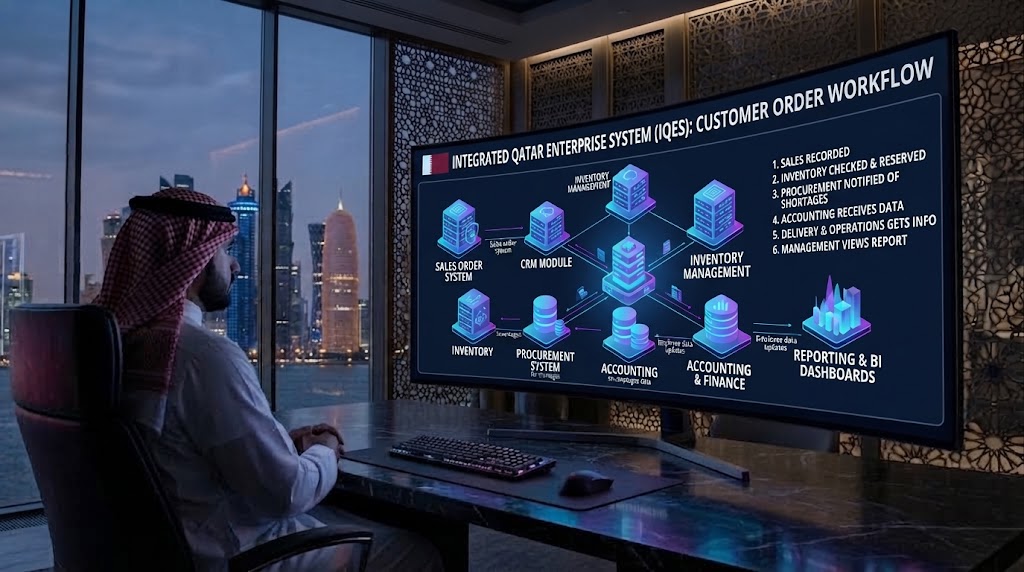
A typical ERP workflow might look like this:
Customer enquiry → Quotation → Sales order → Inventory check → Delivery → Invoice → Payment → Financial reporting
When these processes are properly integrated, employees do not have to re-enter the same information at every stage. Managers can also obtain a clearer view of orders, stock, payments and business performance.
The exact capabilities depend on the ERP platform, selected modules, integrations and configuration.
Qatar Development Bank describes ERP as a way for small and medium-sized enterprises to integrate functions such as planning, purchasing, inventory, sales, finance and human resources. Businesses can explore its official ERP Program information to understand the ERP resources available to eligible companies.
Why Choosing the Right ERP Matters for Businesses in Qatar
An ERP system can influence how departments exchange information, how managers approve transactions and how quickly a company responds to operational problems. Selecting an unsuitable platform can introduce complexity instead of solving it.
Businesses operating in Qatar may also need to consider bilingual workflows, local business processes, reporting requirements, regional support arrangements and integration with existing applications.
1. Better visibility across departments
When sales, finance, procurement and inventory use disconnected systems, employees may spend time reconciling records before making decisions.
An integrated ERP can bring relevant information together, helping authorized users understand the status of orders, stock, expenses and outstanding payments.
2. More consistent business processes
An ERP can standardize workflows such as purchase approvals, expense authorization, stock transfers and invoice processing.
This is especially useful when different branches or departments follow inconsistent procedures.
3. Improved reporting
A well-configured ERP can provide operational reports and dashboards based on shared data. Managers may be able to review sales performance, stock movement, project expenditure or outstanding receivables without collecting information manually from multiple teams.
The quality of these reports still depends on accurate data, suitable configuration and clearly defined business rules.
4. Support for business growth
A growing company may eventually need additional users, branches, warehouses, departments or integrations. The ERP should be capable of accommodating the expected growth without requiring an expensive replacement too soon.
5. Stronger operational control
Role-based permissions, approval workflows and audit records can help businesses control who can view, create, approve or modify important transactions.
These controls must be configured and reviewed properly; purchasing an ERP does not automatically guarantee effective security or compliance.
Step 1: Identify Your Business Requirements Before Comparing ERP Software
The first step is to identify what your business needs the system to accomplish.
Avoid starting with a list of popular ERP products. Start by documenting the problems your employees and managers experience today.
Ask each department questions such as:
Which tasks take too much manual effort?
Where does information get entered more than once?
Which reports are difficult to prepare?
Where do errors occur most frequently?
Which approvals cause delays?
Which applications need to exchange information?
What information do managers need but cannot easily access?
Which processes are likely to become more complex as the company grows?
Create a requirements register
Record each requirement, its business importance and the person responsible for confirming it.
Requirement | Business priority | Example |
|---|---|---|
Financial reporting | Must-have | Monthly profit and expense reports |
Inventory tracking | Must-have for stock-based businesses | Current quantities by warehouse |
Purchase approvals | High | Approval before supplier orders |
Customer management | Depends on workflow | Customer history and quotations |
Mobile access | Depends on users | Field staff viewing assigned work |
Advanced analytics | Future or high priority | Trend analysis and forecasting |
Classify requirements into three categories:
Must-have: Essential for daily operations, financial control or a critical business process.
Should-have: Valuable features that improve productivity but do not prevent the initial launch if temporarily unavailable.
Future requirement: Capabilities that may be needed later, such as advanced analytics, additional branches or more sophisticated automation.
This prioritization prevents businesses from paying for features they do not currently need while overlooking capabilities that are essential.
Step 2: Choose the ERP Modules That Match Your Operations
ERP software is often modular, meaning a business can select the functional areas it requires. The available modules vary by platform, so confirm exactly what each vendor offers.
Finance and accounting
Finance functionality may include general ledger, accounts payable, accounts receivable, bank reconciliation, expense tracking and financial reporting.
For a Qatar-based business, ask whether the proposed configuration supports the company's accounting processes and reporting needs. Any tax-related configuration should be reviewed against current official requirements and the advice of a qualified accountant.
The Qatar General Tax Authority's laws and regulations provide an authoritative starting point for reviewing relevant tax legislation. Do not rely solely on a vendor's claim that its software is “tax ready.”
Inventory and warehouse management
Businesses that purchase, store or distribute products may require:
Stock quantities across multiple locations.
Purchase orders and supplier records.
Stock transfers and adjustments.
Reorder alerts and stock valuation.
Batch or serial number tracking, where relevant.
Integration between inventory, sales and accounting.
Ask the vendor to demonstrate a complete transaction, from receiving stock to selling an item and recording the financial impact.
Sales and customer relationship management
Some ERP platforms include customer management, quotations, sales orders and account histories. Others integrate with a separate CRM system.
If sales staff use a dedicated CRM, establish whether it should remain the primary customer management system or whether the relevant functionality should move into the ERP.
The objective is to prevent conflicting customer records and duplicated work.
Human resources
Depending on the platform, HR features may include employee records, leave requests, attendance, recruitment and payroll-related processes.
Confirm which functions are included, which require additional modules and whether any country-specific configuration or external service is needed.
Procurement and supplier management
Procurement features may cover supplier registration, purchase requisitions, quotations, purchase orders, approvals and goods receipt.
Businesses with multiple approval levels should verify that the system can enforce their required workflow.
Project and service management
Construction companies, consultancies and service providers may need project budgets, timesheets, resource allocation, expense tracking and project-level profitability reports.
A general-purpose ERP may not cover every specialist requirement. If project accounting is central to the business, test those workflows before selecting the platform.
Reporting and analytics
Identify the reports that management uses to make decisions. Ask the vendor to demonstrate those exact reports using sample data rather than presenting only generic dashboards.
Step 3: Decide Between Ready-Made ERP, Configured ERP and Custom Development
One of the most important decisions is whether to adopt an existing product, configure it around your processes or invest in custom development.
Approach | Best suited for | Main consideration |
|---|---|---|
Ready-made ERP | Businesses whose needs closely match standard features | Review limitations and subscription terms |
Configured ERP | Businesses needing standard software adapted to their workflows | Confirm which changes are supported without custom code |
Customized ERP | Businesses with specialized processes or significant integration requirements | Assess development, testing and maintenance responsibilities |
Custom-built ERP | Businesses whose core workflows cannot reasonably be served by suitable existing platforms | Requires a clear scope, technical ownership and long-term support plan |
When should you choose an existing ERP?
An existing platform may be appropriate when:
Its standard modules cover most critical requirements.
You need established accounting, inventory or HR functions.
Your workflows are relatively conventional.
You want to reduce the amount of bespoke development.
Its licensing, support and integration options fit your budget.
When is customization worth considering?
Customization may be appropriate when your business has distinctive approval processes, specialized industry workflows, unusual pricing rules or integration needs that standard functionality cannot meet adequately.
However, customization should be justified by a genuine business requirement. Excessive modifications can increase testing effort, complicate upgrades and create ongoing dependency on developers.
Before choosing custom development, assess whether a supported configuration or integration would solve the problem more simply.
Businesses exploring tailored solutions can review Galaxium Coding's software development services to understand the broader role of custom software in business systems.
Step 4: Evaluate ERP Vendors and Implementation Partners
The software is only one part of the decision. The implementation partner can influence requirements gathering, configuration, migration, staff training, testing and ongoing support.
A vendor with an attractive demonstration may still be unsuitable if it cannot explain how your real business processes will work.
Ask vendors to demonstrate your workflows
Provide a realistic business scenario and ask each vendor to demonstrate it from beginning to end.
For example, a trading company might ask the vendor to demonstrate:
Creating a purchase order.
Receiving goods into a warehouse.
Updating stock quantities.
Creating a customer quotation.
Converting the quotation into a sales order.
Delivering the goods.
Generating an invoice.
Recording the payment.
Showing the transaction in a financial report.
This is more informative than a generic presentation of menus and features.
Assess implementation experience
Ask the provider to explain its proposed implementation process, team responsibilities, project governance and escalation arrangements.
Useful questions include:
Who will lead requirements gathering?
Who will configure and test the system?
Who is responsible for data migration?
What training is included?
How will changes to the scope be approved?
What support is available after launch?
Which costs are excluded from the proposal?
How will the provider handle defects and delays?
Request relevant references or documented examples where available. Do not treat an unsupported claim about experience as proof of capability.
Review the contract carefully
The agreement should explain the scope, deliverables, milestones, payment terms, acceptance criteria, change requests, data access, intellectual property where relevant, support arrangements and exit process.
Make sure responsibilities are clear if a third-party vendor, hosting provider or integration specialist is involved.
Step 5: Use a Weighted Scorecard to Compare ERP Solutions
A structured scorecard makes vendor comparisons more consistent. It also helps prevent a persuasive demonstration or low initial price from dominating the final decision.
The following is an example scorecard. Adjust the weights to reflect your organization's priorities.
Evaluation criterion | Suggested weight |
|---|---|
Functional fit | 25% |
Total cost of ownership | 20% |
Integration capabilities | 15% |
Security and access controls | 15% |
Vendor support and implementation | 10% |
Ease of use and training | 10% |
Scalability | 5% |
Total | 100% |
Score each shortlisted solution from 1 to 5:
1: Poor fit
2: Significant gaps
3: Acceptable with limitations
4: Strong fit
5: Excellent fit
Calculate the weighted score using this formula:
Weighted score = (Vendor score ÷ 5) × criterion weight
For example, if an ERP scores 4 out of 5 for functional fit and that criterion carries a 25% weight, its contribution is 20 percentage points.
Add the weighted results to compare vendors.
Example comparison
The following is an illustrative example, not a ranking of real ERP products.
Criterion | Weight | Vendor A | Vendor B |
|---|---|---|---|
Functional fit | 25% | 4 | 5 |
Total cost | 20% | 5 | 3 |
Integrations | 15% | 3 | 4 |
Security | 15% | 4 | 4 |
Support | 10% | 3 | 5 |
Ease of use | 10% | 4 | 4 |
Scalability | 5% | 3 | 5 |
Weighted total | 100% | 78% | 85% |
In this hypothetical comparison, Vendor B scores higher overall, while Vendor A scores better on cost. The decision should still depend on mandatory requirements, contractual terms and demonstrated performance.
A weighted score must not override a critical failure. For example, a solution that cannot support an essential financial workflow should not win simply because it is inexpensive.
Step 6: Check Qatar-Specific Business Requirements
ERP software in Qatar should be assessed against the actual requirements of the organization, rather than assumptions about what every local business needs.
Arabic and English support
If your organization serves bilingual customers or employees, test the complete Arabic and English workflow.
Check:
Interface language options.
Invoice and document layouts.
Arabic text display and right-to-left layouts.
Search and sorting behaviour where relevant.
Bilingual reports and customer communications.
Whether mobile screens support the required languages.
Do not assume that an Arabic interface automatically means all business documents and reports support Arabic correctly.
Accounting and tax configuration
Ask the vendor to explain how the ERP supports your accounting processes, tax-related settings and required financial reports.
The exact configuration depends on the business's legal and tax circumstances. Ask your accountant or tax adviser to review the proposed setup before go-live.
The ERP should make it possible to configure and maintain the applicable rules without relying on informal manual workarounds.
Local support and working arrangements
Establish where support is delivered from, which hours are covered, what languages are available and how urgent issues are escalated.
A provider does not necessarily need to be physically located in Qatar, but it must be able to support your business effectively and meet contractual obligations.
Sector-specific requirements
A construction business may need project cost controls. A distributor may require warehouse-level stock visibility. A professional services company may prioritize time tracking and billing.
Evaluate sector-specific functionality using real scenarios, not broad statements that a product supports your industry.
Step 7: Review Integration Capabilities Before You Commit
ERP software rarely operates in isolation. It may need to exchange information with websites, mobile apps, e-commerce platforms, payment systems, CRM tools, accounting services or reporting platforms.
An integration that appears simple in a sales presentation may require additional development, licensing or ongoing maintenance.
Create an integration inventory
List every application that must connect to the ERP and document what information needs to move between systems.
System | Information exchanged | Key question |
|---|---|---|
E-commerce website | Orders, products, stock | Are stock levels updated reliably? |
CRM | Customers, quotations, sales | Which system owns each record? |
Payment provider | Payment status, references | How are failed or duplicate events handled? |
HR platform | Employee and organizational data | Which records are synchronized? |
Business intelligence tool | Operational and financial data | How frequently is data refreshed? |
Ask technical questions
Before approving an integration, confirm:
Whether an official API is available.
Which authentication methods are supported.
Whether data moves in real time or on a schedule.
How errors and failed transactions are reported.
Whether duplicate records or events are prevented.
Who maintains the integration when either system changes.
What additional fees apply to API access or middleware.
A well-designed integration should include monitoring, error handling and clear ownership.
Businesses that need connected digital systems can explore web application development and assess whether custom applications or integrations are needed alongside the selected ERP.
Step 8: Assess Security, Access and Data Ownership
An ERP may contain sensitive financial records, customer information, employee details, supplier contracts and commercially important data. Security should therefore be evaluated before a contract is signed.
Role-based access control
Users should receive the permissions needed for their responsibilities rather than unrestricted access to every module.
For example, a warehouse employee may need to record goods received without being authorized to approve supplier payments. A finance manager may need access to financial reports but not unrestricted access to all employee records.
Ask the vendor to demonstrate how roles, permissions and approval separation work.
Audit trails
Check whether the system records important actions such as changes to financial records, approvals, user permissions and transactions.
Confirm what is logged, how long logs are retained and who can review them.
Backups and recovery
Ask how often backups are created, how restoration is tested and what recovery arrangements are available if the system becomes unavailable.
A backup policy should be supported by a practical recovery process, not simply a statement that backups exist.
Hosting and data arrangements
Clarify where the system is hosted, who can access the data, how data is protected in transit and at rest, and what happens to the information when the contract ends.
Review the contractual and legal requirements applicable to your organization with appropriate professional advisers.
For additional implementation guidance, Microsoft's documentation on ERP project security controls explains concepts such as authorization, security roles and auditing.
Step 9: Calculate the Total Cost of Ownership
The purchase price or monthly subscription is only one part of the total cost of ERP ownership.
A realistic budget should account for initial implementation and ongoing expenses over a defined period, such as three to five years.
Common ERP cost components
Software licensing: Subscription fees, named users, concurrent users or other licensing arrangements.
Implementation: Requirements analysis, project management, configuration and deployment.
Data migration: Data extraction, cleaning, mapping, import and validation.
Customization: Bespoke workflows, reports, modules or interface changes.
Integrations: Connecting the ERP with existing or future applications.
Training: Initial training, documentation and onboarding new employees.
Infrastructure: Hosting, storage, network requirements and related services where applicable.
Support and maintenance: Updates, technical support, monitoring and ongoing administration.
Internal staff time: Employee involvement in workshops, testing, training and data preparation.
Use a simple cost model
A basic planning formula is:
Total cost of ownership = Initial implementation + Software fees + Hosting + Integrations + Support + Training + Internal costs
For a multi-year estimate, include recurring fees for the entire period and account for any known contract increases or additional user charges.
Cost category | Questions to ask |
|---|---|
Licensing | What is included in the quoted plan? |
Implementation | Which deliverables are included? |
Customization | How are change requests priced? |
Integration | Are API or middleware charges extra? |
Support | What response times and hours are covered? |
Training | How many sessions and users are included? |
Expansion | What happens when users or branches increase? |
Exit | Can data be exported in a usable format? |
Avoid relying on a universal ERP price estimate. Costs depend on the selected product, number of users, required modules, complexity, implementation scope and support model. Obtain a written quotation based on your actual requirements.
Step 10: Plan Data Migration Before Implementation
Moving inaccurate or inconsistent records into a new ERP can create problems from the first day of operation.
Before migration, review the quality of your existing data and decide what needs to be transferred.
Typical data categories include:
Customer and supplier records.
Product and service information.
Employee records where applicable.
Inventory quantities.
Open sales and purchase orders.
Outstanding invoices and payments.
Opening financial balances.
Historical transactions that are genuinely needed.
Clean data before importing it
Look for duplicate customers, inconsistent product codes, incomplete addresses, outdated supplier details and conflicting units of measurement.
Decide which system or record is authoritative when duplicate information exists.
Test the migration
Perform a trial migration before the final cutover. Check record counts, financial balances, inventory quantities, key references and sample transactions.
Microsoft's data migration guidance for Dynamics 365 projects explains why configuration and migrated data need planning, testing and validation.
A migration should not be considered successful simply because the import completed. Business owners must verify that the transferred information is correct and usable.
Step 11: Test the ERP With Real Business Scenarios
Before launching the system, test the complete workflows that employees will use in everyday operations.
A useful test plan should include:
Normal transactions.
Incorrect or incomplete data.
Approval rejection and resubmission.
Cancellations and refunds where relevant.
Duplicate transaction prevention.
Month-end reporting.
Permission restrictions.
Integration failures.
Backup restoration procedures where appropriate.
Involve actual users
Ask representatives from finance, sales, inventory, HR and operations to test their own tasks.
Their feedback can reveal practical issues that a technical team may overlook, such as confusing forms, missing report fields or unnecessarily complicated approval steps.
Record each issue, assign responsibility and confirm that critical defects are resolved before go-live.
Step 12: Create a Realistic Implementation Plan
An ERP implementation should be managed as a business project rather than an installation task.
A typical project may follow these phases:
Discovery: Understand business goals, processes and current systems.
Requirements: Agree on must-have features and acceptance criteria.
Selection: Evaluate platforms and implementation partners.
Design: Document workflows, roles, integrations and reporting.
Configuration: Set up the selected modules.
Development: Build approved custom functionality where necessary.
Migration: Clean, import and validate data.
Testing: Complete technical and user acceptance testing.
Training: Prepare employees for their actual responsibilities.
Go-live: Move into production using an approved cutover plan.
Stabilization: Monitor issues, support users and improve processes.
The duration depends on the scope, quality of existing data, availability of decision-makers, integration complexity and amount of customization. Do not accept a fixed timeline without reviewing the proposed deliverables and dependencies.
Decide how to launch
Some organizations can introduce the ERP in phases, starting with a limited set of modules or one business unit. Others may require a coordinated launch because their operations depend on tightly connected workflows.
A phased rollout can reduce the initial scope, but it requires clear rules for managing information between old and new systems during the transition.
Step 13: Measure Results After Go-Live
The purpose of ERP implementation is to improve business operations, not simply to replace spreadsheets with a new interface.
Before launch, establish a baseline for the processes you want to improve.
Possible measures include:
Time required to prepare monthly reports.
Frequency of inventory discrepancies.
Time taken to approve purchase orders.
Number of duplicate customer records.
Invoice processing time.
Percentage of transactions requiring manual correction.
User adoption and completion of training.
Number and severity of unresolved system issues.
Compare performance after implementation against the baseline. Interpret the results in context, because changes in staffing, sales volume and business processes can also influence performance.
Use the findings to prioritize further training, configuration changes or automation.
Common Mistakes to Avoid When Choosing ERP Software
Choosing only by price
A low subscription price may exclude implementation, integrations, training or essential modules. Compare the full cost and the business value offered.
Buying too many modules at the beginning
A large feature set can increase complexity. Prioritize the requirements that matter most and add other capabilities when the business is ready.
Ignoring employees' needs
A system that is difficult to use can lead to workarounds and inconsistent data. Involve employees during requirements gathering and testing.
Over-customizing the platform
Every customization should solve a defined problem. Before approving one, compare it with standard configuration, supported extensions and integration alternatives.
Underestimating data migration
Poor-quality data can undermine reporting and trust in the new system. Allocate time and responsibility for cleaning and validation.
Failing to define ownership
The business should know who approves changes, maintains data, manages permissions and handles support after the implementation partner leaves.
Neglecting future costs
Review subscription renewals, additional user fees, maintenance, hosting, upgrades and exit costs before signing the contract.
Final ERP Selection Checklist
Before making the final decision, confirm that you can answer the following questions.
Have we documented our main business problems?
Have we prioritized mandatory and optional features?
Have we tested the most important workflows?
Can the ERP support our required modules and reports?
Have we checked Arabic and English support where needed?
Have we verified integrations with existing systems?
Have we reviewed permissions, audit logs and backups?
Have we checked data migration and ownership arrangements?
Have we compared total cost over several years?
Have we reviewed the implementation partner's responsibilities?
Have we planned employee training and user acceptance testing?
Have we agreed on support, escalation and acceptance criteria?
Have we defined how success will be measured after launch?
If several answers remain unclear, delay the final selection until the relevant information is available.
Frequently Asked Questions
1. How do I choose the best ERP software in Qatar?
Start by documenting business requirements, identifying essential modules, checking local workflow needs, comparing total costs and testing vendors against realistic scenarios. Choose the platform that meets your critical requirements and has a sustainable implementation and support plan.
2. Which ERP software is best for a business in Qatar?
There is no single ERP system that is best for every organization. The right choice depends on the company's size, industry, processes, budget, integration needs, technical resources and future plans. Compare products against a documented scorecard rather than relying on popularity alone.
3. How much does ERP software cost in Qatar?
The cost varies according to licensing, users, modules, customization, integrations, migration, training and support. Ask shortlisted vendors for itemized quotations based on the same scope so you can make a meaningful comparison.
4. Should a small business choose cloud ERP?
Cloud ERP may suit businesses that prefer provider-managed infrastructure and access through supported internet-connected devices. However, the company should review recurring fees, internet dependency, data arrangements, integrations and vendor exit options before deciding.
5. Is custom ERP development better than ready-made ERP software?
Custom ERP development can be appropriate when a business has specialized processes that existing products cannot reasonably support. Ready-made ERP is often preferable when standard functionality meets the requirements. Compare the long-term cost, flexibility, maintenance needs and implementation risk of both approaches.
6. How long does ERP implementation take?
There is no universal timeline. The duration depends on the number of modules, quality of existing data, integrations, customization, testing and decision-making speed. Request a project plan that identifies milestones, dependencies and responsibilities.
7. Can ERP software integrate with an existing website or mobile application?
Many ERP platforms provide APIs, connectors or other integration options, but availability varies. Confirm which data needs to move, how frequently it should synchronize, how errors will be handled and whether additional development or licensing is required.
8. What should I check before signing an ERP contract?
Review the implementation scope, deliverables, licensing, additional fees, change-request process, support commitments, security responsibilities, data ownership, acceptance criteria and termination arrangements. Ensure that verbal promises are reflected in the written agreement.
9. Does ERP software automatically ensure tax compliance in Qatar?
No. The system must be configured appropriately for the organization's circumstances, and its outputs should be reviewed by qualified accounting or tax professionals. Verify current requirements through official sources, including the Qatar General Tax Authority, rather than relying only on vendor marketing.
10. How can we measure whether our ERP implementation is successful?
Define measurable goals before implementation. Depending on your priorities, these may include fewer inventory discrepancies, faster reporting, reduced manual data entry, quicker approvals or improved transaction accuracy. Review results after launch and address any gaps through training and process improvements.
Conclusion: Choose ERP Software Around Your Business Goals
Choosing ERP software in Qatar is a business decision that requires more than comparing product features. The right platform should support your essential workflows, connect the systems you need, protect sensitive information, fit your budget and remain practical as your organization grows.
Begin with a clear requirements register. Test shortlisted vendors using real business scenarios. Compare their full implementation costs, integration capabilities, security controls and support arrangements. Finally, establish a realistic migration and training plan before approving the launch.
For businesses that need software tailored to their operations, Galaxium Coding's software development services can be a starting point for exploring custom business systems and integration requirements. You can also review Galaxium Coding's projects and portfolio to learn more about its technology work.
If you are evaluating ERP or connected business software for your organization, contact Galaxium Coding to discuss your requirements and explore an approach aligned with your business goals.
Disclaimer: This article provides general information to support ERP selection. Software capabilities, licensing terms and local regulatory requirements can change. Confirm product details with the vendor and obtain professional advice where appropriate.