Best Learning Apps for Kids, Students, and Adults
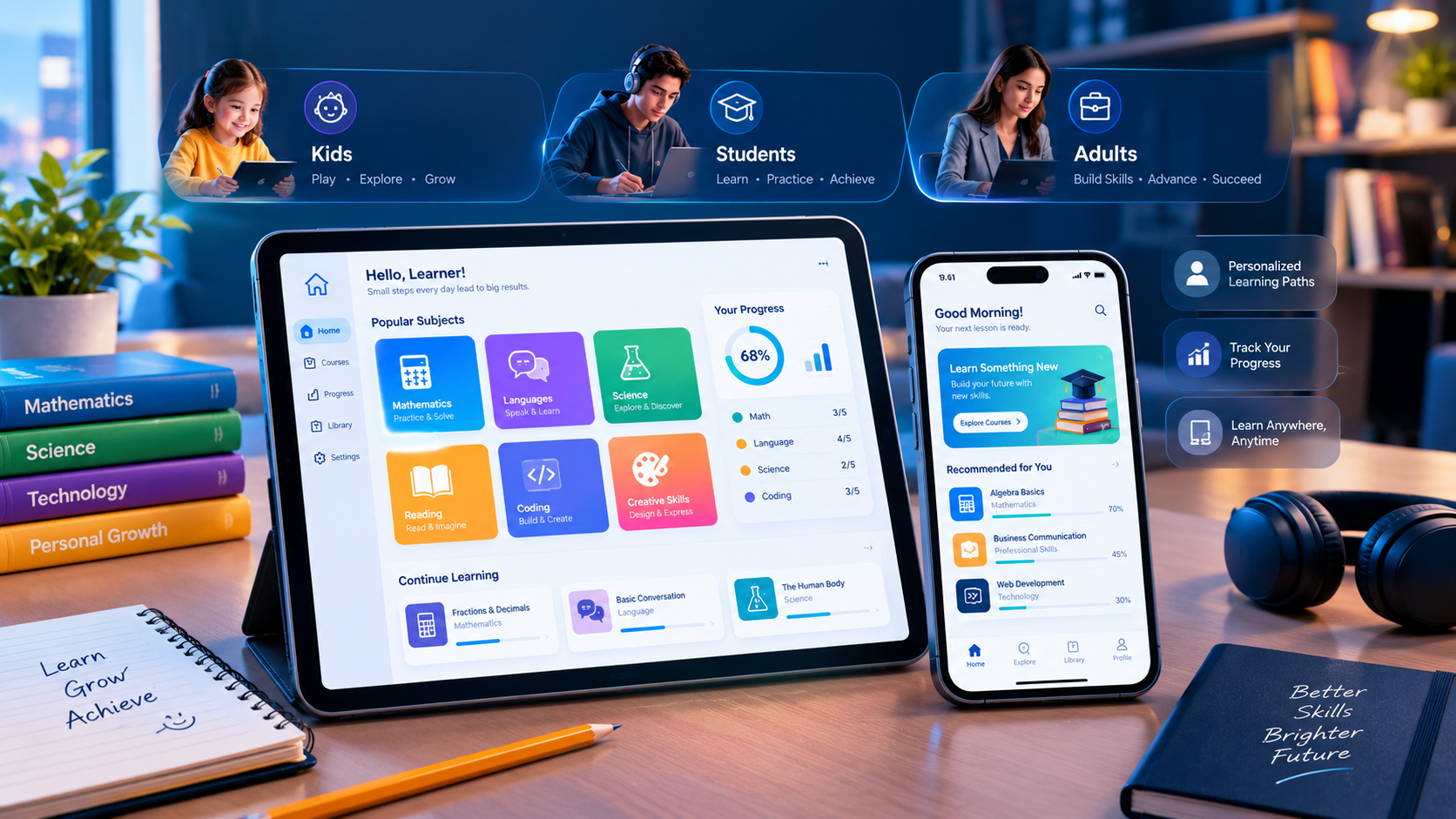
Explore educational apps for early learning, school subjects, language practice, exam revision, and professional skill development.
Best Learning Apps for Kids, Students, and Adults
Learning no longer has to happen only in a classroom. With a smartphone, tablet, or computer, children can practice reading, students can prepare for exams, and adults can develop new skills at their own pace. The best learning apps make educational content easier to access through interactive lessons, short exercises, videos, quizzes, and progress tracking.
However, not every educational app is suitable for every learner. Young children often benefit from playful activities and parent-guided learning, while school and university students may need structured courses, practice questions, and revision tools. Adults may prefer language-learning apps, professional courses, or platforms that help them explore unfamiliar subjects.
The best learning app is the one that matches the learner's age, goals, current ability, budget, and preferred learning style. Some excellent options are free, while others offer paid subscriptions for additional lessons, certificates, or advanced features.
This guide explores 10 useful learning apps for different age groups, compares their strengths, explains what to check before downloading, and shares practical ways to build a consistent learning routine.
What Are Learning Apps?
Learning apps are digital applications designed to help people acquire knowledge or practice skills through a mobile device or computer. They can cover academic subjects, language learning, coding, creative skills, professional development, and general knowledge.
Depending on the platform, learners may access video lessons, interactive exercises, digital books, quizzes, flashcards, games, guided courses, or personalized recommendations.
Some apps follow a structured curriculum, while others allow users to select individual topics and learn independently.
Why Are Educational Apps Popular?
Educational apps offer several practical advantages:
Flexible learning: Users can study at home, during a commute, or whenever they have free time.
Self-paced progress: Learners can revisit difficult lessons and practice skills repeatedly.
Interactive activities: Quizzes, games, and exercises can make certain subjects more engaging.
Wide subject selection: A single device can provide access to mathematics, science, languages, history, technology, and more.
Progress tracking: Some platforms show completed lessons, quiz results, or learning milestones.
Different price options: Free platforms and paid subscriptions allow users to choose according to their budgets.
Apps work best when they support a clear learning objective. For children, they should complement play, conversation, reading, and hands-on activities. For older learners, they can supplement classroom teaching, textbooks, practical work, and independent study.
Top 10 Best Learning Apps for Kids, Students, and Adults
The following apps serve different purposes. They are selected for their distinct learning uses rather than presented as a universal ranking. Availability, pricing, supported languages, and features can vary by country and device.
1. Khan Academy Kids — Best for Young Children
Best for: Early learners, preschool children, and children in the early primary years.
Main learning areas: Early reading, literacy, mathematics, language, creativity, and social-emotional development.
Khan Academy Kids is a free educational app designed for children approximately two to eight years old. It uses stories, interactive activities, books, and playful lessons to introduce foundational skills.
The app is especially useful for parents who want educational activities that young children can explore with adult guidance. Its activities are designed to support early learning rather than simply provide entertainment.
Key features include:
Early reading and language activities.
Foundational mathematics practice.
Interactive books and educational videos.
Creative activities and social-emotional learning.
Learning activities adapted to a child's progress.
Advantages: The family app is free and ad-free, with no subscription required. This can make it an accessible starting point for parents exploring educational technology.
Limitations: It is designed primarily for younger children, so older students will generally need a different platform for advanced subjects. Parents should also check language suitability and whether the activities match their child's current abilities.
Practical example: A parent can use a short reading activity followed by a real picture book, asking the child to identify familiar objects and describe what happens in the story.
Official details: Khan Academy Kids.
2. Khan Academy — Best for School Subjects and Independent Study
Best for: School students, university learners, teachers, and adults refreshing their knowledge.
Main learning areas: Mathematics, science, economics, computing, humanities, and other academic subjects.
Khan Academy provides free educational lessons, videos, articles, exercises, and quizzes. Learners can study a subject independently or use the platform to supplement their school or university coursework.
It is particularly useful when someone needs additional practice in a topic that was difficult to understand in class.
Key features include:
Lessons covering multiple academic subjects.
Practice exercises and quizzes.
Feedback and hints for supported activities.
Progress tracking.
Options for learning at an individual pace.
Advantages: Its broad academic coverage makes it useful for learners at different stages. The main platform also offers educational resources without requiring a paid subscription for its core learning content.
Limitations: Learners need to choose suitable courses and maintain their own study routine. Course availability and curriculum alignment should be checked against the requirements of a particular school, examination board, or university.
Practical example: A student preparing for a mathematics examination can review a topic, complete practice exercises, identify weak areas, and return to the relevant lesson before attempting another set of questions.
Official website: Khan Academy.
3. Duolingo — Best for Language Learning
Best for: Beginners and learners who want to practice a language regularly.
Main learning areas: Languages, with additional learning subjects available in selected courses.
Duolingo uses short lessons and game-like activities to help users practice vocabulary, grammar, reading, listening, and other language skills.
Its short-session format can be useful for people who struggle to set aside long periods for study.
Key features include:
Short interactive lessons.
Vocabulary and sentence practice.
Listening and reading activities.
Streaks and progress indicators.
Multiple language courses, depending on the user's language combination.
Advantages: The format can encourage regular practice, and users can explore the available learning options before deciding whether to pay for premium features.
Limitations: Completing app exercises alone does not guarantee conversational fluency. Learners also need opportunities to speak, listen to natural conversations, and use the language in real situations. Some features and course offerings differ between platforms and subscription tiers.
Practical example: Someone learning English can practice daily vocabulary, write short sentences, listen to spoken examples, and then use the new words in a conversation or written paragraph.
Official website: Duolingo.
4. Quizlet — Best for Flashcards and Exam Revision
Best for: School students, university students, and adults memorizing information.
Main learning areas: Vocabulary, definitions, formulas, terminology, facts, and revision topics.
Quizlet helps learners review information using digital flashcards and other study activities available through its platform.
It can be particularly useful when a learner needs to remember key terms, foreign-language vocabulary, scientific concepts, or definitions before an examination.
Key features may include:
Digital flashcard sets.
Question-and-answer revision.
Study activities based on saved material.
Shared or independently created study sets.
Learning tools that vary by account and plan.
Advantages: Learners can organize material into manageable groups and revisit difficult terms without carrying physical flashcards.
Limitations: The quality of a study set depends on the accuracy of its content. Publicly shared material may contain mistakes, and some features require payment. Flashcards are also less suitable as a replacement for understanding complex concepts or practicing extended answers.
Practical example: A biology student can create cards containing a scientific term on one side and its definition on the other, then review the cards before a test.
Official website: Quizlet.
5. Coursera — Best for Professional and University-Level Learning
Best for: University students, working professionals, career changers, and lifelong learners.
Main learning areas: Business, technology, data science, computer science, personal development, and other professional or academic subjects.
Coursera offers online courses and structured learning programs from universities and other educational organizations.
It can help learners explore a new field, strengthen professional knowledge, or follow a more organized course than they might find through isolated videos.
Key features include:
Structured online courses.
Video lessons and assessments.
Learning programs and specializations.
Selected professional certificates and degree programs.
Course options with different access and payment arrangements.
Advantages: Learners can explore topics relevant to their education or career and follow a defined curriculum.
Limitations: Pricing varies by course and program. Some courses allow free access to selected learning materials, while graded assignments, certificates, or full programs may require payment. A certificate does not automatically guarantee employment or professional recognition.
Practical example: A marketing professional can take a structured course in data analysis, practice with relevant tools, and apply the concepts to a small project.
Official website: Coursera.
6. Udemy — Best for Learning Practical Skills
Best for: Adults, freelancers, students, and professionals who want targeted instruction.
Main learning areas: Programming, design, marketing, business, productivity, creative skills, and personal interests.
Udemy is an online learning marketplace featuring courses created by instructors across many subjects.
It is useful for learners who want to focus on a specific skill instead of enrolling in a long academic program.
Key features include:
Topic-specific video courses.
Lessons divided into sections.
Practical demonstrations and exercises in selected courses.
Course previews and instructor information.
Different purchasing arrangements depending on the course and region.
Advantages: The large selection makes it possible to explore both professional and personal interests. Learners can compare course outlines and instructor information before purchasing.
Limitations: Course quality varies, and a certificate of completion is not necessarily equivalent to an accredited qualification. Review the syllabus, update history, instructor credentials, and learner feedback before spending money.
Practical example: A beginner interested in website creation can choose a course that teaches HTML, CSS, and JavaScript, then build a simple website to practice the lessons.
Official website: Udemy.
7. Brilliant — Best for Interactive Mathematics and Logic
Best for: Curious learners, older students, and adults interested in analytical thinking.
Main learning areas: Mathematics, logic, science, and selected computer science topics.
Brilliant focuses on interactive problem-solving rather than relying entirely on passive video watching.
Its learning approach is suited to people who want to explore a problem, test an idea, and understand how a solution works.
Key features may include:
Interactive lessons.
Guided problem-solving.
Visual explanations.
Mathematical and logical challenges.
Courses covering selected technical and scientific subjects.
Advantages: Interactive practice can help learners engage actively with concepts and test their understanding.
Limitations: Its subject range and approach may not match every school syllabus. Access to the complete course library generally depends on the available plan, so review current pricing before subscribing.
Practical example: A learner studying probability can work through a series of problems, compare possible outcomes, and use the feedback to identify misunderstandings.
Official website: Brilliant.
8. Google Arts & Culture — Best for Art, History, and Cultural Discovery
Best for: Children learning with adults, school students, teachers, and curious adults.
Main learning areas: Art, history, museums, cultural heritage, and world landmarks.
Google Arts & Culture provides digital access to cultural collections, stories, exhibitions, and virtual explorations from institutions around the world.
It offers an alternative to conventional textbook learning by allowing users to explore artworks, historical subjects, and cultural sites through digital content.
Key features include:
Digital art collections.
Curated cultural stories and exhibitions.
Virtual explorations of selected places.
Educational projects and activities.
Visual resources that can support classroom discussions.
Advantages: It can introduce learners to art and history through rich visual material and encourage independent curiosity.
Limitations: It is not a complete replacement for a structured academic curriculum. Some content requires internet access, and learners may need guidance to distinguish educational interpretation from primary historical evidence.
Practical example: A teacher can introduce a history topic by exploring a digital museum collection and asking students to compare objects from different periods.
Official website: Google Arts & Culture.
9. Photomath — Best for Step-by-Step Mathematics Support
Best for: School students and learners who need help understanding mathematics problems.
Main learning areas: Arithmetic, algebra, and other supported mathematical topics.
Photomath is a mathematics learning tool that helps users explore solutions to supported problems, including by scanning or entering a question.
It can be helpful when a student is stuck on a calculation and needs to understand the process rather than simply check the final answer.
Key features may include:
Camera-based problem input.
Step-by-step explanations for supported questions.
Mathematical problem solving.
Different explanation and learning options depending on the plan.
Advantages: It can make it easier to examine the steps involved in a problem and locate where a calculation went wrong.
Limitations: Not every problem will be recognized or explained perfectly. Students should verify results, understand the reasoning, and follow their teacher's rules about assistance during homework and examinations. Certain advanced explanations may require a paid plan.
Practical example: A student solving a linear equation can compare the app's explanation with classroom notes, then solve several similar questions independently.
Official website: Photomath.
10. SoloLearn — Best for Beginners Learning to Code
Best for: Students, aspiring developers, hobbyists, and adults exploring programming.
Main learning areas: Programming fundamentals and selected software-development topics.
SoloLearn offers coding lessons and practice opportunities for people learning programming.
It can be a starting point for someone who wants to understand coding concepts before building larger projects or following a more advanced curriculum.
Key features may include:
Short coding lessons.
Programming exercises.
Practice with supported programming languages.
Progress features and learning activities.
Community-oriented learning features.
Advantages: Bite-sized lessons can make technical topics less intimidating for beginners.
Limitations: Finishing short lessons does not replace practical development experience. Learners should progress to building projects, using development tools, reading documentation, and debugging their own code. Course availability and premium features may change.
Practical example: A beginner can study basic Python syntax, write a small calculator program, and then extend it with input validation and additional functions.
Official website: SoloLearn.
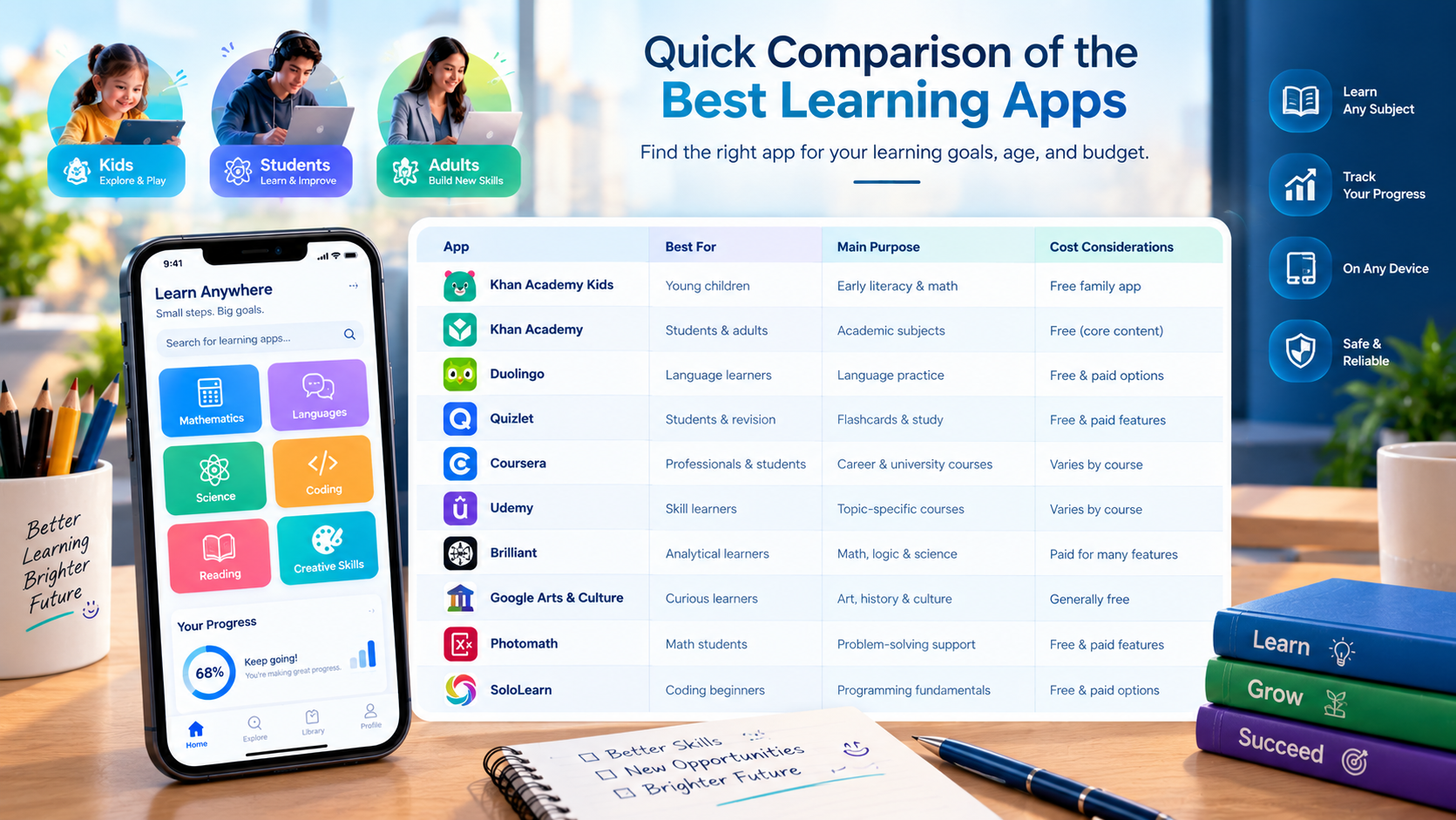
Quick Comparison of the Best Learning Apps
Use this table to narrow your options according to the type of learning you want to support.
App | Best suited for | Main purpose | Cost considerations |
|---|---|---|---|
Khan Academy Kids | Young children | Early literacy and mathematics | Free family app |
Khan Academy | School students and adults | Academic subjects | Core learning is free |
Duolingo | Language learners | Language practice | Free and paid options |
Quizlet | Students and revision | Flashcards and study activities | Free and paid features |
Coursera | Professionals and students | Structured academic and career courses | Varies by course and program |
Udemy | Practical skill learners | Topic-specific courses | Varies by course and offers |
Brilliant | Analytical learners | Mathematics, logic, and science | Paid access for many features |
Google Arts & Culture | Curious learners | Art, history, and culture | Core exploration is generally free |
Photomath | Mathematics students | Problem-solving support | Free and paid features |
SoloLearn | Coding beginners | Programming fundamentals | Free and paid options |
Pricing and feature availability can change. Check each provider's official website or app store listing before downloading, purchasing a course, or starting a subscription.
Best Learning Apps for Different Age Groups
The right educational app depends partly on the learner's developmental stage and the outcome they want to achieve.
Best Learning Apps for Kids
For younger children, prioritize age-appropriate content, simple navigation, privacy protections, and opportunities for parent involvement.
Khan Academy Kids is a useful starting point for early reading, mathematics, and creative activities. Google Arts & Culture can support guided exploration for older children, while other age-appropriate educational games may suit specific interests.
Parents should check:
The recommended age range.
Whether the app includes advertisements or in-app purchases.
What personal information it collects.
Whether a parent can control settings and purchases.
Whether the content is suitable for the child's language and ability.
Whether the app encourages active learning rather than prolonged passive screen use.
For young children, combine digital activities with reading aloud, conversation, drawing, building, movement, and real-world experiences. An app should be one part of a broader learning routine.
Best Learning Apps for School and University Students
Students often need tools that reinforce lessons, help them revise, and prepare them for assessments.
Khan Academy is useful for academic explanations and practice. Quizlet can help with vocabulary and definitions, while Photomath may support mathematical understanding. Coursera can supplement university-level or professional study where relevant.
A practical study routine could include:
Review the topic taught in class.
Use an app to clarify difficult concepts.
Complete practice questions without looking at the solution.
Record mistakes and revisit weak areas.
Test understanding later rather than relying only on immediate repetition.
Students should confirm that an app's content matches their curriculum or examination requirements. An app that explains a concept well may still use a different syllabus, notation, or assessment style.
Best Learning Apps for Adults
Adults may learn for career progression, personal interests, communication, or a future career change.
Coursera and Udemy offer structured courses across professional subjects. Duolingo can support language practice, Brilliant can encourage analytical thinking, and SoloLearn can introduce programming.
Before selecting an app, define a practical outcome. For example:
Improve everyday English communication.
Learn the basics of spreadsheets.
Understand introductory programming.
Develop digital marketing knowledge.
Explore data analysis.
Study a subject for personal interest.
Choose learning material that helps you demonstrate the skill, not just complete lessons. A small project, presentation, portfolio item, or practical exercise can help turn knowledge into usable ability.
How to Choose the Right Learning App
With so many educational apps available, it is easy to download several and use none consistently. A better approach is to evaluate each option against a small number of practical criteria.
1. Define the Learning Goal
Start by identifying what the learner should be able to do.
“Learn mathematics” is a broad objective. “Understand fractions and solve ten fraction problems independently” is more specific.
Similarly, an adult who wants to learn coding should decide whether the goal is to understand programming basics, build a website, or prepare for a technical role.
A clear goal helps you choose an app with relevant lessons and meaningful progress indicators.
2. Check the Age and Skill Level
An app designed for preschool children will not provide the same experience as a university-level course.
Review the recommended age, prerequisite knowledge, difficulty, and lesson format. For children, consider whether the interface can be used comfortably and whether adult guidance is necessary.
For adults, make sure the course begins at an appropriate level and does not assume knowledge you have not yet developed.
3. Compare Free and Paid Features
Some platforms provide extensive free learning resources, while others limit access to selected lessons or require a subscription for advanced features.
Before paying, check:
Which lessons are included.
Whether the subscription renews automatically.
Whether a trial converts to a paid plan.
Whether certificates cost extra.
Whether family or student pricing is available.
How cancellation works.
Whether the price shown applies in your country.
Do not assume that the most expensive app offers the best learning experience. A free platform may be enough for your particular goal.
4. Evaluate the Teaching Method
Consider whether the app uses videos, reading, interactive exercises, flashcards, practical projects, or a combination of methods.
Different subjects need different approaches. Flashcards can help with vocabulary, but programming requires writing and testing code. Reading about mathematics may help explain a concept, but solving problems is essential for practice.
Choose an app whose teaching method matches the skill you want to develop.
5. Review Progress Tracking
Useful progress tracking should tell you more than how many days you have opened the app.
Look for indicators such as completed lessons, assessment results, areas of difficulty, and opportunities to revisit weak topics.
For children, parent or teacher controls can be useful. For adult learners, clear milestones can help connect lessons to practical goals.
6. Check Privacy and Security
Educational apps may collect account details, usage information, learning progress, or other personal data.
Before creating an account, review the privacy policy and age requirements. For children, check parental controls, advertising practices, in-app purchases, and available data-deletion options.
Download apps from official app stores or the provider's verified website. Avoid modified applications and unfamiliar download links that may expose devices or accounts to risk.
7. Check Device and Internet Requirements
Some apps work through a browser, while others require a mobile application. Certain lessons can be downloaded for offline use, but others need a reliable internet connection.
Check compatibility with your device, storage requirements, language options, accessibility settings, and offline availability before committing to a platform.
Free vs. Paid Learning Apps: Which Is Better?
Free and paid learning apps can both be useful. The better choice depends on the quality and depth of content available for your goal.
Benefits of Free Learning Apps
Free platforms can help learners explore a subject without committing money upfront.
They are especially useful for:
Children trying educational activities for the first time.
Students who need additional explanations.
Adults exploring a new interest.
Learners comparing subjects before choosing a longer course.
However, free access may not include every feature, course, certificate, or advanced learning tool.
Benefits of Paid Learning Apps
Paid apps and courses may offer specialized content, structured programs, extra practice, instructor support, or certificates.
They may be worthwhile when the additional features directly support a learning objective.
Before subscribing, ask whether the paid content is genuinely necessary, whether similar material is available elsewhere, and whether you will have enough time to use the service.
A Simple Decision Framework
Your situation | A sensible starting point |
|---|---|
You want to explore a subject | Try a free introductory course |
Your child needs early learning practice | Start with an age-appropriate free app |
You need repeated exam revision | Compare flashcards and structured practice tools |
You want a professional certificate | Review the course provider, fees, and recognition |
You want to learn a practical skill | Choose a course with exercises and a project |
You need offline learning | Confirm downloads and offline access before enrolling |
The most effective investment is the one that helps you make measurable progress without unnecessary cost or complexity.
How to Build a Consistent Learning Routine
Even a well-designed app cannot produce meaningful progress if it is rarely used. A manageable routine is generally more practical than trying to complete too many lessons in one sitting.
Set a Realistic Schedule
Choose a regular time that fits the learner's daily routine. A child may use an educational activity during a short parent-guided session, while an adult might reserve time after work.
The ideal session length varies with age, attention, subject, and individual needs. Focus on engagement and understanding rather than maximizing screen time.
Combine Lessons With Practice
Watching a video or completing an interactive lesson is only one part of learning.
After a lesson, ask the learner to explain the idea in their own words, solve a similar problem, write a summary, or apply the skill to a real task.
For example, a person learning English can study new vocabulary and then write a short paragraph using those words.
Review Mistakes
Mistakes can reveal which concepts need more practice. Instead of immediately repeating an entire course, identify the specific topic that caused difficulty.
Return to the relevant lesson, try a different explanation, and test the skill again.
Track Meaningful Progress
Record what the learner can do now that they could not do before.
This might mean reading a short story independently, solving a new type of equation, holding a basic conversation, or building a small coding project.
Practical achievements are often more informative than streak counts alone.
Avoid Using Too Many Apps at Once
Installing multiple apps can create unnecessary distractions. Start with one main platform and, if needed, one supplementary tool.
For example, a student could use Khan Academy for explanations and Quizlet for memorization. An adult learning programming might use a structured course alongside a coding practice platform.
Review progress after a few weeks and change the tools only if they are not meeting the learner's needs.
Learning Apps in Schools and Educational Institutions
Learning apps can support teachers and educational institutions by providing supplementary exercises, digital resources, and ways to monitor selected learning activities.
However, selecting technology for a classroom involves more than choosing a popular app. Institutions should consider accessibility, curriculum alignment, student privacy, teacher training, device compatibility, and the time required to integrate the platform into lessons.
For schools exploring broader digital learning solutions, Galaxium Coding's education technology solutions may be relevant when planning digital systems and educational experiences.
What Schools Should Consider
Curriculum alignment: Check that lessons support the intended learning outcomes.
Teacher usability: Teachers should be able to integrate the tool without unnecessary administrative work.
Student privacy: Review data collection, permissions, and account requirements.
Accessibility: Consider language, assistive technology, and different learning needs.
Progress reporting: Determine whether available reports provide useful information.
Device management: Ensure the app works with the school's devices and network.
Cost at scale: Calculate subscriptions, training, support, and implementation expenses.
A successful digital learning strategy combines suitable software with thoughtful teaching practices and ongoing evaluation.
The Future of Educational Apps
Educational technology continues to evolve as developers explore personalization, accessibility, interactive content, and artificial intelligence.
These developments may offer new ways to support learners, but their usefulness depends on the quality of the teaching approach, the accuracy of the content, and responsible handling of personal information.
AI-Powered Personalized Learning
AI-supported tools can provide explanations, generate practice questions, or adjust certain activities to a learner's performance.
Such tools can be helpful when used to supplement reliable teaching materials. However, AI-generated answers can contain errors, so learners should verify important information and seek qualified guidance when appropriate.
Interactive and Visual Learning
Interactive exercises, simulations, and visual explanations can help users explore ideas that may be difficult to understand through text alone.
The right format depends on the subject. A simulation may help explain a scientific process, while a writing exercise may be more appropriate for developing communication skills.
Greater Accessibility
Educational technology can offer features such as adjustable text, captions, audio support, and flexible lesson formats. These features may help more people participate in learning, although accessibility varies between apps.
Responsible Use of Learning Data
Personalized tools may use learning activity to suggest future lessons. Providers and educational institutions should explain how data is collected, used, retained, and protected.
Parents and learners should review available privacy controls and avoid sharing unnecessary sensitive information.
The future of learning apps is not simply about adding more technology. It is about making learning more useful, accessible, trustworthy, and appropriate for the people using it.
Frequently Asked Questions About Learning Apps
1. What is the best learning app for kids?
Khan Academy Kids is a useful starting point for children approximately two to eight years old because it offers early literacy, mathematics, stories, and interactive activities. The best choice still depends on the child's age, language, abilities, and interests.
2. Which learning app is best for students?
Khan Academy is useful for academic subjects and practice, while Quizlet can support memorization and revision. Students should choose according to their subject, learning goals, and curriculum requirements.
3. Are there free learning apps?
Yes. Khan Academy Kids is free for families, and Khan Academy provides a broad range of free educational resources. Other platforms offer free access to some lessons or features, although premium content may cost extra.
4. Which app is best for learning English?
Duolingo can help learners practice vocabulary and language fundamentals. For broader progress, combine app exercises with listening, reading, writing, and real conversation.
5. Which learning apps are useful for adults?
Coursera and Udemy offer courses across professional and academic topics. Duolingo can support language practice, Brilliant offers interactive problem-solving activities, and SoloLearn can help beginners explore programming.
6. Can learning apps replace teachers?
Learning apps can supplement instruction, provide practice, and help learners revisit difficult topics. They do not fully replace the guidance, feedback, interaction, and professional judgment that teachers provide.
7. Are paid learning apps better than free ones?
Not necessarily. A free app may provide everything a learner needs, while a paid service may offer specialized courses or extra features. Compare content quality, teaching methods, cost, and your goals before subscribing.
8. How much time should children spend on learning apps?
There is no single duration that suits every child or activity. Consider the child's age, attention, individual needs, and overall daily routine. Balance screen-based learning with sleep, physical activity, play, reading, and social interaction.
9. Are educational apps safe for children?
Safety depends on the specific app and how it is configured. Review the age rating, privacy policy, advertising, in-app purchases, parental controls, and data collection practices before allowing a child to use it.
10. Can learning apps help with career development?
Yes. Apps and online learning platforms can help adults develop skills in areas such as programming, business, communication, languages, and data analysis. Practical projects and relevant experience are important when applying those skills professionally.
11. Do learning apps work without an internet connection?
Some apps offer offline access to downloaded lessons, while others require an internet connection for most features. Check the provider's current offline-access options before relying on an app in an area with limited connectivity.
12. How do I know whether a learning app is effective?
Look for measurable improvement in the target skill. Learners should be able to answer questions independently, explain concepts, complete practical tasks, or apply what they have learned outside the app.
Final Thoughts
The best learning apps for kids, students, and adults offer different ways to develop knowledge and skills. Khan Academy Kids supports early learning, Khan Academy provides academic resources, Duolingo focuses on language practice, Quizlet helps with revision, and platforms such as Coursera, Udemy, Brilliant, and SoloLearn support more specialized goals.
Rather than downloading every popular app, begin with a clear learning objective and choose a platform that fits the learner's age, ability, budget, and routine. Review its content, privacy practices, and limitations before making it part of a regular study plan.
Most importantly, measure progress by what the learner understands and can do, not simply by how many lessons they complete.
Call to Action
Educational technology can create valuable learning experiences when it is designed around the needs of students, teachers, and institutions. Schools and education businesses looking to develop digital learning platforms, interactive web applications, or mobile educational tools can explore Galaxium Coding's software development services and mobile application development solutions.
To discuss a project involving educational technology or a custom learning platform, contact Galaxium Coding.