AI in Software Development: Trends and Benefits in 2026

AI is transforming software development in 2026 through intelligent coding assistance, automated testing, debugging, and smarter development workflows.
AI in Software Development: Trends and Benefits in 2026
Artificial intelligence is transforming how businesses plan, build, test, deploy, and maintain software. In 2026, AI is no longer limited to generating code or answering programming questions. It is becoming part of the broader software development lifecycle, helping teams automate repetitive tasks, analyze requirements, identify potential issues, improve testing, and accelerate development workflows.
For businesses, this transformation creates opportunities to develop digital products more efficiently, improve software quality, and explore innovative solutions. However, successful AI adoption requires more than simply introducing new tools. Organizations must also consider data security, technical accuracy, human oversight, integration, and long-term maintainability.
This guide explores the latest AI in software development trends in 2026, the benefits of AI-powered development, practical use cases, challenges, and strategies businesses can use to adopt AI responsibly.
What Is AI in Software Development?
AI in software development refers to the use of artificial intelligence technologies, including machine learning, generative AI, natural language processing, and AI agents, to support or automate activities involved in building and maintaining software.
Traditional software development depends heavily on developers manually writing code, identifying bugs, creating test cases, reviewing requirements, and documenting technical processes. AI-powered development introduces tools that can assist with these tasks by analyzing information, generating suggestions, and automating selected workflows.
For example, a developer can describe a software feature in natural language and use an AI coding assistant to generate an initial implementation. The developer can then review the output, improve the code, test its behavior, and integrate it into the application.
AI can support multiple stages of the software development lifecycle, including:
Requirement analysis and planning
Code generation and completion
Code review and refactoring
Software testing and quality assurance
Bug detection and debugging
Technical documentation
Deployment and operational monitoring
Software maintenance and modernization
The objective is not to eliminate developers. Instead, AI helps development teams reduce repetitive work while allowing human professionals to focus on architecture, complex problem-solving, decision-making, and quality assurance.
Why AI Is Becoming Important in Software Development in 2026
Software projects are becoming increasingly complex. Businesses require applications that support multiple devices, integrate with different systems, protect sensitive information, and scale as operational demands increase.
At the same time, development teams face pressure to deliver software faster without compromising reliability or security.
AI offers new ways to address these challenges. According to Google's 2025 DORA research, AI adoption among surveyed technology professionals reached 90%, with more than 80% reporting improvements in productivity. However, the research also emphasizes that AI's impact depends on the effectiveness of the underlying development practices and organizational environment.
Source: Google's 2025 DORA Report
In 2026, businesses are increasingly exploring AI to:
Accelerate software development workflows
Reduce repetitive coding activities
Improve testing and debugging
Support developers working with unfamiliar technologies
Analyze technical information more efficiently
Improve collaboration across development teams
Explore intelligent and personalized software features
AI is becoming a development capability rather than simply an additional coding tool.
Top AI in Software Development Trends in 2026
1. AI-Powered Code Generation
AI code generation is one of the most widely recognized applications of artificial intelligence in software engineering.
Modern AI coding assistants can generate code snippets, suggest functions, explain programming concepts, and help developers translate requirements into working implementations.
Instead of manually writing every component, developers can use AI-generated suggestions as a starting point and refine them according to project requirements.
How AI code generation works
A developer provides instructions, contextual information, or an existing codebase. The AI analyzes the input and generates a possible implementation based on learned patterns and available context.
For example, a developer working on an eCommerce application might request:
A product filtering function
A customer registration form
An API integration
A database query
A reusable UI component
AI can generate an initial solution, but developers must review its logic, dependencies, performance, and security.
Business benefits
AI-assisted code generation can help businesses:
Accelerate implementation of routine features
Reduce repetitive manual coding
Explore alternative implementation approaches
Support faster prototyping
Improve developer productivity
Tools such as GitHub Copilot can assist developers directly within their coding environments.
2. AI Coding Agents and Agentic Development
AI coding agents are evolving beyond simple code suggestions. They can work through multi-step tasks, inspect relevant files, propose changes, execute supported commands, and assist with testing or debugging.
Unlike a traditional code completion tool, an AI agent may be assigned a broader objective, such as investigating a bug or implementing a small feature.
A development team might use an agent to:
Analyze a reported software issue.
Identify the relevant files and functions.
Suggest a possible solution.
Implement changes in a controlled environment.
Run available tests.
Prepare the changes for developer review.
This approach is increasingly relevant to complex software projects where developers must coordinate multiple tasks.
However, agents still require appropriate permissions, technical context, testing, and human supervision. Their ability to complete a task does not automatically mean the resulting code is production-ready.
3. AI-Assisted Software Testing and Quality Assurance
Software testing is essential for identifying defects and verifying that an application behaves as expected. AI is making testing more adaptive by assisting with test generation, failure analysis, and selected quality assurance activities.
AI-powered testing tools can help developers:
Generate test cases from requirements
Identify potential edge cases
Analyze test failures
Detect unusual application behavior
Support regression testing
Suggest improvements to test coverage
Identify patterns in reported defects
For example, when developing a customer registration system, AI can help identify scenarios involving invalid email addresses, duplicate accounts, missing fields, unexpected input, and authentication errors.
AI-assisted testing can complement traditional automated testing frameworks, but it should not replace deterministic tests, established quality standards, or manual testing where human judgment is essential.
4. AI-Powered Debugging and Code Review
Debugging often requires developers to understand complex codebases, reproduce problems, and identify the underlying causes of unexpected behavior.
AI-powered debugging tools can analyze code, error messages, logs, and contextual information to suggest possible explanations and solutions.
In code review, AI can help identify:
Potential logic errors
Inconsistent coding patterns
Unnecessary complexity
Possible security vulnerabilities
Performance bottlenecks
Missing validation
Maintainability concerns
Consider an application that becomes slower after a new feature is introduced. An AI assistant may analyze the relevant code and suggest possible causes, such as inefficient database queries or repeated processing.
The developer must still investigate the actual runtime behavior and confirm whether the proposed solution addresses the root cause.
5. Generative AI for Software Documentation
Technical documentation is essential for maintaining software, onboarding developers, and explaining system architecture. However, documentation often becomes outdated when development teams prioritize feature delivery.
Generative AI can help create and maintain documentation by:
Explaining existing code
Drafting API documentation
Summarizing technical changes
Preparing release notes
Creating onboarding guides
Documenting functions and components
Converting technical information into readable explanations
For example, when developers introduce a new API endpoint, AI can assist in drafting documentation describing its purpose, parameters, expected responses, and potential error conditions.
Human review remains important to ensure that documentation accurately reflects the implemented system.
6. AI-Driven DevOps and Continuous Integration
AI is increasingly being integrated into DevOps workflows, supporting development, testing, deployment, and operational activities.
AI-powered DevOps tools can help analyze deployment logs, detect unusual patterns, investigate incidents, and recommend potential improvements to infrastructure or delivery pipelines.
When combined with established CI/CD practices, AI can assist teams in:
Analyzing build failures
Identifying deployment risks
Reviewing configuration changes
Investigating infrastructure issues
Supporting incident response
Improving operational monitoring
Businesses can explore these capabilities alongside established Cloud and DevOps services to support more efficient and reliable software delivery.
AI should complement automated deployment controls, monitoring, and approval processes rather than independently bypassing them.
7. AI for Legacy Software Modernization
Many organizations depend on legacy software that remains essential to daily operations. Modernizing these systems can be challenging because of outdated technologies, limited documentation, complex dependencies, and the risk of disrupting existing workflows.
AI can assist with legacy software modernization by:
Analyzing existing codebases
Explaining undocumented components
Identifying outdated dependencies
Suggesting code refactoring
Supporting code translation between languages
Drafting modernization documentation
Helping developers understand system dependencies
For example, a business operating an older internal management system may use AI to analyze selected components before migrating them to a modern architecture.
Modernization still requires careful planning, compatibility testing, security evaluation, and a structured migration strategy.
8. AI-Powered Personalization and Intelligent Applications
AI is also influencing the software products businesses develop, not just the process of writing code.
Applications can incorporate AI capabilities to analyze user behavior, identify patterns, and provide personalized experiences.
Examples include:
Personalized product recommendations in eCommerce
Intelligent search in business applications
Automated customer support
Predictive analytics in management systems
Personalized learning experiences
Smart document processing
Conversational interfaces
Businesses exploring these capabilities can consider how custom software development can align AI functionality with their unique operational requirements.
The most effective applications use AI to solve a genuine user problem instead of adding AI features simply because the technology is available.
9. Retrieval-Augmented Generation (RAG) for Software Applications
Retrieval-Augmented Generation, commonly known as RAG, combines generative AI with external information sources.
Instead of relying exclusively on information learned during training, a RAG system retrieves relevant information from selected documents, databases, or knowledge repositories before generating a response.
In software development, RAG can support:
Internal documentation assistants
Customer support applications
Enterprise knowledge search
Technical troubleshooting
Policy and document retrieval
AI-powered business information systems
For example, a company could build an internal assistant that retrieves information from approved technical documentation and helps employees find answers to operational questions.
Businesses should consider data access permissions, source quality, retrieval accuracy, and information security when implementing RAG.
For a deeper comparison, explore RAG vs. Fine-Tuning: Which AI Approach Is Right for Your Business?
10. AI-Assisted Low-Code and No-Code Development
Low-code and no-code platforms allow users to create certain applications using visual development environments, reusable components, and simplified workflows.
AI is enhancing these platforms by enabling users to describe desired functionality in natural language and receive suggestions for application structure, workflows, or components.
This can support:
Rapid prototyping
Internal business tools
Workflow automation
Basic data-driven applications
MVP development
Early-stage product validation
However, low-code and no-code development may not be suitable for every application. Complex integrations, performance requirements, advanced security, and long-term scalability may require traditional engineering or a hybrid approach.
Key Benefits of AI in Software Development
AI can provide meaningful advantages when integrated into software development workflows with clear goals and appropriate technical oversight.
1. Faster Development and Improved Productivity
AI can reduce the time required for certain repetitive development tasks, including code generation, documentation, test preparation, and debugging assistance.
Developers can spend more time on architecture, product decisions, and complex technical challenges instead of repeatedly performing routine activities.
This can help teams accelerate selected development stages, although overall project timelines also depend on requirements, integration complexity, testing, and review.
2. Reduced Repetitive Manual Work
Software projects contain many tasks that follow established patterns. AI can assist with repetitive activities such as generating boilerplate code, preparing documentation, explaining functions, and creating preliminary test cases.
Reducing this workload can make development processes more efficient while allowing engineers to focus on higher-value work.
3. Improved Software Quality
AI can assist in identifying possible bugs, code inconsistencies, vulnerabilities, and missing test scenarios.
When used alongside code reviews, automated testing, and quality assurance processes, these capabilities can help developers identify issues earlier.
AI does not guarantee error-free software. Incorrect suggestions and missed defects remain possible, making verification essential.
4. Better Support for Innovation
AI can help developers explore alternative approaches, experiment with new features, and create prototypes more efficiently.
Businesses may use AI-assisted development to evaluate product concepts, test ideas, and investigate new technical possibilities before committing to a larger investment.
This can support innovation while keeping human expertise central to decision-making.
5. Support for Learning and Skill Development
Developers can use AI tools to understand unfamiliar programming languages, frameworks, libraries, and codebases.
AI can explain complex code, demonstrate alternative implementations, and provide contextual guidance.
However, developers should verify AI-generated explanations against official documentation and reliable technical sources. Understanding the fundamentals remains essential for maintaining and securing software.
6. Improved Collaboration and Knowledge Sharing
AI can help teams summarize technical discussions, explain code changes, prepare documentation, and make project information easier to access.
These capabilities may be particularly useful when teams work across different departments, locations, or technical specializations.
Clear documentation, structured workflows, and effective communication remain necessary for successful collaboration.
7. Potential Cost and Resource Optimization
AI may help reduce the effort required for selected development activities. However, the financial impact depends on factors such as:
AI tool licensing
Implementation and integration costs
Developer training
Infrastructure requirements
Security and governance
Code review and verification effort
Ongoing maintenance
Businesses should evaluate total project costs rather than assuming that AI automatically makes software development cheaper.
How AI Is Used Across the Software Development Lifecycle
AI can support different stages of software development when it is applied according to the needs of each project.
Development stage | Potential AI application |
|---|---|
Planning | Requirements analysis and user story drafting |
Design | Exploring architecture and interface concepts |
Development | Code generation and completion |
Testing | Test case generation and failure analysis |
Code review | Identifying potential defects and inconsistencies |
Deployment | Supporting CI/CD analysis and release preparation |
Maintenance | Documentation, debugging, and modernization |
Practical example: AI in an eCommerce project
Imagine a business planning an eCommerce application with product listings, customer accounts, online payments, and an administrative dashboard.
A development team may use AI to:
Draft user stories from business requirements.
Generate initial code for selected interface components.
Assist with API integration examples.
Suggest test cases for checkout workflows.
Analyze errors reported during testing.
Draft technical documentation.
Review selected code changes for potential issues.
The developers remain responsible for system architecture, payment security, data privacy, functional correctness, and final deployment decisions.
The result is a development process in which AI supports specific tasks while experienced engineers maintain control over the application.
Popular AI Tools Used in Software Development in 2026
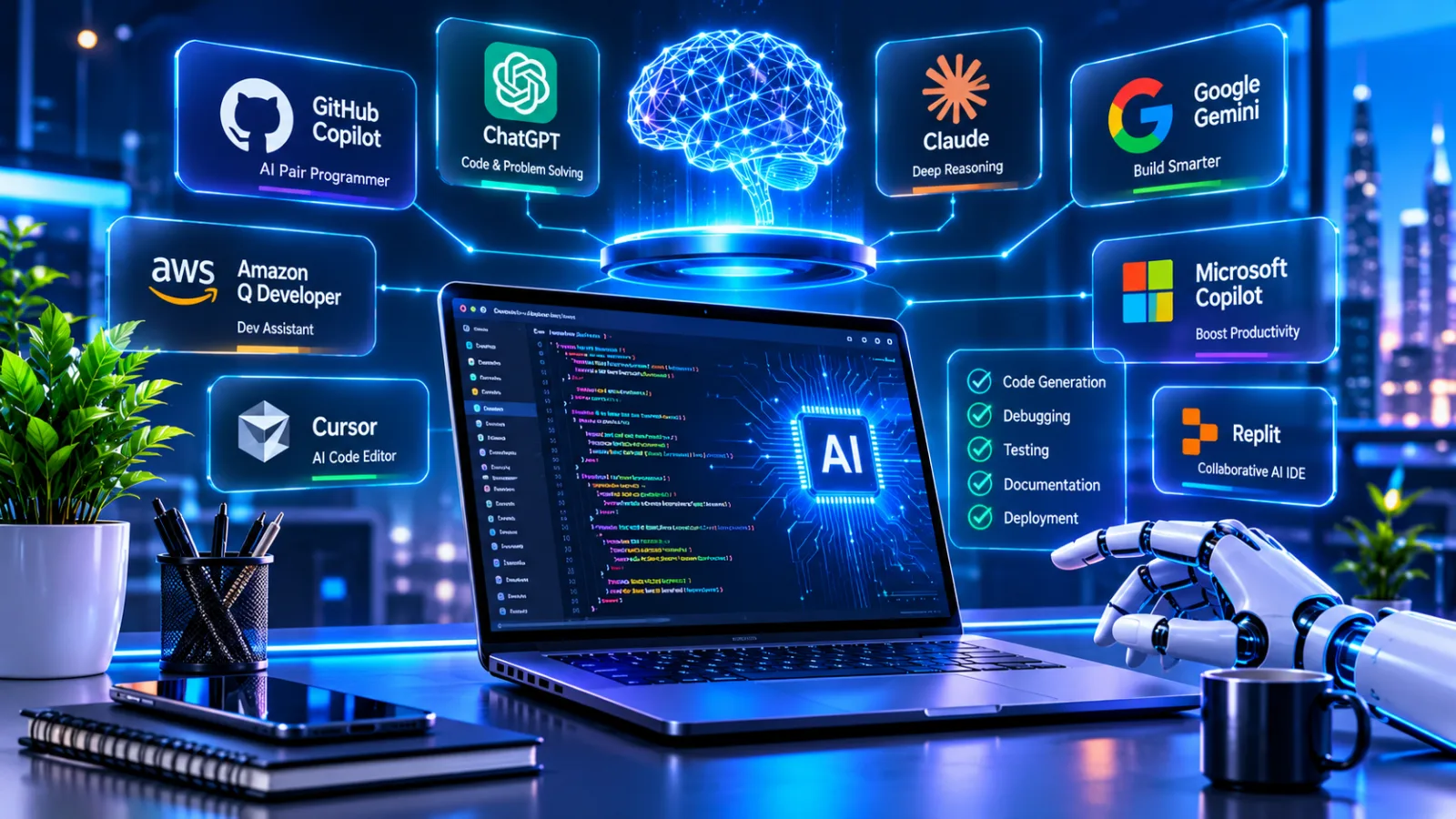
Different AI tools support different development activities. Selection should depend on the programming environment, project requirements, privacy policies, and team workflows.
Tool | Common application |
|---|---|
GitHub Copilot | Code completion, coding assistance, and developer workflows |
ChatGPT | Code explanations, problem-solving, documentation, and development assistance |
Claude | Coding assistance, reasoning, and working with complex code |
Google Gemini | Coding assistance, technical analysis, and development workflows |
Amazon Q Developer | Development assistance within AWS-oriented workflows |
AI-powered testing platforms | Test generation, analysis, and quality assurance support |
These tools evolve frequently. Businesses should review their current capabilities, pricing, data handling policies, and supported integrations before selecting a solution.
Challenges and Risks of AI in Software Development
Despite its advantages, AI introduces challenges that businesses should address before adopting it at scale.
1. Incorrect or Insecure Code
AI may generate code that appears correct but contains logical errors, outdated patterns, or security weaknesses.
How to address it: Use code reviews, automated tests, security scanning, and developer verification before integrating AI-generated code into production.
2. Data Privacy and Confidentiality
Developers may accidentally expose proprietary source code, credentials, customer information, or confidential business data when using external AI tools.
How to address it: Establish acceptable-use policies, select appropriate enterprise controls, restrict sensitive inputs, and review data retention and processing policies.
3. Overdependence on AI
Excessive reliance on AI-generated output may weaken developers' understanding of the underlying implementation.
How to address it: Encourage developers to understand, test, and explain the code they approve. AI should support learning and problem-solving rather than replace technical judgment.
4. Integration and Workflow Challenges
Introducing AI tools into an existing development environment may require changes to processes, permissions, collaboration, and infrastructure.
How to address it: Start with specific use cases, conduct controlled pilots, evaluate outcomes, and gradually expand adoption.
5. Quality Verification and Maintenance
AI-generated code can introduce additional review requirements. Faster code production does not automatically translate into faster delivery of reliable software.
Google's DORA research on generative AI in software development emphasizes the importance of strong engineering practices, fast feedback loops, testing, and organizational readiness.
How Businesses Can Adopt AI in Software Development Successfully
Businesses should adopt AI strategically instead of introducing tools without defined objectives.
Step 1: Identify Specific Development Challenges
Start by identifying repetitive or time-consuming tasks within the development workflow.
Examples include:
Documentation preparation
Code explanation
Test case creation
Bug investigation
Code review assistance
Legacy code analysis
Choose a problem that can be evaluated rather than attempting to automate the entire development process immediately.
Step 2: Select Appropriate AI Tools
Evaluate AI tools based on:
Compatibility with existing technologies
Supported programming languages
Security and privacy requirements
Integration capabilities
Developer experience
Licensing and operating costs
Governance and access controls
The most suitable tool is not necessarily the one with the greatest number of features. It is the one that supports the project's actual needs.
Step 3: Establish Human Review and Security Controls
Define which tasks AI may assist with and which decisions require human approval.
For example, AI may draft a database migration script, but an experienced engineer should review its impact, validate the migration, and approve execution.
Step 4: Train Developers and Encourage Responsible Use
Provide developers with guidance on prompt design, output verification, secure usage, and effective AI collaboration.
Training should focus on understanding both the capabilities and limitations of AI-generated output.
Step 5: Measure Meaningful Outcomes
Evaluate AI adoption using indicators such as:
Development cycle time
Defect rates
Code review effort
Test coverage
Deployment reliability
Developer experience
Maintenance workload
Avoid measuring success solely through the amount of AI-generated code or the number of AI tools being used.
Step 6: Improve and Expand Gradually
Review results, identify problems, and adjust workflows before expanding AI adoption across additional teams or projects.
A structured approach helps businesses build sustainable AI-assisted development practices.
AI in Software Development for Businesses in Qatar
Businesses in Qatar are increasingly exploring digital solutions to improve operational efficiency, customer experiences, and competitiveness.
AI-powered software development can support organizations seeking to modernize business applications, automate selected workflows, and introduce intelligent capabilities into their digital products.
Potential applications include:
AI-enabled customer service systems
Intelligent enterprise applications
Predictive business analytics
Automated document processing
Smart inventory and operational management
Personalized digital platforms
AI-powered internal knowledge systems
However, businesses should evaluate their requirements, data governance, integration needs, and technical readiness before implementing AI.
Organizations planning new digital solutions can explore Galaxium Coding's software development services to understand how custom applications can be designed around business workflows.
For companies considering AI-enabled digital products, the right approach is to begin with a clearly defined business problem and select technology that supports measurable outcomes.
What Is the Future of AI in Software Development?
AI in software development is expected to continue evolving across several areas.
More Capable AI Agents
AI agents are likely to become more integrated into development environments, assisting with multi-step tasks such as debugging, code changes, testing, and documentation.
Human oversight will remain important for complex decisions, security-sensitive operations, and production changes.
Greater Focus on AI Governance
As AI becomes part of everyday engineering, organizations will need clearer policies for data privacy, access permissions, code ownership, security, and accountability.
AI-Enhanced Software Testing
AI-assisted testing may become more sophisticated in analyzing application behavior, identifying edge cases, and supporting quality assurance workflows.
Increased Human-AI Collaboration
The future of development is likely to involve developers working alongside AI tools and agents. Human expertise will remain essential for architecture, validation, product decisions, and responsible software delivery.
More Intelligent Business Applications
AI capabilities will increasingly become part of the software businesses use, including enterprise platforms, customer applications, analytics systems, and workflow solutions.
The organizations that benefit most will be those that combine AI capabilities with reliable engineering practices and clear business objectives.
Frequently Asked Questions
What is AI in software development?
AI in software development involves using artificial intelligence technologies to assist with coding, testing, debugging, documentation, project analysis, and other software engineering activities.
What are the main benefits of AI in software development?
Key benefits include improved productivity, reduced repetitive work, faster code generation, testing assistance, better documentation, and support for innovation. Results depend on implementation quality and human oversight.
Will AI replace software developers in 2026?
AI can automate or assist with selected development tasks, but software engineering still requires human judgment, system design, requirements analysis, security, testing, and accountability. AI is more appropriately viewed as a development assistant than a complete replacement for skilled engineers.
Which AI tools are used for software development?
Popular options include GitHub Copilot, ChatGPT, Claude, Google Gemini, Amazon Q Developer, and specialized AI testing tools. The right choice depends on the team's workflow, technology stack, security requirements, and budget.
Is AI-generated code reliable?
AI-generated code can be useful, but it is not guaranteed to be correct, secure, or optimized. Developers should review, test, and validate it before using it in production systems.
Can small businesses benefit from AI in software development?
Yes. Small businesses may use AI-assisted development to support prototyping, automate selected tasks, improve documentation, and explore digital products. The benefits depend on choosing appropriate tools and clearly defined use cases.
How can businesses implement AI in software development?
Businesses should identify suitable use cases, evaluate tools, establish security policies, train developers, introduce human review, and measure results. A gradual implementation approach is generally more manageable than adopting AI across every workflow at once.
Conclusion
AI in software development is reshaping how applications are planned, built, tested, and maintained in 2026. From AI-powered coding assistants and intelligent testing to agentic workflows and software modernization, these technologies offer businesses new ways to improve efficiency and explore innovation.
However, successful AI adoption requires more than automation. Security, code quality, developer expertise, data privacy, and human oversight must remain central to every development process.
Businesses that combine AI capabilities with reliable engineering practices can build more adaptable digital solutions and prepare for the changing technology landscape.
If your business is planning a new software product or exploring AI-powered capabilities, contact Galaxium Coding to discuss your project requirements and development goals.