How to Turn Your Business Website Into a Mobile App: A Complete Guide for 2026
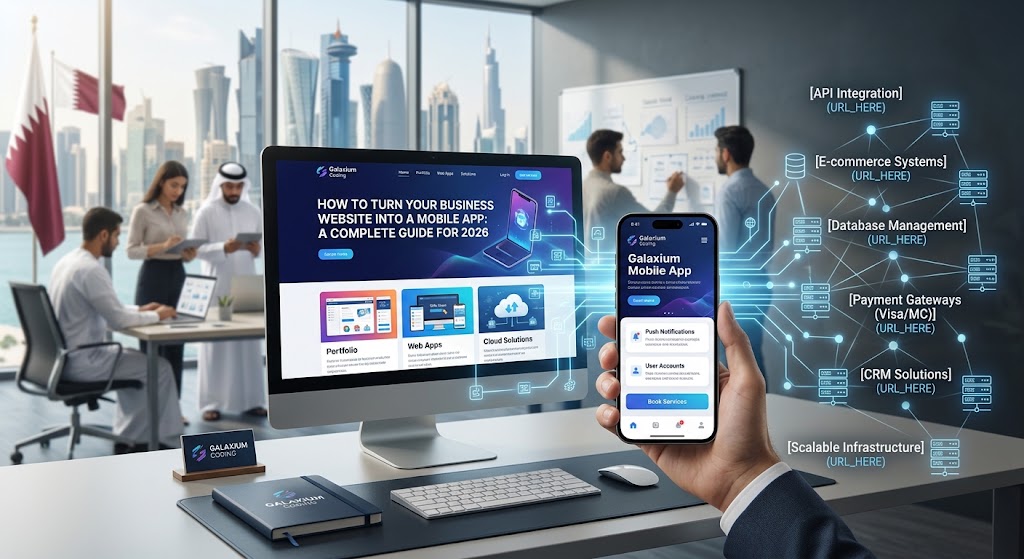
Turning a business website into a mobile app can create a connected digital experience across customers, websites, mobile applications and business systems.
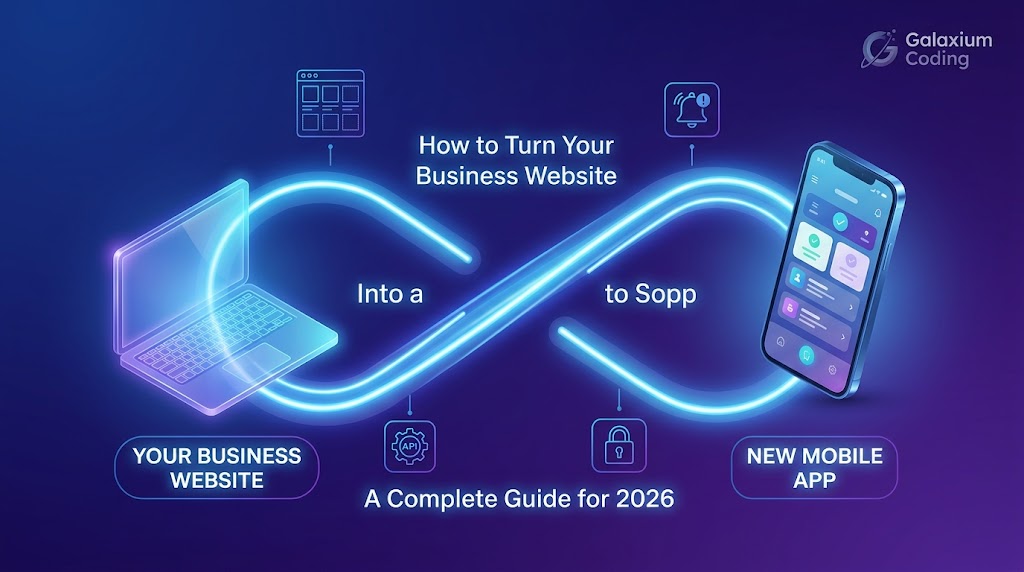
How to Turn Your Business Website Into a Mobile App: A Complete Guide for 2026
If your business already has a website, you may eventually ask an important question:
“Do I also need a mobile app?”
For many businesses, the answer can be yes.
A website is an essential digital presence, but a mobile application can create a more direct and convenient relationship with customers. An app can provide push notifications, customer accounts, mobile payments, location-based functionality, personalized experiences, loyalty features, offline capabilities, and direct access to business services.
The good news is that you do not necessarily have to build everything from scratch.
If your existing website already has useful functionality, customer accounts, APIs, databases, e-commerce features, booking systems, or business logic, much of that foundation can potentially be connected to a new mobile application.
This guide explains how the process works, what options businesses have, what technology should be considered, and when it makes sense to build a real mobile application instead of simply placing a website inside a mobile app.
On This Page
Why Turn a Website Into a Mobile App?
Can Any Website Become a Mobile App?
Website vs Mobile App
Three Ways to Turn a Website Into an App
Option 1: WebView App
Option 2: Progressive Web App
Option 3: Build a Proper Mobile Application
What Happens to Your Existing Website?
How a Website and Mobile App Work Together
Features You Can Add to Your Mobile App
How to Connect Your App to Your Existing Business Systems
Android, iOS, or Both?
Technology Options for Mobile App Development
Step-by-Step Process
App Design and User Experience
Security Considerations
Testing Your Mobile Application
Publishing on Google Play and the App Store
App Maintenance and Updates
How Much Does It Cost to Turn a Website Into an App?
When Should You Build an App?
Common Mistakes to Avoid
Why a Connected Digital Ecosystem Matters
Why Choose Galaxium Coding?
Final Thoughts
Frequently Asked Questions
Why Turn Your Business Website Into a Mobile App?
A website gives customers access to your business through a browser.
A mobile application can provide a more direct experience.
Consider a customer who regularly uses your business.
With a website, the customer may need to open a browser, search for your website, log in, and find the required service.
With a mobile app, the customer can open the app and access the service directly.
That difference can become particularly valuable for businesses that have repeat customers.
A mobile app can also provide functionality that is difficult to deliver through a traditional website experience, including:
Push notifications
Mobile-specific navigation
Camera access
GPS and location services
Biometric authentication
Mobile payment integrations
Offline functionality
Personalized dashboards
Loyalty programs
In-app messaging
Appointment reminders
Order tracking
Real-time notifications
The objective should not simply be:
“Put my website inside an app.”
The better question is:
“How can my existing website and business systems become part of a better mobile experience?”
For businesses that are ready to develop this type of solution, Galaxium Coding provides mobile application development services for custom business requirements.
Can Any Website Become a Mobile App?
Technically, many websites can be presented through a mobile application.
However, that does not mean every website should simply be wrapped inside an app.
A simple informational website containing Home, About, Services, Contact, and Location may not provide enough functionality to justify a dedicated application.
A business website with customer accounts, e-commerce, booking, payments, memberships, customer dashboards, orders, loyalty programs, real-time information, personalized content, or business software integrations may have a much stronger case for a mobile application.
The first step is therefore understanding what your website actually does.
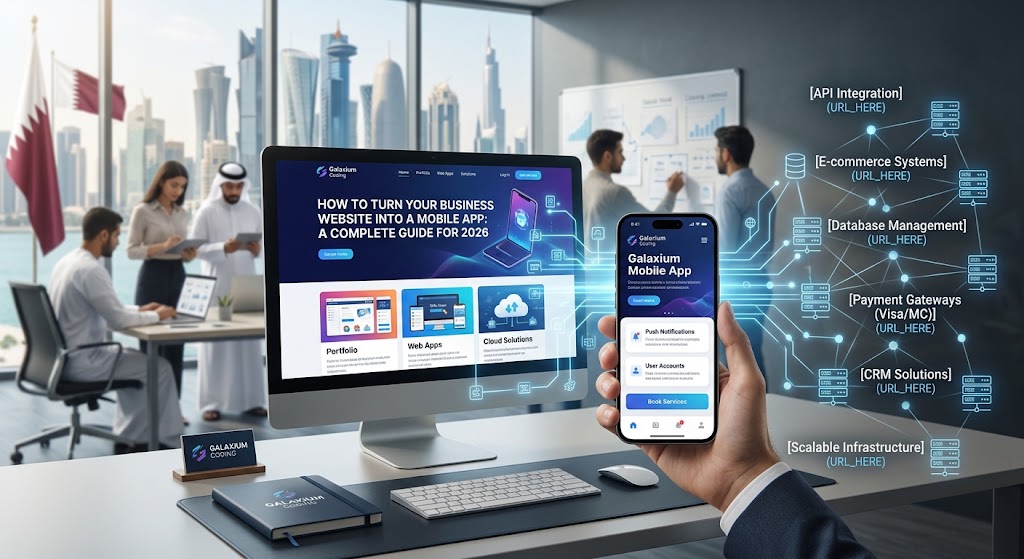
Website vs Mobile App
A website and a mobile application are not necessarily competitors. They can work together.
Website
A website is particularly useful for:
Search engine visibility
New customer acquisition
Public information
Marketing
Content
Online enquiries
Search traffic
Sharing links
Desktop users
A well-built web application can also provide advanced functionality beyond a traditional informational website.
Mobile Application
An app can be particularly useful for:
Existing customers
Frequent users
Notifications
Personalization
Customer accounts
Loyalty
Mobile workflows
Device capabilities
Real-time interactions
A strong digital strategy can therefore look like:
Search Engine → Website → Customer → Mobile App → Business System
The website attracts and informs the customer.
The app helps retain and serve the customer.
Three Ways to Turn a Website Into an App
There are three broad approaches businesses can consider.
1. WebView Application
The app essentially displays your website inside a mobile application.
This can be the simplest approach.
2. Progressive Web App
A Progressive Web App, or PWA, allows a website to provide an app-like experience through modern web technology.
Depending on the implementation and platform, users can install the experience and access features such as offline functionality and notifications.
3. Dedicated Mobile Application
A dedicated application is designed specifically for Android and/or iOS.
Instead of simply displaying the website, the application communicates with the website's backend, APIs and databases.
For businesses that need a long-term mobile strategy, this is often the most flexible approach.
If you are evaluating your options, you can also explore the wider Galaxium Coding blog for articles covering mobile applications, software development, AI and digital transformation.
Option 1: WebView App
A WebView application loads your website inside an application shell.
For example:
Mobile App → WebView → Your Website
This can be relatively straightforward when the website is already responsive.
Advantages
Faster initial development
Existing website can be reused
Lower development complexity
Useful for simple use cases
One website can power the experience
Limitations
A basic WebView may not provide the same experience as a purpose-built application.
It can also make it harder to take full advantage of native navigation, device hardware, offline functionality, advanced notifications, background processing, performance optimization, and native user interfaces.
A WebView can therefore be useful in some situations, but it should not automatically be considered the best solution.
Option 2: Progressive Web App
A Progressive Web App combines web technology with app-like functionality.
A PWA can potentially provide:
Installable experiences
Responsive design
Offline support
Faster loading
Notifications
App-like navigation
This can be particularly attractive for businesses that want customers to access an application-like experience without maintaining completely separate native applications.
However, browser and operating-system capabilities can vary, so businesses should evaluate the exact features they require before choosing a PWA strategy.
Option 3: Build a Proper Mobile Application
For businesses that need a more advanced mobile experience, a dedicated mobile application may be the better solution.
Instead of:
App → Website
the architecture can become:
Mobile App → API → Backend → Database
while the website can use the same backend:
Website → API → Backend → Database
This means the website and mobile application can share business data without being the same interface.
This approach is particularly useful for businesses building e-commerce platforms, customer portals, booking systems, business management applications, delivery platforms, healthcare applications, real estate platforms, and other digital products.
What Happens to Your Existing Website?
Building a mobile app does not mean you have to abandon your website.
In many cases, your website remains extremely important.
Your website can continue handling search traffic, marketing, blog content, product discovery, public information, new customer acquisition, and online enquiries.
Meanwhile, your mobile application can focus on existing customers, accounts, orders, bookings, notifications, loyalty, and personalized services.
The two platforms can share the same backend infrastructure.
This creates a much stronger digital ecosystem instead of forcing the business to choose between a website and an application.
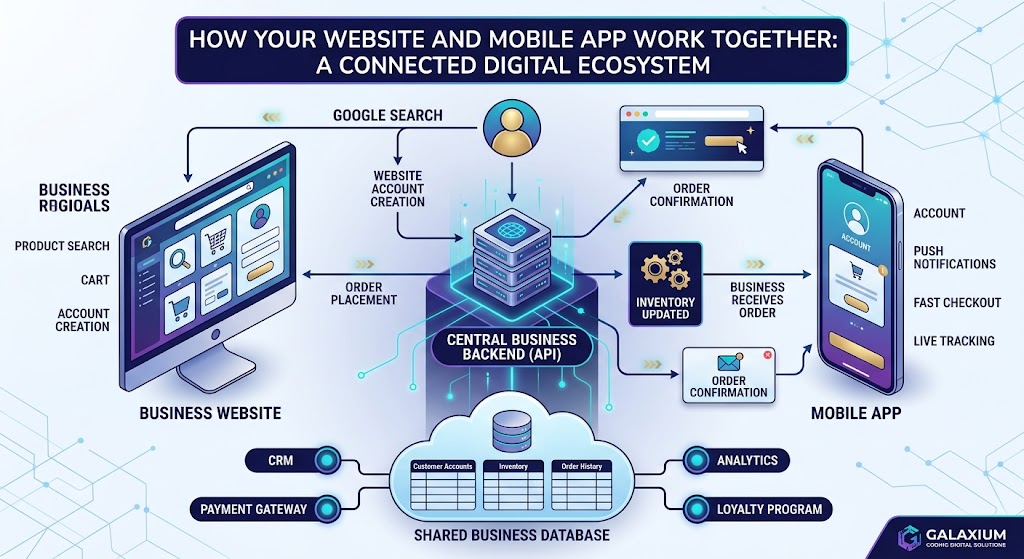
How a Website and Mobile App Work Together
Imagine an e-commerce business.
A customer discovers the company through Google.
The customer visits the website.
The customer creates an account.
The customer downloads the mobile application.
The customer receives personalized notifications.
The customer places an order.
The order is recorded in the central database.
Inventory is updated.
The business receives the order.
The customer receives an order notification.
The website and app are not operating independently.
They are connected to the same business ecosystem.
Features You Can Add to Your Mobile App
Push Notifications
Send customers promotions, order updates, booking reminders, important announcements, new product notifications, and account notifications.
Customer Accounts
Allow users to register, log in, update profiles, view orders, manage bookings, and save preferences.
Mobile Payments
Depending on your business and payment provider, the application can integrate payment services.
GPS and Location
Useful for delivery, ride services, real estate, restaurants, store locators, field services, and location-based services.
Camera
Potential applications include document uploads, product scanning, QR codes, profile photos, and visual search.
Loyalty Programs
Create rewards, points, membership levels, digital coupons, and customer offers.
Real-Time Updates
Applications can provide real-time information such as order status, delivery tracking, appointment changes, messages, and account activity.
How to Connect Your App to Your Existing Business Systems
One of the most important technical questions is:
Where does the app get its information?
You generally do not want to manually maintain separate data for your website and mobile app.
Instead, your systems can communicate through APIs.
For example:
Website → API → Business Backend → Database
and:
Mobile Application → API → Business Backend → Database
Additional systems can connect to the same ecosystem:
CRM, Payment Gateway, ERP, Inventory, Accounting, Customer Database, AI, and Analytics.
This creates a connected digital platform instead of isolated applications.
For businesses requiring a larger technology platform, Galaxium Coding's software development services can cover custom business systems, integrations and application development.
Android, iOS, or Both?
Before development begins, decide which platforms you need.
Android
Android can be particularly important when your customers use a wide range of smartphones.
iOS
iPhone users can be an important audience for many businesses.
Android + iOS
For businesses targeting a broad customer base, supporting both platforms can provide wider coverage.
Cross-platform frameworks can also allow developers to share substantial portions of application code between Android and iOS.
The correct choice depends on target customers, market, budget, required features, existing technology, performance requirements, and long-term plans.
Technology Options for Mobile App Development
Common approaches include:
Flutter
React Native
Native Android development
Native iOS development
Other specialized frameworks
The technology should be selected based on requirements rather than simply choosing whichever framework is currently popular.
The right technology depends on the application's features, performance requirements, integrations, development budget, maintenance strategy, and future plans.
Businesses looking for a mobile application developer should therefore evaluate technical experience, portfolio quality, backend capabilities, security practices and long-term support—not just the framework being used.
Step-by-Step Process: Turning a Website Into a Mobile App
Step 1: Analyze Your Existing Website
Start by identifying what your website currently provides.
Review pages, features, customer accounts, forms, APIs, database, payments, booking, CRM integrations, authentication, and admin systems.
Businesses with more complex requirements may also need an assessment of their existing web application architecture.
Step 2: Define the Purpose of the App
Do not begin development simply because your competitors have an app.
Ask:
What will the app help customers do better?
Examples include ordering faster, booking appointments, tracking deliveries, managing accounts, receiving notifications, accessing membership benefits, and communicating with the business.
Step 3: Define the MVP
MVP means Minimum Viable Product.
Instead of building many features immediately, identify the features customers actually need.
For example:
Version 1:
Login
Profile
Products
Cart
Checkout
Order history
Notifications
Version 2:
Loyalty
Recommendations
Advanced notifications
Referral program
Version 3:
AI assistant
Personalized offers
Advanced analytics
Launching in stages can reduce unnecessary development and allow businesses to learn from real customer behavior.
Step 4: Design the Mobile Experience
A website layout should not simply be copied onto a phone.
Mobile users interact differently.
Design should consider thumb-friendly controls, simple navigation, clear buttons, fast loading, readable text, appropriate spacing, mobile forms, accessibility, and different screen sizes.
The app should feel like an application rather than a website squeezed onto a small screen.
Step 5: Build the Backend and API
If your existing website already has a suitable backend and API architecture, some infrastructure may be reused.
If not, developers may need to create APIs that allow the application to securely communicate with business systems.
Step 6: Develop the Mobile Application
The application is then built around the agreed features and designs.
Development may include authentication, navigation, API integration, database integration, payments, push notifications, device features, analytics, error handling, and security controls.
Step 7: Test Everything
The application should be tested across different screen sizes, operating-system versions, devices, and network conditions.
Testing can include functional testing, UI testing, API testing, security testing, performance testing, payment testing, and mobile testing.
Step 8: Publish the App
Once testing is complete, the application can be prepared for distribution through Google Play and/or the Apple App Store.
Publishing involves app information, icons, screenshots, privacy information, store descriptions, application builds, developer accounts, and review requirements.
Publishing is not the final step.
The app will need continued maintenance after launch.
App Design and User Experience
A successful mobile application should be easy to understand and use.
Customers should not need extensive instructions to complete basic tasks.
Important considerations include:
Simple navigation
Clear calls to action
Fast loading
Mobile-friendly forms
Accessible typography
Consistent branding
Logical screen layouts
Easy account management
Simple checkout
Clear notifications
Error messages that users can understand
The application should be designed around the customer's journey rather than simply reproducing the website's desktop interface.
Security Considerations
Security should be considered from the beginning of the project.
Depending on the application, security requirements may include:
Secure authentication
Authorization
Encrypted communication
Secure APIs
Data protection
Secure payment processing
Session management
Input validation
Access control
Secure database practices
Regular security updates
A mobile application connected to customer accounts, payment systems, CRM platforms or business databases requires particular attention to backend security.
Testing Your Mobile Application
Testing is one of the most important stages of mobile application development.
An application should be tested across:
Different smartphones
Different screen sizes
Different operating systems
Different network conditions
Different user scenarios
Testing can include functional testing, UI testing, API testing, security testing, performance testing, payment testing, compatibility testing, and usability testing.
The goal is to identify problems before customers encounter them.
Publishing on Google Play and the App Store
Once development and testing are complete, the application can be prepared for publication.
The publishing process may require:
Application name
App icon
Screenshots
App description
Privacy information
Developer account
Application build
Store listing information
Review compliance
Businesses should also plan for future releases and updates.
App Maintenance and Updates
A mobile application is not a one-time project.
After launch, you may need bug fixes, security updates, OS compatibility updates, performance improvements, new features, UI improvements, API updates, dependency updates, and analytics monitoring.
Customer feedback should also influence future releases.
An application that is regularly maintained can remain compatible with changing devices, operating systems and business requirements.
How Much Does It Cost to Turn a Website Into an App?
There is no single price for converting a website into a mobile application.
The cost depends on the complexity of the existing website and the features required in the application.
A basic WebView application can be considerably simpler than a complete custom mobile platform.
The cost can increase when the project requires:
Custom UI/UX
Android and iOS
User authentication
E-commerce
Payment gateways
Push notifications
GPS
Real-time communication
Complex APIs
CRM integration
ERP integration
AI features
Advanced security
Offline functionality
Custom backend development
Businesses should define requirements before requesting a development quotation.
For a broader understanding of software development requirements and costs, businesses can explore Galaxium Coding's software development services.
When Should You Build an App?
A mobile application may make sense when your customers frequently return to your website, need accounts, place regular orders, make recurring bookings, need notifications, track services, use loyalty programs, need personalized information, or use location-based services.
An app may be less useful when your website is primarily informational and customers rarely return after finding the information they need.
The question is not:
“Can we build an app?”
The question is:
“Will an app create measurable value for our customers and business?”
Common Mistakes to Avoid
Mistake 1: Simply Wrapping the Website
A website inside an app is not automatically a great mobile experience.
Mistake 2: Building Too Many Features
More features do not necessarily mean a better application.
Start with the most valuable customer problems.
Mistake 3: Ignoring the Backend
A beautiful app connected to poor or disconnected business systems can create operational problems.
Mistake 4: Forgetting Security
Authentication, authorization, secure APIs, data protection, and appropriate security practices should be considered from the beginning.
Mistake 5: Ignoring Performance
Large images, unnecessary requests, inefficient code, and poor backend performance can damage the experience.
Mistake 6: Treating Launch as the End
An application needs ongoing monitoring, maintenance, and improvement.
Why a Connected Digital Ecosystem Matters
The most powerful approach is often not:
Website OR App
It is:
Website + App + Backend + CRM + Payments + Business Software + AI + Analytics
Imagine this system:
Customer → Website → Mobile Application → CRM → Business Database → Payments → Inventory → Accounting → Analytics → AI
Now the business has more than a website and an app.
It has a connected digital ecosystem.
This type of connected technology strategy is also part of the broader digital transformation taking place across modern businesses.
Why Choose Galaxium Coding?
Turning a website into an app is not simply a matter of creating a mobile screen.
It requires understanding your existing website, customers, business processes, backend, database, integrations, security requirements, mobile strategy, and future plans.
Galaxium Coding provides technology solutions including mobile application development, web applications, software development, and Cloud & DevOps.
The goal is not simply to convert a website into an app.
The goal is to build a mobile experience that fits into the larger digital system of your business.
You can explore Galaxium Coding's projects and portfolio to see examples of digital solutions, or contact Galaxium Coding to discuss your requirements.
Final Thoughts
Turning your business website into a mobile application can be an important step in building a stronger digital customer experience.
But the best strategy is rarely to simply copy the website into an app.
Instead, start by understanding what your customers need.
Then determine what your existing website already does, which systems can be reused, which mobile features customers actually need, whether a WebView, PWA or dedicated app is appropriate, which backend and API architecture should be used, whether Android, iOS or both platforms are required, how the application will connect to your CRM, payments, database and business software, and how the application will be maintained after launch.
A well-designed mobile application can become much more than another digital channel.
It can become a direct connection between your customers and your business.
Your website brings people to your business.
Your mobile application can help keep them connected to it.
If your business already has a website and you are considering a mobile application, the next step is to evaluate your current technology, define the app's purpose, and design an architecture that can grow with your business.
Contact Galaxium Coding to discuss how your existing website can evolve into a connected mobile solution.
You can also explore the Galaxium Coding blog for more technology insights, including software development, mobile applications, AI, business automation and digital transformation.
Frequently Asked Questions
Can I turn my existing website directly into an app?
Yes, depending on how your website is built. A WebView approach can display an existing website inside an app, while a dedicated mobile application can connect to the website's backend and APIs.
Do I need to rebuild my website?
Not necessarily. A mobile app can often use existing backend systems, databases, and APIs while providing a completely different mobile interface.
Can my app work with my existing customer accounts?
Yes. If the existing authentication and backend architecture support secure API access, the mobile application can potentially use the same customer accounts.
Can I have both an Android and iPhone app?
Yes. Businesses can develop applications for Android, iOS, or both depending on their target customers and requirements.
Can my mobile app have push notifications?
Yes. Push notifications can be implemented for appropriate use cases such as order updates, appointment reminders, promotions, and account notifications.
Can my app connect to my CRM?
Yes. If the CRM provides appropriate APIs or integration mechanisms, the mobile application can potentially communicate with it through the business's backend architecture.
Can an e-commerce website become a shopping app?
Yes. An e-commerce mobile application can potentially include product browsing, accounts, shopping carts, checkout, payments, order tracking, notifications, and loyalty features.
Should I use a WebView or build a proper app?
It depends on your requirements. A WebView may be appropriate for simpler applications, while businesses requiring advanced mobile functionality, performance, and device integration may benefit from a dedicated mobile application.
How long does mobile app development take?
There is no universal timeframe. The development period depends on the number of platforms, features, integrations, backend requirements, design complexity, testing requirements, and project scope.
How much does it cost?
The cost depends on the technology approach and required functionality. A simple website wrapper can be much less complex than a custom Android and iOS application connected to CRM, payments, databases, AI, and other business systems.
Do I still need my website after launching the app?
Yes. In many cases, the website remains important for search visibility, marketing, content, and attracting new customers, while the app focuses on existing and returning customers.