Cross-Platform App Testing: Ensuring Consistent User Experiences

Cross-platform app testing helps ensure mobile applications deliver reliable functionality and consistent user experiences across Android and iOS devices.
Cross-Platform App Testing: Ensuring Consistent User Experiences
Mobile applications are expected to work smoothly across different devices, operating systems, and screen sizes. However, building an application that runs on both Android and iOS does not automatically guarantee that users will experience the same quality on every platform.
A button may respond differently on an iPhone and an Android phone. A form may display correctly on one screen but become difficult to use on another. Push notifications, permissions, navigation, and payment integrations may also behave differently depending on the operating system and device configuration.
This is why cross-platform app testing is an important part of modern mobile application development.
Cross-platform app testing evaluates whether an application functions correctly, maintains a consistent user experience, and performs reliably across the platforms and devices it supports.
For businesses investing in mobile applications, proper testing helps identify compatibility problems before they affect customers. It also supports long-term application maintenance, smoother updates, and more dependable digital services.
In this guide, we explore how cross-platform testing works, which areas require attention, what tools development teams can use, and how businesses can establish a practical testing strategy.
What Is Cross-Platform App Testing?
Cross-platform app testing is the process of checking a mobile application across different operating systems, devices, screen sizes, and software environments to verify that it works as intended.
It is particularly important for applications developed using frameworks such as Flutter and React Native, where developers can reuse significant portions of the codebase across Android and iOS.
The purpose is not necessarily to make every platform look identical. Instead, the application should provide consistent functionality, reliable performance, and an intuitive experience while respecting the design conventions of each operating system.
For example, a shopping application may allow users to:
Browse products.
Search and filter items.
Add products to a cart.
Complete payments.
Track orders.
Receive notifications.
These core functions should work reliably on supported Android and iOS devices, even when individual interface elements follow different platform conventions.
Why Is Cross-Platform App Testing Important?
Testing only one device or operating system can leave important problems undiscovered. A mobile application may perform correctly in a development environment but behave differently when installed on an actual customer's phone.
Cross-platform testing helps businesses identify these differences before a public release.
1. Consistent User Experience
Users expect an application to be understandable and easy to navigate regardless of which supported device they use.
Testing helps verify that navigation, forms, buttons, menus, and other interactive elements behave consistently.
For example, a customer should be able to complete a booking through the same essential workflow on an iPhone and an Android device.
2. Device and Operating System Compatibility
Android devices come from multiple manufacturers and may use different operating system versions, screen dimensions, hardware configurations, and system interfaces.
Apple devices also differ in screen dimensions, hardware capabilities, and supported operating system versions.
Compatibility testing identifies issues involving:
Screen resolution and display density.
Operating system versions.
Device-specific functionality.
Portrait and landscape orientations.
Available memory and processing resources.
Network connectivity.
3. Better Application Reliability
A feature that works correctly on one platform may encounter problems on another.
For example, an application may successfully upload a document on Android but fail when an iOS user selects a file through a different system interface.
Testing these workflows helps reduce unexpected failures.
4. Improved Performance
Users expect mobile applications to open quickly, respond to interactions, and complete tasks without unnecessary delays.
Performance testing helps identify excessive memory usage, slow API responses, inefficient background operations, and other problems that may affect particular devices.
5. Reduced Maintenance Problems
Application updates can introduce new issues even when existing features were working correctly.
Regression testing helps confirm that changes have not damaged previously functioning features.
This is particularly valuable for businesses that regularly introduce new functionality or maintain applications over several years.
Key Areas to Test in Cross-Platform Applications
A reliable testing strategy should examine more than whether an application opens successfully. Different testing areas help evaluate functionality, appearance, performance, security, and overall usability.
1. Functional Testing
Functional testing verifies whether individual features behave according to their requirements.
Important areas include:
User registration and login.
Password recovery.
Profile management.
Search and filtering.
Form submission.
Shopping cart functionality.
Payment processing.
Notifications.
Data synchronization.
For example, if a customer changes their profile information on an Android device, the updated information should also appear when they access the same account from an iPhone.
2. UI and Visual Testing
Visual testing checks whether application screens display correctly across different devices.
It helps identify:
Misaligned buttons.
Overlapping text.
Incorrect spacing.
Missing icons.
Distorted images.
Inconsistent typography.
Incorrect color rendering.
Elements that disappear on smaller displays.
A user interface does not need to be pixel-for-pixel identical across Android and iOS. However, important content, branding, and interaction patterns should remain consistent.
3. Compatibility Testing
Compatibility testing examines how an application behaves across supported devices and software configurations.
A practical compatibility matrix may include:
Testing Area | What to Verify |
|---|---|
Android devices | Different supported manufacturers and models |
Apple devices | Supported iPhone models |
Operating systems | Supported Android and iOS versions |
Screen sizes | Small, standard, and large displays |
Orientation | Portrait and landscape where supported |
Network conditions | Wi-Fi, mobile data, and weak connectivity |
Device settings | Font scaling, dark mode, and permissions |
Businesses should select devices according to their target audience rather than attempting to test every available phone.
4. Performance Testing
Performance testing evaluates how efficiently an application uses device resources and responds to user actions.
Testing should examine:
Application startup time.
Screen loading time.
API response time.
Memory consumption.
CPU utilization.
Battery usage.
Animation smoothness.
Background processing.
For example, a mobile banking application should remain responsive when users check balances, view transaction histories, and perform other common activities.
5. Security Testing
Mobile applications frequently handle personal information, business records, payment details, and account credentials.
Security testing helps identify weaknesses in authentication, data storage, communication, and access controls.
Important checks include:
Secure authentication.
Session management.
Encryption of sensitive information.
Secure API communication.
Permission management.
Protection against unauthorized access.
Secure handling of application credentials.
Third-party library vulnerabilities.
Security should be evaluated on both Android and iOS because platform-specific implementation differences may introduce different risks.
6. Usability and Accessibility Testing
An application can function correctly but still create difficulties for users.
Usability testing evaluates whether people can understand the interface and complete important tasks without unnecessary confusion.
Accessibility testing should consider:
Screen reader compatibility.
Readable text sizes.
Sufficient color contrast.
Clear labels for interactive elements.
Touch target sizes.
Logical navigation.
Support for device accessibility settings.
The objective is to make the application usable by a wider range of people and across different interaction preferences.
Native vs Cross-Platform Testing: What Is the Difference?
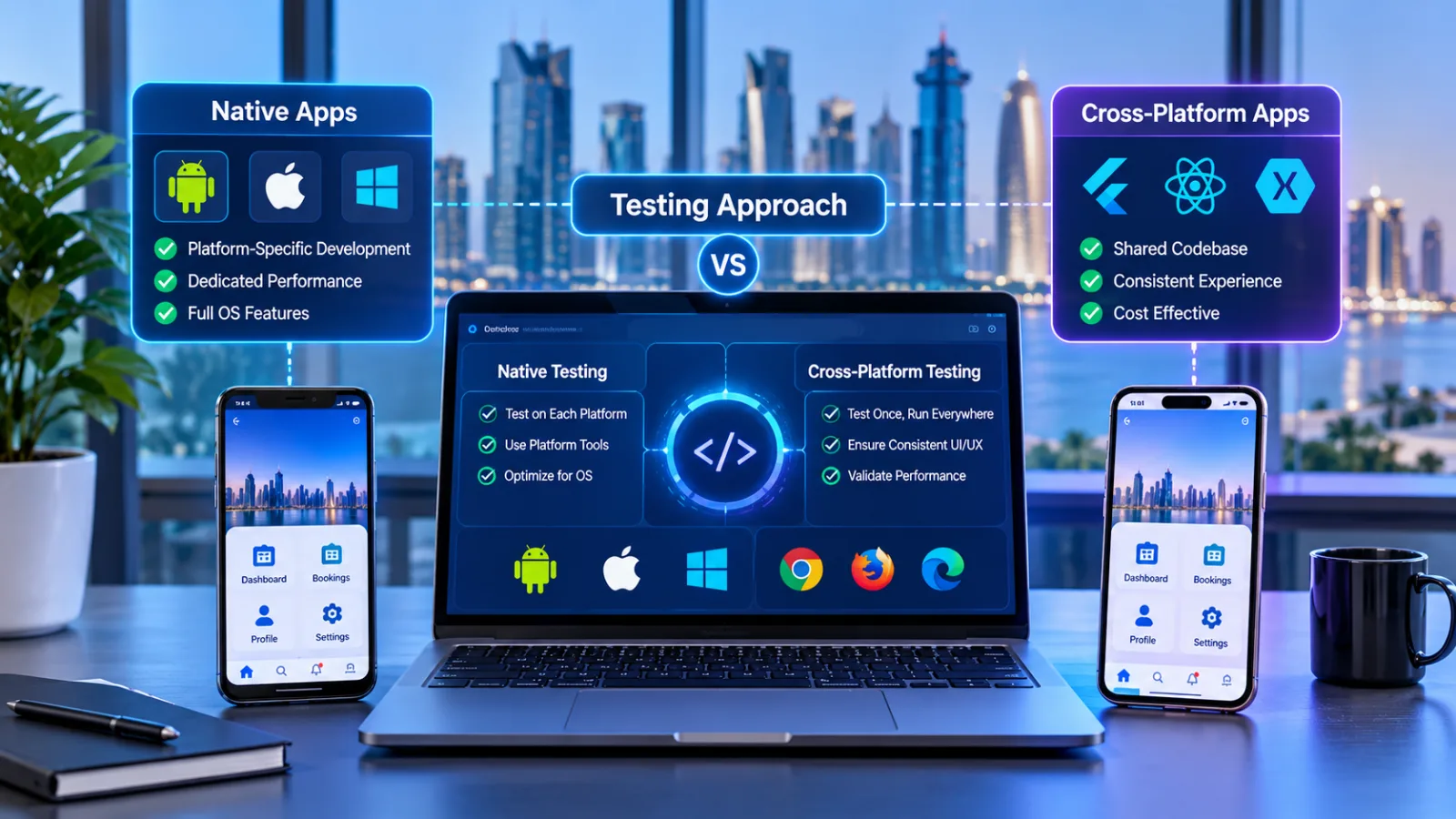
Native and cross-platform applications require different testing considerations.
Native applications are developed specifically for an operating system. Cross-platform applications share significant portions of their code across multiple platforms.
Area | Native Applications | Cross-Platform Applications |
|---|---|---|
Development | Separate platform-specific implementations | Shared codebase for supported platforms |
Testing | Platform-specific functionality and interfaces | Shared functionality plus platform-specific behavior |
UI validation | Native interface conventions | Shared design consistency and native adaptation |
Maintenance | Separate platform release workflows | Shared updates with platform-specific validation |
Device compatibility | Test supported devices for each platform | Test supported devices across all target platforms |
Cross-platform development can reduce duplicated implementation work, but it does not eliminate the need for platform-specific testing.
Teams still need to verify native integrations, permissions, notifications, navigation, and device-dependent functionality.
Cross-Platform App Testing for Flutter and React Native
Flutter and React Native are widely used frameworks for building applications that support multiple platforms.
Both allow developers to reuse application logic, but their testing requirements depend on the architecture, integrations, and features of the application.
Testing Flutter Applications
Flutter uses a widget-based approach to building application interfaces.
Its testing strategy commonly includes three levels:
Unit testing
Unit tests verify individual functions, methods, and classes.
For example, developers can test whether a discount calculation returns the correct result for different shopping cart values.
Widget testing
Widget tests examine individual interface components and their interactions.
A developer might verify that a login button displays correctly, validates input, and responds to a user tap.
Integration testing
Integration tests examine larger application workflows, including interactions between multiple components and services.
For example:
A user opens the application.
The user signs in.
The application retrieves account information.
The user updates their profile.
The application saves the changes.
These tests help verify that the complete workflow behaves correctly.
Flutter provides official guidance on testing Flutter applications.
Testing React Native Applications
React Native applications can also be tested through multiple layers.
Common testing activities include:
Static analysis and type checking.
Unit testing.
Component testing.
Integration testing.
End-to-end testing.
Component testing helps verify how interface elements render and respond to user interactions.
End-to-end testing examines the application from the user's perspective, such as signing in, navigating between screens, and completing a payment.
React Native's official testing documentation explains these testing approaches and their limitations.
Importantly, component tests alone cannot confirm that all native Android and iOS functionality works correctly. Testing on actual devices or suitable emulators remains necessary.
Essential Tools for Cross-Platform App Testing
The right testing tools depend on the application's framework, technical architecture, target devices, and testing objectives.
The following tools can support different stages of the testing process.
1. Appium
Appium is an automation framework used for testing applications across mobile platforms.
It allows testers to automate user interactions, including tapping buttons, entering information, navigating screens, and validating application behavior.
It can be useful when teams need automated testing across Android and iOS devices.
Official resource: Appium Documentation
2. BrowserStack
BrowserStack provides access to real-device testing environments.
Development teams can use it to check application behavior across supported mobile devices and operating system versions without maintaining every physical device themselves.
It can support compatibility testing, manual verification, and automated workflows.
Official resource: BrowserStack App Testing
3. Firebase Test Lab
Firebase Test Lab helps developers test Android applications across a range of devices and configurations.
It can execute automated tests and provide information about application behavior on different devices.
This is useful when teams need broader Android device coverage.
Official resource: Firebase Test Lab
4. XCTest
XCTest is Apple's testing framework for applications developed within its ecosystem.
It supports unit tests, performance tests, and UI automation for Apple platforms.
It can help development teams validate iOS-specific application behavior.
Official resource: Apple XCTest Documentation
5. Flutter Testing Framework
Flutter provides built-in testing support for unit tests, widget tests, and integration tests.
These testing methods allow developers to examine application logic, interface components, and complete workflows.
Official resource: Flutter Testing Overview
Comparing Common Testing Tools
Tool | Main Purpose | Useful For |
|---|---|---|
Appium | Mobile automation | Android and iOS testing |
BrowserStack | Real-device testing | Device and OS compatibility |
Firebase Test Lab | Android testing | Device coverage and automated tests |
XCTest | Apple platform testing | iOS unit and UI tests |
Flutter testing | Framework-level testing | Unit, widget, and integration tests |
No single tool covers every testing requirement. A practical testing environment may combine automated frameworks, real devices, emulators, and manual quality checks.
Common Challenges in Cross-Platform App Testing
Cross-platform testing can become complicated as an application supports more devices, operating systems, and integrations.
Understanding common challenges helps teams prepare a more effective testing strategy.
1. Differences Between Android and iOS
Android and iOS have different interface conventions, permission systems, navigation patterns, and operating system behaviors.
For example, back navigation works differently across the two platforms.
Testing should confirm that users can navigate naturally while completing the same essential tasks.
2. Large Numbers of Device Configurations
Android devices vary significantly in screen dimensions, hardware resources, and manufacturer-specific software.
Testing every possible configuration may be impractical.
Teams should prioritize popular devices, supported operating system versions, and configurations relevant to the intended audience.
3. Platform-Specific Bugs
Shared code does not guarantee identical behavior across platforms.
Native plugins, device permissions, camera access, file selection, and background processing may behave differently.
These areas require additional platform-specific validation.
4. Maintaining Automated Tests
Automated tests can become difficult to maintain when interfaces, navigation, or application architecture change frequently.
Poorly maintained tests may produce false failures or miss genuine problems.
Development teams should review test cases regularly and update them when application behavior changes.
5. Testing Third-Party Integrations
Many applications depend on external services such as:
Payment gateways.
Maps and location services.
Analytics platforms.
Authentication providers.
Cloud storage.
Push notification services.
An integration that works on one platform may fail because of different permissions, SDK versions, or configuration settings.
Testing should verify the complete integration workflow on each supported platform.
How to Build an Effective Cross-Platform Testing Strategy
A structured testing process helps development teams identify issues early and reduce unnecessary rework.
Step 1: Define Supported Platforms and Devices
Start by identifying the operating systems, versions, and devices the application is expected to support.
Avoid choosing a testing environment without considering the actual audience.
For example, a consumer application targeting both Android and iOS users may require a different device matrix from an internal business application used on a limited number of company devices.
Step 2: Identify Critical User Journeys
List the most important activities users must complete.
Examples include:
Creating an account.
Signing in.
Searching for products.
Booking an appointment.
Making a payment.
Updating personal information.
Receiving notifications.
These workflows should receive priority during functional and end-to-end testing.
Step 3: Prepare Platform-Specific Test Cases
Create test cases for shared functionality and platform-dependent behavior.
For example, the same login workflow should be checked on Android and iOS, while biometric authentication should be tested according to each platform's supported capabilities.
Step 4: Combine Automated and Manual Testing
Automation can handle repetitive checks, while manual testing helps identify visual problems and usability issues that automated scripts may not recognize.
A balanced strategy may include:
Automated unit tests.
Widget or component tests.
Integration tests.
Automated UI tests.
Manual usability checks.
Real-device compatibility testing.
Step 5: Test Different Network Conditions
Applications should not be evaluated only on fast and stable internet connections.
Test scenarios may include:
Slow mobile data.
Unstable Wi-Fi.
Temporary network interruptions.
Switching between Wi-Fi and mobile data.
Reconnecting after losing connectivity.
Check whether the application displays useful error messages, preserves user input where appropriate, and recovers safely when connectivity returns.
Step 6: Perform Regression Testing
After developers fix a bug or introduce a feature, previously working functionality should be checked again.
Regression testing helps identify unintended effects on other parts of the application.
Critical workflows should be included in automated regression suites whenever practical.
Step 7: Validate Before Release
Before publishing an application update, review the final release build on supported devices.
Confirm that:
Important features work correctly.
No critical visual problems remain.
Security checks have been completed.
Performance is acceptable.
Third-party integrations function correctly.
App permissions and notifications behave as expected.
Step 8: Monitor the Application After Launch
Testing should continue after release.
Real-world users may encounter device configurations, network conditions, and usage patterns that were not fully represented during development.
Crash reports, performance monitoring, user feedback, and error analytics can help teams identify issues and prioritize improvements.
Example: Testing an E-Commerce Application Across Android and iOS
Consider a Qatar-based retail business launching a mobile shopping application for Android and iPhone users.
The application includes product browsing, customer accounts, shopping carts, online payments, order tracking, and push notifications.
A cross-platform testing strategy could look like this:
Feature | Android Testing | iOS Testing |
|---|---|---|
Login | Verify authentication and navigation | Verify authentication and navigation |
Product browsing | Check display and filtering | Check display and filtering |
Shopping cart | Verify item updates and totals | Verify item updates and totals |
Payments | Test supported payment workflow | Test supported payment workflow |
Notifications | Verify permissions and delivery | Verify permissions and delivery |
Order tracking | Check data updates and navigation | Check data updates and navigation |
User profile | Verify editing and synchronization | Verify editing and synchronization |
Suppose a customer adds a product to their shopping cart and completes payment.
The testing team should verify that:
The selected product appears correctly in the cart.
Quantity changes update the total.
The payment process completes successfully.
The order is recorded by the backend.
The customer receives an appropriate confirmation.
The order appears in the customer's account.
The same order information is available when the customer signs in from another supported device.
This example demonstrates why cross-platform testing must evaluate the complete user journey rather than checking individual screens in isolation.
Cross-Platform App Testing Considerations for Businesses in Qatar
Businesses in Qatar serve customers who may use different mobile devices, operating systems, languages, and network environments.
Applications designed for local customers should account for these practical requirements during testing.

Arabic and English Language Support
Applications supporting Arabic and English should be tested in both languages.
Arabic interfaces require right-to-left (RTL) layout validation, including:
Text alignment.
Navigation direction.
Icons and directional arrows.
Form layouts.
Mixed Arabic and English content.
Number and date formatting.
Changing the language should not cause text overlap, broken layouts, or confusing navigation.
Local Payment and Business Integrations
Applications that connect to payment providers, booking systems, or business platforms should be tested across their supported mobile environments.
The testing process should verify successful transactions, error handling, confirmation messages, and secure communication.
Different Network Conditions
Mobile applications should be evaluated under the network conditions relevant to their intended users.
This includes checking loading behavior, connection recovery, and data synchronization when network quality changes.
Privacy and Data Protection
Businesses handling customer information should review application security, access controls, and data handling practices.
Where Qatar's applicable data protection requirements are relevant, organizations should obtain appropriate legal and compliance guidance rather than relying on technical testing alone.
How Cross-Platform Testing Improves Business Outcomes
A consistent application experience can support customer satisfaction and operational reliability.
Its benefits extend beyond identifying software defects.
Better Customer Retention
Users are more likely to continue using an application when its core features work reliably.
Reducing unexpected crashes, navigation problems, and failed transactions helps create a more dependable experience.
More Efficient Development
Automated testing can reduce repetitive manual work and provide faster feedback during development.
This allows teams to identify problems earlier and focus manual testing on more complex scenarios.
Lower Maintenance Risks
Testing updates across supported platforms helps prevent existing features from breaking when new functionality is introduced.
Stronger Brand Consistency
A business application represents the company's digital identity.
Consistent branding, navigation, and functionality help create a recognizable experience across different devices.
Greater Confidence Before Release
A documented testing process gives businesses and development teams a clearer understanding of application readiness.
It also helps stakeholders identify unresolved risks before approving a release.
Common Mistakes to Avoid in Cross-Platform App Testing
Even experienced development teams can overlook important testing activities.
Some common mistakes include:
Testing only on emulators: Simulators and emulators are useful, but they cannot represent every real-device condition.
Ignoring older supported devices: Applications may encounter performance or compatibility issues on devices with limited resources.
Assuming shared code means identical behavior: Native integrations and operating system differences still require separate validation.
Ignoring accessibility: Small text, poor contrast, and unclear controls can make an application difficult to use.
Skipping regression testing: New releases may unintentionally break existing functionality.
Testing only under stable network conditions: Real users may experience interruptions and slower connections.
Treating testing as a final development stage: Testing should be integrated throughout the development lifecycle.
Avoiding these mistakes helps teams establish a more reliable testing process.
How to Choose a Cross-Platform App Development and Testing Partner
Choosing the right development partner is important when building an application that needs to support multiple platforms.
Businesses should evaluate more than the technologies a company claims to use.
Consider asking potential development partners:
Do you have experience with Flutter or React Native?
How do you test applications across Android and iOS?
Which real-device testing methods do you use?
How do you validate platform-specific functionality?
Do you include automated regression testing?
How do you evaluate application security?
What happens when a problem is discovered after launch?
Do you provide ongoing maintenance and updates?
A capable development partner should be able to explain its testing process, identify potential technical risks, and connect its recommendations to the application's actual requirements.
Businesses exploring mobile application development services can also consider how testing, maintenance, and platform compatibility fit into the complete development process.
Galaxium Coding is a Qatar-based technology company offering software and mobile application development solutions. Businesses can explore its software development services to understand how custom application requirements can be approached.
Future Trends in Cross-Platform App Testing
Mobile application testing continues to evolve as development frameworks, devices, and automation technologies improve.
Several developments are influencing how teams approach quality assurance.
AI-Assisted Test Automation
AI-assisted tools can help teams analyze application behavior, identify potential test scenarios, and support test maintenance.
However, automated findings still require review. AI-generated tests should not replace clearly defined acceptance criteria or human evaluation of user experience.
Increased Real-Device Testing
Testing on physical devices remains important for validating hardware-dependent functionality, native integrations, and real-world performance.
Cloud-based device testing can make it easier for teams to access a broader range of devices.
Continuous Testing in CI/CD Pipelines
Continuous integration and continuous delivery workflows can execute automated tests whenever developers update application code.
This helps identify problems earlier and provides faster feedback before changes reach production.
More Attention to Accessibility
Accessibility is becoming an important part of application quality.
Testing teams increasingly need to consider screen readers, text scaling, color contrast, and alternative interaction methods.
Testing for Foldable and Larger Displays
Mobile applications may also need to support foldable devices, tablets, and changing display configurations.
Adaptive layouts should be checked as screen dimensions and orientations change.
Android provides window size classes for adaptive application layouts, while Apple provides guidance on designing adaptable iOS layouts.
Final Thoughts
Cross-platform app testing is essential for businesses that want to deliver reliable mobile applications across Android and iOS.
A shared codebase can simplify development, but it does not remove differences between operating systems, devices, interfaces, and native functionality.
A strong testing strategy should combine functional validation, visual checks, compatibility testing, performance evaluation, security reviews, accessibility testing, and automated regression workflows.
For businesses in Qatar, additional considerations such as Arabic and English interfaces, local integrations, and the needs of different mobile users can also influence testing requirements.
By integrating testing throughout development and continuing to monitor applications after launch, businesses can reduce avoidable issues and deliver more consistent digital experiences.
If your organization is planning a new mobile application or improving an existing product, explore Galaxium Coding's mobile application solutions or contact the team to discuss your project requirements.
Frequently Asked Questions (FAQs)
1. What is cross-platform app testing?
Cross-platform app testing checks whether a mobile application works correctly across different operating systems, devices, screen sizes, and supported configurations.
2. Why is cross-platform testing important?
It helps identify compatibility issues, functional defects, performance problems, and interface inconsistencies before they affect users.
3. What is the difference between cross-platform testing and compatibility testing?
Cross-platform testing evaluates an application's overall behavior and experience across multiple platforms. Compatibility testing focuses specifically on whether the application works correctly in different supported environments, such as devices, operating systems, and screen sizes.
4. Which tools are used for cross-platform app testing?
Common tools include Appium, BrowserStack, Firebase Test Lab, XCTest, and framework-specific testing tools for Flutter and React Native.
5. Can Flutter applications be tested on Android and iOS?
Yes. Flutter provides unit, widget, and integration testing capabilities. Applications should also be validated on supported Android and iOS devices to check platform-specific behavior.
6. Does React Native require separate Android and iOS testing?
Yes. Although React Native allows developers to share substantial portions of application code, native integrations, permissions, navigation, and device behavior still require platform-specific validation.
7. Is automated testing enough for mobile applications?
No. Automated tests are valuable for repetitive checks and regression testing, but manual testing and real-device evaluation remain important for usability, visual consistency, and device-specific issues.
8. How often should cross-platform applications be tested?
Testing should take place throughout development, before releases, after significant updates, and whenever important dependencies or supported operating system versions change.
9. What should businesses test before launching a mobile application?
Businesses should validate core functionality, device compatibility, user interface behavior, performance, security, accessibility, integrations, and critical user journeys across supported platforms.
10. How can businesses maintain consistent user experiences across Android and iOS?
They should define shared design principles, test important user journeys on both platforms, validate platform-specific functionality, and regularly review application performance and user feedback.