AI Workflow Automation in 2026: A Practical Guide

AI workflow automation connects business applications and intelligent systems to streamline operations and improve efficiency.
AI Workflow Automation in 2026: A Practical Guide to Building Smarter Business Processes
Businesses increasingly depend on multiple software applications to manage customer relationships, sales, finance, communication, inventory, and daily operations. Although these systems provide valuable functionality, employees often spend significant time transferring information between platforms, reviewing documents, responding to requests, and completing repetitive administrative tasks.
AI workflow automation offers a way to connect these activities through intelligent software processes. Instead of relying entirely on manual instructions, businesses can use artificial intelligence to interpret information, organize tasks, generate recommendations, and support decisions within established workflows.
In 2026, the opportunity is not simply to automate individual tasks. It is to design connected business processes in which AI capabilities, existing applications, databases, and workflow engines work together.
For example, an organization could receive a customer enquiry, identify its requirements using AI, retrieve relevant customer information, create a CRM record, assign the enquiry to the appropriate department, and notify an employee for follow-up.
Each step can be coordinated through a carefully designed workflow with appropriate permissions and validation.
However, successful implementation requires more than selecting an AI tool. Businesses must understand their existing processes, define measurable objectives, select suitable technologies, and establish reliable integrations.
This guide explains how to plan, design, develop, and deploy AI workflow automation solutions, with practical implementation considerations for modern businesses.
What Is AI Workflow Automation?
AI workflow automation is the use of artificial intelligence within connected business processes to interpret information, support decisions, generate outputs, and coordinate actions across software applications.
A workflow defines how information moves from one stage to another. AI introduces capabilities that help the system handle tasks requiring language understanding, document interpretation, classification, information extraction, or contextual recommendations.
A typical workflow may combine:
Automated triggers and business rules
AI models for interpreting information
APIs for connecting applications
Databases for storing and retrieving records
Validation mechanisms for checking AI-generated outputs
Notifications and task assignments
Human approval for sensitive operations
Monitoring tools for tracking execution
For example, when a business receives a supplier invoice, an AI-enabled workflow could extract relevant information, identify the supplier, organize the invoice details, and send the record to an accounting system.
The workflow can then apply predefined validation rules and route the invoice for approval.
The important distinction is that AI assists with information processing, while the workflow controls how approved information moves through the business.
Businesses considering broader custom software development services can use this approach to build automation around their specific operational requirements.
How AI Workflow Automation Works: From Input to Execution
A successful automation system follows a structured process. Although the exact architecture depends on the application, most AI-powered workflows contain several common stages.
1. Workflow Trigger and Data Collection
Every workflow begins with an event or input.
A trigger may occur when:
A customer submits an online form.
An employee uploads a document.
A supplier sends an email.
A new order enters an e-commerce platform.
A database record changes.
A scheduled business process begins.
The system collects the relevant information and passes it to the next processing stage.
Developers must define the supported input formats, required fields, authentication requirements, and data validation rules.
2. AI-Based Information Processing
The collected information is passed to an appropriate AI component.
Depending on the task, the AI model may:
Understand a natural-language request.
Extract information from documents.
Classify customer messages.
Summarize business records.
Identify relevant information from a knowledge base.
Generate structured outputs.
Recommend an appropriate next step.
For example, a customer might submit a message saying that an order arrived late and one item was missing.
An AI component can identify the two issues, extract the order reference if available, and classify the request as a delivery and order-completeness problem.
The system should validate the extracted information before using it in important business operations.
3. Business Rules and Decision Logic
After processing, the workflow applies predefined business rules.
These rules determine what happens next.
For example:
Sales enquiries are assigned to the sales department.
Billing questions are sent to accounts.
Urgent complaints receive priority handling.
Incomplete submissions are returned for additional information.
Sensitive requests require employee approval.
This combination of AI interpretation and deterministic business logic helps maintain operational control.
4. Application Integration and Action Execution
The workflow connects with relevant business applications through APIs, webhooks, database connections, or supported integration tools.
Depending on permissions, the system may:
Create or update CRM records.
Add tasks to a project management platform.
Retrieve inventory information.
Prepare an email response.
Update an internal dashboard.
Generate a document.
Notify the responsible employee.
Developers should implement authentication, permission checks, error handling, and transaction safeguards for these operations.
5. Human Review and Approval
Not every AI-generated result should lead directly to an automated action.
Human review is especially important when a workflow involves financial transactions, confidential information, customer account changes, or legally significant decisions.
A review process can pause execution until an authorized employee approves or rejects the proposed action.
This creates a controlled environment in which AI supports employees without removing accountability.
6. Monitoring and Continuous Improvement
Once a workflow completes, the system should record its execution status.
Useful monitoring information includes:
Completed and failed tasks
Processing time
AI output validation results
API errors
Approval delays
Workflow exceptions
Operating costs
These records help developers identify performance problems and improve the automation process.
Business Processes That Can Benefit from AI Workflow Automation
AI workflow automation is most useful when a business process involves repetitive work combined with information that requires interpretation.
The following examples demonstrate how different departments can benefit from connected workflows.
1. Customer Enquiry and Lead Management
Businesses receive enquiries through websites, email, messaging applications, and other communication channels.
Manually reviewing and distributing every enquiry can create delays, particularly when different departments handle different customer requirements.
An AI-enabled workflow can:
Receive an incoming enquiry.
Identify the customer's requirements.
Extract relevant contact information.
Classify the enquiry by service or product.
Create a CRM record.
Assign the enquiry according to business rules.
Notify the responsible sales representative.
For example, a software development company could automatically identify enquiries related to mobile applications, e-commerce platforms, or custom enterprise software.
The sales team can then review the organized information and prepare a relevant response.
2. Invoice and Document Processing
Finance departments frequently handle invoices, receipts, purchase orders, and supplier communications.
AI can assist with extracting information from documents that do not follow identical formats.
A document-processing workflow may:
Receive an uploaded invoice.
Identify the document type.
Extract supplier details.
Retrieve invoice numbers and dates.
Identify the total amount.
Check required fields.
Compare extracted information with available records.
Send the invoice for approval.
Financial calculations and payment execution should remain subject to deterministic validation and appropriate authorization.
3. Employee Onboarding
Employee onboarding involves several connected activities across HR, administration, IT, and management.
An automated workflow can coordinate these responsibilities.
For example, after an authorized employee record is created, the system could:
Generate an onboarding checklist.
Notify the HR department.
Create IT setup requests.
Schedule introductory meetings.
Share approved company policies.
Track completion of required tasks.
AI can additionally help employees locate relevant information from approved HR documentation.
Sensitive employment decisions and access permissions should remain under appropriate human control.
4. Customer Support Management
Customer support teams handle requests involving product information, technical problems, billing questions, and account-related issues.
AI workflow automation can help organize incoming requests before they reach support employees.
A workflow may identify the request category, summarize the customer's message, retrieve relevant knowledge-base information, and create a support ticket.
More complicated requests can be routed to human representatives.
This helps employees receive better-organized information without relying on AI-generated answers as automatically correct.
5. Inventory and Order Management
Retailers, wholesalers, and e-commerce businesses manage orders, stock information, supplier communications, and delivery updates.
AI can support the interpretation of supplier messages, product enquiries, and operational reports.
A connected workflow could:
Receive an order update.
Retrieve the corresponding inventory record.
Check predefined stock conditions.
Identify possible exceptions.
Notify the responsible team.
Record the result in the inventory system.
Stock calculations, order confirmation, and financial transactions should use validated business rules.
6. Internal Reporting and Business Operations
Managers often need information from multiple systems to understand operational performance.
An AI-powered reporting workflow can collect authorized information, summarize important changes, identify unusual patterns, and prepare management reports.
For example, a business may combine sales activity, customer enquiries, and inventory information into a consolidated operational summary.
Employees should be able to trace important findings back to their original data sources.

How to Plan an AI Workflow Automation Project
Before selecting an AI model or purchasing automation software, businesses should understand the process they want to improve.
A structured planning approach helps prevent unnecessary development work and makes the project easier to evaluate.
Step 1: Identify Repetitive Operational Tasks
Start by reviewing the activities employees perform regularly.
Look for processes that involve:
Repeated data entry
Manual document review
Repetitive communication
Information transfer between applications
Frequent task assignments
Routine reporting
Repeated customer enquiries
Not every repetitive activity requires artificial intelligence. Some tasks may be handled more effectively through conventional automation.
Step 2: Map the Existing Business Process
Document how information currently moves through the organization.
Identify:
The person or system initiating the process
Required input information
Processing stages
Business decisions
Responsible departments
Exceptions and approval requirements
Final outcomes
A workflow diagram can help teams understand where delays and unnecessary steps occur.
Step 3: Define Measurable Objectives
Every automation project should have clear success criteria.
Possible objectives include:
Reducing manual data entry.
Improving enquiry routing.
Shortening document processing time.
Reducing incomplete records.
Improving visibility into pending tasks.
Reducing avoidable administrative work.
Establish a baseline before implementation so that the business can compare results after deployment.
Step 4: Identify Suitable AI Capabilities
Determine where AI can provide meaningful value.
For example:
Business requirement | Suitable AI capability |
|---|---|
Understanding customer messages | Natural-language processing |
Extracting invoice information | Document processing |
Organizing support tickets | AI classification |
Summarizing reports | Generative AI |
Searching company documents | Retrieval-augmented generation |
Preparing suggested responses | AI-assisted content generation |
The goal is to select the simplest reliable technology that meets the requirement.
Step 5: Define Integration Requirements
Identify which applications need to exchange information.
These may include:
CRM platforms
ERP software
Accounting applications
E-commerce platforms
Email services
Document management systems
Customer support platforms
Internal databases
Check whether each application provides suitable APIs, webhooks, connectors, or other supported integration methods.
Step 6: Establish Security and Approval Requirements
Determine what information the workflow can access and which actions it is allowed to perform.
Define user roles, data permissions, approval requirements, logging, and exception handling before connecting the system to production applications.
Step 7: Start with a Controlled Pilot
Choose one process with a clear business objective and manageable operational risk.
Test the workflow using realistic information and compare its performance against the existing process.
Expand the solution only after it demonstrates acceptable accuracy, reliability, security, and business value.
Designing the Architecture of an AI Workflow Automation System
The architecture determines how different components communicate and how the automation system operates.
A well-structured design separates AI processing from business rules, application integrations, and data management.
1. User Interface Layer
The interface allows employees to submit information, review results, manage approvals, and monitor workflow progress.
Depending on the project, it may be a web application, mobile application, internal dashboard, or existing business interface.
Organizations developing custom interfaces can explore web application development for systems that connect workflow operations with business users.
2. Backend Application Layer
The backend manages application logic, authentication, permissions, workflow requests, and communication between different components.
It also ensures that users and AI services interact with business data through controlled application interfaces.
3. AI Processing Layer
This layer connects the application with selected AI models.
It manages instructions, input formatting, output handling, model responses, and validation requirements.
Developers should avoid giving an AI model unrestricted access to business systems.
4. Workflow Orchestration Layer
The orchestration layer manages the sequence of tasks.
It determines when each component should run, which conditions must be satisfied, and what happens when an operation fails.
It can also manage retries, timeouts, approval interruptions, and alternative processing paths.
5. API and Integration Layer
This layer connects the workflow with external applications and internal services.
It handles data exchange, authentication, API requests, response validation, and communication errors.
6. Database and Knowledge Layer
Databases store operational records, workflow states, user information, and execution history.
Knowledge retrieval systems can provide AI components with relevant information from authorized business documents and internal resources.
7. Monitoring and Security Layer
The security and monitoring components oversee application access, workflow execution, errors, and system performance.
They help organizations maintain visibility and control as automation expands.
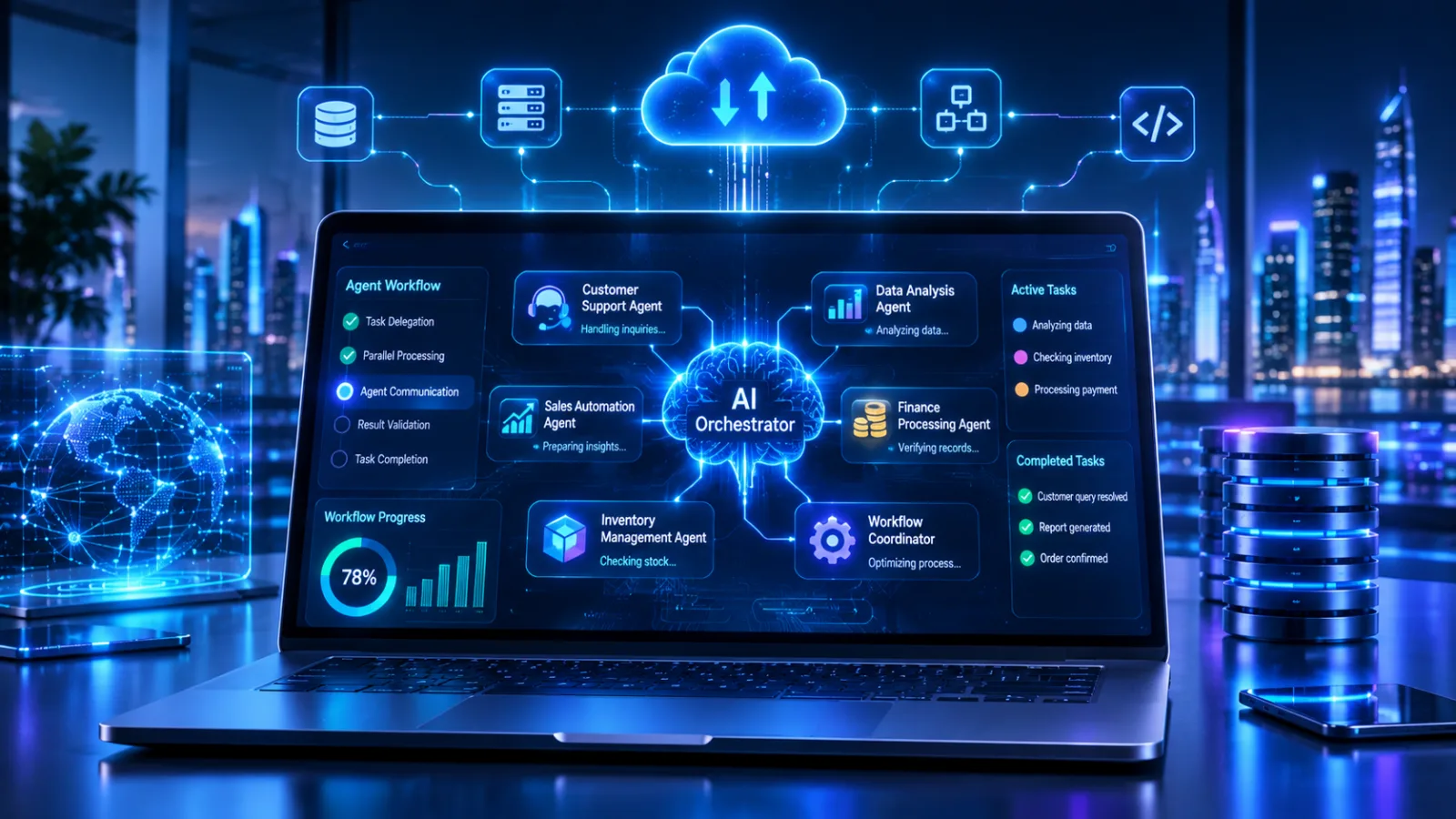
Technologies Used in AI Workflow Automation
The technology stack depends on the complexity of the project, the existing software environment, and the type of automation required.
Artificial Intelligence and Language Models
Large language models can interpret natural-language inputs, summarize information, classify requests, and generate structured outputs.
The model should be selected according to the task, accuracy requirements, privacy considerations, response speed, and operating cost.
Python and JavaScript
Python is commonly used for AI integration, data processing, backend services, and automation logic.
JavaScript and TypeScript are useful for web application development, API communication, and interactive business interfaces.
APIs and Webhooks
APIs allow different applications to exchange information and request specific operations.
Webhooks notify connected systems when particular events occur, helping workflows respond to new records, orders, messages, or status changes.
Databases
Relational and document-oriented databases can store application records, workflow information, and operational data.
The choice depends on data structure, transaction requirements, scalability, and application architecture.
Cloud Infrastructure
Cloud platforms provide computing, storage, deployment, and monitoring capabilities.
Businesses with growing automation requirements may benefit from cloud and DevOps solutions to manage deployment, infrastructure, and application operations.
AI Agent and Workflow Frameworks
Agent frameworks can help coordinate tool usage, multi-step execution, and interactions between specialized AI components.
For applications that require agent-based workflows, developers can also review the OpenAI Agents SDK documentation.
Framework selection should be based on actual project requirements rather than popularity alone.
Security and Governance for AI Workflow Automation
Security must be considered throughout the development lifecycle because automation systems may process confidential information and interact with important business applications.
A poorly controlled workflow can expose data, update records incorrectly, or initiate unauthorized actions.
Data Privacy and Confidentiality
Businesses should identify which information is processed by AI services and how it is stored, transmitted, and accessed.
Sensitive data should only be shared with authorized components and services.
Authentication and Access Control
Each application integration should use appropriate authentication and limited permissions.
For example, a workflow that only needs to read customer records should not automatically receive permission to delete or modify those records.
Output Validation
AI-generated information should be checked before it is used in important business processes.
Validation can include required-field checks, permitted values, data-format checks, confidence thresholds, and comparison with trusted records.
Human Approval for Sensitive Actions
Sensitive actions should have appropriate approval controls.
The OpenAI guidance on guardrails and human review explains how validation and approval mechanisms can control agent workflows.
Logging and Audit Trails
Businesses should maintain records of relevant workflow events.
These records can help teams investigate errors, understand why an action occurred, and identify whether an employee or automated component initiated a particular operation.
Prompt Injection and Untrusted Inputs
AI workflows may process emails, uploaded documents, website content, and other external information.
These sources can contain instructions that should not be treated as trusted system commands.
Developers should separate trusted instructions from untrusted content and restrict the tools and actions available to AI components.
How to Measure AI Workflow Automation Performance
A successful implementation should produce measurable improvements rather than simply demonstrate that an AI model can complete a task.
Businesses should define performance indicators before deployment.
KPI | What it measures |
|---|---|
Workflow completion rate | Percentage of workflows completed successfully |
Processing time | Time required to complete a process |
Exception rate | Percentage of cases requiring intervention |
Data accuracy | Correctness of extracted or transferred information |
Manual handling time | Employee time spent on the process |
Integration reliability | Successful communication between applications |
Cost per workflow | Average operating cost for each completed process |
Approval turnaround | Time taken to review pending actions |
These metrics should be evaluated together.
For example, reducing processing time is not necessarily a positive result if data errors or customer complaints increase.
A useful evaluation compares the original workflow with the automated version over a representative period.
AI Workflow Automation Costs: What Businesses Should Consider
There is no universal price for an AI workflow automation project. The cost depends on the number of processes, application integrations, AI model requirements, data complexity, security controls, and ongoing support.
The main cost factors include:
Development Complexity: A workflow connecting two applications is generally less complex than an enterprise system coordinating multiple departments and databases.
AI Model Usage: Model selection, request volume, input size, output size, and processing requirements affect recurring usage expenses.
Third-Party Integrations: Some platforms provide built-in connectors, while others require custom API development.
Infrastructure: Hosting, databases, storage, monitoring, and cloud services contribute to operating costs.
Security and Testing: Access controls, validation, audit logging, and testing add development effort but are important for reliability.
Maintenance: APIs, software platforms, business rules, and AI services may change over time, requiring updates and ongoing support.
Businesses should evaluate total ownership cost rather than considering initial development expenses alone.
Common AI Workflow Automation Implementation Mistakes
Even well-planned automation projects can face problems if important operational requirements are overlooked.
1. Automating Before Understanding the Process
Automating an inefficient workflow can make existing problems harder to identify.
Better approach: Map the process, remove unnecessary steps, and clarify responsibilities before development begins.
2. Using AI for Every Operation
Some business activities involve simple calculations, fixed conditions, or predictable actions.
Better approach: Use conventional automation for deterministic tasks and introduce AI where interpretation or contextual processing adds value.
3. Ignoring Data Quality
Incomplete, outdated, or inconsistent records can affect the reliability of automated processes.
Better approach: Review data quality and define validation rules before connecting AI components to operational systems.
4. Allowing Unrestricted Application Access
Giving automation components unnecessary permissions increases operational and security risks.
Better approach: Apply least-privilege access and separate read, write, and approval permissions.
5. Skipping Real-World Testing
A workflow may work with sample information but fail when it receives unusual documents, incomplete forms, or unexpected API responses.
Better approach: Test normal scenarios, edge cases, failures, and recovery procedures before deployment.
6. Failing to Assign Workflow Ownership
Automation systems still need people responsible for monitoring, maintenance, and operational decisions.
Better approach: Assign clear ownership for each workflow and define how employees should handle exceptions.
AI Workflow Automation for Businesses in Qatar
Businesses in Qatar operate across sectors such as retail, hospitality, real estate, financial services, education, healthcare, logistics, and professional services.
Each sector has different operational requirements, making workflow design an important part of digital transformation.
For example, a retail business may automate product enquiry management and inventory notifications, while a professional services company may focus on document processing, client onboarding, and internal reporting.
Organizations implementing AI automation in Qatar should consider:
Whether workflows need Arabic and English language support.
How existing CRM and ERP applications will be integrated.
Whether data access and processing arrangements meet applicable requirements.
How customer and employee information will be protected.
Whether the system requires audit trails and approval mechanisms.
How employees will monitor and maintain automated processes.
Businesses handling personal information should review applicable obligations under Qatar's data protection framework and seek qualified advice where necessary.
A suitable implementation should reflect the organization's existing infrastructure, business objectives, and operational responsibilities.
How to Choose an AI Workflow Automation Development Partner
Selecting the right development partner can influence the reliability, security, and long-term maintainability of an automation project.
Businesses should evaluate potential technology partners using practical criteria.
Technical Expertise
Look for experience in AI integration, backend development, databases, API integration, and cloud infrastructure.
Business Process Understanding
A development partner should understand how the organization operates before recommending an automation architecture.
Security and Governance
Ask how the development team handles authentication, permissions, sensitive data, validation, logging, and human approval.
Integration Capabilities
Check whether the team can connect existing CRM, ERP, accounting, e-commerce, and communication platforms.
Testing and Maintenance
Discuss how the system will be tested, monitored, documented, and maintained after deployment.
Scalability
The architecture should support future integrations and additional workflows without requiring unnecessary redevelopment.
Businesses can review Galaxium Coding's projects and portfolio to explore its software development work and learn more about the company's technical capabilities.
The Future of AI Workflow Automation
AI workflow automation is evolving toward more connected systems that combine AI models, business applications, specialized agents, and conventional workflow engines.
Several developments are influencing this direction.
More Intelligent Workflow Orchestration
AI components are increasingly being used to interpret information and recommend appropriate actions within structured business processes.
Greater Integration Across Applications
Businesses are looking for ways to connect existing software instead of creating disconnected automation tools for individual departments.
Multi-Agent Workflow Coordination
Specialized AI agents may handle separate tasks such as research, information extraction, analysis, and execution.
These systems require careful orchestration, access controls, and monitoring.
Improved Governance and Observability
As AI systems become more involved in operational processes, businesses will need better visibility into how outputs are generated, which tools are used, and why actions occur.
Human-Centered Automation
The future of business automation is not necessarily about removing employees from every process.
Instead, well-designed workflows can reduce repetitive work while keeping people involved in important decisions, approvals, and customer relationships.
Conclusion: Building Practical AI Workflow Automation Solutions
AI workflow automation provides businesses with an opportunity to connect applications, reduce repetitive administrative work, and improve the management of complex processes.
However, successful implementation depends on more than introducing artificial intelligence. Businesses need clear objectives, suitable architecture, reliable application integrations, accurate data, security controls, and continuous performance monitoring.
The most effective approach is to begin with a specific business problem, develop a controlled solution, measure its performance, and expand automation based on real results.
At Galaxium Coding, we understand the importance of building technology around practical business requirements. Our software development, web application, and cloud capabilities support organizations exploring connected digital solutions.
Whether your business needs an intelligent document-processing workflow, automated customer enquiry management, or a connected enterprise application, the right development strategy can help turn operational challenges into practical software solutions.
Explore Galaxium Coding's software development services or contact our team to discuss your AI workflow automation requirements.
Frequently Asked Questions (FAQs)
1. What is AI workflow automation?
AI workflow automation uses artificial intelligence within connected business processes to interpret information, classify requests, extract data, generate outputs, and support automated actions.
2. How does AI workflow automation work?
It typically begins with an input or trigger, processes information through an AI model, validates the output, applies business rules, executes authorized actions, and records the result.
3. What are the best business processes to automate using AI?
Processes involving document interpretation, customer enquiry classification, support ticket management, information extraction, and internal reporting can benefit from AI when these tasks create measurable operational value.
4. Can AI workflow automation integrate with existing CRM and ERP systems?
Yes. AI workflows can connect with existing business applications through APIs, webhooks, database connections, and supported integration services. The available integration options depend on the software platform.
5. Is AI workflow automation suitable for small businesses?
Yes. Small businesses can begin with focused workflows such as enquiry classification, document processing, appointment administration, and customer support organization. A small, measurable project is often a sensible starting point.
6. What technologies are used in AI workflow automation?
Common technologies include large language models, Python, JavaScript, APIs, webhooks, databases, cloud infrastructure, workflow orchestration tools, and AI integration frameworks.
7. How much does AI workflow automation cost?
Costs depend on workflow complexity, development requirements, AI model usage, third-party integrations, infrastructure, security, and ongoing maintenance. Each project needs an individual assessment.
8. Is AI workflow automation secure?
It can be designed securely using authentication, least-privilege permissions, encryption, output validation, audit logs, and human approval. Security depends on implementation and ongoing monitoring.
9. Does AI workflow automation replace employees?
Not necessarily. It can reduce repetitive tasks and help employees access information more efficiently. Human involvement remains important for sensitive decisions, exceptions, approvals, and relationship-based activities.
10. How long does it take to implement an AI workflow automation system?
The timeline depends on the number of workflows, integration complexity, data readiness, security requirements, and testing. A focused pilot is generally easier to plan than a complete enterprise-wide automation project.
11. Can AI workflow automation support Arabic and English?
Yes, depending on the selected AI model, application design, language requirements, and testing. Businesses in Qatar should evaluate both languages using realistic examples from their actual workflows.
12. How should a business start an AI workflow automation project?
Start by identifying one repetitive business process, mapping its current steps, defining measurable objectives, evaluating integration requirements, and developing a controlled pilot before expanding the solution.